
If you’re a course creator, coach, or membership site owner using BuddyBoss, your leadership is the heartbeat of your community.
The online community leaders play a pivotal role in creating safe, engaging, and inclusive environments.
As more people turn to virtual spaces for connection and collaboration, the need for exceptional community leadership has never been greater.
The moderators/community leaders are the one who shape the tone, keep things running smoothly, and make everyone feel welcome.
In this guide, we've covered 7 must-have traits to lead your online community successfully in 2025 and beyond.
An online community leader is someone responsible for managing, guiding, and nurturing a digital community.
Their primary goal is to create an atmosphere of trust, respect, and collaboration.
These leaders may be volunteers or professionals, and their tasks range from moderating discussions to setting community goals, onboarding new members, and resolving conflicts.
1. Setting Clear Rules and Guidelines
Every strong community starts with clear expectations. An effective online community leader establishes straightforward, easy-to-follow rules that guide how members interact. These guidelines help maintain a respectful, welcoming environment where people feel safe and supported.
2. Encouraging Member Participation
Engagement is essential to keeping a community vibrant. Great leaders actively spark conversations, ask thoughtful questions, share interesting content, and organize interactive activities to keep members involved. Their goal is to foster a space where people feel comfortable contributing and connecting with others.
3. Managing Conflict with Calm and Fairness
Disagreements are natural in any group setting. A strong leader handles them calmly and impartially listening to all sides, de-escalating tension, and guiding the conversation toward resolution. This helps maintain trust and reinforces the community’s values of mutual respect.
4. Offering Ongoing Support and Guidance
Community leaders play a hands-on role in helping members feel informed and empowered. Whether it’s offering helpful resources, answering questions, or recognizing contributions, proactive support builds confidence and encourages deeper engagement.
5. Monitoring Growth and Community Health
A successful leader pays close attention to how the community evolves. This includes tracking membership trends, monitoring engagement levels, and identifying which types of content resonate most. These insights help guide future decisions and ensure the community continues to thrive.
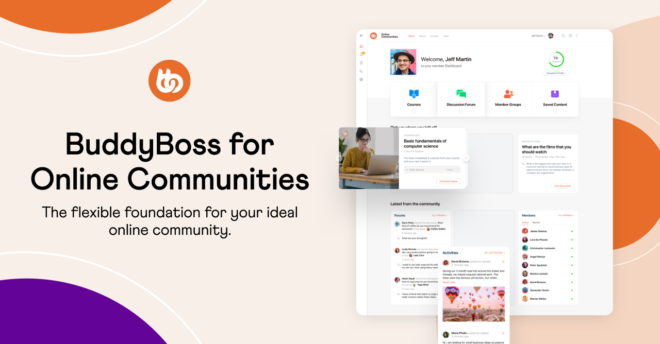
You’re in the perfect place to lead with impact. These leadership strategies shine brightest in a space you own and control. With features like activity feeds, private groups, and member profiles, BuddyBoss gives you the tools to apply these traits in a fully branded, distraction-free environment built around your vision.

Let’s explore the five essential qualities of an effective online leader, backed by real-life examples and practices.
Empathy is a must for any online leader. In digital spaces, we don’t have body language or tone of voice to rely on. That’s why emotional intelligence is so important. It helps leaders understand concerns, pick up on tone, and respond with care.
Example: Reddit’s “r/AmItheAsshole” Moderators
This large subreddit thrives thanks to moderators who lead with empathy. When a heated thread about family issues started spiraling, they didn’t just shut it down. Instead, they posted a thoughtful message that addressed both sides, acknowledged the emotional triggers, and reminded users of the community’s values around respectful storytelling.
The result? Many users thanked the mods for handling the situation with care.
Key Takeaway: Listening without judgment and validating people’s emotions creates a safe, respectful space, a key trait of strong online leadership.
Clarity is everything in the digital world. Online leaders must communicate directions, values, and feedback in a way that leaves no room for misinterpretation across tools like Slack, Discord, Facebook Groups, or Circle.
Example: Buffer’s Transparent Remote Culture
Buffer, a fully remote company, leads with transparent and clear communication. CEO Joel Gascoigne regularly shares decisions, challenges, and strategies in open Slack channels and blog posts. This has made Buffer not just a company, but a community where team members and customers alike feel included and informed.
Key Takeaway: Great leaders master tone, timing, and platform-specific etiquette. Whether it’s replying to a comment thread or drafting community announcements.
In online spaces, consistency breeds credibility. A leader who shows up regularly — through posts, updates, live sessions, or even quiet moderation — builds trust and strengthens engagement.
Example: Pat Flynn’s SPI (Smart Passive Income) Community
Entrepreneur Pat Flynn built a thriving online learning community by showing up every week for his audience through podcast episodes, live Q&As, emails, and forum engagement. His predictable cadence and availability reassured members that they weren’t alone on their entrepreneurial journey.
Key Takeaway: Consistent leadership sets the rhythm of the community. Sporadic interaction can make members feel lost, while predictable engagement builds momentum.
Disagreements in online communities are inevitable. Effective leaders don’t suppress them but they guide resolution with fairness, calm, and structure.
Example: The “Modmail” System on Reddit Communities
Many high-traffic subreddits like r/science have formal conflict resolution frameworks. When a viral misinformation post led to a polarized debate, moderators used Reddit’s Modmail system to mediate in private. They enforced evidence-based rules, invited feedback, and issued a community-wide clarification that balanced both transparency and decorum.
Key Takeaway: Having a conflict resolution plan and using it with grace turns difficult moments into growth opportunities for the whole community.
The most inspiring online leaders don’t just manage, they mobilize. They have a vision, articulate it clearly, and bring members along for the journey.
Example: Marie Forleo’s B-School Community
Marie Forleo’s B-School is not just an online course but a mission-driven community for entrepreneurs. From the moment someone joins, there’s a clear message: You’re here to build a business and life you love. This purpose fuels peer support, user-generated success stories, and long-term engagement even after the course ends.
Key Takeaway: Communities thrive when members feel part of something bigger. A clear vision helps them see how their contributions matter.
Every member should feel seen and heard. This requires conscious effort from using inclusive language to showcasing diverse member stories.
Example: Elpha — A Professional Network for Women in Tech
Elpha promotes inclusion by design. Its founder, Cadran Cowansage, ensures BIPOC voices are amplified, community guidelines are inclusive, and events address intersectional challenges. This focus has made it a safe space for marginalized professionals.
Pro Tip: Inclusive leadership means proactively identifying and removing barriers not waiting for members to flag them.
Technology shifts rapidly. Online leaders must be comfortable with new platforms, tools, and evolving digital behavior.
Example: Mighty Networks Migration Success
When entrepreneur and coach Gina Bianchini noticed Facebook Groups limiting reach and engagement, she built Mighty Networks then transitioned her own communities there. The move allowed better member organization, personalization, and community-led content creation.
Key Takeaway: Adapting to new tools doesn’t mean chasing trends it’s about finding platforms that better serve your community’s purpose.
Leading a group online isn’t the same as doing it in person. While both roles need strong communication and people skills, the way those skills are used can be very different.
In face-to-face settings, a leader can rely on body language, tone of voice, and eye contact to show kindness or authority.
But online, all of that has to come through text which isn’t always easy.
In fact, a study in the Journal of Computer-Mediated Communication found that messages sent online are 60% more likely to be misunderstood than ones delivered in person.
That means online leaders have to be extra careful with how they write, using friendly language, emojis, and clear explanations to make sure their message comes across the right way.
Speed is another big difference.
In offline settings, leaders often have time to think through decisions, hold meetings, or talk things out.
But online, things move fast. Comments can flood in within seconds, and issues can spiral quickly.
That’s why great online leaders are quick thinkers; they step in fast to stop problems and keep the conversation flowing smoothly.
And let’s not forget the tech side.
Online leaders need to know their tools whether they’re running a Discord server, a Facebook group, or a brand forum.
According to a CMX report, over 83% of community managers use at least three digital tools to run their groups.
These tools help with scheduling posts, tracking engagement, and handling rules or reports. Without tech skills, it’s easy to fall behind.
| Aspect | Online Leader | Offline Leader |
| Communication | Text-based; must be clear and friendly | Face-to-face; uses tone and body language |
| Tone & Emotion | Shown through words, emojis, and punctuation | Expressed naturally through voice and gestures |
| Speed of Decisions | Needs quick responses due to fast-paced interactions | Has more time to reflect and discuss |
| Conflict Handling | Often public; must act quickly and fairly | Usually private; handled through in-person talks |
| Tools Required | Needs to use digital platforms and moderation tools | Uses meeting rooms, materials, and physical setups |
| Measuring Impact | Tracks likes, comments, growth stats | Relies on observation and direct feedback |
Rosie Sherry (Indie Hackers, Rosieland) uses newsletters, Twitter, and community posts to communicate clearly with makers and startup founders.

Cassidy Williams (Tech influencer) adds humor, emojis, and personality to posts on platforms like Discord and GitHub, keeping things fun and relatable.

Discord moderators for MrBeast’s massive server respond to member queries or rule violations in seconds to keep chats safe and smooth.

Reddit moderators in large subreddits like r/AskHistorians handle disputes quickly using mod tools and clear, posted rules.

Glossier's Community Team uses Slack, custom forums, and analytics tools to manage customer feedback and fan interaction.
Dev.to moderators ensure a respectful global coding community, adjusting for time zones and cultural differences with inclusive guidelines. Check the below screenshot-

1. What’s the difference between managing an online and offline community?
Online leaders rely heavily on written communication and tech tools. They have to be more intentional about clarity, tone, and speed. In contrast, offline leaders can lean on face-to-face interactions and non-verbal cues. Online leadership also tends to move faster and requires more flexibility with tools and platforms.
2. How do I build trust as an online community leader?
Trust is built through consistency, transparency, responsiveness, and fairness. Show up regularly, communicate openly, listen to feedback, and enforce rules fairly across the board.
3. Can a community leader also be the content creator or course instructor?
Yes, especially in communities built around education, coaching, or membership sites. In fact, having the leader also serve as the expert or guide can deepen trust and increase engagement just make sure you balance both roles well.
4. How do I handle conflicts in my online community?
Set clear community rules from the start, and enforce them calmly and consistently. Listen to all sides, de-escalate quickly, and move discussions toward resolution. Use tools like private messaging or modmail to avoid public disputes whenever possible.
5. Why is empathy such a critical trait for online community leaders?
Because digital communication often lacks nuance, empathy helps bridge the emotional gap. Leaders who show empathy create a more supportive, understanding environment—making it easier for members to feel safe, stay engaged, and contribute openly.
6. How can I promote inclusiveness in my online community?
Use inclusive language, amplify diverse voices, and actively seek feedback from underrepresented groups. Regularly review community policies and content to ensure they support equity and belonging for everyone.
7. How do I stay consistent without burning out as a community leader?
Build systems. Schedule regular content, delegate where possible (e.g., moderators or ambassadors), and use automation tools to handle routine tasks. Set realistic boundaries so you can sustain your presence over time.
8. Can I develop leadership traits even if I’m new to managing communities?
Absolutely. Leadership is a skill, not just a personality type. Start by focusing on empathy, communication, and consistency. With time, feedback, and learning, you can develop the other traits as your confidence grows.
9. Is BuddyBoss a good platform for first-time online community leaders?
Yes. BuddyBoss is built for creators, coaches, and course owners looking to manage a branded community space with tools like member profiles, activity feeds, private groups, and integrations with LMS plugins like LearnDash. It’s especially beginner-friendly for those building on WordPress.
As we’ve explored, qualities like emotional intelligence, clear communication, consistency, conflict resolution, and purposeful vision are essential for any thriving online leader. But no one starts with all these traits fully formed.
Take a moment to reflect: Which of these strengths do you already embody? And which ones can you start developing today? Whether you're moderating a small niche group or leading a large digital community, growth is always part of the journey.
Already building your community? Practice these skills inside your own BuddyBoss-powered platform and lead your members to success.
👉 Ready to lead your own thriving community? Build Your Community on WordPress with BuddyBoss.
Creating content is easy. Creating content that sells now that's the real challenge.
If you're a brand owner, marketer, or content creator, understanding how to create content that drives conversions is important in today's attention economy.
With every click, scroll, or swipe, you have just seconds to make an impact. So, how can you craft content that not only captures attention but also encourages action?
Let’s take a look into the complete guide to creating high-impact content that converts.
Content isn’t just about words or visuals but it's a bridge between your brand and your audience. The most effective content performs three tasks:
Informs – It provides your audience with clear, relevant, and valuable information, helping them understand their problem and explore potential solutions.
Engages – Great content goes beyond facts. It speaks to your audience on an emotional and intellectual level, sparking curiosity, building connection, and encouraging interaction.
Converts – Ultimately, content must guide the reader toward a specific action. Whether it's signing up for a newsletter, making a purchase, sharing a post, or contacting your team.
Every piece of content you create should serve a specific business goal. Without this alignment, even the most creative content can fall flat. Here’s how to make your content work harder:
Lead Generation – Offer gated resources, such as downloadable guides, templates, or webinars, to collect emails and nurture potential customers.
Sales Conversion – Use product-focused content, like landing pages, use-case articles, comparison blogs, or demo videos, to push prospects closer to a decision.
Brand Awareness – Share thought leadership content, behind-the-scenes stories, or educational posts to increase visibility and position your brand as a trusted authority.
Also Read- How to Increase Blog Traffic with Less Content
Creating content without a strategy is like sailing without a compass; you might stay afloat, but you won’t reach your destination.
That’s why every effective content plan begins with setting SMART goals. These goals should be Specific, Measurable, Achievable, Relevant, and Time-bound.
For example, rather than vaguely aiming to “grow your audience,” a SMART goal would be: “Increase email sign-ups by 20% in the next 3 months using downloadable guides.”
Here’s how Hubspot built a robust content marketing engine by starting with a clear strategy.
They developed content around major “pillars” like CRM, inbound marketing, and sales enablement. Each topic had blog posts, downloadable resources, and SEO-optimized landing pages.
Their strategic approach allowed them to dominate search rankings, generate millions of monthly organic visits, and convert traffic into qualified leads via eBooks and templates.
Lesson: A focused content strategy built on pillars and clusters can dramatically scale traffic and lead generation over time.
Building a Content Calendar
A calendar helps you stay consistent, align with launches or seasonal events and track past content performance.
You can use tools like Trello, Notion, or Google Sheets to organize content ideas, formats, and publishing dates.
To create engaging content for social media, focus on authenticity, brevity, and delivering value.
Tailor your content to each platform like Instagram favors visuals, LinkedIn works for thought leadership, Twitter thrives on trends, and TikTok rewards creativity.
Use 3–5 targeted hashtags, stay on top of trends, and encourage user-generated content to boost visibility.
A great example is Duolingo on TikTok. Duolingo embraced TikTok’s quirky culture by making humorous, relatable content featuring their mascot.
Instead of pushing promotions, they leaned into memes, trends, and funny skits.
This native, entertaining approach resulted in explosive follower growth (over 10 million followers) and massive engagement even though most posts didn’t directly mention their app.
Lesson: To create engaging content on social media, adapt to the platform's culture, use humor and trends, and aim for interaction, not just impressions.

Great content positions your brand as a trusted leader, not just another player in the market.
You need to Back Claims With Data. Whenever you make a claim, back it up. Use statistics from reliable sources, industry benchmarks and research studies.
This builds credibility and invites trust.
Neil Patel consistently publishes in-depth, data-backed articles, detailed guides, and free tools like Ubersuggest to help users with SEO. He also speaks at events, hosts webinars, and collaborates with other experts.
His content doesn’t just scratch the surface it provides real value, showing both expertise and a willingness to help. This approach has positioned him as a leading voice in digital marketing.
Lesson: To build authority, create educational, well-researched content, offer tools or resources, and back up claims with real data.
Guest posts, interviews, or co-branded content with influencers and industry experts increase your reach and authority.
Focus on one domain deeply instead of trying to cover everything. This improves SEO and user trust.
Example: A fitness brand that deeply covers “bodyweight training” will outperform one that posts sporadically on dozens of topics.
Good content isn’t a one-hit wonder it’s built through consistent effort. And to do that you need to Balance Quality and Quantity.
It’s not about spamming your audience daily, it's about consistently delivering value. Weekly high-quality content often outperforms daily mediocre posts.
Buffer committed to a transparent and consistent content schedule, publishing several times a week. They shared marketing insights, company experiments, and remote work lessons with honesty and clarity.
Their consistency created trust, while their willingness to share internal processes made them uniquely relatable and valuable.
Lesson: Good content doesn’t have to be viral, it has to be useful. Show up regularly with helpful insights, and your audience will keep coming back.
Creating content for your brand means ensuring that every word, image, and interaction reflects your unique identity.
Your brand’s personality should shine through in all content.
It doesn’t matter if it’s casual and friendly, bold and authoritative, or creative and playful.
Start by crafting a distinct brand voice and clearly define the tone you want to adopt.
Apple’s content (from ads to product pages) is rooted in minimalism, elegance, and emotional appeal. They showcase features through sleek visuals, simple language, and a clear focus on the user’s experience and lifestyle.
Their content stays 100% true to their brand identity premium, intuitive, aspirational. Everything they produce reinforces their brand voice.
Lesson: Define your brand’s tone, look, and values, and make sure your content feels unmistakably yours across all channels.
| Content Format | Primary Purpose | Best Used For | Why It Sells | Pro Tips |
| Blogs | SEO, educate, establish authority | Evergreen guides, comparison posts, listicles | Builds long-term traffic, positions you as an expert, supports TOFU awareness | Target low-competition keywords, update posts regularly, embed internal links |
| Videos | Drive emotional connection, boost conversions | Explainers, product showcases, testimonials | Builds trust visually, increases engagement, shortens buying cycles | Hook viewers in first 5 seconds, use storytelling, add clickable CTAs |
| Infographics | Make complex info visual & shareable | Stats breakdowns, how-to steps, survey results | Highly shareable, attracts backlinks, enhances comprehension | Focus on one core idea, include branding, optimize for Pinterest/SEO |
| Case Studies | Prove ROI, build buyer confidence | Demonstrating success stories, use cases | Shows outcomes, eliminates objections, appeals to analytical buyers | Use before/after metrics, include quotes from real clients |
| Whitepapers | Show depth, influence decision-makers | Industry research, technical analysis, expert opinions | Builds credibility with C-suite, captures high-intent leads | Design professionally, gate behind a form, promote via LinkedIn ads |
| Email Sequences | Nurture trust, prime leads for action | Welcome series, cart abandonment, nurture flows | Feels personal, builds anticipation, enables micro-conversions | A/B test subject lines, time emails strategically, segment your audience |
| Webinars | Educate live, close high-intent leads | Product walk-throughs, expert panels, training | Creates urgency, allows direct interaction, showcases expertise | Offer replay, end with bonus or exclusive offer, collect feedback live |
Creating content that sells is about speaking directly to your audience’s needs, using the right words, formats, and timing.
From building a data-driven content strategy to choosing the best channels and crafting a brand voice, every decision plays a part in driving conversions and growing your business.
By following the actionable insights in this guide, you'll no longer struggle with how to create content that just gets clicks.
Instead, you’ll master how to create content that actually sells, turning browsers into buyers and readers into loyal fans.
External Resource:
For more in-depth content strategies, check out HubSpot’s free Content Marketing Certification Course.
For course creators, coaches, and membership site owners, a thriving community isn’t just a feature—it’s your secret weapon for deeper engagement, lasting retention, and organic growth.
That’s exactly what ReadyLaunch is designed to deliver.
Built directly into the free BuddyBoss Platform, ReadyLaunch lets you launch a sleek, modern design community in minutes with no coding, no developers, and full compatibility with your current site design.
In this guide, we’ll explore what ReadyLaunch is & why it is different, who it’s designed for, why it works so well.
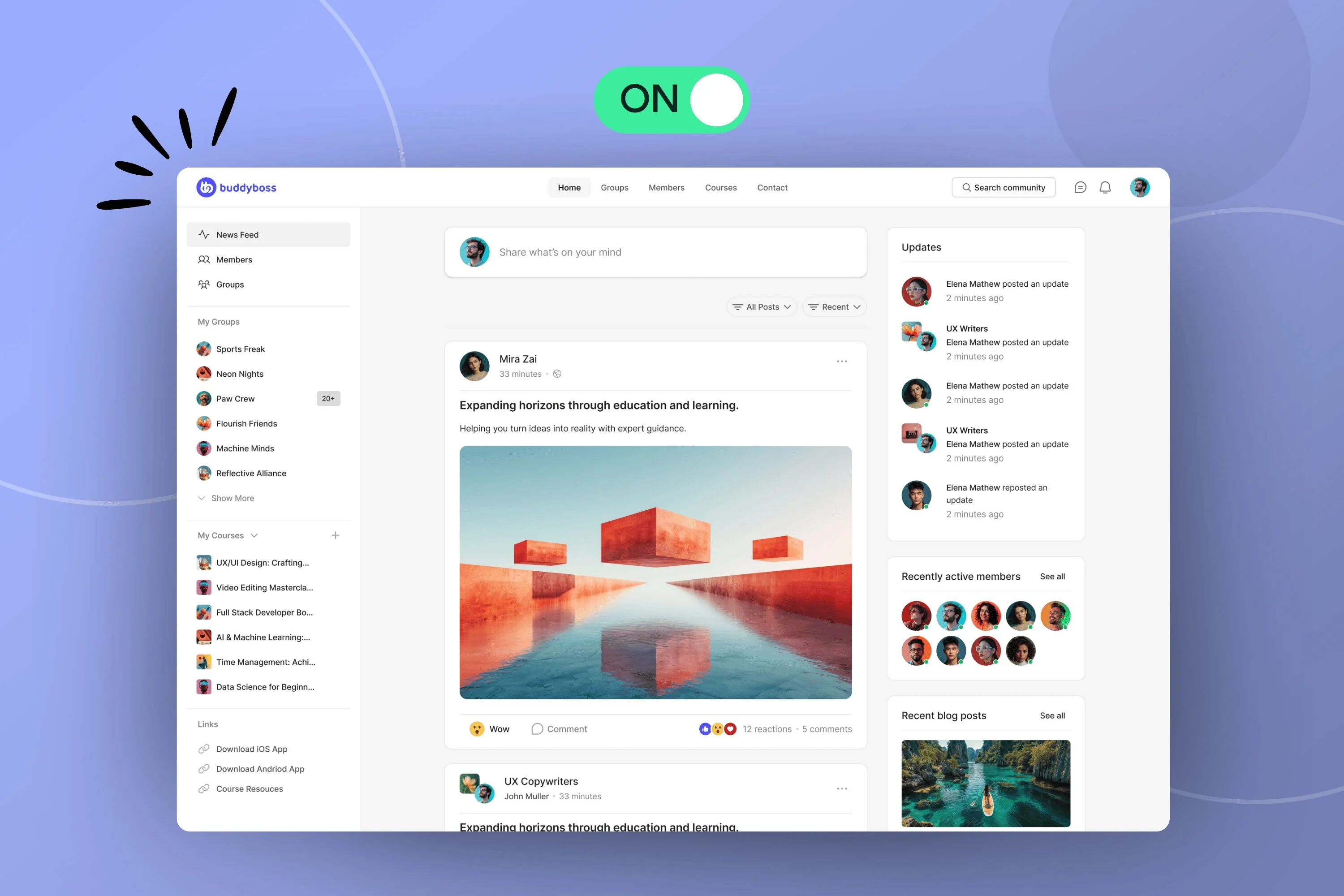
ReadyLaunch is a streamlined, purpose-built experience inside BuddyBoss Platform designed for speed, simplicity, and long-term growth.
Here’s what makes it unique:
ReadyLaunch is designed to meet the needs of different types of WordPress site owners. Let’s break it down:
You’ve invested time perfecting your WordPress theme. Your LearnDash or MemberPress setup is humming along beautifully.
But now you want to take your student experience to the next level with activity feeds, direct messaging, and group discussions without touching your existing design.
It works seamlessly with your existing site design, so you can preserve your brand identity and user experience while adding a powerful community layer in minutes.
Its custom-designed screens for LearnDash and MemberPress ensure your course and community content feel naturally connected.
And your students enjoy a cohesive learning experience all in one place, without the need for multiple platforms.
If you’re launching your first community, you don’t need complexity, you need something that just works.
ReadyLaunch takes you from idea to live community so you can start engaging members the same day you install it.
Setup is refreshingly simple: just three configuration screens and you're ready to welcome your first members.
Core features like groups, messaging, and member profiles are preconfigured and ready to use immediately.
Quick branding controls let you upload your logo, choose your brand color, and set light/dark mode. This is the fastest way to test your community idea without overthinking design or tech.
Not every community needs to be massive to be meaningful. Some of the most engaged and profitable ones are intentionally small by design and by size.
For those focused communities, a solution that delivers speed, stability, and simplicity from the start can make all the difference.
ReadyLaunch is designed for performance, aiming to deliver fast-loading pages and a smooth user experience by utilizing optimized, fixed templates and minimizing customization.
Its fixed, high-efficiency templates work independently of your theme and are designed to keep your site clean, consistent, and easy to manage.
Whether you’re running a mastermind group, a membership site, or a niche learning space, ReadyLaunch gives you the reliable foundation you need without extra setup or complexity.
Already running a blog, business site, or LMS? If your layout is working well and your SEO is dialed in, ReadyLaunch lets you add powerful community features without changing a thing so you can build engagement without disrupting your current setup.
ReadyLaunch is designed to complement what you’ve already built, seamlessly extending your WordPress site with powerful community features that match your existing style and structure.
Its theme-independent templates integrate effortlessly, while features like the one-click header block keep your design visually consistent, especially on block-based themes.
Disabling a WordPress plugin like ReadyLaunch generally returns your site to its original state, but may require manual cleanup of any plugin-related changes, database modifications, or custom code if you want a complete return to an original setup.
ReadyLaunch is fast, free, and built for creators who value simplicity and speed. It's perfect for getting your community live without complexity .
When you’re ready to expand your capabilities, the BuddyBoss Theme offers advanced customization options like layout control and enhanced registration flows.
For even deeper engagement tools like reactions, polls, and moderation features BuddyBoss Platform Pro is the ideal next step.
Think of ReadyLaunch as your ideal foundation, with a natural path forward as your community grows.
ReadyLaunch isn’t trying to replace the BuddyBoss Theme. Instead, it’s: A streamlined community experience for creators who want fast results.
It is a lightweight solution for small-to-medium communities and a low-barrier entry point for first-time community builders.
The BuddyBoss Theme remains the best choice for users who want full design control, while Platform Pro is ideal for advanced scaling.
1. Does ReadyLaunch work with all LMS plugins?
It has custom-designed templates for LearnDash and MemberPress. Other LMS plugins like TutorLMS or LifterLMS will still work but use your theme’s default styling.
2. Can I customize the ReadyLaunch templates?
ReadyLaunch is designed for speed and simplicity, so customization is intentionally limited. For full control, you’d use BuddyBoss Theme.
3. What happens if I turn ReadyLaunch off?
Your site reverts instantly to its original theme layout with no leftover changes or styling conflicts.
4. Is ReadyLaunch really free?
Yes! ReadyLaunch is included with the free BuddyBoss Platform with no monthly fees, no SaaS lock-in.
If you:
Love your current WordPress theme
Want to add a real community to your site
Prefer simplicity over heavy customization
Don’t want to pay $99+/month for SaaS platforms like Circle or Skool
Then ReadyLaunch is built for you.
It’s the fastest, easiest, and most cost-effective way to launch a professional community on WordPress with zero design headaches and total control of your data.
👉 Download the BuddyBoss Platform & Try ReadyLaunch Today — It’s Completely Free.
Already trying it? We’d love your feedback—your input helps shape what comes next!
Virtual communities have evolved into powerful platforms that foster connection, collaboration, and shared purpose no matter where people live.
If it's a group of professionals sharing knowledge or hobbyists discussing their favorite games, virtual communities are shaping the way people interact in 2025.
But what exactly are virtual communities? How do you start one? More importantly, how do you grow one into a thriving space people actually want to engage in?
This guide will cover everything you need to know from the origins and types of virtual communities to practical steps for building and scaling one. Let’s dive in!
A virtual community is a group of people who interact with each other primarily through digital platforms, united by shared interests, goals, or activities.
Unlike physical communities, these exist entirely online, giving members the freedom to connect across geographic boundaries.
These communities can form around almost anything: games, books, entrepreneurship, wellness, coding, parenting, or even niche topics like vintage camera collecting.
The concept of virtual communities dates back to the early days of the internet. Pioneers like Howard Rheingold coined the term in the 1980s, referring to online forums like The WELL.
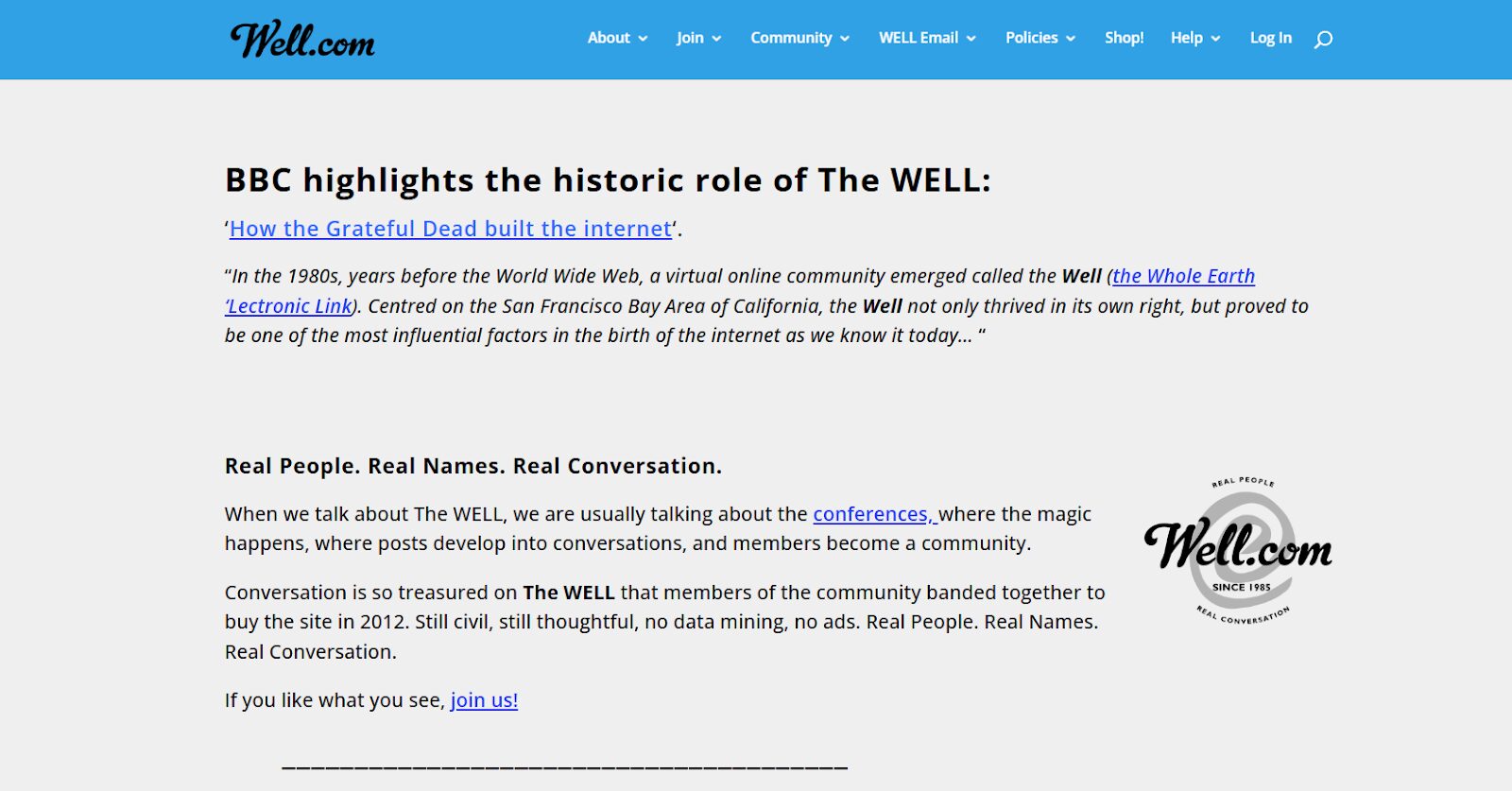
Over the decades, with the rise of social media, messaging apps, and niche forums, virtual communities have evolved to become sophisticated and deeply integrated into daily life.
By 2025, we’re seeing AI-moderated spaces, immersive VR communities, and more personalized engagement than ever before.
There are various types of virtual communities, each with its own focus and goals. Understanding these can help you define what kind of community you want to build.
Interest-Based Virtual Communities
These communities are formed around shared hobbies or passions like photography, writing, or gaming. Reddit and Facebook Groups are popular examples.
Professional and Work-Based Communities
Platforms like Slack, Discord, or LinkedIn Groups host communities where professionals network, share ideas, and collaborate on projects.
Learning and Educational Communities
These include forums for online courses, skill-building groups, or mentorship platforms. Examples include Coursera forums and MasterClass groups.
Support and Advocacy-Based Communities
These communities focus on emotional or practical support such as mental health groups, chronic illness forums, or advocacy organizations.
Also Read: 10+ Types Of Online Communities For Networking And Engagement in 2025
Successful virtual communities share common elements:
| Component | Description |
| Purpose & Mission | A clear reason for the community’s existence; aligns members around shared goals. |
| Community Guidelines | Rules that define acceptable behavior, foster safety, and encourage engagement. |
| Defined Roles | Roles like moderators, admins, ambassadors, and content creators ensure structure and accountability. |
| Engagement Strategy | A plan for driving interaction events, discussions, polls, challenges, etc. |
| Content Framework | Regular, valuable content (posts, webinars, newsletters) to keep members informed and involved. |
| Onboarding Experience | A smooth process that helps new members understand the culture and get value quickly. |
| Feedback Loops | Systems for collecting and acting on member input to improve the community. |
| Recognition & Rewards | Ways to acknowledge top contributors through badges, shoutouts, or incentives. |
| Technology Platform | The tools used to host and manage the community (e.g., Circle, BuddyBoss, Discord). |
| Analytics & Metrics | KPIs like MAU, engagement rate, NPS, and referral tracking to measure success. |
Oops! We could not locate your form.
Virtual communities have become essential digital ecosystems, redefining how people learn, collaborate, and connect across industries and cultures.
As remote work, digital learning, and decentralized networks continue to rise, virtual communities are not just supportive spaces but they're strategic assets for individuals, brands, and organizations alike.
1. Global Reach and Accessibility
Virtual communities eliminate geographic boundaries, enabling access to global talent, diverse ideas, and cross-cultural collaboration. Whether you're hosting a mastermind group or leading a product forum, anyone with internet access can participate.
2. Stronger Brand Loyalty and Engagement
For businesses, a well-managed virtual community creates emotional stickiness. It turns customers into advocates and builds trust by offering space for ongoing dialogue, feedback, and value-driven interaction beyond transactions.
3. Peer-to-Peer Learning and Support
Communities empower members to learn from each other through shared experiences, mentorship, and problem-solving. This democratization of knowledge strengthens community bonds and accelerates individual growth.
4. Scalable Human Connection
Unlike in-person communities, virtual groups scale effortlessly. You can support thousands or even millions of members with the right tools, automation, and engagement strategy, all without physical infrastructure.
5. Real-Time Feedback and Innovation Loops
Communities serve as a live feedback engine, allowing brands to iterate quickly, spot trends early, and co-create solutions with their most engaged users.
1. Moderator Burnout and Resource Strain
As communities grow, so does the demand for moderation, conflict resolution, and content curation. Without support systems or tools, moderators can face fatigue and overwhelm.
2. Declining Engagement Over Time
Communities risk stagnation if they lack fresh content, evolving experiences, or clear incentives for participation. Keeping members consistently engaged requires intentional strategy.
3. Misinformation and Toxic Behavior
Without proper guidelines and moderation, misinformation can spread, and toxic behavior can erode trust especially in large, loosely governed spaces.
4. Platform Dependency Risks
Relying too heavily on third-party platforms (e.g., Facebook, Reddit) exposes communities to sudden algorithm changes, policy shifts, or even shutdowns putting community health at risk.
Building a virtual community from the ground up might sound intimidating but with the right structure, tools, and vision, it’s more achievable than ever in 2025.
This step-by-step checklist will guide you through everything from defining your community’s purpose to choosing the right platform, setting up roles, driving engagement, and measuring success.
Use it as your launchpad to turn an idea into an engaged, thriving online space that brings people together and adds value consistently.
Explore the checklist for Virtual Community–
If you're thinking about building a virtual community from scratch, don’t overwhelm yourself with 10-step checklists or 20 tool comparisons. With the right platform, you can launch a fully functional, branded community in just a few weeks.
One of the best and most trusted platforms for this in 2025 is BuddyBoss. It's built specifically for creators, educators, and brands that want full control over their community. With features like:
BuddyBoss does it all.
You can start with a free demo site to explore features at your own pace or get a personalized quote to launch your community fast.
👉 Try the free demo
👉 Request a quote
If you’re serious about community-led growth, BuddyBoss is where you start.
While some people draw distinctions between the terms virtual community and online community, the truth is they largely refer to the same thing in today’s digital landscape.
A virtual community is often described as a more structured, intentional group with a clear purpose like a learning hub, support forum, or brand-led membership space. Meanwhile, an online community might sound broader or more informal, covering everything from Reddit threads to Facebook groups. Some may use “virtual” to emphasize organized interaction, while “online” may feel more casual or spontaneous.
However, in practice, these terms are used interchangeably by most professionals, platforms, and users alike. Both describe communities that live on the internet, connect people around shared interests, and enable digital interaction regardless of how structured or spontaneous they are.
Here are real-world examples that show how different brands and movements have harnessed the power of community:
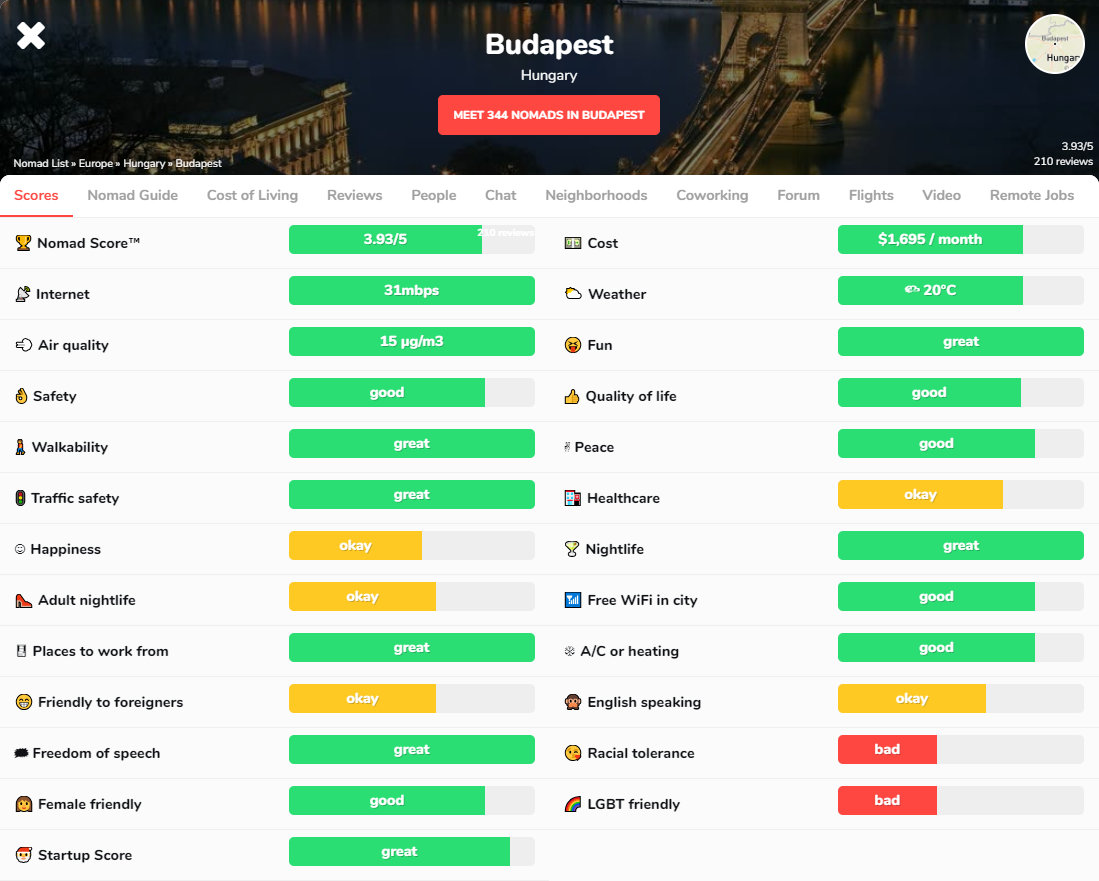
Nomad List – A thriving community for digital nomads and remote workers, Nomad List offers more than just destination data. Members actively share real-time travel advice, co-working spots, visa tips, and even meet up in new cities creating a sense of belonging on the move.
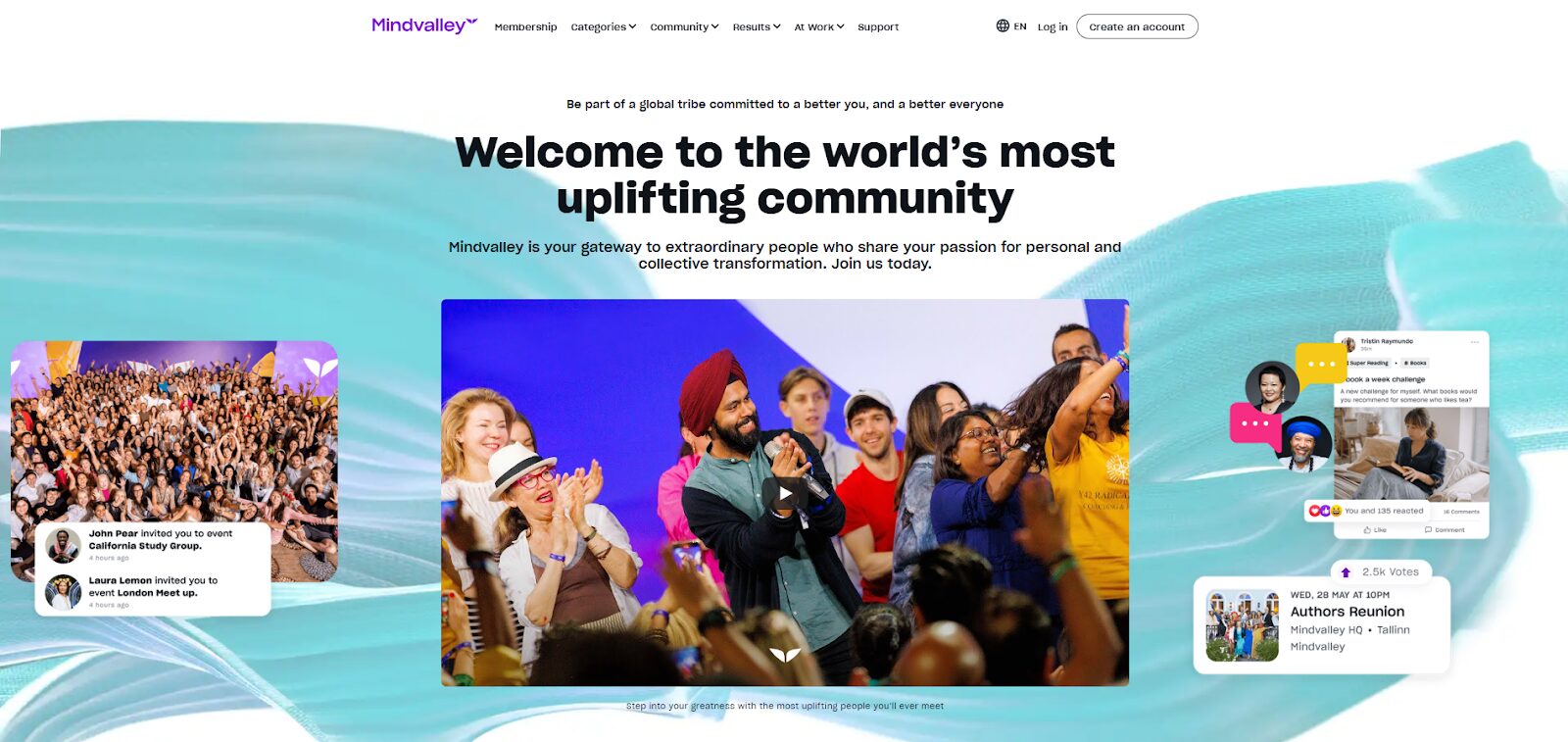
Mindvalley Tribe – Built around personal development and holistic wellness, Mindvalley’s Tribe connects learners from around the world. With member-led discussions, live classes, and offline events, this community empowers transformation through shared values and support.
Product Hunt – This tech-savvy community surfaces new startups and tools every day. Founders, makers, and early adopters gather to share feedback, give product tips, and upvote innovations. It’s a launchpad where conversations often spark real momentum for new ideas.
Webflow Community – A no-code development hub where designers and entrepreneurs help each other build, refine, and launch projects. Webflow University, user forums, and local meetups make it a go-to space for modern web creators.
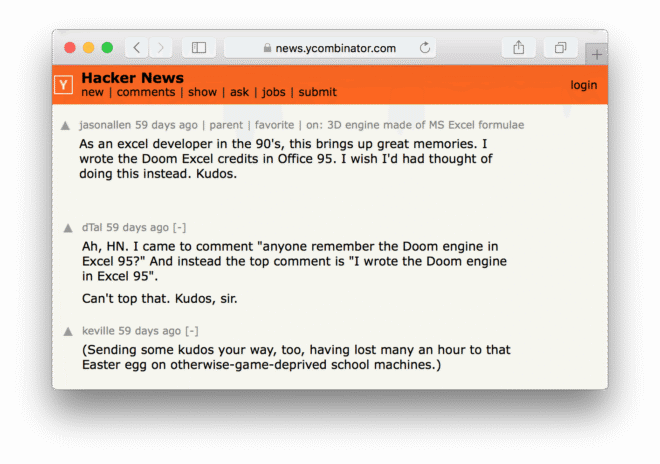
Hacker News (Y Combinator) – A respected online forum for developers, startup founders, and tech enthusiasts. Hacker News focuses on high-quality discussions around innovation, programming, and entrepreneurship with a reputation for depth over hype.
Women in Tech Slack Community – A supportive space designed to empower women across the tech industry. Members share job opportunities, host AMAs, offer mentorship, and create visibility for underrepresented voices in tech.
Q1: What is a virtual community?
A virtual community is a group of people interacting online around a shared interest, goal, or activity—hosted on digital platforms.
Q2: What’s an example of a virtual community?
Reddit’s r/Entrepreneur, Discord writing groups, or a Circle-based coaching group are all examples of virtual communities.
Q3: Are virtual communities the same as social media groups?
Not exactly. Virtual communities tend to have a defined mission, deeper interaction, and clearer structure than casual social media groups.
Q4: How do you manage a virtual community effectively?
Use moderation tools, delegate responsibilities, create clear guidelines, and engage your members consistently.
Q5: What are the best platforms for starting a virtual community?
Circle, Discord, Facebook Groups, Slack, and BuddyBoss are top platforms based on community goals.
Q6: Can virtual communities make money?
Yes, through memberships, premium content, affiliate marketing, sponsored partnerships, and events.
In 2025, virtual communities are no longer just an add-on, they're foundational to digital life. They connect people with purpose, offer support in uncertain times, and drive innovation across industries.
Whether you're starting a niche mastermind or scaling a global support network, the tools, strategies, and community-first mindset shared in this guide will help you thrive.
Oops! We could not locate your form.
Community-led growth refers to a go-to-market strategy where users, customers, and advocates collectively drive brand awareness, customer acquisition, retention, and product feedback.
Instead of relying solely on traditional marketing or sales tactics, businesses foster a vibrant community that contributes to their success.
This strategy builds trust, creates deeper relationships, and leads to organic promotion, all while reducing customer acquisition costs.
Community led growth is a movement that's reshaping how brands grow, especially in SaaS and tech industries.
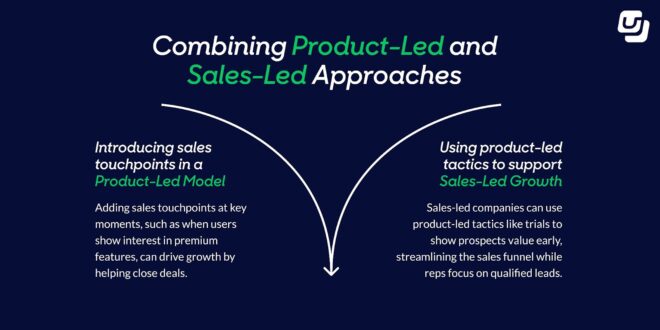
To truly understand community-led growth, it helps to compare it with other popular models:
| Growth Model | Primary Driver | Key Benefit | Example Brands |
| Sales-Led | Sales team | High-touch, relationship-based | Oracle, IBM |
| Product-Led | Product experience | Scalable, self-serve onboarding | Zoom, Dropbox |
| Community-Led | User advocacy & trust | Low CAC, high engagement | Notion, Figma |
While each has its place, community-led growth integrates deeply with product- and sales-led models to create loyal ecosystems around brands.
Also Read:- 10+ Types Of Online Communities For Networking And Engagement in 2025
Community-led growth isn't entirely new. Open-source projects and fan clubs have long demonstrated the power of communities. However, the term gained popularity in recent years as SaaS companies realized the power of user-led movements.
Startups like Figma, Notion, and Webflow didn’t just create great products but they created communities of builders, designers, and thinkers who shared, taught, and promoted the brand.
As we enter an era of rising ad costs, increasing customer skepticism, and shrinking budgets, community-led growth for SaaS and beyond offers a powerful, organic alternative.
1. Reduced Customer Acquisition Cost (CAC)
When your community becomes the engine of growth, acquisition costs drop significantly. Instead of relying solely on paid advertising, new members are drawn in through authentic word-of-mouth, peer recommendations, and organic engagement.
2. Increased Brand Loyalty and Trust
Community-led environments foster deeper emotional connections between members and your brand. When users feel heard, supported, and valued, their loyalty strengthens—leading to longer retention and stronger customer lifetime value.
3. Scalable Customer Support and Real-Time Feedback
Your most engaged community members often step in to answer questions, troubleshoot issues, and share best practices. This peer-powered support system reduces strain on your customer service team and creates a live feedback loop for product improvement.
4. Amplified Advocacy and Organic Referrals
Empowered community members naturally become brand advocates. They share your product with others, leave positive reviews, and invite peers helping you scale referrals without extra spend.
5. Accelerated Onboarding and Peer-Led Activation
New users ramp up faster when surrounded by a helpful community. Through shared knowledge, user-generated content, and real-time answers, newcomers achieve “aha moments” sooner boosting activation and long-term engagement.
See the Ideal Email Sequence Timeline for 2025
To build a thriving community that fuels growth, consider these essential elements:
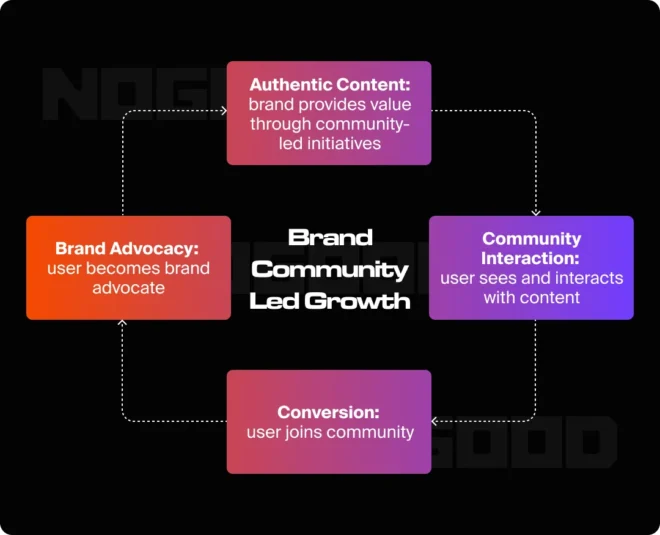
A successful community creates a flywheel of value:
Creation → Participation → Advocacy → Expansion
Creation
Start with a purpose and create a space (online or offline) that resonates with your audience.
Participation
Encourage interaction through events, discussions, content, and challenges.
Advocacy
Empower your users to speak for your brand, highlight their success and amplify their voice.
Expansion
As advocates attract more members, the community and brand both grow.
SaaS companies are uniquely positioned to benefit from this model. Their customer base often includes early adopters, creators, and innovators who want to share feedback and connect with others.
Online communities become living ecosystems where product feedback surfaces organically. A quick comment in a Slack workspace or Discord thread can spotlight:
By staying close to the pulse of the community, SaaS teams can shorten feedback loops, prioritize roadmap decisions more effectively, and co-create solutions with their users in real time.
Every SaaS product has its “super users” the ones who know the ins and outs and love to help others succeed. Rather than letting that enthusiasm fade, amplify it:
These champions not only build credibility within the community but also drive deeper user engagement, retention, and advocacy at scale.
The best way to understand the power of community-led growth is to see it in action. These innovative brands didn’t just build products, they built ecosystems where users feel empowered, connected, and inspired to contribute. Here’s how they turned customers into communities and communities into catalysts for exponential growth:
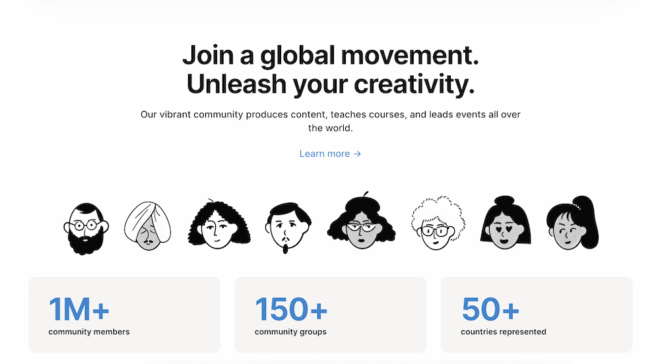
Notion’s global success wasn’t just due to its product, it was driven by its people. Through the Notion Ambassador Program, users became evangelists, educators, and creators.
From YouTube tutorials and personal dashboards to global meetups and resource hubs, the community extended the use of Notion. Today, there are thousands of user-made templates and workflows that help others onboard faster and get more out of the tool.
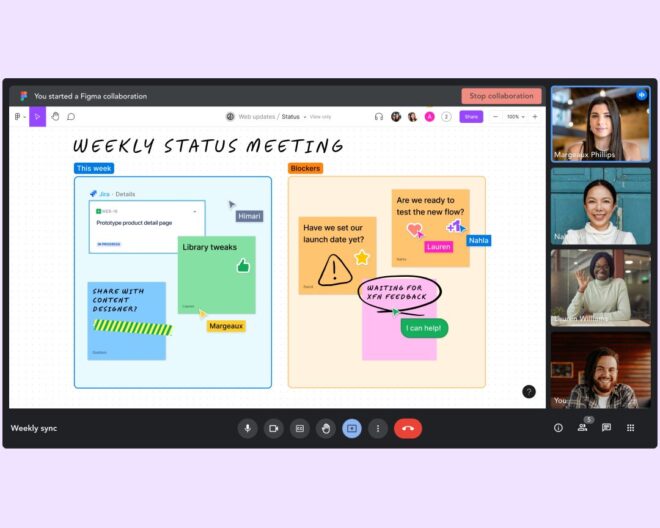
Figma tapped into the design world’s collaborative spirit by creating Community Files. A space where designers share UI kits, prototypes, and even memes.
Add in real-time collaboration and community-hosted “Design Jams”, and you get a platform that functions as both a tool and a tribe. This open sharing ecosystem drove viral adoption and helped Figma dominate in the crowded design market.
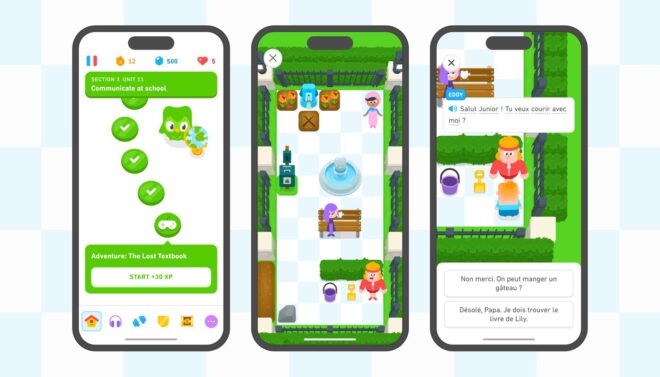
Duolingo’s gamified learning experience keeps users hooked, but it’s the language learning communities and shared progress tracking that take things to the next level. Forums, clubs, and social features allow learners to motivate each other, ask questions, and celebrate milestones. By making learning a social experience, Duolingo transformed casual users into dedicated daily learners and brand evangelists.
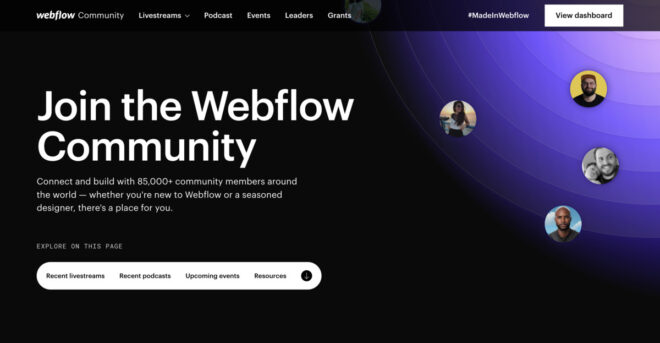
Webflow’s community of no-code creators includes developers, marketers, designers, and entrepreneurs. Through Webflow University, meetups, showcase galleries, and an active forum, they built a hub of shared knowledge and collaboration. The result? A deeply loyal user base that not only uses the platform but teaches others how to build on it.
Building your community can be broken into actionable steps:
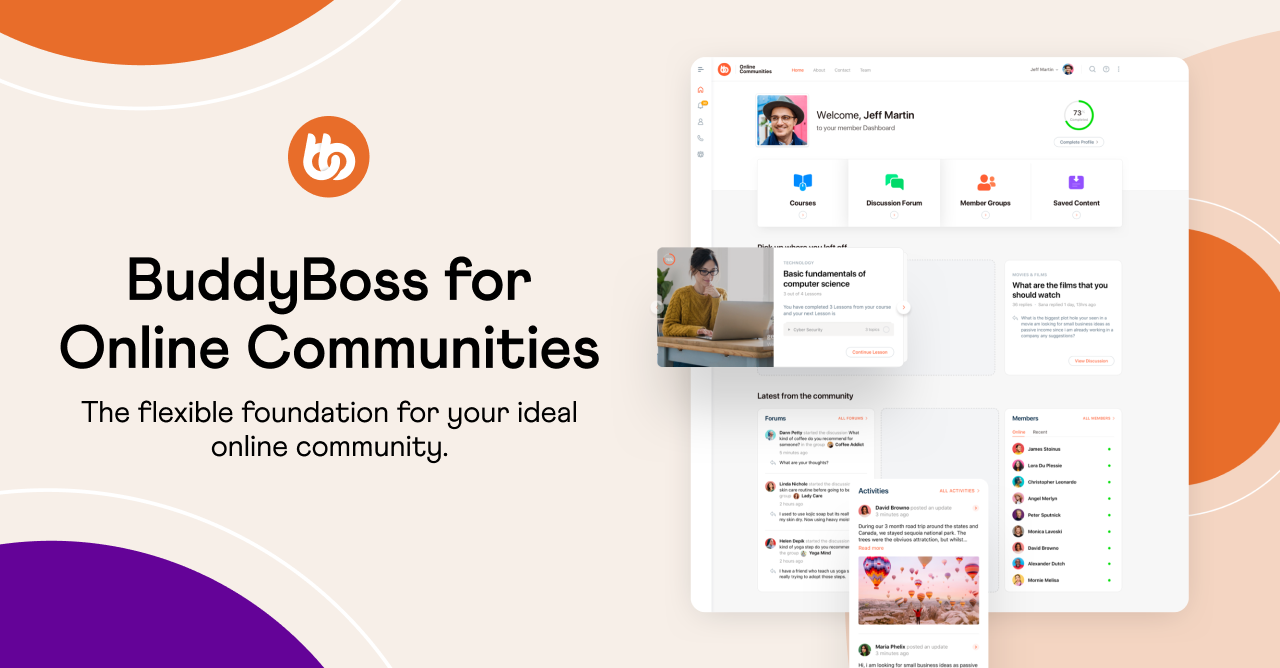
Your first step is selecting a platform that aligns with your community’s behavior and goals. If your audience values real-time conversations and professional networking, platforms like Slack are ideal.
For casual, fast-moving discussions with a younger crowd, Discord shines. Facebook Groups remain effective for broader consumer audiences, while Circle and Discourse work well for structured, branded communities with strong content needs.
If you're looking for greater ownership and flexibility especially if you're a course creator, coach, or content-driven brand BuddyBoss is a standout choice. Built on WordPress, it allows you to fully customize your community, integrate courses, monetize access, and launch native mobile apps.
Before launching, clarify your community’s purpose and how it delivers value to members. This helps attract the right people and sets a strong foundation.
Track meaningful metrics such as:
Monthly Active Users (MAU): Reveals how consistently people return and participate.
Net Promoter Score (NPS): Indicates how likely your members are to recommend the community to others, an important sign of loyalty and satisfaction.
Referral Rates: Track how often existing members invite new ones, giving you a pulse on organic growth.
Community-Influenced Revenue: Evaluate how interactions within your community contribute to sales, upgrades, renewals, or retention.
Modern tools make community-building easier and smarter.
| Tool | Best For | Key Advantages |
| BuddyBoss | Branded, monetized communities on WordPress | Full ownership, course integration, gamification, and native mobile apps. |
| Commsor | Community analytics and segmentation | Data-driven insights, member tracking, and ROI measurement. |
| Slack | Real-time chat and fast collaboration | Instant communication, strong integrations, great for professional groups. |
| Discourse | Forums and structured discussions | Open-source, highly customizable, ideal for deep topic threads. |
| Circle | Membership-based, creator-led communities | Sleek UX, built-in courses, live sessions, and paywall options. |
1. What Is The Definition Of Community-Led Growth?
It’s a business growth model where the community of users and advocates drives customer acquisition, product development, and brand awareness.
2. What Are Some Real-World Community-Led Growth Examples?
Notion, Figma, Webflow, and Duolingo have all successfully leveraged community-led growth strategies.
3. How Do I Build A Community-Led Growth Strategy?
Start with a clear purpose, choose the right platform, define engagement rules, and create feedback loops.
4. Why Is Community-Led Growth Important For Saas?
It reduces churn, lowers CAC, and builds user-driven advocacy, making it ideal for long-term SaaS success.
5. What Is The Community-Led Growth Flywheel?
A flywheel of value: creation → participation → advocacy → expansion, continuously reinforcing brand and user success.
6. Is Community-Led Growth Scalable?
Yes, especially with the right tools, structure, and clear engagement incentives in place.
Community-led growth is more than a trend, it’s the future of sustainable, user-driven business.
Whether you’re a SaaS startup or an established brand, building a vibrant, engaged community can become your strongest growth engine.
If you haven’t started yet, now’s the time. Create a space where your users feel seen, heard, and empowered and they’ll take your brand further than any marketing campaign ever could.
Build your own community with Buddyboss Today or try community sandbox for free.
In 2025, building a thriving membership site is more challenging than ever.
With content now being driven by artificial intelligence (AI) and search engines growing smarter, standing out in search results requires precision and adaptability.
One critical yet often misunderstood element is SEO for membership sites.
Many believe SEO and gated content can’t work together but that's far from the truth.
Membership sites have a unique advantage: exclusive, high-value content. When optimized correctly using AI-driven SEO strategies, these platforms can outperform even traditional websites.
In this article, we’ll explore how to harness the power of AI SEO and the best tactics to ensure your membership site attracts and retains the right audience.
Also Read:– How to Create and Manage Membership Sites In 8 Steps
Membership websites thrive on exclusive content. However, gating too much can hurt visibility. Search engines need access to content to index it, and if everything’s locked behind a paywall, your site might remain invisible to potential members.
Even if your content is private, you can still attract search traffic through smart SEO tactics like using teaser content, schema markup, and AI-driven keyword optimization. This ensures your best material still leads to high engagement without giving everything away for free.
AI SEO refers to the use of artificial intelligence to enhance and automate search engine optimization tasks, everything from content analysis to keyword research and technical audits. Tools powered by AI can predict user intent, analyze competitors, and suggest optimizations in real-time.
To use membership sites for SEO effectively, combine public-facing content like blogs or teasers with gated premium material. This attracts search traffic while maintaining the value of exclusive content.
Structuring Content for Crawling and Indexing
Make your site's navigation simple and crawlable so search engines can easily index your pages. Provide short, public-facing summaries of gated content to give bots and visitors something to engage with. Use internal links from public posts to key pages to spread SEO value effectively.
Balancing Gated vs Public Content
Adopt a hybrid approach by offering free teasers or excerpts to draw in search traffic, while keeping full guides or videos gated for members. This strategy boosts visibility without sacrificing exclusivity.

Platforms like Surfer SEO, Ahrefs with AI integration, and Frase analyze competitors and find semantic keyword opportunities that humans might overlook.
Group related content into clusters. For example, if you run a fitness membership site:
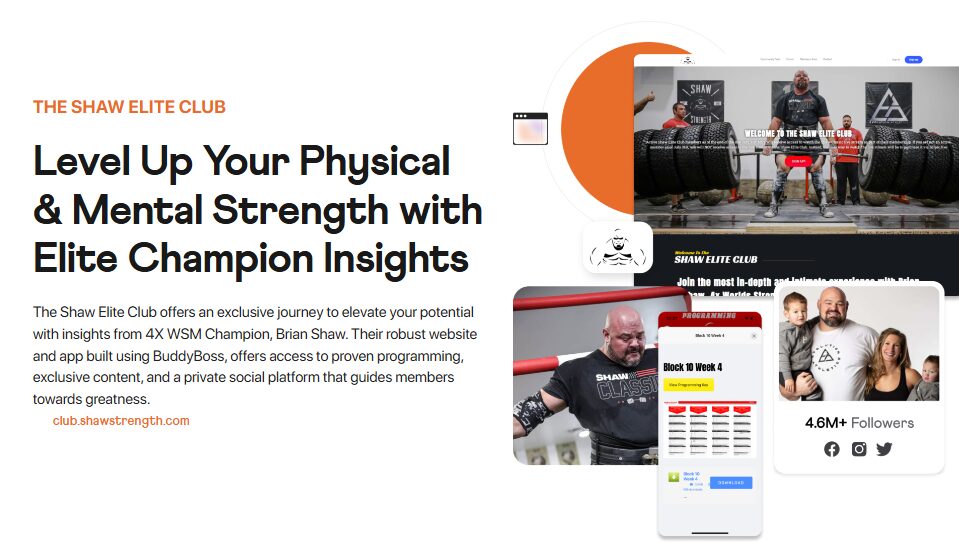
Learn how People Use BuddyBoss to Build their community, course and membership sites.
Site Architecture and Internal Linking.
Ensure a siloed structure: Homepage > Category > Sub-topic > Specific Guide.
This ensures link equity flows well and Google understands your hierarchy.
Use schema like: Article, Product (for memberships) and FAQs. This helps search engines understand and rank your content better.
You can automate this with the AIOSEO Schema Generator. It handles the technical side of creating and implementing schema.
Use AI tools to optimize meta descriptions with emotional triggers. Headlines that align with searcher intent. These improve CTR and dwell time.
Optimize your images by compressing them without sacrificing quality to improve page load times. Use descriptive alt texts to enhance accessibility and SEO.
Implement lazy loading to ensure images load only when needed, boosting overall site speed and user experience.
Optimizing a membership site for SEO doesn’t mean giving away all your premium content.
Instead, create SEO value through free teaser content. Offer 300–500 word introductions, infographics with key takeaways, and public-facing FAQs to give both users and search engines a taste of your premium material.
These elements build curiosity, improve engagement, and help your gated content rank without revealing the full value behind the paywall.
Additionally, a well-maintained blog or knowledge base acts as a powerful traffic funnel.
Publishing consistent, high-quality content boosts organic visibility, establishes your authority within your niche, and encourages signups through strategically placed calls-to-action (CTAs).
This combination drives long-term growth while preserving the exclusivity of your membership offerings.
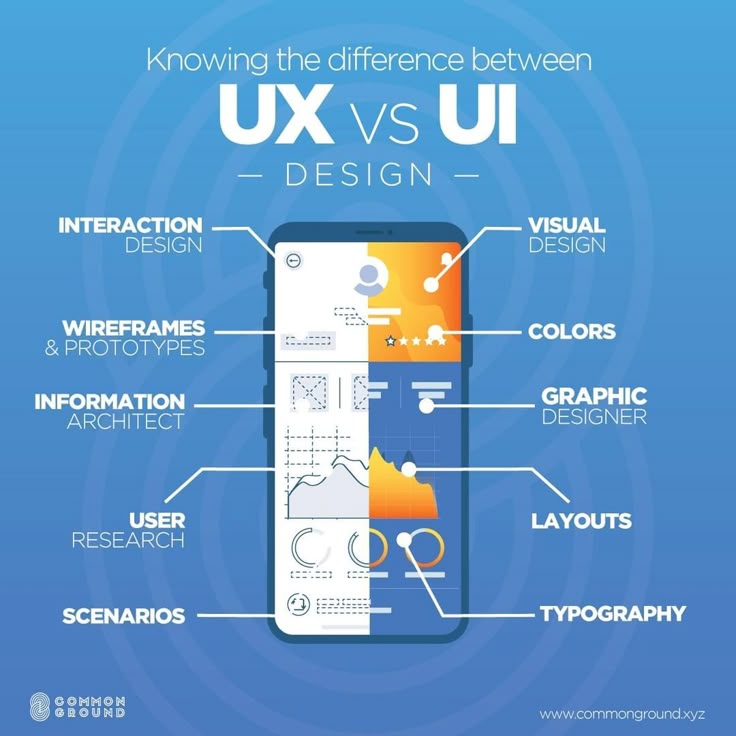
Tools like Hotjar, Crazy Egg, and Microsoft Clarity use AI to analyze heatmaps, click behavior, and session replays to suggest design changes that boost retention.
To keep visitors engaged and reduce bounce rates, focus on enhancing the overall user experience.
Start by improving page load speed, as slow-loading pages often lead to early exits.
Incorporate multimedia elements like videos, high-quality images, or interactive charts to make your content more engaging and visually appealing.
Use conversational, easy-to-read copy that speaks directly to your audience and encourages them to explore further.
AI tools can help analyze user behavior, A/B test content variations, and refine layouts to determine what keeps visitors on your site the longest ultimately boosting your SEO performance.
AI platforms forecast traffic surges based on trends, keyword opportunities before they peak and member churn linked to search behavior.
Test headlines, layouts, and CTAs. AI speeds up the process and identifies statistically significant changes quicker than manual methods.
Use tools like SEMrush, Moz Pro, and LinkHunter to identify backlink gaps, automate outreach based on niche relevance and predict the SEO impact of new links.
Write guest posts for sites in your niche. For example, a wellness membership site can contribute to health blogs. Link back to your top public pages for SEO juice.
For location-specific or community-driven membership sites, local SEO plays a key role in reaching the right audience.
AI-powered geo-targeting tools can personalize content based on user location, automatically optimize for local keywords, and track local competitors with precision, helping you stay ahead in your niche.
Additionally, make sure to claim your local listings on platforms like Google My Business, Yelp, and relevant directories.
Encourage satisfied members to leave reviews, as positive local feedback builds trust and significantly boosts your visibility in local search results.
Also Read- Common Mistakes to Avoid for Membership Sites
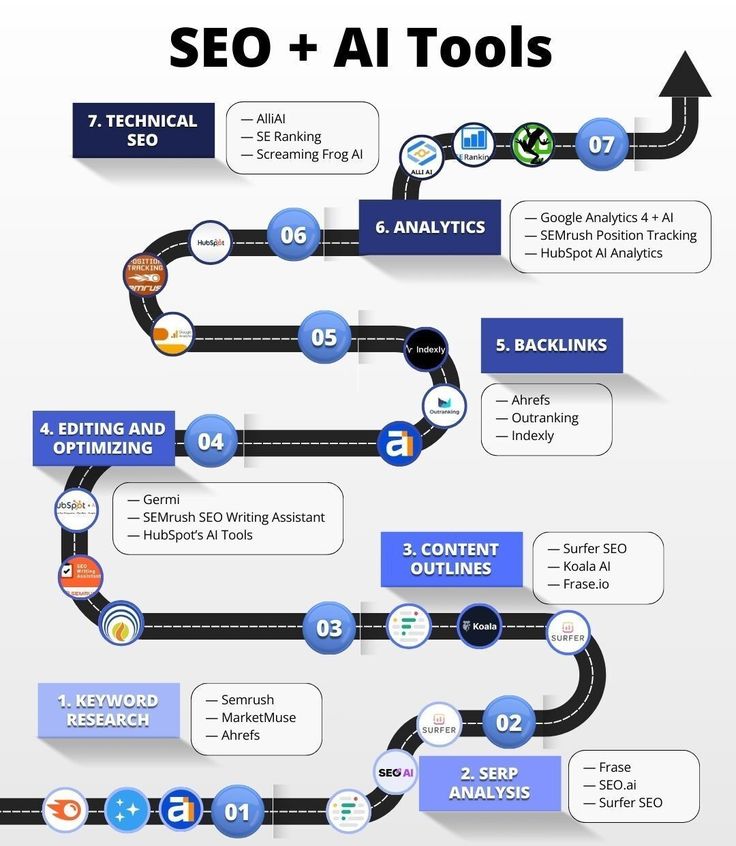
AI-powered SEO tools have become essential for staying competitive. AI content optimizers like Surfer SEO and Clearscope offer real-time insights to boost content relevance, keyword usage, and readability.
These tools analyze top-performing pages and guide you in crafting content that aligns with current search engine algorithms.
On the technical side, AI-driven SEO auditors such as Screaming Frog with AI integrations can automatically detect crawl issues, flag broken links, recommend schema enhancements, and even forecast how certain changes may impact your rankings.
Together, these tools help streamline your workflow and maximize your SEO effectiveness with precision and speed.
| Tool | Primary Use |
| Surfer SEO | Real-time content optimization and scoring |
| Clearscope | Semantic keyword analysis and content grading |
| Frase | AI content briefs, question research, SERP analysis |
| Jasper AI | AI copywriting for blogs, meta tags, and ads |
| MarketMuse | Content strategy planning and topic modeling |
| Screaming Frog (AI-enhanced) | Technical audits with AI plugins and schema suggestions |
| Semrush AI | Keyword tracking, content templates, and competitor insights |
| Ahrefs with AI | Backlink analysis and keyword research |
| AIOSEO | On-page SEO with AI-based recommendations |
| Alli AI | On-site automation and bulk SEO changes using AI |
The future of seo for membership sites lies at the intersection of exclusive value and intelligent visibility.
With AI reshaping how search works, your success depends on staying ahead by blending strong technical foundations, rich content, and strategic AI tools.
Don’t gate everything. Don’t guess. Use data. Leverage AI. And above all, make your site discoverable and worth discovering.
If you’ve ever dreamed of earning income online, now is the perfect time to start a digital product business.
But first, what exactly is a digital product? Simply put, a digital product is any product you can sell or share online without physical inventory. These include things like eBooks, templates, software, courses, and music files. Basically anything that can be downloaded or accessed online.
Why are so many entrepreneurs switching to digital? Because digital products don’t require shipping, storage, or manufacturing. They’re low-risk, high-reward, and infinitely scalable.
This guide will walk you through every step of launching a successful digital product business from scratch in 2025. From understanding what a digital product is to exploring over 100 profitable ideas, plus access to free digital products you can legally resell, we’ve got you covered.
Used by 1000s of experts to launch online schools and courses
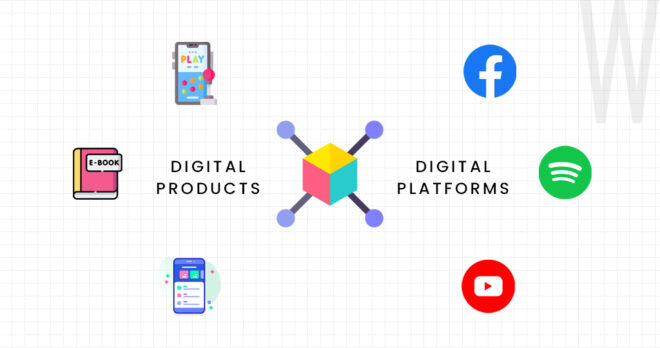
A digital product is anything that is digital and soldable. Any intangible asset or media file that can be sold and distributed online. It exists in a digital format and can be downloaded, streamed, or accessed after purchase without needing physical shipping or packaging.
Here are some common types of digital products:
Also Read:- Selling Digital Products Online : A Comprehensive Guide to Online Success
| Aspect | Digital Products | Physical Products |
| Definition | Intangible items like apps, eBooks, or courses | Tangible goods like clothes, books, or furniture |
| Creation | Made with code or media tools | Made from raw materials |
| Delivery | Instant via internet | Requires shipping or in-store purchase |
| Cost & Scale | Low to produce, high scalability | Higher production cost, limited by inventory |
| Updates | Easy and instant | Requires remanufacturing |
| Innovation | Evolving via AI, VR, automation | Evolving via smart tech, 3D printing, sustainability |
| Future | Virtual products, global reach, personalized AI | Smarter goods, greener materials, hybrid experiences |
Selling digital products in 2025 is not just a trend. It’s a smart business move backed by industry growth and consumer behavior.
Once created, digital products can be sold repeatedly without additional production cost. That’s the magic of passive income.
With just a website or marketplace profile, you can reach customers around the world and make sales even while you sleep.
These trends show that there has never been a better time to start a digital product business.
Some digital products generate more revenue and demand than others. Let’s look at the top contenders:
If you have expertise in any subject, you can package it into a course using platforms like Teachable or Thinkific.
Designers can sell templates for Canva, Photoshop, or PowerPoint. These include: Social media packs, Presentation decks and Resumes and CVs.
Freelancers and startups love tools that save time. Think Chrome extensions, project management tools, or budgeting apps.
With the rise of ChatGPT, GPT Store, and Jasper AI, selling curated prompt packs and automations is a goldmine in 2025.
Moms, teachers, and professionals buy planners, journals, calendars, and habit trackers every day.
Need inspiration to start a digital product business in 2025? Here's a mega list of 100+ high-potential digital product ideas, organized by category and audience:
One way to jumpstart your journey is by using free digital products you can resell without making them from scratch.
Private Label Rights (PLR) give you the ultimate flexibility. With PLR, you're allowed to modify the content, rebrand it with your own name, and resell it as if you created it yourself. This makes Private Label Rights ideal for building credibility, authority, and a unique brand presence—especially if you're starting out.
Master Resell Rights (MRR), on the other hand, let you resell the digital product as-is, usually without any modifications. However, these rights typically don’t extend to your customers, meaning your buyers can’t resell the product unless it’s explicitly allowed in the license.
Here are some trusted platforms that offer high-quality free PLR and MRR products across various niches:
| Platform | Best For | Highlights |
| PLR.me | Coaches, therapists, educators | Professionally designed wellness and coaching content |
| IDPLR.com | Entrepreneurs, marketers | 12,500+ PLR and MRR products, including software, videos, and templates |
| Resell Rights Weekly | Side hustlers, digital resellers | Free and premium membership with frequent updates |
| PLRDatabase.net | Content creators, bloggers | Weekly updated library with fresh PLR materials |
| Pixabay & Pexels | Designers, content marketers | Royalty-free images, videos, and graphics to use in your products or promotions |
Note: Always read the license before using any PLR material, and make sure you're allowed to modify or resell it.
Building a successful digital product brand takes planning. Here’s how to go from zero to launch:
1. Choose Your Niche
Pick a niche based on your knowledge, passion, or existing audience.
Examples: Fitness, Finance, Marketing, Education, Productivity
2. Validate Your Idea
Use Google Trends, Reddit forums, and competitor research to ensure there’s demand. Pre-sell if needed!
3. Create the Product
Use tools like: Canva for design, Notion for organizing content, ScreenPal for recording videos, Google Docs for writing etc.
4. Pick a Platform
Choose where to host and sell:
| Platform | Best For | Why Use It? |
| BuddyBoss | Online communities + course hosting | Build a branded learning app or community. Perfect for selling memberships, events, or courses. |
| MemberPress | Paid memberships and gated content | Sell premium content, lock pages or courses, and manage subscriptions on your own WordPress site. |
| LearnDash | Structured online courses on WordPress | Ideal for educators. Add lessons, quizzes, certificates, and drip content with full control. |
| Teachable | Online courses | Easy to use for instructors. Offers course builder, quizzes, and student progress tracking. |
| Gumroad | Digital downloads | Great for selling eBooks, music, art, or code. Simple interface and fast setup. |
| Podia | Courses + memberships | All-in-one tool for creators: sell courses, host communities, and manage email marketing. |
| Shopify | Full e-commerce setup | Best for digital + physical products. Built-in store, payments, and apps for growth. |
| Etsy | Templates, planners, and printables | Ideal for designers and crafters. Good audience for digital downloads like journals or templates. |

See how People Use BuddyBoss to Build their community, course and membership sites.
5. Build Your Website
To start selling, set up a professional website using WordPress, Wix, Shopify or Buddyboss if you have a community or a course. Focus on key pages like your homepage, product listings, about section, contact form, and a smooth checkout. Keep the design clean, mobile-friendly, and fast-loading to make a great first impression and drive conversions.
6. Launch & Market
Once your site is live, market your products using a mix of SEO, Pinterest, and email marketing for organic growth. Boost your reach with paid ads on platforms like Facebook and Google. Build an email list early, it’s your most valuable tool for long-term sales and customer engagement.
Your Own Website! Selling on your own site gives you full control, higher margins, and branding freedom. Use Shopify, BuddyBoss + WooCommerce, or Podia.
If you're just starting out or want additional sales channels, marketplaces can be a great way to reach new customers fast. Here's a comparison of the most popular platforms:
| Marketplace | Why It Stands Out |
| Etsy | Massive built-in audience and strong search visibility |
| Gumroad | Extremely easy to use with fast setup for digital products |
| Creative Market | Best for creatives—designers, photographers, and artists |
| Payhip | Low transaction fees and flexible pricing options |
| Sellfy | Built specifically for digital-first creators and businesses |
1. What Are The Best Platforms To Sell Digital Products?
For simplicity, use Gumroad or Etsy. For full control, use Shopify or Buddyboss.
2. How Much Can I Earn Selling Digital Products?
Earnings range from $500/month to $100,000+/year depending on niche, traffic, and pricing.
3. Do I Need To Know How To Code?
Not at all! Tools like Canva, Notion, and Teachable require zero coding skills.
4. Can I Resell Someone Else's Digital Products?
Yes, if they are licensed as PLR or MRR. Always check usage rights.
5. How Do I Protect My Digital Products From Being Copied?
Use PDF watermarks, license agreements, and digital delivery platforms with limited access.
6. What Types Of Digital Products Sell The Fastest?
Templates, planners, and online courses are typically quick-sellers with high demand.
If you've been waiting for the “right time” to build your business, this is it. With the tools and ideas laid out above, starting a digital product business in 2025 is simpler and more profitable than ever.
You don’t need to be a tech wizard or have a big audience. Pick one product idea from the list and take the first step today.
Already have a course? Try building your own site to sell the course to your learners.
Try BuddyBoss demo sandbox and see how your course site will look like.
Your potential customers speak a variety of languages but your website only speaks English.
While your English content may convert beautifully, consider that 75% of internet users prefer browsing in their native tongue. Hiring translators or managing separate versions is expensive and time-consuming.
What if there was a way to break down these barriers without breaking your budget or requiring you to become a polyglot overnight?
Especially for those who are using WordPress with the BuddyBoss Platform or BuddyBoss App to reach new global markets.
Artificial Intelligence has revolutionized content translation, making it possible for any business owner to reach global audiences without speaking a word of their target languages.
Artificial Intelligence has revolutionized content translation, making it possible for any business owner to reach global audiences without speaking a word of their target languages.
Modern AI translation goes far beyond the clunky, obviously-machine-translated text of yesterday. Today's AI understands context, maintains your brand voice, and delivers translations that feel natural to native speakers.
The beauty of AI translation lies in its simplicity for the end user. You don't need to understand French to know that your French website is converting visitors. You don't need to speak German to see that your German blog posts are ranking on the first page of Google.
AI handles the linguistic heavy lifting while you focus on what you do best; running your business.
✅ Translates 40+ languages
✅ Maintains brand voice
✅ Works with blog posts, WooCommerce, forms, and now… your BuddyBoss App
This technology removes the biggest barrier to international expansion: the assumption that you need to be multilingual to serve multilingual markets.
For WordPress website owners, WPML (WordPress Multilingual Plugin) has emerged as the gold standard for AI-powered multilingual support. This isn't just another plugin but a comprehensive solution that transforms your single-language WordPress site into a multilingual powerhouse.
WPML integrates seamlessly into your existing WordPress dashboard, creating a unified system where you can manage multiple languages without the complexity of maintaining separate websites.
Once installed, it adds language options to every piece of content on your site, from pages and posts to custom fields and media files.
It handles language-specific URLs, ensures proper hreflang tags for SEO, manages language switchers, and even adapts your site's layout for right-to-left languages when needed. Everything happens within your familiar WordPress environment, so there's no need to learn new platforms or workflows.
And for BuddyBoss users, WPML doesn't just translate your WordPress site. It also integrates with the BuddyBoss App, syncing translated content automatically across your mobile app.
That means learners, members, or community users can experience your app in their native language without extra setup. Your translated WordPress content now syncs automatically to the app, giving users a fully localized experience on both web and mobile.
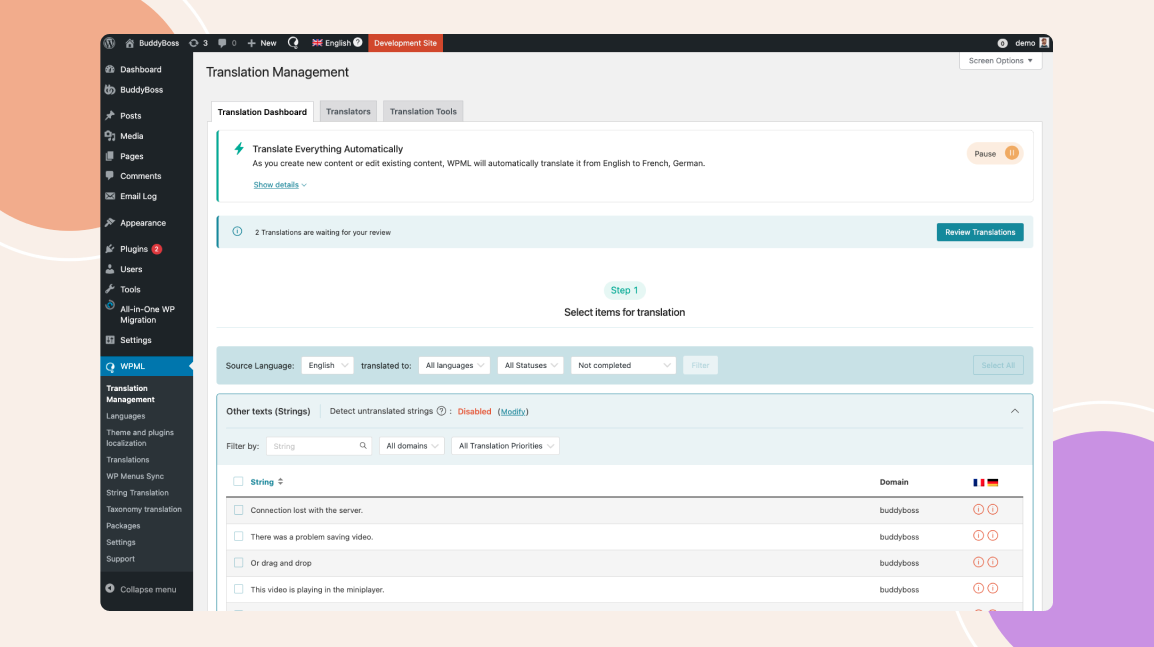
Here's where WPML truly takes the spotlight: its automatic translation capabilities powered by advanced AI. Once you've set up your target languages, WPML can translate your entire website automatically to blog posts, product descriptions, about pages, contact forms, and even dynamic content.
The process is remarkably straightforward. You write your content in your primary language (presumably English), hit publish, and WPML's AI translation engine goes to work. Within minutes, that same content exists in French, German, Spanish, or any of the supported languages.
But it's not just about translating existing content. Every new blog post you publish, every product you add, every page you create automatically gets translated into your chosen languages. Your multilingual presence grows organically with your English content, ensuring you never miss an opportunity to connect with international audiences.
The AI understands context, industry terminology, and even maintains your brand's tone across languages.
It's sophisticated enough to handle technical documentation, creative marketing copy, and everything in between.
One of WPML's most compelling features is its generous credit system. When you purchase WPML, you receive 90,000 automatic translation credits that's enough to translate approximately 2,000 pages of content across multiple languages.
To put this in perspective, most business websites have between 50-500 pages of content. With 90,000 credits, you could translate a 200-page website into four different languages and still have credits left over for ongoing content creation.
For most businesses, this initial credit allocation covers their entire multilingual transformation and provides a runway for months or even years of additional content.
This credit system makes AI translation incredibly cost-effective compared to traditional professional translation services, which can cost $0.10−0.30 per word. With WPML, you're looking at pennies per page, making international expansion accessible to businesses of all sizes.
Here's something that might surprise you: ranking on the first page of Google is often significantly easier in non-English languages, especially for specific markets and industries.
While everyone's fighting for English keywords, French, German, Italian, and other language markets often have less competition.
When you translate your content into these languages, you're not just reaching new audiences, you're entering less saturated search landscapes.
Your well-optimized English content, when properly translated and localized, often performs exceptionally well in international search results.
WPML handles the technical SEO aspects automatically. It creates proper href lang tags, manages language-specific URLs, ensures search engines understand your site structure, and maintains your SEO value across all language versions. You get the SEO benefits without needing to understand the technical complexity behind international SEO.
Perhaps the most liberating aspect of AI translation through WPML is that you don't need to speak, read, or understand your target languages to succeed in those markets.
The AI handles translation accuracy, cultural nuances, and local expressions.
You can monitor your French website's performance through analytics without reading French.
You can see which German blog posts are performing best without understanding German.
The plugin provides English-language reporting and management interfaces, so you always know what's happening across all your multilingual properties.
This separation of linguistic complexity from business management means you can expand internationally without hiring multilingual staff, without learning new languages, and without the traditional barriers that have kept global expansion limited to large enterprises.
WPML recently launched an exciting new feature that extends multilingual support beyond websites to mobile applications. This automatic multilingual switching capability means your mobile app can now seamlessly detect user language preferences and present content in their preferred language.
Whether you're running a WooCommerce store with a mobile app, a content-driven app, or any other WordPress-connected mobile application, WPML now ensures your mobile presence matches your website's multilingual capabilities. Users get a consistent, localized experience whether they're browsing your website or using your mobile app.
This feature represents the future of multilingual digital experiences—seamless, automatic, and invisible to the end user while being incredibly powerful for business owners.
The barriers to international expansion have never been lower. With AI translation through tools like WPML, you can reach global audiences, rank in international search results, and grow your business beyond English-speaking markets all without speaking a foreign language yourself.
Your competitors might still be debating whether international expansion is worth the complexity and cost. While they're hesitating, you could be capturing market share in French, German, Spanish, and other valuable markets.
Ready to explore how AI-powered multilingual support can transform your business? Discover WPML's automatic translation capabilities and see how easy international expansion can be.
Visit https://wpml.org/documentation/automatic-translation/ to get started with your multilingual journey today.
When it comes to running a successful BuddyBoss site or app, your hosting choice can make or break your platform's success.
Unlike traditional WordPress blogs, BuddyBoss powers dynamic communities, learning platforms, and mobile apps that demand specialized server configurations, real-time performance, and robust infrastructure.
Over the years, we’ve worked with a variety of hosting setups. From cloud-based VPS solutions to dedicated servers to power BuddyBoss sites of all shapes and sizes.
We've also tested configurations that sync seamlessly with the BuddyBoss App, which adds another layer of technical complexity.
Through this hands-on experience, we’ve gained a deep understanding of what works, what doesn’t, and which hosting setups offer the best performance, reliability, and value, especially for BuddyBoss-powered platforms.
In this article, we’ll break down 4 tested and verified hosting types:- Managed Cloud VPS, Self-Managed Dedicated, and Managed Dedicated Hosting and explain how each one stacks up in terms of cost, setup, and performance.
We’ll also share why, for most creators, educators, and community builders, Rapyd.cloud is the smartest hosting choice, especially if you're using the BuddyBoss App.
Let’s dive in.
To recommend you the best buddyboss hosting, we held some requirements a hosting should have for BuddyBoss.
Why?
Because BuddyBoss platforms are fundamentally different from static websites. They serve personalized content to logged-in members, handle real-time interactions, manage complex database queries, and support mobile app synchronization.
Which is the reason why you need to prioritize some technical requirements and performance considerations.
Technical Requirements
Performance Considerations
Also Read:- How to Set Up And Customize Your BuddyBoss App for Maximum Member Retention
| Provider | Ease of Use | Hosting Type | Min Box (≥4C/16GB) | Rec Box (≥8C/32GB) | Notes (BuddyBoss optimization) |
| Rapyd.cloud | ★★★★★ | Managed Dedicated Hosting (BuddyBoss-optimized) | Plan 4: 6C/16GB – $299/mo | Plan 5: 8C/20GB – $349/mo | Built for BuddyBoss. Fully optimized with CDN, caching, and app-ready setup. |
| Cloudways | ★★★★☆(Fully managed) | Managed Cloud (DigitalOcean, AWS, etc.) | DO16GB: 6C/16GB – $149/mo | Premium DO16GB: 8C/16GB – $170/mo | Not BuddyBoss-optimized; needs tuning. BuddyBoss says it doesn’t fully extract performance. |
| Hetzner + RunCloud | ★★★☆☆ | Self-managed VPS + Web Panel | CX42: 8C/16GB – ~$32/mo (incl. RunCloud) | CX52: 16C/32GB – ~$44/mo (incl. RunCloud) | High-performance and affordable, but manual setup required. Not BuddyBoss-specific. |
| Kinsta | ★★★★☆ (DIY setup) | Premium Managed WordPress | Business 2: 12C/8GB – $225/mo | Dedicated server: ≥16C/32GB – from $300/mo | Premium support and features. Needs Redis add-on. Not BuddyBoss-optimized by default. |
Now, let's explain all the details one by one.
Type: Fully Managed Dedicated Hosting
Serious community builders, membership site owners, and non-tech founders who want a hassle-free, high-performance solution
Rapyd.cloud is built by BuddyBoss experts, with every server configuration made to meet the platform’s specific performance needs.
It comes pre-configured for mobile app support, offering seamless real-time sync, and API caching right out of the box.
With expert support from a team that understands BuddyBoss inside and out, you can skip the hassle of explaining their stack or dealing with generic WordPress troubleshooting. The fully managed experience includes automatic updates, robust security patches, and performance monitoring, all backed by a scalable infrastructure designed to support growing communities.
Rapyd also integrates LiteSpeed Enterprise and Object Cache Pro, delivering top-tier speed and optimized performance even with dynamic, member-specific content.
While Rapyd.cloud offers powerful capabilities, it does come at a higher price point compared to other regular WordPress hosting. It also offers less server-level customization than self-managed setups. Though for most users, that’s a benefit rather than a drawback.
As a newer platform, it may not yet have the brand recognition of long-established hosts, but it's backed directly by the BuddyBoss team, giving it a strong foundation and focused expertise.
Real customer data shows the impact of switching to Rapyd:
KC360 (BuddyBoss community for Third Culture Kids): Achieved a 100%+ performance boost after migrating from Cloudways. The platform experienced faster loading times, enhanced security, and exceptional support. They were also able to save costs by dropping their previous security service due to Rapyd's included Web Application Firewall (WAF).
“There are always tweaks and challenges to overcome with migrating and installing upgraded WordPress technology… but the technical support has been second to none.” – KC360
English Pro Tips (IELTS exam preparation platform with 35,000+ students): Experienced a 300% increase in load times when switching from Cloudways to Rapyd. The platform saw higher user retention and improved scalability for their dynamic e-learning environment.
“I was previously with CloudWays. I wanted to be with a hosting provider that understood dynamic membership and eLearning websites.” – Eli Hardie Howes, Founder of English Pro Tips
👉 If you’re planning to launch or grow your BuddyBoss App and want an easy, reliable hosting solution that’s tailor-made for your needs, Rapyd is our top recommendation.
Thinking of switching? Let the Rapyd.cloud team handle the heavy lifting. With their free white-glove migration, you can move your BuddyBoss site seamlessly. No downtime, no data loss, and no headaches. You’ll also get a 3-day free trial to test the speed, support, and performance before committing. No risk! Just a faster, smoother experience built for BuddyBoss.
Go ahead, migrate for free and see the difference.
When you sign up for an annual plan, Rapyd gives you 2 months completely free. A great deal if you're launching a serious BuddyBoss site and want long-term stability.
Type: Managed Cloud VPS
Best For: Users who want a balance of ease and flexibility without deep server knowledge
Cloudways offers a user-friendly dashboard that simplifies both server and application management, making it easy even for non-technical users.
With one-click installs for WordPress and other popular apps, setup is quick and hassle-free. As your site grows, you can easily scale resources like RAM, CPU, and storage.
It also provides access to major cloud providers such as DigitalOcean, AWS, and Google Cloud, along with built-in security features like firewalls and automated backups to help protect your data.
However, since it runs on shared cloud infrastructure, performance can vary depending on the activity of neighboring users.
Customization options at the OS or server level are also limited, which may be restrictive for more advanced users. Most importantly, it’s not tailored for BuddyBoss, meaning it lacks the specific server-level optimizations required for real-time sync, API caching, and mobile push notifications used in the BuddyBoss App.
Type: Dedicated Server + Self-Managed Control Panel
Best For: Developers, agencies, or tech-savvy who want full control and customization

With Hetzner + RunCloud hosting setup, you get complete control over your hardware and software stack, allowing you to choose everything from server specs and operating system to custom configurations.
It's one of the most cost-effective ways to access powerful dedicated servers, with providers like Hetzner offering some of the best pricing in the industry.
This level of control means you can fine-tune your server for optimal performance based on your exact requirements. Pairing it with a control panel like RunCloud can simplify server management, providing a cleaner UI for application deployment, backups, and performance monitoring.
However, this approach does require a solid understanding of server administration. You’ll be responsible for everything—initial setup, security patches, updates, and ongoing monitoring.
It also takes longer to get started, making it less suitable for those who want to launch quickly. And since there’s no dedicated BuddyBoss support, you’ll need to manually configure elements like push notifications, cron jobs, and caching, which can be time-consuming and prone to errors if you're unfamiliar with the platform.
Type: Managed WordPress Hosting
Best For: Performance-focused WordPress websites, bloggers, small businesses, and non-app-based BuddyBoss platforms
Kinsta hosting solution is built on Google Cloud infrastructure, delivering fast load times, high availability, and reliable performance.
It offers excellent 24/7 support from WordPress-trained engineers, making it a solid choice for site owners who need dependable assistance.
Key features include automatic daily backups, free staging environments, site cloning tools, and built-in security measures like DDoS protection, uptime monitoring, and hack fixes.
The user dashboard is clean, intuitive, and designed with both beginners and developers in mind, making site management simple and efficient.
This host is not optimized for mobile app-specific features such as push notifications or real-time sync, which are essential for platforms like the BuddyBoss App.
To get those working, you’ll need to invest in additional setup or integrate third-party tools. It can also become expensive as your traffic grows, since pricing is based on monthly visits, a model that adds up quickly for active communities.
Additionally, users looking for deep server-level customization may find the available control limited compared to VPS or dedicated solutions.
While platforms like Cloudways and Kinsta may appear budget-friendly at first glance, the value proposition quickly fades as your site grows.
These shared VPS solutions often scale poorly for high-performance platforms like BuddyBoss. As you move up to the server specs required to handle mobile sync, background jobs, and active user communities, the monthly costs can skyrocket, often outpacing more powerful, dedicated options like Rapyd.
Worse yet, some of these providers restrict you from using essential plugins (caching, backup, or performance tools) because they believe they degrade performance, limiting your flexibility and forcing you to compromise on features your community may actually need.
That’s where Rapyd.cloud truly stands out. It offers a rare combination of raw performance, BuddyBoss-specific optimizations, and white-glove support, all wrapped in a fully managed solution.
No more worrying about server setup, updates, or whether your hosting can keep up with your app’s demands.
With Rapyd, you get power, performance, and peace of mind—without ever having to touch a command line. It’s hosting designed to let you scale with confidence and launch with ease.
Ready to Make the Switch?
We’ve partnered with Rapyd to help you get the best setup possible.
👉 Click here to check out Rapyd.cloud now and launch your app on a foundation built just for it.
Speak The Language of Your Community Members With App Multilingual Support!
The $4.8 Trillion Opportunity Hiding Behind Your English-Only Interface
Your product works. Your users love it. You're growing steadily in English-speaking markets. So why change anything?
Here's why: While you're optimizing conversion rates by fractions of percentage points in saturated English-speaking markets, entire countries are waiting for someone or anyone to speak their language. Literally.
Turn a language barrier into a launchpad. If your product, course, or community site is only available in English, you're not just missing users but you're missing entire economies.
Spain's digital economy is worth over 120 billion. Germany′ succeeds 200 billion.
France? Nearly $180 billion. Yet most SaaS products treat these markets as afterthoughts, if they consider them at all.
The opportunity isn't just big, it's surprisingly accessible. You don't need to rebuild your product, hire country managers, or establish local offices.
Sometimes, the difference between struggling in a crowded English market and dominating a less competitive local market is as simple as enabling the right language settings.

Going multilingual opens doors to untapped global markets, helping you reach more customers in their native language. It boosts engagement, trust, and conversions without needing a second language yourself. These are some of the business benefits of going multilingual:-
When users see their native language in your interface, something powerful happens. It's not just comprehension, it's connection. You're signaling that you built this product for them, not despite them.
Consider the psychology at play. A user discovering your app in German doesn't just think “Oh, they translated this.
” They think “Finally, someone who gets it.”
That emotional shift transforms how they perceive your brand, how likely they are to convert, and how enthusiastically they'll recommend you to others.
When users can navigate, understand features, and troubleshoot in their native language, several things happen:
In regulated industries, multilingual support isn't just nice-to-have its table stakes. Financial services in Germany require German-language disclosures.
Healthcare platforms in France need French compliance documentation. E-commerce in Spain demands Spanish terms of service.
But here's what most people miss: these compliance requirements are actually competitive moats in disguise.
While your English-only competitors see regulatory complexity, you see market entry barriers that keep out lazy competition.
We did a little research and found that it's not just communities or a group forum but there are multiple brands and organizations who once faced a language barrier now rules the market.
When Netflix expanded beyond English-speaking markets, they didn't just translate, they transformed.
By investing in local content creation and full platform localization for markets like India, Japan, and South Korea, Netflix achieved something remarkable: their international revenue now exceeds their domestic US market.
The numbers tell the story: Netflix grew from 33 million international subscribers in 2014 to over 230 million by 2023.
Their Korean content strategy alone including shows like “Squid Game” drove massive global engagement while dominating local markets.
In India, they adapted pricing to local purchasing power and created Hindi, Tamil, and Telugu content, capturing a market that traditional global streaming services couldn't crack.
The Strategic Win: International markets became Netflix's primary growth engine, not just a secondary revenue stream.
Airbnb didn't just translate their platform for China, they rebuilt it.
They integrated WeChat and Alipay payments, completely redesigned the user experience for Chinese preferences, and even changed their name to “Aibiying” (爱彼迎), meaning “welcome each other with love.”
This wasn't surface-level localization. They adapted their entire business model.
They focused on group bookings (popular in Chinese culture), emphasized family-friendly accommodations, and created local partnerships for customer service.
The Strategic Win: Where many Western tech companies failed in China, Airbnb succeeded by becoming genuinely Chinese, not just Chinese-translated.
WhatsApp achieved something unprecedented in Brazil: 99% smartphone penetration with 148 million users.
But the real victory came in business adoption. 96% of Brazilian SMBs use WhatsApp for customer communication, generating $5.28 billion in business app revenue in December 2022 alone.
This success came from understanding that in Brazil, WhatsApp is not just a messaging app for them but the internet.
They localized not just language but business practices, enabling everything from customer service to payment processing through the platform.
The Strategic Win: They didn't just win the consumer market; they became the backbone of an entire country's small business economy.
Here's the strategic insight most product teams miss: competing in less saturated local markets can be exponentially easier than fighting for incremental growth in crowded English-speaking ones.
In Silicon Valley's echo chamber, everyone's fighting for the same English-speaking audience. Meanwhile, Spanish software buyers are choosing from a much smaller pool of options.
German enterprise customers are evaluating fewer alternatives. French consumers are settling for tools that don't quite fit their needs because nothing better exists in their language.
Today's multilingual support goes far beyond Google Translate integration. Modern platforms need:
These aren't luxury features, they're the foundation of serious international growth. Here at BuddyBoss we understand the seriousness of having multilingual support for your members.
With this thought in mind, BuddyBoss has recently released a new feature- App Multilingual Support that supports everything from Pre-installed Languages to Single-Dashboard Control.
| Must-Have Feature | Delivered by BuddyBoss App? |
| 20+ Pre-installed Languages | ✅ Yes – instantly available |
| CSV Import for Content Translation | ✅ Yes – via new settings UI |
| User Language Switching | ✅ Yes – language selector built in |
| Localization of Legal/Compliance | ✅ Yes – includes content blocks |
| Dashboard-Level Control | ✅ Yes – manage from WP backend |
Your members can now switch to their favourite language anytime and connect with the members.
The best part? Implementing comprehensive multilingual support isn't the massive undertaking it used to be. Modern App Multilingual Support features handle the technical complexity while you focus on strategy and growth.
The functionality exists. The user flows work. The value proposition is proven. You're simply making it accessible to people who think, work, and buy in languages other than English.
Watch this tutorial and learn how you can add the multilingual support option in your BuddyBoss App:-
How to Add Multiple Language Options to the BuddyBoss App
Or Follow these instructions below to get started with Buddyboss Multilingual app support:-
Here’s how to do it:
Update the App Plugin to the latest version and ensure your BuddyBoss App subscription is active.
Step 2. Go to BuddyBoss App > Translations in your WordPress dashboard.
Step 3. Choose any of the pre-installed languages, or upload your own CSV file to customize wording.
Step 4. Set a default language or enable user language switching inside the app.
Step 5. Use dynamic placeholders to customize system text (e.g. notifications, login screens).
Step 6. Publish changes — and your users will instantly see the updated language in the mobile app.
Consider your current growth trajectory. You're probably optimizing for incremental improvements in familiar markets—tweaking conversion funnels, A/B testing button colors, fighting for marginal gains in competitive landscapes.
Now consider this alternative: What if you could access entirely new user bases with fundamentally less competition? What if your biggest growth opportunity wasn't optimizing what you have, but expanding who can access it?
The math is compelling:
Your community and courses are ready for global growth. Your features work. Your value proposition is clear. The only barrier between you and international markets might be the language barrier you've built around your own success.
While your competitors debate international expansion strategies, you could be serving German
users, converting Spanish customers, and building market share in France.
Multilingual support isn't just about translation but it's about transformation. It transforms how global users perceive your brand, how effectively they can use your product or content, and how enthusiastically they'll choose you over alternatives.
Ready to turn language barriers into launchpads?
The markets are waiting. The technology is ready. The question isn't whether multilingual support will drive growth, it's whether you'll capture that growth before your competition discovers what you've been missing.
So are you ready to capture international audiences and expand your brand on another level?– Try BuddyBoss Multilingual Support Today