
If you’re tired of your website feeling as lonely as a desert island despite great content, it’s probably missing one crucial ingredient—a lively social community. In today’s time, social networking is becoming a huge game changer with its features to transform interaction and engagement.

In this blog, I'll tell you about the key features you should look for in a social networking plugin for WordPress, explore detailed comparisons of the top plugins available, and even get a step-by-step guide on installation and configuration.
Social media is no longer just a place to share cat memes and your vacation photos (though we do love those, too). Today, it’s a powerhouse that drives billions of visits and keeps users engaged. Integrating social media with your WordPress site can be a vast change. Here’s why:
Traffic & Engagement Booster
Billions of people are active on social platforms every day. When you integrate social features into your site, you tap into a massive pool of potential visitors. Real-time updates, activity feeds, and interactive features keep your audience coming back for more.
SEO Magic
Believe it or not, social signals matter for SEO. Search engines like Google take note when your site is buzzing with activity. More shares, comments, and user interactions can lead to more backlinks and higher rankings. In short, a lively community can give your SEO a serious high-five.
Brand Visibility & Reputation
A vibrant online community not only enhances engagement but also elevates your brand’s image. When users can easily interact and share content, your brand becomes more visible and memorable. It’s like turning your site into a 24/7 advertisement—only, it’s genuine and driven by real conversations.
Did you know that social media platforms drive billions of visits globally? Sites that actively integrate social networking features often see dramatic increases in both traffic and engagement.
Create a Thriving Online Community with BuddyBoss!
Before you dive headfirst into installing every plugin under the sun, let’s talk about the must-have features you should be looking for. After all, you wouldn’t buy a car without knowing if it has wheels, right?
1. User Profiles & Membership
Customizable user profiles are the cornerstone of any social networking plugins for WordPress. Your users need to see a version of themselves on your site—a place where they can update their information, share photos, and connect with others. Membership management features also help you control access and create exclusive communities.
2. Activity Feeds & Social Walls
Imagine a live ticker that shows every cool thing your community is doing. Activity feeds and social walls provide real-time updates that keep your site dynamic and encourage visitors to participate. It’s like having your very own digital newspaper with all the latest happenings.
3. Messaging & Notifications
Private messaging is a must for any social network. When your users can chat with one another privately and receive notifications about new messages or interactions, it makes the community feel personal and engaging. It’s the digital equivalent of whispering secrets at a party.
4. Customization & Integration
Your plugin should seamlessly integrate with your WordPress theme and other essential plugins. Look for options that allow you to tweak colors, layouts, and features so that everything looks cohesive. Remember, you want your community features to enhance your site’s design, not clash with it.
5. Mobile Responsiveness
With more people browsing on their smartphones than ever, it’s critical that your social networking plugins for WordPress work flawlessly on mobile devices. A responsive design ensures that your community is accessible and engaging no matter what screen it’s viewed on.
| Plugin | Best Feature | Price | Visit |
| BuddyBoss | Highly customizable with a modern and responsive design | Free core platform; $299/year | Explore/Buy |
| MemberPress | Robust membership management and exclusive members only areas | $179.50/year | Explore/Buy |
| WP Symposium Pro | Advanced user profiles and forums | $49 one time fee | Explore/Buy |
| UserPro | Gorgeous front-end user profiles with social login integration | $39 one time fee | Explore/Buy |
| WP User Manager | simple user registration | Free core; $39/year | Explore/Buy |
| ProfileGrid | Versatile group management | Free core; Premium version at $49/year | Explore/Buy |
| Youzer | Customizable user dashboards | $39 one-time fee | Explore/Buy |
| Super Socializer | Versatile all-in-one solution for social sharing, login, and commenting | Free core; Premium extensions available | Explore/Buy |
| Social Login by OneAll | Supports integration with over 40 social networks for streamlined login | Free core; Premium plans start at $29/month | Explore/Buy |
| Front End PM | Simple and effective front-end private messaging | Free version; Premium version $19 one-time fee | Explore/Buy |
| bbPress | easy-to-use forum system | Free | Explore/Buy |
| Ultimate Member | Customizable front-end registration and user profiles | Free core; Premium Extensions Bundle at $249/year | Explore/Buy |
Here’s our carefully curated list of 19 social networking plugins for WordPress that have been rigorously tested and reviewed. We’ve included everything from full-fledged community builders to essential add-ons like social login features.
Overview & Unique Selling Points: BuddyBoss community plugin is designed exclusively for WordPress that transforms your website into a dynamic, fully interactive social network. Whether you’re planning to launch a niche forum, an online membership site, or a sprawling social network, BuddyBoss offers an all-in-one solution that covers every aspect of community interaction.
Prominent Features


Pros
Cons
Pricing & Support: BuddyBoss Platform is available starting at $228 per year for the combined BuddyBoss Platform and Theme bundle. This investment unlocks an impressive array of features and a modern design tailored for premium community building.
Enjoy dedicated premium support, regular updates, and comprehensive documentation. The active BuddyBoss community and developer forums further enhance the support experience, ensuring you always have help when needed.
Overview & Unique Selling Points: While primarily known as a powerful membership plugin, MemberPress also offers robust community features by allowing you to create exclusive members‑only areas. It’s designed for site owners who want to monetize their content and build secure, private communities.
With advanced access controls and content dripping capabilities, MemberPress is an excellent choice for businesses that aim to deliver premium, members-only content while maintaining a high level of security and user management.

Features of MemberPress:

Pros:
Cons:
Pricing & Support: Starts at $179 per year for the basic plan, with higher-tier plans available for additional features such as advanced integrations and more payment gateways.Enjoy extensive documentation, live chat, and premium support options to help you set up and optimize your membership site.
Overview & Unique Selling Points: WP Symposium Pro is a comprehensive solution designed specifically for building interactive and engaging online communities on WordPress. It goes beyond simple user registration by providing a robust platform for creating dedicated discussion forums, detailed user profiles, and a private messaging system. Built with a focus on fostering community interaction, WP Symposium Pro is ideal for larger networks where you need a full-featured social environment to keep members connected and active.
Best Features:

Pricing & Support: WP Symposium Pro is available for a one-time fee of , making it an affordable option for those looking to build a serious community without recurring costs. The plugin comes with developer-provided support along with detailed documentation, ensuring that you have the resources needed to troubleshoot any issues and make the most of its features.
Overview & Unique Selling Points: UserPro is all about creating gorgeous front-end user profiles that not only look fantastic but also provide a smooth and intuitive user experience. Perfect for those who prioritize aesthetics and ease of use, UserPro offers a comprehensive suite of features to build engaging member profiles, directories, and social login integrations.
Whether you’re launching a membership site, community portal, or simply want to elevate the user experience on your WordPress site, UserPro delivers a polished, professional look with minimal coding required.
Features:


Pros:
Cons:
Pricing & Support: $39 one-time fee (available on CodeCanyon). This fee grants you access to the core plugin along with lifetime updates and a license for a single site. Additional licenses for multiple sites are available at higher prices.
UserPro offers regular updates and support through the developer’s forum and extensive documentation. Premium support options may be available through the marketplace if you need more personalized assistance.
Overview & Unique Selling Points: ProfileGrid is an incredibly versatile and one of the best social networking plugins for WordPress designed for those who want to build niche communities with ease. It allows you to create user groups, directories, and membership sites with a high degree of customization.
Whether you're running an alumni network, a hobbyist forum, or a specialized professional community, ProfileGrid’s flexibility makes it an ideal choice for tailoring your site's social and membership features exactly to your audience's needs.
Features:


Pros:
Cons:
Pricing & Support: Free core; Premium version available at $49 per year. Enjoy community support through active forums and detailed documentation. Premium extensions also come with additional support channels to help you resolve issues promptly.
User Insight: Many community managers appreciate ProfileGrid for its depth of features and flexibility. Users report that once they get past the initial setup, the plugin becomes a powerful tool for building tailored, dynamic communities that drive engagement and member retention.
Overview & Unique Selling Points: WP User Manager is the lightweight champion of user registration and profile management on WordPress. If simplicity, ease of use, and a clean interface are what you’re after, this plugin is perfect for you. It focuses on delivering essential user management features without the bloat, allowing your site to grow at its own pace while keeping things simple and efficient.
Features of WP User Manager:


Pros:
Cons:
Pricing & Support: Free core; Premium extensions starting at $39 per year. Benefit from active community support as well as developer-provided premium help for those who opt for the paid extensions. Detailed documentation and user guides make it easier to troubleshoot and customize your setup.
Overview & Unique Selling Points: Youzer takes BuddyPress to the next level with advanced user profile features and a polished, modern design.
If you crave a visually stunning community that impresses your visitors at first glance, Youzer is a must-have. It’s designed to enhance your BuddyPress-powered site by offering elegant, fully customizable user dashboards and seamless social media integration.
Features:

Pros:
Cons:
Pricing & Support: $39 one-time fee (available on CodeCanyon). Premium support is available via the developer’s support forum, with extensive documentation and community resources to help you get the most out of your purchase.
Overview & Unique Selling Points: Super Socializer isn’t just about adding share buttons—it’s a versatile, all-in-one engagement tool that covers social sharing, social login, and social commenting. It’s ideal for website owners looking to boost interaction on their site without juggling multiple plugins.
It doesn't matter if you want users to easily share your content, log in with their favorite social network, or engage in dynamic commenting, Super Socializer has got you covered in every possible way.
Best Features:


Pros:
Cons:
Pricing & Support: Free core version (with optional premium extensions available, depending on the additional features you need. Offers robust community support as well as direct developer support. Detailed documentation and active forums help resolve any issues that arise.
Overview & Unique Selling Points: Social Login by OneAll is a powerful and user-friendly plugin that makes logging into your WordPress site a breeze by enabling users to sign in using their favorite social networks.
By integrating support for over 40 social platforms—including giants like Facebook, Google, and Twitter—this plugin not only streamlines the registration process but also significantly boosts user engagement and conversion rates. With its robust security features and seamless integration, Social Login by OneAll is a must-have for any site looking to reduce friction during sign-up and improve overall user experience.
Features:

Pros:
Cons:
Pricing & Support: The plugin is available for free with basic functionality. However, premium plans that remove usage limitations and offer enhanced features start at $29 per month (pricing may vary based on your traffic needs and specific package selected).
Premium plans come with dedicated support, including priority email and live chat support, along with detailed documentation and regular updates to ensure compatibility with the latest social media API changes.
Overview & Unique Selling Points: Front End PM is a practical, streamlined solution designed to enhance your community’s communication by offering a robust private messaging system directly on the front end of your WordPress site.
It enables seamless, user-friendly messaging without forcing users to navigate the back end, making it an ideal choice for websites that rely on active member-to-member interaction. Its simplicity and ease of integration make it a favorite for community managers who want to improve user communication without overwhelming their site with unnecessary features.
Features:


Pros:
Cons:
Pricing & Support: Free version available for basic messaging needs; the premium version is available for a one-time fee of $19.Developer support is provided through dedicated forums, along with regular updates to ensure compatibility with the latest WordPress releases and improvements based on user feedback.
Overview & Unique Selling Points: Developed by the WordPress team, bbPress is a lightweight forum plugin that integrates seamlessly with BuddyPress to create a complete community experience. Known for its simplicity and efficiency, bbPress enables you to set up discussion boards without adding unnecessary bloat to your site.
It’s an excellent choice for those who want a straightforward, reliable forum solution that blends perfectly with their WordPress theme and other community plugins.
BBPress Features:

Pros:
Cons:
Pricing & Support: Free platform. Rely on robust community forums, extensive documentation, and a wealth of online tutorials for troubleshooting and customization.
Overview & Unique Selling Points: Ultimate Member is a powerhouse membership and user profile plugin with a social networking twist. Ideal for building online communities around membership sites, it enables you to create an inviting, user-friendly environment where members can easily register, manage their profiles, and engage with one another.
Ultimate Member is really popular among bloggers, businesses, and community-driven websites. Users often rave about how it simplifies front-end registration and offers extensive customization—so much so that you might even find yourself wishing every website had a bit of its charm.
Features:


Pros:
Cons:
Pricing & Support: Free core; Premium Extensions Bundle is available at $249 per year. Community support is robust, with extensive documentation and a dedicated help forum. Premium help is also available with paid extensions, ensuring that even if you hit a snag, expert advice is just a click away.
Now that you have a menu of 14 fantastic plugins to choose from, let’s get down to business. Before you press “Install,” follow these steps to ensure everything goes smoothly:
Need A Hand? Explore our Resources and learn how to plugin install plugin and get your site networking like a pro!
Even the best plugins can sometimes throw a wrench in your plans. Here are a few common issues and how to fix them:
Performance Issues
Display & Integration Problems
Regular Maintenance
Having a vibrant online community is no longer optional—it's essential. It doesn’t matter if you want a full social network or just a touch of community magic on your WordPress site, the plugins we've covered here have been tried, tested, and proven to work. From BuddyPress and bbPress delivering robust community features, to MemberPress and NetEngine offering exclusive members-only areas and powerful engagement tools, there's something for every website.
So, what are you waiting for? Let your site's social butterfly spread its wings—boost engagement and build a community that keeps visitors coming back for more.
Email marketing remains one of the most effective ways to nurture relationships, drive engagement, and convert prospects into loyal members.
You could be managing a membership site, creating an online course platform or building an online community, creating the right email sequence can really change your business growth.
In this post, I’ll break down everything you need to know about email marketing sequences; from understanding what they are, to exploring different types, and finally sharing step-by-step guidance for creating, optimizing, and scaling them. By following expert advice and proven best practices, you'll be well on your way to designing campaigns that build trust and authority while delivering real value.
An email sequence is a series of automated emails sent in a predetermined order to guide your audience through a specific journey. It answers the basic question: What is an email sequence? At its core, it’s a roadmap that nurtures your subscribers—educating them about your offerings, building trust, and gradually leading them towards a conversion.
For example, when you sign up for a free trial, you might receive a welcome email followed by a series of messages that explain how to get started, highlight key features, and share customer success stories.
This is a typical onboarding email sequence. Similarly, a sales sequence might begin with an introduction to the product, then move on to share case studies and special offers, eventually guiding you toward making a purchase.
Email sequences are important because they provide a structured, automated way to nurture your audience over time. They help build trust and credibility by consistently delivering valuable, tailored content that guides subscribers through every stage of their journey—from initial awareness to becoming engaged community members or customers.
Research shows that automated email campaigns can generate click-through rates that are up to 119% higher than non-sequenced emails, and companies using these strategies often see conversion rates three to four times greater.
Moreover, email marketing delivers an impressive return on investment—with data from the Data & Marketing Association (DMA) indicating that for every dollar spent, businesses can expect an average ROI of $42.
This approach ensures that communication is not only timely and relevant but also highly targeted. By leveraging data-driven segmentation, email sequences deliver personalized content that meets subscribers’ needs at the precise moment they’re most receptive.
For instance, personalized onboarding emails have been shown to boost user engagement by over 50%, because they speak directly to the recipient’s interests and challenges.
Consistent delivery of valuable, tailored content builds trust and credibility, with studies revealing that 80% of consumers are more inclined to purchase from brands that offer personalized experiences.
Despite their automated nature, well-crafted email sequences maintain a personal touch that fosters long-lasting relationships, ultimately driving customer retention and sustainable growth.
There are several types of email sequences that work exceptionally well for online communities and membership sites. These sequences are designed to guide your audience through their journey with your brand, ensuring they feel welcomed, engaged, and valued at every step. Here’s a more detailed look:
What They Are:
Onboarding sequences are the first series of emails sent to new subscribers. Their primary goal is to welcome and orient new members, helping them quickly understand the value of your community or membership site.
Key Components:
Best Onboarding Sequence Examples:
Take a look at Mailchimp’s Welcome email:-
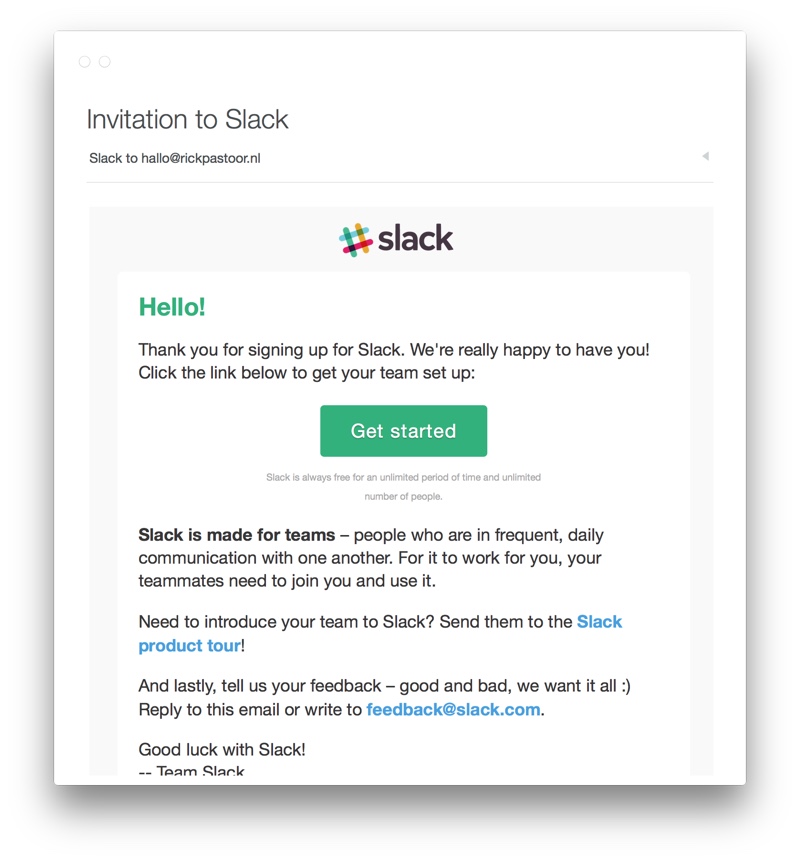
This is what Slack’s initial onboarding email:-
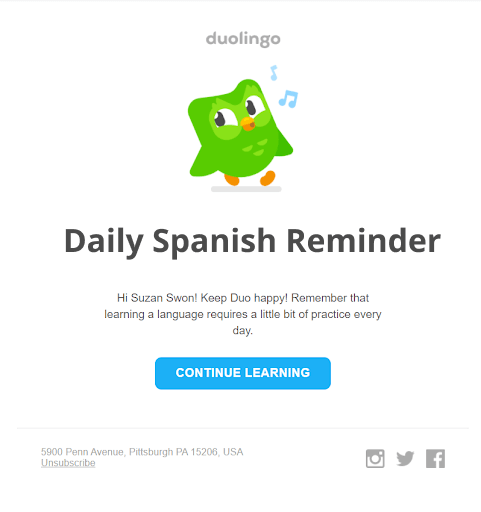
Duolingo’s email gives a light and clean look because of the generous spacing and the green owl keeps the fun in place:-
Create a membership site with forums, courses, and engagement tools—without the tech overwhelm.
Purpose:
These emails are designed to keep your audience active over time or re-engage members who have become inactive. They can include updates about new community features, interactive content, or personalized incentives to reignite interest.
Example:
A community forum might send periodic emails highlighting the most popular discussions, upcoming events, or exclusive content that encourages members to log back in. Check below how Duolingo does the best engagement email sequence to keep you hooked and coming back for more:-
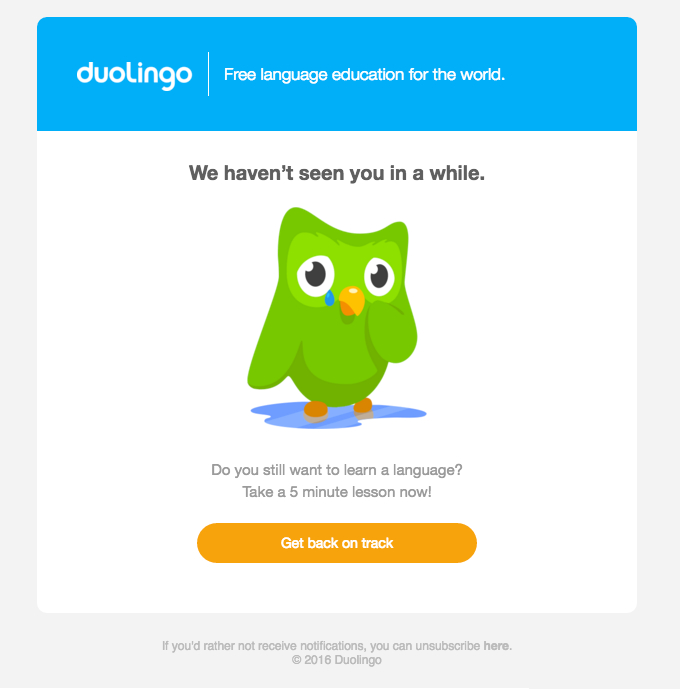
This We Miss You email presents the personalization of an email, when you send an email with the subject popping up as if it’s your friend's text.
Purpose:
Sales sequences are aimed at converting prospects into paying members. They provide persuasive messaging that addresses common objections, offers social proof, and includes compelling calls-to-action.
Example:

Explanation:- A webinar sign-up sequence might start with an invitation to a free event, followed by educational content that underscores the benefits of the membership, and conclude with an exclusive offer to join.
Purpose:
These sequences target potential new members by initiating contact with personalized, value-driven emails that showcase the benefits of your community. They are often the first touchpoint with someone who hasn’t yet experienced your brand.
Example:
A free trial campaign could include a series of emails that gradually introduce the platform’s features and invite the prospect to explore premium content.
Purpose:
These emails are designed to nurture your audience by providing ongoing value through educational content. They help position your brand as an authority in your niche.
Example:

Explanation:- A weekly newsletter that shares industry insights, how-to guides, and case studies can keep your members informed and engaged, encouraging continuous learning and participation.
Purpose:
For membership sites, retention is key. Renewal sequences remind members of upcoming subscription renewals, highlight new features or benefits, and offer incentives to continue their membership.
Example:
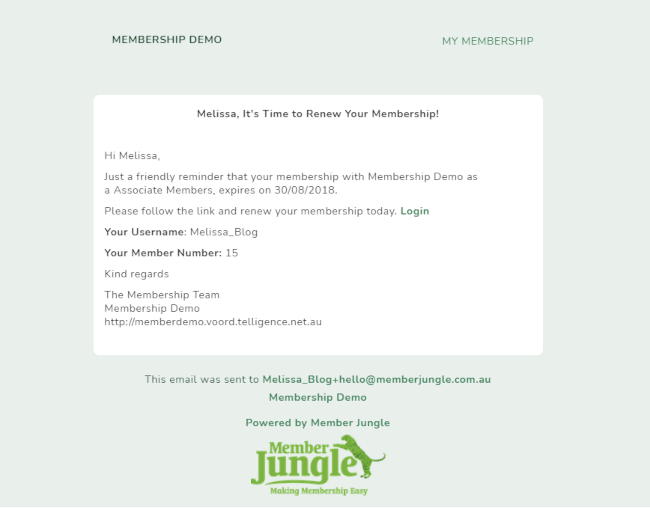
Explanation:- A series of reminder emails sent a few weeks before the membership renewal date, possibly combined with a special discount or an exclusive sneak peek at new content, can help boost retention rates.
Creating effective email sequences requires a blend of strategy, creativity, and technical know-how. Here’s a step-by-step guide:
Map out the customer journey from the first sign-up to conversion. Identify key touchpoints and segment your audience based on their behavior or interests.
[Sign-Up / Awareness]
▼
[Welcome & Onboarding]
▼
[Engagement]
▼
[Conversion]
▼
[Retention & Advocacy]
If you are planning to build an online community then this table can help you Plan your Email Marketing Sequences pretty effectively just make sure you know who you are targeting:-
| Stage | Motto | Touchpoints | Action & Goals | Audience Segments |
| 1st | Sign up/Awareness | Registration form via social media, blog, or referrals | Capture basic details (name, emails, interest)- Introduce your community subtly | New Subscribers: Those who just signed up |
| 2nd | Welcome & Onboarding | – Welcome email- Introductory video or quick-start guide | – Provide a warm welcome – Introduce key features and community areas- Set expectations | – New Subscribers- Interest-based groups: based on captured interests |
| 3rd | Engagement | – Follow up emails – Invitations to webinars or forums | – Deliver personalized content recommendations – Highlight active discussions and community highlights | – Active Participants: Engaged users- Dormant user: Who need re-engagement |
| 4th | Conversion | – Targeted emails with special offers – Testimonials | – Present clear CTAs – Offer incentives for premium membership or paid events | – High-value prospects: Highly engaged users – Conversion ready users: Interested but not yet converted |
| 5th | Retention & Advocacy | -Post-conversion follow-ups- Loyalty rewards and surveys | – Maintain ongoing engagement- Provide exclusive content- Encourage referrals and collect feedback | Loyal Members: Regular, active users- At-Risk Members: Users showing signs of disengagement |
2. Content Creation
Subject Lines: Your subject line is the first impression your email makes—it’s the hook that convinces subscribers to open your message. To craft attention-grabbing subject lines, consider these strategies:
Aim for 5–7 words that quickly communicate the core message. Avoid ambiguity; your readers should know what to expect when they click. Here are some examples to help you understand this-
‘Join Our Community Today’ Simple and direct—invites the reader to become part of the community immediately.
‘Unlock Your Exclusive Perks Now’ Creates urgency and promises specific benefits without extra words.
‘Welcome! Let’s Get Started’ Warm and inviting, setting the stage for a great beginning.
‘Discover Your Next Big Win’ Engaging and inspirational, suggesting the reader will achieve something valuable.
‘New Guide: Boost Your Engagement’ Clear about what’s inside—perfect for a quick, actionable read.
Incorporate the recipient’s name or reference their interests. Personalized subject lines can significantly boost open rates by making the email feel tailor-made. Take a look at the examples below-
– John, Your Special Perks Are Here!
– Anna, Unlock Your Exclusive Offer Now
– Hi Sarah, Discover Fresh Travel Ideas
– Hey Alex, Check Out Your Fitness Update
Use language that sparks curiosity or implies urgency. Phrases like “Last chance,” “Exclusive offer inside,” or “Unlock your secret…” prompt immediate action.
Tap into the reader’s emotions. Whether it’s excitement, anticipation, or even a hint of mystery, engaging emotions can drive higher open rates.
Regularly perform A/B tests with different subject lines to see which versions resonate best with your audience. Analyze open rates and tweak your approach based on the data. For example you send Subject A (“Unlock Your Exclusive Perks Now”) to half your audience and Subject B (“Discover Your Special Offer Today”) to the other half. After analyzing the open rates, you find that Subject B achieved a 22% higher open rate. This insight helps you understand your audience’s preferences and informs future subject line choices.
Crafting a Personalized Email Body: The email body is where you deliver on the promise of your subject line. It should be engaging, valuable, and deeply personalized. Open with a friendly salutation that uses the recipient’s name. A personal touch can create an immediate connection.
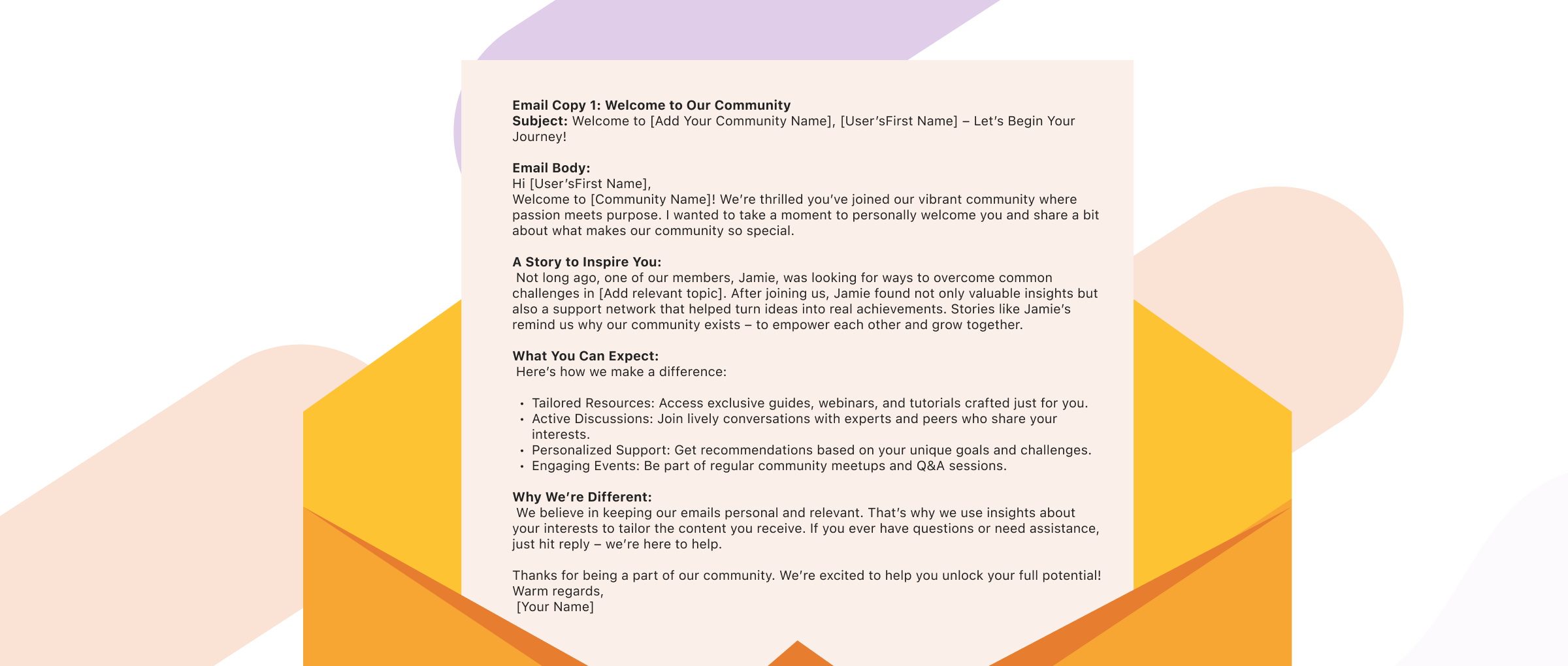
Weave storytelling into your content. Share relatable anecdotes or case studies that highlight how your community or product has made a positive impact. A well-told story not only captivates but also helps your reader see the practical benefits of what you offer.
Clearly articulate the benefits of your offering. Instead of merely listing features, explain how your service or community can solve a problem or improve the reader’s life. Use bullet points or numbered lists to make key benefits stand out.
Leverage data and insights about your subscribers to tailor the message. Segment your audience and address their specific needs or pain points. This could involve dynamic content blocks that adjust based on the recipient’s interests.
Incorporate headings, subheadings, images, or infographics to break up text and make the content more digestible. A visually appealing layout can keep the reader engaged from start to finish.
Write as if you’re speaking directly to a friend. A conversational tone fosters trust and makes the email more relatable.
Designing Clear and Effective Calls-to-Action (CTAs): Every email should guide your reader toward the next step. Be Direct and Action-Oriented: Use strong, actionable language like “Join Now,” “Discover More,” or “Get Started Today.” Your CTA should leave no doubt about what the reader is expected to do next.
Position your CTA prominently within the email. Use contrasting colors, bold text, or buttons to make it stand out. Consider placing the CTA both in the middle and at the end of the email to capture attention at different reading points.
Keep your CTA simple. It should be a single, clear instruction that tells the reader exactly what to do. Avoid multiple CTAs that might overwhelm or confuse the recipient.
Tie your CTA back to the benefits discussed in the email. For example, if you’re offering an exclusive webinar, your CTA could be “Reserve Your Seat for Exclusive Insights.”
As with subject lines, experiment with different CTA styles, placements, and wording to see which version drives the best conversion rates.
3. Design & Automation:
When it comes to email marketing Sequences, both design and automation play pivotal roles in ensuring your messages not only look great but also perform effectively. Let’s break down the best practices for email design, layout, and mobile responsiveness, followed by an overview of popular automation tools to manage your email sequences.
Use a clean, uncluttered layout that guides the reader's eye naturally through your content. A simple design reduces distractions and helps emphasize your key messages and CTAs.
Ensure that your emails reflect your brand’s visual identity. Use your brand’s colors, fonts, and logo consistently to create a cohesive experience. This consistency builds trust and reinforces your brand recognition.
Over half of emails are now opened on mobile devices, so it’s essential that your emails automatically adjust to different screen sizes. Use responsive design techniques—such as fluid grids and flexible images—to ensure your content looks great on both desktop and mobile.
Keep your font sizes legible and your buttons large enough for mobile users. For instance, using at least 14px for body text and ensuring your CTAs are easily tappable can improve click-through rates significantly.
Use headings, subheadings, bullet points, and images to break up long blocks of text. This helps readers quickly scan the content and understand your message.
Position your CTAs prominently within your email layout. Use contrasting colors and ample whitespace around them to make them stand out and guide the reader toward the desired action.
Lastly, always test your emails on different devices and email clients (such as Gmail, Outlook, and Apple Mail) to ensure that your design and layout are rendered correctly across the board.
Regularly experiment with different design elements—like subject lines, CTA placements, and image choices—to see what resonates best with your audience. This continuous improvement approach can boost both open and click-through rates.
A well-crafted sales sequence guides your subscribers from initial interest to taking decisive action. Here are the key elements:
Segment Your Audience: Identify which subscribers are most likely to convert. For example, research by Mailchimp shows that segmented email campaigns can result in a 14.32% higher open rate and a 100% increase in click-through rates compared to non-segmented ones.
Tailored Messaging: Customize your emails to address the specific pain points and interests of different segments. Personalized messages have been known to increase conversion rates significantly – some studies indicate improvements of up to 20% when messages are tailored to individual needs.
Compelling Offers: Use limited-time offers, exclusive discounts, or special content to prompt action. Urgency can be a strong motivator; for instance, limited-time promotions have been shown to boost sales conversion rates by up to 30% in some campaigns.
Comparison of Sales Strategies: It’s important to distinguish between a “selling sequence” and broader “sales sequencing” tactics. While both require clear communication and strong value propositions, they serve slightly different purposes:
| Aspect | Selling Sequence | Sales Sequencing Tactics |
| Focus | Direct conversion (making a sale) | Nurturing leads over multiple touchpoints |
| Message Tone | Persuasive and direct | Educational, value-driven, and nurturing |
| Frequency | Fewer, high impact emails | A series of emails over a longer period |
| Key Elements | Compelling offer with strong CTA | Building trust through continuous engagement |
| Example Outcome | Immediate purchase or sign-up | Increasing readiness for future conversion |
Prospecting sequences focus on making a positive first impression and nurturing leads before a sales pitch is introduced:
Personalized Introductions: Craft personalized content that builds rapport from the very first email. Use dynamic data to include the subscriber’s name or reference their interests. This strategy has been shown to improve engagement rates; for example, personalized emails can result in a 26% higher open rate.
Value-Added Follow-Ups: Rather than delivering a hard sell, provide useful insights, educational content, or industry tips. Regular follow-ups that add value help in building trust over time. According to various studies, emails that focus on providing value can improve conversion rates by up to 15%.
Gradual Relationship Building: Begin with a soft introduction and gradually introduce more in-depth content. This approach allows prospects to understand your brand and the benefits you offer without feeling overwhelmed. For example, a well-designed prospecting email sequence might start with a welcome email, follow up with a case study or testimonial, and then introduce a limited-time offer after establishing trust.
To ensure your email sequences perform at their best, optimization is key:
A/B Testing: Regularly experiment with different elements of your emails—subject lines, content formats, imagery, and CTAs. For example, test two subject lines to see if a personalized greeting outperforms a generic one. Many companies report a 15-20% improvement in open rates through systematic A/B testing.
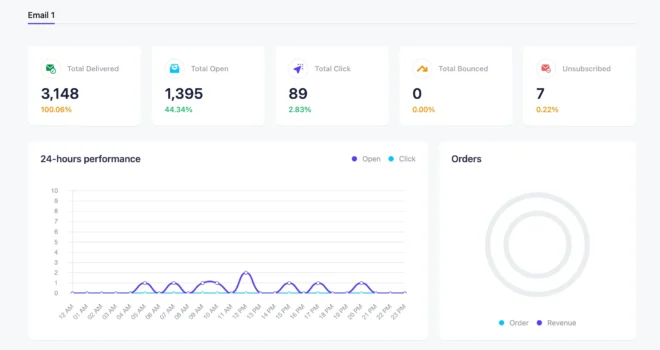
Key Metrics: Track essential performance indicators such as open rates, click-through rates, and conversion rates. For instance, if your open rate is 25% and your click-through rate is 5%, focus on optimizing your subject lines and CTA placement. Using dashboards from tools like Mailchimp or ActiveCampaign can help you pinpoint areas needing improvement.
 – image source – HubSpot
Feedback Loops: Regularly ask for direct feedback from your subscribers via surveys or simple rating systems in your emails. This feedback can uncover hidden friction points or topics of interest, enabling you to adjust your content to better serve your audience's needs.
Iterative Updates: Use the insights gained from your analytics and feedback to refine your email sequences continuously. For example, if data reveals that emails with video content perform 30% better, consider incorporating more multimedia elements. Stay informed about industry trends and adjust your design, messaging, and scheduling to keep your sequences fresh and relevant.
Leveraging the right tools can make managing your email sequences much easier. Here are some resources to consider:
| Category | Tool/Resource | Features | Best for |
| Email Marketing and Automation | Mailchimp | Customizable templates, automation workflows, comprehensive analytics | Small to medium sized businesses |
| Mailpoet | Seamless WordPress integration, drag-and-drop editor, real-time analytics, and automated email campaigns | WordPress users and small businesses | |
| ConverKit | Advanced tagging, segmentation, personalized messaging | Creators, bloggers, Content-driven businesses | |
| FunnelKit (AM brand) | Funnel creation tools integrated with ConvertKit, streamlined lead capture, and automated email sequences | Online businesses focused on sales funnels and conversions | |
| ActiveCampaign | CRM integration, advanced automation, behavioral tracking, detailed performance analytics | Businesses needing sophisticated automation | |
| HubSpot | Robust email automation, CRM integration, full suite of marketing tools | Larger businesses and enterprises | |
| Klaviyo & Drip | Data-driven segmentation, detailed automation workflows | E-commerce and membership sites | |
| Uncanny Automator (from AM) | Automation tool for WordPress that connects various plugins and apps, enabling automated workflows across your digital ecosystem | WordPress sites looking to streamline operations | |
| Design & Content Creation | Really Good Emails | Curated gallery of high-quality email designs for inspiration | Designers, marketers, and email strategists |
| Canva | Easy-to-use design tool for creating engaging email graphics, banners, and infographics | Marketers and content creators | |
| Litmus | Email testing, previewing, and analytics to ensure design consistency across devices | Ensuring emails look great on all devices | |
| Analytics & Optimization Tools | Google Analytics | Tracks email performance, user behavior, and conversions when integrated with your email platform | Data-driven optimization of campaigns |
| Mixpanel | Advanced tracking and segmentation to understand user interactions and behaviors | In-depth analytics and performance insights | |
| A/B Testing Tools(e.g., Optimizely) | Built-in A/B testing features in many platforms or standalone tools for experimenting with subject lines, CTAs, and content variations | Continuous testing and iterative improvements | |
| Educational Resources & Communities | Marketing Blogs & Webinars | Resources like HubSpot Blog, Campaign Monitor, and Mailchimp Resource Center provide best practices, case studies, and expert insights | Staying updated with industry trends |
| Online Courses (Udemy, Coursera, LinkedIn Learning) | Courses on email marketing strategy, design, and automation to build your skills | Learning and professional development | |
| Email Marketing Forums & Communities sharing ideas, asking questions, and networking | Platforms like Reddit, LinkedIn groups, and specialized forums for sharing ideas, asking questions, and networking | Collaborative learning and staying informed |
Email marketing sequences are powerful tools that build relationships, establish trust, and drive conversions. By understanding the different types of sequences, following a strategic step-by-step approach, and continually optimizing your campaigns, you can create email marketing efforts that resonate with your audience and support the growth of your membership site or online community.
If you’re ready to transform your email marketing strategy, start by implementing these best practices today. Remember, every successful campaign begins with a single, well-crafted email.
In a world where attention spans are shorter than your favorite TikTok clip, traditional teaching methods can feel as outdated as dial-up internet.
And then enters gamification for learning. A revolutionary approach that changes the mundane into the extraordinary. So, if you are an educator, corporate trainer or just someone who believes learning should be fun (and maybe a little competitive), this guide is for you.

In this guide, we’re diving into how you can boost engagement and learning outcomes by integrating game mechanics like points, badges, rewards and even a few extra tricks like leaderboarders and performance graphics.
At its core, Gamification for learning is the art of applying game-design elements in non-game contexts—in this case, education. Imagine if every time you aced a quiz, you earned points, unlocked a shiny badge, or moved up a leaderboard. Sounds fun, right?
That’s the essence of gamification: it converts everyday learning tasks into engaging challenges that reward progress.
So, when you ask, “what is gamification in education?” The answer is simple: it’s a way to inject fun, feedback, and even a bit of friendly competition into learning environments.
To make it more simple, you can think of it as a dash of video magic to your classroom or training session. However, It’s not about making everything a competition but Instead, it’s about creating an interactive system that motivates learners through various gamification types, such as:
Before we get lost in the excitement of points and badges, let’s address the “why” behind gamification in learning. Traditional education often struggles with low engagement, minimal participation, and a one-size-fits-all approach that leaves many learners behind. Here’s how gamification fixes that:
Remember the last time you played a game and couldn’t put it down? That’s because games are designed to hook you with instant feedback and clear rewards. Similarly, a gamified learning environment keeps students on their toes, eager to earn points, collect badges, and compete for top spots on leaderboards. Research has shown that gamification of learning is becoming a must have in modern education.
When learners receive immediate feedback—say, through points awarded for correct answers—they’re more likely to remember what they learned. It’s the difference between passively reading a textbook and actively “playing” with the content. In other words, when you ask what is gamification in business? You can see its impact not just in classrooms but also in corporate training programs.
incorporating elements like team challenges and leaderboards encourages social interaction, healthy competition, and even collaboration. Suddenly, learning becomes a shared journey, where students cheer each other on rather than merely compete in silence.
Every learner is unique, and a one-size-fits-all approach rarely works. Gamification allows educators to customize challenges and rewards based on individual progress. Whether it’s awarding extra points for creativity or unlocking advanced badges for mastery, learners receive a personalized path that keeps them motivated to improve.
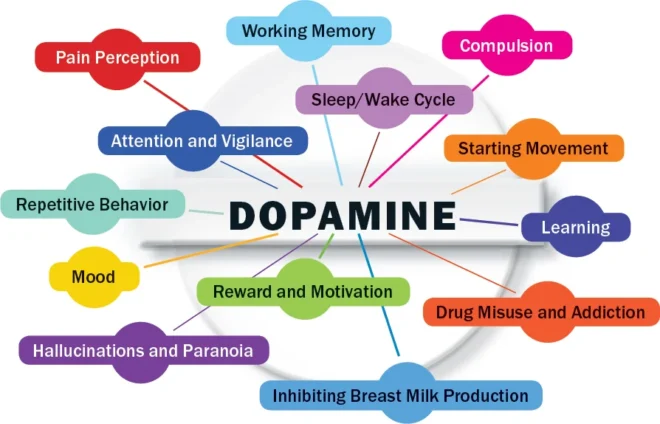
Ever wonder why you keep checking your points, badges, or leaderboard notifications—even when you should be working? It’s all in your head (literally)! Studies have shown that our brains release dopamine, the “feel-good” chemical, when we get rewards.
For example, 80% of learners are more effective with gamified practices. Moreover, with a whopping 97% of kids playing computer games, teachers will continue to gamify their classroom practices.
On the retail side, organisations are benefitting from gamified training practices. Gamification has been shown to improve employee engagement by over 60%.
Source- growthengineering.co.uk
Essentially, gamification tricks your brain into celebrating every little win, turning even mundane tasks into mini victories. It’s like your brain is on a constant sugar rush, cheering every time you score a badge or climb the leaderboard. So yes, while it might feel a bit like a “dopamine hack,” it’s actually a science-backed way to make learning more engaging and fun.
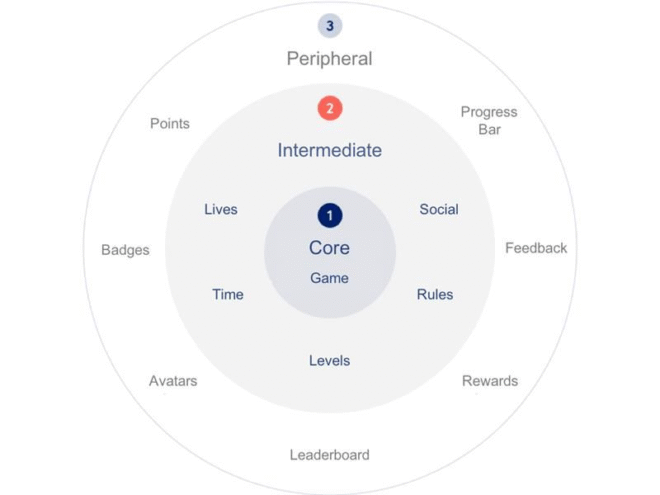
At the heart of gamification are three classic elements: points, badges, and rewards. Let’s break these down.
Points are the backbone of any gamified system. They provide immediate, quantifiable feedback for every small victory or effort. You could be earning points for participating in class discussions, acing a quiz, or submitting assignments on time, points serve as a measurable way to track progress. They’re like the “experience points” in your favorite RPG, guiding you from a newbie to a seasoned expert. The instant feedback is why gamification for learning resonates so well, it’s all about showing that you’re actually moving forward.
Badges are those icons that you proudly display on your digital profile, proving that you’ve mastered a particular skill or completed a challenge. Those badges symbolize achievement, recognition, and sometimes even bragging rights.
Design badges that are visually appealing and meaningful. For example, a “Quiz Whiz” badge for scoring 90%+ on tests or a “Discussion Dynamo” badge for active participation can inspire learners to aim higher.
While points and badges are fun, rewards are the ultimate incentive. Rewards can be tangible (extra credit, certificates, discounts on future courses) or intangible (exclusive access to advanced content, public recognition, or even a simple congratulatory message). They help reinforce positive behaviors and encourage learners to continue engaging with the material.
While points, badges, and rewards form the core, there are several supplementary game elements that can take your learning environment to the next level.

Leaderboards rank learners based on their accumulated points or achievements. They can be a double-edged sword, however: while they motivate some students, they might discourage others if the gap between top performers and the rest is too wide. The trick is to create segmented leaderboards (by class, level, or even subject) to ensure everyone has a fair shot at the top.
Imagine having a graph that shows how your performance has improved over time. Performance graphs are like a Fitbit for your brain—they give learners a visual representation of their progress, making it easier to set goals and see improvements.
Humans are wired for stories. Integrating narrative elements into your learning environment can provide context and meaning to otherwise mundane tasks. Whether it’s framing a lesson as a heroic quest or weaving case studies into the curriculum, stories help learners connect emotionally with the content.
Avatars allow learners to create a digital representation of themselves. This not only adds a fun, personalized touch but also helps foster a sense of identity and belonging within the learning community. When learners can see a version of themselves evolving along with their achievements, it adds an extra layer of motivation.
Encourage team-based challenges where learners can form groups, compete together, or collaborate to overcome obstacles. This fosters a sense of community and makes learning a shared adventure rather than a solitary journey.
Now that you know the theory, let’s dive into some examples of gamification from popular learning platforms that show how gamification has revolutionized learning environments. Here are five standout platforms and why their gamified approaches work so well:
About:
Description:
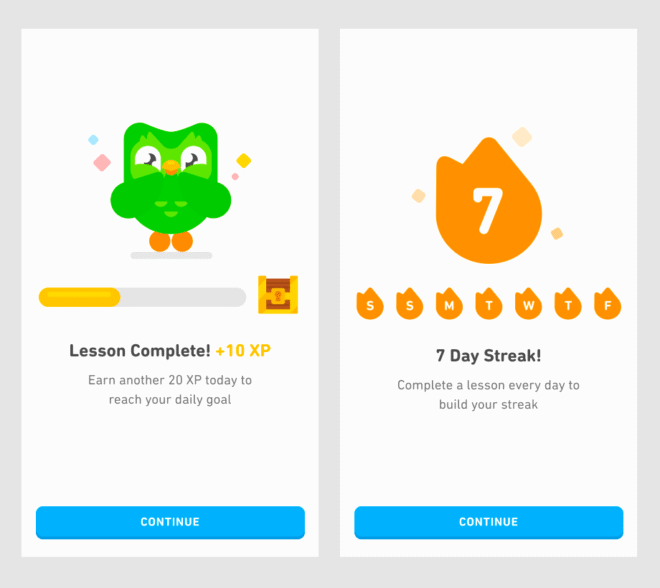
Duolingo is one of the most well-known gamified language-learning apps. By using points (experience points or XP), daily streaks, badges, and leaderboards, it transforms everyday language practice into a fun, interactive game. This design motivates learners to return day after day because every lesson feels like a mini-challenge.
Why It Works:
About:

Description:
Kahoot! turns classroom quizzes into lively competitions. Teachers use it to create engaging quizzes, surveys, and discussions that energize learners and foster a collaborative atmosphere.
Why It Works:
About:
Description:
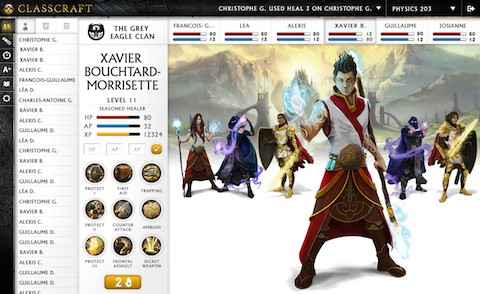
Classcraft transforms the classroom into an immersive role-playing game where students form teams, earn points for positive behavior, and overcome challenges through engaging narratives.
Why It Works:
About:
Description
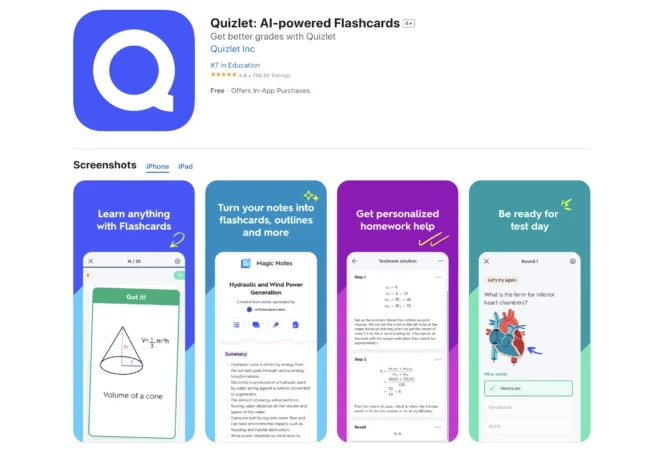
Quizlet gamifies the study process with interactive flashcards and games like Quizlet Live. By turning repetitive study into a dynamic challenge, it makes memorization more engaging and less monotonous.
Why It Works:
About:
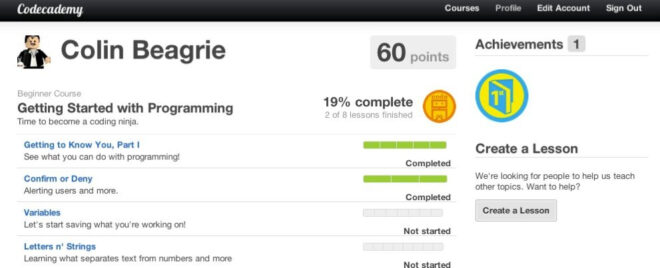
Description:
Codecademy integrates gamification into its coding courses with interactive lessons, points, badges, and progress tracking. This approach provides immediate rewards and clear visual indicators of progress, making the learning of complex coding skills more accessible and fun.
Why It Works:
Here’s a curated list of online course platforms that incorporate gamification features to boost learner engagement and effectiveness. These platforms either have gamification built right in or offer integrations that turn mundane lessons into interactive, rewarding experiences:
1. BuddyBoss
BuddyBoss is a community-centric learning platform that seamlessly integrates gamification. It enables educators to award badges, track points, and display leaderboards, thereby enhancing social interaction and boosting student motivation. It’s ideal for those who want a fully immersive online learning community.
2. Kahoot!
Originally designed as a quiz platform, Kahoot! turns classroom assessments into lively, game-based competitions. With its real-time quizzes and interactive challenges, it injects energy and friendly rivalry into the learning process, making it a hit in both classrooms and corporate training.
3. TalentLMS
TalentLMS is a versatile learning management system that comes with built-in gamification features such as points, badges, and levels. It allows course creators to design engaging training experiences that not only deliver content but also motivate learners through measurable progress and rewards—especially popular in corporate training environments.
4. Mambo Gamification Software
Mambo is a specialized tool that adds gamification layers to existing learning management systems. With customizable modules for points, challenges, and rewards, it helps educators transform traditional courses into engaging, game-like experiences that enhance participation and retention.
5. Centrical
Centrical merges gamification with performance management. Its platform provides interactive challenges, reward systems, and detailed analytics, making it a powerful tool for organizations looking to boost both learner engagement and overall performance in training programs.
6. Xperiencify
Xperiencify is designed to turn ordinary online courses into immersive, interactive experiences. It offers gamification elements such as progress bars, badges, and interactive quizzes, which not only motivate learners but also drive higher course completion rates.
7. Docebo
Docebo is an AI-powered learning platform that integrates gamification to deliver personalized, engaging learning experiences. Its features—like leaderboards, points, and badges—work together to boost motivation and performance across diverse learning environments.
8. Duolingo
A household name in language learning, Duolingo exemplifies gamification in action. With over 500 million registered users, it uses experience points (XP), daily streaks, and interactive challenges to make language practice fun and addictive. Its success proves that when learning feels like a game, motivation soars.
9. Easy LMS
Easy LMS is a straightforward platform that makes it easy for educators to add gamification to their courses. It allows for points, badges, and certificates to be integrated into lessons, providing immediate feedback and encouragement that keeps learners moving forward.
10. iSpring Learn LMS
iSpring Learn LMS offers a user-friendly approach to gamified learning. With features such as interactive quizzes, progress tracking, and reward systems, it helps increase learner participation and retention by turning educational content into an engaging, game-like experience.
Try BuddyBoss to create courses that keep learners coming back.
So, you’re sold on the idea of gamification, but how do you actually implement it in your eLearning platform—especially if you’re using WordPress and BuddyBoss? Let’s break it down into clear steps with some bullet points to keep things easy to follow.
Before you start awarding points or designing badges, you need to get crystal clear on what you want your learners to achieve. Ask yourself:
What are your goals?
How will you measure success?
Improved test scores, higher course completion rates, or increased participation?
Step 2: Map Out the Learning Journey
Plan the entire learning process from start to finish, identifying key milestones where gamification elements can be seamlessly integrated. For example:
Mapping out the journey transforms a linear curriculum into an interactive adventure, making every checkpoint a mini celebration.
There’s a plethora of gamification tools that work great with WordPress, especially if you’re using BuddyBoss as your foundation. Consider:
These tools are like cheat codes for your eLearning platform—they let you add points, badges, and leaderboards without needing to reinvent the wheel.
Now, start small by integrating the essential gamification elements. Focus on creating immediate feedback and tangible progress markers:
Points:
Award points for completing tasks, participating in discussions, or even for attendance.
Points act as the digital currency of learning, offering instant recognition of effort.
Badges:
Design visually appealing badges that reflect different achievement levels.
Think “Quiz Whiz” for high test scores or “Discussion Dynamo” for active participation.
Rewards:
Once your core elements are in place, enhance your strategy with extra features to keep learners motivated:
These extras not only make the experience more dynamic but also cater to different learning styles.
Before rolling out your gamification strategy to your entire learner base, run a pilot program to test the waters:
No matter how brilliant your gamification strategy is, it won’t work if it isn’t integrated seamlessly into your learning management system (LMS). Here’s how to get started using popular WordPress-based solutions, our trusted partners in the WP industry:
Step 1: Choose the Right LMS
Select an LMS built on WordPress that supports integration with gamification tools. Instead of traditional platforms like Moodle or Blackboard. LearnDash and LifterLMS are highly popular WordPress LMS options, and BuddyBoss is a popular community platform that enhances these LMS solutions. These systems are specifically designed for the WordPress ecosystem, offering flexibility, ease of customization, and native integration with gamification plugins. By choosing a WordPress LMS, you align with industry-leading solutions that our partners trust and recommend.
Step 2: Evaluate Gamification Plugins
There are several top-notch gamification plugins available in the WordPress ecosystem that cater specifically to education:


Step 3: Ensure Seamless Integration
Confirm that your chosen gamification tools integrate smoothly with your WordPress LMS. This means having a user-friendly dashboard, minimal technical complications, and a system that works out of the box without requiring extensive coding knowledge. The goal is to provide an engaging experience without disrupting your existing learning process.
Step 4: Training and Onboarding
Once the integration is complete, it’s crucial to offer training sessions for both educators and learners. Explain how the gamification system works, outline the rules, and demonstrate how to track progress. Effective onboarding minimizes confusion—ensuring that your gamification strategy delivers on its promise of making learning both fun and effective, without the dreaded “pointless points” complaints.
By leveraging popular WordPress LMS solutions and trusted gamification plugins, you can create a dynamic, interactive learning environment that stands up to modern educational demands and is fully aligned with industry best practices.
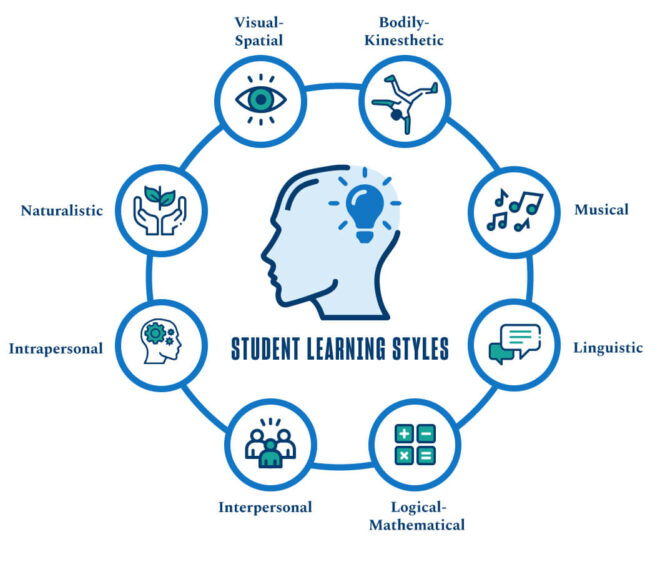
Let’s be real: not every learner is the same. Some are visual learners, others are auditory, and some are downright kinesthetic. A one-size-fits-all gamification strategy might leave a few learners scratching their heads, wondering if they accidentally logged into a video game instead of a classroom.
For those who learn best through images and visual aids:
For learners who prefer listening:
For those who learn by doing:
Beyond these learning styles, consider adaptive gamification systems that adjust challenges and rewards based on individual performance. This personalized approach not only meets diverse needs but also ensures that every learner feels like the gamified journey is tailor-made just for them.
The world of gamification is evolving faster than you can say “achievement unlocked.” Here are some trends that are shaping the future:
Imagine a system that not only rewards you but also adapts to your learning pace and style. AI can analyze performance data and adjust challenges and rewards accordingly. This means no more one-size-fits-all—each learner gets a personalized experience.
VR and AR are taking the gaming world by storm, and education is no exception. These technologies can immerse learners in simulated environments where gamification elements are integrated seamlessly into real-life scenarios. Picture a history lesson where you’re not just reading about ancient Rome but walking its streets in VR, earning points as you explore!
With mobile devices in nearly every pocket, gamified learning apps are becoming a powerful tool for on-the-go education. These apps can provide bite-sized challenges, interactive quizzes, and immediate rewards, making learning accessible anytime, anywhere.
Future gamification strategies will increasingly focus on social learning. Imagine group challenges where teams collaborate, compete, and share their progress on social media. This not only enhances engagement but also builds a sense of community among learners.
As more data becomes available, gamification systems will rely on analytics to continuously improve. Educators will be able to track KPIs such as engagement rates, points accumulation, and badge distribution, allowing for real-time adjustments to maximize learning outcomes.
By integrating points, badges, rewards, and additional elements like leaderboards, performance graphs, meaningful stories, avatars, and team challenges, you create an environment where learning becomes a dynamic adventure.
So, why stick with the old ways when you can turn learning into a game? Embrace gamification for learning, experiment with different elements, and continuously refine your strategy based on feedback and performance metrics. After all, in the game of education, the ultimate reward is knowledge—and maybe a few virtual high-fives along the way.
Online learning has exploded over the past decade. In 2021 alone, the e-learning market saw unprecedented growth as people from all over the globe turned to digital courses to upgrade their skills and learn new hobbies.
Today, creating and selling an online course is not only an excellent way to share your expertise but it’s also a proven method to generate passive income and build a personal brand.
Thus, if you're here looking for expert tips and tricks on how to create an online course that actually sells, you're in the right place. This post isn’t a basic step-by-step tutorial; it’s a deep dive into proven strategies and insider insights, covering everything from choosing the right topic and crafting engaging content to marketing, launching, and scaling your course for success. course.

Online courses have transformed from being a niche tool for corporate training in the early 2000s to a dynamic and essential mode of learning that’s shaping the future of education. While platforms like Udemy (launched in 2010) and Coursera (launched in 2012) are moving online learning into the mainstream, the evolution doesn't stop there.
Innovations such as artificial intelligence, mobile learning, microlearning, gamification, and virtual reality are revolutionizing how content is delivered and consumed—making learning more engaging, flexible, and accessible than ever before. Recent data underscores that these advancements are driving a good amount of growth in the e-learning market, opening up exciting opportunities for both educators and students.
Join 10,000+ educators already building their course empires with BuddyBoss.

Below we discuss the 10 essential steps to make online courses, launch and market it successfully, from choosing the perfect topic and producing high-quality content to leveraging effective marketing strategies and building a thriving learning community. Each step is designed to provide you with clear, actionable insights to turn your expertise into a course that truly sells.
Before you start creating content, ask yourself: What do you know well and what are you passionate about? Your course topic should come from a place where your expertise, passion, and market demand intersect. Many successful online course creators use an exercise called Ikigai to pinpoint the right topic by considering:
For example, if you’re a digital marketing expert, you might create an online course on how to leverage social media for business growth. Use tools like Google Trends, keyword planners, and forums (Reddit, Quora) to see what questions people are asking. This research not only validates your topic but helps you find a niche where competition is lower and demand is high.

Creating an online course takes time and effort. To ensure your idea is profitable, start small by gathering feedback from your potential students. Here’s how:
This validation process helps you refine your course and ensures that people are not just interested—they’re willing to pay for your expertise.

Knowing your audience is crucial to create an online course that truly resonates and sells. To build a course that meets your students’ needs, start by developing detailed buyer personas—semi-fictional profiles that capture the characteristics of your ideal learner. Here’s how to expand on this process:
What to Include:
What to Include:
What to Include:
What to Include:
Mapping the customer journey is about understanding the complete process your potential students go through before, during, and after enrolling in your course. This helps you tailor your course content and marketing messages at every stage:
Awareness:
Consideration:
Decision:
By developing detailed buyer personas and mapping out the customer journey, you create a solid foundation that informs every aspect of your course creation—from curriculum design to targeted marketing. This deep understanding ensures your course not only meets the specific needs of your audience but also speaks directly to them at each step of their learning journey, increasing both enrollment and satisfaction.
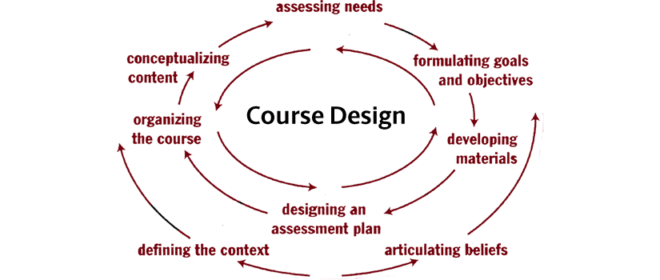
Creating a compelling curriculum is the backbone of your online course. It’s not just about delivering content but about guiding your students to a transformative end result. Here’s an expanded approach to designing your curriculum and setting clear learning outcomes:
Define the Transformation! Begin by asking yourself, “What will my students be able to do or understand by the end of this course?” It can be mastering a new skill, shifting their mindset, or solving a persistent problem, this ultimate goal becomes your north star.
Start with the Ultimate Learning Objective like writing down the final objective as if you’re already at the finish line. This might be something like, “Students will confidently design a sustainable indoor garden that meets specific environmental conditions.” This clarity sets the tone for everything that follows.
Use Proven Frameworks like the ABCD method. It can help you articulate what each lesson will achieve:
Here’s an example of it:- “By the end of this lesson, beginner gardeners (Audience) will be able to accurately determine the watering needs (Behavior) of common indoor plants using visual soil moisture cues (Condition) to achieve consistent plant health (Degree).”
Diversify Content Format to cater to different learning styles by blending various content types such as video lectures to create engaging videos that explain complex ideas through visuals and demonstrations, downloadable PDFs & Guides to offer supplementary materials that students can reference later.
Additionally, Interactive Quizzes to reinforce learning and allow students to test their understanding, Practical Exercises Including hands-on assignments or case studies that require students to apply what they've learned, Consider adding discussion prompts or live Q&A sessions to deepen the learning experience.
One of the major benefits is Easier Content Digestibility, by breaking content into bite-sized modules and lessons helps students absorb and retain information more effectively.
Moreover, a guided learning journey including a clear structure maps the student’s path from introductory concepts to advanced application, ensuring they have a roadmap to follow.
By focusing on the end result, breaking your content into digestible modules, setting clear objectives, and mixing media for engagement, you create a curriculum that not only informs but transforms your students. This approach ensures that your course stands out as both comprehensive and accessible, paving the way for higher completion rates and greater student success.
Creating engaging, professional content is key to the success of your online course. Here’s how to elevate your production quality without overwhelming you with lists.
Invest in a good HD camera or a modern smartphone that records in high resolution, and always use a tripod to ensure steady shots. Your audio quality is equally important—choose a reliable lapel or shotgun microphone to capture clear sound.
To get the best lighting, use natural light when possible or set up softbox lights or a ring light to avoid harsh shadows. If you decide to incorporate a green screen, make sure it’s evenly lit and free of wrinkles to ensure a smooth, professional background. Testing your setup with a few short recordings can save you from issues during the actual shoot.
Plan your content carefully by developing a clear script or outline for each lesson. This preparation not only keeps your delivery natural and engaging but also ensures you cover all essential points in a logical order.
Storyboarding your shots can help you visualize the final product and plan transitions between segments. When recording, aim to capture several takes so you have options during editing, and maintain a conversational tone to connect with your audience.
After recording, spend time editing to refine your content. Use software such as iMovie, Camtasia, Adobe Premiere, or Wevideo depending on your level of expertise. Trim out any mistakes or unnecessary pauses to keep your video concise, and add captions, graphics, or overlays to emphasize key points and improve viewer engagement.
Enhancing your video with smooth transitions and background music can elevate the production quality further while ensuring the focus remains on your teaching.
Finally, make your course accessible to all learners by including transcripts and subtitles for your videos. Provide alternative text for any images or graphics so that screen readers can describe the content, ensuring a broader audience can benefit from your course.
By focusing on these core elements—proper equipment setup, careful content planning, thoughtful editing, and accessibility—you can create high-quality course content that captivates your students without relying on an overwhelming number of bullet points.
The Four Essential Types Of Online Course Content
There are many online course platforms to host and sell your online course. Your choice depends on your technical skills, marketing needs, and budget. Consider the following:
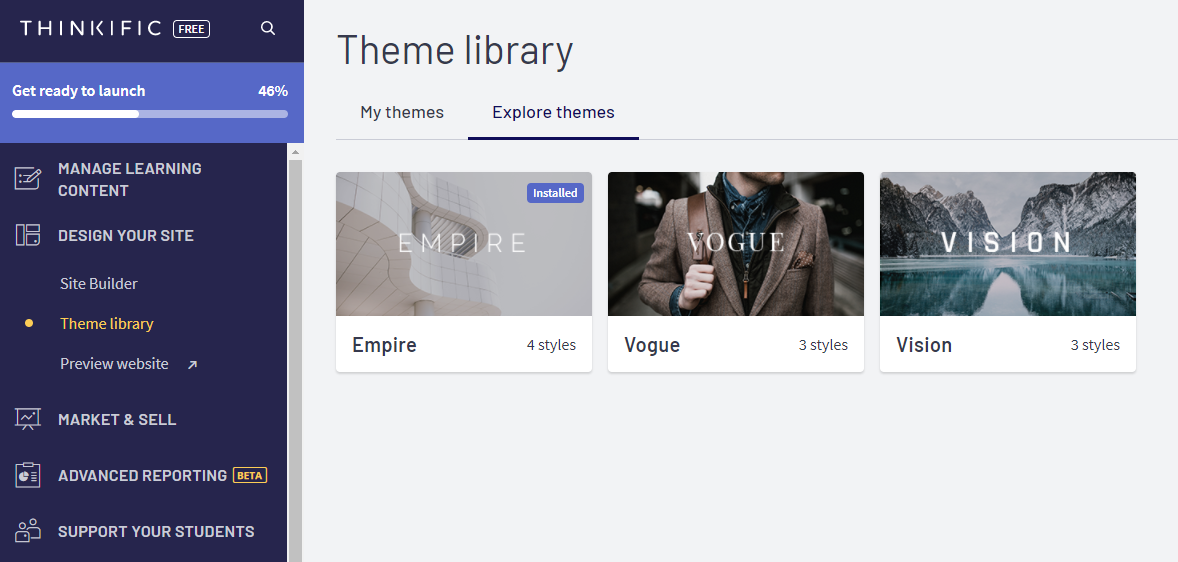
Standalone solutions such as Teachable, Thinkific, and Kajabi are designed with ease of use in mind. They provide a turnkey solution that includes robust marketing tools, analytics, and course management systems—all with minimal technical setup. These platforms are ideal if you want to get started quickly and focus on content creation rather than technical details.
Platforms like Udemy and Skillshare offer excellent exposure since they already have a large audience of learners. However, they come with trade-offs: they often take a significant share of your revenue, and your branding may be limited by their marketplace design and rules. This option is well-suited if you prefer leveraging an existing audience over having full control of your sales funnel.

Self-hosted platforms give you complete control over every aspect of your online course—from design and functionality to marketing and customer data. If you already have a WordPress site or plan to build one, plugins like LearnDash, LifterLMS, and BuddyBoss provide powerful solutions for hosting and managing courses.
Do You Want To Launch Your Online Community With Confidence?
Your pricing strategy is crucial to your course’s success. It not only reflects the value you provide but also plays a major role in how your target audience perceives your course. A well-thought-out pricing model should consider your production costs, your audience’s willingness to pay, and how your course stands against competitors.

Even the best online course won’t sell if people don’t know about it. A solid marketing strategy is essential:
Pre-Launch: Build an email list and create anticipation with teasers and early-bird offers. Use free content like mini-courses or webinars to drive interest and collect testimonials.
Content Marketing: Write in-depth blog posts that address common challenges and provide actionable insights related to your course topic. Create YouTube videos that break down complex concepts, offer tutorials, or provide behind-the-scenes looks at your course development. Use social media platforms like LinkedIn, Instagram, and Twitter to share quick tips, success stories, and engaging updates that demonstrate your authority.
SEO Optimization: Ensure your content is easily discoverable by optimizing your blog posts, videos, and social media content with relevant keywords. Use clear, descriptive titles, meta descriptions, and alt-text for images. Regularly update your content and build quality backlinks to boost your search engine rankings, making it simpler for potential students to find your expertise online.
Social Proof: Build trust with your audience by showcasing real results. Use testimonials, case studies, and reviews from early adopters to show how your course has made a difference. Collaborate with industry influencers who can vouch for your expertise and promote your course. Consider setting up an affiliate program so that satisfied students and influencers can help spread the word.
Sales Funnels: Guide your potential students smoothly from discovering your course to signing up. Map out each step of their journey—from learning about your course to comparing options and finally making a decision. Use simple, automated drip email campaigns to share valuable content and answer common questions, ensuring that no lead is left behind.
Paid Advertising: If your budget allows, boost your reach with paid ads. Run targeted campaigns on search engines and social media to capture high-intent leads. Focus on clear messaging and strong calls-to-action, but remember to balance these efforts with organic strategies for sustainable growth.
Your course launch is your chance to make a powerful first impression and set the stage for long-term success. A well-planned launch strategy not only drives initial sales but also creates momentum for ongoing engagement and community building.
Start Hosting live webinars, Q&A sessions, or virtual launch parties to create excitement and offer a personal touch.
Use limited-time offers, such as early-bird discounts or bonus content for those who sign up within a specific window, to create urgency and encourage immediate action.
A successful launch not only boosts your initial sales but also establishes a strong foundation for building a loyal student community. By engaging directly with early adopters, collecting feedback, and continuously optimizing your approach, you set the tone for sustained growth and long-term success.
First thing first, launching your course is only the beginning. Once your course goes live, your focus shifts to keeping the content fresh and engaging while nurturing a loyal community of learners. A robust post-launch strategy turns one-time buyers into repeat customers and passionate advocates for your brand.
A strong post-launch strategy is about creating a dynamic learning environment. By investing in community building, actively collecting and acting on feedback, and regularly refreshing your course content, you ensure that your course remains valuable and engaging over time. This approach not only helps your students succeed but also builds a foundation for long-term loyalty and advocacy.
Creating and selling an online course is a journey—one that requires careful planning, passionate execution, and ongoing refinement. By choosing the right topic, validating your idea, producing high-quality content, and deploying a smart marketing strategy, you can create an online course that not only educates but also generates revenue and builds your brand.
Remember, the world of online learning is growing every day. Whether you’re looking to share your expertise, create an online course as a side hustle, or build a full-time business, now is the perfect time to dive in.
Ready to turn your knowledge into a profitable online course? Get started today, test your ideas, and join the ranks of successful course creators who are changing lives one lesson at a time.
The world of education has evolved dramatically. Digital classrooms, flexible study schedules, and thousands of courses at your fingertips make online learning essential for personal and professional growth.
In 2025, online education is becoming more than just a trend. People are not going after degrees but they are looking to find gateways to upgrade skills, explore new interests and also earn formal qualifications. Thus, in this blog we are going to give you a walk through of 15 of the best online learning platforms, reveal why they work, and guide you to choose the one that perfectly fits your interests and lifestyle.
Online learning platforms are web-based tools that enable you to access courses, watch video lectures, take interactive quizzes, and engage with a global community of learners—all from your computer or mobile device. They have revolutionized education by providing flexible, accessible, and personalized learning experiences. Here’s a closer look at the different types:
Massive Open Online Courses (MOOCs):
Platforms like Coursera and edX offer courses developed by top universities and institutions worldwide. MOOCs provide a structured academic experience, often including video lectures, readings, assignments, and even opportunities to earn certificates or degrees. They’re ideal for those seeking formal education and academic rigor without the traditional campus setting.
Learning Management Systems (LMS):
Systems such as Moodle are designed for schools, universities, and organizations to manage and deliver educational content. LMS plugins/platforms help educators organize course materials, track student progress, and streamline assignments and assessments. They create a virtual classroom environment that supports both synchronous (live) and asynchronous learning, making it easier for institutions to monitor and enhance student performance.
Course Marketplaces:
Platforms like Udemy and Skillshare empower individual experts to create and sell courses on a wide range of topics from technical skills and professional development to creative arts and personal enrichment. These marketplaces offer a vast selection of courses at various price points, giving learners the freedom to choose courses that match their interests, budgets, and learning styles.
Online learning platforms bring many advantages to the table for anyone looking to expand their knowledge. Here’s a deeper look into each benefit:
Flexibility:
Learn at your own pace and on your own schedule study when it suits you best, whether at home, on the go, or anywhere with an internet connection.
Diverse Course Offerings:
Choose from a vast array of subjects from math and science to creative arts and personal development tailored to your interests and career goals.
Cost-Effective:
Enjoy access to many free or low-cost courses that make high-quality education more affordable than traditional classroom settings.
Personalized Learning:
Benefit from adaptive tools, interactive quizzes, and progress tracking that adjust the learning experience to your needs.
Interactive & Engaging:
Experience dynamic lessons with video lectures, simulations, and gamified content that help simplify complex topics and keep you motivated.
Global Community:
Connect with learners and experts from around the world, exchange ideas, and collaborate through discussion forums and group projects.
Continuous Updates:
Stay current with courses that are regularly refreshed to reflect the latest trends, research, and technological advancements.
| Platform | Best For | Pricing Model | Certification Options |
| Coursera | Academic and career focused learning | Free audit; certificates ~$30+ per course | Accredited certificates (varies by institution) |
| Udemy | Diverse skill development | ~$360/user/year (team/enterprise plans) | Varies by course |
| edX | Advanced academic education | Free audit; certificates $50–$300 | Verified certificates |
| LinkedIn Learning | Professional development | ~$30/month or ~$240/year | Certificates added to profile |
| Skillshare | Creative and hobby learning | ~$14/month or ~$168/year | No formal certification |
| Pluralsight | IT and creative technology skills | ~$30–$45/month | Skill-based certificates (non-accredited) |
| Khan Academy | K-12 and foundational learning | Free | No formal certification |
| Udacity | Tech skills and vocational training | ~$300–$1000 per Nanodegree | Nanodegree certificates |
| BuddyBoss | Community driven learning and membership sites | Basic – $299 | Certificates available |
| FutureLearn | Social and discussion based learning | Free with paid upgrades (~£30–£150 for certificates) | Micro-credentials (for paid upgrades) |
| Codecademy | Tech and coding lovers | Free basic plan; Plus ($14.99/month or $29.99 monthly); Pro ($19.99/month or $39.99 monthly) | Certificates of completion (non-accredited) |
| Alison | Career skill development on a budget | Free courses; certificates typically $30–$50 | Paid certificates (recognition varies) |
| Brilliant | Interactive problem-solving in math, science & CS | Subscription-based (~$20/month or ~$150/year) | Focus on skill improvement (no formal certification) |
| MasterClass | Personal enrichment and creative skills | ~$10/month (annual subscription) | No formal certification |
| Domestika | Creative professionals & hobby learners | Per course purchase or subscription (varies, typically $10–$30 per course) | Certificates of completion (for portfolio purposes) |
We have dug deeper to gather the below information, that we have categorized by different factors and aspects. Don’t forget to compare each of them until you find your destiny:-
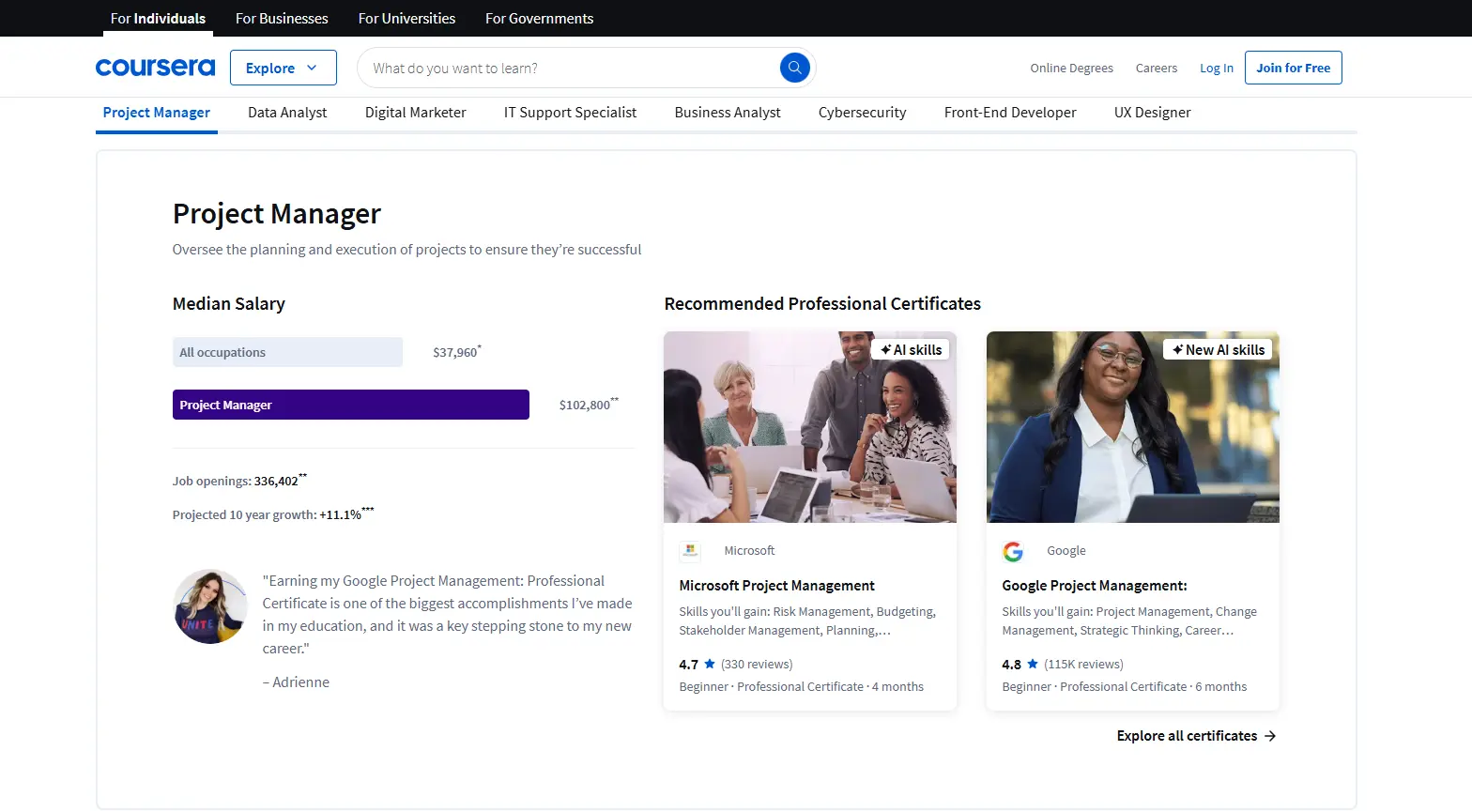
Coursera is a leading online learning platform that partners with top universities and organizations to deliver high-quality, accredited courses to learners worldwide. With over 80 million registered users and more than 5,000 courses available, it offers a diverse range of subjects from computer science and business to art and humanities.
It doesn’t matter if you want to audit a course for free or earn a professional certificate or degree, Coursera provides a flexible, rigorous learning experience designed to help you advance your career or broaden your knowledge.
Coursera’s recent updates include improved mobile functionality and enhanced interactive learning features, making it a flexible and robust platform for academic and career advancement.
Best Features:
Pros:
Cons:
Best For:
Udemy Business provides access to a vast library of over 200,000 courses and serves millions of students worldwide. Known for its affordable pricing and frequent discounts, the platform offers lifetime access to courses on a wide array of subjects including technology, marketing, and personal development.
Recent enhancements include advanced search features and AI-powered recommendations that help learners quickly find relevant content. Its extensive catalog and flexible, self-paced format make it ideal for both individual and corporate training.
Best Features:
Pros:
Cons:
Best For:
Founded by Harvard and MIT, edX offers more than 2,400 courses and has attracted over 35 million learners globally.
This nonprofit platform provides rigorous academic content, including MicroMasters programs and professional certificates, that cater to advanced learners and career changers. Recent updates have improved its mobile interface and interactive discussion forums, ensuring learners have access to high-quality, up-to-date educational resources from world-renowned institutions.
Best Features:
Pros:
Cons: While auditing is free, obtaining verified certificates and formal credentials requires an additional fee, which can add up if you're pursuing multiple courses.
Best For: Ideal for learners who are focused on academic credentials and professional upskilling, whether you're looking to advance your career or gain specialized knowledge in a particular area.
LinkedIn Learning boasts a library of over 16,000 courses and is deeply integrated with LinkedIn profiles, allowing professionals to display completed courses and earned badges directly on their profiles. With millions of users globally, the platform offers career-focused content that spans business, technology, and creative fields.
In recent times, LinkedIn has personalized course recommendations powered by AI and enhanced integration with LinkedIn’s networking features, making it a powerful tool for continuous professional development.
Best Features:
Pros:
Cons:
Best For: Professionals aiming to enhance their career skills, pivot into new roles, or stay competitive in rapidly changing industries.
Skillshare is a creative hub with over 12 million registered members and more than 34,000 courses focused on creative and practical skills. The platform emphasizes project-based learning and community collaboration, enabling users to engage in hands-on projects and receive real-time feedback from peers.
Best Features:
Pros:
Cons:
Best For: Designers, artists, photographers, and creative professionals looking for a flexible, engaging, and community-focused platform to enhance their creative skills.
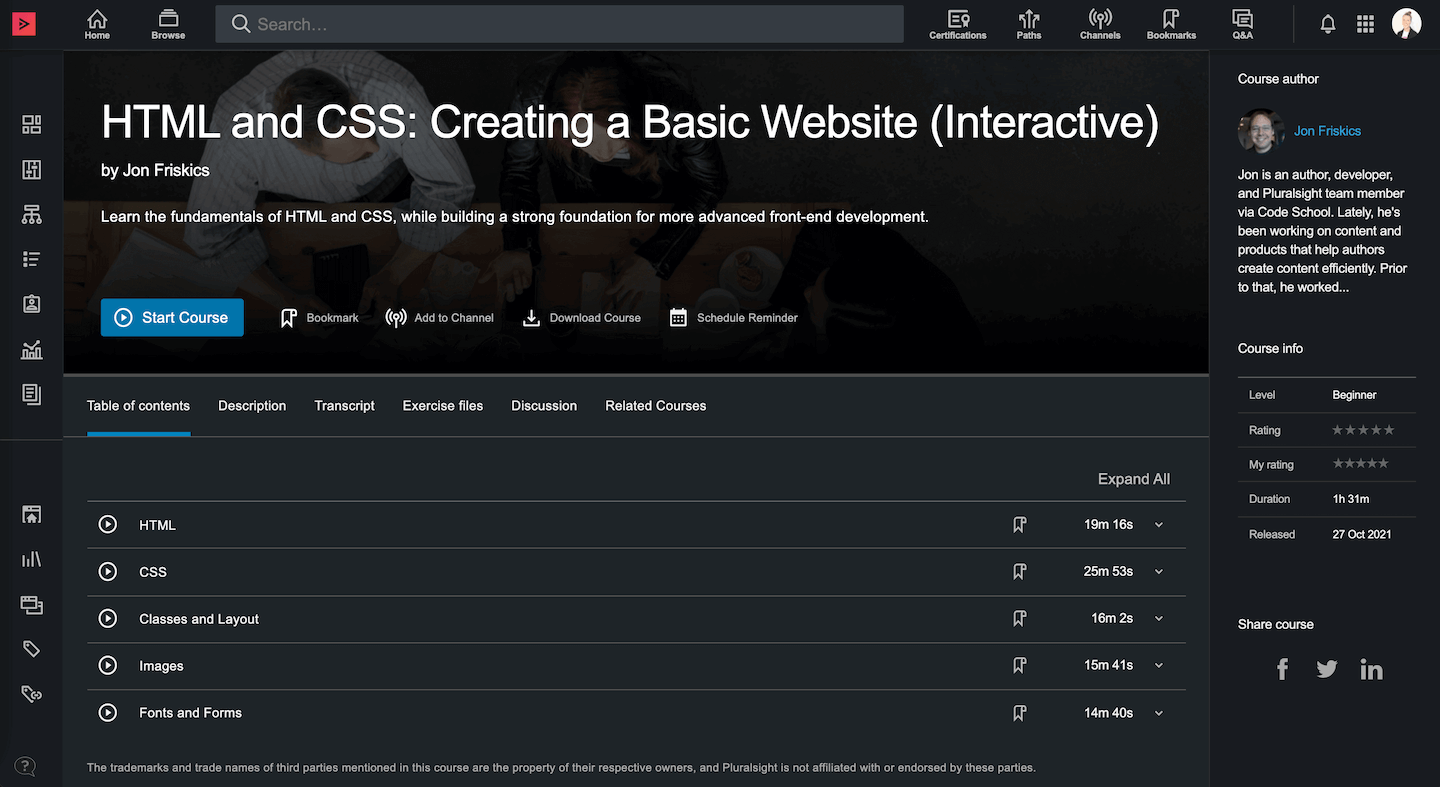
Pluralsight is an online learning platform made for tech professionals and creative technologists. With over 7,000 courses in software development, cybersecurity, and data science, it offers interactive labs and personalized learning paths that help you gain practical, job-ready skills.
Trusted by more than 23,000 businesses, Pluralsight keeps its content up-to-date with the latest industry trends, making it a great choice for anyone looking to stay competitive and grow their career.
Best Features:
Pros:
Cons:
Best For:
Khan Academy is a nonprofit platform trusted by over 120 million users worldwide, offering more than 10,000 video lessons and interactive exercises in subjects like math, science, economics, and more.
Primarily aimed at K–12 learners, Khan Academy continually enhances its free learning dashboard, mobile app, and language translation features to make education accessible and engaging for students, parents, and lifelong learners. While the core platform is free, an optional AI tutor, Khanmigo, is available for a subscription fee for students and parents, though it is free for teachers in the U.S.
Best Features:
Pros:
Cons:
Best For:
Udacity focuses on tech education through its industry-partnered Nanodegree programs, which have helped thousands of learners build job-ready skills in fields such as data science, artificial intelligence, and cloud computing.
Udacity courses, especially its Nanodegree programs, are regularly updated to reflect current industry trends and emphasize learning through real-world case studies and hands-on projects, with a strong focus on employer alignment. Its rigorous curriculum and strong career support make it a top choice for professionals aiming to pivot or advance in the tech sector.
Best Features:
Pros:
Cons:
Best For:
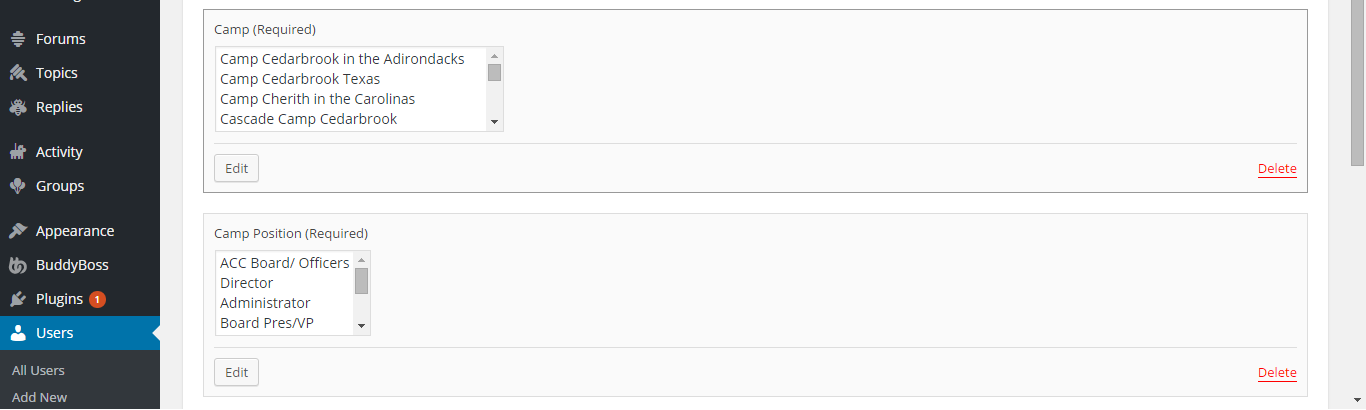
BuddyBoss is a robust, WordPress-based platform that empowers educators and organizations to create custom online learning environments with integrated community features. While exact user numbers vary by site, BuddyBoss is known for its flexibility in integrating with popular LMS plugins like LearnDash and LifterLMS, allowing for a fully customizable, social learning experience.
Recent features include enhanced mobile app integration, streamlined course management tools, and advanced social networking capabilities, making it an excellent choice for those looking to build an engaging, community-driven online learning platform and app.
Each of these platforms brings its own unique strengths to the table, catering to different audiences and learning needs from free, foundational education to premium, career-focused programs, and even custom-built learning communities.
Best Features:
Pros:
Cons:
Best For:
FutureLearn is a UK-based online learning platform that offers a wide range of courses from leading global institutions. FutureLearn offers over 1,400 courses, designed for flexible study and featuring interactive learning elements like discussion boards and quizzes.
Learners can choose from short courses to full degree programs and earn microcredentials, making it an excellent choice for both personal and professional growth.
The platform’s community features and regularly updated content help ensure that you remain engaged and informed, whether you're exploring new subjects or advancing your career.
Best Features:
Pros:
Cons:
Best For:
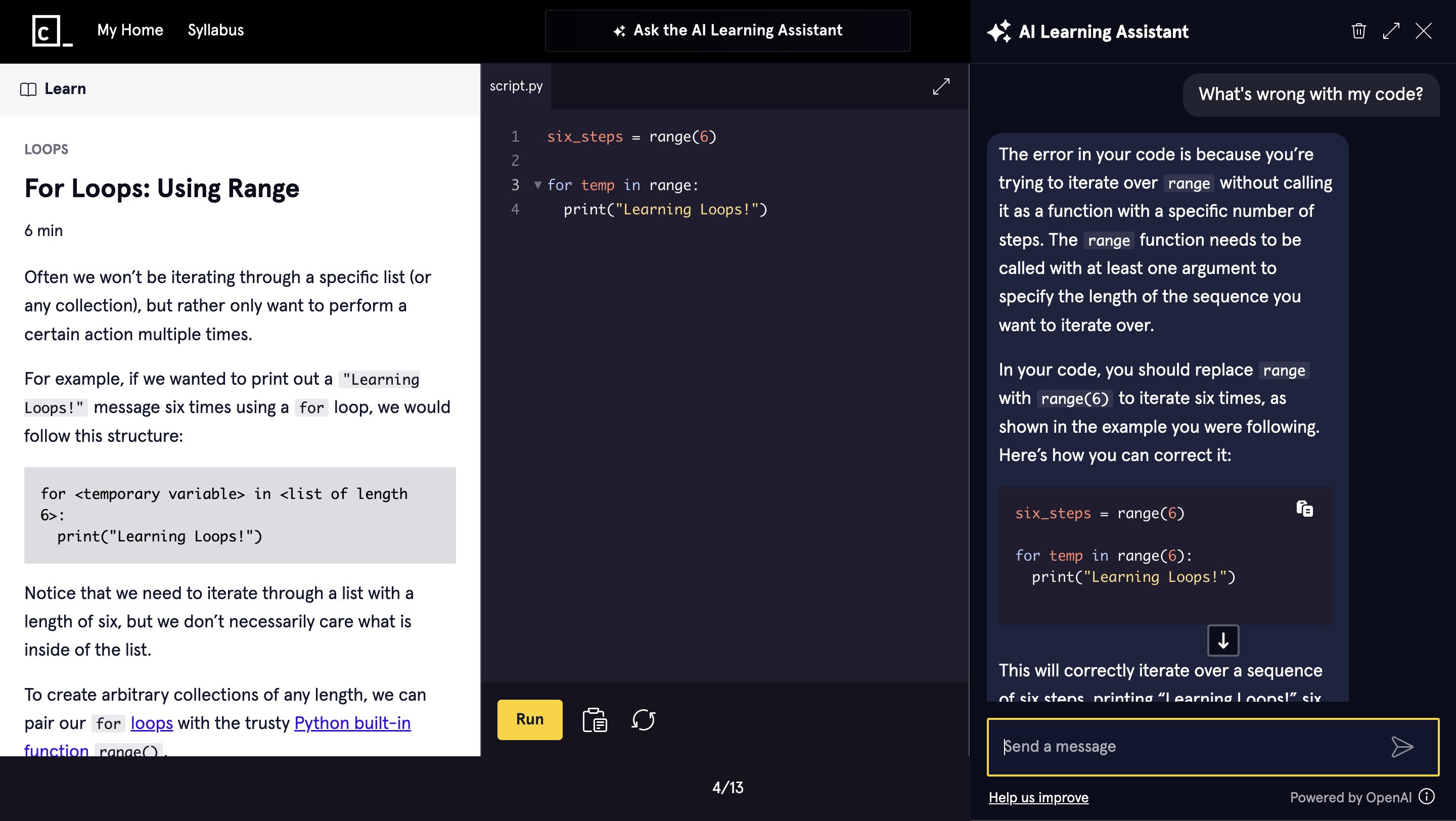
Codecademy is an interactive online platform dedicated to teaching programming and coding skills. Serving over 50 million users, it offers hands-on lessons in popular programming languages like Python, JavaScript, and Java.
The platform features real-time feedback through its built-in code editor, making it easy for beginners to learn by doing. Codecademy's engaging approach to coding—through interactive exercises and practical projects—ensures that learners build a strong foundation in programming while gradually advancing to more complex concepts.
Best Features:
Pros:
Cons:
Best For:
Alison is a free online learning platform that provides thousands of courses across various disciplines, including business, technology, health, and personal development. The platform is designed to be accessible and budget-friendly, allowing learners to study at no cost while offering the option to purchase certificates upon course completion.
This model makes Alison an ideal choice for those seeking to gain recognized credentials without a significant financial commitment, and it caters to a wide audience from beginners to professionals.
Best Features:
Pros:
Cons:
Best For:
Brilliant is an engaging online platform focused on boosting your STEM skills through interactive problem-solving and critical thinking exercises. With its hands-on approach to learning math, science, and computer science, Brilliant uses puzzles, quizzes, and daily challenges to help you understand complex concepts in a fun and practical way.
Although it doesn’t offer formal certifications, its immersive, adaptive learning experience makes it a great choice for students and professionals eager to sharpen their analytical and logical reasoning abilities.
Best Features:
Pros:
Cons:
Best For:

MasterClass delivers a unique learning experience through high-quality, cinematic courses taught by world-renowned experts and celebrities.
With over 180 classes spanning creative fields like cooking, filmmaking, writing, and photography, MasterClass inspires learners with exclusive insights and personal stories from industry leaders such as Gordon Ramsay and Martin Scorsese.
While the platform focuses on personal enrichment rather than formal certifications, its beautifully produced lessons and engaging content make it a favorite for those looking to spark creativity and gain practical, real-world tips.
Best Features:
Pros:
Cons:
Best For:
Domestika is a creative learning platform known for its beautifully produced courses in fields such as illustration, animation, design, photography, and creative writing. With courses taught by award-winning professionals, Domestika provides inspiring, project-based lessons that help you build a strong creative portfolio.
While most courses on Domestika require a one-time payment or a subscription, and there are fewer free options, its generally high production quality makes it an excellent resource for creative professionals and hobbyists looking to enhance their skills.
Best Features:
Pros:
Cons:
Best For:
Best Platforms: Khan Academy, OpenCourseWare, BrainPop
Why:
Best Platforms: Coursera, edX, MIT OpenCourseWare
Why:
Best Platforms: LinkedIn Learning, Udacity, Pluralsight
Why:
Best Platforms: Skillshare, MasterClass
Why:
Best Platforms: Codecademy, Udacity
Why:
Best Platforms: Coursera, MasterClass, edX
Why:
Best Platform: BuddyBoss
Why:
There are multiple things you should consider when selecting an online learning platform for your studies or skill upgradation.
First, think about the quality and variety of content offered. You want a platform that features courses taught by experienced instructors who can explain topics clearly and in depth.
A diverse catalog means you’ll have access to a broad range of subjects, allowing you to explore new areas or delve deeper into your current interests.
Another important consideration is the user experience and interface. A well-designed platform that is both intuitive and mobile-friendly makes it easy to navigate and learn on the go. When a platform is easy to use, you spend less time figuring out how to access content and more time actually learning, which can greatly enhance your overall educational experience.
Cost is also a major factor in your decision. It’s worth evaluating if you prefer free content or are willing to invest in a subscription that offers additional benefits.
Many platforms provide free trials, which give you the opportunity to test the features and see if they meet your expectations before making a commitment. This way, you can determine the value the platform offers relative to its cost.
If formal recognition is important to you, look into whether the platform offers accredited certificates or even degree programs. Certification is prominent in advancing your career or furthering your education, so having recognized credentials may be essential. Finally, consider the level of community and support provided. A strong learner community, along with responsive customer support, can make a significant difference, as they offer opportunities to interact with peers, share insights, and get help when you encounter challenges.
Are you tired of juggling multiple tools to manage your online courses and community? With so many platforms out there, setting up a seamless digital learning experience can be overwhelming and time-consuming. BuddyBoss solves this problem by combining course management and community building in one easy-to-use platform.
Think about a space where you can host your courses, interact with students, and track their progress all without the hassle of integrating different systems. BuddyBoss lets you customize your website or app, create engaging member profiles, and set up discussion forums, so your learners feel connected and supported every step of the way.
It doesn’t matter if you're an educator launching a virtual classroom or an entrepreneur aiming to monetize your expertise, BuddyBoss gives you the tools to streamline your digital presence. Say goodbye to the stress of technical hurdles and hello to a dynamic, user-friendly solution that transforms your vision into reality.
Online learning platforms provide a world of opportunities. Whether you’re a K–12 student building foundational skills, a college student seeking rigorous academic content, a professional looking to upskill, or a creative explorer in search of inspiration, there’s a platform that’s right for you.
Take a moment to explore these 15 platforms. Try free trials, compare features, and find the one that fits your unique learning style. Education is evolving—embrace the flexibility, diversity, and accessibility of online learning to unlock your potential.
We’d love to hear your thoughts!
Don’t forget to subscribe for more in-depth reviews, expert tips, and the latest trends in online education.
Happy learning and see you online!
Stat Source- https://educationdata.org/cost-of-online-education-vs-traditional-education, https://entrepreneurshq.com/online-learning-statistics/
Creating an online community today is easier than ever, thanks to WordPress Social Community Themes. It doesn’t matter if you're building a social network, a membership site, or a discussion forum, the right theme can provide essential features like user profiles, activity feeds, messaging, and more.
Today, I’ll take you through the best WordPress social community themes, their key features, and how to choose the right one for your project.
But before that lets cover some basic things so you can truly find and get the best social community theme in 2025.
The social community platforms have changed how people interact. From social networking to niche communities, websites play an important role in connecting like-minded individuals.
Building a social community website allows you to:
When selecting a WordPress social community theme, consider the following features:
A good theme should allow you to create and customize their profiles, manage privacy settings, and interact easily with other members. Features like avatars, bios, and friend requests enhance engagement.
A real-time activity feed enables people to share updates, comment, and engage with the community. Push notifications and email alerts also keep members informed about new interactions.
Private messaging, group chats, and discussion forums help in better communication and engagement within the community. Integrated forums like bbPress provide a structured way for users to discuss topics.
Seamless integration with platforms like Facebook, Twitter, and Instagram allows users to share content and log in using social accounts. This increases accessibility and user engagement.
Themes with drag-and-drop builders, pre-built templates, and customizable layouts ensure your website matches your brand’s identity. Look for themes that support Elementor or WPBakery Page Builder for easy design changes.
A great WordPress social community theme should support monetization through membership subscriptions, advertisements, or selling digital products. Plugins like Paid Memberships Pro or MemberPress help in setting up paid access.
With an increasing focus on data privacy, a social community theme should include strong security measures, GDPR compliance, and options for users to control their personal information.
This table offers a concise comparison of the leading WordPress social community themes—BuddyBoss, PeepSo, KLEO, Gwangi, and Aardvark. It highlights their best use cases, key features, pricing, support, and integrations:-
| Theme | Best For | Key Features | Pricing | Support | Integrations |
 | E-learning, Networking, Membership, Social Sites | Customizable profiles, private messaging, monetization, gamification | $299/yr (1 site), $349/yr (5 sites), $449/yr (10 sites) | 9-5 Eastern support, detailed docs, active forum, 14-day money-back | BuddyPress, LearnDash, MemberPress WooCommerce |
 | E-learning, E-commerce, Digital Marketplaces, Membership Sites | Social wall, real-time chat, customizable feed, freemium core | Freemium; premium bundles range from $99 to $199/yr | Detailed docs, community forum, priority email (premium), 30-day guarantee | Standalone, BuddyPress, WooCommerce |
 | Networking, Forums, eLearning, BuddyPress Communities | Drag-and-drop builder, BuddyPress & bbPress integration, WooCommerce support | One-time purchase of $59 (lifetime updates; support extension available) | Dedicated forum support and bug fixes | BuddyPress, bbPress, WooCommerce, Sensei LMS |
 | Dating, Niche Social Networks, Membership, eLearning | Dating features, membership options, chat integration, mobile-friendly design | $59 for a regular license (support extension available) | Dedicated support forum, regular updates, comprehensive docs | LearnDash, dating-specific plugins |
 | Membership, Forums, eLearning, Social Networks | Built-in membership functionality, bbPress & BuddyPress integration, eLearning compatibility | $55 (includes lifetime updates, 6-month support; extension available) | Extensive documentation with ticket-based support | BuddyPress, bbPress, WooCommerce, Sensei/LearnDash |
Below we are listing best 5 WordPress social community themes with their best features, pricing and much more. Compare all of them and find the one you need:-
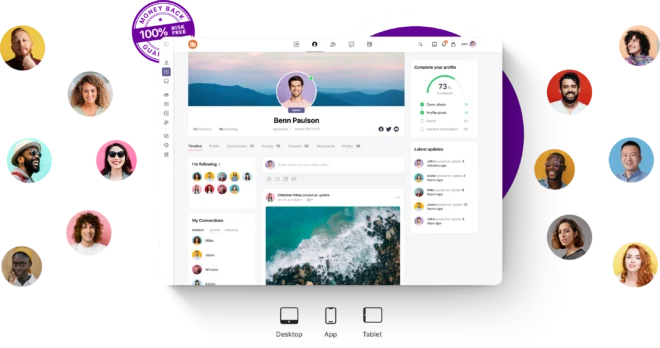
Founded In:- 2011
Latest Version:- 2.8.01
BuddyBoss is a top social community theme for professional networking, e-learning, and membership sites. It’s built on a fork of BuddyPress, so it automatically includes all their key features without needing separate installations. Its sleek design. Features includes:-
BuddyBoss stands out as one of the most recognized social community themes on the market. Although its pricing starts at $299 per year for a single site license; which might be higher compared to other themes—it comes with a free core platform and offers outstanding features like :- Fully Integrated Social Media Platform, Effortless Front-End Management, Robust Private Messaging System, User-Friendly Forum Design, Seamless LearnDash Integration & Enhancements and Comprehensive Email Notification System.
With 9-5 Eastern customer support, detailed documentation, an active community forum, and regular updates (plus a 14-day money-back guarantee), investing in BuddyBoss is a solid decision for those looking to build a thriving online community. The comprehensive benefits and robust functionality make it well worth the investment.
Create Your First Social Community Theme With BuddyBoss
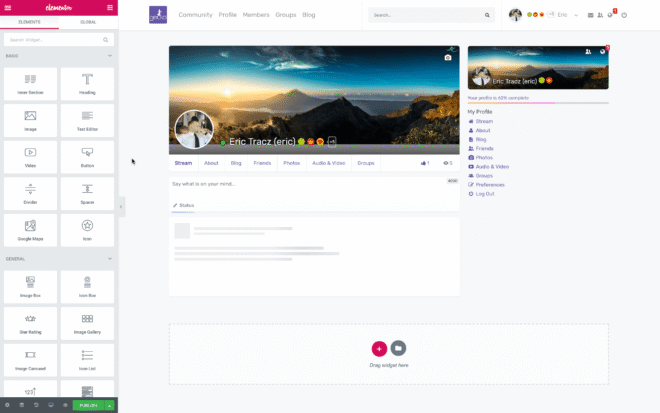
Founded In:- 2015
Latest Version:- 7.0.3.0
If you want a lightweight yet powerful alternative to BuddyPress, PeepSo is a great choice. It comes with essential social networking features and is easy to set up. Features include:
PeepSo operates on a freemium model, offering a free core plugin with basic features. For advanced functionalities, premium bundles are available:
PeepSo provides comprehensive support through detailed documentation, community forums, and priority email support for premium users. PeepSo offers a 14-day money-back guarantee for new product purchases.
Founded In:- 2015
Latest Version:- 5.4.4
KLEO is a multi-purpose community theme that supports WooCommerce, making it ideal for online businesses looking to build a community around their brand. Features include:
Kleo is available for purchase on ThemeForest for $63 and includes updates as long as the theme is maintained, with support provided by the developer. An optional extension of support to 12 months is available for an additional $17.63. Support includes assistance with reported bugs and issues, third-party asset inquiries, and help with included third-party plugins.
Founded In:- 2018
Latest Version:- 2.4.5
Perfect for dating websites and matchmaking platforms, Gwangi offers features like matchmaking algorithms, membership subscriptions, and chat integration. Features include:
Gwangi is priced at $59 for a regular license, which includes future updates and six months of support from the theme developer. The Gwangi multi-purpose WordPress theme is available from various GPL resellers at a low one-time cost, with some resellers offering their own support services. The theme is well-documented, and the developers provide support through a dedicated support forum.
Founded In:- 2008
Latest Version:- 4.6
A fully customizable theme designed for social networking, Aardvark supports paid memberships and e-learning platforms. Features include:
The Aardvark WordPress theme is available for approximately $69 and typically includes lifetime updates and six months of developer support from the original source. This theme is available for a one-time purchase, often at a significantly reduced price, and typically includes lifetime updates. It comes with extensive documentation, and support is provided through a ticketing system.
I hope that the above information about the best WordPress Community themes is helpful for you. However, it might be hard for you to pick one. To make it easier for you consider the following details because selecting the perfect theme for your community website is key to building an engaging, user-friendly platform. Start by defining your goal, it doesn't matter if you’re creating a networking hub, a learning portal, or a discussion forum—so you can narrow down themes that match your vision.
Next, look for themes that offer the essential features your community needs. This could include customizable user profiles, dynamic activity feeds, and built-in messaging systems. It’s important to ensure that the theme is mobile-friendly and fast-loading since many users will access your site on their smartphones.
Consider themes that come with built-in support for popular community tools, eliminating the need to install extra plugins. This streamlined approach helps maintain simplicity and ensures that key functionalities are ready to use right out of the box.
Also, take into account the theme’s flexibility for customization and its compatibility with popular page builders like Elementor or WPBakery. Regular updates and reliable customer support are essential as they ensure your site remains secure and up-to-date.
Setting up a WordPress social community theme can be broken down into a few simple, effective steps. First, start by choosing a reliable hosting provider that offers strong performance and robust security. Hosting providers like Bluehost, SiteGround, or Kinsta are popular choices that ensure your community website runs smoothly right from the start.
Once your hosting is set up, install WordPress on your domain. Most hosting services offer one-click installations, which makes this step quick and straightforward. With WordPress installed, you can then select and install a theme that fits your community's needs. Look for a theme designed specifically for social communities, which typically comes with built-in features for user profiles, activity feeds, and messaging systems.
After the theme is installed, enhance your site by adding essential plugins. If your theme doesn’t already include built-in community tools, plugins like BuddyPress, bbPress, or PeepSo can add interactive features that allow members to connect, communicate, and share content. Next, customize your site using page builders like Elementor or WPBakery Page Builder, adjusting colors, layouts, and branding elements so your website reflects your unique style and purpose.
With your basic structure in place, set up user profiles, activity feeds, and other interactive components. This helps create a vibrant environment where members feel engaged and valued. If you plan to monetize your community—perhaps through premium memberships or exclusive content—integrate a monetization plugin such as Paid Memberships Pro.
Finally, test your site on different devices to ensure it’s mobile-friendly and loads quickly, then launch and promote your community. Use social media, email marketing, and SEO best practices to attract members and build a thriving online space. Following these steps will help you create an engaging, fully functional WordPress community that grows and evolves with your audience.
Building an online community is a powerful way to connect like-minded individuals, foster discussions, and grow engagement. With the right WordPress Social Community Theme, you can create a dynamic platform for your audience. It can be anything: a professional networking site, a niche forum, or a full-fledged social network, there’s a theme out there for you.
Start exploring different themes, choose the one that fits your goals, and build a thriving online community today!
Need help selecting a theme? Drop your questions in the comments below!
Did you know that nearly 80% of internet users are now part of at least one online community? This blooming digital field has made participation more important than ever.
Active engagement isn’t just nice to have but it’s a must for cultivating loyalty, driving word of mouth marketing and even fueling business growth. Even more, research shows that engaged communities can boost member retention by as much as 50%.
Consider the widely recognized 90-9-1 rule: in most online communities, 90% of members tend to lurk while only about 9% contribute occasionally and a mere 1% drive the majority of conversations.
This staggering fact highlights an immense opportunity—by engaging those silent members, you can transform a quiet group into a buzzing hub of interaction.
Just Imagine: logging into your favorite forum or social network and finding it quiet, just a few posts here and there, with little conversation among members. On the other hand, now imagine a vibrant space buzzing with discussions, ideas, and support. The difference is striking, isn’t it?
Engaged communities drive real value, Here’s how:-
It doesn’t matter if you’re a community manager, digital marketer, or brand owner, boosting engagement is necessary to turn a simple group into a thriving, collaborative network.
Before we talk about the strategies to boost online community engagement, lets understand what actually online community engagement means and why it's crucial.
Online community engagement refers to the degree and quality of interactions within a digital community. It’s about more than counting likes and comments. it’s the active participation where members share ideas, ask questions, offer support, and collaborate. Engagement is measured by
Engagement has far-reaching benefits:
A vibrant online community can become a self-sustaining ecosystem that continuously evolves through the contributions of its members.
10+ Types Of Online Communities For Networking And Engagement in 2025
Even the best communities can face hurdles. Here are a few challenges you might encounter:
Most online communities follow the 90-9-1 rule:
Encouraging lurkers to “de-lurk” and participate actively can be challenging but is important for a balanced community.
Too much content can overwhelm members, leading to disengagement. It’s important to curate and schedule posts so that your community isn’t flooded with irrelevant updates.
Without clear guidelines and active moderation, conversations can drift off-topic or become negative. A well-moderated space makes members feel safe and respected.
Your community might have members with varying interests and levels of expertise. responding to everyone can be complex but personalized content to different segments is key to sustained engagement.
Let’s dig into proven strategies to energize your online community:
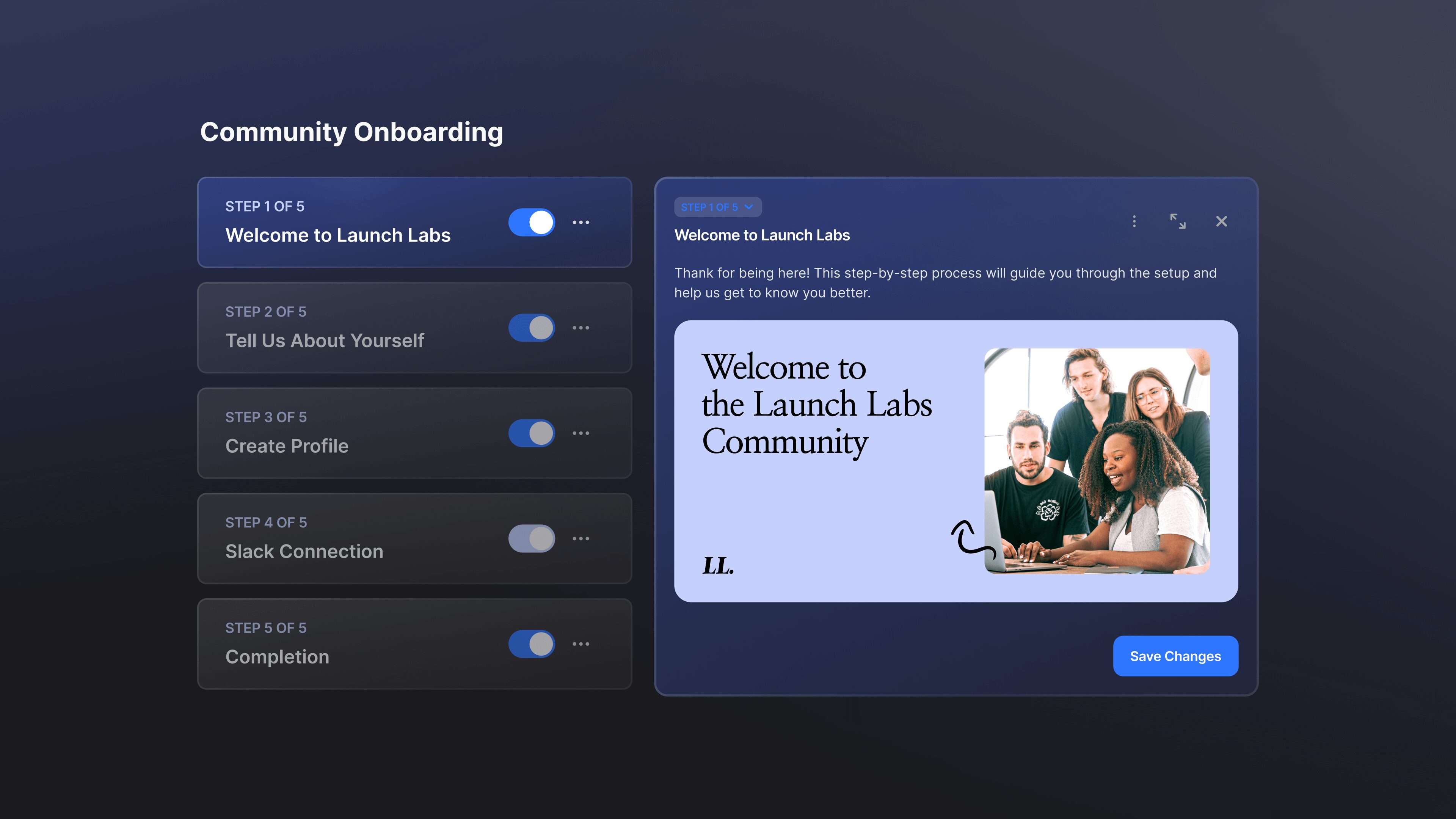
First impressions count. When new members join, guide them with a friendly welcome. Personalized welcome messages can be the one to start with, you can do this by sending a quick note or video greeting. Offer tutorials or FAQs that explain how the community works. You can highlight popular discussion threads or groups that match their interests.
A smooth onboarding process makes new members feel valued from day one and sets the tone for active participation.
Questions are a fantastic way to spark conversation. Instead of posting statements, ask:
Open-ended questions invite thoughtful responses and help members feel that their opinions matter. In fact, communities that regularly ask open-ended questions can see up to a 30% boost in participation, as these questions help break down barriers and encourage diverse perspectives, making every member feel that their voice truly matters.
Encourage members to share their own stories, tips, and creative projects. User-generated content not only enriches your community with diverse perspectives but also builds authenticity and trust. In fact, studies have shown that up to 92% of consumers trust recommendations from their peers, highlighting the powerful influence of genuine member contributions.
Consider running regular contests and challenges—whether weekly or monthly—that reward creative submissions. These initiatives can spark healthy competition, motivate members to participate, and make the community a fun place to showcase talents.
Additionally, consistently spotlight outstanding posts, videos, or artwork from community members. Recognizing these contributions not only boosts individual pride but also inspires others to share their expertise.
Moreover, encourage members to contribute content related to trending topics or current events. This keeps the conversation fresh, relevant, and dynamic.
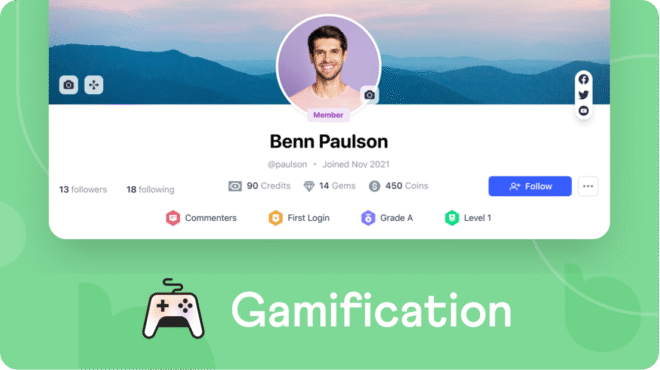
Gamification is one of the best ways that can transform routine interactions into engaging experiences. Award badges for milestones like first post, 50 comments, or community hero status. Display top contributors to foster healthy competition.
Allow members to earn points that can be redeemed for exclusive content or perks. Award badges for milestones like the first post, 50 comments, or even achieve community hero status. Display top contributors on leaderboards to foster healthy competition, and allow members to earn points that can be redeemed for exclusive content or perks.
If you create a community platform using BuddyBoss, you'll benefit from its awesome built-in gamification integrations. BuddyBoss easily works with popular plugins like myCred, BadgeOS, and GamiPress, making it simple to set up reward systems that motivate members to participate more actively.
These gamification elements create a fun, competitive atmosphere that not only boosts engagement but also turns everyday interactions into an exciting journey for your community.

Live events create real-time connections and add excitement:
Live events not only offer value but also encourage members to engage and interact in a dynamic setting. For more in-depth guidance, check out our dedicated blog on how to host virtual events in your online community, where we share actionable tips and best practices to create unforgettable live experiences.
Learn How to Host Virtual Events in Your Online Community
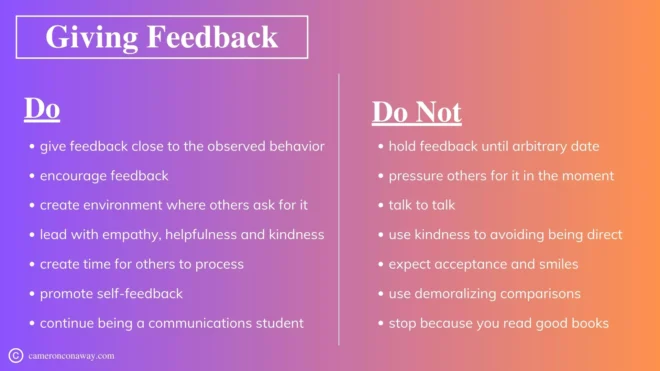
Make your community a two-way street! By regularly asking for feedback and then taking action. Use simple tools like polls, surveys, or dedicated suggestion spaces where members can share what they like and what could be improved. When you make changes based on their ideas—whether it's launching a new feature or tweaking a guideline—be sure to let everyone know.
This shows that their opinions truly matter and builds trust over time. By listening and responding, you create a sense of ownership among members and turn your community into a place where everyone feels involved, valued, and eager to help shape its future.
Celebrating achievements and contributions can truly boost community morale. Regularly feature a “Member of the Month” or highlight inspiring user stories to show appreciation and encourage others to join in. Acknowledge helpful posts and meaningful contributions in your community updates, social media shout-outs, or dedicated recognition threads. Mark important milestones like anniversaries, top posts, or overall community successes. Consider adding fun rewards like digital badges or small prizes.
Research shows that communities actively celebrating member achievements can see engagement rise by up to 25%.
This simple yet effective practice not only fosters a sense of belonging and pride but also motivates members to contribute even more, making your community a supportive and collaborative space.
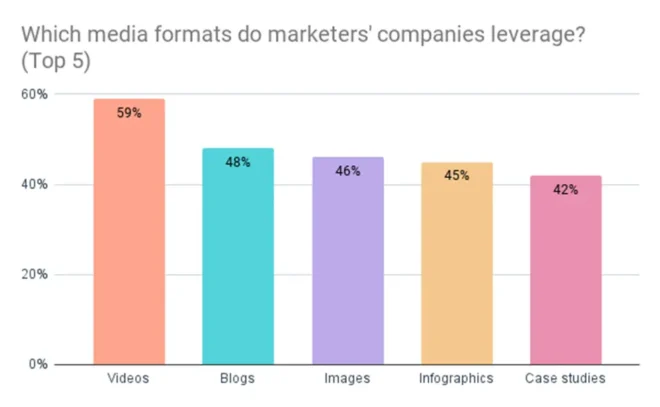
Different members engage with different types of content such as
and so much more! Mixing content formats serves various preferences and keeps your community experience fresh and exciting.
A healthy community thrives when it feels safe and respectful for everyone. To create this environment, start by clearly publishing and enforcing community rules to set expectations from the get-go. Actively monitor discussions and address issues promptly, using both trained moderators and trusted community members to help manage the space.
Additionally, provide an easy way for members to flag inappropriate content so that problems are caught early. Studies show that communities with effective moderation not only see less negativity but also experience higher overall engagement.
By reinforcing a culture of mutual respect and ensuring that every member feels secure, you encourage even the shyest voices to participate and contribute. This transparent, proactive approach to moderation creates a welcoming atmosphere that ultimately strengthens your entire community.
Encouraging members to work together can really bring your community to life. For example, organizing group projects or fun challenges lets members team up and work toward common goals, sparking new friendships and fresh ideas.
Setting up smaller discussion groups for specific interests gives everyone a chance to dive deeper into topics they love. And by providing dedicated networking channels, members can easily share ideas, job leads, or helpful resources. When people collaborate like this, they not only build stronger bonds but also create innovative solutions that benefit the whole community.
Data is your secret weapon when it comes to boosting community engagement. By tracking key metrics like likes, comments, shares, and overall participation rates, you can gain valuable insights into what resonates with your audience.
Analyze which types of posts, events, or topics drive the most interaction and look for recurring themes in surveys and feedback sessions.
Analytics also help you determine the best times to post and the most effective content formats, allowing you to run A/B tests and refine your strategy continuously. With tools like built-in dashboards or third-party analytics platforms, you can make informed decisions that keep your engagement strategies effective, adaptive, and perfectly aligned with your members’ evolving interests.
Implementing the right tools can make boosting engagement much easier. Consider these options:
Choose platforms (like Discourse, Buddyboss, Mighty Networks, or Slack) that offer robust features for discussion, moderation, and member recognition.
Use tools such as Google Analytics, built-in platform insights, or third-party software to monitor engagement metrics.
Stay connected with members through newsletters, automated welcome series, and targeted campaigns.
Many platforms like Buddyboss offer add-ons or plugins like BadgeOS, and GamiPress that support badges, leaderboards, and point systems.
Tools like Zoom, StreamYard, or native platform streaming (Facebook Live, YouTube Live) can help you host interactive events.
Seeing what works in practice can be incredibly inspiring. Here are a couple of examples:
Using BuddyBoss, The Shaw Elite Club has created an exclusive community where members gain access to insights from 4X WSM Champion, Brian Shaw. With a robust website and app, the platform delivers proven programming, exclusive content, and a private social network that helps members level up both their physical and mental strength. This targeted approach has transformed the club into a hub of motivation and engagement for fitness enthusiasts.
Jack Canfield’s platform uses BuddyBoss to deliver transformational wisdom through engaging courses and community-driven support. By combining inspirational workshops, meditation sessions, and interactive content, the platform has helped thousands of individuals turn dreams into reality. The seamless integration of community features has not only boosted engagement but also empowered users to share their success stories and build meaningful connections.
These examples show that with a mix of personalized experiences, interactive content, and consistent recognition, communities can transform from passive groups into vibrant, active networks.
I Hope these above strategies could help you boost engagement in your community. But do remember that that engagement is not a one time thing, it is a continuous journey. So, review your strategies regularly, seek feedback, and adapt to the evolving needs of your community. When members see that their contributions matter and that they are part of a supportive network, they’re more likely to stick around, collaborate, and even advocate for your brand.
Join the conversation in the comments below—what strategies have worked for you? And if you found these tips helpful, share this post with fellow community managers and digital marketers.
With low startup costs and the chance to reach customers worldwide, digital products let you sell your work without the limits of a traditional store.
Just imagine creating an online course, eBook, or software tool just once and earning money while you sleep – all while reaching people from New York to Dhaka.
Digital products give creative entrepreneurs and business owners the freedom to try new ideas and grow their brands without worrying about physical inventory or shipping. As technology improves and consumer habits change, more people appreciate the convenience and immediate access they offer.
Low startup costs, high profile margins, and creative freedom are driving a steady rise in digital product sales.
If you have something similar in mind then stay tuned as I’ll explain what digital products are, why they’re so popular, and what digital products to sell. I’ll share simple tips, useful facts, and step by step advice to help you turn your ideas into a successful online business. Ready?
Digital products are intangible goods that can be sold, delivered, and used electronically. Unlike physical items, these products require no inventory, manufacturing, or shipping– which means you can focus on creativity and let the profits roll in. Examples of digital products include:
Digital products offer the advantage of being delivered instantly to your customers with a few clicks, making them an ideal choice for those looking to start selling digital products online quickly.
Virtual/digital products and physical products differ in several key ways:
Selling digital products online opens up a world of opportunity for entrepreneurs, transforming small ideas into scalable revenue streams. By eliminating the need for physical inventory and shipping, you can focus on creating high-quality content that reaches a global audience. Here are several compelling reasons to dive into the world of digital products and why sell them online:
Scalability
Once your digital product is created, you can sell it an unlimited number of times without additional production costs. There’s no need to worry about running out of stock or managing a large-scale manufacturing process. This scalability allows you to effortlessly expand your customer base and tap into global markets, turning a single creation into a continuous revenue stream.
High Profit Margins
Digital products come with minimal overhead expenses—there’s no need for materials, manufacturing, storage, or shipping. Almost all the revenue generated contributes directly to your profit. This financial efficiency lets you reinvest in your business, improve your products, and boost marketing efforts, making digital products a highly attractive option compared to their physical counterparts.
Flexibility
Selling digital products online gives you the freedom to work from anywhere at any time. Whether you’re a full-time entrepreneur or juggling a side hustle, your business isn’t tied down by physical locations. You can operate from home, a coffee shop, or while traveling, and your store remains open 24/7, allowing you to balance work and life seamlessly while continuously generating income.
Low Barrier to Entry
Digital products require significantly less upfront investment. With affordable tools and platforms available today, you can start creating and selling with minimal risk. It can be an eBook, online course, or software tool, you can leverage your skills to build valuable products without needing a large financial outlay, making the digital space accessible for aspiring entrepreneurs.
Instant Delivery and Global Reach
Digital products can be delivered immediately upon purchase, giving customers instant access to what they need. This speed enhances customer satisfaction and removes geographical barriers—your online course or eBook can reach someone in New York as easily as in New Delhi, opening up vast opportunities for global sales.
Environmentally Friendly
Without the need for physical materials or shipping, digital products have a lower environmental impact. This eco-friendly aspect appeals to today’s environmentally conscious consumers, further enhancing the appeal of your digital offerings.
Easy Updates and Continuous Improvement
Digital products are easy to update and improve based on customer feedback. Unlike physical products that may require costly revisions, you can quickly make changes to keep your products current and valuable, ensuring they remain competitive in a fast-evolving market.
Follow these simple steps to transform your digital product ideas into a profitable online business. Our concise guide walks you through creating, marketing, and scaling your digital offerings with ease.

Before diving in, it’s essential to decide what digital products to sell that aligns with your skills, interests, and market demand. Here’s how you can identify the right digital product:
Explore a variety of digital product ideas that let you turn your creativity into revenue:-
eBooks and Audiobooks:

Create informative guides, how-to manuals, or stories in digital formats. eBooks and audiobooks are relatively easy to produce and can address niche topics that cater to a dedicated audience.
Market Value of eBooks and Audiobooks:- The global eBook market, valued at around $18 billion in 2020, is projected to grow to nearly $24 billion by 2025. Audiobooks, which have experienced a remarkable surge with a CAGR of approximately 26% since 2021, provide an excellent opportunity for creators to reach niche audiences. These formats are relatively easy to produce and update
Online Courses and Webinars:

Package your expertise into video lessons, step-by-step courses, or live webinars. Whether it’s teaching a skill, a hobby, or professional knowledge, online courses can be highly engaging and scalable.
Market Value of Online Courses and Webinars:- The e-learning market was valued at about $250 billion in 2020 and is expected to exceed $400 billion by 2026. With learners increasingly seeking flexible, remote education, online courses offer scalability and high engagement.
Build Your Online Course with BuddyBoss And Turn Your Knowledge into Revenue
Software and Mobile Apps:

Develop software tools, mobile applications, or plugins that solve specific problems. SaaS products are a great way to earn recurring revenue since you can charge monthly or yearly subscriptions once the tool is built.
Market Value of Software and Mobile Apps:- The Software as a Service (SaaS) market, for instance, was valued at approximately $145 billion in 2021 and is forecasted to grow at an annual rate of around 11–12%, potentially surpassing $300 billion by 2026. Recurring revenue models, such as monthly or yearly subscriptions, allow you to create a steady income while continuously enhancing your product’s features and user experience.
Digital Art and Design Templates:

Sell graphic designs, illustrations, fonts, icons, or templates for social media posts, presentations, and websites. Platforms like Canva make it easier than ever to create professional-quality designs that other businesses or creatives can use.
Market Value of Digital Art and Design Templates:- The broader graphic design market has been steadily growing, and DIY platforms like Canva and Adobe Spark have democratized design creation. This sector is expected to expand with a CAGR of around 7–8%, as businesses and creatives increasingly seek affordable, professional-quality designs that can be customized to look alike your brand.
Stock Photography and Video Content:

If you have a knack for photography or videography, consider selling stock photos, video clips, or even presets for editing software. High-quality visual content is always in demand for marketing, advertising, and creative projects.
Market Value of Stock Photography and Video Content:- The stock photography market, which was valued at roughly $4.5 billion in 2020, is projected to grow to over $6 billion by 2025. As digital marketing, advertising, and content creation continue to flourish, there is a consistent demand for visual content that can elevate any project.
Printables and Digital Planners:

Create digital planners, journals, budgeting sheets, or art prints that customers can download and print at home. These products have the advantage of being one-time creations that can be sold repeatedly.
Market Value and Demand of Printables & Digital Planners:- This niche has grown significantly on platforms like Etsy, where printables offer a cost-effective, one-time creation that can be sold repeatedly without additional production costs. The convenience and eco-friendly nature of digital planners are increasingly appealing to consumers, with market trends showing sustained interest and robust sales figures.
Music and Audio Products:

For musicians or sound designers, producing royalty-free music, sound effects, or even podcast episodes can serve as a digital product. Audio files can be used by content creators who need background music or effects for their projects.
Market Value of Music and Audio Products:- The market for digital audio products is expected to reach around $2.2 billion by 2026, driven by the rising demand for high-quality audio assets among content creators, advertisers, and app developers who need background tracks and sound effects to enhance their projects.
Membership Sites and Subscription Content:
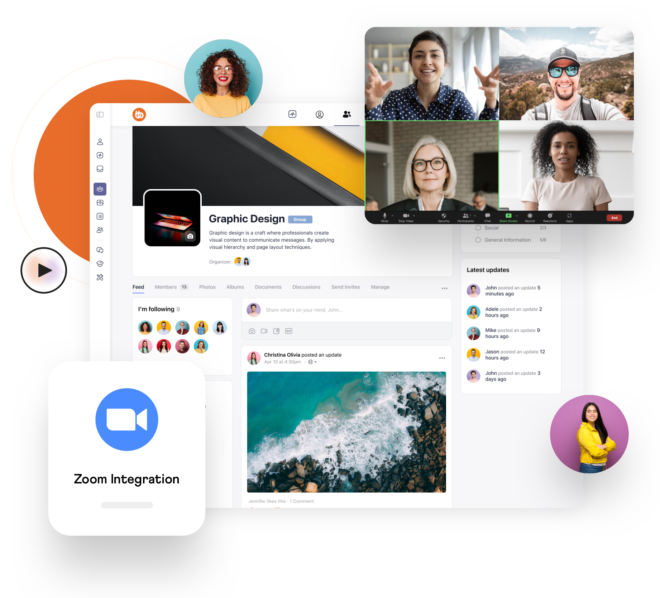
Build a community where users pay for exclusive access to content such as courses, webinars, or downloadable resources. Membership models can provide steady, recurring revenue.
Market Value of Membership Sites and Subscription Content:- The membership model is booming, with recurring revenue streams growing at an estimated rate of 15–20% annually. This approach not only generates consistent income but also fosters long-term customer loyalty by offering continuous value, personalized experiences, and a sense of community among members.
Digital Marketing Resources and Tools:
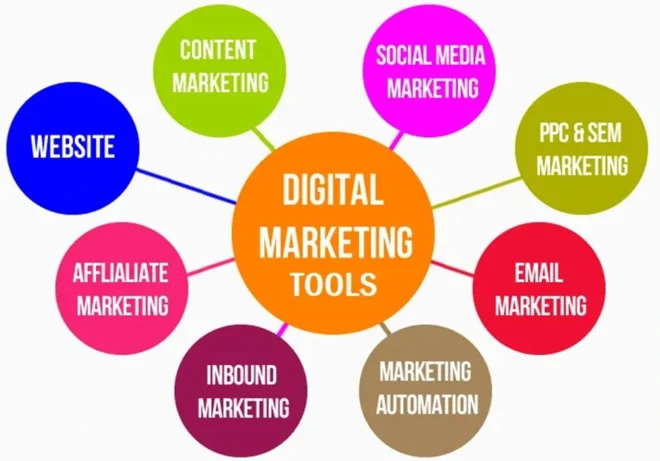
Create guides, templates, or courses that help businesses improve their online presence. Topics might include SEO, social media marketing, or email marketing. These resources are valuable for small business owners and entrepreneurs looking to up their marketing game.
Market Value of Digital Marketing Resources and Tools:- Recent surveys reveal that over 75% of small businesses plan to increase their digital marketing budgets in the coming year, reflecting a strong demand for actionable, high-quality resources. With the global digital marketing industry poised to exceed 0 billion in spending by 2025, your expert resources can help entrepreneurs and business owners navigate the digital landscape, engage more customers, and drive measurable results.
Online courses are among the top-selling digital products today. They're in high demand because they offer flexible learning and recurring revenue opportunities for both creators and learners.
These courses allow experts to share valuable skills while reaching a global audience, all with the convenience of online access. While other digital products like eBooks, audiobooks, and software tools also perform well, the strong growth of e-learning makes online courses a standout choice. Ultimately, the key to success is providing quality content that truly meets your audience's needs, ensuring that your digital product stands out in a crowded market.

Once you’ve chosen your niche and product type, it’s time to create. Here are some tips for producing a high-quality digital product:
With your digital product ready, it’s time to set up a platform to sell it. Consider these key components:
Gumroad:
Perfect for beginners and individual creators, Gumroad offers a simple, all-in-one solution for selling digital downloads, subscriptions, and memberships. It handles payment processing, file delivery, and even tax compliance, letting you focus on creating content.
Shopify:
If you want a full-fledged e-commerce store with a highly polished storefront, Shopify is a great choice. It’s robust, user-friendly, and supports various digital product apps. While it involves monthly fees and some transaction costs, its scalability and integration options make it ideal for growing businesses.
Etsy:
For creative digital products like art, printables, or design templates, Etsy’s vast audience can be an advantage. However, competition is fierce and fees may add up, so it’s best for sellers who already have a unique niche or a strong brand identity.WooCommerce on WordPress (with BuddyBoss Integration):
For those wanting maximum control over branding and customization, a self-hosted WordPress site using WooCommerce is highly flexible. Pairing it with BuddyBoss can enhance community features and membership models, ideal for creators looking to build an engaged audience
Ensure you integrate a secure payment system. Popular options include PayPal, Stripe, and Square. This not only builds trust with your customers but also streamlines the purchasing process.
Determine your pricing by researching competitors, considering the value provided, and potentially offering tiered pricing or bundle discounts to attract more buyers.

Now that your product is live, it’s time to attract customers. A comprehensive marketing strategy is key to your success:
Develop high-quality, engaging content that resonates with your target audience. Whether through blog posts, videos, infographics, or podcasts, use content marketing to tell your brand’s story and provide valuable insights that naturally drive organic traffic and build trust.
Optimize your website and product pages for search engines. Use relevant keywords, create valuable content around your niche, and build backlinks to increase your visibility.
Leverage platforms like Instagram, Pinterest, LinkedIn, or Facebook to reach your target audience. Share engaging content, behind-the-scenes looks, and customer testimonials to build trust and interest.
Develop a mailing list and create lead magnets (like free guides or mini-courses) to entice sign-ups. Regularly engage with your audience through newsletters that offer value and promote your products.
Consider using paid ads on platforms like Google Ads or Facebook Ads to drive targeted traffic to your site. Start with a modest budget and optimize your campaigns based on performance metrics.

Excellent customer support can set you apart in a competitive digital marketplace:

As your business grows, consider these strategies to expand your product offerings and increase revenue:
Expand Your Product Range
Once your initial product gains traction, consider broadening your portfolio by adding complementary offerings. For example, if you’ve created a popular online course, you might develop supplementary eBooks, cheat sheets, or software tools that address related topics.
Diversifying your product line not only serves your existing audience’s varied needs but also attracts new customers interested in different aspects of your expertise.
This multi-product approach can help you tap into additional revenue streams while reinforcing your position as a thought leader in your niche.
Bundles and Subscription Models
Offering product bundles like BuddyBoss All-in-One Bundle and subscription services is a powerful way to scale your business. Bundling several products together—for instance, combining an online course with related eBooks, templates, and checklists—provides customers with a comprehensive solution at a discounted price.
Subscription models take this a step further by offering ongoing value through regular updates, exclusive content, or access to a members-only portal. These approaches encourage recurring revenue and foster long-term customer loyalty, transforming one-time buyers into consistent subscribers.
Collaborations and Affiliate Partnerships
Expanding your reach through strategic collaborations can actually accelerate your growth. Partner with influencers, industry experts, or complementary brands to co-create content, host joint webinars, or launch co-branded digital products.
Moreover, establishing an affiliate program can incentivize others to promote your offerings by earning commissions on each sale.
These partnerships help you tap into established audiences, enhance credibility, and drive exponential growth by leveraging the networks and expertise of your collaborators.
Leverage Customer Feedback and Data Analytics
Regularly gathering and analyzing customer feedback, along with sales and engagement data, is critical to scaling your business. By understanding what your customers value most, you can refine existing products and identify opportunities for new offerings.
Data analytics tools can reveal insights into customer behavior—such as popular features, peak purchasing times, and conversion rates—allowing you to make informed decisions on pricing, marketing, and product development.
This continuous improvement process helps ensure your products remain relevant and competitive.
Invest in Marketing Automation and Technology
As your business grows, automating repetitive tasks becomes essential. Use marketing automation tools to streamline email campaigns, social media postings, and customer segmentation.
This technology not only saves time but also enhances your ability to nurture leads, convert prospects, and drive repeat sales. Automation enables you to maintain a consistent brand presence and personalized communication even as your customer base expands, freeing up more time to focus on strategic growth initiatives.
Expand Internationally
One of the greatest advantages of Selling digital products online is the ability to reach a global market. Consider localizing your products and marketing materials to cater to diverse audiences across different regions.
This might involve translating content, adjusting pricing for local markets, or customizing your marketing messages to match with various cultural preferences. Expanding internationally can open up new revenue streams and establish your brand as a global player in the digital marketplace.
Selling digital products online is a smart, scalable way to turn your creativity into a continuous revenue stream. From choosing the right product to creating and marketing it, every step requires careful planning and execution. By following the guidelines above, you’re well on your way to building a profitable digital product business.
Ready to take the plunge? Start small, learn as you go, and watch your digital product empire grow.
When everyone is going online, hosting virtual events has become not only a necessity but also a powerful way to connect with people regardless of geography. It doesn’t matter if you are managing a professional network, an educational group, or a social community, Virtual events give you a great platform to share ideas, spark discussions and build lasting relationships.
According to Grand View Research, the virtual events market was valued at $114 billion in 2021 and is projected to grow at a compound annual growth rate (CAGR) of 21.4% to 2030. This phenomenal growth underscores the fact that virtual events aren’t merely a passing trend but they are reshaping how communities interact in our increasingly interconnected world.
In this article, I’ll walk you around and through a detailed step-by-step guide on how to host virtual events. I’ll also be sharing interesting facts & data on how to plan a virtual event, practical tips and sprinkle a little humor along the way.
Let’s dive in!
A virtual event is just like a typical gathering or I can say meeting that takes place entirely online, rather than in a physical location. It uses digital platforms like Zoom, Microsoft Teams, or other specialized event software to bring people together for a variety of purposes.
Virtual events can range from small team meetings to large scale conferences. It makes them an awesome option if you want to host a virtual event without the logistics of an in-person setup.
Virtual events come with a host of advantages:
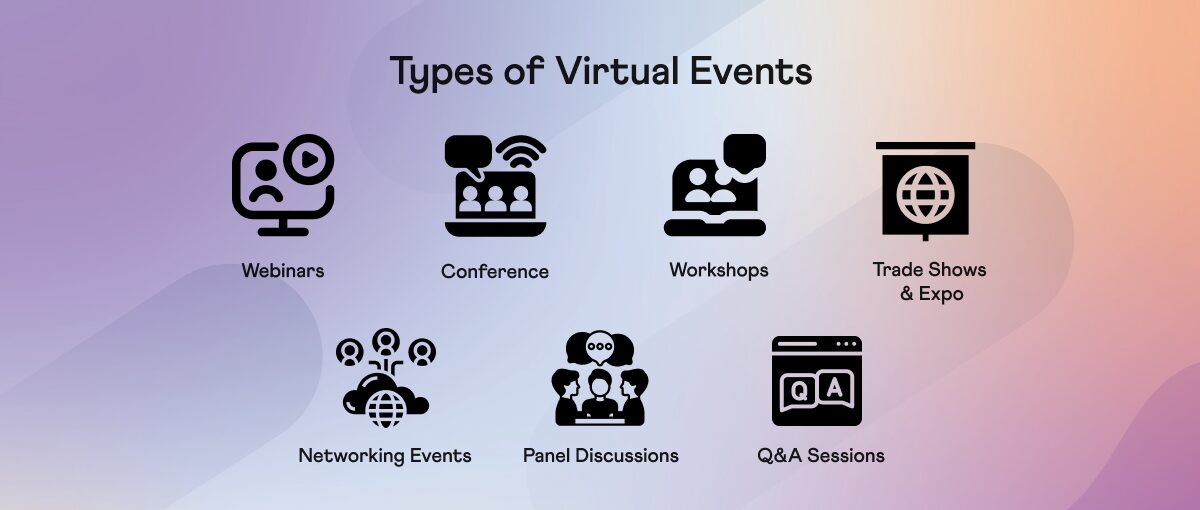
There are several types of virtual events, each designed to meet different needs and objectives:
Community engagement activities can transform your online space into a lively, interactive playground. Here are even more ideas to keep things fun, friendly, and effective:
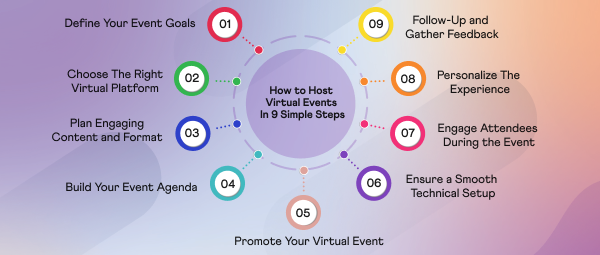
We have crux the long and time consuming procedure to provide you a simple and easy to follow 9 steps guide to help you host virtual events in your online community:-
Every successful journey begins with a clear destination. In the context of virtual events, defining your event goals is akin to setting your GPS coordinates. Ask yourself:
What is the primary purpose of this event?
Is it to educate, network, promote a product, or simply bring your community together?
Who is your target audience?
Are they existing community members, potential new joiners, industry professionals, or a mix of all?
What outcomes do you expect?
Do you want to boost engagement, generate leads, increase brand awareness, or foster collaboration?
Imagine planning a road trip without knowing the destination—you’d end up circling aimlessly!
As a virtual event host, When you clearly specify your goals, every decision you make (from content to promotion) becomes more aligned and effective. Write down these objectives and refer to them frequently during your planning process.
Choosing the right platform to host virtual events in your community is prominent to the success of your virtual event. With so many options available, here’s a breakdown of some popular platforms and their unique strengths:
When selecting your platform, consider the following:
Feature Set: Does it support interactive elements like breakout rooms, screen sharing, and live polls?
User Experience: Is it intuitive for both hosts and attendees?
Capacity: Can it handle the number of participants you expect?
Technical Reliability: What are the reviews regarding uptime and customer support?
Your choice of platform sets the foundation for the entire event experience, so choose wisely!
The heart of your virtual event is its content. A well-structured program not only informs but also entertains and energizes your audience. Here are some popular formats to consider:
These educational sessions typically feature expert speakers who share insights on a specific topic. Webinars are perfect for deep dives into industry trends, case studies, or how-to sessions. Remember, the goal is to make the session interactive. If your motive is to plan a virtual event that educates, encourage questions throughout and consider using tools like live polls to keep the audience engaged.
Bring together a group of experts to share diverse perspectives on a topic. Panel discussions work well because they offer multiple viewpoints, leading to richer, more balanced conversations. A moderator can help steer the discussion, ensuring that every panelist gets a chance to contribute.
Sometimes, the best content comes from the audience itself. A dedicated Q&A segment allows attendees to ask questions and get real-time answers. This format not only clarifies doubts but also encourages deeper engagement as participants feel directly involved.
These are hands-on sessions where attendees can learn by doing. Workshops can be highly interactive and are great for skill-building sessions. Whether it’s coding, digital marketing, or creative writing, a well-designed workshop offers practical value and fosters a sense of achievement among participants.
A more informal format where a host has a one-on-one conversation with an expert. This relaxed style often leads to more candid insights and personal stories, helping to humanize the speaker and build a stronger connection with the audience.
Tips For Virtual Event Content Planning
- Using different formats supports various learning styles and keeps the energy high.
- Incorporate live polls, quizzes, and breakout sessions. Studies show that events with interactive elements see up to a 47% higher retention rate.
- Weave stories into your presentation. People remember stories far better than bullet points. Share success stories, case studies, or personal anecdotes.
- Use slides, infographics, and videos to break up text-heavy content. Visual elements help maintain attention and reinforce your message.
A detailed agenda is like a roadmap for your event. It guides both speakers and attendees through the session and helps manage expectations. Here’s how to build an effective agenda:
Start with a clear timeline for your event. Outline when each segment will begin and end. Include time for:
Introductions and Icebreakers: Start with a warm welcome and a fun icebreaker to set the tone.
Main Presentations or Discussions: Clearly schedule each session, allowing for smooth transitions.
Interactive Segments: Allocate time for live polls, Q&A, or breakout sessions.
Breaks: Even in a virtual setting, it’s important to give participants a few minutes to relax. Consider scheduling short breaks if the event runs longer than an hour.
Assign roles to team members:
Moderator/Host: Guides the discussion and ensures the event runs on time.
Technical Support: Troubleshoots any issues that may arise.
Content Facilitator: Keeps the conversation engaging and helps transition between segments.
Even the best-laid plans can face unexpected hiccups. Build in buffer time between sessions to handle any overruns or technical delays. A little flexibility goes a long way in maintaining a smooth flow.
An outstanding event can fall flat if no one shows up. Effective promotion is important to make sure your event reaches the right audience. Here are some strategies to help you get the word out:
According to HubSpot stats, segmented email campaigns can drive up to a 760% increase in revenue. So, write personalized invitations and follow-up emails. Use engaging subject lines and clear calls to action. Segment your mailing list so you can customize messages for different groups within your community.
Utilize platforms like Facebook, LinkedIn, Twitter, and Instagram to create buzz around your event. Consider creating an event hashtag and encourage your community to share it. Visual content, such as teaser videos or behind-the-scenes images, can remarkably boost engagement.
Leverage the reach of influencers or partner organizations within your niche. When a well-respected figure promotes your event, it builds credibility and can drive higher attendance.
Studies have shown that events with dedicated landing pages can see attendance increases of up to 20%. Create a visually appealing and informative event landing page. This page should include all the key details (agenda, speakers, registration information) and be optimized for mobile devices.
If you have a good budget, consider using paid ads on social media platforms or Google Ads. Targeted advertising can help you reach potential attendees who might not be aware of your community otherwise.
One of the most dreaded aspects of virtual events is technical glitches. A well-prepared technical setup can mean the difference between a seamless experience and a chaotic disaster.
Here’s how to get it right:
Run multiple tests before the event. Check your:
Internet Connection: Ensure you have a reliable, high-speed connection. If possible, use a wired connection rather than Wi-Fi to avoid disruptions.
Audio and Video Equipment: Test your microphone, camera, and any other peripherals. Consider having backup equipment on standby.
Platform Features: Familiarize yourself with the platform’s features. Test screen sharing, breakout rooms, and interactive tools such as polls or chat functions.
Recording Capabilities: If you plan to record the event, verify that the recording function works smoothly.
Prepare for the unexpected:
Have a backup internet connection ready, such as a mobile hotspot.
Keep another device on standby to log into the platform in case your primary device fails.
Assign a dedicated team member or hire external technical support to troubleshoot issues as they arise.
Ensure that both your speakers and attendees know how to use the platform. Consider sending out a quick-start guide or hosting a brief orientation session a few days before the event.
Set up a dedicated space (or virtual room) where your team can quickly address any technical issues during the event. This helps ensure that problems are resolved swiftly, keeping the event on track.
An engaged audience is the lifeblood of any successful virtual event. Here are some creative ways to keep your attendees involved:
Start with a Bang– Kick off your event with an exciting introduction or a fun icebreaker. Consider asking a light-hearted question or playing a quick game to warm up the crowd (if required).
Use Interactive Tools to Utilize the platform’s interactive features:
Live Polls and Surveys: Ask questions in real time to gauge opinions or test knowledge.
Chat Rooms and Q&A: Encourage participants to submit questions or comments throughout the session. A live chat moderator can help ensure that questions are addressed.
Breakout Sessions: For larger events, use breakout rooms to facilitate small group discussions. This not only increases interaction but also allows for more in-depth conversations.
Gamification: Introduce elements of gamification, such as quizzes or competitions with small prizes. This fun twist can boost engagement and add a memorable dimension to your event.
BuddyBoss platform comes with Gamification feature for both its community and course platform.
Make attendees feel valued:
Acknowledge Participants: Use attendees’ names when addressing questions or comments.
Spotlight Sessions: Consider featuring participant stories or experiences related to the topic.
Interactive Content: Use multimedia elements like short video clips, infographics, or live demonstrations to break the monotony of talking heads.
Monitor Engagement Metrics- Keep an eye on real-time analytics:
These strategies not only make the event more dynamic but also encourage a sense of community among your attendees, making them more likely to return for future events.
The event doesn’t end when you click “end meeting.” A well-executed follow-up can reinforce the value of your event and set the stage for future successes.
Send a Thank-You Email– Within 24 hours of the event, send out a personalized thank-you email to all participants. Include:
A brief recap of the session’s key points.
Collect Feedback– Gathering feedback is critical for continuous improvement:
According to a Bizzabo report, 80% of event planners rely on post-event feedback to enhance future events. Use this feedback to fine-tune your approach and address any shortcomings.
Share The Recording– For those who missed the live event or want to rewatch key segments, make the recording available on your website or community portal. This not only extends the event’s life but also allows more people to benefit from your content.
Nurture The Community– Finally, keep the conversation going, create threads or groups dedicated to the event topic. If the feedback indicates high interest, consider hosting a follow-up session or a series of deep discussions.
Use your newsletter or social media channels to update the community on how their feedback is influencing future events.
While the steps above cover the fundamentals, here are some extra tips to help you host a virtual event that stands out:
Practice Makes Perfect– Conduct full rehearsals with your team to iron out any kinks. Simulate the event environment as closely as possible. Also, ensure your speakers are comfortable with the technology and familiar with the event format.
Create a Fun Atmosphere– Consider hosting events around a fun theme. Whether it’s a “virtual carnival” or a “techie treasure hunt,” a theme can add a layer of excitement. Encourage participants and speakers to use themed virtual backgrounds. It’s a small touch that can create a sense of unity and fun.
Address Time Zone Challenges– If your community is spread across different time zones, consider offering multiple sessions or recording the event for later viewing. Make sure your promotional materials clearly state the event’s time zone and offer a conversion tool or schedule for international attendees.
Monetizing Your Event– Think about partnering with brands or companies interested in reaching your audience. Sponsorships can help cover costs and add credibility to your event. If your event offers premium content or expert sessions, ticket sales might be an option. However, be sure to balance monetization with community accessibility.
Why settle for a one-time event when you can launch a membership site that grows over time?
Learn From The Experts– Look into how other communities and organizations have successfully hosted virtual events. Learn from their challenges and successes. Stay up-to-date with emerging trends and new tools in the virtual events space. The landscape is evolving quickly, and innovative ideas can set your event apart.
To host virtual events in your online community, the right plugin can make all the difference. Top choices like The Events Calendar, EventOn, Modern Events Calendar, and WP Event Manager simplify every step, from scheduling and registration to ticketing—directly from your website.
What's even better is that these plugins aren’t just for one-off events. They’re built to support multiple events.
You can plan a series of webinars, workshops, or large conferences. This means you can reuse the same system time and again, ensuring a consistent, streamlined experience for both you and your attendees.
Beyond planning and hosting, many of these plugins offer extra features to help manage and grow your community. They allow you to track attendee data, manage member registrations, and even support recurring events, making it easier to keep your audience engaged over the long term.
You might feel overwhelmed with all the above information on How to host virtual events but with thoughtful planning and a passion for community engagement, you can overcome any challenges that come your way. Each event is a learning experience that helps refine your process and bring you closer to your community.
As you start planning virtual events, keep in mind that the best virtual events are those that feel personal and authentic. Why? Because it is not just about changing how you host a virtual event, it’s also about creating a space where people feel connected, inspired and part of something bigger.
Moreover, platforms like BuddyBoss can help simplify the process. With its user-friendly tools and focus on building engaging online communities, BuddyBoss makes it easier to create memorable virtual events that keep your audience coming back for more.
So take a deep breath, plan carefully, and get ready to host an event that leaves a lasting impression on your online community.

Online education is booming, so much so that the global elearning market is projected to exceed $325 billion by 2025. For educators, coaches, and entrepreneurs, WordPress offers a flexible platform to build your online learning site.
However, to unlock the full potential of your WordPress site for your online learning, you need a Learning Management System (LMS) plugin.
An LMS plugin integrates perfectly with WordPress to provide you with tools to create, organize and sell online courses. But with so many LMS plugins available(around 190 plugins available on WP), it can be challenging to choose the one you need.
Today we'll be taking a look into some of the best LMS plugins for WordPress sites that can help you create engaging courses, manage your students effectively and even monetize your expertise.
Ready to join the elearning revolution? Let’s get started!
Ready to launch a membership site that actually connects people? Build it on BuddyBoss and watch your community grow.
An LMS plugin is a simple tool you add to your website (often built on WordPress) that lets you create, manage, and deliver online courses easily. It provides a ready-made framework for organizing lessons, quizzes, and other course materials—without needing to build a system from scratch.
Why do you need an LMS Plugin? Well, there are many reasons for it and here are some noticeable ones:-
Before selecting your best LMS plugins for WordPress site, it's important to know what features will make your online course stand out.
Here are some key elements every robust LMS plugin should offer:
Course creation and Management
A seamless course creation process is a must. Look for intuitive drag-and-drop course builders, modular lesson structures, and support for multimedia content (videos, audio, PDFs) to serve diverse learning styles.
Student Enrollment and Tracking
Keep tabs on your learners like never before! With powerful enrollment tools and detailed progress tracking, you can effortlessly monitor student performance, send timely automated reminders, and even award certificates upon course completion. In fact, research shows that 75% of learners are more engaged when they receive personalized progress updates.
Payment Integration
If you're planning to monetize your courses, your WordPress LMS plugin should integrate effortlessly with payment gateways like PayPal, Stripe, and even WooCommerce. This sets the seal on smooth transactions and a secure checkout process for your students.
Quiz and Assessment Tools
Interactive assessments can transform your course experience—studies reveal that learners retain up to 50% more information when they're actively engaged. Opt for an LMS plugin that goes beyond basic testing by offering fully customizable quizzes, dynamic assignments, and automated grading to create an immersive, interactive learning environment that keeps your students motivated and thriving.
Mobile Responsiveness and User Experience
With more than 54% of internet traffic coming from mobile devices, it's important that your courses perform well on smartphones and tablets. A mobile-friendly LMS plugin guarantees that your students enjoy a smooth, intuitive learning experience anytime, anywhere, and on any device.
So these are the key features to look for in the best LMS plugins for WordPress sites in 2025!
Here are the 7 best LMS plugins for WordPress sites in 2025. Each plugin is unique, offering a range of features to suit different needs and budgets.
| Plugin | Why Get it | At What Cost | For Time Period | Explore Unique Features |
 | For advanced course creators who need features like testing, forums, quizzes and certificates. | $199 | Annually | Learn More |
 | For those building membership-centric sites that want integrated LMS functionality | $179.50 | Annually | Learn More |
 | For beginners and small to medium course creators; offers flexibility with a free core option. | $149.50 | Annually | Learn More |
 | For people preferring user and budget friendly options with a solid free version and upgrade options. | $199 | Annually | Learn More |
 | for creative educators and course sellers seeking a simple, all-in-one platform to create, manage, and sell online courses on WordPress. | $99 | Annually | Learn More |
 | For Wocommerce users looking for a simple LMS that integrates with eCommerce. | $5 | Monthly price, billed yearly | Learn More |
 | For creating multimedia-rich, interactive courses with options for live sessions. | $99 | Annually | Learn More |
Best for: Advanced users and large-scale course creators
No. of Downloads: 43,000
LearnDash is a powerhouse, trusted by educators worldwide. It offers a comprehensive suite of features that empower you to build professional, interactive courses.
Intuitive Course Builder: Drag-and-drop interface to create multimedia-rich courses.
Advanced Quizzes & Assignments: Engage learners with customizable quizzes, assignments, and automated grading.
Drip Content: Schedule content delivery to maintain student engagement over time.
Monetization Options: Supports subscriptions, one-time payments, and memberships through integrations with PayPal, Stripe, and WooCommerce.
While LearnDash has a steeper learning curve and a starting cost of around $199 per year, its robust feature set and flexibility make it ideal for managing large-scale, professional courses.
Overall, LearnDash is worth buying if you need a high-end, scalable LMS that can handle complex course structures and advanced user engagement.
Integrate LearnDash with BuddyBoss and Launch Your First Course Today!
Best for: Users already within the MemberPress ecosystem.
MemberPress Courses is designed to let you build, manage, and sell online courses using your existing MemberPress membership site. Because it’s integrated into MemberPress (available with Basic, Plus, and Pro licenses), you don’t need to install a separate LMS system. Instead, you add the Courses add-on to unlock powerful course-building features.
Key Features:
Pros:
MemberPress Courses integrates seamlessly with your existing MemberPress site, adding powerful LMS features without needing a separate system. Its visual course builder with ReadyLaunch™ templates, interactive tools like quizzes and certificates, and the strength of MemberPress’s access rules and payment integrations make it a solid option.
Although it might require extra add-ons for advanced functionalities, MemberPress Courses is worth buying if you already use MemberPress, as it provides an efficient and integrated solution to expand your site into a full-fledged online learning platform.
Activate MemberPress ReadyLaunch and Build Your Membership Site in Minutes!
Best for: Beginners and small-to-medium course creators
No. of Downloads: 1.3 million
Among the best LMS plugins for WordPress, LifterLMS strikes a balance between ease of use and powerful functionality. It’s a favorite among startups and educators looking to scale their online courses without breaking the bank.
User-Friendly Course Builder: Create courses effortlessly with a simple, drag-and-drop interface.
Comprehensive Student Management: Track progress, award certificates, and engage students.
Flexible Payment Integration: Works with PayPal, Stripe, and WooCommerce.
Free Core Plugin: Start for free and expand with premium add-ons as needed.
Pros:
LifterLMS is perfect for startups and budget-conscious educators. While premium add-ons can add up, LifterLMS is worth buying for its ease of use, scalability, and strong community support, making it an excellent choice for those new to online course creation.
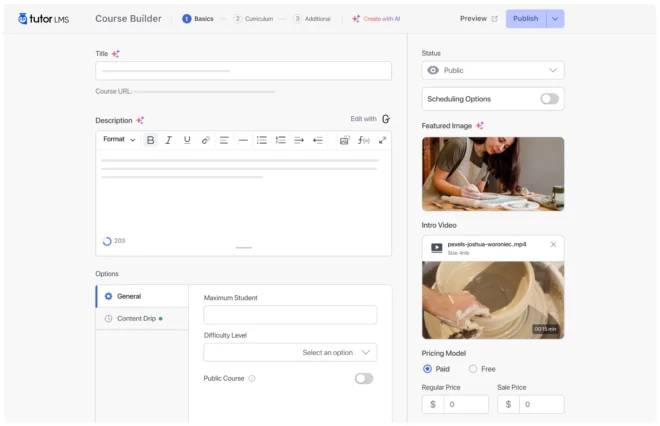
Best for: Freelancers and educators on a budget
No. of Downloads: 100,000
Tutor LMS offers an impressive array of features without a hefty price tag. It’s designed for those who want a cost-effective yet powerful tool to create engaging online courses.
Drag-and-Drop Course Creation: Build your courses effortlessly with an intuitive interface.
Multi-Instructor Support: Perfect for collaborative course creation.
Robust Assessment Tools: Create quizzes with various question types.
E-Commerce Ready: Easily monetize your courses with integrations to PayPal, Stripe, and WooCommerce.
Despite some advanced features being locked behind premium upgrades, Tutor LMS is worth buying if you’re on a budget and need a cost-effective, feature-rich platform that still offers modern design and strong performance.
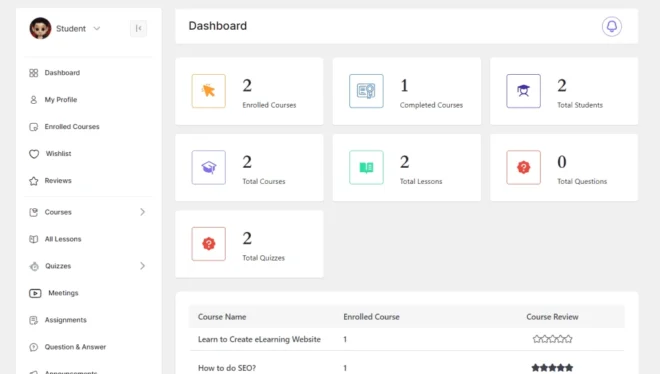
Best for: Creative educators and course sellers seeking an all-in-one solution
No. of Downloads: 12,000+
Version: 2.5.3
Academy LMS is a versatile WordPress learning management system that empowers educators to build, manage, and sell online courses with ease. Academy LMS combines an intuitive course builder with robust membership and eCommerce integrations.
Pros:
Cons:
Academy LMS is a well-rounded solution for creative educators and course sellers looking to create professional online courses. Its powerful, yet user-friendly course builder combined with seamless WooCommerce integration and effective assessment tools makes it a valuable option. While it might not offer every advanced feature on the market, Academy LMS is worth buying if you need an efficient, all-in-one platform to manage and monetize your online courses.
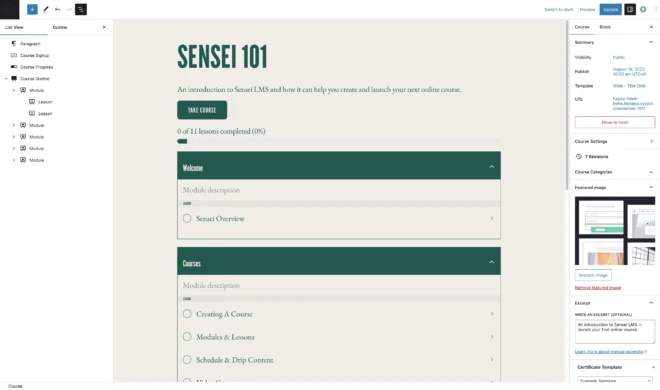
Best for: WooCommerce users and course sellers
No. of Downloads: 10,000+
Developed by Automattic, the team behind WordPress, Sensei LMS is ideal if you’re already familiar with WooCommerce. It makes selling courses as straightforward as selling any other product.
Simple Course Builder: Easy-to-use tools for creating and managing courses.
Seamless WooCommerce Integration: Sell courses as products with your existing eCommerce setup.
Effective Assessment Tools: Engage students with quizzes and assignments.
Insightful Reporting: Monitor course performance and student progress with detailed analytics.
Pros:
Sensei LMS, developed by Automattic, is tailored for users who want a straightforward course creation tool that integrates seamlessly with WooCommerce. It offers a simple course builder, effective quizzes, and detailed reporting.
However, it lacks some advanced features and customization options found in other WordPress LMS plugins. Sensei LMS is worth buying if you’re already embedded in the WooCommerce ecosystem and need a simple, reliable solution for selling courses, even if it’s more basic in functionality.
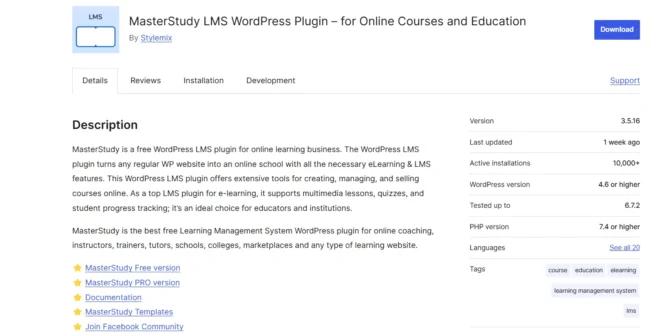
Best for: Course creators who want multimedia-rich courses
No. of Downloads: 25,000+
MasterStudy LMS is perfect for those who believe that a picture (or video) is worth a thousand words. Its strong multimedia support makes it ideal for interactive, visually engaging courses.
Multimedia Lesson Support: Easily incorporate videos, audio, and PDFs into your courses.
Live Sessions and Webinars: Host real-time classes to boost student engagement.
Interactive Quizzes: Create dynamic quizzes to challenge your learners.
Payment Integration: Sell courses effortlessly with PayPal and WooCommerce integrations.
Pros:
This table provides a side-by-side snapshot of popular LMS plugins, showcasing their key features, pricing, and so much more to help you make an informed choice.
| Feature | LearnDash | MemberPress Courses | LifterLMS | Tutor LMS | Academy LMS | Sensei LMS | MasterStudy LMS |
| Course Builder | Yes | Yes | Yes | Yes | Yes | Yes | Yes |
| Quizzes & Assessments | Yes | Yes | Yes | Yes | Yes | Yes | Yes |
| Payment Integration | Paypal, Razorpay, Stripe connect | Stripe, PayPal, and Authorize.net for online payments | PayPal, Stripe, Authorize.net , WooCommerce | 11 payment gateways using Paymattic includes Stripe, PayPal, Square, etc | PayPal, Stripe, Paytm, CCAvenue, and Paystack | WooCommerce | Wocommerce, Paypal |
| Multimedia support | Yes | Yes | Yes | Yes | Yes | Limited | Yes |
| Mobile responsive | Yes | Yes | Yes | Yes | Yes | Yes | Yes |
| Pricing | $199/year | $179.50/year(basic plan) | Free core plugin | Free core plugin | Free/Paid | Free core plugin | Free core plugin |
Before buying a WordPress LMS plugin for your course site, it's important to start with the basics. First, purchase a domain name that’s easy to remember; it usually costs around $10–$20 per year.
Then, choose a hosting provider like Bluehost, SiteGround, or WP Engine. Hosting plans range from $5 to $30 monthly, depending on your needs. Besides the domain and hosting, there are ongoing costs to consider, like a spend for premium themes, marketing tools, and email services, which range from $50 to $200 per month.
Next, think about different types of course content: Are you offering video lessons, written training modules, or interactive sessions? This will help you choose the right LMS plugin.
Make sure the plugin integrates easily with payment systems (like PayPal) and allows you to manage content and track student progress.
Finally, keep scalability in mind so your platform can grow with your student base. By laying this foundation carefully, you’ll be set for a smooth launch of your course website that provides both value and a strong online presence.
With so many options, how do you choose the perfect LMS plugin? Consider these points:-
– The first point is none other than your budget. If you are just starting, a free or affordable option (like LifterLMS or Tutor LMS) might be the best fit.
– Course Complexity is the second point here, for advanced features like content dripping and in-depth analytics, LearnDash is recommendable.
– The third point is WooCommerce integration, you might want to monetize your course (if not today, maybe someday) or if you are already using WooCommerce then LearnDash can seamlessly integrate and boost your sales.
– The fourth point would be ease of use, beginners will love the intuitive interfaces of LifterLMS and Tutor LMS.
– Last but not least is audience reach. With over half of the web traffic coming from mobile devices, choose a plugin that is mobile friendly.
The best LMS plugin for WordPress site should be about transforming and upgrading the way you educate and engage with your audience.
You might be targeting a niche group or planning an online academy to run it in the long run, these plugins offer the tools you need to thrive in an everyday changing & growing digital education market.
Ready to upgrade your online courses?
Explore BuddyBoss Integration page and find the right LMS plugin for your eLearning project on WordPress.