
One of the things that makes Facebook so popular is the ability to upload albums of photos and to be able to view your friends' albums, as well. There's just something about viewing a person's life through their pictures that is so interesting. Wouldn't it be nice if you can add this functionality to your own BuddyPress website? With BuddyPress Album +, you can mimic Facebook's photo app.
BuddyPress Album + is a plugin that adds the ability for users to upload pictures and share albums on your BuddyPress site. This plugin takes from the popularity of the Facebook photo app. Aside from photos, this plugin also support audio files, embedded YouTube videos, Vimeo, etc. Basically, this plugin allows your website to become a file-sharing center for your users.
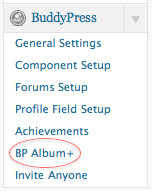
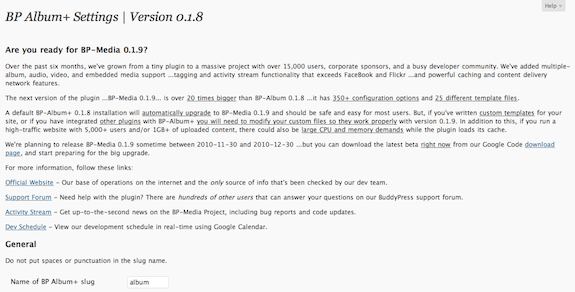
Once installed and activated, a BuddyPress Album + settings link appears under the BuddyPress drop down on the side bar of your site's dashboard. Clicking on this link brings you to the plugin's setting page where you can customize album size limits, image size limits, and if you want to allow comments on the uploaded files. You can also choose to use the built-in image URL re-mapping in case you are hosting your site on a badly-configured virtual server and you get broken links when viewing the uploaded images.
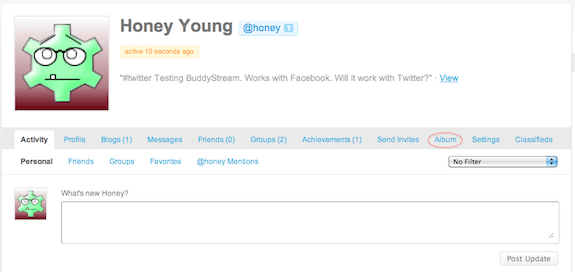
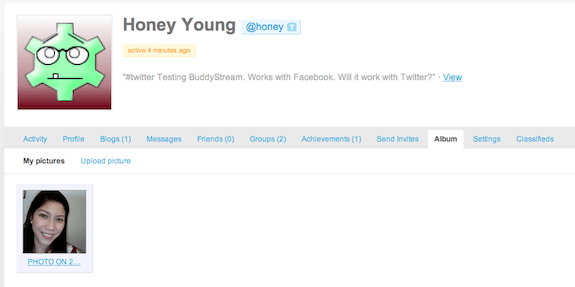
Once you save your chosen settings, you can see an “album” tab on your profile page:
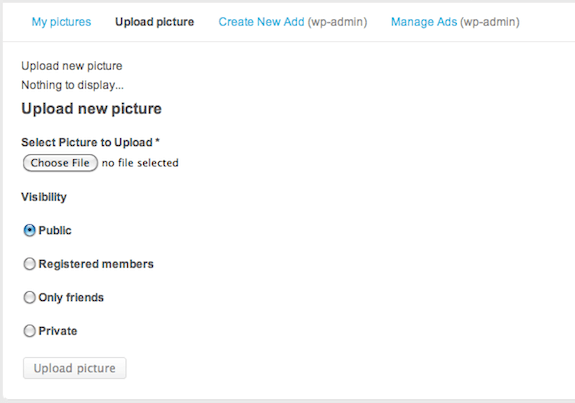
Clicking on the tab brings you to the image uploading page. Here, you can choose the files that you wish to upload.
Once you upload your chosen file, the image is now displayed on album > my pictures on your profile page.
BuddyPress Album + is a very easy file-uploading plugin to use. I especially like the built-in image URL re-mapper that patches broken image links irregardless of the state of your virtual server's configuration. The only problem I find with this plugin is that it only allows you to upload one image at a time. If you are uploading a ton of photos, this could take a very long time. It would've been nice if it had the drag and drop functionality that the Facebook photo app has or at the very least, allows you to upload several photos at a time. If it had this ability, I would've given this plugin all five stars.
Irregardless of its minor shortcomings, BuddyPress Album + is a great plugin to add to your BuddyPress site. It works really well and is very easy to use. Having it will lend a more genuine social networking feel to your site. After all, what is a social network without the ability to share photos, right?
We all know that we can synchronize Twitter and Facebook such that what we post on Twitter will be visible on our Facebook account. But, do you know that we can also make it so that what we post on our BuddyPress site's activity stream will also be visible on these sites? Synchronizing your activity stream on your BuddyPress site to popular social networking sites like Facebook, Twitter, Flickr, etc. is now possible with a plugin called BuddyStream.
BuddyStream is a BuddyPress plugin that allows you to synchronize activity streams on your BuddyPress-powered sites to popular social networking sites. This plugin currently supports Twitter, Facebook, Flickr, YouTube and Last.fm.
Users on your site can easily configure which sites they want to synchronize with. They can link their social networking accounts to their account on your site by clicking on easy-to-setup tabs on their profile page.

Once you install and activate BuddyStream on your site, you can see a link to its settings page on your dashboard's side bar. Clicking on the link brings you to the plugin's dashboard and general settings page. The plugin's dashboard shows you integration and import statistics in a colored pie chart:

At its general settings tab, you can choose which supported social networks you want to integrate on your site. You can also choose to turn on your server's cronjob which will create a cron that runs every minute, or choose to use background importing.

You then create applications on Twitter, Facebook, etc that allows for the synchronization to happen. You get API settings from each site and enter them on the settings page for each site you want to synchronize with.

Once that's set up, all that's left to be done is for your users to set up their individual accounts to synch with the supported social networking sites of their choice. They can do this by clicking on the “settings” tab on their profile page.

After saving the settings, your users can now synchronize their activity stream with their chosen social networking site by clicking on any of the icons shown below the update field/box.

Synchronize the activity stream
And when the user clicks any one of the icons and post an update, this update will also be shown on their accounts on the corresponding site.


BuddyStream seems to be a cool plugin. But, and this is a very big BUT, when I installed and activated the plugin, the pages on our site randomly turns all white (blank) whenever I access them. I had to refresh the page several times until I can get it to show up again and this happens to any page I try to access within the site. But when the pages do show, the plugin actually works. However, I cannot ignore the fact that this plugin caused a bug on our site. When I deactivate the plugin, the pages-turning-blank problem went away. It comes back again once I reactivate the plugin. So, without any doubt, it is BuddyStream that is causing the problem. Hence, I am giving this plugin 2.5 stars. Had it not caused any problem on our site, I would've given it a 5 as it really does work.
BuddyStream is a really cool plugin if and when it won't cause problems on your site. I can see your site members enjoying this feature when activated on your site. The ability to synch updates across different accounts is something that your users will surely appreciate.
Do you want your site to have the ability to give awards, badges, and points to your members? Maybe you want to highlight members who are the most active or perhaps the ones who have made contributions like created groups, posted on forums, etc. This feature is now possible by installing a plugin called Achievements on your BuddyPress site.
Achievements for BuddyPress is inspired by video game achievement systems. It aims to add the ability to reward site members with points, badges, and challenges on BuddyPress sites. One can create either an award or an event and choose the number of points to be awarded to members once these are achieved. This could potentially encourage more activity on your site as this adds milestones for members to achieve and be rewarded for.
Once Achievements has been installed and activated on your site, you can see a settings tab under the plugin name where you can enter keywords and descriptions of images in your media library so you can search for them easily. This is useful when you have a lot of images uploaded on your site's media library.


Activating the plugin adds an “Achievements” tab on your homepage:

Clicking the tab brings you to the achievements library where you can see existing achievements or create new ones:

You can either create an award or an event. The plugin comes with pre-loaded events that you can choose from:


Once a member is able to earn an achievement, it appears on the achievements tab on their profile:

This plugin really has the potential to increase activity on your BuddyPress site. This motivates users to earn achievements to get more points. This plugin opens up a lot of possibilities to reward user activity. You can display members with the highest number of points in a gallery of sorts, giving them more exposure. This could be very useful in sites like EasyOutsource, a job site that uses BuddyPress, where member exposure can translate to being hired more easily for jobs. Depending on the nature of your site, the Achievements plugin can prove to be very useful.
What I also like about this plugin is that it is very easy to use and set up. I especially like the fact that there are already pre-loaded events that you can choose from and this takes the guess work out of choosing events that you can award points to. Also, the ability to assign an image to an achievement is quite brilliant. You can create badges and these gets displayed on the members' profiles.
Overall, Achievements for BuddyPress is an interesting plugin that could encourage user activity by making your site fun to use.
Do you want to increase the membership on your BuddyPress site? One of the best ways to do this is to allow your current members to invite their friends to become members. This can easily increase your membership in a short span of time. You can add this functionality to your site by installing a plugin called Invite Anyone.
Invite Anyone makes it possible for members to invite other people to join your site. The plugin creates a “send invites” tab on the member's profile page. There is a field for a custom message that they can send their friends. Members can also pre-select groups when they send the invitation and when the person they sent it to becomes a member, they are also automatically invited to join these pre-selected groups.
Invite Anyone also allows group members to invite any site user to their group, not just their friends, but any member of the site. This is especially helpful since by default, only group admins can invite people to join groups.
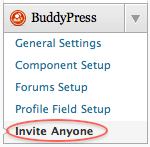
As with any other plugin, all you need to do to install Invite Anyone is to search it from the plugins page on the dashboard and install and activate it. Once you activate it, a link to the plugin's setting s page appears on dashboard > buddypress.
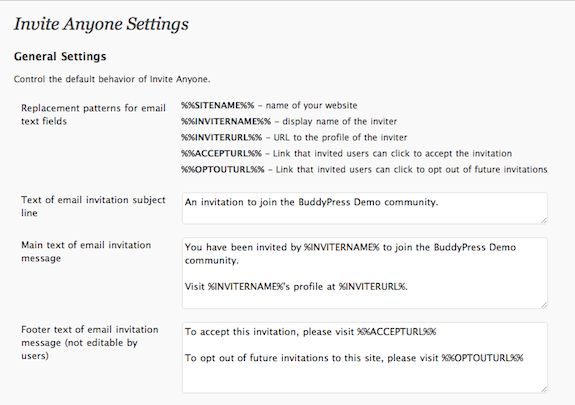
Once you click on the link, you are brought to the plugin's settings page where you can edit different components of the email invitation – subject line, main text, footer text, if users are allowed to customize the invitation, number of email invitations a member can send at one time, and if you will allow users to send group invitations along with the email invitation. There are already default entries to these fields, but you can always change it to whatever you want.
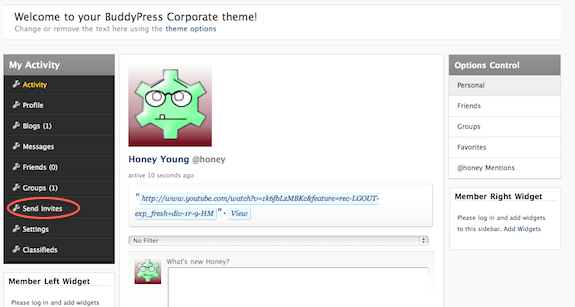
When you activate the plugin, a “send invites” tab appears on the member's profile page and here's how it looks like on our site:
Clicking on the tab brings you to a page where you can start entering email addresses and sending out invites:
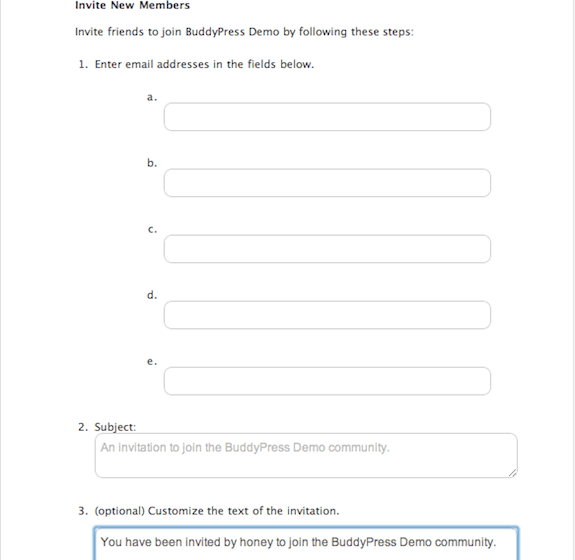
In a group page, a “send invites” tab also appears:
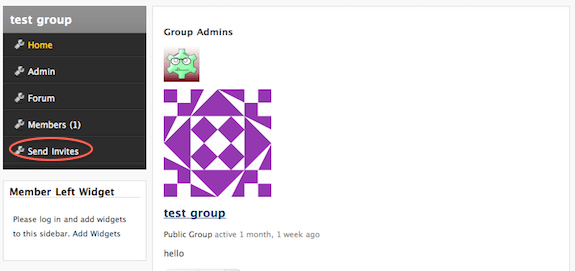
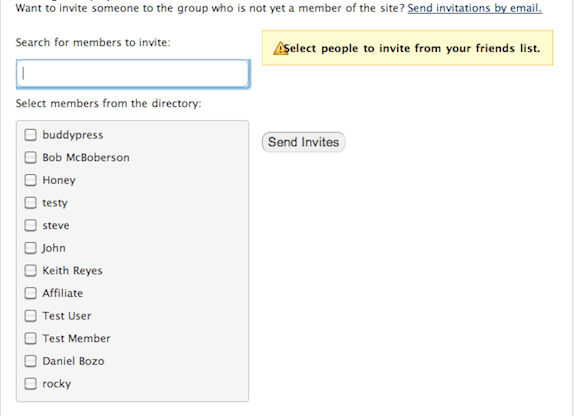
Clicking on this tab on a groups page brings you to a page where you can search for members to invite by their usernames or you can select members from the directory:
I was really impressed by the fact that the plugin was very easy to use and I didn't encounter any hitches when using it. It sent the invites it was supposed to, and that's the most important thing. You wouldn't want to have an invitation plugin that never really sent the invitation, do you? The beauty of this plugin is in its simplicity and ease of use.
Invite Anyone could really be a great plugin to add to your BuddyPress site. This tool has the potential to grow your membership exponentially. If you are interested in growing your site user-wise, this plugin is a must.
You've heard of BuddyPress, right? Of course, you have! BuddyPress is a popular choice for integrating social networking features within WordPress-based websites, distinguishing it in the open-source social networking sphere. Most social networking sites are built using BuddyPress and they're all pretty awesome. Well, for those who haven't heard of BuddyPress and especially for those who have, feast your eyes on the largest list of BuddyPress sites on the net (for now). We have a total of 115 BuddyPress sites on this list and we look forward to growing it even more!
 ND Pick'em | Visit Site
ND Pick'em is a site for Notre Dame Football fans. Here, one can join a community of other Notre Dame fans and share their love for the sport. (Full disclosure: ND Pick'em was built by BuddyBoss!)
 EasyOutsource | Visit Site
EasyOutsource is a site where Filipino online job seekers and international employers can connect. It’s 100% free to use. (Full disclosure: EasyOutsource was built by BuddyBoss!)
 FoxyForex | Visit Site
FoxyForex is a site that takes a unique approach to Forex trading education. Their site uses BuddyPress and s2Member to restrict content to paying students. (Full disclosure: FoxyForex was built by BuddyBoss!)
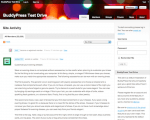 BuddyPress Test Drive | Visit Site
BuddyPress Test Drive is a community of BuddyPress users looking to try out and discuss the latest features of BuddyPress.
 GigaOm Pro | Visit Site
GigaOM Pro provides real-time expert industry analysis on infrastructure, mobile, green IT and consumer technology sectors.
 Irrational Games | Visit Site
Irrational Games is an award-winning video game developer. They use both wordpress and buddypress for their site. They also have a community with a blog and a forum.
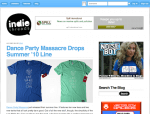 Indie Threads | Visit Site
Are you a t-shirt fanatic? Then, Indie threads is the community for you. Its focus is to bring together t-shirt companies and their fans.
 Bettercodes.org | Visit Site
Bettercodes is a community of software developers. Here, they can connect with other software developers from all over the world and share thoughts, ideas, and information.
 We Earth | Visit Site
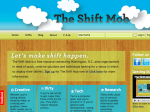 The Shift Mob | Visit Site
The Shift Mob is a free resource connecting Washington, D.C. area organizations in need of quick, creative solutions and individuals looking for a venue in which to display their talents.
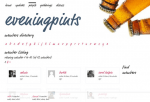 Evening Pints | Visit Site
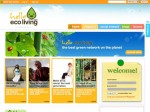 Hello Eco Living | Visit Site
Hello Eco Living is a social networking site for people who is conscious about our environment. They call themselves “the best green network on the planet”.
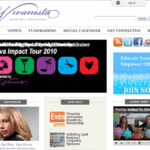 Vivanista | Visit Site
Vivanista is a social network of lady philanthropists. Here, they can share their tips and best practices in fundraising.
 Tasty Kitchen | Visit Site
Tasty Kitchen is Pioneer Woman, Ree’s, community of kitchen enthusiasts. Here, you can share recipes from appetizers to desserts. Since Ree is also an avid photographer, the pictures of food in this site are good enough to eat.
 You Look Fab | Visit Site
 Solo Practice University | Visit Site
Solo Practice University aims to build a networking community of solo-practice lawyers and law students. You need to “enroll” to attend courses, participate in the community, create blogs, etc.
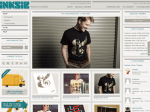 Inksie | Visit Site
Inksie is a brand, online community, and a shop in one. They sell mostly t-shirts designed by veterans and newbies is the design business. Their shop has well-designed products by designers from around the world.
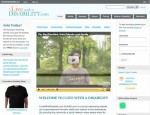 I Live with a Disability | Visit Site
I Live with a Disability is a social networking site of people with disabilities, their family, and friends. Here, they can meet other people who share the same fate and share their love, support, and empowerment.
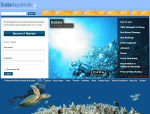 Scuba Vagabonds | Visit Site
 We Heart This | Visit Site
We Heart This is a place for women to convene and gush about the stuff that they love – from the trivial to the substantial. Girls will absolutely love this site.
 TechBoise | Visit Site
 Unstructure.org | Visit Site
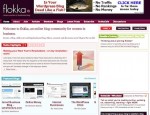 Flokka | Visit Site
Flokka is an online blog community of women with an interest in business. Here, they can promote their business and even find new clients, share ideas and inspire each other.
 Virginia Tech Carilion School of Medicine | Visit Site
This site is the official website of the School of Medicine of Virginia Tech.
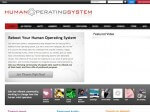 Human Operating System | Visit Site
 MSU – School of Journalism | Visit Site
This is the social networking website of the Michigan State University's School of Journalism.The
 CUNY Academic Commons | Visit Site
CUNY Academic Commons is geared towards helping faculty development, research, and teaching for the City University of New York.
 Culture 360 | Visit Site
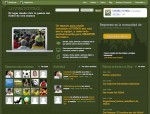 Loving Futbol | Visit Site
 Temple Fox MIS | Visit Site
Temple Fox MIS is the Fox School of Business, Temple University’s social media site for the top 10 ranked Department of Management Information Systems. The site focuses on research and teaching related to the development, implementation, management, and impact of information systems.
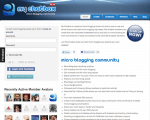 My Chatbox | Visit Site
My Chatbox is a passive micro blogging community that is easy to use and where anyone can start micro blogging right away.
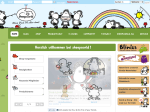 Sheepworld | Visit Site
Sheepworld is a German website that sells sheep-designed gifts and postcards.
 Come Recommended | Visit Site
 Ride Oregon | Visit Site
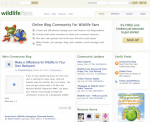 Wildlife Fans | Visit Site
Wildlife Fans is a social networking site for people who are passionate about wildlife. Members can share their experience with meeting animals in the wild or their concern about threatened species.
 Ooizit.com | Visit Site
 VW Tank Wars | Visit Site
VW Tank Wars is a community of VW drivers. They can track their mileage scores, ranking, upload photos, and just plain hang out with VW drivers like themselves.
 Virgin Media Pioneers | Visit Site
Virgin Media Pioneers is a UK website that aims to connect young entrepreneurs with established business experts. Their purpose is to bridge the gap between young people with great ideas with the people who can help them make it happen.
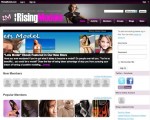 Rising Models | Visit Site
Rising Models is a social networking site for models, agencies, make-up artists, photographers, and others related to the industry. Here, they can create their own blog, chat with fellow members, and upload their photos and portfolios.
 Nourish Network | Visit Site
Nourish Network is a place where members talk about how to maintain a comfortable weight and healthy body, and how to eat more sustainably or even how to enjoy cooking.
 GooCine| Visit Site
GooCine is a community of movie enthusiasts.
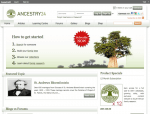 Ancestry 24 | Visit Site
Ancestry 24 is South Africa’s Premier Genealogy and Ancestry Web Site. It is South Africa’s most extensive ancestral and genealogical database.
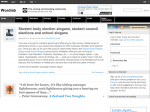 Wordlab | Visit Site
Wordlab is a community that will chime in with naming and branding suggestions. Here, members can help other members with their naming projects.
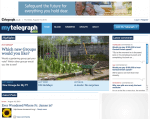 My Telegraph | Visit Site
My Telegraph is the social networking arm of the Daily Telegraph, one of UK’s major publications. Members can discuss news, politics, sports, and finance, among others.
 Kodingen | Visit Site
Kodingen is a cloud development environment, code editor, hosting service, database administration program, and collaboration platform.
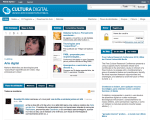 Cultura Digital | Visit Site
Cultura Digital is a social network for the Brazilian digital culture run by the Brazilian Culture Ministry.
 KevJumba | Visit Site
KevJumba is the personal website of Kevin Wu who also has a popular YouTube channel named “KevJumba”. Mr. Wu developed a fan base of his YouTube videos that are described by enthusiasts as “funny” and “mesmerizing.” This website has a blog, a community, and sells merchandise.
 Startup Weekend | Visit Site
Startup Weekend is a 54 hour event that builds communities, companies and projects. It is a community of developers, business managers, startup enthusiasts, marketing gurus, graphic artists and more.
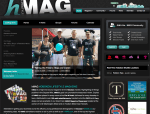 h Mag | Visit Site
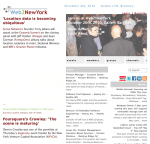 Web2NewYork | Visit Site
Web2NewYork is a professional community for post-internet media, advertising and business, with monthly networking parties at Gallery Bar in New York.
 Food Network Humor | Visit Site
Food Network Humor is a website that pokes fun on the Food Network’s hosts and shows. You can register to be a member, upload photos, write comments, and connect with other members.
 Travel-Junkie | Visit Site
Travel-Junkie is a website that caters to the low-budget, long-term and off-the-beaten-track traveller and aims to be a valuable resource for all things backpacking.
 Androinica | Visit Site
 Topics AreaVoices | Visit Site
 Blog Bowler | Visit Site
 Runners Buzz | Visit Site
Runners Buzz is a social network of runners from all over the world. Here, they can connect with other runners, share links, training and diet tips, etc.
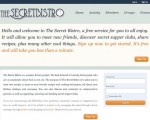 The Secret Bistro | Visit Site
 Film Maker IQ | Visit Site
Film Maker IQ is a community created for and by filmmakers from all over the world. Members interact and share knowledge and techniques related to filmmaking.
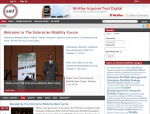 The EMF | Visit Site
The Enterprise Mobility Foundation’s mission is to be the global community builder and evangelist for showcasing the value of successfully deploying and managing mobility solutions within organizations in the public and private sector.
 Caryl | Visit Site
Caryl is a French web community which was created to share the experiences of expatriates in Morocco.
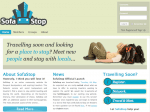 Sofa Stop | Visit Site
Sofa Stop is a social community of backpackers and travelers. They give assistance to their members by helping them find a place to stay for their travels.
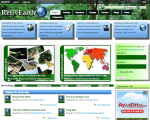 RelivEarth | Visit Site
RelivEarth is the hub for Wildlife and Nature lovers.
 Ecoerth | Visit Site
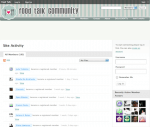 Pinoy Cook | Visit Site
Pinoy Cook/Food Talk is a community where members can share ideas, cooking tips and swap recipes.
 ScenePR | Visit Site
ScenePRis a media, arts, and entertainment network. It started in 2004 as a small gathering of filmmakers that has since grown into 5000+ members from the art, film, fashion, music, social/digital media industry.
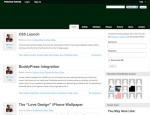 Photoshop Tutorials | Visit Site
As its name suggests, Photoshop Tutorials is a place where its members can learn Photoshop.
 CSS Activity | Visit Site
CSS Activity is a social networking site for anybody who can appreciate beautiful website design. Members can take screenshots of websites that catch their attention and bookmark them on the site.
 Blogatize | Visit Site
Blogatize is a social blog network. It gives members free use of a ready-made blog. Members can also interact with other bloggers in the network.
 Pavilion Interactive | Visit Site
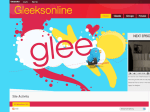 Gleeks Online | Visit Site
Gleeks Online is a network of people who are into the TV series Glee. The site gives updates about the show and members can interact with other “Gleeks”.
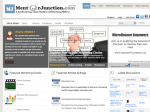 Mentor Junction | Visit Site
Mentor Junction is a non-profit company aiming to develop a robust collaborative social learning and mentoring platform to provide resources & framework for everyone to help them reach their career goals.
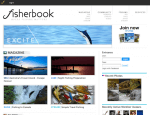 Fisherbook | Visit Site
Fisherbookis a magazine-style social network dedicated to Italian fly fishing. It is created by Marco Rossi. It is free to join this site.
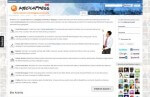 MediaPress | Visit Site
MediaPress is a social network and a blogging community for bloggers to get the best exposure via the sharing of content and networking. Members can create social bookmarks about interesting articles and online videos.
 New York Blogs | Visit Site
New York Blogs is a blogging platform and a social blogging community in New York City. The site aims to bring readers, blogs, and bloggers together.
 Jeepney Music | Visit Site
Jeepney Music promotes up and coming emerging Artists & DJ's. Simultaneously, it fosters a community filled with content and connectivity between music, gossip, travel, food, entertainment, and living histories from the Philippines.
 Students Circle Network | Visit Site
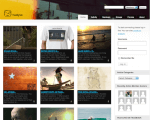 Huckjive | Visit Site
Huckjive is an online magazine that showcases indie music, indie films, art, skate, and surf.
 Hopped Up Beer | Visit Site
 O Teatro Magico | Visit Site
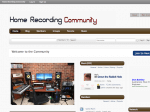 Home Recording Community | Visit Site
Home Recording Community is a site dedicated to home recorders and home studio engineers – from the largest digital home studios to those still attached to their 4-track.
 Going Postal | Visit Site
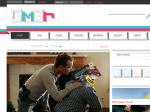 Gm3r | Visit Site
Gm3r, pronounced “gamer”, is designed to mold gaming news, reviews, and original features with the site owner's singularly sharp perspectives. With Gn3r, you get honest, unfiltered gaming editorial.
 Gignest | Visit Site
Gignest is a social network of local musicians. In this site, musicians will be able to upload their music, photographs, set lists, and event calendars.
 Gameserfs | Visit Site
Gameserfs is a Social Networking tool made by gamers, for gamers. Whatever your platform, whatever your gaming expertise.
 Fugget | Visit Site
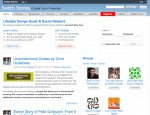 Switch Stories | Visit Site
Switch Stories is a lifestyle design guild and social network built around the stories of people who have made money online.
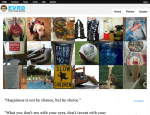 EVRD | Visit Site
EVRD stands for “everything random”. It is a site where one can upload random photos and quotes. One can also comment and share their opinions on uploaded files.
 Entrepreneur in Making | Visit Site
Entrepreneur in Making is a community of and for aspiring entrepreneurs, who want to break out of the 9 to 5 cubicle jail, live their dreams and be their own boss.
 De Ellas | Visit Site
 Chwisgi | Visit Site
Chwisgi is all about whisky. It's an open social community where every one can read, review and talk about whisky.
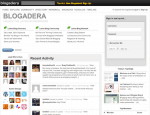 Blogadera | Visit Site
Blogadera is a Latino blog directory.
 Trail Running | Visit Site
Trail Running is a site for people who enjoy running in mountain trails of the different Polish regions.
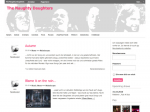 The Naughty Daughters | Visit Site
 Tufts Roundtable Commons | Visit Site
The Tufts Roundtable Commons is a social blogger community specific to Tufts University students, faculty, professors, alumni, and staff.
 UBC Blogs | Visit Site
UBC Blogs is a site designed to support teaching and learning initiatives for student, staff, and faculty for the University of British Columbia.
 Plazaa | Visit Site
With Plazaa, users can recommend to their friends the best restaurants, bars and cafes in Germany.
 Favtrip | Visit Site
Favtrip is a site where users create and update their own travel photoblog, share exciting pictures of awesome places they’re checking in at, set up trips and must-see locations, and much more.
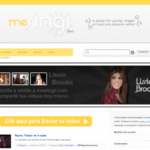 Mesingi | Visit Site
Mesingi is a social network for young singers.
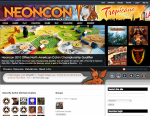 Neoncon | Visit Site
Neoncon is a games community around board and card games.
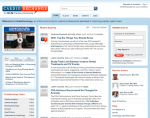 Cardio Exchange | Visit Site
Cardio Exchange is an online community for medical professionals dedicated to improving cardiac patient care.
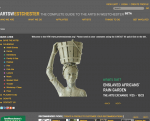 Arts Westchester | Visit Site
 Young People | Visit Site
Young People is a web portal for youth workers in Switzerland with tons of resources, media tips and information for all teens.
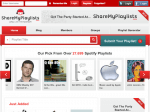 Share My Playlists | Visit Site
ShareMyPlaylists.com is a social networking site where members can share their Spotify playlists with friends and discover new music.
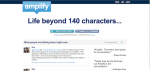 Amplify | Visit Site
Amplify is a service for engaging in conversation around web pages, paragraphs, images, videos or original ideas that make people think.
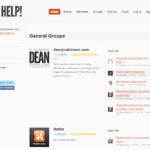 Help! | Visit Site
Help! is a site developed by Dean Robinson, a web developer and designer from Newcastle, Australia, to support all his WordPress plugins, themes and other projects.
 Regions Democrates | Visit Site
Regions Democrates is the campaign site of the National French Democratic Movement for the regional election of March 2010.
 VIP Rakeback | Visit Site
VIP Rakeback is an online poker community.
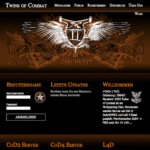 Twins of Combat | Visit Site
Twins of Combat is a gamer community.
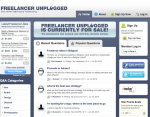 Freelancer Unplugged | Visit Site
Freelancer Unplugged is a community connecting and promoting freelancers. Users can setup profiles and group forums to connect with clients, visitors and other professionals.
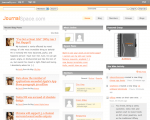 Journal Space | Visit Site
Journal Space is a site where its members can create their own blogs. Members can also create groups and their blogs have the possibility of being featured at the site's homepage.
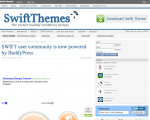 Swift Themes | Visit Site
Swift Themes is developed by Satish Gandham, a 23 year old web developer and WordPress lover from India. You can download the Swift Theme for WordPress on this site.
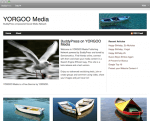 Yorgoo Media | Visit Site
YORGOO Media Publishing Network is powered by BuddyPress and tuned by Semiomantics. Find friends online, connect with them and share your media content in a Search Engine Efficient way. This site is a beta release and a test version.
 Refresh Augusta | Visit Site
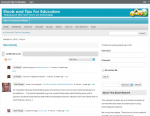 Edugroups | Visit Site
Edugroups is a network that has been set up to enable educators to connect with each other and share tips on using technology with students.
 Webcuties.me | Visit Site
WebCuties is a network that has been set up to allow cute people to post pictures battle against each other.
If you have a website built using BuddyPress or know of one that is not on this list, please write it on the comments section so we can include it here. Thanks!
Do you want to set up paid membership on your BuddyPress site? Or maybe you want to restrict certain contents on your website to be accessible to paying members only? All that is possible, plus more, using the plugin s2Member.
The s2Member plugin is a free plugin that allows you to manage membership on your BuddyPress site. This plugin can also be used to set up recurring subscriptions on your site. It integrates flawlessly with PayPal for membership payments. BuddyBoss website owner, Michael Eisenwasser, wrote a great tutorial on how to set up recurring billing subscriptions on BuddyPress using s2Member.
I tried s2Member on our site to test its capabilities and to see if it's what we need to manage membership on our website. It was as easy to install and activate as any other plugin. When you activate it on your site, you will see a “settings” link under the plugin name on the plugin page.

Clicking the link will bring you to the plugin's settings page. There are a lot of things that you can customize to make the plugin work the way you'd want it to. On the side bar menu, there is also now an s2Member menu that has a drop down for the different configuration options.
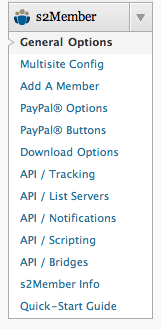
Clicking on the different links brings you to the different settings pages where you can choose the parameters that you will use for the plugin. There is also a quick-start guide that you can read through to familiarize yourself with the plugin. Here's what a typical s2Member settings page looks like:
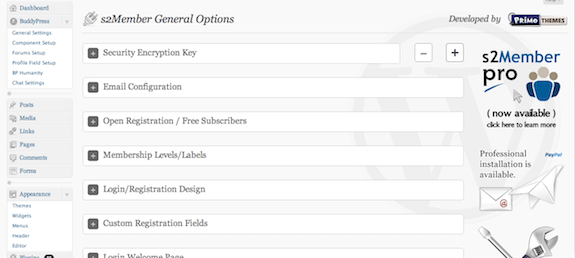
s2Member guides you on setting up your site's membership via their settings page – from setting up your registration page, linking your site to your PayPal account, to upgrading, downgrading, and cancellation of user accounts. The plugin also helps you manage membership levels. There are up to 4 member levels that you can configure for use on your site. You can choose which posts and pages are restricted to which member level. All these are easily configurable on the plugin's settings page.
While s2Member may be intimidating at first, with all the stuff you need to configure, it is no doubt a very powerful tool that is very useful when you want to earn by setting up subscriptions on your website. Once you get the hang of it you'll find that managing the plugin is quite simple and easy.
What I tried on our site is the s2Member free version, which is already sufficient for start-up web entrepreneurs. But, if you want more advanced features, a Pro version of the the plugin is also available. The Pro version supports the same features as the free version, but in addition it adds the following features:
Furthermore, new features will be added to the Pro version and purchasing it includes lifetime free upgrades.
Overall, s2Member is a very worthy plugin to use for member subscriptions on your site. In fact, I would daresay that it is the best of its kind out there.
Warning: This plugin has not been updated since 2010.
Do you want to add your website's terms of service on your signup page for new users to agree to? What about making new registrants decide if they want to signup for your newsletter? Perhaps, you'd even want to regulate the age of your users and have them be at least a certain age for them to join your BuddyPress site. All these features added on your signup page would certainly be good to have.
The plugin BP Xtra Signup claims to add additional features on a BuddyPress website's signup page. It adds a Terms of Service checkbox, a Mailchimp signup checkbox, an Ajax username availability check, password strength meter, and email and date of birth checks.

Installing BP Xtra Signup is like installing any other plugin. Once you do, a link appears underneath the BuddyPress drop down on the dashboard sidebar. Clicking this link brings you to the settings page of the plugin where you can change the settings according to your preference. The settings page allows you to configure the Terms of Service check box, Mailchimp integration, email confirmation, Ajax username availability, Ajax email check, password strength meter, and the date of birth check.

Here's what the signup page looks like after activating BP Xtra Signup:

The settings page allows you to provide a link to your website's Terms of Service page. It also allows you to create your own error message that will be displayed when the check box is not ticked, among other things. You can choose to activate all or any of its features on your signup page.
Please note that I activated the Terms of Service and provided a url to our site's Terms of Service page. However, on the signup page, the words “Terms of Service” didn't link to the page I specified, which it was supposed to. Also, I activated the date of birth check. I expected that activating this will add a date of birth field on the signup form, which it didn't. I guess it will only work when there is already an existing date of birth field on the sign up form.
What I noticed is that even if I already entered the url of our site's Terms of Service page and saved the settings, the next time I open the settings page, the url randomly disappears. No matter what I did on the settings page, the link doesn't appear on our sign up page. The Ajax username and email checks and the password strength indicator worked ok, though. What didn't work as I expected them to are the Terms of Service checkbox and the date of birth checker. Admittedly, I was a bit disappointed with this plugin.
The bugs on this plugin limits its functionality. However, it is not completely useless. Some of its features do work as expected and maybe an update will improve it and make it work flawlessly.
Adding the ability to upload and share files and documents to groups on your website would be a great addition to any BuddyPress site. I wanted to be able to upload files with common file extension like .doc, .xls, .jpg, .zip, etc. to groups on our website, so I searched for a plugin that will enable me to do this.
I came across BP Group Documents. This plugin will add a page on BuddyPress groups where members can upload any type of file or document. These files can be modified and deleted by the document owner or the group moderator.

I installed and activated the plugin on our site. Doing this adds a link underneath the BuddyPress drop down on the dashboard sidebar. Clicking this link allows you to set the settings of the plugin. Here, you can choose the different file formats that can be uploaded.

You will then see a new “documents” tab on the groups homepage.

Clicking on the tab brings you to the page where you can upload the files that you want. You can even add a title and a description the file that you will be uploading.

Once you upload the file, it will appear under the documents tab on the group page and can be downloaded and viewed by members.

The plugin, BP Group Documents, is pretty easy to install and set up on your website and using it is not complicated at all. The plugin is straightforward and I doubt if there will be any confusion on how to use it. I like the fact that there are already pre-loaded supported file types on its settings page. You can even add more file types that are not on initially on the list.
Overall, BP Group Documents functions just as expected. This is one very useful plugin if you want to add the ability to upload files and documents on groups on your website.
Note: This plugin is no longer necessary. oEmbed functionality is now included in WordPress and BuddyPress.
It is very common in social networking sites that members/users would want to share content with each other. Videos and photos are two of the most-shared files. It would be a great addition to your BuddyPress website if your members can embed these types of files in their activity updates and in forums instead of just sharing a url.
If you want add a plugin that your members can use to embed videos and photos on your site, you may want to try oEmbed for BuddyPress. This plugin adds the ability to embed videos and photos on activity updates and forums. All you need to do is paste the url of file you wish to share and when you click post/update, the url will be replaced by the file itself. This plugin was developed by R-a-y, a BuddyPress developer who we have personally worked with.
Videos and photos hosted by the following sites works with oEmbed:
I tried this plugin to see if it really does what it says it does. I installed and activated it on our website and tested its capabilities.
Here's a sample activity update I did on my profile. I just pasted the url of a video from YouTube:

And when I clicked “post update”, here's what my activity update looked like:

The oEmbed for BuddyPress is a really great plugin in that it supports the most common file-hosting sites. I also like the fact that I don't have to do any configuration and settings for the plugin to work. All I needed to do was activate the plugin and it was good to go. The simplicity and ease of use of this plugin makes it a great one, in my book.
Do you want to remove user avatars on your BuddyPress site? Maybe, for some reason, you don't want to display avatars on your website. As BuddyPress comes default with gravatars, wouldn't you like to have a plugin that will remove these? The plugin Remove Avatars might be the answer to your prayers.
This plugin is very simple in that all it promises to do is remove avatars from user profiles. It also removes the part where you add an avatar when signing up for an account and creating groups.
I tested this plugin and installed and activated it on our site. True enough, avatars were removed! Our site became avatar-less, which needs a bit of getting used to. But if this is the look that you are aiming for, then you surely won't be disappointed.


This plugin is very effective in all its simplicity. Its purpose is very simple and it does it well. As I mentioned, having no avatars on your BuddyPress site takes getting used to. But those interested in this plugin don't want avatars in the first place, so this plugin is just right for them.