














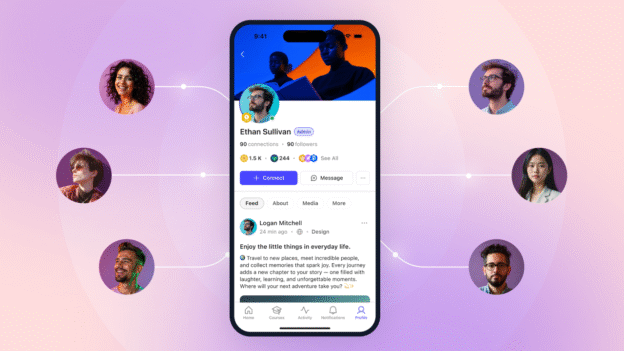
If you have launched a community app and watched your daily active users flatline after a strong first week, I want you to know that is completely normal, and completely fixable.
The five strategies in this guide form a practical mobile app engagement strategy that turns a good first week into a lasting daily habit. Research consistently shows that apps lose the majority of their daily active users within the first three days of install. That stat sounds alarming, but it is really just telling you that engagement does not happen by accident. It happens because someone built a strategy around it.
This guide walks you through the five strategies that make the difference between a community app members open every day and one they forget about after the first week.
Why Mobile Engagement Is Different
Web communities and mobile communities operate on different behavioural patterns. On the web, members visit when they remember to. They open a browser tab, navigate to your site, and check in. The decision to return is entirely on them.
Mobile flips that dynamic. You can reach members proactively. You can appear in their pocket at the exact moment a relevant conversation is happening. That is a fundamentally different relationship, and a more demanding one.
Mobile users expect immediacy. If they open your app and nothing has happened since their last visit, they do not blame themselves for missing it. They assume the community is quiet. Perception becomes reality fast.
The engagement window that matters most is the first seven days. Members who take at least three meaningful actions in their first week including posting, replying, joining a group, following a member, are far more likely to become habitual users. Members who do not hit that threshold often never return. Everything in your engagement strategy should prioritize that first-week experience.
The stakes are worth the effort. Communities with a dedicated mobile app consistently report meaningfully higher daily return rates than web-only communities. A well-run app creates a daily habit that a website rarely does.
Strategy 1: Push Notification Discipline
Push notifications are the most powerful tool in your mobile app. They are also the easiest to ruin.

Done well, a push notification pulls a member back into a conversation that actually matters to them. Done poorly, it trains them to ignore your app entirely, or worse, opt out of notifications altogether. Members who turn off push have effectively removed your most direct line to them. Getting this right is not optional.
The Three Rules of Push
Rule 1: Relevant. A push notification should be triggered by real activity. Someone replied to your post. Someone mentioned you in a thread. A new member joined the group you run. These feel personal because they are personal. Generic “come back!” blasts feel like junk mail and get treated like junk mail.
Rule 2: Timely. Push works because it is immediate. A notification about a reply that came in three days ago does not create urgency. Your push system should deliver activity notifications close to real time, not batched into daily summaries.
Rule 3: Controllable. Members should be able to tune their notification preferences. Some people want every mention. Others only want direct messages. Giving members control reduces opt-outs significantly. If someone can customise what they receive, they are far more likely to keep notifications on.
What to Send
- Direct mentions (@username in a post or comment)
- Replies to posts the member has made or engaged with
- Direct messages from other members
- Activity in groups the member has joined and is active in
- Event reminders for events the member registered for
What Not to Send
- Generic re-engagement blasts (“We miss you! Come see what’s new”)
- Weekly digest roundups that would be better served by email
- Activity from groups the member joined months ago and has never posted in
- Platform announcements or marketing messages dressed up as activity alerts
The BuddyBoss App includes fully configurable push notifications. Admins can enable or disable specific notification types from the dashboard, and members can manage their own preferences for email, web, and app notifications from a single settings page. Only the notification types you enable as admin will appear in member settings, giving you full control over what members can toggle on or off.
For a deeper look at how push fits into your broader member communication strategy, see our guide on push notification best practices.
Strategy 2: Activity Feed Optimisation
A quiet feed is a dead app. This is the simplest truth in mobile community management.

Members open your app expecting to see something worth their time. If the feed shows three posts from four days ago, they close it. They do not come back tomorrow hoping it will be better. They just stop coming back.
Feed Seeding: Your Job First
In your community’s early months, especially the first 30 to 60 days after app launch, you are the feed. You need to post every single day. Not because you will always do this, but because daily posting from a trusted voice creates the expectation that the feed is alive.
This is not optional effort. It is infrastructure. A populated feed creates the conditions for member activity. An empty feed creates the conditions for churn.
The Content Mix
Vary your posting so the feed does not feel like one person’s monologue. A rough content mix that works for most communities:
- 40% discussion starters: questions, debates, prompts that invite replies
- 30% member spotlights and wins: celebrate member achievements, share member-generated content, feature new members
- 20% curated resources: articles, tools, frameworks relevant to your community’s topic
- 10% polls and quick questions: low-friction engagement that gets responses even from passive members
How the BuddyBoss Activity Feed Works
BuddyBoss displays activity in reverse chronological order. Recent activity rises to the top, not algorithmic ranking. This is actually an advantage for community managers. You control the feed by controlling your posting cadence. Post daily and your content stays visible. Post weekly and you will get buried.
This also means group activity matters. When members post in groups, that activity shows up in the main feed. Encourage your most engaged members to be active in groups and it makes the overall feed feel alive, even when you are not posting yourself.
Activity Topics: A Tool for Larger Communities
Activity Topics let members filter their feed by subject. This is a valuable feature for communities that have grown past the point where one feed serves everyone well. A member who cares about content marketing should not have to scroll past 20 posts about SEO tools. Topics let them self-sort, which means they see more of what keeps them coming back. Check BuddyBoss pricing to confirm which plan includes this feature.
Strategy 3: Connection Density
Here is a metric most community managers do not track: connection density. It is the number of meaningful connections each member has inside your community.

Research into community retention consistently shows the same pattern. Members who form connections with others have significantly higher retention than isolated members. The exact threshold varies by community type, but the principle is consistent: community is the product. If a member has not formed connections, they have not found the product yet.
The First-Week Goal
Every new member should hit three milestones in their first week:
- Follow a few other members
- Join one group
- Make one post, even a short introduction
Members who hit all three tend to return in week two. Members who hit none of them often do not. Your onboarding experience should make these milestones feel easy, even obvious. If a new member can complete your onboarding flow without being prompted to do any of these things, your onboarding is not doing its job.
How to Create Connections
There are four reliable methods for building connection density:
Onboarding prompts. When a member first joins, surface suggested members to follow based on shared interests or location. Do not make them hunt for people. Bring people to them.
Introduce yourself threads. A pinned introduction thread in your main group gives new members a natural first post. Make it easy: “Tell us your name, what you do, and one thing you’re working on.” Existing members should reply to new introductions. That single exchange is the first thread of connection.
Member directory. A searchable directory lets members find each other by interest, profession, or location. Even if they do not reach out immediately, knowing the directory exists makes the community feel more real.
Suggested connections. If your platform supports it, surface connection suggestions based on shared group membership or overlapping interests. Making connections feel serendipitous increases the likelihood that members act on them.
Direct Messages: The Stickiest Thread
One-to-one connections through direct messages are one of the strongest retention signals in a community app. Members who have an active DM thread, even a casual back-and-forth, tend to return to the app daily.
You cannot manufacture DM conversations, but you can create conditions for them. When you spotlight a member, mention another member in the post. When a member asks a question, privately tag someone who might have a useful perspective and encourage them to reply. Small facilitated moments can spark connections that become lasting.
Groups as Connection Hubs
Groups are where connection density actually forms. A shared-interest space with 30 active members feels more personal than a whole-community feed with 3,000. The smaller surface area makes members feel known rather than anonymous.
Encourage your power users to lead groups. Give group leaders the tools and visibility to build their own sub-communities inside your app. The more thriving groups you have, the more connection pathways you create for members across different interests.
Strategy 4: Gamification Triggers
Gamification gets a mixed reputation. Done poorly it is points for the sake of points, a leaderboard that nobody cares about and badges that feel arbitrary. Done well, it creates visible progress, social recognition, and a small but real reason to show up every day.

The key word is meaningful. Gamification works when it is tied to behaviours that actually matter — posting, helping, completing content, attending events. It falls flat when it rewards low-quality actions like logging in every day just to maintain a streak.
Native Gamification on BuddyBoss Plus
BuddyBoss Plus includes a native gamification system built directly into the platform, with points, ranks, badges, and leaderboards across 90+ configurable triggers. This is not a third-party plugin bolted on. It is built as part of the platform, which means it updates together with your community features and displays consistently across member profiles, activity feeds, and the mobile app.
You can assign points for meaningful actions including:
- Making a post in the community
- Commenting on another member’s post
- Completing a course module
- Attending a live event
- Receiving replies from other members
Points accumulate into ranks, and visible ranks create social proof. Members can see who the active contributors are. That visibility motivates members who are not yet power users but want to be recognised for their contribution.
For communities that want to extend this further, BuddyBoss also integrates with GamiPress, a free third-party WordPress gamification plugin, which adds additional trigger types and customization options on top of the native system.
Badge Design That Works
Design your badge system in tiers:
- Entry badges: achievable by any member who participates at all (“First Post,” “Welcome,” “Group Joiner”). These reward initial action and signal that the system exists.
- Recognition badges: for members who have shown consistent engagement (“Top Contributor,” “10 Posts,” “Event Regular”). These reward the behaviour you want to scale.
- Status badges: rare, hard to earn, and socially meaningful (“Founding Member,” “100 Posts,” “Community Leader”). These become identity markers that members display with pride.
Do not bury badges in a settings menu. Surface them on member profiles. When someone earns a badge, make it visible in the feed. A small moment of community recognition costs you nothing and creates a disproportionately positive association with the app.
Streak Mechanics
Daily login streaks and weekly posting goals add a low-stakes reason to return. The psychology is straightforward: people do not like breaking a streak they have built. A five-day posting streak creates a small commitment to a sixth day.
Use streaks carefully. They should be a gentle nudge, not an anxiety-inducing obligation. Frame them positively (“You have posted 5 days in a row, keep it up!”) rather than as a warning about what the member is about to lose.
Strategy 5: Re-engagement Automation
No matter how well you execute on the first four strategies, some members will go quiet. Life happens. People get busy. Work intensifies. Re-engagement automation is how you bring them back before a temporary absence becomes a permanent one.
The window that matters most is the first 30 days of inactivity. Members who have not logged in for 7 to 14 days are still reachable and often respond well to a well-timed nudge. Members who have been inactive for 60 or more days are much harder to recover through automated outreach. Focus your energy on the early window.
The Re-engagement Workflow
A simple three-step workflow covers most scenarios:
At 7 days inactive: Send a push notification. Keep it personal and specific. “Sarah replied to your post from last week” is far more effective than “You haven’t visited in a while.” A personalised push tied to real activity can bring a dormant member back with a single tap.
At 14 days inactive: Send an email. Members who have turned off push notifications are still reachable by email. Keep it short. A subject line that references something specific to their membership (“New posts in the Content Marketing group you joined”) performs better than a generic re-engagement subject every time.
At 30 days inactive: Send a personal message. This is a DM or personal email from you, the community manager. Not an automated template but an actual personal message. “Hey [Name], I noticed you have not been around in a few weeks. Is there anything you were hoping to get from the community that you have not found yet?” This message has two jobs: reactivate the member if possible, and gather honest feedback if they have decided to move on.
What to Avoid
Do not send multiple re-engagement pushes in a short window. One unanswered push should move the member to the email channel. Two unanswered emails should move them to personal outreach, not more automation. Flooding a quiet member with messages will accelerate their decision to uninstall.
Build Re-engagement into Your Platform
Check what automation tools your platform supports. Some community platforms offer native automation for inactivity triggers. Others require a connected tool like a CRM or email automation platform. Either way, set it up before you need it. Re-engagement is much harder to do reactively at scale than it is to build in advance.
Putting It Together: Your 30-Day App Engagement Plan
Knowing the five strategies is one thing. Knowing when to deploy each one is what makes the difference. Here is how to sequence them across your first month.
Week 1: Seed and Welcome
Your first priority is making the feed look alive. Post every day, mixing discussion starters with member spotlights and curated resources. Send a personalised welcome push to every new member within 24 hours of their download. Create a pinned introduction thread and respond to every member who posts in it.
By the end of week one, every new member should have received at least one direct reply from you or another active member. That human connection in the first week is one of the most important drivers of return visits.
Week 2: Activate Groups and Spotlight Members
In week two, start driving group activity. Identify your most engaged members and invite them to start or lead a group around their specific interest. Feature one member in a community spotlight post, something that makes that member feel seen and signals to others that participation leads to recognition.
Send your first group-specific push notification. “New posts in [Group Name], come join the conversation.” Keep it specific and tied to real activity.
Week 3: Launch Gamification
Introduce your badge and points system in week three. Announce it in the community feed: what the system is, what actions earn points, and what the badges mean. Award badges retroactively to your most engaged early members. Give them “Founding Member” or “Early Adopter” recognition they have actually earned.
Send a push to members who have made their first post: “You have earned the First Post badge.” That small moment of recognition creates a positive association with the app that is disproportionate to the effort it takes.
Week 4: Activate Re-engagement and Review Analytics
By week four you will have members who have been quiet for seven or more days. Activate your re-engagement workflow. Check your push opt-out rate. If a significant portion of your members are turning off notifications, revisit your notification strategy before sending more.
Pull your first community analytics report. The metric to watch is Weekly Active Users (WAU), the percentage of your total members who take at least one action in a given week. Industry benchmarks vary, but a healthy community app typically aims for 20–30% WAU by month three, meaning roughly one in four to one in three members takes at least one action per week. If you are below that, you know which of the five strategies needs more attention.
Frequently Asked Questions
What is a mobile app engagement strategy?
A mobile app engagement strategy is a planned approach to keeping members active and returning to your community app after they have downloaded it. It typically covers push notifications, content strategy, connection-building, gamification, and re-engagement automation, each designed to create habits and give members a consistent reason to open the app.
How do I increase engagement on my community app?
Start with three things. First, use push notifications to pull members back with relevant, personal alerts tied to real activity, not generic marketing blasts. Second, keep your activity feed populated with daily content so members open the app and see something worth their time. Third, focus on building connections between members, because members who are connected to others in the community are far more likely to return than isolated members who joined but never found their people.
What is a good engagement rate for a community app?
Industry benchmarks vary by community type, but a commonly cited target is 20 to 30% Weekly Active Users (WAU) for a healthy community app, meaning roughly one in four to one in three total members takes some action each week. Newer communities may run lower. Tightly focused professional communities often run higher. Track your own WAU over time and look for the trend, not just the number. Month-over-month growth in WAU is a stronger signal than any single snapshot.
Ready to Build a Community App Your Members Actually Come Back To?
A mobile app without an engagement strategy is an icon. A mobile app with the right strategy is a daily habit.
The five strategies in this guide are not complicated. Push notification discipline gives you a reliable way to pull members back. Activity feed optimisation gives them something to return to. Connection density gives them a reason to care. Gamification gives them a sense of progress. Re-engagement automation catches the ones who drift before they are gone.
None of these require a large team or a complex tech stack. They require intention, consistency, and the willingness to treat your members as people worth showing up for, not just metrics on a dashboard.
Start with week one of the 30-day plan. Seed the feed. Send the welcome push. Reply to every introduction. The habits you model in the first 30 days will shape the community culture for years.
Explore BuddyBoss community features to see how the platform supports each of these strategies, from native push notifications to gamification and community analytics.
