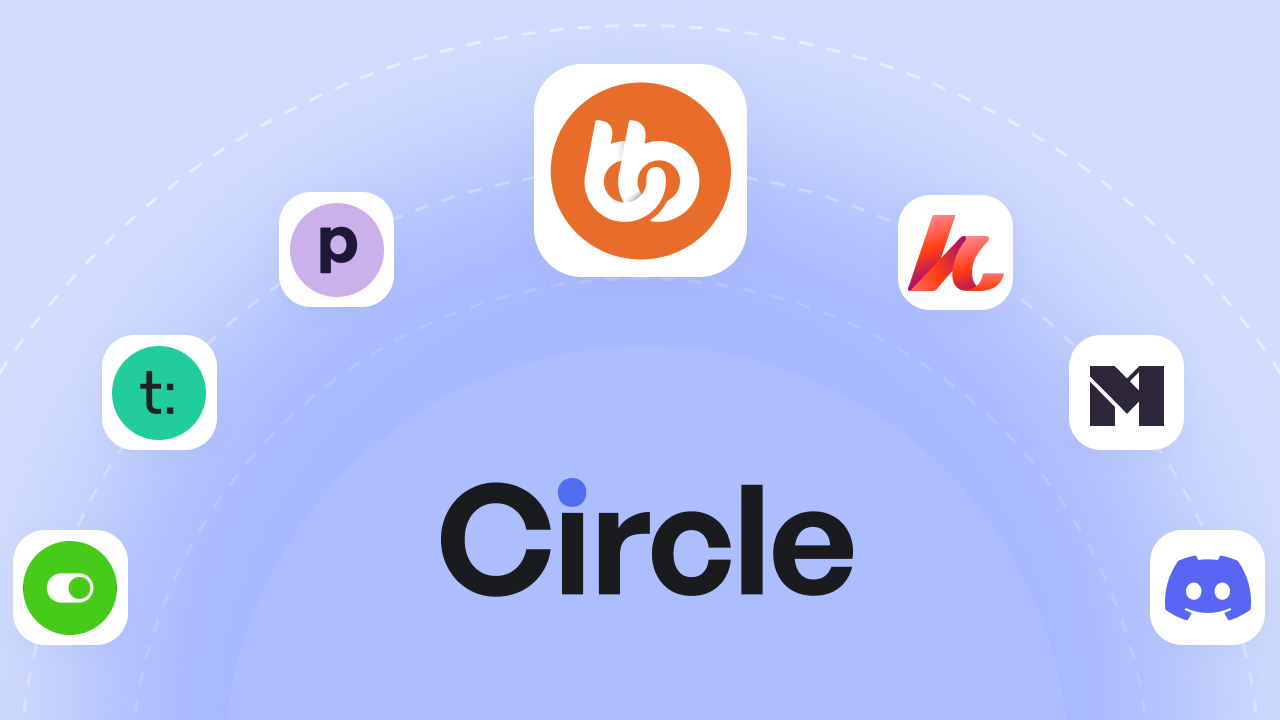
Circle is a solid platform. Clean design, easy setup, courses and community in one place. If you're building your first online community, it gets the job done.
But here's the thing (and that always happens with any platform or tool!)
The longer you use Circle, the more you notice what's missing. Transaction fees on every sale. Email marketing that costs extra. Customization options that only go so far. It works, until your community starts growing and you realize you're paying more while getting less flexibility.
That's what pushed me to look at circle alternatives. And honestly? There are some really good options out there.
In this guide, I'm breaking down 9 Circle alternatives worth considering in 2026 and beyond, breaking down real pricing, actual features, and which platform fits which situation. Whether you're actively planning a move or just curious about your options, you'll find everything from budget-friendly tools to fully customizable self-hosted solutions.
Let's start with what actually matters when choosing a Circle alternative.
Common Reasons Creators Move Away from Circle
Circle works well at the start. But as your community scales, its limitations become more noticeable.
Transaction fees on every plan:
Circle charges 0.5% to 2% on every sale you make, depending on your plan. Sell $10,000 in memberships and you're handing over $100 to $200. Scale to $50,000 monthly and that's up to $1,000 gone, every single month, on top of your subscription.
Email marketing costs extra:
Want to email your members? Circle's marketing hub is a $100/month add-on. For a platform that calls itself “all-in-one,” charging extra for email feels like a stretch.
No native email integrations:
This is a surprising part I found. Circle doesn't natively connect with ConvertKit, Mailchimp, or ActiveCampaign. You'll need Zapier workarounds to sync your member data with the tools you're already using.
Workflows locked behind higher plans:
Automation is powerful. Onboarding sequences, engagement triggers, member journeys. But on Circle, workflows only unlock at the $199/month Business plan. That's a steep jump just to automate the basics.
Limited LMS features
If you're serious about courses, Circle might feel thin. No certificates. Limited assessment options. It handles simple course delivery fine, but anything more advanced and you'll start looking elsewhere.
What to Look for in a Circle Alternative
Not every platform will be right for you. Before jumping into the list, here's what you need to look at when comparing your options.
Community features: The basics: activity feeds, groups, messaging, member profiles. Some platforms nail this. Others treat community as an afterthought bolted onto a course platform.
Course and content hosting: Do you need drip content? Progress tracking? Certificates? If courses are central to your business, you'll want a platform with real LMS capabilities, not just a place to upload videos.
Monetization: Subscriptions, one-time payments, bundles. But also look at what the platform takes. Transaction fees range from 0% to 10% depending on where you land. That difference adds up fast.
Customization: Can you make it yours? Some platforms let you white-label everything down to the mobile app. Others give you a logo upload and call it a day.
Ownership model: This one's big. SaaS platforms host everything for you, which is convenient until you want to leave. Self-hosted options like WordPress give you full control, but you're managing the infrastructure.
Integrations: Email marketing, payment processors, Zapier, CRMs. If a platform doesn't connect with your existing tools, you'll spend hours on workarounds.
Total cost: Don't just look at the monthly price. Add transaction fees, add-ons, and hidden costs. A $99/month platform with 2% fees can cost more than a $299/year solution with none.
The 9 Best Circle Alternatives for 2026
Now let's get into the platforms worth considering. I've researched pricing, features, and real user feedback for each one. Some are direct Circle competitors. Others take a completely different approach. Here's what you need to know.
| Platform | Starting Price | Transaction Fees | Mobile App | Course Hosting | Data Ownership | Best For |
| BuddyBoss | $299/year | 0% | $99/month | Deep LMS Integrations | ✅ Full | WordPress users wanting ownership |
| Mighty Networks | $41/month | 1%-3% | Mighty Pro only | Built-in | ❌ Hosted | Community-first creators |
| Kajabi | $71/month | 0% | $89-199/month | Built-in | ❌ Hosted | Course sellers needing marketing |
| Scool | $9/month | 2.9%-10% | Included | Basic | ❌ Hosted | Simplicity-focused creators |
| Podia | $39/month | 0%-5% | ❌ None | Built-in | ❌ Hosted | Budget-conscious beginners |
| Beettermode | Free | 0% | ❌ None | ❌ No | ❌ Hosted | B2B/SaaS communities |
| Disciple | $399/month | 0% | Branded | Add-on | ❌ Hosted | Brands needing mobile apps |
| Thinkific | Free | 0% | ❌ None | Excellent | ❌ Hosted | Course-first creators |
| Teachable | Free | 0% | ❌ None | Solid | ❌ Hosted | Simple course selling |
1. BuddyBoss
Best for: WordPress users who want full ownership and zero transaction fees
BuddyBoss is the best Circle alternative, because of these major things: Platform ownership, No transaction fees, Full control over data.
BuddyBoss is built for creators who want complete control over your community. It's a self-hosted platform built on WordPress, which means you own everything: your content, your members, your data.
What makes it stand out
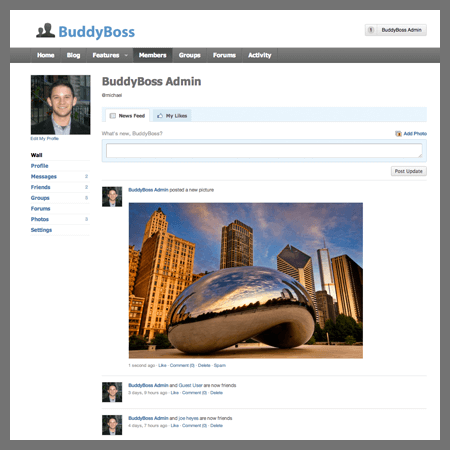
BuddyBoss feels like an actual social network, not a course platform with a comment section added on. Members get full profiles with cover photos, bios, follower counts, and tabs for their activity, connections, groups, courses, and awards.
There's a “complete your profile” widget that nudges members to fill out their information, which helps with engagement from day one.
The activity feed works like Facebook or LinkedIn. Members post updates, filter by topic, and interact with each other's content. Private messaging supports group conversations with threading and search. Forums handle deeper discussions with proper topic organization and reply tracking.
Groups are flexible. Public, private, different types for different purposes. Each group gets its own activity feed and member list, so sub-communities can form naturally.
On the learning side, BuddyBoss integrates natively with LearnDash, Tutor LMS, and LifterLMS. You get progress tracking, certificates, completion badges, and structured learning paths.
Their other integrations include WooCommerce for payments, FluenCRM to automate your email campaign and you've got a full membership business running on your own infrastructure.
They also offer white-label mobile apps. iOS and Android, fully branded as yours, sitting in the app stores under your name. When most platforms charge $30,000/year for that. BuddyBoss starts at $179/month.
Pricing: Free platform available | 1 Site License: $299/year | 5 Sites: $499/year | 10 Sites: $799/year | Mobile App: $99/month | App Lite: $79/month
The Bestest Part is that there’s no transaction or platform fee. You’ll only pay your payment processor.
What I like about BuddyBoss
- Full ownership from day one. Your community runs on your infrastructure, with complete control over data and branding.
- Annual pricing that scales sanely. One predictable cost instead of stacked monthly subscriptions.
- No revenue sharing. Ever. Sell freely without giving a percentage to the platform.
- Advanced LMS capabilities. Built-in support for assessments, certificates, and structured learning paths.
- Extensive integrations. Connect seamlessly with over 150 third-party tools.
- Built-in gamification. Reward engagement with points, badges, and leaderboards, no extra plugins required.
What to consider
- You'll need WordPress hosting. That's an extra cost, usually $20-$100/month depending on your traffic.
- Setup takes more effort than a SaaS platform.
- You're responsible for updates, backups, and security but it is possible with their 244/7 customer support
Bottom line
BuddyBoss is built for creators who want to own their platform, not rent it like Circle. You get full control, no transaction fees, and flexibility that SaaS tools simply can't offer.
Screenshots only tell you so much. BuddyBoss offers a live demo so you can click around and see if it fits.
GET STARTED
Keep 100% of your revenue. Pay once yearly. Own everything forever.
2. Mighty Networks
Best for: Creators who put community engagement first
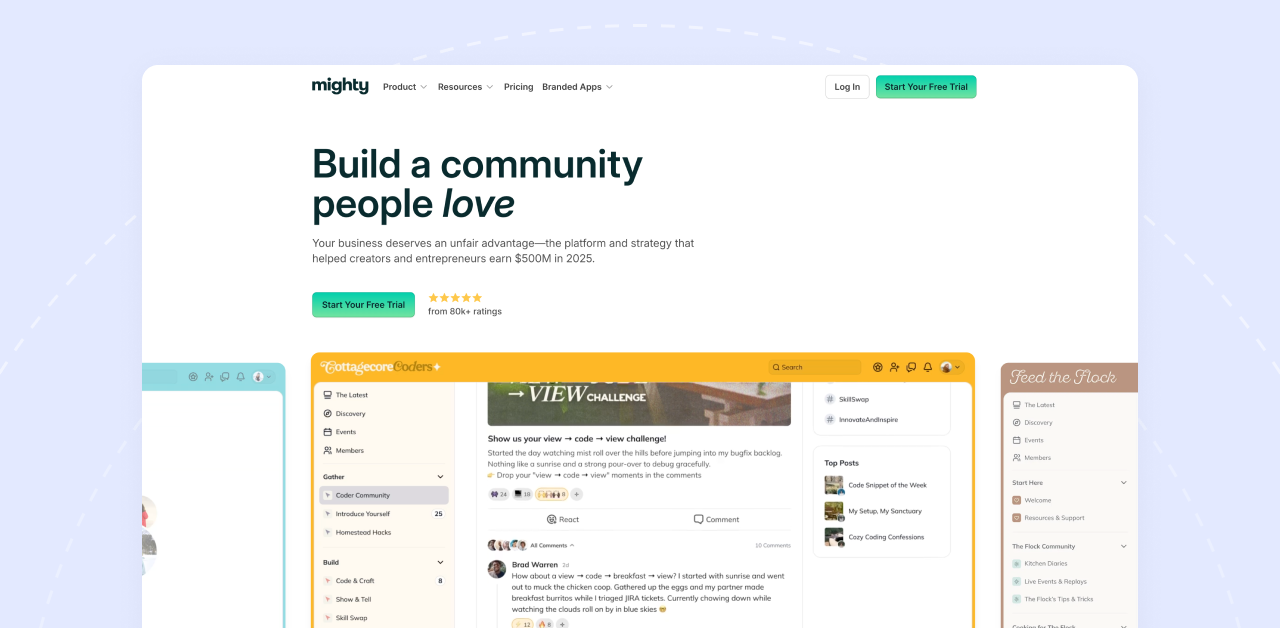
Mighty Networks is built around one idea: people come for the content but stay for the connections. If you want your members interacting with each other, not just consuming your courses, this platform is designed for exactly that.
What makes it stand out
Mighty Networks calls their secret sauce “People Magic.” It's an AI that suggests connections between members based on shared interests, location, and activity. Sounds gimmicky, but it actually works.
Members find each other, conversations spark organically, and your community starts feeling alive without you doing all the heavy lifting.
The platform uses “Spaces” to organize everything. One Space for your course, another for discussions, another for events. You can mix community, courses, and live content in whatever combination fits your model. It's flexible in ways that Circle isn't.
They also have native live streaming, cohort-based courses, and a solid mobile experience. Your community shows up in the Mighty Networks app, which members can download from the app stores.
Pricing: Community: $41/month | Courses: $99/month | Business: $179/month | Growth: $360/month | Mighty Pro: Custom (all annual pricing, 1–3% transaction fees)
Transaction fees: 1% to 3% depending on your plan, plus Stripe's processing fees.
What I like about Mighty Networks
- People Magic AI actually helps members connect without constant hand-holding from you.
- Flexible Spaces let you structure community, courses, and events however you want.
- Unlimited members on every plan. No caps.
- Native livestreaming built in. No Zoom links needed.
- Cohort-based courses if you run live programs.
- 14-day free trial on the Business plan to test everything.
What to consider
- Transaction fees on every plan. Even the $360/month Growth plan takes 1%.
- Branded mobile app requires Mighty Pro, which is custom-priced and expensive.
- The Spaces system has a learning curve. It's powerful but takes time to set up right.
- Starting price is slightly higher than Circle for similar features.
Mighty Networks: Starts at $49/month | 1–3% transaction fees
Bottom line
Mighty Networks shines when community engagement matters more than pure course delivery. If you want members building relationships, not just watching videos, it's worth a serious look. Just factor in the transaction fees when you're running the numbers.
3. Kajabi
Best for: Course creators who want marketing and sales built in
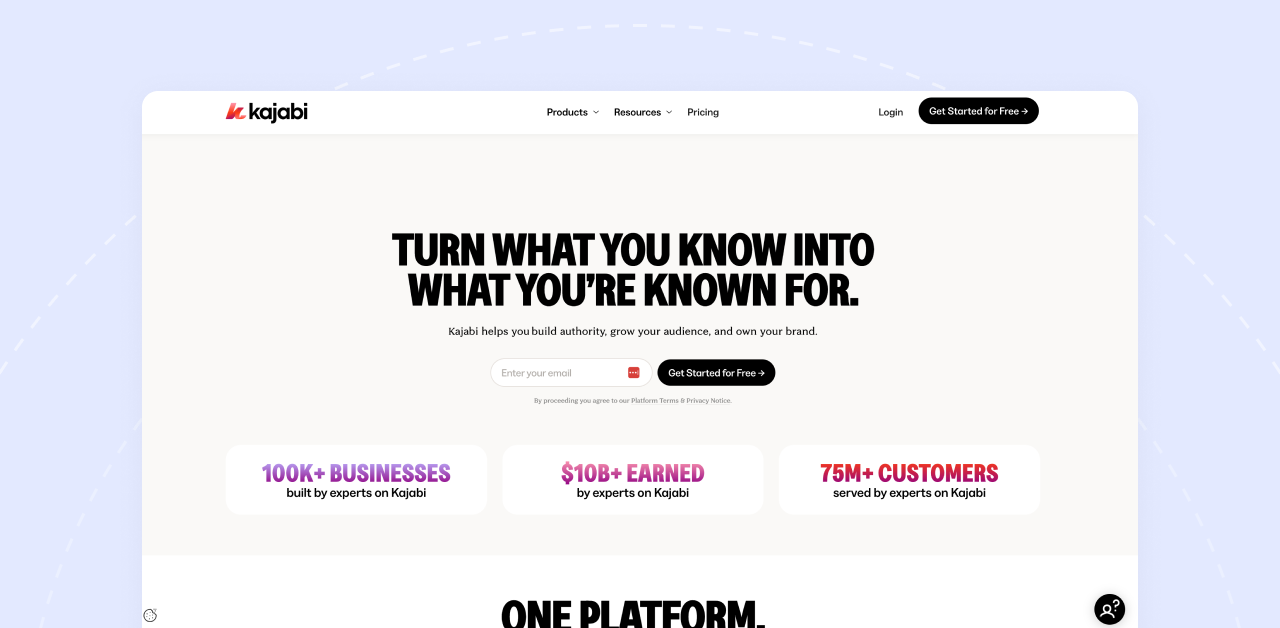
Kajabi isn't really a community platform. It's a business platform that happens to include community. If your priority is selling courses, coaching, and digital products with serious marketing muscle behind it, Kajabi is the heavyweight.
What makes it stand out
Most platforms make you stitch together tools. Course platform here, email marketing there, landing pages somewhere else.
Kajabi puts everything under one roof. Courses, community, email marketing, sales funnels, website builder, affiliate program. All of it.
The marketing automation is where Kajabi pulls ahead. You can build entire customer journeys: someone joins your email list, gets a nurture sequence, sees an upsell, enrolls in a course, and lands in your community. All automated, all tracked, all inside one dashboard.
Community features came later through their Vibely acquisition. You get unlimited community groups and spaces now, but it's clearly not the core focus. If community is your main thing, other platforms do it better. If selling is your main thing then Kajabi is the one for you.
Pricing: Kickstarter: $71/month | Basic: $143/month | Growth: $199/month | Pro: $319/month (annual pricing, scales from 250 to 100,000 contacts)
Add-ons:
- Branded mobile app: $89-$199/month
- Creator Studio: Additional cost
Transaction fees: Zero.
What I like
- True all-in-one. Replaces your course platform, email tool, website builder, and funnel software.
- No transaction fees. Sell $100,000 and Kajabi doesn't take a cut.
- Best-in-class marketing automation. Pipelines, sequences, triggers, all built in.
- Email marketing included. No $100/month add-on like Circle.
- 30-day free trial. Plenty of time to test everything.
- Kajabi University teaches you how to actually use the platform.
What to consider
- Highest price point on this list. The Basic plan at $179/month is steep for beginners.
- Contact limits on every plan. Hit 2,500 contacts on Basic and you're forced to upgrade.
- Community features are solid but not deep. It's a marketing platform first.
- Using Stripe instead of Kajabi Payments adds a 2% fee.
Bottom line
Kajabi costs more upfront but could save you money overall. If you're currently paying for Circle plus ConvertKit plus a landing page builder plus funnel software, Kajabi consolidates all of that. The community features won't wow you, but if your business is built around selling courses and memberships, it's the most complete package out there.
4. Skool
Best for: Coaches and creators who want dead-simple setup with built-in engagement
Skool doesn't try to do everything. It does community and courses, keeps it simple, and adds gamification that actually gets people participating. If you've ever felt overwhelmed by platform features you'll never use, Skool is the opposite of that.
What makes it stand out
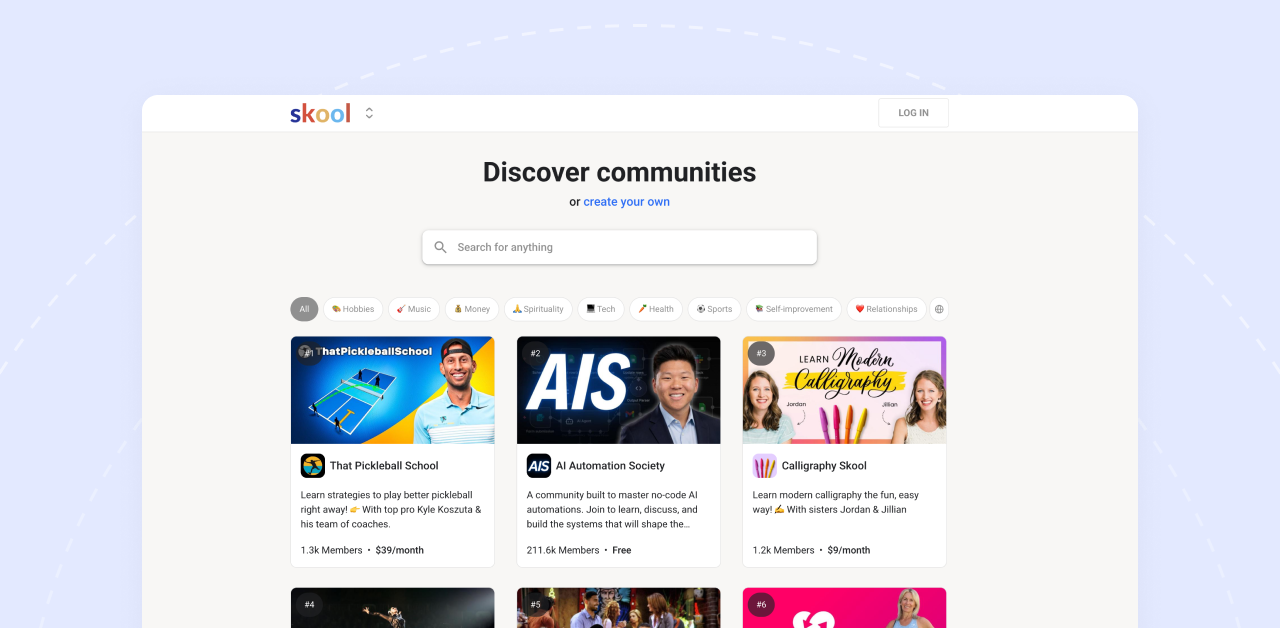
The platform is stripped down to what matters: a community feed that feels like a Facebook Group, a classroom for your courses, a calendar for events, and a leaderboard that turns engagement into a game.
Members earn points for posting, commenting, and completing courses. When they level up, they compete on leaderboards.
It sounds small, but it changes behavior. People actually show up and participate because there's a visible reward for doing so.
The setup takes minutes. It starts with picking a name, uploading your content, and inviting members. That's it. No complicated Space structures, no endless settings menus.
Pricing: Hobby: $9/month (10% transaction fee) | Pro: $99/month (2.9% transaction fee)
Transaction fees: 2.9% on Pro, 10% on Hobby. Plus payment processor fees.
What I like
- The setup is simple, you can launch your community right away.
- Gamification works. Leaderboards and levels actually drive engagement.
- Flat $99/month for Pro. All features, unlimited members, unlimited courses.
- Native mobile apps for iOS and Android. Included, not an add-on.
- 14-day free trial to test everything.
- Active creator community. Lots of people sharing what's working.
- Built-in SEO helps your community get discovered organically.
What to consider
- Transaction fees on both plans. Even Pro takes 2.9% of every sale.
- Very limited customization. You get Skool's look, not your own brand.
- No white-labeling. Members know they're on Skool.
- No advanced LMS features. No quizzes, no certificates, no assessments.
- No standalone course sales. Everything lives inside the community.
- The Hobby plan's 10% fee adds up fast if you're selling anything.
Bottom line
Skool won't win any feature comparison. But that's the point. If you want a simple community with courses and don't need advanced customization or deep LMS tools, Skool gets you running fast. The gamification alone makes it worth considering. Just do the math on those transaction fees before you commit.
5. Podia
Best for: Solo creators and beginners who need affordable simplicity
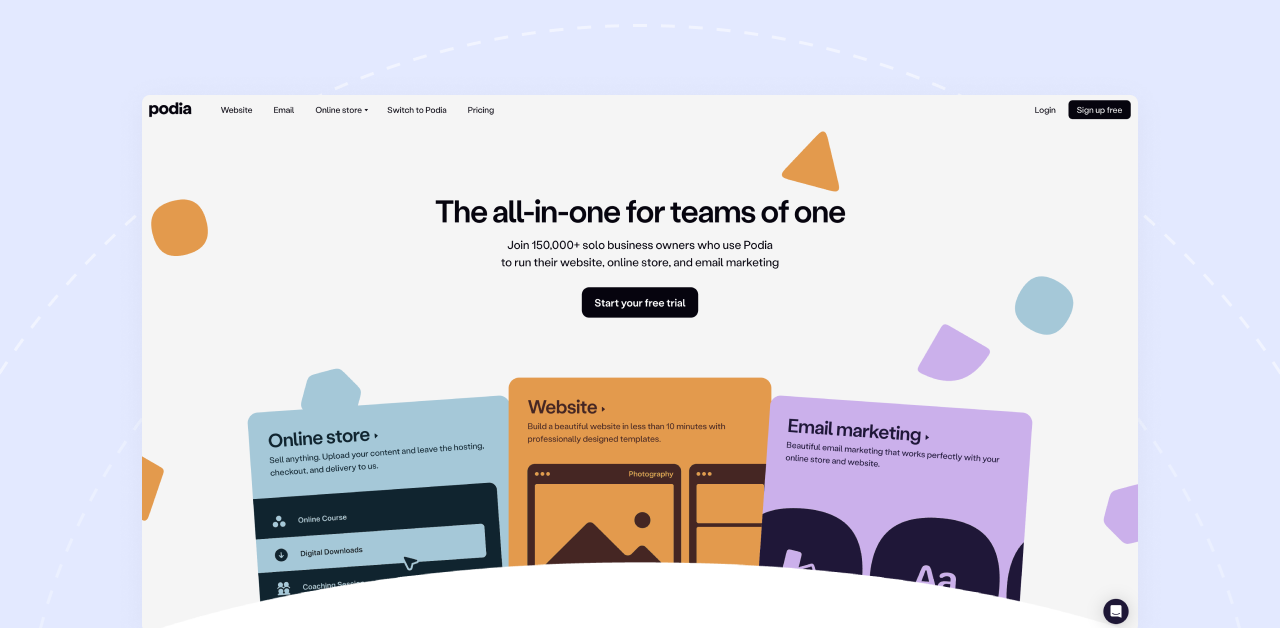
Podia is the budget-friendly all-in-one. Courses, digital downloads, memberships, community, email marketing. Everything a solo creator needs to start selling, without the price tag of bigger platforms.
What makes it stand out
Podia keeps things simple without feeling stripped down. You can sell courses, coaching, webinars, digital downloads, and memberships from one storefront. The community feature plugs right into your products, so members land in the right place after purchase.
The good thing about Podia is that they have built in email marketing. Not a $100/month add-on like Circle. You get broadcasts, automations, and segmentation included with your plan. For creators juggling multiple subscriptions, that consolidation matters.
Moreover, The interface is clean and setup is quick. If you've ever struggled with a complicated platform and just wanted something that works, Podia delivers that feeling.
Pricing: Mover: $39/month (5% transaction fee) | Shaker: $89/month (0% transaction fee) — annual billing
Email marketing costs:
- 100 subscribers: Free
- 500 subscribers: $9/month
- 10,000 subscribers: $63/month
Transaction fees: 5% on Mover, 0% on Shaker.
What I like
- Affordable entry point. $39/month gets you started.
- No transaction fees on Shaker. Sell what you want, keep what you earn.
- Email marketing included. Automations too.
- Unlimited courses and digital products on both plans.
- 30-day free trial. Enough time to build and test.
- Free migration service. They'll help you move from another platform.
- Affiliate marketing on Shaker plan. Let others promote for you.
What to consider
- Community features are basic. Activity feed and discussions, but nothing fancy.
- No mobile app. Members access everything through the browser.
- Limited customization. You're working within Podia's templates.
- The Mover plan's 5% transaction fee stings as you scale.
- Email pricing scales with subscribers. 10,000 contacts adds $63/month.
Bottom line
Podia won't compete with Circle on community features. That's not what it's for. But if you're a solo creator selling courses and digital products, need email marketing included, and want to keep costs low while you grow, Podia makes a lot of sense. Upgrade to Shaker when sales pick up and the transaction fees disappear.
6. Bettermode
Best for: B2B companies and SaaS teams building customer communities
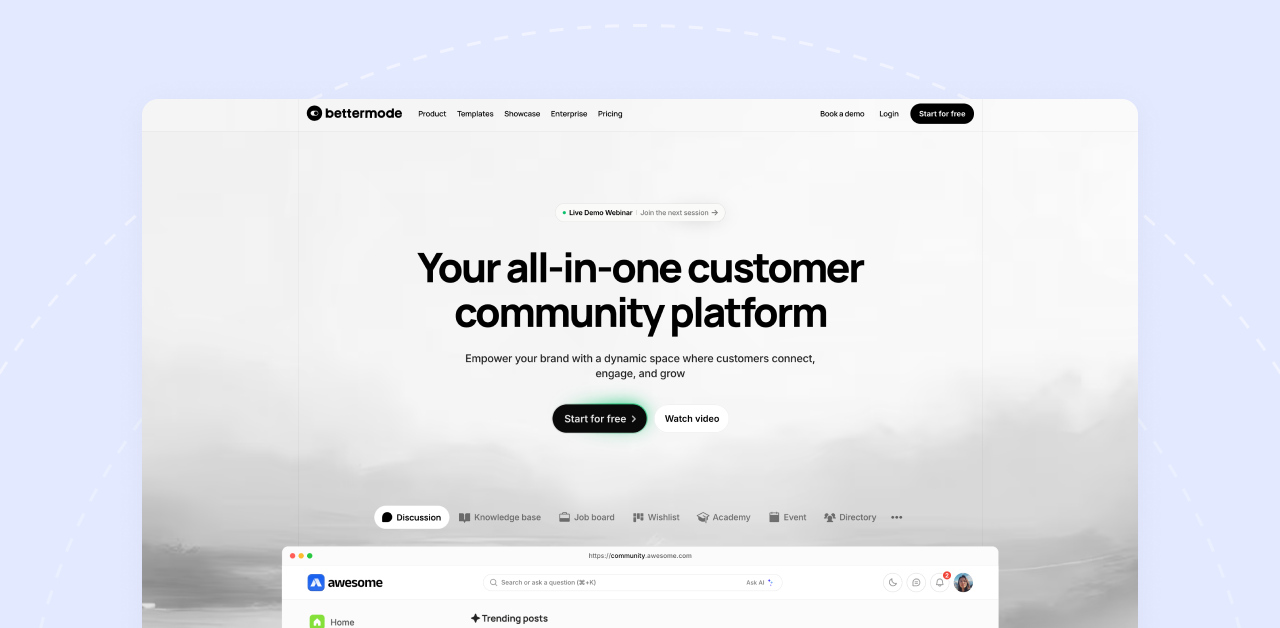
Bettermode is different from everything else on this list. It's not built for course creators or coaches. It's built for companies that want to engage customers, deflect support tickets, and gather product feedback.
What makes it stand out
Bettermode started as Tribe, a forum platform for tech companies. They've evolved into something more powerful: a fully customizable community engine you can embed into your product or website.
The platform handles discussion forums, Q&A boards, knowledge bases, product roadmaps, and idea voting. Your customers help each other, surface feature requests, and find answers without flooding your support inbox. For SaaS companies, that's real money saved.
Customization is where Bettermode shines. API access, webhooks, SSO, white-labeling. You can make it look and feel like part of your product, not a third-party tool bolted on.
It also supports 30+ languages out of the box, which matters if you have a global customer base.
Pricing: Free Starter (100 members) | Pro: $59/month (custom domain, integrations) | Advanced: $599/month (API, SSO, white-label) | Enterprise: Custom
Transaction fees: None.
What I like
- Free plan exists.100 members and 20 spaces to start.
- Highly customizable. API and webhooks let you build what you need.
- Enterprise-grade security. SSO, SAML, data residency options.
- Multilingual support. 30+ languages built in.
- Gamification included. Points, badges, reputation systems.
- Embeddable. Drop it into your website or app seamlessly.
- Strong integrations. Slack, HubSpot, Intercom, Zapier, Google Analytics.
What to consider
- Not designed for course creators. No built-in LMS.
- No monetization features. You can't sell memberships or courses here.
- The jump from Pro to Advanced is steep. $59 to $599.
- Complex for simple communities. Overkill if you just want a member space.
- Learning curve. More setup required than plug-and-play platforms.
Bottom line
Bettermode isn't a Circle replacement for most people reading this. But if you're running a SaaS product, building a customer community, or need deep customization and enterprise features, it's in a different league. The free plan lets you test it without commitment.
7. Disciple
Best for: Brands and enterprises that need fully branded mobile apps without the $30K/year price tag
Disciple is the mobile-first option. While most platforms treat mobile apps as an expensive add-on, Disciple builds everything around native iOS and Android apps that carry your brand, not theirs.
What makes it stand out
Disciple gives you white-labeled mobile apps from day one. Your logo, your colors, your name in the App Store and Google Play. Members download your app, not a generic platform app where your community sits alongside hundreds of others.
The platform handles everything: community feeds, member profiles, direct messaging, events, courses, and live streaming. Everything runs through your branded app, which creates a premium feel that justifies higher membership prices.
On the backend, you get role-based permissions, moderation tools, and analytics that show exactly how members engage with your content. The admin controls are designed for teams, not just solo creators, which makes sense given their enterprise focus.
Courses exist as an add-on through their partnership with Thinkific. It's not native, but it works. If courses are central to your business, this integration might feel like a compromise. If community is your main thing and courses support it, the setup works fine.
Pricing: $399/month (includes branded iOS and Android apps)
Transaction fees: 0% on all plans.
What I like
- Fully branded native apps included from $399/month. No $30K/year upsell.
- Zero transaction fees. Sell memberships, courses, events—keep everything you earn.
- White-label everything. Members never see the Disciple brand.
- Enterprise-grade security. SSO, data encryption, compliance features built in.
- Live Streaming built in. No Zoom links, no third-party tools.
- Team collaboration features. Built for organizations, not just solo creators.
- Excellent onboarding support. Migration help, app store submissions handled for you.
What to consider
- Still expensive compared to basic platforms. $399/month is 4-8x the cost of Mighty Networks or Circle.
- No self-hosted option. You're building on their infrastructure.
- Course features require Thinkific integration. Not as seamless as native LMS platforms.
- Might be overkill for small communities. Hard to justify $399/month for 50-100 active members.
- Annual contracts are often required. Less flexibility than month-to-month options.
Bottom line:
Disciple makes sense for established creators and brands that need the credibility of branded mobile apps at a fraction of Mighty Pro's cost. If you're charging $300+/year memberships and want a premium mobile-first experience, the $399/month investment works out. Compare this to BuddyBoss App at $99-179/month for similar branded app functionality, or Mighty Pro at ~$2,000/month. Disciple sits in the middle, premium features without the insane enterprise pricing. But if you're just starting out or running a side project, grow your revenue first before committing to this price point.
8. Thinkific
Best for: Course creators who want serious LMS features with community as a bonus
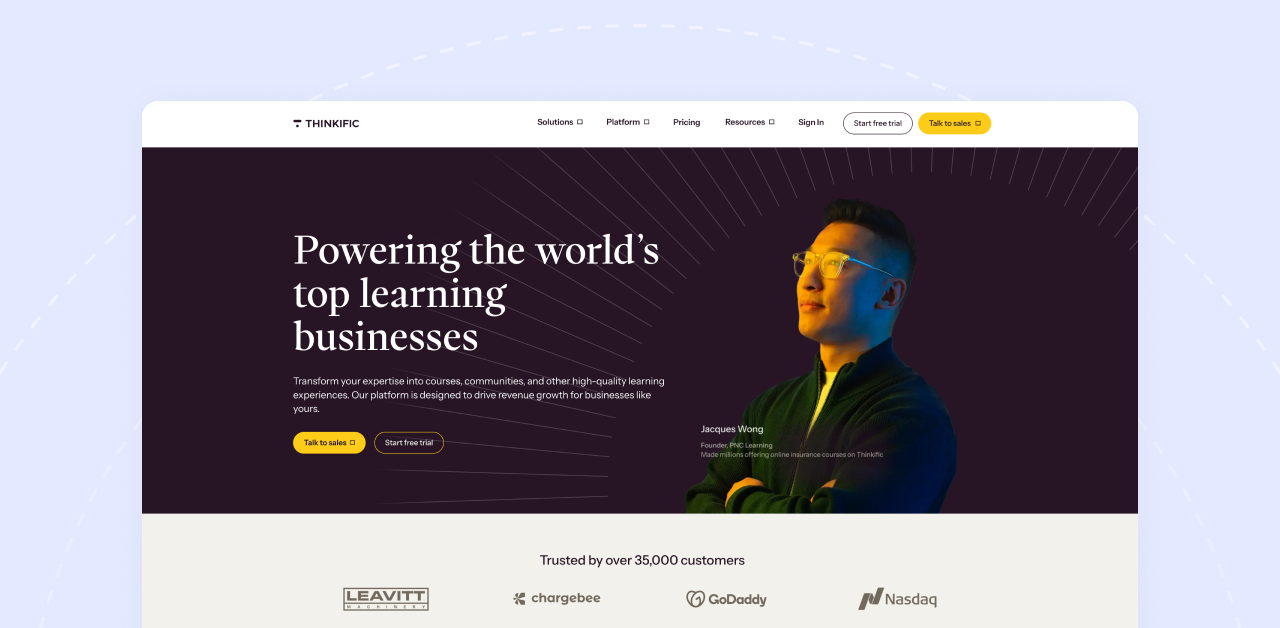
Thinkific is a course platform first. Community came later. So, if your business revolves around online courses and you want robust learning features, Thinkific delivers. The community piece works, but it's clearly not the main attraction.
What makes it stand out
Thinkific takes course creation seriously. Progress tracking, completion certificates, quizzes, assignments, drip content, multimedia lessons. Everything you need to build a real learning experience, not just a video library.
The course builder is flexible. Mix video, text, PDFs, downloads, and assessments in whatever structure fits your content. Students can track their progress, earn certificates, and actually feel like they're moving through a program.
Community exists as an add-on feature on higher plans. You get discussion spaces, member interaction, and basic engagement tools. It works fine for course discussions and student support, but don't expect Circle-level community depth.
Where Thinkific stands out is the free plan. You can launch one course without paying anything. It's limited, but it lets you test the platform and start selling before committing money.
Pricing: Free (1 course) | Basic: $49/month | Start: $99/month | Grow: $199/month | Plus: Custom enterprise
Transaction fees: None on paid plans. Free plan has limited monetization options.
What I like
- Strong LMS features. Quizzes, certificates, assignments, progress tracking.
- Free plan to start. Test and sell before paying.
- No transaction fees on paid plans. Keep what you earn.
- Flexible course builder. Mix content types however you want.
- Integrations with major tools. Email platforms, analytics, marketing software.
- Student management dashboard. See who's enrolled, who's stuck, who's finished.
- Affiliate program built in. Let others sell your courses.
What to consider
- Community is an add-on, not a core feature. Requires the $199/month Grow plan.
- Less community-focused than Circle or Mighty Networks. It's an LMS with community bolted on.
- Customization has limits. You're working within Thinkific's structure.
- No native mobile app for your brand. Students use the browser.
- Free plan is limited. Good for testing, not for running a business.
Bottom line
Thinkific makes sense if courses are your core product and community is a supporting feature. The LMS capabilities are genuinely strong, certificates and assessments actually work, and the free plan removes the barrier to getting started. But if community engagement is what you're building around, Thinkific will feel like a compromise.
9. Teachable
Best for: Creators who want simple course selling without the complexity
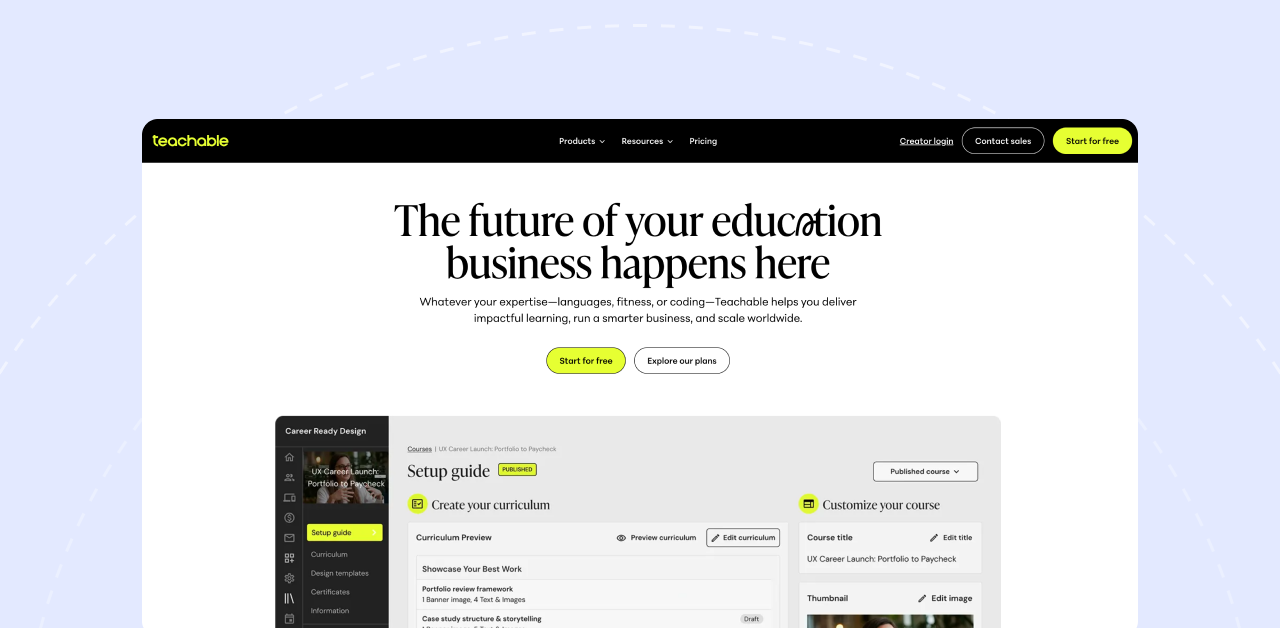
Teachable keeps things straightforward. Build a course, set up a sales page, start selling. No complicated funnels, no overwhelming feature lists. If you want to get a course online and collect payments quickly, Teachable removes the friction.
What makes it stand out
Teachable has been around since 2014. In that time, they've refined the basics: course creation, checkout, and payments. The course builder is intuitive. Sales pages convert. The checkout process is smooth. For pure course selling, the experience is polished.
Coaching products are a nice addition. You can sell one-on-one or group coaching sessions alongside your courses, with scheduling and milestone tracking built in.
Community exists, but let's be honest. It's basic. Discussion areas for students, some interaction features, nothing that will replace a dedicated community platform. Teachable knows this. They're not trying to be Circle. They're trying to be the easiest way to sell courses online.
The free plan lets you start without paying anything. You'll pay transaction fees, but you can validate your course idea and make sales before committing to a subscription.
Pricing: Free plan available but charges $1 + 10% per transaction. Basic at $59/month drops that to 5%. Pro at $159/month and Pro+ at $249/month eliminate transaction fees entirely.
Transaction fees: 0% to 10% depending on your plan. The free plan hurts.
What I like
- Simple and fast. You can launch a course in a day.
- Free plan available. Start selling without upfront investment.
- Clean checkout experience. Optimized for conversions.
- Coaching products built in. Sell sessions, not just courses.
- No transaction fees on Pro plans. Keep everything you earn.
- Email integrations. Connects with major marketing tools.
- Affiliate marketing available. Build a referral network.
What to consider
- Community features are basic. Functional but forgettable.
- Transaction fees on lower plans add up. 5% on Basic, 10% on Free.
- The $1 per sale fee on Free plan stings on low-ticket offers.
- Limited customization. Teachable controls the look and feel.
- No branded mobile app. Browser-only experience for students.
- Pro plan required to remove transaction fees. That's $159/month.
Bottom line
Teachable is for creators who want course selling simplified. Build it, price it, sell it. The community features won't impress anyone, but that's not the point. If your priority is getting courses online fast with a proven checkout system, Teachable does that well. Just move to Pro once your revenue justifies dropping the transaction fees.
Switching from Circle? Here's What to Plan
Deciding to leave is one thing. Actually migrating without losing members or breaking your business is another. Here's what to think through before you make the move.
Export your content and member data
Circle lets you export members and content via CSV. Do this before you cancel anything. Download everything: member emails, purchase history, course content, community posts. Even if you don't think you'll need it, grab it anyway. Better to have backups sitting in a folder than scrambling to recover data after your account closes.
Figure out payment migration
This is where things get tricky. If you have active subscriptions running through Circle, you'll need to move those payment relationships to your new platform. Circle offers payment migration services to help transfer active subscriptions. Talk to both Circle's support and your new platform about the process. Some platforms like Podia and Kajabi have migration teams that handle this for you.
Tell your members what's happening
Don't surprise your community with a sudden change. Announce the move in advance. Explain why you're switching, what's changing, and what they need to do. Give them clear instructions and a timeline. Most members won't care which platform you use as long as the transition feels smooth.
Set up redirects if your domain is changing
If your community URL is changing, set up proper redirects from the old links to the new ones. This protects your SEO, prevents broken bookmarks, and keeps members from landing on dead pages. If you're using a custom domain and taking it with you, the transition is simpler.
Give yourself 2-4 weeks
Migrations always take longer than expected. Content needs reformatting. Integrations need reconnecting. Something will break and need fixing. Build in buffer time for testing before you flip the switch. Soft launch with a small group first if you can.
Which Circle Alternative Is Right for You?
Here's how I'd break down the best choice based on what matters most to you:
- Best Overall Value: BuddyBoss — full ownership, no transaction fees, one-time annual cost
- Best for Community Engagement: Mighty Networks — People Magic AI helps members connect
- Best All-in-One Platform: Kajabi — everything under one roof, premium price tag
- Best for Simplicity: Skool — clean interface, fast setup, no learning curve
- Best Budget Option: Podia — affordable plans, zero transaction fees on Shaker
- Best for Enterprise: Bettermode — API access, SSO, white-labeling, custom pricing
- Best for Mobile Apps: Disciple — native branded apps without the massive price tag
My Recommendation
If you're frustrated with Circle's transaction fees eating into your revenue, or you're tired of feeling like you're renting your business on someone else's platform, BuddyBoss is worth a serious look.
Here's why: the annual licensing model means no monthly fees draining your account. Zero transaction fees means you keep what you earn. And complete data ownership means you're never locked in. If you decide to move, your content, your members, your community, it all stays yours.
For most course creators and community builders, that combination of features, flexibility, and long-term value is hard to beat.
Ready to Make the Switch?
Start your free BuddyBoss trial and see the platform in action
Start a demo if you want a walkthrough tailored to your specific needs
Read our guide on building thriving online communities to plan your migration strategy
The right platform won't just save you money. It'll give you the foundation to build something that lasts.