Patreon's new 10% platform fee just went live in August. That means for every $10,000 you earn, $1,000 goes to Patreon before you even factor in payment processing fees.
If you're reading this, you're probably hitting one of three pain points: fees that scale with your success, zero control over your brand, or limitations that make it impossible to build the business you actually want.
The good news? The creator economy has evolved.
Patreon alternatives now give you everything from complete platform ownership to specialized tools for courses, communities, and content monetization, often at a fraction of the cost.
I prepared a guide that breaks down 14 proven Patreon alternatives across every budget and use case. It doesn’t matter if you're earning $500 or $50,000 monthly, there's a better option for where you're headed.
12 Patreon Alternatives With Lower Fees (2026 Comparison)
| Platform | Best For | Pricing | Fees |
| BuddyBoss | Complete ownership + community | $299/year | 0% — You keep 100% |
| Mighty Networks | Community-first approach | $49/month | 2% (Community/Business); 0% on Business+ |
| Circle | Clean, modern interface | $89/month | Transaction fees apply on all plans |
| Kajabi | Course creators building businesses | $89/month | 0% with Kajabi Payments |
| Podia | Simplicity + digital products | $39/month | 5% (Mover); 0% (Shaker) |
| Memberful | Existing WordPress sites | $49/month | 4.9% + Stripe fees |
| Ko-fi | Simple support without fees | Free ($12/mo Gold) | 5% (Free); 0% (Gold) |
| Buy Me a Coffee | Quick setup + lower fees | Free | 5% on all payments |
| Substack | Writers & newsletters | Free1 | 0% + Stripe fees |
| Gumroad | Individual digital products | Free to start | 10% on all sales |
| Thinkific | Course-focused membership | Free; $49/mo paid | 0% on paid plans |
| Uscreen | Video-first memberships | $149/month | 0% |
What Exactly Is Patreon?
Patreon is a membership platform that lets creators collect recurring payments from fans in exchange for exclusive content and perks. Artists, podcasters, YouTubers, and writers use it to turn followers into paying supporters through tiered subscriptions.
It's been the default choice since 2013. But “default” doesn't mean “best fit” for everyone.
Why Creators Are Leaving Patreon
1. High Fees That Punish Success
Patreon now charges a flat 10% platform fee (people joining after August 4, 2025) plus 2.9% + $0.30 payment processing on every transaction. That's 13% total.
The math: At $5,000/month revenue, you're paying $650 monthly in fees, $7,800 annually. Scale to $10,000/month and you're losing $15,600 per year.
Many Patreon alternatives charge zero platform fees. You pay hosting or a flat monthly rate regardless of how much you earn.
2. Zero Brand Control
Your Patreon page lives at patreon.com/yourname. You can't use your own domain. You can't fully customize the design. Your membership site looks like everyone else's.
For creators building a brand, this is a dealbreaker. Patreon alternatives like BuddyBoss, Ghost, and Mighty Networks let you control every aspect of your member experience.
3. Limited Discoverability
Patreon's discovery features are minimal. Unless someone already knows your name, they won't find you browsing Patreon. You must bring 100% of your own traffic.
Several alternatives offer marketplace discovery, SEO benefits, or built-in growth tools that actually help you get found.
4. Platform Dependency Risk
Patreon owns your audience data. If they change policies, raise fees (which they just did), or your account gets flagged, your entire income stream is at risk.
Even Patreon's own CEO acknowledges this problem:
We spent years investing in these platforms, building followers, building communities, and these changes remind us once again that these are not our followers. — Jack Conte, Patreon CEO
Here he was referring to social platforms. But the irony? The same applies to Patreon. Your patrons are Patreon's users first.
WordPress-based Patreon alternatives like BuddyBoss give you complete data ownership. Your members. Your platform. Your rules.
5. Feature Limitations
Patreon does one thing: recurring memberships with content posts. Want to add online courses? You'll need a separate platform. Need advanced community features? Not available. Want live streaming, events, or webinars? Look elsewhere.
Modern Patreon alternatives combine memberships, courses, communities, and content delivery in one platform.
What to Look for in Patreon Alternatives
Before we dive into specific platforms, here's what matters:
Ownership vs. Convenience
WordPress solutions (BuddyBoss, FluentCommunity) give you complete control but require technical setup. SaaS platforms (Mighty Networks, Circle, Kajabi) are easier to launch but you're building on rented land.
Fee Structure Reality
Compare total costs, not just platform fees:
- Revenue share models: Patreon (10%), Substack (10%), Gumroad (10%)
- Flat monthly fees basic plan: Mighty Networks ($49), Circle ($89), Kajabi ($71)
- One-time annual fees: BuddyBoss ($299/year), FluentCommunity ($119/year)
Revenue share gets expensive fast. At $5,000/month, Patreon's 10% costs $6,000 annually. BuddyBoss costs $228-600 total for the year.
Core Features You Actually Need
- Membership tiers and recurring payments
- Content delivery (posts, videos, files)
- Member profiles and engagement
- Email marketing integration
- Mobile access (responsive web or native apps)
- Analytics to track growth
Specialized Capabilities
Depending on your content type, you might need:
- Course creation tools (Kajabi, Thinkific, Podia)
- Community features (BuddyBoss, Mighty Networks, Circle)
- Live streaming (Uscreen, Mighty Networks)
- Newsletter delivery (Ghost, Substack)
The Best Patreon Alternatives You Must Know
WordPress Solutions (Own Your Platform)
1. BuddyBoss — Best for Complete Ownership + Community

BuddyBoss is a WordPress-based platform that transforms any WordPress site into a fully-featured social network, online community, and membership site. Founded in 2009, BuddyBoss has powered thousands of online communities, membership sites, and e-learning platforms worldwide.
Unlike SaaS platforms where you're building on rented land, BuddyBoss gives you complete ownership. Your content, your member data, your revenue, all yours.
The platform combines the flexibility of WordPress with purpose-built community features that rival (and often exceed) what hosted platforms offer.
BuddyBoss is known for being the go-to solution for people who want professional-grade community features without giving up control or paying percentage-based fees.
It's particularly popular among course creators, coaching businesses, and membership site owners who need deep integration between learning content and community engagement.
BuddyBoss at a Glance
| Best For | Creators, course creators, coaches, and membership site owners who want complete platform ownership |
| Communities Powered | 30,000+ active communities worldwide |
| Platform Type | Self-hosted (WordPress-based) |
| Standout Feature | Native branded mobile apps + complete data ownership |
| Pricing Model | One-time annual fee (no revenue sharing) |
| Starting Price | $299/year; Bundles available with Theme + App |
| Platform Fees | 0% — You keep 100% of your revenue |
| Mobile Apps | Native iOS & Android apps under your brand |
| Course Integration | LearnDash, LifterLMS, Tutor LMS, LearnPress |
| Payment Integration | WooCommerce, Stripe, PayPal, Paid Memberships Pro, Restrict Content Pro |
| Email Integration | FluentCRM, Mailchimp, ActiveCampaign, ConvertKit |
| Other Integrations | Zapier, GamiPress, Elementor, Zoom, bbPress |
| Support | Documentation, video tutorials, ticket-based support |
| Free Trial & Guarantee | Free demo site, free platform, 14-day money-back guarantee |
Why it beats Patreon:
You own everything. Your content, your data, your member list, your brand. No revenue sharing ever. Pay an annual fee and scale to thousands of members without additional percentage cuts.
Key Features BuddyBoss is Known For
- Social Networking: Member profiles with custom fields, activity feeds, friend connections, and real-time notifications create a Facebook-like experience under your brand.
- Groups & Forums: Public or private groups with dedicated discussion forums. Members can create their own groups, fostering peer-to-peer connections that reduce your content creation burden.
- Private Messaging: One-on-one and group messaging keeps conversations happening inside your platform, not on Discord or Slack.
- Course Integration: Native integration with LearnDash, LifterLMS, and Tutor LMS. Combine structured learning with community discussion seamlessly.
- Membership & Monetization: Works with WooCommerce, Paid Memberships Pro, and Restrict Content Pro to create tiered memberships with content gating.
- Native Mobile Apps: Branded iOS and Android apps that look and feel like yours not a white-labeled template. Your community lives in your members' pockets.
- Gamification: Badges, points, achievements, and leaderboards drive engagement and reward your most active members.
- Media-Rich Content: Members can share photos, videos, documents, and GIFs in activity feeds and groups.
Cons:
- Requires WordPress knowledge (just a little bit)
- Need to manage your own hosting
- Steeper learning curve than SaaS platforms
- Initial setup takes 2-4 weeks
2. Mighty Networks — Best for Community-First Approach
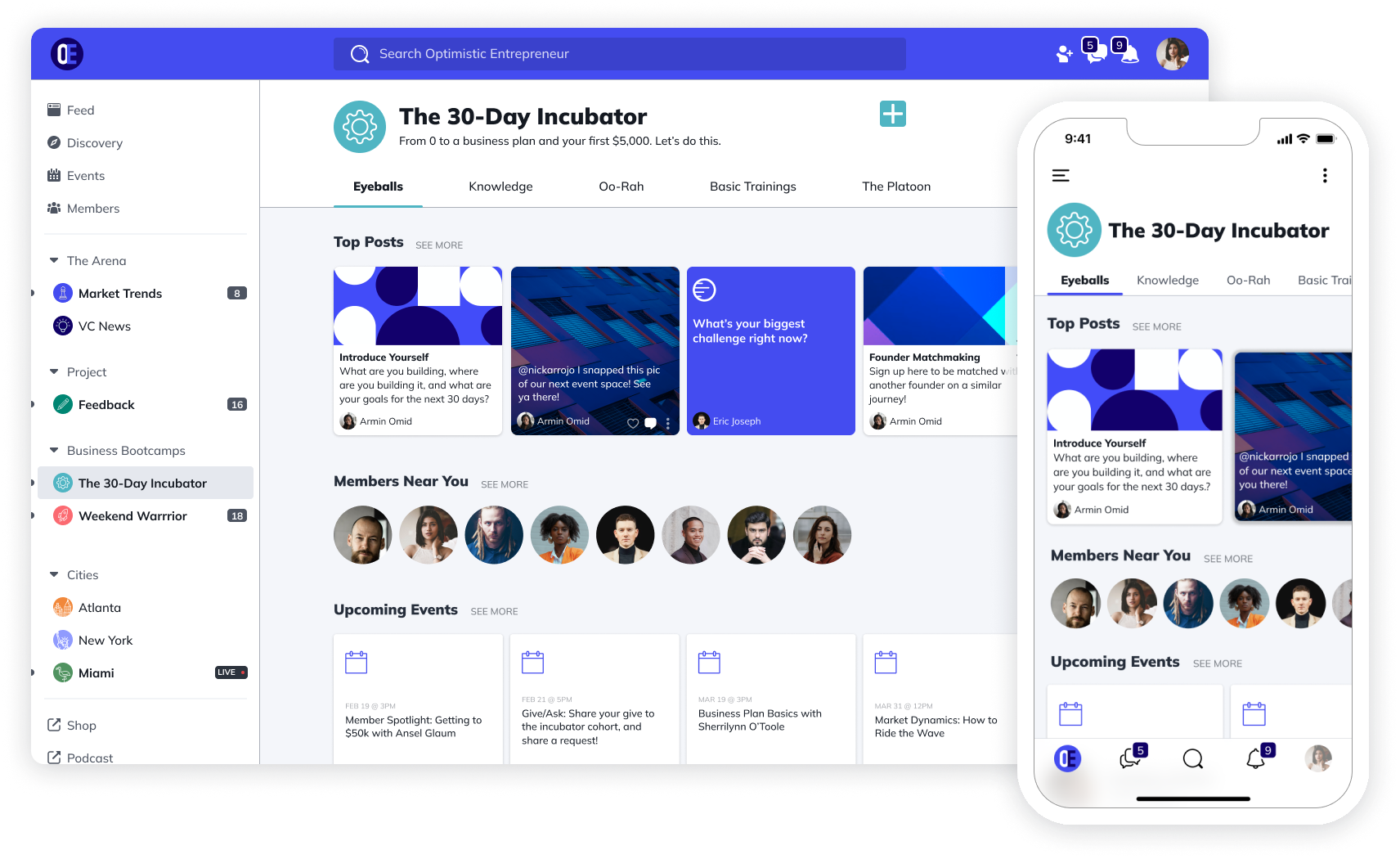
Mighty Networks emphasizes member-to-member connections, not just creator-to-fan relationships. Members interact with each other, forming relationships that increase retention and reduce your content creation burden.
Mighty Networks at a Glance
| Best For | Community-first creators who want members connecting with each other |
| Starting Price | $49/month (Community); $109/month (Courses) |
| Transaction Fees | 2% on lower plans; 1% on Growth and other plan |
| Mobile Apps | Native apps (Business plan+) |
| Standout Feature | Member-to-member engagement + built-in courses |
| Free Trial | 14-day free trial |
Why it beats Patreon:
Your community engages with each other, not just you. This creates stickiness Patreon can't match. Plus you get branded mobile apps, built-in courses, and events.
Pros:
- Strong community engagement features that feel more like a social network than a paywall
- Native mobile apps on Business tier and above
- Built-in course builder—no third-party integrations needed
- Events and live streaming without external tools
- Members can connect with each other, not just with you
- Clean analytics dashboard for tracking engagement and revenue
Cons:
- $49/month minimum versus Patreon's free-to-start model
- 2-3% transaction fees on Community and Business plans
- Steeper learning curve—expect 1-2 weeks to configure properly
- Course features locked to $99+ plans
- Native mobile apps only available on Business tier ($179/month) and above
- Annual billing required for best pricing
3. Circle — Best for Clean, Modern Community Interface

Best for: Creators who want a polished, professional-looking community without technical complexity.
Pricing: Professional $89/month; Business $149/month; custom Enterprise pricing.
Circle delivers a beautiful, modern community platform with intuitive navigation and clean design. It's easier to use than Mighty Networks while still offering courses, events, and robust member engagement.
Why it beats Patreon:
Gorgeous interface that's customizable under your brand (to an extent). Organize content into Spaces. Use your own domain. Integrate courses and live events without leaving the platform.
Pros:
- Very user-friendly interface, most creators launch within a few days
- Beautiful, modern design that looks professional out of the box
- Spaces feature for organizing content by topic, tier, or format
- Built-in courses, events, live streams, and live rooms
- Website builder included
- Member directory, rich profiles, and gamification features
- Strong integration ecosystem including Zapier and major platforms
Cons:
- $89/month starting price versus Patreon's free-to-start model
- No mobile app access on standard plans—iOS/Android apps only available on Plus Branded App (custom pricing)
- Transaction fees on all plans
- Workflows and automation locked to Business plan ($149/mo) and above
- AI features only on Enterprise ($314/mo) and above
- You're renting the platform, no true ownership of your community infrastructure
4. Kajabi — Best for Course Creators Building a Business
Best for: Established creators building 6-7 figure businesses who need courses, marketing automation, and memberships in one platform.
Pricing: Kickstarter $71/month; Basic $143/month; Growth $199/month (annual pricing; monthly available at higher rates).
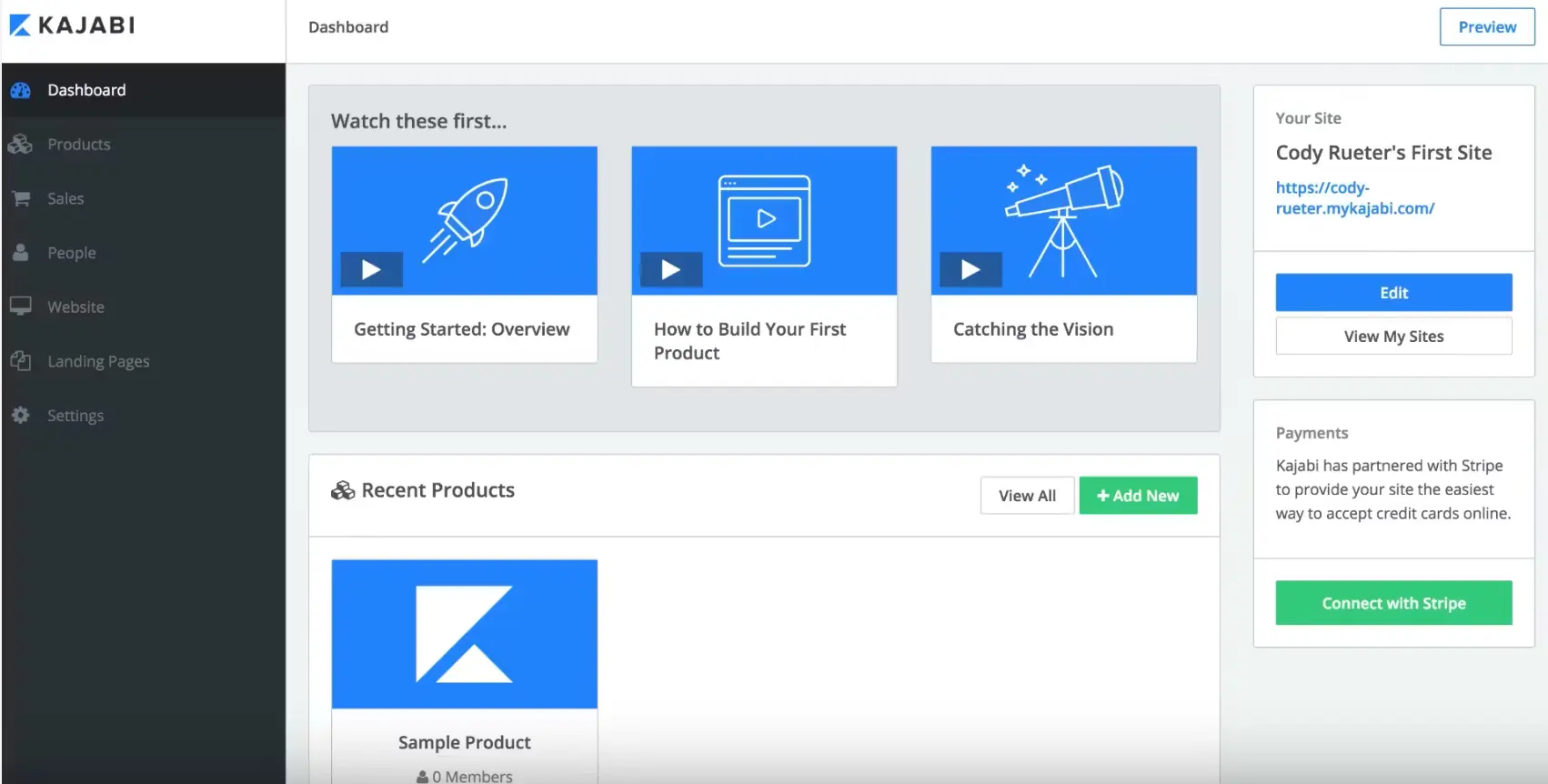
Kajabi is the premium all-in-one platform for creators selling courses, coaching, and memberships. It includes everything: website builder, email marketing, sales funnels, payment processing, and community features (recently added).
Why it beats Patreon:
Zero revenue sharing. You pay a flat monthly fee and keep 100% of your sales minus payment processing. Plus you get professional marketing automation, landing pages, and pipeline management that Patreon doesn't offer.
Pros:
- True all-in-one platform includes courses, community, coaching, podcasts, email marketing, and website in one place
- Zero transaction fees when using Kajabi Payments (you only pay standard Stripe/PayPal processing)
- Powerful marketing automation and sales funnels built-in
- Beautiful course creation tools with multiple themes
- Landing pages, checkout pages, and pipelines included
- Kajabi mobile app lets members access content on iOS and Android
- Replaces 4-5 separate tools, potentially saving money long-term
Cons:
- Expensive starting point, $89/month for Kickstarter (1 product, 250 contacts), $149/month for Basic
- Strict product and contact limits on lower tiers force upgrades as you grow
- Advanced automations locked to Growth plan ($199/month) and above
- Branded mobile app costs extra (add-on purchase)
- Steep learning curve—extensive features take time to master
- Community features less robust than dedicated platform like BuddyBoss
- Overkill if you only need simple membership or tip-jar support
5. Podia — Best for Simplicity + Digital Products
Best for: Creators who want to sell courses and digital products alongside memberships without overwhelming complexity.
Pricing: Mover $33/month (5% transaction fee); Shaker $75/month (0% transaction fee).
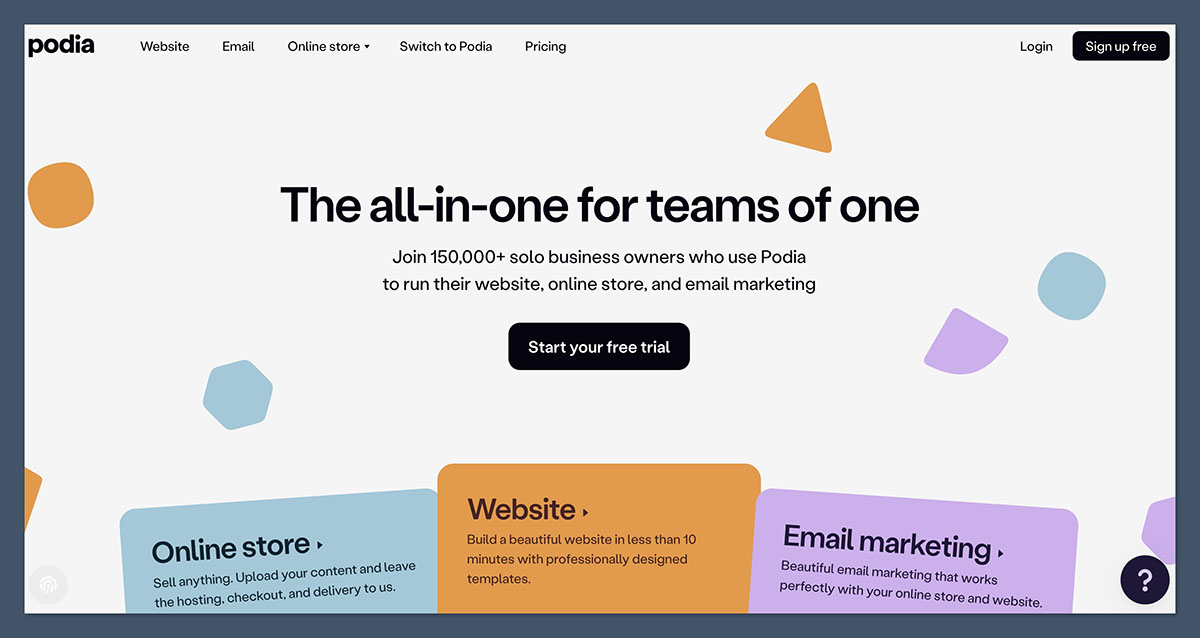
Podia positions itself as the simple alternative to Kajabi. Sell courses, digital downloads, webinars, and memberships all from one clean platform. No transaction fees on paid plans.
Why it beats Patreon:
Patreon locks you into a membership-only model with platform fees eating into every payment. Podia lets you sell one-time products, bundle offerings, and run memberships, all with zero transaction fees on the Shaker plan. You keep more of what you earn while offering your audience more ways to buy.
Pros:
- Very easy to use
- Zero transaction fees on Shaker plan
- Sell courses, downloads, and memberships
- Built-in email marketing
- Good for beginners
- Clean, simple interface
Cons:
- Limited community features compared to dedicated platforms
- Basic customization options
- No native mobile apps
- Analytics less robust than competitors
6. Memberful — Best for Existing WordPress Sites
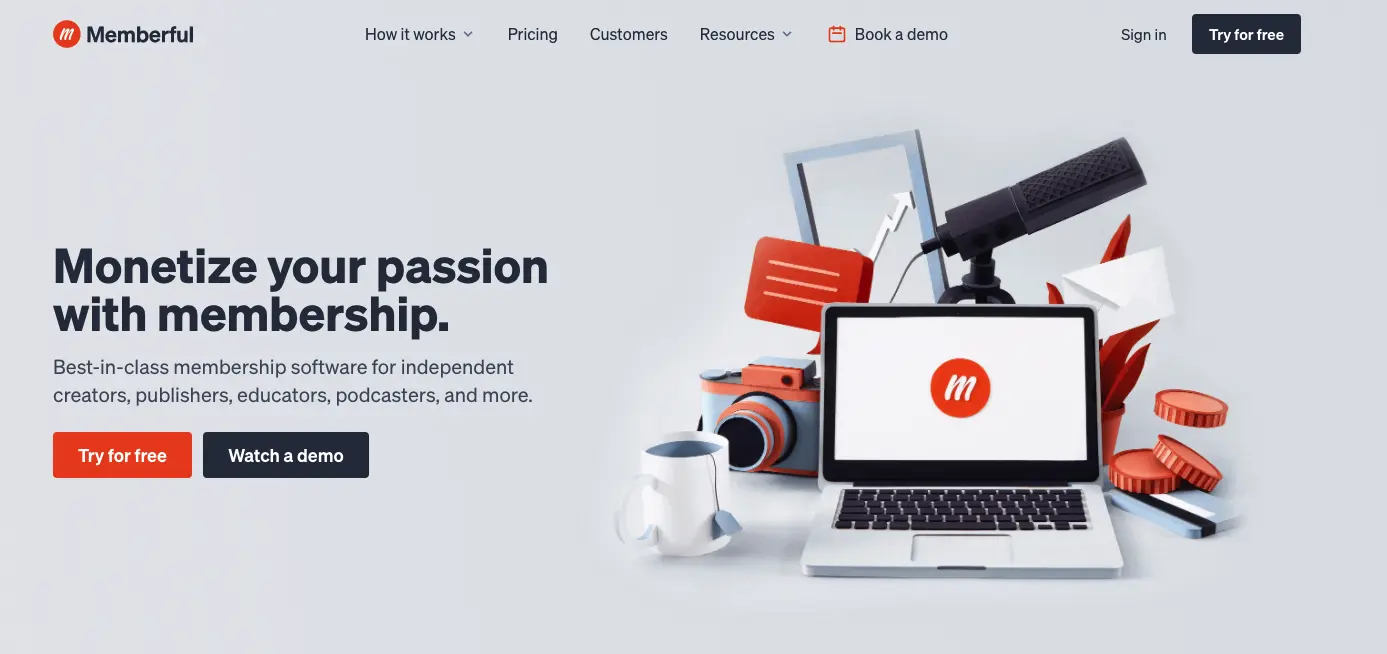
Best for: Creators with existing websites who want to add membership functionality without rebuilding everything.
Pricing: $49/month + 4.9% transaction fee (plus processing fees).
Memberful adds membership functionality to your existing website. It integrates with WordPress, Ghost, and custom sites, giving you Patreon-like memberships with more control and better analytics.
Why it beats Patreon:
Integrates with your current site and brand. You get better analytics, more customization, and you own the member experience. Owned by Patreon but operates independently with creator-friendly terms.
Pros:
- Works with existing WordPress or custom sites
- Better analytics than Patreon
- Content gating and drip features
- Good customer support
- Flexible integration
Cons:
- Requires existing website
- Transaction fees on lower tier
- Not a complete standalone platform
- Technical setup needed
Simple Support & Donation Platforms
7. Ko-fi — Best for Simple Support Without Fees
Best for: Creators who want a digital tip jar with minimal fees and maximum simplicity.
Pricing: Free (5% platform fee on memberships/products); Ko-fi Gold $12/month (0% platform fee).
Ko-fi makes it incredibly easy for fans to support you with one-time “coffees” (donations) or monthly memberships. With Ko-fi Gold ($12/month), you pay zero platform fees, only payment processing.
Why it beats Patreon:
Zero platform fees with Gold membership. Instant payouts to your PayPal or Stripe account. Ko-fi never touches your money. Plus you can sell digital products and offer commissions.
Pros:
- No platform fees with Gold
- Very simple to use
- Instant payments
- Supports donations, memberships, shops, and commissions
- No commitment required
Cons:
- Limited community features
- Basic analytics
- No mobile apps
- Not suitable for serious membership businesses
8. Buy Me a Coffee — Best for Quick Setup + Lower Fees
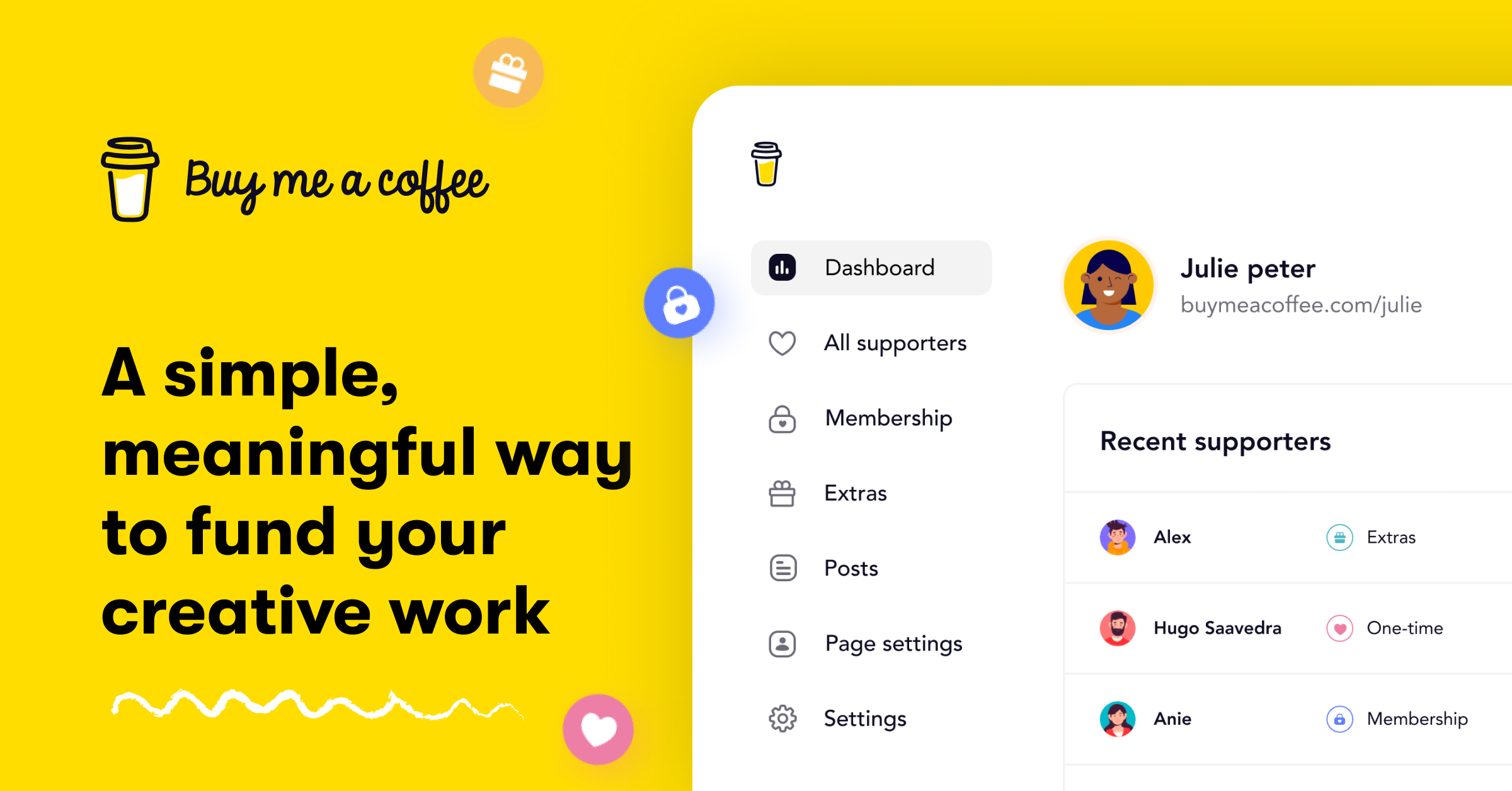
Best for: Creators who want casual supporter contributions without the structure of full memberships.
Pricing: Free with 5% transaction fee on all payments.
Similar to Ko-fi, Buy Me a Coffee focuses on making fan support as frictionless as possible. Supporters don't even need to create an account, they just pay and leave a message.
Why it beats Patreon:
Lower fees (5% vs Patreon's 10%), simpler interface, and supporters can contribute without creating accounts. Great for creators who want easy support without membership complexity.
Pros:
- Very simple setup and use
- Lower fees than Patreon
- No monthly cost for creators
- Supporters don't need accounts
- One-time and recurring options
Cons:
- Limited community features
- Basic membership tier functionality
- No native apps
- Not professional enough for large communities
Writer & Newsletter Platforms
9. Substack — Best for Writers & Newsletters

Best for: Writers, journalists, and podcasters focused on newsletter-based content.
Pricing: Free (10% of paid subscriptions + payment processing fees).
Substack is purpose-built for writers and podcasters to publish and monetize newsletters. The platform handles everything: publishing, email delivery, payments, and subscriber management.
Why it beats Patreon:
Perfect for writers. Built-in audience discovery helps readers find you. Powerful publishing tools designed specifically for long-form content. You own your subscriber list.
Pros:
- Perfect for newsletter creators
- Built-in audience discovery
- Beautiful writing interface
- Easy subscriber management
- Growing reader network
Cons:
- 10% fee (same as Patreon)
- Limited to written/audio content
- Can't sell courses or products
- Basic community features
10. Ghost — Best for Independent Publishers

Best for: Serious writers and publishers who want complete control and professional publishing tools.
Pricing: Managed hosting from $15/month; self-hosted free (you pay server costs).
Ghost is an open-source publishing platform with built-in membership and newsletter features. Unlike Patreon and Substack, Ghost charges zero transaction fees. You pay hosting only.
Why it beats Patreon:
0% platform fees. Complete customization. Own your content and code. Professional publishing tools with SEO built in. Can self-host or use Ghost's managed hosting.
Pros:
- No revenue sharing ever
- Beautiful publishing interface
- Excellent SEO features
- Open source (complete control)
- Newsletter functionality built in
- Professional and polished
Cons:
- Focused on publishing, not community building
- Self-hosting requires technical skills
- No course features
- Limited member interaction tools
Digital Product Marketplaces
11. Gumroad — Best for Selling Individual Digital Products
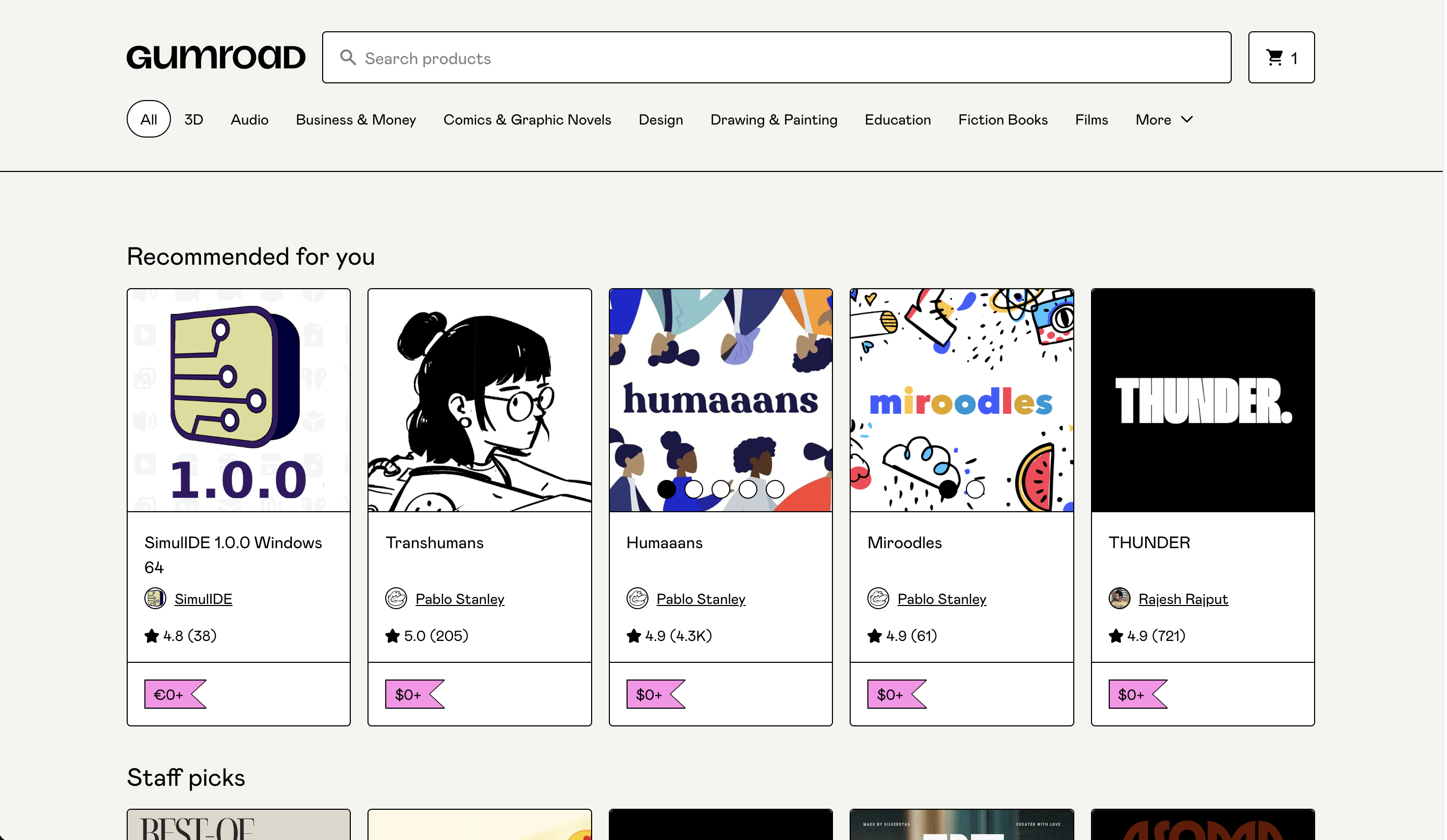
Best for: Creators selling ebooks, software, templates, courses, or art as one-time purchases (with optional membership upsells).
Pricing: 10% + $0.50 per transaction fee on all sales.
Gumroad is a marketplace for digital products: ebooks, software, templates, courses, music, art. You can also offer memberships, but it's primarily built for one-time product sales with marketplace discovery.
Why it beats Patreon:
Marketplace means new customers can discover you. Simple to sell any type of digital product. Fast payouts. Good for creators selling discrete items rather than ongoing content subscriptions.
Pros:
- Easy to sell any digital product
- Marketplace discovery
- Fast payouts
- Simple pricing
- Good for one-time sales
Cons:
- Not built for ongoing memberships
- 10% fee is high for memberships
- Limited community features
- Basic customization
12. Thinkific — Best for Course-Focused Membership

Thinkific is a learning platform that also supports memberships. If your membership centers around educational content, Thinkific gives you advanced course tools with student management, certificates, and quizzes.
Why it beats Patreon:
Excellent course creation tools. Student progress tracking. No transaction fees on paid plans. Can bundle courses with membership access.
Best for: Educators selling structured courses with membership options.
Pricing: Free plan available; Basic $36/month; Pro $74/month.
Pros:
- Excellent for course creators
- Free plan to start
- No transaction fees on paid plans
- Student management tools
- Certificates and quizzes
Cons:
- Learning-focused, not community-focused
- Limited member engagement features
- No mobile apps on lower tiers
- Community features basic
Your Next Steps to Choose the Best Alternative to Patreon
Patreon served its purpose as an early creator economy platform. But in 2026, creators need ownership, lower fees, and tools that grow with them.
The decision is clear:
If you're earning under $1,000/month and just starting, Patreon or Ko-fi work fine. But the moment you cross $2,000/month, you're losing thousands annually to fees.
For serious creators building businesses:
BuddyBoss gives you complete ownership, zero revenue sharing, and unlimited scalability. Yes, it requires WordPress. But the savings pay for a developer within 3-6 months.
For creators wanting simplicity:
Mighty Networks or Circle deliver professional communities without technical complexity. You'll pay more than Patreon initially, but you get more features and better member experiences.
For course creators:
Kajabi or Podia combine courses, memberships, and marketing in one platform, something Patreon can't touch.
The creator economy is shifting from renting platforms to owning them. Among Patreon alternatives, the platforms that give you control, fair pricing, and room to grow are winning.
Ready to own your creator business?
Explore BuddyBoss Plans & Pricing →
Try BuddyBoss Platform, It’s Free →
Frequently Asked Questions
Can I migrate from Patreon to these alternatives?
Yes. Most platforms offer import tools or migration support. BuddyBoss and other WordPress solutions let you export member data from Patreon and import it. Expect 1-4 weeks for full migration depending on content volume and member count.
Which Patreon alternative has the lowest fees?
WordPress solutions (BuddyBoss, FluentCommunity) have zero revenue sharing. Ko-fi Gold ($12/month) also charges 0% platform fees. However, calculate total costs: WordPress needs hosting ($20-100/month), while SaaS platforms include hosting in their pricing.
Do I need technical skills for WordPress alternatives?
Basic WordPress knowledge helps. BuddyBoss requires WordPress installation, theme setup, and plugin configuration. If you can install WordPress and plugins, you can handle it. Many creators hire a developer for initial setup ($500-2,000) then manage it themselves. The savings versus Patreon fees pay for this in 2-3 months.
Which platform is best for mobile communities?
BuddyBoss, Mighty Networks (Business tier+), and Uscreen include native mobile apps. BuddyBoss apps are fully branded iOS and Android apps under your name. Most SaaS platforms are mobile-responsive but lack dedicated apps on lower pricing tiers.
What happens to my Patreon subscribers if I switch?
Export your member list from Patreon, email them about the migration with a special offer, and import them to your new platform. Typical member retention during well-executed migrations: 85-95%. Clear communication and migration bonuses (discounted rates, exclusive perks) help retention.
How do refunds work on different platforms?
WordPress platforms give you complete refund control since you process payments directly. SaaS platforms have varying refund policies, most support refunds within 7-30 days. Check each platform's specific terms before committing.