














70%+ of social platform usage happens on mobile devices. Yet most online communities are web-only, forcing members to open a browser, navigate to your site, and hope they remember to check in.
A white label app changes that. It puts your community brand in the same space as Instagram and WhatsApp: a home screen icon, push notifications, and a native experience that drives daily habits.
If you’re building a community that’s meant to last, mobile isn’t optional. It’s the arena where daily habits form.
In this post I break down what a white label app actually is, why community builders need one, how BuddyBoss App fits into that picture, and how it stacks up against every other option on the market.
If you’re still in the earlier stages of building your platform, start with launching your community platform first and come back here when mobile is the next priority.
What Is a White Label App?
A white label app is a pre-built application framework that you customize with your own branding (your name, logo, colors, splash screen) and publish to the App Store and Google Play under your developer account.
The vendor builds and maintains the codebase. You bring the brand. Your members never see the vendor’s name.
How it works
The app is built once by the software vendor and licensed to multiple customers. Each customer applies their own branding layer: app name, icon, color palette, splash screen. The vendor handles ongoing maintenance, including iOS and Android updates, bug fixes, and new features. You get the benefits of a native app without funding the development from scratch.
When a member searches for your community in the App Store, they find YOUR app. They download YOUR app. Every time they tap that icon on their home screen, they see YOUR brand.
White label vs. custom development
Here’s the cost reality:
- Custom development: $50,000–$250,000+ upfront, 6–12 months to build, $2,000–$5,000/month for ongoing maintenance
- White label app: $1,500–$5,000/year, live in 2–4 weeks
White label delivers 80–90% of the functionality at roughly 5% of the cost. For most community builders, that exchange is obvious.
Custom development makes sense when you have a genuinely unique feature requirement that no white label solution supports, and the budget to match. For community features like feeds, messaging, groups, profiles, and courses, white label covers the territory.
White label vs. “your community inside someone else’s app”
This is a distinction that trips up a lot of community builders.
Platforms like Circle, Mighty Networks, and Kajabi have mobile apps. But when your members download those apps, they’re downloading the Circle app or the Mighty Networks app, not your app. Your community is one of thousands living inside someone else’s branded container.
There’s no App Store listing under your name. Your brand doesn’t appear on the home screen. And your members are one tap away from discovering every other community on that platform.
With a true white label app, your brand is the product. Members search your name, download your app, and stay in your ecosystem.
Why Community Builders Need a Mobile App
Mobile is not just a channel, it’s where your communities either thrive or fade out. Here’s why the gap between web-only and mobile-native communities is widening.
Push notifications: the highest-reach engagement driver you’re not using
Email open rates average 5–20%. Push notifications reach 60–90% of the people who’ve allowed them. That’s not a marginal difference. It’s a channel that’s three to four times more effective for getting members back into your community. When someone posts in a group, replies to a thread, or sends a message, a push notification surfaces that activity instantly. Web-only communities are entirely dependent on members remembering to check in.
Home screen presence
An app icon on a member’s home screen places your community in the same visual category as Instagram, WhatsApp, and TikTok. That’s not a metaphor. That’s literally where the icon sits.
Habitual usage is driven by environmental cues. The home screen is the most powerful cue on a mobile device. Communities without an app are invisible in that environment.
Offline access
Native apps cache content locally. Members can read forum posts, review course materials, and browse member profiles without an active connection. Mobile web communities go blank the moment the signal drops.
Performance
Activity feeds, image galleries, and real-time messaging are compute-intensive. Native apps handle those experiences significantly faster than mobile web, with fewer round-trips to the server, better use of device hardware, and smoother animations.
What the retention data shows
Anecdotally, communities with mobile apps consistently report higher daily active user engagement than their web-only counterparts. Daily active users are the leading indicator of long-term community health. They’re the people starting conversations, responding to posts, and creating the social momentum that keeps everyone else coming back.
When does a mobile app make sense?
Our rule of thumb: around 500+ active members is where the investment starts to pay off.
Below that threshold, a responsive mobile web experience like what BuddyBoss Theme provides handles most use cases well. The investment in a native app pays off when you have enough members to benefit from push notification reach and enough activity to drive daily app opens.
BuddyBoss App: White Label for WordPress Communities
BuddyBoss App is a React Native white label app for iOS and Android. It connects to your WordPress site via REST API and publishes to the App Store and Google Play under your developer account.
Feature set
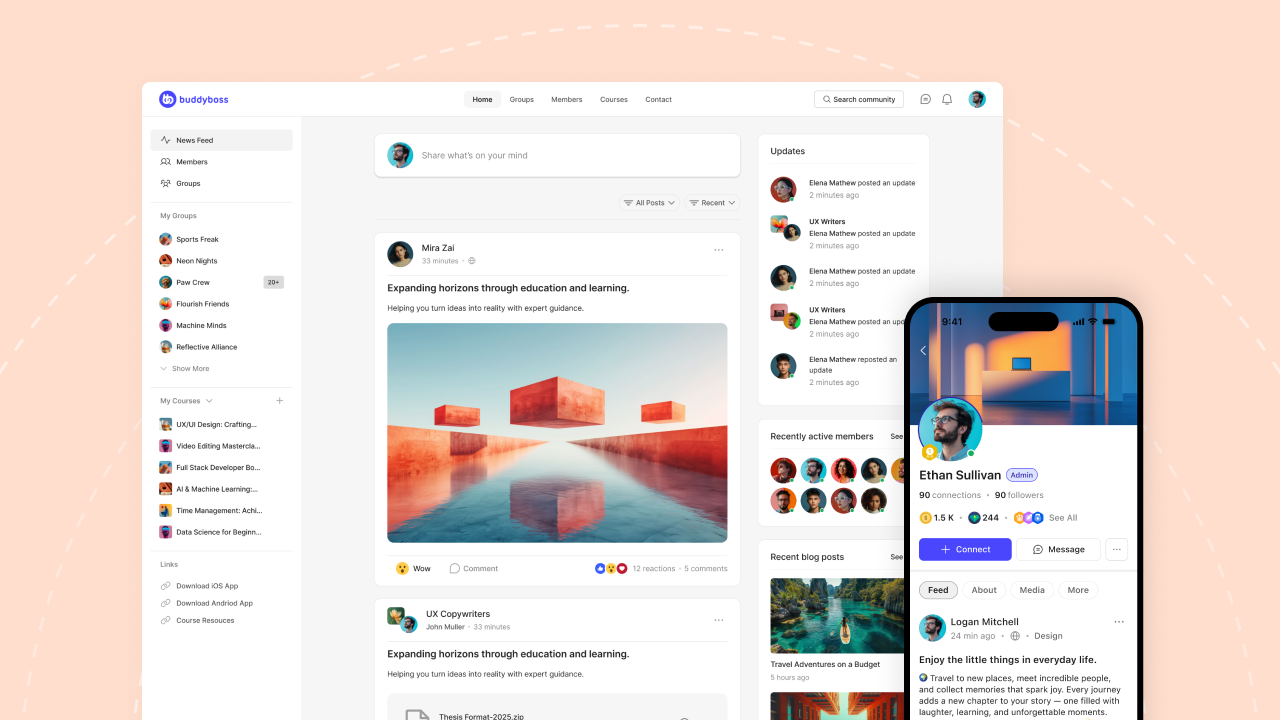
The app mirrors your web community in a native experience. Core features include:
- Activity feed
- Groups and group forums
- Direct messaging
- Member profiles and directories
- Push notifications for activity, messages, and group updates
- Course access via LearnDash integration
- Media galleries
- Offline course downloads (LearnDash)
- Gamification via GamiPress
Everything that lives on your WordPress site is accessible through the app, because the app is reading directly from your existing backend via API.
Branding control
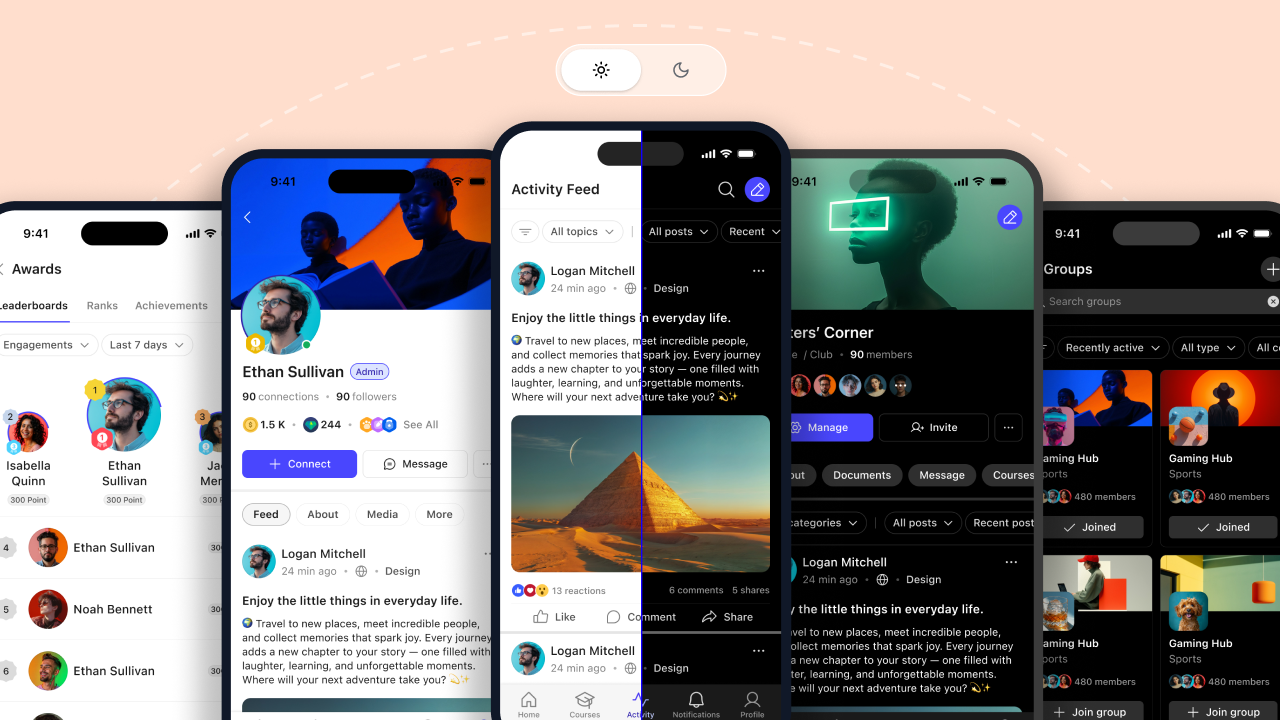
You control the app name, app icon, splash screen, color scheme, and navigation layout. Members open the app and see your brand. The BuddyBoss name is invisible to them.
App Store publishing
BuddyBoss provides the completed app package. You submit it to the App Store and Google Play under your own developer accounts:
- Apple Developer Program: $99/year
- Google Play Developer Account: $25 one-time fee
You own the listing. You own the relationship with Apple and Google. If you ever switch vendors, you keep the listing and the download history.
Done-For-You (DFY) setup
If you’d rather not manage the branding configuration and submission process yourself, BuddyBoss offers a DFY setup for $1,999 one-time (web/app). The team handles branding, configuration, and App Store submission for both platforms.
Pricing
BuddyBoss App is offered in tiers at varying price points. Check buddyboss pricing for current plans. Expect annual app subscription costs in the range of $1,000–$2,500/year depending on the plan and features needed. Compare that to custom development at $50,000–$250,000+ with ongoing maintenance costs of $2,000–$5,000/month. Even at the high end of white label pricing, you’re looking at a fraction of the cost of building from scratch.
The WordPress integration advantage
Here’s the key differentiator for WordPress-based communities: the app and the website share the same backend. A post published on your site is visible in the app immediately. A new group created on the web is accessible in the app. Member profiles, forum threads, courses: one source of truth, two surfaces.
There’s no content syncing, no duplication, no management overhead. You build your community once.
Explore the BuddyBoss App and current plans
White Label App Alternatives Compared
BuddyBoss App isn’t the only option. Here’s an honest comparison of the major alternatives.
| Solution | White Label | App Store Listing | WordPress Integration | Starting Cost | Setup Time |
| BuddyBoss App | Yes | Your account | Native (REST API) | ~$1,000–$2,500/year | 2–4 weeks |
| Disciple | Yes | Your account | None (SaaS) | ~$308–549/month | 2–4 weeks |
| Mighty Networks | Pro only | Your account (Pro only) | None (SaaS) | Custom pricing (Pro) | 2–4 weeks |
| Circle | Plus only | Your account (Plus only) | None (SaaS) | Custom pricing (Plus) | ImmediateDays |
| Kajabi | Add-on | Your account | None (SaaS) | $199/month add-on | 6–8 weeks |
| Custom React Native | Yes | Your account | Custom | $50K–$250K+ | 6–12 months |
Decision framework
- BuddyBoss App: Best fit for WordPress communities that want true brand ownership, native app publishing, and a single backend for web and mobile. Requires WordPress and BuddyBoss Platform; not a standalone solution.
- Disciple: Best fit for non-WordPress communities that want a white label app without managing infrastructure. Pricing escalates significantly at higher member tiers.
- Circle/Mighty Networks/Kajabi: Right if you don’t need your own App Store listing and the platform’s features are a strong match for your community. You’re in their brand ecosystem, not your own.
- Custom development: Right if you have unique requirements, a $150K+ budget, and 12 months to spare.
Getting Started: From Decision to App Store
If BuddyBoss App is the right fit, here’s what the path from purchase to live listing looks like.
Prerequisites
Before purchasing, make sure you have:
- An active WordPress site with BuddyBoss Platform installed
- At least 500 active community members (recommended; this is the engagement threshold where the investment pays off)
- An Apple Developer Program account ($99/year)
- A Google Play Developer account ($25 one-time)
Timeline
Plan for 2–4 weeks from purchase to a live App Store listing. The DFY option moves faster because you’re not managing the configuration and submission steps yourself.
The six steps
Step 1: Purchase a BuddyBoss App subscription. Choose the plan that fits your community’s current size and feature needs.
Step 2: Configure your branding. Upload your app name, icon, and splash screen. Set your color scheme and navigation layout. This is the visual layer that makes the app yours.
Step 3: Connect to WordPress via REST API. BuddyBoss App connects to your site through REST API credentials. The setup process is documented, or the DFY team handles it entirely.
Step 4: Test on device. BuddyBoss provides test builds for iOS and Android before submission. Use this stage to verify that content is loading correctly, push notifications are working, and the experience matches what your members will see.
Step 5: Submit to App Store and Google Play. Apple’s review process typically takes 1–7 days. Google’s review is faster at 1–3 days. First-time submissions sometimes take longer, so build that buffer into your launch timeline.
Step 6: Announce to your community. An app launch is an event worth treating as one. Email your list, post in your community, share on social. Give members clear instructions on how to find and download the app.
The progressive approach
You don’t have to launch web and mobile simultaneously. Many successful communities follow this sequence: launch web-first with a responsive BuddyBoss Theme, validate engagement by tracking active member counts and forum activity, then add the native app when you hit the engagement threshold that justifies the investment.
This approach reduces early-stage risk while keeping the door open for mobile as the community matures.
Frequently Asked Questions
What are the benefits of a white label app?
The core benefits are speed, cost, and brand ownership. White label apps go live in weeks rather than months. They cost a fraction of custom development. And unlike community-inside-a-platform solutions like Circle or Mighty Networks, white label apps publish under your brand: your name in the App Store, your icon on the home screen, your push notifications. The ongoing vendor maintenance means you also get iOS and Android updates without paying to maintain a development team.
Can I put my own branding on a white label app?
Yes, that’s the defining feature of a white label app. You control the app name, the app icon, the splash screen, the color scheme, and in many cases the navigation structure. Members interact entirely with your branded experience. The underlying codebase belongs to the vendor, but the brand presence is yours.
Conclusion
The gap between web-only communities and mobile-native ones isn’t closing. It’s widening. Push notifications, home screen presence, and native performance are advantages that compound over time. Members who open your app daily are more engaged, more retained, and more likely to invite others.
A white label app makes those advantages accessible without the $100K+ price tag of custom development. For WordPress-based communities, BuddyBoss App connects your existing site to a fully branded native experience in 2–4 weeks.
The honest caveat: if you’re under 500 active members, start with a responsive web experience and grow into mobile. The investment makes most sense when you have the community density to benefit from push reach and daily app opens.
When the time is right, the path is clear. Start with launching your community platform if you’re still in the build phase, and when mobile is the next step, come back with your App Store accounts ready.
