Introduction
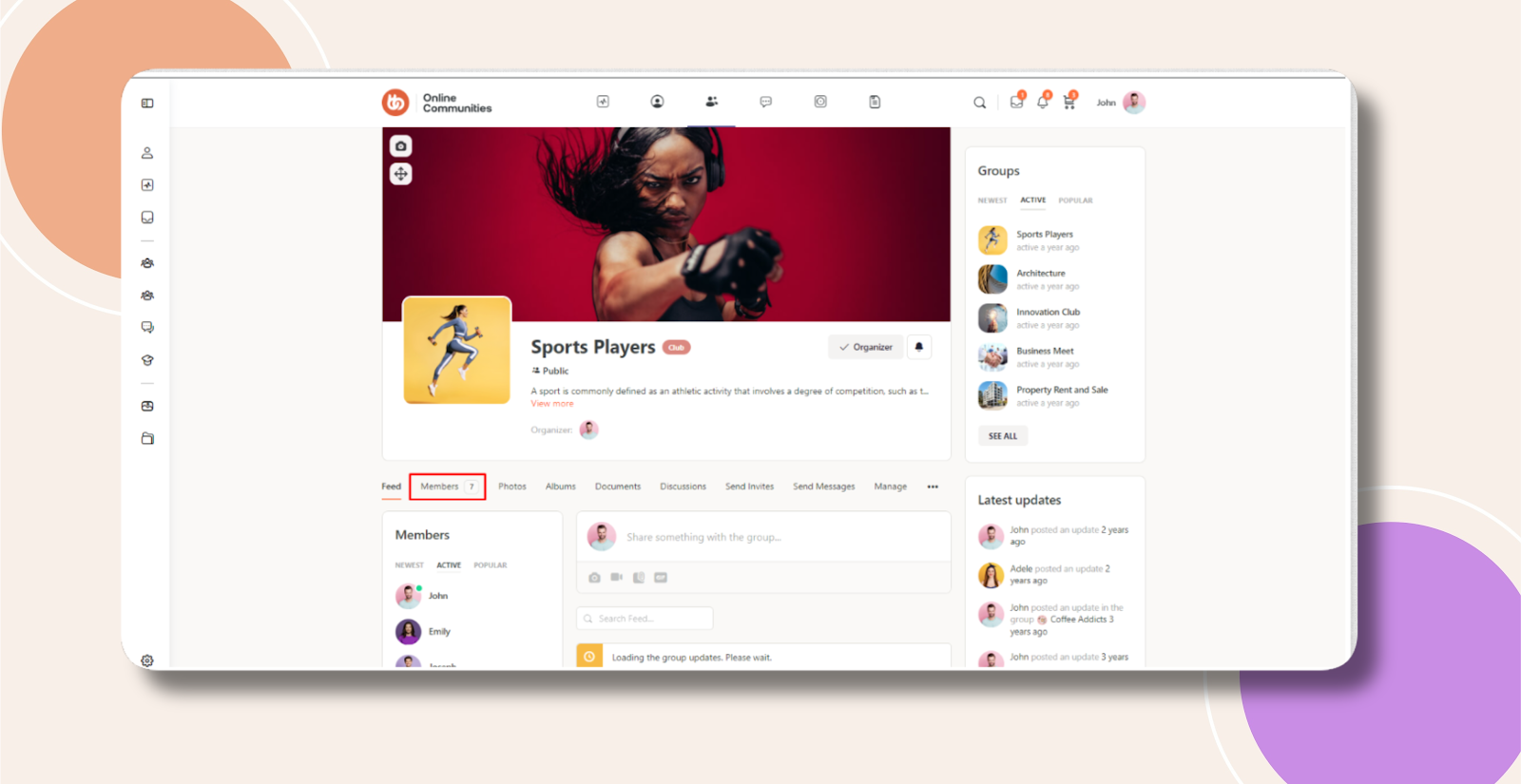
By default, BuddyBoss does not provide a built-in option to hide or remove the Members List inside a group. Using a simple CSS snippet, you can hide the Members tab entirely, helping you control visibility or simplify the group interface.
Custom Workaround
Follow the steps below to hide the Members List in groups:
- Go to BuddyBoss > Theme Options
- Under Custom Codes, enable CSS
- Append the following:
.groups li#members-groups-li {

    display: none;

}- Save changes.
Troubleshooting and FAQs
Q: Will this remove members from the group?
A: No. This only hides the Members tab from view. Group members remain unchanged.
Q: Does this hide the Members List for all groups?
A: Yes, by default. To target a specific group, you must use that group’s unique CSS class as a prefix.
Q: Will this affect logged-in users?
A: Yes. This CSS hides the Members List for all users, regardless of login status.
Q: The Members tab is still visible after adding the CSS. What should I do?
A: Clear your site and browser cache. If the issue persists, submit a support ticket for further assistance.
Q: Does this work on mobile devices?
A: Yes. The CSS applies across all screen sizes unless restricted with media queries.
Screenshots
Without Code:
With Code: