
Introduction
Adding a disclaimer above the forum post form can help remind users of rules, policies, or other important information before they submit a topic. BuddyBoss does not provide a built-in option for this, but you can add a disclaimer using a small custom function in your active theme. This guide explains how you can add a disclaimer on the forum post section.
Custom Workaround
Before proceeding, make sure you have a complete site backup.
- Go to Appearance > Theme Editor in your WordPress admin dashboard.
- Under Select theme to edit, choose your active child theme (BuddyBoss Child or current active theme), then click Select.
- In the Theme Files list, select Theme Functions (functions.php).
- Append the following code just before the closing PHP tag ?>:
add_action( ‘bbp_theme_before_topic_form_subscriptions', ‘bb_add_disclaimer' );
function bb_add_disclaimer() {
echo ‘<div style=”flex-direction: column; margin-bottom: 10px; font-weight: bold;”>Disclaimer!</div>';
}
- Click Update File to save the changes.
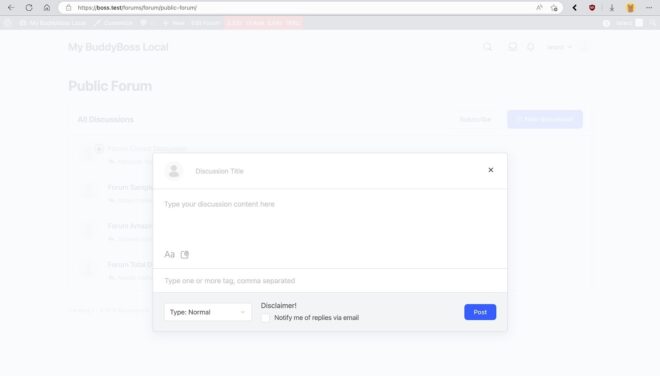
Once saved, the disclaimer will appear above the forum post subscription area in the topic form.
Here is a sample result:
Troubleshooting and FAQs
Q: The disclaimer does not appear.
A: Ensure that the code is placed in your child theme's functions.php file, not the parent theme. Also, check that the forum is using the standard BuddyPress/BuddyBoss topic form template.
Q: Can I add different disclaimers for different forums?
A: Yes, by checking the forum ID inside the function using bbp_get_forum_id() and outputting different messages based on the forum.