
Introduction
The BuddyBoss platform does not provide an option to change the font size of the “Create an Account” link on the login page. You can adjust its size by adding a small custom function to your active theme. This guide explains how to how to change the create an account font size in the login page
Custom Workaround
Before proceeding, make sure you have a complete site backup.
- Go to Appearance > Theme Editor in your WordPress admin dashboard.
- Under Select theme to edit, choose your active theme (preferably a BuddyBoss Child Theme), then click Select.
- From the Theme Files list, open Theme Functions (functions.php).
- Add the following code just before the closing PHP tag (?>):
function bb_login_custom_css() { ?>
<style>
#login > div.login-heading > span > a {
font-size: 31px; /* Change this value to your desired font size */
}
</style>
<?php }
add_action( ‘login_enqueue_scripts', ‘bb_login_custom_css' );
- Click Update File to save the changes.
Screenshots
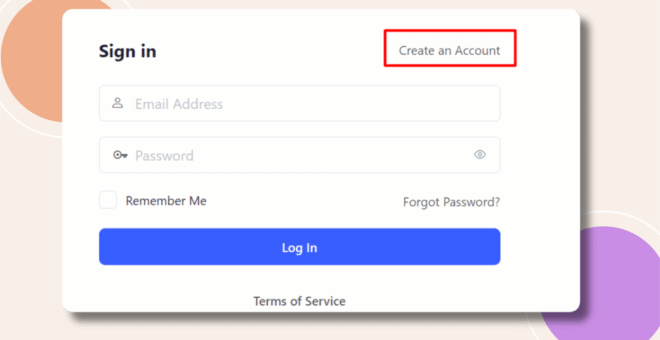
Without Code:
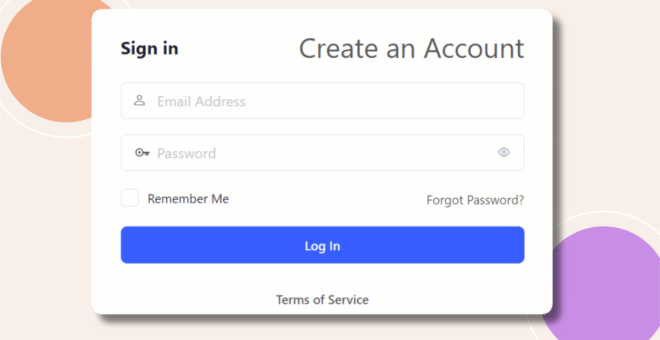
With Code:
Troubleshooting and FAQs
Q: The font size didn’t change.
A: Ensure the code is added to the active theme’s functions.php file. Clear your browser cache and any caching plugin to see the change.
Q: Can I use any font size?
A: Yes. Replace 31px with your preferred size using px, em, or rem units.
Q: Will this affect other links on the login page?
A: No. This CSS specifically targets the “Create an Account” link.
Q: Can I also change the font color or style?
A: Yes. You can add color, font-weight, font-family, and other CSS properties inside the style block.