
Introduction
BuddyBoss hides some sub-forum details inside forum cards to keep the layout compact. You can display all sub-forums in the Forum Directory by adding a small CSS snippet in the theme options. This makes forum cards more informative and helps users see available sub-forums at a glance. This guide explains how to show all sub-forums in the Forum Directory forum cards.
Custom Workaround
Before proceeding, make sure you have a complete site backup.
- Go to BuddyBoss > Theme Options in your WordPress admin dashboard
- Open the Custom Codes section
- Enable CSS
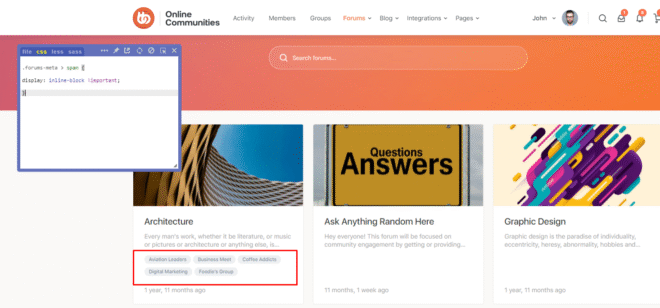
- Add the following CSS code:
.forums-meta > span {

    display: inline-block !important;

}- Click Save Changes
SCREENSHOTS:
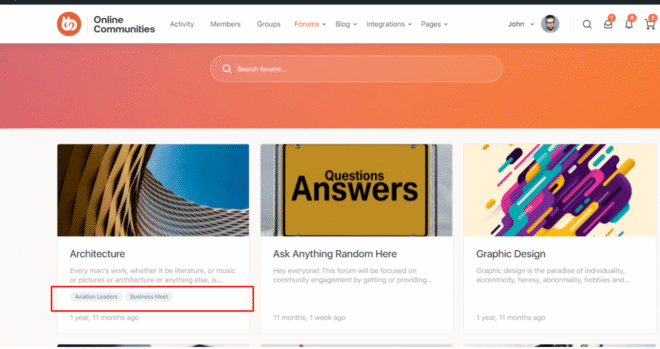
Without CSS:
With CSS:
Troubleshooting and FAQs
Q: The sub-forums are still not visible.
A: Clear your site and browser cache, then refresh the forum directory page.
Q: Will this affect individual forum pages?
A: No, this change only affects how forum cards display in the forum directory.
Q: Can I style the sub-forum text differently?
A: Yes, you can extend the CSS to adjust spacing, font size, or colors as needed.