
As per Subscription Economy Index report the subscription economy has grown by 435% in the last decade.
While Netflix controls streaming and Amazon Prime reshapes shopping, creators and influencers are quietly cashing in too, charging monthly fees for everything from fitness plans to mastermind groups.
The recurring revenue model has shifted from a “nice-to-have” to a non-negotiable strategy for sustainable growth. Why?
Because while one-time sales fade, subscriptions keep revenue flowing like clockwork.
But here’s the catch: 63% of consumers now prefer subscriptions over one-time purchases. If you’re still relying on erratic paydays or scattered sales, you’re leaving money and loyal fans—on the table.
In the next paragraphs, you will learn more about the recurring revenue model, how to build it with memberships and subscriptions and turn followers into paying members and stress into predictable income.
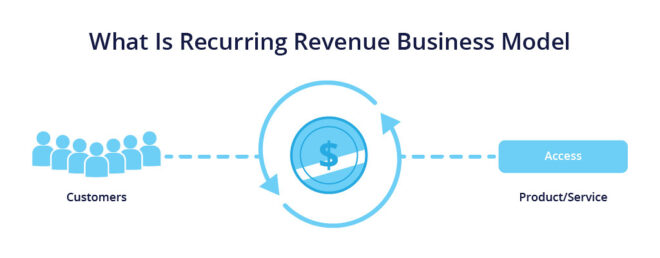
A recurring revenue model is a business strategy where customers pay regularly, by regularly means they pay monthly, quarterly or annually for ongoing products, services or communities. Unlike traditional one-time purchases like buying an online course or a software license, this model prioritizes long-term relationships, ensuring predictable income and stronger customer loyalty.
If you’re tired of chasing one-off sales or inconsistent paychecks, a recurring revenue model could be your game-changer. Whether you’re a course creator, coach, or influencer—this model helps you turn your skills into steady, scalable income.
Say goodbye to the feast-or-famine cycle. 72% of creators using subscriptions report steady monthly cash flow—making it easier to plan, invest, and grow without stressing over sudden drops in income.
You put in the work once—then get paid on repeat. A $19/month course or community, once launched, can keep earning while you sleep. Automations handle content delivery, renewals, and upsells so you can focus on what you do best: creating.
💡 Stat: Businesses with recurring models grow 3x faster than traditional ones.
Your members aren’t just customers—they’re part of your tribe. Through forums, live Q&As, challenges, and group chats, you create daily interactions that boost retention 5x higher than one-time buyers.
Tiered membership models (Free → Premium → VIP) let you serve more people at different price points—without extra marketing. It’s easier to turn a $19/month subscriber into a $49/month VIP than to find a brand-new customer.
Businesses today use a variety of models to ensure predictable income streams, each one serving different audiences, industries, and goals. Let’s explore the most effective recurring revenue models, along with examples of people actually using them.
Some websites charge users a recurring fee—monthly or yearly—to become members and unlock exclusive access to content, services, or private communities.
Here’s a brilliant example of a site built on a membership revenue model.

The SCHOOL OF SWEETGEORGIA is a paid membership community and course platform built with BuddyBoss Web and BuddyBoss App.
It is a community space for textile artists to learn, apply their learning and grow altogether. They offer monthly and yearly membership plans that range from $24 to $247 to let members access video courses, workshops, community forums, feedback from instructors and much more.
Other websites focus on selling subscription-based content. This means users pay regularly to access digital resources like online courses, downloadable templates, videos, and more; often delivered in a time-released format.
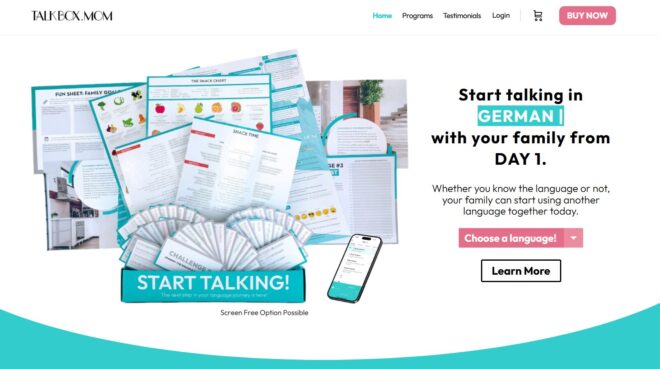
Powered by BuddyBoss Web & App, The TalkBox is a great example of subscription content. It helps you teach your kids and even family a foreign language in just 7 minutes. Their subscription content includes language guides, language practice planner, language travel guide, etc from as little as $10 to $37.
The hybrid model combines one-time purchases with ongoing subscriptions. It’s perfect for creators and businesses who want both upfront cash and steady monthly income.
You might sell a course, a product, or a membership—and then offer extra value through a recurring service or community access.
Real-World Example: Peloton
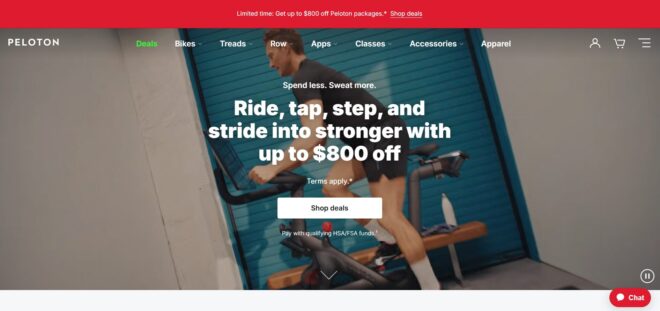
Peloton nails the hybrid model. They sell high-end fitness equipment (like bikes and treadmills), but their real magic lies in the monthly subscription for live and on-demand fitness classes.
This combo lets them earn once from the product—and again and again from users who stay for the experience.
In fact, Peloton now earns a huge chunk of its profits from subscriptions alone, proving how powerful the hybrid model can be. Members stick around for personalized classes, expert coaching, and a connected community—all for a monthly fee.
BuddyBoss acts as your command center for memberships, courses, and community interaction, eliminating the need to juggle separate plugins and dashboards
Membership Tiers Made Easy
Sell Courses Seamlessly
Automated Billing & Payments
Social Features: Turn Members into Superfans
BuddyBoss’s community features keep users hooked, reducing churn and boosting loyalty.
Forums & Activity Feeds
Daily Engagement: Members post wins, ask questions, and share resources.
Private Groups
Exclusive Spaces: Charge $49/month for VIP masterminds or niche topic groups.
Gamification to Fight Churn
Turn your knowledge into monthly income with BuddyBoss. Build a membership site that pays—literally.
The foundation of any recurring revenue model lies in creating distinct membership levels that offer surge value. As BuddyBoss integrates with plugins like MemberPress and Paid Membership Pro, it allows you to spin up unlimited Free, Premium, and VIP tiers without touching code.
For instance, your Free Tier might unlock basic forums and three sample course modules, giving members a taste of your platform.
Next, a $19/month Premium Tier could grant exclusive access to monthly webinars, downloadable templates, and live Q&A sessions.
Finally, your $49/month VIP Tier can include personalized 1:1 coaching, early registration to events, and entry into an exclusive mastermind group.
If you prefer even more flexibility, hybrid membership approaches—combining freemium access with à‑la‑carte add‑ons—help capture both casual users and power members.
Now that you have tiers in place, it is time to convert your expertise and community into revenue. To do that, integrate your BuddyBoss platform with LearnDash and empower yourself with launch drip‑fed courses.
You could launch a $299/year “Digital Marketing Mastery” program that unlocks each module only after completion of the last—keeping learners engaged over months, not minutes
For live events, BuddyBoss’s Zoom integration lets you host $49 one‑off or recurring webinars (e.g., “AI for Creators”) with automated registration syncing and reminders
Hey but don’t overlook private groups: charging $15/month for a niche “Content Creators Mastermind” cultivates peer support and accountability, driving high retention in a focused cohort.
Forget about chasing payments every month, once you connect BuddyBoss with WooCommerce Subscriptions it handles everything for you. Also, thanks to Uncanny Automator, you can set up automatic billing monthly, yearly and even offer free trials.
Retention Tactics:
To keep members hooked, layer on gamification: award badges like “Top Contributor” for forum participation, and display leaderboards that reward streaks and milestones.
Pair this with the BuddyBoss mobile app’s push notifications, nudges like “Your new lesson is live!”—to bring inactive members back and slash churn rates.
Here’s a bonus you’ll love—BuddyBoss gives you a fully branded mobile app along with your website. That means your members can stay connected, even when they’re on the go.
You can send push notifications like:
📲 “Your new lesson is live!”
🏅 “You just earned a badge!”
These simple reminders help bring members back, boost engagement, and reduce cancellations.
Plus, having your own app makes your brand look more professional and trustworthy, which keeps members coming back for more.
When you combine automation with the mobile app, your membership site runs smoothly—and keeps growing 24/7.
Here’s a richer, more engaging take on the three must‑have add‑ons that will turbocharge your BuddyBoss revenue engine:
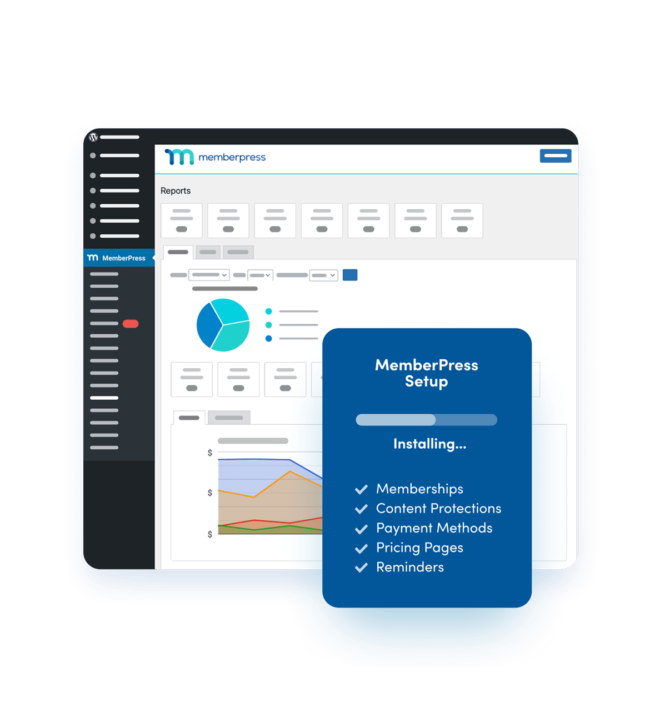
By pairing BuddyBoss’s social hooks with MemberPress’s content gating and drip campaigns you can:
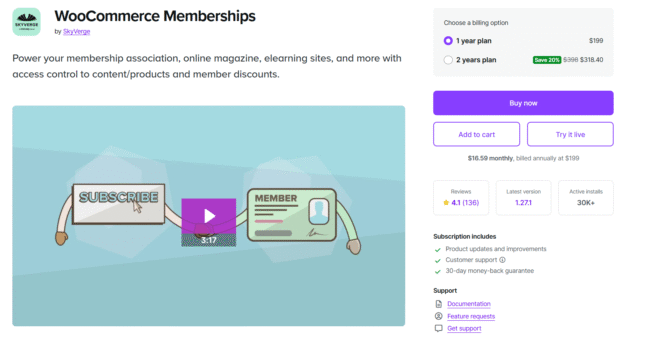
Why stop at online content when you can bundle in branded swag, hardcopy workbooks, or event tickets? WooCommerce Memberships extends your subscription model into the physical world:
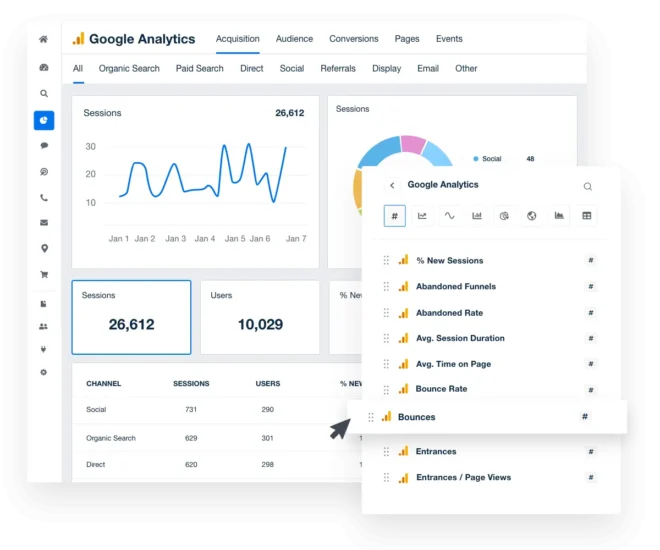
No growth strategy is complete without numbers to guide it. By using Google Analytics (GA4) to track the performance of your BuddyBoss site, you gain crystal‑clear visibility into how your members behave:
Create a paid community that empowers your members and pays you back every month.
Stay Compliant Without the Headache
As your membership site grows, so do your responsibilities. Tools like Termly help you stay on the right side of privacy laws by auto-generating GDPR and CCPA-compliant privacy policies, cookie consent banners, and data request workflows—no legal team required.
Deliver Value, Don’t Overwhelm
Avoid the content dump. Instead, drip your content over time—like releasing a new course module every week. This keeps members engaged, prevents burnout, and increases the perceived value of ongoing subscriptions.
Create Feedback Loops That Fuel Retention
Turn your community into your co-creators. Use BuddyBoss forums and polls to ask, “What would you love to see next?” Not only does this spark engagement, but it also gives you direct insights into what will keep your audience sticking around month after month.
Creators and influencers face real challenges—algorithm shifts, limited control, and revenue uncertainty to name a few. Let’s understand these challenges one by one so we can discuss its solution later.
#1 Problem: Churn
5–7% of members leave monthly; often due to boredom, lack of value, or forgotten subscriptions.
Real Impact: Losing 7% of a 500-member community means 35 fewer paying users every month.
#2 Problem: Content Fatigue
Members lose interest if content feels stale or overwhelming. Example: Dumping 50 course modules at once.
#3 Problem: Payment Compliance
68% of users abandon sites with unclear data practices. GDPR/CCPA fines can hit €20M or $7,500 per violation.
A successful recurring revenue model comes down to three things—automation, community, and delivering real value. And with BuddyBoss, you get everything you need to make that happen in one powerful platform.
Whether you’re selling courses, memberships, or coaching programs, BuddyBoss helps you save time, grow your income, and keep your members coming back for more.
Ready to build your own steady income stream?
👉 Explore BuddyBoss today with confidence—backed by a 14-day money-back guarantee.
💼 Join 25,000+ creators turning their content into full-time businesses.
Picture this: You’re sipping coffee on a Tuesday morning when your phone buzzes. It’s a notification from your favourite online community. “Hey Keeva, the live workshop starts in 15 minutes. Grab your spot!” You click, join and walk away with actionable tips.
This is the power of push notifications and now. With 63% of consumers checking alerts within one minute of receiving them, these tools have now become a part of your daily life.
The similar goes for SMS, SMS has a *crazy-high 98% open rate*, making them not just a tool but they are your secret weapon to cut through clutter and grab attention quickly.
But there’s a catch.
Spammy messages drive users away, while strategic, personalized ones turn casual members into loyal advocates.
In this article, you’ll learn how to use push notification and SMS to boost engagement, reduce churn, and grow your community; without annoying your audience.
| Factors | Push Notification | SMS |
| Definition | Push notifications are mighty, automated messages sent by apps or websites to users’ devices (smartphones, tablets, desktops) via the internet. | SMS short for Short Message Service is a text based communication protocol for sending short messages between mobile devices via cellular networks. |
| Appearance | Appear as pop-ups, banners, or badges, even when the app isn’t open. | Appearing as a plain message, they are up to 160 characters. |
| Cost | Sometimes free, varied price | $0.0025 to $0.0035/message |
| History and Evolution | 2009- Apple introduced APNS (Apple Push Notification Service) for iOS. 2010- Google launched FCM (Firebase Cloud Messaging) for Android. 2015- Rich push notifications (images, buttons, videos) became mainstream. 2023- AI-driven personalization and geotargeting refined delivery. 2025- Spatial push notifications (AR/VR integrations) and voice-activated alerts. | 1992- First SMS sent: “Merry Christmas.” 2000s- MMS (Multimedia Messaging Service) allowed images/videos. 2010s- Bulk SMS marketing tools emerged. 2020s- RCS (Rich Communication Services) introduced chatbots, payments, and read receipts. 2025- AI-generated personalized SMS and RCS dominance. |
| Current Features | Interactive buttons (e.g., “RSVP,” “Shop Now”), Personalization using user behavior data, Scheduled delivery and A/B testing. | RCS: Rich media, group chats, and transactional buttons (e.g., “Track Order”), Two-way messaging for customer support, Global reach (no internet required). |
| Benefits | High Open Rates- 50%+ (vs. 20% for emails). Cost-Effective- Free to send (no carrier fees). Rich Media- Images, GIFs, deep links. Instant Delivery- Real-time updates. | Universal Access- 98% open rate (works on all mobile devices). Urgency- Ideal for time-sensitive alerts (e.g., security codes). High Trust- Perceived as more official than email. |
| Limitations | Requires app/website opt-in, limited reach (only users with the app installed), risk of overuse leading to notification fatigue. | Cost is 0.01–0.10 per message (scales with volume). Regulatory Hurdles- TCPA (US), GDPR (EU) compliance required. Character Limits- Even with concatenated SMS, brevity is key. |
| Best for | App-based communities (e.g., fitness apps, social platforms), time-sensitive alerts (live events, breaking news), personalized updates (e.g., “Your friend just commented”). | Older demographics (45+ age group), transactional alerts (e.g., order confirmations, OTPs), communities with limited internet access. |
Creators, your community doesn’t have to wait—reach them instantly through push notifications and SMS with BuddyBoss.

Example:- “Your cart is expiring! Complete checkout now 🛒.”
Example:- “@Jane tagged you in a photo.”
Example:- “System update available.”
Example:- “You’ve hit 10k steps today!”
Purpose- Confirm user actions (e.g., “Order #1234 shipped”).
Example- “Your event registration is confirmed!”
Purpose- Drive sales or engagement (e.g., “Flash Sale: 50% off ends tonight!”).
Example- “Your exclusive discount expires in 2 hours.”
Purpose- Share updates (e.g., “New blog post: 2025 Trends”).
Example- “Server maintenance at 3 AM. Downtime: 10 mins.”
Purpose- Engage with media (images, videos, CTAs).
Example- “Swipe to see today’s workout [Image].”
5. Geotargeted
Purpose- Location-based alerts
Example- “Store nearby has your Wishlist item!”.
Purpose- Marketing campaigns (e.g., “Black Friday Sale: Up to 70% off!”).
Example- “Hi [Name], enjoy 20% off with code SPRING20.”
Purpose- Confirm user activity (e.g., “Appointment booked for May 5, 3 PM”).
Example- “Your password was changed. Reply STOP if unauthorized.”
Purpose- Two-way chats (e.g., customer support).
Example- “Need help? Reply YES to chat with our team.”
Purpose- Critical updates
Example- “Fraud alert: $500 charged to your card”.
Purpose- Enhanced SMS with buttons, images, and chatbots.
Example- “Track your order [Map] | [Chat Now].”
The Hybrid Strategy is the combination of push notifications and SMS to their ultimatum. Putting together these two gives a multi-channel experience that meets users where they are. There are some ultimate ways to take advantage of this strategy.
A hybrid push notification and strategy maximizes engagement by leveraging the unique strengths of both channels. First, it doubles visibility. SMS cuts through the noise with its 98% open rate, ensuring urgent messages are seen instantly, while push notification reinforce the alert with richer context—like clickable links, images, or location-based details.
Second, it respects user preferences. Older demographics often favor SMS for its simplicity and universal accessibility, whereas Gen Z and app-centric audiences engage more with dynamic push notifications.
Finally, it supercharges conversions. Studies reveal that multi-channel campaigns drive 3x higher conversion rates compared to single-channel efforts. By meeting users on their preferred platforms and reinforcing key messages across touchpoints, a hybrid approach ensures no opportunity for connection is missed.
Let’s understand this with an example:-
A hybrid campaign might blast an SMS like “Your event starts in 1 hour!” to guarantee immediacy, then follow up with a push notification (“Tap here for live-stream directions 📍”) to guide app users seamlessly into action. This synergy creates a frictionless experience that caters to diverse audiences and amplifies results.
Stay in sync with your audience, boost engagement, and keep conversations flowing—all through the BuddyBoss App.
Step 1: Lead with SMS for Urgency
Use Case: Critical alerts, limited-time offers, or event reminders.
Example: SMS: “Hi [Name], your VIP ticket to tonight’s webinar expires in 2 hours! Secure your spot ➔ [Link].”
Step 2: Follow Up with Push for Action
Use Case: Provide next steps, rich media, or interactive elements.
Example: Push: “Your seat is reserved! Tap to access the webinar room + download the workbook.”
Step 3: Personalize Based on Behavior
Did they click the SMS link? Send a push with a thank-you note.
Did they ignore both? Retarget with a new offer via SMS.
1. Re-Engagement Campaigns
Goal: Win back inactive members.
Template:
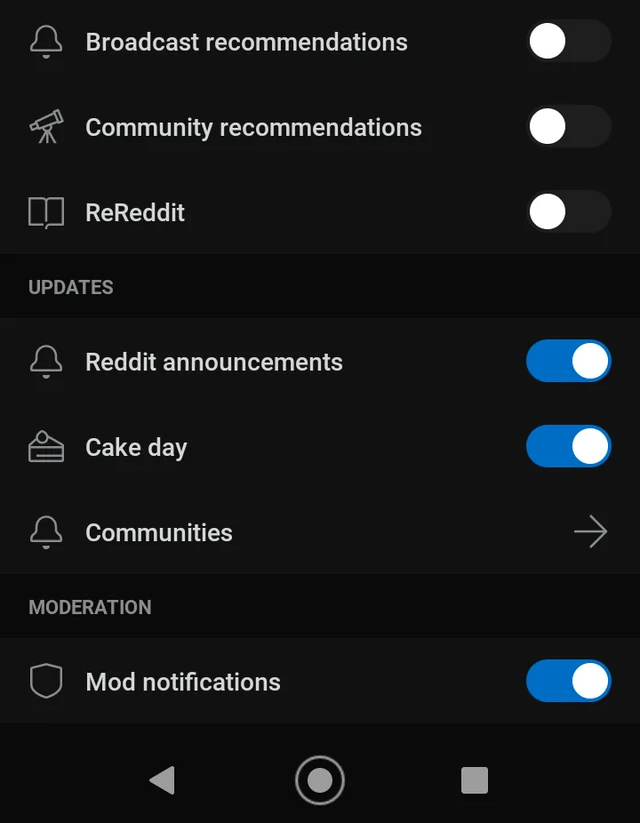
Case Study: Reddit revived 12% of dormant users with push notifications highlighting popular threads.
2. Flash Offers
Goal: Drive urgency.
Template:
3. Event Reminders
Goal: Boost attendance.
Template:
4. Milestone Celebrations
Goal: Foster loyalty.
Template: Push: “Congrats, Mike! You’ve earned the ‘Community Champion’ badge.”
Example: Discord awards push notification badges for active participation.

5. Feedback Requests
Goal: Improve your community.
Template:
If you’ve built your community on BuddyBoss, you’re already ahead of the game! BuddyBoss offers native push notifications for both web and mobile apps (learn more about BuddyBoss Push Notification functionality in next sections), eliminating the need for third-party tools for most users.
Key Features:
Tip: Use BuddyBoss’s automated drip campaigns to schedule course reminders or re-engagement nudges.
Other Push Notification Tools
While BuddyBoss handles the essentials, these are some tools you must know for further need:
OneSignal- A/B testing, advanced segmentation, and cross-platform analytics.
PushEngage- E-commerce communities needing cart recovery alerts.
Airship- Rich media pushes (videos, GIFs) and AI-driven send times.
Firebase Cloud Messaging (FCM)- Developers wanting full control over push delivery.
Some Compliance Tools
To turn your push notification and SMS campaigns into engagement goldmines, track these metrics religiously. Here’s how to know if you’re winning and what to fix if you’re not:
Pro Tip: Use UTM parameters to trace conversions in Google Analytics.
Formula: (Revenue from Campaign – Cost) / Cost x 100 = ROI%
Example:-
Translation: For every 1 spent, you earned back.
BuddyBoss empowers online communities with built-in push notification functionality to keep members connected and engaged in real time.
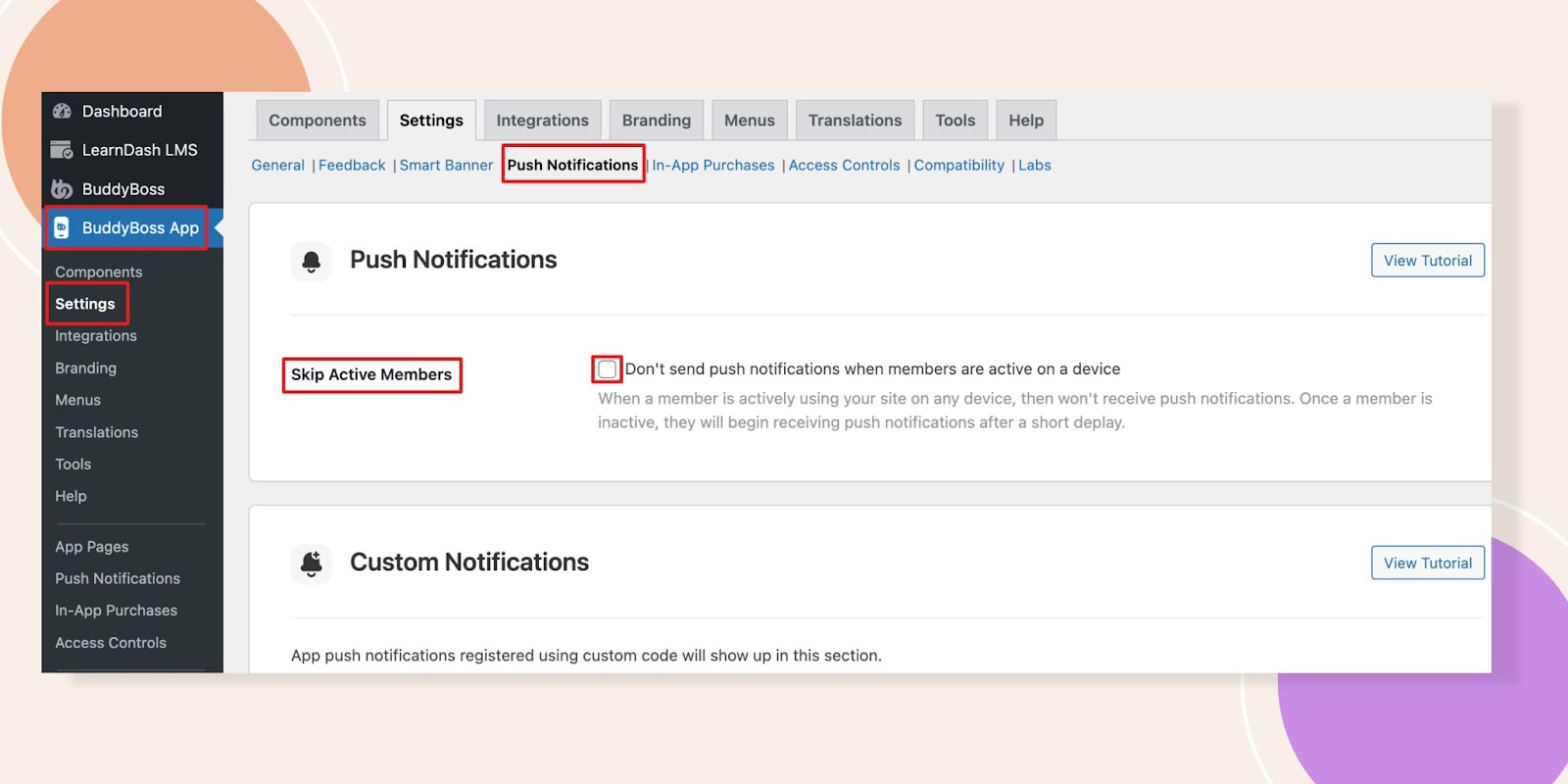
Designed for WordPress-based communities, its push notification system delivers instant alerts directly to users’ browsers or mobile devices that ensures they never miss critical updates. Some of the best features include:
Benefits of BuddyBoss Push Notifications:
While BuddyBoss doesn’t offer native SMS functionality, its open architecture supports plugins like WP Fusion, which integrates with SMS tools (e.g., Twilio, Drip) to bridge the gap. For example, pair BuddyBoss push notifications with SMS alerts via WP Fusion to:
Forum updates, course deadlines, or event reminders, BuddyBoss sends instant alerts straight to your members devices with push notification functionality. Here’s how you can do the same in your BuddyBoss app.
Watch this step-by-step video tutorial:-
Launch your course app and put your content where your learners are—on their phones. Only With App Lite!
Now that you know what, when and how to use push notification and sms to drive engagement in your community, let’s take a step ahead and actually apply these in your community. Here’s how you can get started with a small step:
Start Small, Win Big: Test one campaign this week. A re-engagement push? A flash sale SMS? Keep it simple.
Segment Like a Pro: Treat your community like VIPs, not a crowd. Newbies get welcome offers. Lurkers get FOMO alerts.
Value > Volume: Nobody wants 10 “Hey, look at us!” texts. Send 1 message that solves a problem or sparks joy.
Building a thriving online community can be both rewarding and profitable.
With membership subscriptions on the rise, community-driven businesses are seeing impressive returns. In fact, the average online community generates about $665K per year . Even better, nearly half of established membership sites earn six figures annually.
Nevertheless, the opportunities are huge.
This article will walk you through how BuddyBoss – a powerful WordPress-based platform – makes it easy to monetize a community through memberships, courses, events, and more.

Note: All statistics and data shared in this article are collected from reputable sources. We’ve listed these sources at the end of the article for your reference—no third-party redirects in the middle of your read.
Every dollar you bring in can be reinvested to improve content, support members, and reach new audiences.
Communities often enjoy incredibly high retention and lifetime value: for example, 99% of membership sites report that customers stay for more than 3 months, and the average subscriber lasts over a year.
Practically, this means that once members join and see value, they tend to stick around, giving you a steady, predictable income stream.
Here are some reasons to why Monetize a Community:-
These stats are proof that with the right approach – quality content and the right tools – You can monetize a community and build something truly sustainable.
BuddyBoss is built on WordPress, giving you the freedom to customize and scale your site without the constraints of closed SaaS platforms.
It’s purpose-built for online communities, Courses and membership sites, so you get all the social features (profiles, activity feeds, groups, messaging) and a design framework that seamlessly integrates with monetization tools.
Here’s how BuddyBoss empowers every aspect of your plan to monetize a community:
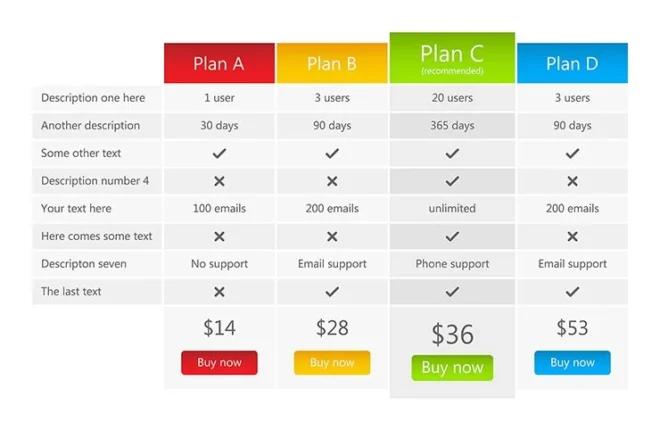
BuddyBoss works hand-in-hand with top WordPress membership plugins – MemberPress, Paid Memberships Pro, WooCommerce Memberships/Subscriptions, Wishlist Member and more.
You can use these tools to monetize a community by creating membership tiers (e.g. Free, Standard, Premium) with different access levels.
Example of Tiered Memberships
Imagine you're running an online fitness community. Here's how you could structure your membership tiers:
In this model:
BuddyBoss makes it super easy to set up these different levels, control who sees what content, and manage payments through integrations like MemberPress or WooCommerce Memberships.
Sell products, merchandise, and digital downloads directly in your community. BuddyBoss integrates seamlessly with WooCommerce – the leading e-commerce solution on WordPress.
This lets you add an online store to your site without any problem. You can offer branded t-shirts or hoodies, ebooks, coaching packages, or any other products to your members. WooCommerce also handles one-time payments and even subscription boxes if that fits your brand.
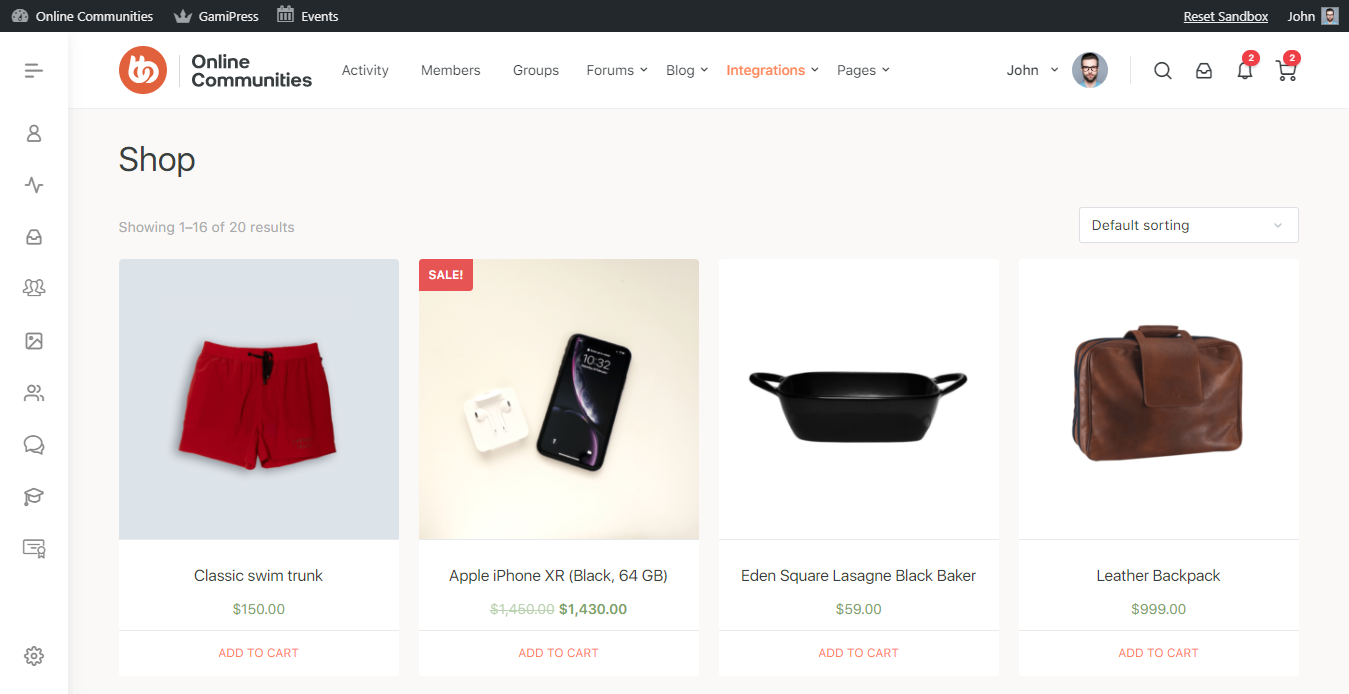
Example of an online photography community
BuddyBoss + WooCommerce, you can create your own shop inside the community platform, like this:
Explanation:- a community member could browse your forum, get inspired by a photo challenge, and then directly buy your premium editing presets from your WooCommerce store; all without ever leaving your platform.
Built-in store. Built-in trust. Sell anything, anywhere with BuddyBoss + WooCommerce.
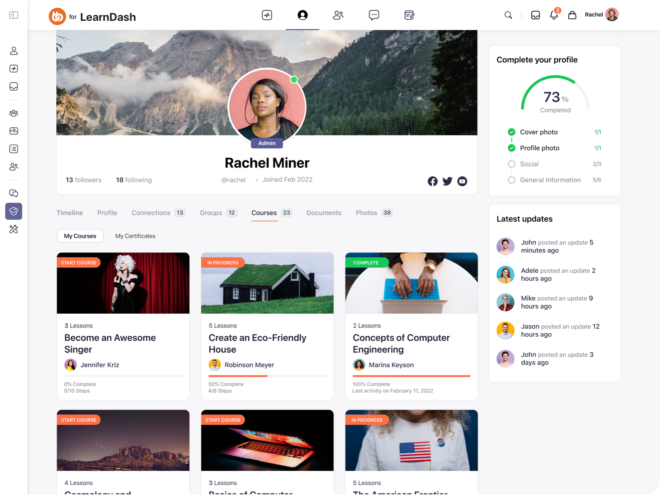
Another powerful way to monetize a community is through online courses. BuddyBoss integrates with LearnDash and other LMS platforms to help you deliver structured, high-value learning experiences.
It works natively with LMS platforms such as LearnDash (and LifterLMS and some other LMS plugins), so you can build and sell online courses to your community.
From video lessons and quizzes to assignments and certificates, you get a full-featured course platform. Many successful community educators (like Stefan James of Project Life Mastery University) use BuddyBoss + LearnDash to offer paid learning programs.
In fact, Stefan chose BuddyBoss because it “provided a user-friendly, centralized course platform” with built-in profiles and LearnDash styling for a smooth student experience. You can do the same – create premium courses and charge for enrollment (recurring or one-time).
Create binge-worthy courses, not boring modules. BuddyBoss + LearnDash makes it seamless.
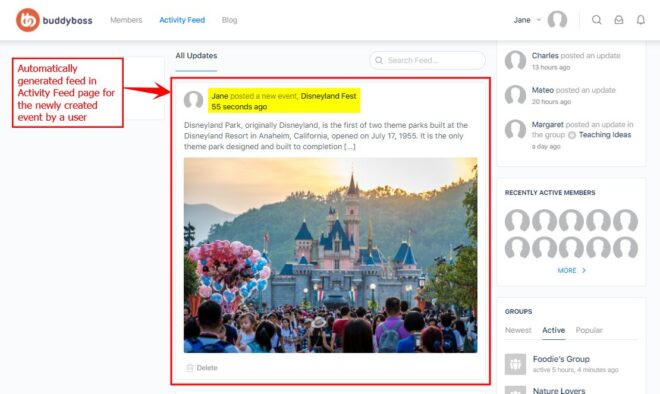
Plan workshops, webinars, or even live meetups? BuddyBoss supports event-based monetization too.
You can use The Events Calendar plugin (which BuddyBoss can integrate with) to list events on your site, and then sell tickets via WooCommerce.
Example of Event Ticketing
For running an online business coaching community with BuddyBoss (and integrations like The Events Calendar or WooCommerce Tickets), you can easily sell tickets for:
Explanation: A member browsing your community sees a banner for your upcoming “Scaling Your Business” workshop, clicks through, buys a ticket right on your site — and immediately gets access to a private event discussion group to start networking before the event even happens!
BuddyBoss + Event Ticketing gives you complete control:
All without sending your members away to other platforms!
Foster premium communities within your community by creating private or paid groups. Using BuddyBoss’s robust Groups feature alongside a membership plugin, you can set up mastermind groups, VIP circles, or coaching cohorts that only paying members can join.
Example of Exclusive Paid Groups
Imagine you run a thriving online community for freelance writers.
With BuddyBoss, you can create special paid groups where members pay a subscription fee to join.
Here's how you could structure it:
Example in action: A free member who's been learning and growing in your community for a few months decides they want serious career growth. They see the exclusive benefits offered in your paid group and happily subscribe to gain deeper support and faster results.
BuddyBoss makes it easy to:
Your most engaged members deserve a private space—and you deserve to get paid for it.
Maximize convenience (and revenue) with the BuddyBoss App. This add-on service turns your site into a fully branded iOS/Android app.
Beyond just engaging mobile access, the app supports in-app purchases – letting users subscribe or buy courses directly inside the app (via Apple Pay and Google Pay). Imagine a member browsing your courses on their phone and seamlessly upgrading to a premium plan with one tap.
Mobile access and push notifications also skyrocket engagement, which naturally leads to more renewals and sales. (If you haven’t launched a mobile app for your community, this is a powerful next step.)
You can monetize a community by selling:
With BuddyBoss App (their mobile app solution), you can give members the power to access everything right from their phone — and introduce smart monetization with in-app purchases!
Here’s how it could look:
Example in action: A user scrolling through your app during their commute finds an exclusive “Summer Shred Challenge” program. They're excited, click “Buy Now,” complete the purchase in seconds—and immediately start Day 1 from their mobile! 🚀
BuddyBoss App allows you to:
Mobile apps often lead to higher engagement rates — because your community is literally in their pocket!
More engagement = more loyalty = more sales over time.
Seeing how others have succeeded can be incredibly motivating. Here are some real communities (some built with BuddyBoss) that turned engagement into income:

Stefan’s education business consolidated multiple course websites onto one BuddyBoss platform. He uses BuddyBoss + LearnDash to sell personal-development courses and coaching. The result?
A unified, branded experience where students log in once for everything. As his team explains, “BuddyBoss [with LearnDash] provided a cohesive, personalized learning environment”
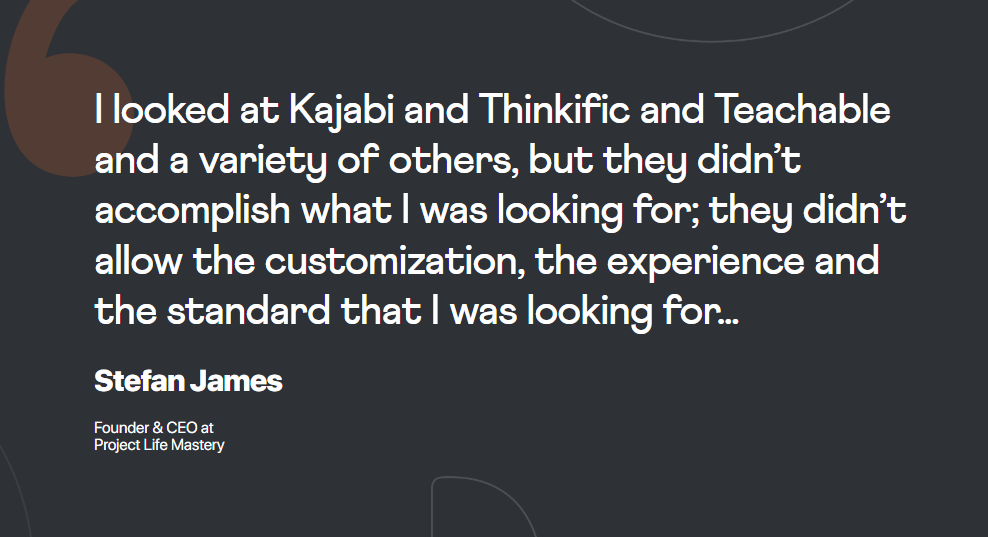
By offering premium courses and a vibrant community under one roof, Stefan’s team has created a high-value membership ecosystem.
Learn more about Stefan’s journey and consider how consolidating platforms can cut costs and boost sales.- Stefan’s Journey

This team targeted a niche – mental performance training for young soccer players. They needed a mobile-friendly solution, so they built a BuddyBoss-based app (powered by WordPress + LearnDash) for training programs.
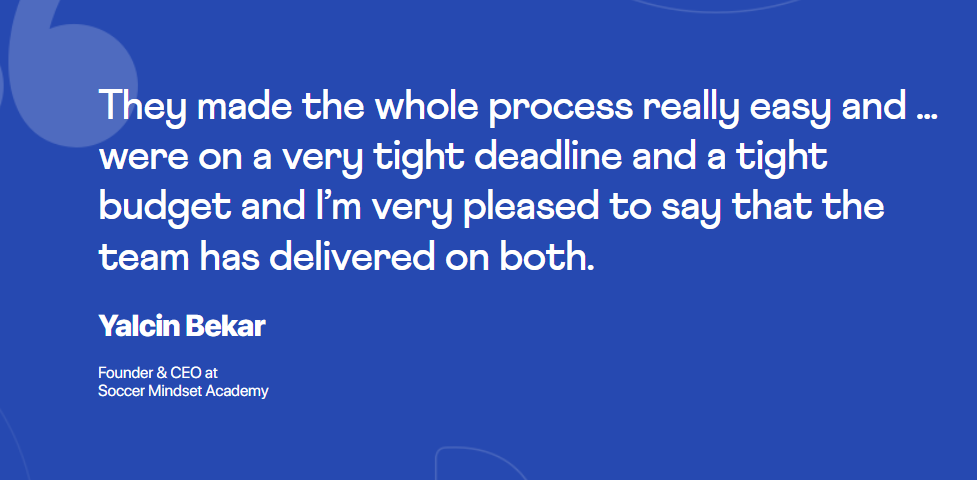
As the founders put it, BuddyBoss enabled mobile learning through a custom app solution. The app includes short video lessons, audio tracks, and daily exercises, which keep kids engaged on the go.
By selling structured programs in their app, Soccer Mindset turned valuable coaching content into a steady revenue stream.

A nonprofit focused on marriage and parenting, Forever Families wanted to connect couples globally. They built a BuddyBoss membership site (with a special SamCart checkout for “couple accounts”) to offer courses and a community for engaged parents.
The BuddyBoss Agency notes that “BuddyBoss’s Theme with our LearnDash solution was the perfect foundation” for this community site. Couples can join at different membership levels, join private groups, and access premium content together. This setup not only furthers their mission but also generates funding through membership fees.
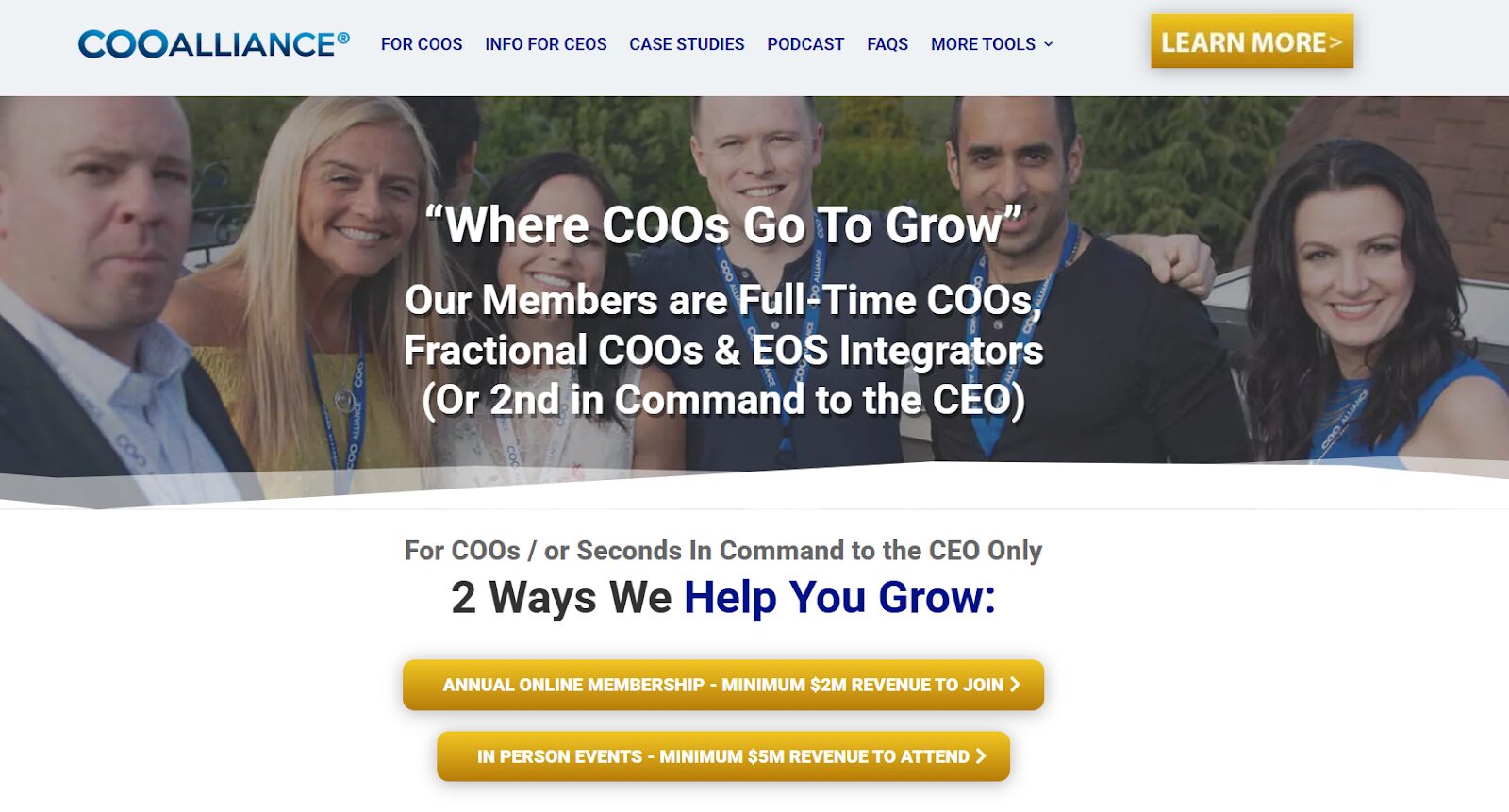
Although not on BuddyBoss, this is a great example of a high-end community. The COO Alliance is an exclusive membership for Chief Operating Officers.
Prospective members must lead companies with at least $2M in revenue to join. This means they can charge premium fees for a highly specialized peer group. (A lesson here: by serving a niche market willing to pay for deep value, they’ve built a thriving community business.)
Each of these examples shows different ways to monetize (courses, subscriptions, apps, coaching, events). The common thread is community engagement: every successful group offers something that keeps members coming back and paying for more. You can too!
Sign up or log into BuddyBoss, choose a membership plugin or LMS to create your first plan, and start building a killer course or group. Think about whether a mobile app could amplify your vision – the BuddyBoss App makes it surprisingly affordable to go native.
You’ve built a community – now let it build you a business. With dedication and the right strategy, you can be part of that 45% earning six figures. Your members value what you do, so go ahead and offer them premium ways to engage and learn. The world is ready for your community.
Top Sources:-
https://www.starterstory.com/ideas/online-community/profitability
https://www.uscreen.tv/blog/membership-site-statistics
Online learning has come a long way since it first started. Back then, only a few platforms like Udemy were popular.
But in 2025, the e-learning world has grown and now offers something for everyone. Whether you're learning a new skill, growing your career, or looking for personalized, AI-powered learning.
Udemy is still well-known for its huge collection of courses, but it has some downsides.
The quality of courses can vary,
It doesn’t offer official certificates from universities,
and it doesn’t provide much support for course creators or businesses.
That’s why many learners and professionals are now looking for better Udemy alternatives that fit today’s learning requirements.

Udemy is a leading online learning marketplace founded in 2010 by Eren Bali, Gagan Biyani, and Oktay Çağlar, Udemy is headquartered in San Francisco and serves learners and instructors worldwide. It offers over 213,000 courses across thousands of topics, from programming and business to personal development and hobbies. Unlike $20/month for 6 devices; 1-device plan at $10/month
Why It’s Better: Classes taught by celebrities and industry legends (e.g., Gordon Ramsay, Neil Gaiman) with cinematic production quality
Unique Features: Exclusive interviews, downloadable workbooks, and community hubs.

Pricing & Value:
Unmatched Star Power: Learn screenwriting from Shonda Rhimes or photography from Annie Leibovitz – unavailable on any other platform.
Cinematic Learning: 4K production with close-up demonstrations (watch Gordon Ramsay’s knife skills in ultra-HD).
Beyond Lectures: Get downloadable workbooks, community challenges, and live office hours with instructors (new in 2025).
AI-Powered Insights: New “Coach Mode” analyzes your creative work (e.g., writing samples) against class principles.
The MasterClass Effect: 92% of users report renewed creative motivation (MasterClass 2024 survey).
Workbooks & Resources: 50+ page PDFs with exercises, reading lists, and career roadmaps.
Community Hubs: Discuss lessons with peers in moderated forums (e.g., Malala’s Activism Hub).
Audio Lessons: New “MasterClass Mobile” lets you learn on-the-go via podcast-style content.
Live Sessions: Annual “MasterFest” virtual summit with Q&A sessions (2025 speakers include Timbaland and RuPaul).
| Factor | MasterClass | Udemy |
| Instructors | A-list celebrities & legends | Unknown professionals |
| Production Value | Hollywood-quality visuals & storytelling | Amateur recordings |
| Learning Style | Inspiration + big-picture thinking | Step-by-step technical skills |
| Community | Global network of passionate learners | Isolated experience |
Success Stories:
Lena K.: Went from hobbyist to published author after taking Malcolm Gladwell’s writing class.
Chef Miguel: Opened a pop-up restaurant using techniques from Massimo Bottura’s course.
Final Verdict: MasterClass is the ultimate inspiration engine in 2025. While Udemy teaches skills, MasterClass transforms how you think – whether you’re writing a novel, launching a startup, or reinventing your career.
Final Tip
Test platforms with free trials or audits. For learners, prioritize outcomes (career vs. hobby). For creators, weigh convenience against long-term brand growth. The right platform aligns with your goals—not trends.
While Udemy is still popular, more and more professionals, coaches, and experts are looking for platforms that give them more control, flexibility, and better earning potential. Whether you decide to explore platforms like Skillshare or Teachable, or take the plunge and create your own course site and app, there are plenty of options to help you succeed.
Why settle for just teaching on someone else’s platform when you can build your own? You’ll have full control over your content, your students, and your income. Now is the perfect time to turn your knowledge into a digital business.
Ready to start? The tools and platforms are waiting to help you create, teach, and grow!
Education has undergone a dramatic digital transformation, accelerated by global disruptions and the need for flexible, scalable learning solutions. As institutions, businesses, and individuals seek more engaging, efficient, and personalized ways to acquire skills, ten key trends are defining the future of elearning in 2025.

Mobile-first design prioritizes seamless, intuitive learning experiences on smartphones and tablets.
It ensures courses adapt to smaller screens, touch interactions, and on-the-go accessibility, perfect for today’s learners who rely on their devices for everything from micro-lessons to full certifications.
Bottom Line
Mobile-first e-learning meets learners where they are—literally. With higher engagement, faster training, and on-the-go access, it’s not just a convenience, it’s a competitive necessity.
Your brand. Your content. Your app. No coding required.
Think of microlearning as the “TikTok of education”—short, punchy lessons (like 5-minute videos, quick quizzes, or snackable infographics) designed for today’s distracted world. Instead of sitting through hour-long lectures, you learn in bite-sized chunks that fit into your commute, coffee breaks, or even waiting in line.

Example 1: A nurse watches a 3-minute video on hand hygiene between shifts.
Example 2: A sales rep takes a 2-quiz daily on negotiation tactics.
Example 3: A cooking app teaches knife skills through 60-second Instagram Reels.
Science Backs It Up: Research shows microlearning boosts focus and memory by 80% compared to old-school marathon study sessions (Dresden University).
Works for Everyone-
But It’s Not Magic
Microlearning has its perks, but it’s not a perfect solution. Too much content in small doses can lead to “snacking overload”—endlessly scrolling through micro-courses can quickly become overwhelming.
Thankfully, apps like Blinkist help by curating only the most important takeaways. And while microlearning is great for quick lessons, it’s not ideal for deep dives.
You can’t exactly learn heart surgery from five-minute clips. For complex skills, it’s best to pair microlearning with hands-on practice or in-depth training.
The Future AI will personalize microlearning even further, like a fitness app that suggests a 2-minute “negotiation workout” before your big meeting.
Bottom Line
Microlearning isn’t about dumbing things down—it’s about working with your brain, not against it. Small steps + consistency = big results.
Imagine practicing heart surgery, exploring ancient Rome, or fixing a jet engine; all from your living room.
Augmented Reality (AR) adds digital layers to the real world (like Pokémon Go), while Virtual Reality (VR) drops you into a fully digital environment (like a video game). Together, they turn screens into hands-on classrooms.
No Labs? No Problem
Field Trips for Everyone
Safe Mistakes: Burn a virtual cake in a cooking class? No stress—just reset and try again.

Exploding Growth: The AR/VR education market will jump from 3.8B (2023) to 14.2B by 2028—because it works (MarketsandMarkets).
Science Says It Sticks: Learners retain 90% of information through immersive experiences vs. 10% from reading (peace.edu).
Solves Online Learning’s Big Problem: Traditional e-learning can feel lonely and passive. AR/VR makes it interactive and social (e.g., VR classrooms where avatars collaborate).
Challenges
While VR in education is exciting, it comes with its share of hurdles. Cost is a major factor—high-quality VR headsets can still be expensive, though prices are slowly dropping (the Meta Quest 3, for example, starts at $499).
The Future of eLearning is AR Glasses. Imagine glasses that overlay chemistry formulas onto your notebook as you study. Another thing is Metaverse Campuses. Universities like Stanford are building VR campuses where students attend lectures, chat, and work in groups—all virtually.
And there is AI + VR. Tutors like Meta’s Codecademy VR watch your coding mistakes and give real-time hints.
Bottom Line
AR/VR isn’t just for gamers, it’s revolutionizing online education. It turns abstract ideas into experiences you can see, touch, and remember. For schools and businesses, it’s the ultimate way to bridge the gap between “theory” and “real life”—no plane ticket required.
Gamification means adding game-like fun to learning—think points, badges, levels, and leaderboards.
It’s like turning a math quiz into a treasure hunt or a training module into a Mario Kart race. The goal? Make learning feel playful instead of painful.
Fights Boredom: 83% of learners say gamification keeps them motivated, especially in self-paced online courses where distractions are everywhere (TalentLMS).
Instant Rewards: Completing a lesson? Earn a badge. Topping the leaderboard? Unlock a bonus module. It’s like getting a “high score” in real life.
Social Learning: Compete with classmates (even virtually) or team up to solve challenges—great for Zoom-fatigued students.

Schools
Corporate Training
Online Platforms
Challenges
Gamification can make learning fun, but it’s not without its downsides. Overdoing it with too many badges or rewards can feel childish or even distract from real learning goals.
There’s also the issue of cheating—some learners may rush through content just to “win,” missing the actual value of the lesson.
And while competition can be motivating, it’s not for everyone. Accessibility matters—offering flexible options like solo quests or team-based challenges can help ensure all learners stay engaged in a way that suits their style.
Bottom Line
Gamification isn’t about turning education into Candy Crush—it’s about using fun to fuel focus. For online learners, it’s a lifeline against distractions, loneliness, and burnout. The secret? Balance rewards with real learning, so everyone feels like a winner.
Make learning addictive with points, badges, and rewards.
Imagine a smart tutor that knows exactly how you learn, what you’re good at, where you struggle, and even when you get bored. AI does this by analyzing your learning habits, like how fast you progress, which topics you avoid, and what format (videos, quizzes, etc.) you prefer. It then creates a tailor-made learning path just for you.
For example:

No more one-size-fits-all:71% of companies now use AI in training because it’s like having a personal coach for every employee—even with 10,000+ learners.
Better results: Students using AI tutors (like Khan Academy’s “Khanmigo”) improve test scores by 30% compared to traditional methods.
Saves time: Coursera’s AI suggests the exact courses you need to reach your goals, cutting endless scrolling.
But It’s Not Perfect
While AI-powered learning has its perks, it’s not without challenges. Privacy concerns remain a major issue—who exactly owns and controls your learning data?
And then there’s the risk of over-reliance on technology. No matter how advanced AI gets, it still can’t replace the emotional support, empathy, or creative thinking that only human mentors can provide.
The Future of elearning? Soon, AI could predict career paths based on your skills and passions—like a GPS for your professional growth.
Bottom Line
AI-powered learning isn’t about robots replacing teachers but it’s about giving everyone a fair shot to learn faster, smarter, and on their own terms.
Cloud-hosted LMS platforms are Netflix for education—web-based tools that let anyone create, manage, and scale courses without physical servers. They auto-update, work on any device, and grow with your audience.

Massive Growth: The LMS market will hit $47.47B by 2030, as schools and businesses ditch clunky, outdated systems (GlobeNewswire).
Cost Savings: No server maintenance or IT teams—pay as you grow.
Global Access: Teach students in Tokyo or Toronto with zero latency.
Below are some popular LMS Platforms. Each of these platforms are online course specific with features to provide best of the bestest in Online education:-
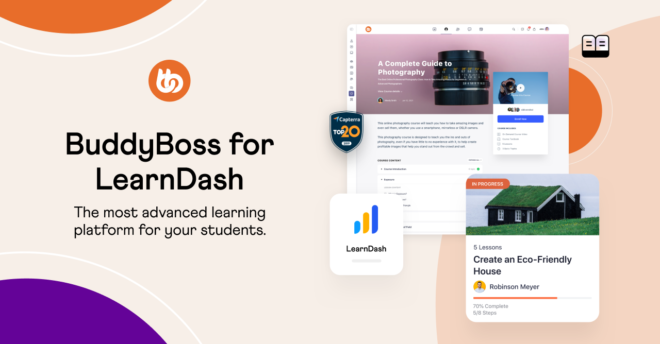
Best For: WordPress users who want full control.
Key Features:
Pricing: Starts at $199/year (hosting not included; pair with cloud hosts like Kinsta or WP Engine).
Best For: Creators who want drag-and-drop simplicity.
Key Features:
Pricing: Free core plugin; Pro plans from $199/year.
Best For: Selling subscriptions (e.g., fitness or business courses).
Key Features:
Pricing: Free core plugin; Builder Bundle $299/year.
Challenges
Internet Reliance: Cloud LMS needs stable Wi-Fi (offline modes help).
Feature Overload: Some tools like Canvas overwhelm new users.
Data Privacy: GDPR compliance is a must for EU learners.
The Future of AI will auto-translate courses into 100+ languages on cloud LMS platforms. Startups like Kajabi already blend LMS + website + marketing tools into one cloud hub.
Bottom Line:
Cloud-based LMS platforms + mobile apps like BuddyBoss are the 1-2 punch for modern education. Whether you’re a teacher, CEO, or influencer, they turn your expertise into a global classroom with no tech headaches.
Social learning turns education into a group activity, using forums, live chats, and peer reviews to let learners share ideas, ask questions, and grow together. Think of it as “social media for education”—but with fewer cat videos and more “aha!” moments.

Better Results: Learners in collaborative environments retain 6x more information than solo studiers (Harvard Study).
Real-World Stats:
Remote Revolution: Hybrid workforces and online courses need tools to fight isolation—social learning builds connections.
The BuddyBoss App is transforming how educators, coaches, and entrepreneurs connect with their communities. With this white-label mobile app solution, you can deliver your courses, content, and community experiences straight to learners’ fingertips—fully branded and hassle-free.
To make your journey more seamless BuddyBoss now offer two different apps:- BuddyBoss App Full Edition and BuddyBoss App Lite Edition. The full edition is the same usual app with community and course features but the newly launched Lite Edition is specifically made for courses.
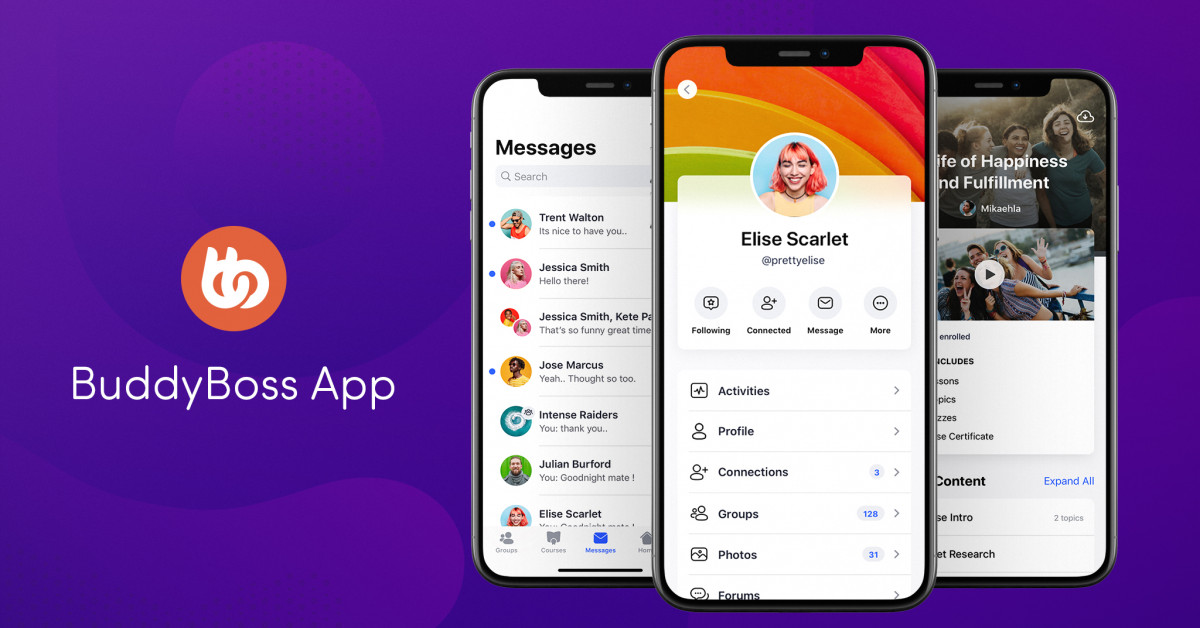
🔑 Key Features of the BuddyBoss App
🎨 Fully Branded Experience
⚙️ No-Code, Stress-Free Setup
💰 Built-In Monetization
📶 Offline Learning Capabilities: Allow users to download lessons and access content on-the-go—no internet needed. (Currently supported with LearnDash)
📲 Engagement That Works
Why Educators and Creators Love the BuddyBoss App
Flexible Pricing: Starting at just $179 for App Full Edition and $99 for App Lite Edition , an affordable way to scale your learning business.
While tools like Slack and Microsoft Teams work for basic chats, BuddyBoss is designed specifically for educators and brands to create all-in-one learning communities—combining courses, forums, member profiles, and live events.
Engagement Boosters
Seamless Integrations
Monetization: Sell memberships, offer premium forums, or charge for exclusive live events.
Mobile App: BuddyBoss App Full Edition keeps your community connected 24/7 via iOS/Android.
Pricing: BuddyBoss Platform: Free core plugin; Pro themes + plugins from $299/year.
BuddyBoss App Lite: $99/month (includes branded mobile app).
Challenges Solved by BuddyBoss
Fragmented Tools: No more juggling Slack + Teachable + Zoom. BuddyBoss unites everything.
Low Engagement: Push notifications and streaks keep learners coming back daily.
Brand Control: White-label design ensures your community looks and feels uniquely yours.
Stop settling for disconnected tools. With BuddyBoss, you can:
✅ Launch a branded community in days (no coding).
✅ Turn passive learners into active collaborators.
✅ Monetize expertise with memberships, courses, and events—all in one place.
Visit BuddyBoss to see why 50,000+ educators and entrepreneurs trust BuddyBoss to grow their tribes.
👉 Start Your 14-Day Free Trial Today
“BuddyBoss helped us build a community that feels like a family—not just a course platform.”– Online Course Creator
Together, these 7 trends of the future of elearning paint a powerful picture of where e-learning is headed—more personalized, immersive, flexible, and driven by smart technology.
Whether you're an educator, a corporate L&D professional, or a lifelong learner, now’s the perfect time to explore what’s possible. Try piloting at least one of these trends in 2025—you might be surprised at the impact.
And stay tuned! We’ll be diving deeper into how to implement AI-powered tools, set up VR labs, and more in our upcoming guides.
Nowadays, creating a sustainable revenue stream is more critical than ever. One of the most effective ways to achieve this is by incorporating subscription-based models into your website.
You could be running a membership site, delivering online courses, or offering exclusive content, WordPress subscription plugins provide the essential tools for handling recurring payments and managing access—helping you build loyal customer relationships while boosting profitability.
We understand the importance and need for a good WordPress Subscription plugin and we wouldn’t want you to wander around, wasting your time when you can just look through these plugins below which we have thoroughly tested and reviewed.
There are 100+ Subscription plugins available but we were able to find and review some of the top 10 WordPress subscription plugins available, covering both free and paid options.
We’ll look at their features, strengths, and weaknesses so you can choose the best tool to supercharge your recurring revenue.
For a headstart, we want you to understand the meaning and purpose of WordPress subscription plugins.
Subscription plugins are specialized tools developed to help site owners implement and manage recurring billing and membership content restrictions. With these plugins, you can:
These plugins not only facilitate seamless payment management but also empower you to cultivate a community around your offerings, whether that’s exclusive content, online tutorials, or special member benefits.
It's not just us saying but extensive market research and numerous case studies reveal that subscriptions are not just a revenue model; they’re a comprehensive approach to building a sustainable, scalable business.
Here’s a deeper dive into how subscriptions can empower your enterprise:
Predictable Revenue Streams:
Subscription models provide a stable income framework by shifting the focus from sporadic, one-off purchases to reliable recurring payments.
This financial predictability allows for better forecasting and budget allocation. Which is important when planning for business expansion and scaling operations.
It's not just realising, but studies have shown that companies leveraging subscription models often experience smoother cash flow management, enabling more effective investment in growth initiatives and customer acquisition programs.
Building a Loyal Customer Base:
If you offer exclusive content, member-only benefits, or personalized experiences, you create an environment where customers feel valued and engaged.
This exclusivity not only drives customer retention but also strengthens community bonds. Loyal subscribers are more likely to engage in multiple interactions with your brand, provide constructive feedback, and become advocates.
Opportunities for Upsells and Cross-Sells:
The inherent structure of subscription services naturally creates avenues for additional monetization.
With built-in access control systems, you can strategically offer premium features, advanced content, or supplementary products to your existing subscribers.
This targeted upselling or cross-selling approach leverages existing relationships to boost overall revenue.
When choosing WordPress subscription plugins for your WordPress site, you’ll encounter both free and paid options. Here’s what you need to know before you choose any of them:
Free Plugins:
Paid Plugins:
Power Up Your Community with 5+ Top Membership Plugins
Before settling on a plugin, consider these key factors:
You should look for a WordPress subscription plugin that is easy to configure or offer intuitive dashboards. If not easy configuration make sure to check if they provide resources, prompt customer support, guide or tutorial for this or provide any kind of service or support to ease your journey with their WordPress subscription plugin.
Payment gateway integration is important, if the plugin doesn’t support popular payment gateways like PayPal, Stripe, etc then it's not worth your money and time.
Moreover, if you have an international audience then don’t forget to check multiple currencies options.
Your WordPress subscription plugin should have customizable tiers: The ability to create several membership levels with distinct access privileges.
Also, don’t forget to check if the plugin works well with other content protection tools on your site.
The purpose of this blog is to help you get recurring revenue by adding a subscription plugin to your WordPress site. Which is why, flexible billing cycle is important.
What are Flexible Billing Cycles?
These are Options for monthly, yearly, or even custom cycles that can help tailor subscriptions to your customers’ preferences.
Apart from flexible billing cycles, free trials and discounts can encourage new sign-ups by lowering the initial barrier to entry.
Also, with robust handling of renewals and managing failed payments ensures continuous service.
Quality support can save you time and hassle as issues arise. Active forums and user groups often provide additional insights and problem-solving tips.
These below two are our top two choices after reviewing all the WordPress subscription plugins. Take a look at the table below to know why:
| #1 Choice | #2 Choice |
| MemberPress | Paid Membership Pro |
| Unlimited Membership Levels: Create and manage unlimited tiers for diverse audience segments. | – Content Restriction: Control access to posts, pages, or custom content by membership level. |
| – Drip Content: Schedule gradual content releases to maintain engagement. | – Customizable Forms: Tailor registration and signup forms for a better user experience. |
| – Coupon Codes: Easily set up and manage discount promotions. | – Flexible Membership Options: Offer varied plans, recurring billing, and trial periods. |
| – Affiliate Integration: Boost reach through built-in affiliate support. | – Payment Gateway Integration: Connect with major gateways like Stripe and PayPal effortlessly. |
| – Payment Gateway Support: Seamless integration with Stripe, PayPal, etc., for secure transactions. | – Free Core with Add-Ons: Start free and enhance with premium add-ons as needed. |
| Paid plans starting around ~$149/year | Free core version; add-ons available for purchase (pricing varies) |
| Read More… | Read More… |
Let’s take a closer look at the ten best options available—each with its own unique strengths and challenges.
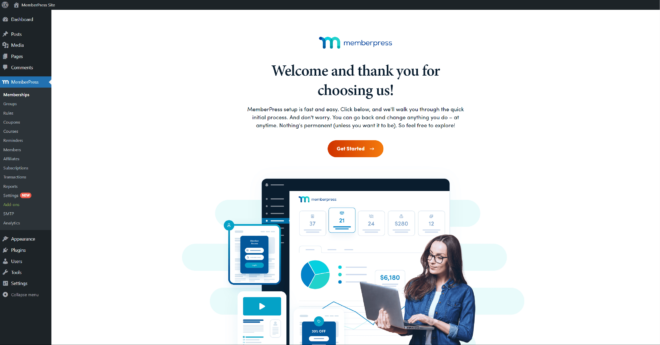
This all-in-one WordPress membership plugin makes it super easy to manage subscriptions and sell unlimited membership levels. We use it on our site, and we love how it combines power with simplicity. With MemberPress you can run a membership portal, offer online courses, or launch an exclusive content hub.
Key Features:
Pricing:
MemberPress works on a tiered pricing model that scales with the features and support you need. The paid plans start at around ~$149 per year, with higher tiers offering even more advanced features for larger sites or businesses that need robust solutions.
Pros:
Cons:
Final Overview of MemberPress
Overall, MemberPress is a robust and intuitive solution that really lives up to its promise of comprehensive membership management. Its blend of advanced features and ease of use makes it a solid investment for anyone serious about building a sustainable recurring revenue model. Check out our full review to see why we’re such big fans!
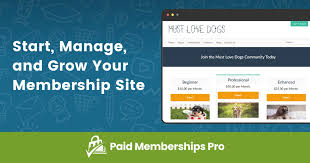
Paid Memberships Pro is an excellent choice if you're looking for flexibility without spending much. With its free core version complemented by a variety of optional paid add-ons, it’s designed to adapt to different budgets and business needs.
We've found it to be a great starting point for those new to membership sites while offering room to grow with your platform.
Key Features:
Pricing:
Paid Memberships Pro features a free core version, making it accessible to beginners. For those needing more advanced functionalities, there are various paid add-ons available that let you scale up as your membership site grows.
Pros:
Cons:
Final Overview of Paid Membership Pro
Overall, Paid Memberships Pro offers a versatile and budget-friendly solution for anyone starting their membership journey. Its blend of a strong free foundation with the ability to expand through add-ons makes it an attractive option. If you're just launching your site or looking to scale up, it's definitely worth considering for a sustainable membership model.
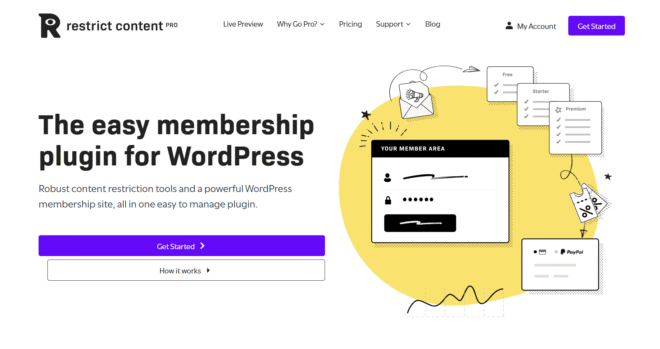
We spent time hands-on with Restrict Content Pro (RCP) and digging through documentation and user reviews, here’s our in‑depth take on why it’s such a solid choice for membership sites—without any unnecessary bloat.
Restrict Content Pro is a lightweight yet powerful WordPress membership plugin that focuses on what really matters—locking down content and managing subscriptions with minimal fuss. Unlike many alternatives that require third‑party commerce extensions, RCP bundles everything you need: membership levels, payment gateways, and a range of official add‑ons all in one package.
Installation & Configuration
Getting started takes just a few steps:
Key Features
Pricing
RCP’s pricing is straightforward and scales with your needs:
Pros:
Cons:
Overall, Restrict Content Pro strikes an excellent balance between ease of use and extensibility. Its lean core, combined with a suite of pro add‑ons and solid support, makes it a top pick for those who want a no‑nonsense membership solution.
How to Create and Manage Membership Sites In 8 Steps
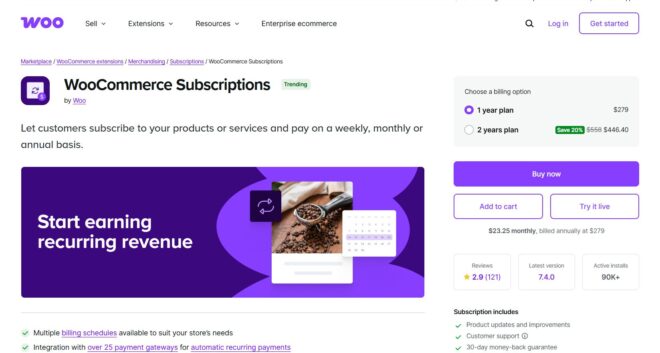
After putting WooCommerce Subscriptions through its paces on a live store, here’s our in‑depth take—complete with configuration tips, feature highlights, and real‑world pros and cons.
WooCommerce Subscriptions is the official WooCommerce extension that turns your store into a fully featured subscription engine.
During our tests, we found it blends seamlessly with existing products: you can convert any simple, variable, or even bundled item into a subscription offering with just a few clicks.
Even if you’re selling physical products (think razors or supplements), digital downloads, or services (like coaching calls), WooCommerce Subscriptions handles it all without glitching your storefront.
Installation & Configuration
Key Features
Pricing
$199 per year for a single site license, which includes updates and one year of support. You’ll also need WooCommerce itself (free) and potentially paid add‑ons for advanced features (e.g., complex billing schedules, advanced reporting).
Standard gateway fees (Stripe, PayPal) still apply on each recurring payment.
Pros:
Cons:
Final Overview of WooCommerce Subscriptions
In our hands-on testing, WooCommerce Subscriptions proved to be the most powerful way to add recurring revenue to a WooCommerce store.
Its deep feature set and tight store integration make it a no‑brainer for e‑commerce businesses—just be prepared for a steeper setup curve and some extra add‑on costs if you need advanced billing scenarios. If you’re already committed to WooCommerce, it’s easily our top recommendation for subscription selling.
After putting LearnDash through its paces on multiple projects, we can confidently say it’s not just a top‑tier LMS—it’s also a powerful subscription management solution perfectly tailored for course creators.
Its intuitive drag‑and‑drop course builder, paired with a library of over 100 official and community add-ons, makes it easy to launch, monetize, and scale educational content without unnecessary extras.
Key Features:
Pricing:
LearnDash’s tiered plans range from $199/year for a single‑site license up to $799/year for unlimited sites, all backed by a 30‑day money‑back guarantee. While there’s no free core version, the depth of built‑in features and robust add‑on ecosystem justify the investment for serious educators and organizations.
Pros:
Cons:
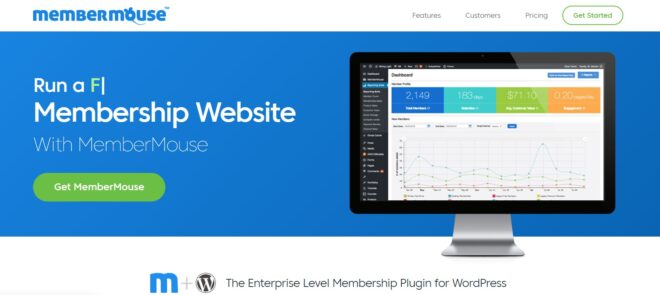
We were struck by how smoothly MemberMouse handles everything—from simple content gating to sophisticated upsell funnels—all without installing heavy plugins on your server. As a cloud‑based platform that integrates with WordPress, it offloads the heavy lifting so you can focus on growing your community rather than wrestling with technical details.
Key Features:
Pricing:
MemberMouse offers three straightforward annual plans (billed yearly) that scale based on feature depth and support:
Their Builder Plan – $24.08/mo (billed annually) includes unlimited members, core membership & content protection, basic reporting, Stripe integration, and standard support.
The Advanced Plan – $65.58/mo (billed annually) includes everything in Builder, plus PayPal & Braintree support, social login, email integrations, A/B pricing, and priority email support.
Lastly, the Premium Plan – $165.17/mo (billed annually) Includes all Advanced features plus Sticky.io integration, phone support, employee accounts, advanced reporting suite, and VIP onboarding.
Pros:
Cons:
Final Overview of MemberMouse
In our hands-on testing, MemberMouse proved to be a robust, enterprise‑grade solution that simplifies every aspect of membership management. If you’re serious about scaling your subscription business and want a turn‑key platform that “just works,” it’s hard to beat the convenience and breadth of features MemberMouse delivers.
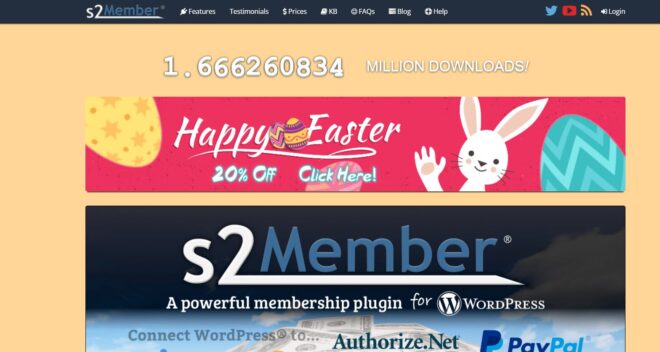
For s2Member, we can say it’s one of the most dynamic“freemium” WordPress subscription plugins out there. Its core (free) version already packs serious content protection and payment handling, and the Pro upgrade transforms it into a powerhouse that can juggle email marketing, custom capabilities, and multiple payment gateways—all without forcing you into a recurring license model.
Key Features:
Pricing:
Pros:
Cons:
Final Overview of s2Member
In our hands-on testing, s2Member impressed with its “do‑everything” core and Pro upgrade, especially for sites that require non‑recurring licensing and deep customization. If you’re comfortable planning your configuration and diving into settings, it remains one of the most versatile membership solutions in the WordPress ecosystem.
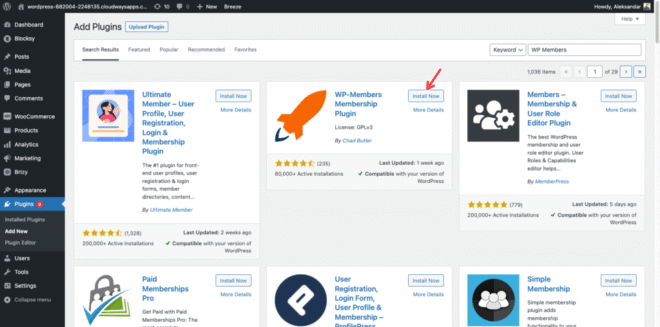
WP‑Members proved to be the go‑to choice for anyone who wants a truly subtle yet extensible membership solution.
It seamlessly embeds into your theme, turning standard login, registration, and profile pages into native elements of your site. Perfect for bloggers, small businesses, or anyone getting started with gated content, WP‑Members keeps things simple while still offering a path to grow via premium extensions.
Key Features
Pricing
WP‑Members’ core WordPress subscription plugin remains 100% free forever, making it unbeatable for tight budgets. When you’re ready to unlock premium features, you can purchase individual extensions or bundle them all in the Pro Package—starting at $149/year for unlimited sites, updates, and priority support.
Pros
Cons
After spending time building sample communities and membership funnels with Ultimate Member, we’ve come to appreciate its focus on user experience and flexibility. This free WordPress subscription plugin stands out by offering a true drag‑and‑drop form builder and powerful role‑based controls—everything you need to create a polished front‑end experience for your users without touching a line of code.
Pricing
Pros
Cons
Final Overview of Ultimate Member
Ultimate Member shines as a free, UX‑focused solution for sites that prioritize community interaction and sleek front‑end experiences.
If you need basic membership gating, user directories, and custom forms without a heavy subscription engine, it’s an excellent starting point—just be prepared to invest in premium extensions or custom integrations when you’re ready to add billing and advanced automations.

True to its name, Simple Membership delivers a clean, no‑frills membership solution that gets you up and running in minutes. We tested it on a small content site and were impressed by how swiftly we could define multiple tiers—Free, Silver, Gold—and protect any post, page, or category with a single click. Its minimal footprint keeps your site speedy, yet it still supports everything you need to monetize premium content.
Pricing
Pros
Cons
Final Overview of Simple Membership
For small businesses, bloggers, and anyone seeking a straightforward, budget‑friendly membership solution, Simple Membership hits the sweet spot. Its free core covers the essentials, and its focused add‑on library ensures you only invest in the features you truly need—making it our top recommendation for sites that demand simplicity today with the option to grow tomorrow.
Below is a side-by-side comparison of the top WordPress subscription plugins for an at-a-glance review:
| Plugin Name | Price | Best For | Explore More |
| MemberPress | Paid | All‑in‑one membership + LMS | Visit Site |
| Paid Memberships Pro | Free core, add-ons | Budget‑minded sites that scale | Visit Site |
| Restrict Content Pro | Paid | Straightforward content gating | Visit Site |
| WooCommerce Subscriptions | Paid | WooCommerce stores adding subscriptions | Visit Site |
| LearnDash | Paid | Serious online course creators | Visit Site |
| MemberMouse | (membership based) | SaaS‑minded membership operations | Visit Site |
| s2Member | Free & Pro | Developers needing GPL, one‑time licensing | Visit Site |
| WP-Members | Free | Bloggers & small sites seeking simplicity | Visit Site |
| Ultimate Member | Free | Front‑end communities & user directories | Visit Site |
| Simple Membership | Free | Quick, free content protection | Visit Site |
Picking out the right subscription plugin for your WordPress site is pivotal in creating a smooth and efficient membership or recurring revenue system. Each option comes with its own set of strengths and limitations:
As you decide, factor in your technical expertise, budget, and the specific needs of your business model.
Don’t be afraid to start with a free option and upgrade as your subscriber base grows. Now’s the time to take control of your revenue stream by choosing a WordPress subscription plugin that not only meets your current needs but scales with your business.
Ever wondered why some companies seem to pull you in and get you to buy their product without you even noticing? That’s funnel marketing.
In a world where attention spans are shorter than a goldfish’s memory, understanding funnel marketing and why it is needed in every business is essential to grab your niche audience and its journey through your products and services.
Funnel marketing is not a new concept. It’s evolved from the classic AIDA model (that’s Awareness, Interest, Desire, and Action). Over time, as the digital world took over, our strategies got a makeover. Today, funnel marketing is less “hard sell” and more “let’s gently guide you to the right choice.”
Back in the day, in the era of print ads and TV commercials, marketers relied on broad-stroke methods to catch the public’s attention. Advertisements would cast a wide net through magazines, newspapers, and the limited TV channels available, all with the hope of converting a fraction of the audience. It worked, but it wasn’t as nuanced as what we see today.
HubSpot reports that companies using modern funnel marketing tactics generate up to 54% more leads compared to traditional methods.
Then came the digital revolution, which turned the marketing world on its head. As online platforms became the norm, data-driven strategies emerged, allowing marketers to track every click, scroll, and interaction.
This shift ushered in the modern era of funnel marketing, where the approach evolved from a blunt “hard sell” to a more refined, customer-centric journey. Instead of bombarding you with one-size-fits-all messages, today’s funnel marketing is all about gently guiding customers step by step toward the right choice.
Funnel marketing is the process of guiding potential customers from the moment they learn about your brand to the time they (hopefully) actually buy your products. To put it simply, some people prefer to understand funnel marketing in ToFU, MoFU, BoFU and otherwise it is called and used in four steps of customer journey, which is Awareness, Interest, Conversion, and Retention.

At the awareness stage, you introduce your brand to a broad audience. This is your opportunity to make a strong first impression by using channels such as social media, blog posts, press releases, or even innovative video content.
The next step is to cultivate their interest. This involves providing detailed and engaging information about your products or services. You might use informative blog articles, explanatory videos, or interactive webinars to highlight the unique features and benefits your brand offers.
This is the point at which potential customers move from mere interest to making a purchase. You can facilitate this transition by presenting persuasive content such as product demonstrations, customer testimonials, comprehensive case studies, or personalized offers.
At this stage, you implement strategies like ongoing after-sales support, loyalty programs, exclusive discounts, and regular follow-up communications. The objective is to reaffirm your commitment to your customers and encourage them to become long-term brand advocates.
Funnel marketing is important because it guides potential customers smoothly from first learning about your brand to ultimately making a purchase—and even beyond. It works like a reliable GPS, ensuring that every step of the customer journey feels clear and purposeful.
When prospects have a seamless path to follow, they are more likely to move from casual interest to a firm decision to buy, which naturally leads to higher conversion rates.
By carefully planning each stage of the funnel, you not only minimize the risk of losing prospects along the way but also create more “I’m definitely buying that!” moments.
In addition, funnel marketing provides actionable insights by tracking every interaction, enabling you to see what resonates with your audience and what might need a little tweaking. This data-driven approach means you can continually refine your strategy to better meet your customers’ needs, ensuring that your marketing dollars are spent more efficiently.
Instead of casting a wide net with undirected efforts, you’re able to target specific segments of your audience with personalized content that speaks directly to their interests and needs.
Not all funnels are built the same. Depending on your goals, you might choose from several types:
Funnel marketing and sales marketing might seem like two sides of the same coin, but they each play a distinct role in guiding and converting customers. While both ultimately aim to boost revenue, the difference lies in their approach, scope, and overall impact on the customer journey.
Funnel marketing is a holistic/complete strategy that oversees the entire customer journey—from the moment a potential customer first hears about your brand to long after a purchase has been made.
What it is about- It’s about creating a carefully planned pathway that nurtures prospects through multiple touchpoints. Funnel marketing works as building an experience designed to educate, engage, and lead your audience steadily through stages like awareness, interest, and decision. This process leverages a blend of content marketing, social media engagement, email nurturing, and data analytics to refine every step.
The Best Part- The real deal of funnel marketing lies in its commitment to long-term relationship building. Why? Because you don’t create a funnel to get a quick sale but to understand customer behaviour, segmenting your audience based on their journey and deliver personal interactions at each stage that ultimately leads to loyalty and advocacy.
| Aspects | Funnel Marketing | Sales Marketing |
| Focus | Entire customer journey (from awareness to retention) | Conversion and closing the deal |
| Objective | Build relationships and nurture leads for long-term loyalty | Drive immediate action and secure sales |
| Approach | Multi-channel, content-driven, and data-driven nurturing | Direct, personalized outreach (sales calls, demos, offers) |
| Key Activities | Social media, blog posts, email nurturing, and retargeting | Consultative selling, product demos, negotiations, follow-ups |
| Timeframe | Long-term; establishing trust over time | Short-term; focused on immediate conversion |
| Metrics | Engagement rates, lead quality, customer retention, brand loyaltyConversion rates, close rates, revenue per sale | Engagement rates, lead quality, customer retention, brand loyaltyConversion rates, close rates, revenue per sale |
| Tools Used | Marketing automation, CRM systems, content management platforms | Sales automation tools, CRM systems, direct communication channels |
| Customer Interaction | Indirect, educational, and value-driven | Direct, persuasive, and transactional |
On the flip side, sales marketing zeros in on the moment when a prospect is ready to commit. It’s the targeted set of tactics designed to convert the nurtured lead into a buyer. Sales marketing is more transactional and immediate by nature.
It focuses on the final push to close the deal. This approach often involves direct interactions, whether through consultative sales calls, tailored product demonstrations, or persuasive offers that are designed to address any last-minute hesitations.
In many cases, sales marketing also taps into negotiation strategies and real-time feedback to customize its pitch.

It’s like the difference between dating and proposing—the broader relationship is nurtured by funnel marketing, while sales marketing delivers the crucial, direct appeal to seal the deal.
Digging deeper, one could argue that funnel marketing is the strategic architect of your customer experience.
It’s about setting up the right structures, systems, and content that attract and guide prospects sustainably. It relies heavily on analytics and feedback loops to continuously optimize the journey based on changing customer behaviors and market trends.
Sales marketing, meanwhile, is more operational and performance-driven. It often comes into play when there is an urgent need to convert a warm lead or when market conditions demand a swift response to competitors. Sales marketing is agile, adjusting its tactics based on direct interactions and immediate customer responses.
Build a Membership Hub Your Audience Will Love Coming Back To
The Intersection of Content Marketing and Funnel Marketing is where creative storytelling meets strategic conversion. Content marketing creates compelling blog posts, videos, infographics, and social media updates that attract and educate your audience.
It lays the foundation by sparking interest and building trust—transforming casual browsers into engaged prospects.
Funnel marketing then takes over, strategically guiding these prospects through a structured journey. In the early stages (TOFU), content raises awareness with broad, shareable pieces.

As prospects move to the consideration phase (MOFU), more detailed materials like case studies and webinars build credibility. Finally, at the decision stage (BOFU), persuasive content like product demos and testimonials seals the deal.
Together, this dynamic combination not only drives conversions by delivering the right message at the right time but also nurtures long-term relationships, turning first-time buyers into loyal advocates.
The Strategies of Funnel Marketing In Detail
Let’s talk about strategy. Yes, planning might not sound as fun as witty banter, but a killer strategy can make all the difference. Here are some essential strategies to consider:
Get inside the heads of your target market. Use surveys, social media, or even that Magic 8-Ball from your desk (okay, maybe not the last one) to figure out what makes your potential customers tick.
One-size-fits-all is so last season. Tailor your messaging to different customer segments for an experience that feels like it was made just for them.
Create content that’s not only informative but also engaging and a bit cheeky. Think blog posts, how-to videos, webinars, and interactive tools that answer questions before your prospects even ask.
Don’t set it and forget it. Continuously review your funnel metrics (conversion rates, drop-off points, etc.) and adjust your strategy accordingly. Think of it like refining your favorite recipe—tweak the spices until it’s just right.
Use a harmonious blend of email, social media, SEO, and even offline events if needed. A well-rounded approach ensures you’re everywhere your audience hangs out.
Automation tools are your best friends here. From automated emails to chatbots that help guide prospects, use tech to keep your funnel humming smoothly without requiring 24/7 manual input.
These strategies work together to ensure your funnel marketing efforts aren’t just a shot in the dark but a calculated, fun, and effective plan for success.
A streamlined funnel marketing plan breaks down into clear, simple stages. Let’s map out the journey—complete with our friendly acronyms TOFU, MOFU, and BOFU:
TOFU (Top Of Funnel):
This is where the party starts. At this stage, your goal is to create awareness. Think of TOFU as hosting a big bash where everyone gets invited—you’re using engaging ads, entertaining social media posts, and attention-grabbing content to introduce your brand. It’s casual, fun, and all about sparking curiosity.

MOFU (Middle Of Funnel):
Here, things get a bit more serious. MOFU is like the cocktail hour where you start getting to know your guests better. Now, you nurture those initial relationships with more detailed blog posts, informative webinars, or catchy lead magnets (like free eBooks or quizzes). The aim is to build trust and showcase your expertise while keeping it light and personable.
BOFU (Bottom Of Funnel):
This is where you seal the deal. BOFU is the intimate conversation after the party when the interested guests decide they want to take the relationship further. Offer product demos, compelling case studies, or customer testimonials here. It’s your final pitch—done with a mix of persuasive yet friendly charm—to convert curiosity into commitment.
The AIDA model outlines the stages a consumer goes through before making a purchase:
Designed to capture potential customers' contact information by offering valuable resources in exchange:
Utilizes webinars to educate and engage potential customers:
Focuses on capturing a visitor's email address through a dedicated landing page:
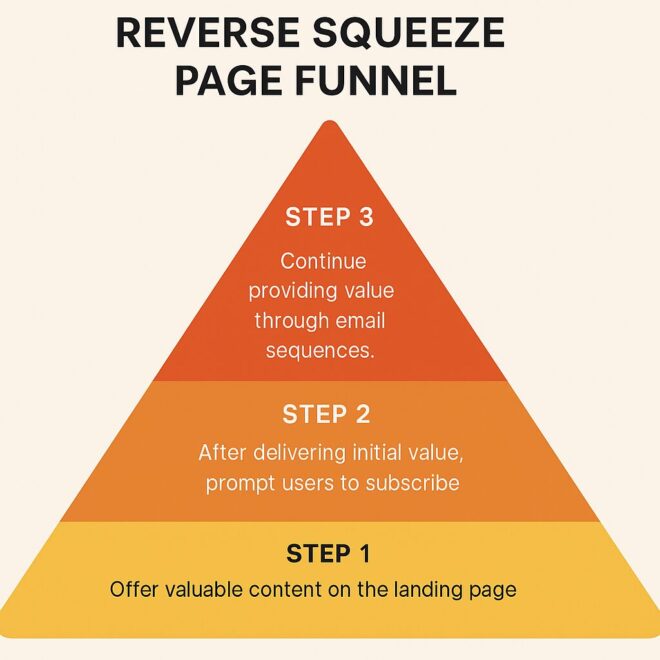
Provides valuable content upfront without requiring immediate contact information:
Still not convinced about the wonders of funnel marketing? Let’s wrap it up with a few undeniable perks for those who are looking to build a membership or community site and maybe course platforms:

Dollar Shave Club is a prime example of funnel marketing done right: a single quirky, viral video grabbed massive attention and introduced their affordable shaving solution (TOFU), then an engaging landing page captured leads and educated prospects about the subscription model (MOFU), and finally, a streamlined sign-up process combined with persuasive incentives converted viewers into loyal customers (BOFU).
This well-orchestrated funnel not only spurred rapid subscriber growth, disrupting a market once dominated by established players, but also built lasting customer relationships that paved the way for its impressive $1 billion acquisition by Unilever.
Funnel marketing is not as hard as it looks and it is not as easy as it seems. But, it doesn’t mean you can just ignore it! In this cut through time when everyone is trying to give 200% in their business and uses every new/old strategy to grow and succeed, Funnel marketing has not been ignored by anyone.
So, why wait? Embrace funnel marketing—your future self (and your ROI) will thank you for it. And if nothing else, you’ll have some pretty entertaining stories to share about your journey from “just browsing” to “sold!”
In an era where everyone wants to be part of the “in-crowd,” membership sites have exploded in popularity, offering a sustainable way to create recurring revenue and build a vibrant community.
Also, membership sites now account for a staggering portion of recurring revenue for many creators and businesses? It’s almost as if people prefer paying for VIP access rather than free cat videos online. This is the reason why a huge number of membership sites are being created to provide its members exclusive content and earn from its membership every year.
You might now want to create a membership site or maybe never have heard of it. Don’t worry this article will guide you through the basics and above about everything in detail.
If put it simply, Membership sites are online platforms where access to exclusive content, resources, or community features is limited to members; typically those who pay a recurring fee or sign up for a specific subscription.
Instead of offering all your content for free, when you create a membership site, you get full control over what you share and with whom, creating a private space where loyal followers, enthusiasts, or professionals can access premium resources, learn specialized skills, or even just enjoy the perks of being part of an exclusive community.
Create a Membership site If you are under any of these:-
Entrepreneurs and Content Creators
If you’re a blogger, podcaster, or online influencer, your audience already believes in your expertise. A membership site offers a way to monetize trust and enthusiasm by delivering premium, exclusive content that digs deeper than your free offerings. Think of it as turning casual followers into dedicated fans who pay for the inside scoop.
Coaches, Mentors, and Consultants
For professionals offering personalized guidance, memberships allow you to package your expertise into a structured system. Whether you’re offering webinars, one-on-one sessions, or exclusive resources, your members gain consistent value while you enjoy a predictable, recurring income.
As Jim Rohn (American entrepreneur and author) famously noted,
“If you really want to do something, you'll find a way. If not, you'll find excuses.”
A membership site is one way to ensure you’re finding the way instead of settling for excuses.
Educators and Online Course Creators
Membership websites are a natural extension of online education. They provide a space for ongoing learning beyond a single course, allowing educators to update content, foster discussion, and continuously support their students. It’s like having a digital classroom that never closes.
Brands and Organizations
Established brands can use membership sites as a loyalty and retention tool. By offering exclusive deals, early product access, or behind-the-scenes content, you turn your loyal customers into an engaged community. This not only strengthens brand affinity but also creates a steady revenue stream that isn’t as volatile as one-off sales.
Hobbyists and Community Builders
Even if you’re not a “big brand,” if you’re passionate about a subject—be it gardening, gaming, or gourmet cooking—you can build a membership site that attracts like-minded individuals. These niches often thrive on the intimate connections and specialized knowledge shared within a tight-knit community.
There are multiple types of membership sites and below we have discussed all 8 of them. These types will help you identify and understand the purpose of each so you can choose which is best for you to create a membership site around.
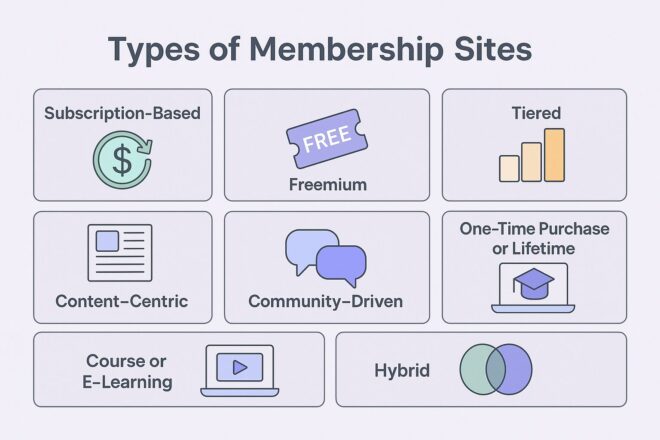
1. Subscription-Based Membership Sites
The classic model where members pay a recurring fee (monthly, quarterly, or annually) for continual access to your premium content. This approach works great if you plan to regularly update the site—think of it as the Netflix of your niche. It’s ideal for creators who love generating predictable, recurring revenue.
2. Freemium Membership Sites
Here, you offer essential features or content for free, while reserving the juiciest, premium content for paying members. It’s like letting someone sample your dish before they decide to order the full meal. This model helps attract a broader audience, converting free users into paying subscribers over time.
3. Tiered Membership Sites
Not all members are created equal (or at least they don’t have the same needs)! Tiered models give users multiple levels of access at different price points. For instance, a basic tier might offer standard content, while a premium tier provides exclusive webinars, one-on-one coaching, or other high-value perks. It’s a win-win: more value for your top fans and flexibility for new subscribers.
4. One-Time Purchase or Lifetime Membership Sites
For those who hate the idea of monthly fees as much as you hate untimely auto-renewals, lifetime memberships or one-time payment structures provide access to content for as long as the site exists—or at least for a very long time. If you create a membership site on this model can generate a substantial upfront revenue boost, though you’ll need to keep delivering value to avoid buyer’s remorse.
5. Content-Centric Membership Sites
These sites focus primarily on an ever-growing library of content, such as articles, videos, podcasts, or downloadable resources. Perfect for educators, writers, or industry experts, this approach turns your vast reservoir of expertise into a curated, members-only resource hub.
6. Community-Driven Membership Sites
At their core, these sites thrive on building relationships. Beyond content, they offer dedicated forums, discussion groups, or live Q&A sessions where members connect and share ideas. Think of it as the digital version of a private club—where the network is the net worth.
7. Course or E-Learning Membership Sites
Designed for educators and trainers, these platforms combine the benefits of online courses with the recurring revenue of a membership. They often include structured learning paths, certifications, and interactive sessions, transforming a one-off course into an ongoing educational journey.
8. Hybrid Membership Sites
Can’t decide which model fits best? Hybrid sites mix and match elements from the above types. For example, you might offer a freemium model with tiered options, or combine subscription-based content with one-time purchases for exclusive workshops. Flexibility is key—after all, the best membership sites evolve based on audience feedback and emerging trends.
And let’s not forget—membership websites are not the same as subscription sites or online courses, even though we often treat them interchangeably. As Simon Sinek wisely noted,
“People don’t buy what you do; they buy why you do it.”
(This rings true for memberships: your passion and unique value proposition will convert browsers into loyal subscribers.)
Why jump on the membership bandwagon? Here are a few reasons:
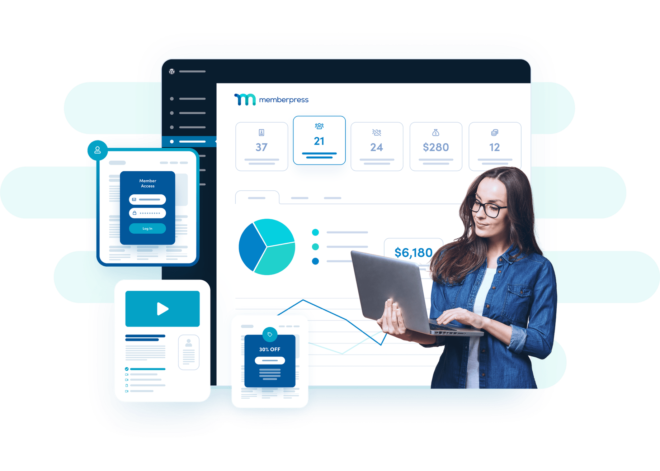
For those who cringe at the idea of coding, tools like MemberPress let you build a no-code membership site faster than you can say “subscription signup.” As any discerning online entrepreneur knows, sometimes less code means more fun—and fewer headaches.
Ready to build your digital clubhouse? Follow these simple (yet comprehensive) steps:
Before you create a membership site, take a moment to identify exactly who you're speaking to. This isn’t just a casual, “Oh, I like this topic” decision—it’s a strategic move that shapes every aspect of your site.
Narrowing down your niche is like setting the GPS coordinates for your digital journey. You need to know your destination before you hit the road.
Start by asking yourself, “What is my passion and expertise, and who is most likely to benefit from it?” Dig into market research: explore forums, social media groups, and industry publications to understand the needs and habits of potential members.
Craft a detailed profile of your ideal audience. For instance, if your heart beats for vegan cuisine, then your ideal members are likely those searching for plant-based recipes and healthy living tips—not die-hard steak lovers (unless you're ready to handle a kitchen rebellion).
Now that you’ve pinpointed your niche and audience, it’s time to decide on your membership model to create a membership site—the blueprint for how you deliver value and generate recurring revenue. Imagine your membership offering as if you were designing an engaging online course.
You need to determine the structure, the modules, and the pathway through which your students (or members) will progress. Consider these options:
Picking the right membership software is like selecting the perfect vehicle for your educational journey—you need something that’s reliable, fits your driving style (or technical comfort level), and meets your destination needs.
Even if you prefer the familiarity of a robust WordPress plugin or a sleek, all-in-one solution, the key is to pick a tool that aligns with your expertise and long-term goals.
For instance, if you're already comfortable with WordPress, MemberPress stands out as a powerful and customizable option.
It integrates seamlessly with your existing site, offers granular control over content access, and supports various payment gateways, making it a favorite for DIY enthusiasts who enjoy tweaking and optimizing their systems.
Its strong community support and extensive documentation ensure that even if you hit a snag, help is just a forum post away.
On the other hand, if you’re looking for an all-in-one platform that bundles website hosting, email marketing, automation, and membership management into a single package, Kajabi might be your go-to choice.
Kajabi is designed to streamline the entire process from course creation to subscriber management, letting you focus more on content and less on backend hassles. Its user-friendly interface is perfect for those who want to get started quickly without worrying too much about technical minutiae.
Don't forget, there are several other contenders in the membership software arena, such as Teachable, Thinkific, and Podia, each with its own unique features and pricing plans. As you weigh your options, consider factors like scalability, ease-of-use, integration capabilities, and customer support. After all, the best software is the one that grows with you and minimizes your tech headaches, letting you devote more time to creating the awesome content your members will love.
MemberPress Customers Pass the $1 Billion Benchmark—and Yours Could Be Next
Before you start developing your content and upload it to your membership site take a look around and see if you have previously made blogs, Youtube videos, any article or recorded lectures or webinars. If yes then collect them all and revise it and polish it to upload on your site.
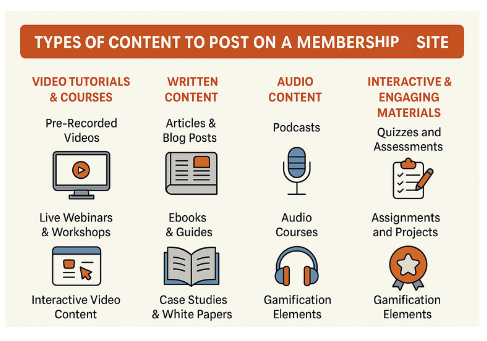
Later plan a thought and structure content and include all these below content type or at least some of them:-
Video Tutorials & Courses:
Pre-Recorded Videos
Live Webinars & Workshops
Interactive Video Content
Written Content:
Articles & Blog Posts
Ebooks & Guides
Case Studies & White Papers
Audio Content:
Podcasts
Audio Courses
Interactive & Engaging Materials:
Quizzes and Assessments
Assignments and Projects
Gamification Elements
Community-Driven Content:
Discussion Forums & Message Boards
Member-Generated Content
With a blend of these content types, you create a rich, multifaceted learning environment that caters to different preferences and learning styles. This diversity not only enhances the user experience but also increases the perceived value of your membership site.
When welcoming new members, imagine you're rolling out the red carpet for VIPs.
Start by crafting a simple, fun welcome guide that acts like a treasure map—showing them where to find all the exclusive goodies on your site.
Follow this up with a personalized email series that greets them with a friendly, “Congratulations, you’re now part of the cool club!” tone.
A short, interactive walkthrough or video tutorial works wonders to demystify your platform, almost like teaching them the secret handshake to your exclusive community.
And don’t forget to nudge them into joining your forums or social media groups, where they can quickly feel at home among fellow insiders.
On the marketing front,
Ditch the boring promotions and opt for an engaging, personality-packed approach.
Create content that’s not only informative but also sprinkled with wit—think blog posts, videos, and social media updates that resonate and entertain.
Instead of broadcasting generic ads, use targeted social media campaigns that feel like personal invitations. A fun referral program can also be a game-changer by rewarding your current members for inviting new ones; it turns every member into an enthusiastic promoter.
With emails that come off as friendly catch-ups rather than hard-sell spam and occasional memes to keep things light, your marketing strategy will build excitement and draw in curious, eager new members.
The Best Email Marketing Sequences for Membership Sites And Online Communities
Keep your membership site safe, sound, and legally solid with a few straightforward steps:
Security:
Maintenance:
Legal Basics:
Simple measures like these make sure your site stays secure and trustworthy, keeping your members happy and your membership site protected.
Keep an eye on your membership site's performance by using analytics tools to track user behavior, churn rates, and overall engagement.
Regularly review this data to understand which content or features resonate with your audience, and which areas might need a little extra polish. When you notice trends—like a spike in certain activity or a gradual drop in retention—take it as a cue to adjust your strategy accordingly.
Don't be afraid to experiment: Modify your content delivery, refresh your engagement tactics, and even run A/B tests to see what works best.
Remember, every piece of feedback is a goldmine of insights.
As Mark Cuban famously said, “Sweat equity is the most valuable equity there is.” In other words, investing your time in analyzing performance and iterating based on real user feedback will pay off in the long run.
Keep monitoring, keep learning, and keep refining your approach to ensure your membership community stays vibrant and engaged.
MemberPress
MemberPress is a comprehensive WordPress membership plugin that offers robust features for creating and managing membership sites. It allows you to create unlimited membership levels with customizable pricing plans, including one-time payments, recurring subscriptions, and trial periods. The plugin provides powerful access rules to restrict content based on membership levels and supports content dripping to release content over time. Additionally, MemberPress integrates seamlessly with various payment gateways and third-party services, enhancing its functionality.
Restrict Content Pro
Restrict Content Pro is a user-friendly membership plugin known for its simplicity and flexibility. It enables the creation of unlimited membership levels, including free, trial, and premium subscriptions. The plugin offers robust content restriction options, allowing you to control access to posts, pages, and custom post types. It also includes features like discount codes, detailed reporting, and integrates with multiple payment gateways such as Stripe, PayPal, and Authorize.net. Restrict Content Pro provides a streamlined interface, making it accessible for users without technical expertise.
Paid Memberships Pro
Paid Memberships Pro is a versatile membership management plugin that offers a wide range of features and add-ons. It supports multiple membership levels with flexible pricing and access control. The plugin allows for content restriction by posts, pages, and custom post types, and includes customizable checkout processes. Paid Memberships Pro integrates with various payment gateways and provides a dedicated theme for those starting from scratch. Its extensive add-ons enable advanced functionalities like recurring payments and email marketing integration.
To all those thinking that it is a hard core job to create a membership site, requiring a huge budget then I hope this guide has made you understand that it's not as hard as it looks. You define your niche, choose the right tools, create awesome content and nurture your community.
Still have doubts about where to start? Here take a look at MemberPress. The #1 trusted and reliable Platform for Creating Membership Sites.
Building an online community is not just for Silicon Valley startups or those “influencers” with thousands of followers; it’s for anyone who’s ever thought, “Hey, I have opinions and a quirky sense of humor, and maybe others do too! With BuddyBoss you get a powerful platform to create beautiful and thriving communities for both personal and professional purposes.
With seamless customization options, mobile responsiveness, and a suite of features like gamification and live interactions, BuddyBoss makes it easier to build an engaging, vibrant community that reflects your unique style and vision.
In this guide, I am going to take you through a full and fledged process of how to build an online community and run it successfully with BuddyBoss without emptying your pockets.
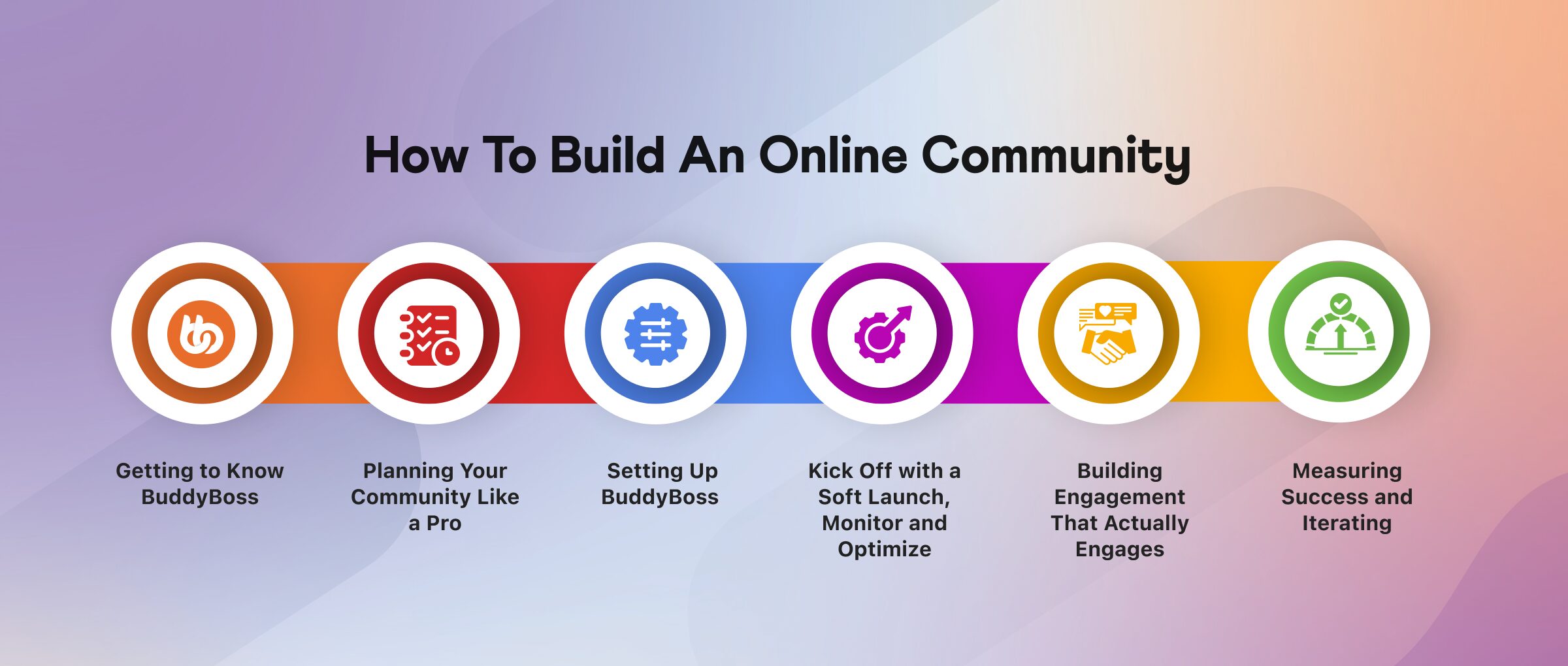
BuddyBoss is an open source free platform that comes with Theme together known as BuddyBoss Theme and Platform Pro. The price for 1 site is $299 (one time payment) which means you spend less than $25 a month for a year and secure yourself with BuddyBoss 1 year customer support anytime, anywhere
Moreover, BuddyBoss is packed with features like social networking, gamification, and mobile responsiveness—basically, everything you need to make your community the coolest kid on the digital block.
Businesses that invest in community platforms see up to a 30% increase in customer retention.
Now that you know about the platform here’s a detailed view on how to build an online community with buddyboss.
First things first: Who exactly are you trying to reach? Because creating an online community isn’t a “one-size-fits-all” scenario—it's about identifying your ideal audience. Are you a cat-lover with a penchant for puns or a fitness guru who despises cardio, nail down your niche and clearly define your community’s purpose.
Take a moment to consider: What unique value do you offer? For example this community below is made with BuddyBoss with a purpose to empower individuals through martial arts and flexibility. To serve this purpose they offer a comprehensive library of over 300+ videos, daily training and workshops to their members.

So the question remains exactly the same. What specific interests or challenges does your target audience have that your community can address? This initial clarity not only guides your content and engagement strategies but also helps in crafting a message that resonates deeply with your prospective members.
Additionally, setting clear goals is crucial. Ask yourself: Are you building a space for networking, support, education, or perhaps a combination of these? Define measurable objectives—
Download Our Free Community Planning Worksheet—because guesswork is so 2005.
Plan out the content that will keep your members coming back for more—you should plan your content like a wedding buffet that caters to every taste! It could be engaging blog posts that spark conversation, live webinars that feel like real time brainstorming sessions or quirky polls that inject a little fun into your community, Variety is the spice of life.
Mix It Up! Don’t just stick to one format. Create a blend of:
Informative Blog Posts: Share industry insights, success stories, or helpful tips that establish your authority.
Live Webinars & Q&A Sessions: Host interactive sessions where members can ask questions, share ideas, and feel connected in real time.
Quirky Polls & Surveys: These not only add a fun element but also help you gauge the pulse of your community.
Video Content & Tutorials: Short videos or recorded lessons can help explain complex topics in an easy-to-digest manner.
Content Calendar is Your Best Friend
Map out your member journey from “Hello, world!” to “I’m basically family now” by creating a content calendar. Plan weekly themes, schedule posts, and set reminders for live events. This ensures consistency and helps maintain a rhythm that your members will look forward to.

Engagement Tactics: Sprinkle in member spotlights, discussion prompts, and even behind-the-scenes content. These elements not only keep the content fresh but also make your community feel personal and interactive.
Decide how you’ll measure success. Whether it's tracking active users, monitoring engagement rates, or even counting how many people actually laugh at your puns. Clear, quantifiable metrics not only chart your community’s growth but also illuminate the path to improvement. Consider these key performance indicators (KPIs):
Active Users: Monitor daily or monthly active users to gauge how many members are truly participating.
Engagement Rate: Track likes, comments, shares, and post interactions to understand the vibrancy of your discussions.
Retention Rate: Measure how many members stick around over time; a steady retention rate is a hallmark of a thriving community.
Event Attendance: If you host live sessions or webinars, record attendance figures to see how compelling your events are.
Content Interaction: Evaluate how often your posts are viewed and shared, and even note when your quirky jokes hit the mark!
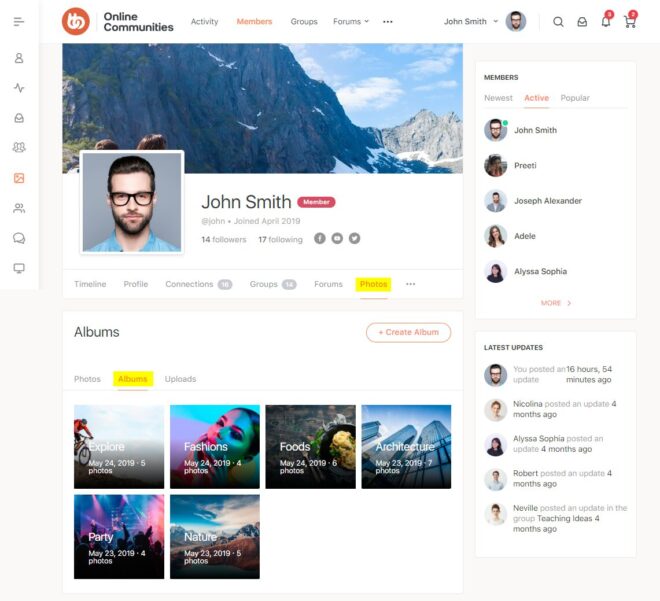
BuddyBoss works seamlessly with WordPress, making it incredibly simple to launch your community. The platform offers a user-friendly installation process with step-by-step guides, complete with screenshots and video tutorials.
Start by downloading the BuddyBoss plugin and theme, then activate them through your WordPress dashboard. Configure essential settings such as community pages, member profiles, notification preferences, and social sharing options—all made to foster engagement from day one.
BuddyBoss’s robust documentation and support forums ensure that if you encounter any hurdles along the way, help is just a click away. This streamlined process allows you to focus more on building your community and less on technical setup.
Learn how to enable and configure the BuddyBoss Platform- Click Here to Read
Learn how to setup and customize our premium BuddyBoss Theme- Click Here to Read
Learn how BuddyBoss integrates with your favorite plugins and services- Click here to Read
Articles for experienced developers and site administrators to optimize and extend their BuddyBoss sites- Click here to Read
Check out our BuddyBoss Setup Guide and get your community off the ground faster than you can say “I need coffee.”
Once BuddyBoss is installed, it’s time to make the platform truly yours. BuddyBoss offers an impressive range of customization options that let you adjust everything from layouts to color schemes, typography, and widget placements.
Whether you’re aiming for a sleek, modern look or a bold, playful vibe, you can tweak the design elements to perfectly match your brand’s personality.
Enhance your community’s visual identity by customizing header images, logos, and navigation menus to ensure a cohesive, instantly recognizable brand experience.
Plus, explore additional BuddyBoss add-ons that boost functionality—such as gamification features, real-time notifications, and seamless social sharing—to elevate the overall user experience.
Leverage BuddyBoss's live demos and theme customization preview or watch the tutorial below to experiment with different designs before settling on your final look.
Before you go all-in, consider starting with a soft launch. This strategy involves rolling out your community to a select group of early adopters—your VIP beta testers—who can provide valuable feedback in a controlled environment. A soft launch helps you identify any technical issues, content gaps, or engagement challenges before unveiling your community to the broader audience.
A soft launch gives you a chance to fine-tune before the big reveal,” says Online Community Expert at BuddyBoss. By inviting a small, representative group, you can test the waters and adjust your strategy based on real user behavior and insights.
Keep a close eye on key performance metrics such as:
Based on the insights you gather, make iterative improvements to your community:
Your content should be so compelling that your community members can’t help but dive into discussions, share insights, and even throw virtual high-fives. The secret is to deliver value consistently—think of your content as the fuel that keeps your community’s engine running at full throttle.
Did You Know? Communities that post regularly see up to a 50% increase in engagement.
Engagement is more than just posting content—it’s about sparking genuine conversations and interactions. Here are some creative ways to keep your community buzzing:
No community can flourish without a solid structure to keep interactions respectful and meaningful. Effective moderation is the backbone of a thriving online community.
To build and sustain a thriving online community, it’s important to monitor performance, analyze your progress, and adapt your strategy based on real-world insights. Use your preferred tools like Google Analytics or community-specific dashboards—to keep a pulse on essential KPIs. Here’s how to take your performance tracking to the next level:
Do you know that communities that review analytics monthly can see a 25% boost in retention.
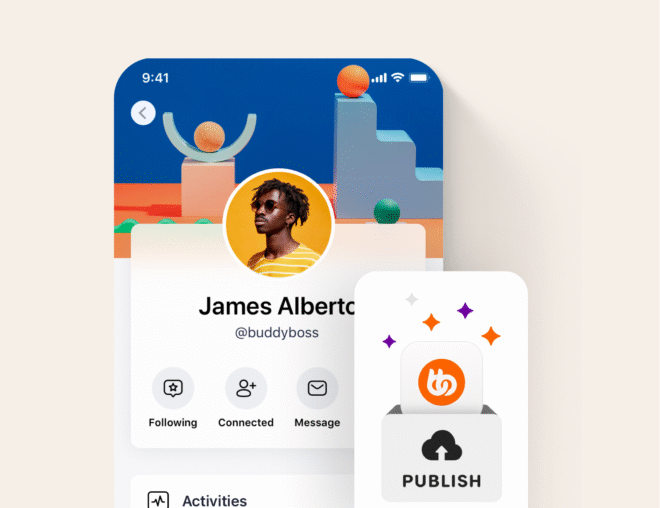
The App is designed to bring your online community to life wherever your members are. Available for both iOS and Android, it ensures that your community remains vibrant and accessible whether members are at home, on the go, or away from their desktop.
With a fully responsive mobile experience and real-time notifications for new posts, comments, likes, and private messages, the app keeps users consistently engaged and in the loop.
Beyond simply keeping everyone connected, the app mirrors the robust functionality of the desktop platform. It offers comprehensive user profiles, advanced social networking features, and seamless messaging capabilities that allow members to customize their profiles, build friend lists, and participate in dynamic group discussions.
Additionally, the BuddyBoss App facilitates event management by enabling users to RSVP and join live webinars, Q&A sessions, and virtual meetups with ease.
This ensures that your community not only shares valuable content like blog posts, video tutorials, and resource libraries but also benefits from interactive and engaging experiences that fuel ongoing participation.
In today's mobile-first world, this level of accessibility is essential for nurturing a thriving, interactive, and deeply connected community. Ready to take your community mobile?
Learn more about the BuddyBoss App, explore its innovative features, and discover how it can transform your members’ experience
Building a thriving online community with BuddyBoss is not just a process of technical setup. When you are building a community you are creating a space where your audience feels seen, heard, and occasionally amused by your witty banter. By defining a clear niche, setting measurable goals, launching with a soft rollout, and continuously engaging and optimizing, you’ll transform your digital space into a vibrant hub of activity.
Ready to join the community-building revolution? Sign up for our BuddyBoss Starter Kit
If you’re managing a BuddyBoss community, you already know that running a social platform is like hosting a party where everyone wants to chat, share, and sometimes even argue about the best pizza topping! However, have you ever put a second thought into automating all the repetitive tasks, leaving you more time to focus on what really matters; Building a thriving and beautiful community?
In this ultimate guide, I’ll show you how to use integrations and workflows to turn your buddyboss platform into a lean, mean, automation machine.
If you’re fed up with manually sending welcome emails or updating member roles every time someone joins your community (we know, it’s as fun as watching paint dry), this guide is your ticket to a smarter, more efficient platform.
Today, you’re going to learn how to integrate third-party tools and set up automated workflows that not only save you time but also keep your community buzzing with engagement. Ready to automate like a boss? Let’s dive in!
Discover the BuddyBoss Platform and see what the hype is all about

Automation is the process of using technology to perform repetitive tasks without human intervention. It basically means setting up systems that automatically handle routine operations—you could be sending welcome emails, updating member roles, or syncing data between platforms—so you can focus on the more creative and strategic aspects of your work.
At its core, automation relies on simple if-this-then-that logic.
For example, when a new user signs up on your BuddyBoss community, an automated workflow might trigger a series of actions: sending a personalized welcome message, adding the user to a specific group, and even posting a welcome announcement on the activity feed. All these actions occur seamlessly, without you needing to lift a finger.
With these simple building blocks, you can create complex automations that practically run themselves.
Managing a growing community manually is as outdated as dial-up internet. Automation is the secret sauce that:
Automating routine tasks has been a game-changer for our community. It lets us focus on engagement and strategy, not admin work,” says a seasoned community manager using BuddyBoss
Integrations are the bridge between BuddyBoss and your favorite tools. It could be syncing with your email marketing service or connecting with a CRM, integrations make everything work seamlessly. Popular choices include:
| Integration | Logo | What It Does | Use Case |
| LearnDash |  | A powerful LMS plugin for course creation, enrollment, and progress tracking. | Integrate BuddyBoss with LearnDash to deliver a seamless eLearning experience, automatically enrolling users into courses and tracking their progress. |
| MemberPress |  | A comprehensive membership plugin for content restriction and subscription management. | Automatically manage member access, grant premium content, and update user roles based on membership levels within your BuddyBoss community. |
| AutomatorWP |  | Connects multiple WordPress plugins to create automated workflows effortlessly | Automatically add new members to specific groups, send custom emails, or trigger actions based on user activity. |
| Uncanny Automator |  | Specializes in setting up multi-step workflows for more complex automation needs. | Send personalized emails, update user profiles, and manage membership roles based on various triggers. |
| Zoho Flow |  | A no-code integration with platform that connects BuddyBoss with over 1000 apps | Create sophisticated workflows that sync your BuddyBoss community with external services like CRMs and project management. |
| Zapier |  | Connects your BuddyBoss platform with hundreds of SaaS applications to automate tasks across different systems. | Automatically update mailing lists, post on social media, or create support tickets when a new user registers. |
| WP Fusion |  | Syncs user data between BuddyBoss and various CRMs or email marketing platforms, ensuring consistent user records. | Automatically segment users into different mailing lists or marketing campaigns based on their activity or membership level. |
Learn About 100s of BuddyBoss Integrations…
Workflows: The Blueprint of Automation
A workflow is essentially your automation playbook. It’s the “if this happens, then do that” plan that keeps your community humming along smoothly. You define triggers, set conditions, and then map out the actions that need to occur.
| Step | Description | Details |
| Trigger | New User Registration | Event: A new user registers on your BuddyBoss community.Tools: AutomatorWP, Uncanny Automator, or Zoho Flow. |
| Action 1 | Send a Welcome Email | Details: Automatically send a personalized email welcoming the new member using your email marketing service (e.g., MailChimp or WP Fusion). |
| Action 2 | Assign a Member Role | Details: Automatically assign a predefined role (e.g., “Member”) to ensure the new user receives the correct permissions from the start |
| Action 3 | Add to a starter Group | Details: Automatically add the new user to a designated group such as “New Members” or “Community Starters” to promote immediate interaction. |
| Action 4 | Post a Welcome Message on the Activity Feed | Details: Automatically create a fun, engaging post in the activity feed to introduce the new member to the community. |
| Action 5 (Optional) | Sync with CRM | Details: Use WP Fusion or Zapier to add the new user’s details to your CRM, facilitating ongoing engagement and segmentation. |
| Optional Conditions | Set Conditional Logic | Example: Only send the welcome email if the user hasn’t already received one, or assign a specific role if they selected a particular membership tier during registration. |
| Testing & Deployment | Test and Activate Workflow | Testing: Run the workflow in a staging environment to catch any issues.Deployment: Once verified, activate the workflow to ensure every new user is onboarded seamlessly. |
Learn How You Can Automate Your BuddyBoss Onboarding Process Seamlessly
Knowing and properly setting up integrations on your BuddyBoss platform with ease your work. Here's how you can do it.
Learn more about setting up BuddyBoss integrations on our detailed documentation page
Integrating your CRM, email marketing tools (like MailChimp or WP Fusion), and messaging apps (like Slack) can transform your BuddyBoss experience. For example, set up a workflow so that whenever a user registers, they’re automatically added to your mailing list.
Automation isn’t just about setting up triggers and actions—it’s about visualizing your process like building a digital assembly line. Let’s break it down with some graphics and charts to make it crystal clear.
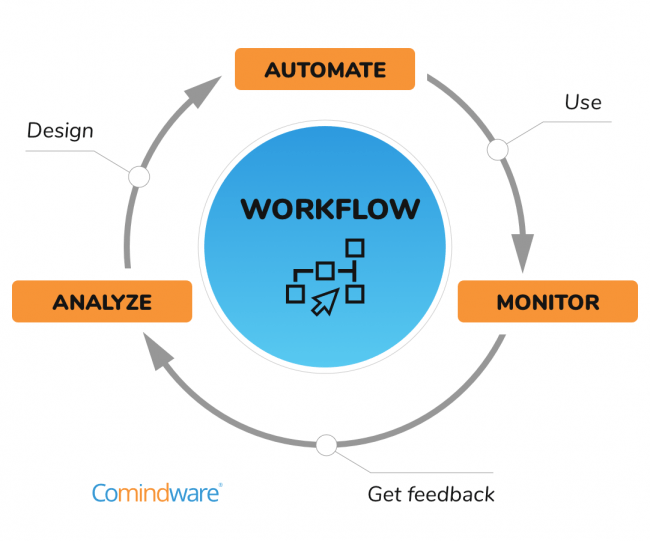
Identify the Triggers
Start by figuring out what events should set your workflow in motion. Here are some common triggers:
showing where automation can be triggered in your community:
A[User Registration] –> B[Trigger Workflow]
C[Profile Update] –> B
D[Group Join] –> B
Map Out the Actions & Conditions
Once you have your triggers, decide what actions should follow:
| Trigger Event | Actions | Conditions |
| User Registration | Send welcome email, assign member role, add to “New Members” group, post welcome message | Only if the welcome email hasn’t been sent previously |
| Profile Update | Notify team members, update profile details | Trigger only on major updates |
| Group Join | Enroll user into designated group, send notification | Only for selected groups based on user choice |
Create a Workflow in Action
Imagine a new user signs up. With automation in place, your workflow would execute the following steps:
An example representing the new member onboarding workflow:
A[New User Registration] –> B[Send Welcome Email]
A –> C[Assign Member Role]
A –> D[Add to “New Members” Group]
D –> E[Post Welcome Message on Activity Feed]
B –> F{Welcome Email Sent?}
F — Yes –> G[Skip Email]
F — No –> B
Find Out How to Craft Email Sequences That Convert – Explore the Guide!
User Onboarding Automation
Make every new member feel like a VIP. Automatically send them a welcome email, add them to introductory groups, and even assign them a starter badge. Automation takes the grunt work out of onboarding so you can focus on creating engaging content.
Membership & Role Management
Automatically assign roles or membership levels based on user actions. For example, if someone purchases a premium membership, they get upgraded without manual intervention.
Boosting Engagement
Celebrate user interactions by awarding points, badges, or sending congratulatory notifications when members hit milestones like posting for the first time or receiving a set number of likes.
Integrating LMS for eLearning
Connect your BuddyBoss community with learning management systems like LearnDash or LifterLMS. Automatically enroll new users into courses, track their progress, and update their status—all in one smooth, automated flow.
CRM & Email Automation
Keep your user database clean and engaged. Use automation to add users to your CRM or email lists, segment them based on behavior, and send targeted campaigns.
Learn more about setting up BuddyBoss integrations on our detailed documentation page
Even the best automations can sometimes throw a tantrum. Here are some quick fixes:
User Review: “I had a minor hiccup with a workflow conflict, but BuddyBoss support was quick to guide me through the fix.” – ★★★★★
In summary, automating your BuddyBoss platform is like hiring an army of digital minions—minus the evil mastermind vibe. By integrating tools like AutomatorWP, Uncanny Automator, and Zoho Flow, you can streamline your processes, enhance user engagement, and focus on the creative and strategic parts of community management.
Ready to level up your automation game? Start by exploring the BuddyBoss integrations and see which tools fit your needs best. Your community (and your sanity) will thank you!