
Teachable and BuddyBoss are both popular course platforms that help you start your brand for your course-based business. Both of these platforms have almost the same purpose but with some different features.
It is important to know the differences and features between these two platforms before you choose one.
Because course development is a long process, it is crucial to choose one platform that gives you the most support for your course creation process.
Both BuddyBoss and Teachable have supported influencers, entrepreneurs, and instructors in creating courses for niches such as health, spirituality, business coaching, etc.
But how different is Teachable from BuddyBoss? This blog discusses all the details so that you can pick the best option for starting your coaching business.
Let the BuddyBoss vs Teachable comparison begin!
Teachable is a cloud-based system, meaning that all of its services and features are hosted on remote servers and accessed through the Internet. This allows users to create and manage their online courses from anywhere.
BuddyBoss is also a cloud-based platform but it makes heavy use of the WordPress ecosystem. For this reason, clients use the BuddyBoss theme and the plugin for starting their course site. The platform provides you with gorgeous aesthetics consisting of templates, fonts, and colors which you can customize to make your course website more appealing.
With Teachable you are presented with a Dashboard from which you will be creating and editing your courses. The Dashboard includes everything you need to build your courses. It even creates a course outline for you simply based on the course title. One major highlight of the dashboard is how easy it is to navigate around.
You can upload videos, and images and conduct live sessions to define your courses. You can also set up your brand, landing page, and set up a customized domain for your “school” so that your audience can get to you.
When using the BuddyBoss dashboard, every learner is presented with a personal dashboard that displays their profile, enrolled courses, course progression, upcoming classes, future events, and so on. You can also present badges, points, and certificates for course completion.
Other options include setting prerequisite lessons, testing your learners through multiple choice questions, blocking progression if a particular course is incomplete, and push notifications for new lessons, offers, comments, and messages.
Another feature fact is that the BuddyBoss platform integrates LearnDash to create the course and host it on your site.
Like any other course site, Teachable supports monetization through selling courses. This is the main way by which you will be able to make your income on this platform.
If you integrate Circle.so, you can start monetizing your membership community.
BuddyBoss provides several ways to monetize your platform. Yes, you can sell courses separately but you can also sell your courses in bundles here. Another way to monetize your community is by using the BuddyBoss membership platform to get access to exclusive content.
All of these monetizations can be in the form of subscriptions or one-time payments.
Video today is the main way to create a course and both platforms provide video facilities for you to upload and share your video content.
Once you have access to the Teachable dashboard, you can upload videos to your course syllabus. You can upload videos with a file size of 2GB or lower. In addition, a user can conduct live sessions, video conferencing, and conduct webinars. There is no native way to add live streams, but this can be done by embedding the third-party live stream code snippet from YouTube, Twitch, or Vimeo.
With BuddyBoss you can create a virtual classroom with Zoom. Using Zoom, you can create digital content, live training, and live online courses In addition, you have the option to conduct webinars, and live streams and even host a live event with everyone or specific groups.
Zoom meetings can be scheduled with the link placed on your WordPress site.
Course creators at Teachable get personalized help to launch their courses. Instructors are even given live group coaching sessions 3 times a week. There is a separate community just for where other course creators can interact to get ideas, connect, and get access to content.
In addition, creators can reach out to experts for more guidance or can refer to their blogs, customer support, or live chat.
However, customer support is not available if users face any issues when using third-party tools. So you will not be assisted with maintenance or customization if you face any issues when using third-party tools.
Besides the customer ticket system to assist users, BuddyBoss supports its users with various materials to educate their customers for creating courses.
For example, users can visit the knowledge base section, and roadmap section or visit the Youtube channel which is full of updated videos on how to use the platform to create courses for your audience.
There are several integrations you can make use of to make your coaching business easier to use. These range from email marketing, Google Analytics, Zapier, Sumo, and so on. This integration assists you to have an all-in-one solution to support your coaching business. There are a total of 10 integrations you can use.
Since BuddyBoss uses WordPress to manage its platform, course creators get wide access to more than 100 plugins to manage their coaching business. So plugins such as LearnDash, WooCommerce, WP Rocket, Rank Math SEO, WPForms, Elementor Pro, WPForms, etc.
These integrations help to enhance your coaching business.
Being able to create a membership platform is a valuable feature for your own coaching business as it quickly helps to bring relevant traffic to your courses and content. It also helps to be more engaging with your audience. A membership platform is similar to Facebook groups. You can post videos, images, and statuses and even allow comments, likes, and shares for quality online interaction.
Although Teachable lets you create courses-it does not have this feature to create a membership platform. However, you can integrate a third-party app called Circle.so. You need to buy the basic plan to integrate this. So if you are using the free plan, you will not be able to create a membership platform. This means you will have to place extra effort into marketing your courses, particularly through social media.
On the other hand, you can certainly have a membership platform to enhance your course creation benefits. With the BuddyBoss membership platform, you own it. So you always retain your members and the content you upload.
In addition, you can use it to share your courses with your members to ensure everyone knows your course is ready.
This ensures a faster rate of course purchase as you already have a platform with members interested in learning from you.
Having your community for your business ensures you can make the best out of your business by catering to the diverse needs of your group. It can be a hassle to manage people with diverse needs. This is where the group creation feature comes in handy.
The community system is not available if you are using Teachable although it is accessible if you integrate with Circle.so. Keep in mind, that this is only available once you use the basic plan. Using Circle.so, you can manage your members who will be able to access your community by logging in.
This integration is a third-party integration so you will have to refer to the third-party site for using the community feature.
Since BuddyBoss has its own community platform, you can manage your community in many ways. For example, you can create groups within your community.
You can create groups based on specific needs such as classes, team members, and different countries. These groups can be private or public.
So having more members means you are given the rein to grow and manage users with groups of needs.
Members can interact with each other through photo sharing or video sharing, direct messages, mentions, likes, comments, and even shares. Users can receive notifications and have their profiles as members of the community.
Although you can start your coaching business for free, you will have to upgrade several times once you start adding more courses and admin users. For example, with the basic plan, you can upload 5 courses and 2 admin users. But If you want to expand your courses or admin users, you must upgrade to the Pro plan where you will finally be able to upload unlimited courses.
Also keep in mind that until you choose the Pro and Business plan, there will be a transactional fee of 5% on your sales.
Once you purchase the BuddyBoss platform, you can scale your coaching business without any limits! This means as your business grows, you can include more members within your community.
The platform also lets you create unlimited groups which is a vital feature to use as your members grow. This feature gets even more useful as you can create unlimited events and add unlimited admins. These features are vital for you to keep your business running as your members span hundreds or even thousands of users.
Teachable is a platform that is most suitable to use when using a desktop or a laptop. Although you can view a course from any IOS app, the site recommends using a desktop or a laptop for the best experience.
Students can use the mobile app to view the course but for best results, Teachable advises learners to use their desktop or laptop device.
Teachable has an iOS app that is compatible with the iPhone and iPod Touch. The app works with iOS 9.0 or later. Unfortunately, Teachable does not have an app for Android devices.
Creators also will not get any support if they edit the custom code for the mobile app. It would be best to use the app already given to you.
Since BuddyBoss uses cloud-based technology to support course creators, it also provides a mobile application to host the courses. All the course materials are available on the mobile app which is also usable as a web application. Since BuddyBoss addresses each brand, you will need to separately purchase your mobile app as all mobile apps are custom-made for every course creator or influencer.
The mobile application also works offline so learners can access the application even without an internet connection.
Unlike Teachable, the apps are made for both Android and iOS.
Creating and publishing courses is not enough. You will have to do marketing for your courses to bring traffic to your site. Teachable and BuddyBoss both support course creators with content creation facilities to keep their coaching business sustainable.
Like any course creation platform, Teachable has everything to guide you to create not only courses but also other online content for social promotion. Teachable has a separate blog section focusing on marketing, branding, and content creation. If you are into creating digital products, then you can upload digital products that your audience can download.
In addition, you can also embed content such as video players, audio players, forms, and webinars into your course content.
The platform has a dynamic content management system to bring traffic to your course-based site. For example, it has a full set of social media tools to share your content. If you use the membership system then you can share your content with your members only.
This method of content sharing ensures better results for your content creation as you will get traffic a lot faster from people who are already eager to buy your course.
You can share e-books, blogs, images with captions, status, and of course your video tutorials. Just recently, BuddyBoss released a new feature where users in a community can bookmark any blogs shared so they can read them later.
When it comes to pricing, Teachable is a pricier option especially if you take into account the limitations that integrate with the plans. For the basic option, you pay $468/year. If you choose to be billed monthly, the bill will stand at $59 which is much more affordable. But this comes with a set of limitations.
For example, for the Basic and Free versions, there is a transaction fee for your course sales. The number of courses and admin users is also limited. So if you want to expand your coaching business to include more than 5 courses, you will have to expand to the pro version early on to upload additional courses.
This is also the same for adding more admins. If you want to add more than 5 admins, you must upgrade to the Business plan.
On the other hand, the pricing for using BuddyBoss is a lot more affordable. Pricing depends on the number of sites you need. It also depends on whether or not you want to include a mobile app. Mobile apps need to be developed separately for each client since not all course creators are the same.
For each site, you will be billed yearly. For the mobile app, you choose to be billed yearly or monthly.
The price for a 1-course site is $299 which is billed annually. With this, you get both the BuddyBoss Theme and the BuddyBoss Platform Pro.
For 1 mobile app, you are charged $179 per month if you choose the Yearly plan. Whereas you are billed at $219 per month if you choose the monthly plan.
Whichever plan you choose, there are no limitations in adding more admins or courses. You also face no limitation to adding members to your community.
Both platforms have their advantages and disadvantages depending on your needs and budget. If you want a straightforward course platform with easy-to-use features all within a dashboard, then Teachable may be the better option.
But if you want more control over your platform and want to create a social learning environment within your WordPress site, BuddyBoss is a better fit especially if you are looking to integrate a mobile app and create a membership site for your course.
In terms of pricing, BuddyBoss is again a better fit within your budget. You do not have to pay any percentage on the sales of your course. You can also upload unlimited courses and add admin users as many as you want.
Whereas, with Teachable, you have to upgrade your plan a few times if you want to upload more than 5 courses or want to add more admin users. There is also a 5% transactional fee for the course sales you make until you upgrade to the Pro or Business plan.
When it comes to turning your WordPress site into a full-blown course, community or membership platform, there's one name that stands out from the crowd: BuddyBoss! Thousands of people have chosen BuddyBoss to power their websites and many more like you are considering it!
Now, we all love a good bargain, don't we? The lure of a free or super cheap cracked version of BuddyBoss, known as BuddyBoss Nulled, might seem like a dream come true. But hold on a second before you act on that thought!
In this article, we're going to take a closer look at the hidden dangers of taking this risky shortcut. Trust us when we say it's a decision that can cost you way more than you bargained for.
So, grab your virtual seat, buckle up, and let's dive into the wild world of BuddyBoss Nulled, where we'll uncover the truth behind this tempting shortcut and why it's always better to choose the legitimate vers
Ready? Let's go!
Okay, let's start by unravelling the mystery behind nulled plugins. In the context of premium plugins like BuddyBoss, “nulled” refers to something that sounds like a good deal but is actually too good to be true. You see, a nulled plugin is essentially a pirated version of a premium plugin.
Picture this: some sneaky individuals take the original premium code of a plugin like BuddyBoss and give it a little “makeover.” They alter the code to remove or disable the license key, making it available for free or at a significantly reduced cost. Sounds appealing, right? Well, hold onto your virtual hat because it's not all rainbows and unicorns from here.
Let's dig a bit deeper into the world of nulled plugins. These hacked versions might be floating around in some shady corners of the internet, promising you the same functionality at zero cost. But here's the catch: they come with a host of problems and potential risks that could turn your online community upside down. Stay with us as we explore the dangers lurking behind BuddyBoss Nulled and why you might want to think twice before taking this risky path.
Now that we understand what “nulled” means and how it relates to plugins like BuddyBoss, let's shine a spotlight on the risks associated with using BuddyBoss Nulled.

Nulled plugins are notorious for compromising the security of WordPress websites. When you install a nulled version of BuddyBoss, you're opening the door to potential security breaches. These plugins often contain hidden or obfuscated code that can be used by cybercriminals to gain unauthorized access to your site. And let's be honest, nobody wants uninvited guests wreaking havoc in their online community.

Remember that altered code we mentioned earlier? Well, it's not uncommon for nulled plugins to be a source of malware. Once you install a nulled version of BuddyBoss, you're essentially rolling out the red carpet for malicious software. These pesky malwares can do all sorts of damage, from stealing sensitive information to causing chaos on your site. Imagine the horror of your users' data being compromised or your site. It's a nightmare you definitely want to avoid.

With BuddyBoss Nulled, your users' private information could be at serious risk. The altered code within the nulled plugin may contain mechanisms for data theft, allowing cybercriminals to get their hands on your users' personal data. That's the last thing you want when you're building a trusted community. Protecting your users' privacy should always be a top priority.

Here's the thing about nulled plugins—they don't come with updates or support. When you opt for BuddyBoss Nulled, you're essentially cutting ties with the plugin developers who work tirelessly to improve and secure the legitimate version. Without regular product updates, you'll be left in the dark when it comes to fixing bugs, addressing compatibility issues with future WordPress updates, or enjoying the latest features. Troubleshooting on your own can be a real headache, and nobody wants to navigate compatibility chaos alone.

Let's break it down and compare BuddyBoss Nulled with the legitimate version side by side. Take a look at the table below to see the key differences:
| BuddyBoss Nulled | Legitimate BuddyBoss | |
|---|---|---|
| Stability | Unstable and risky | Stable and reliable |
| Security | Compromised and vulnerable to hacking | Robust security measures |
| Support | No support or assistance | 9-5 Eastern Support including live chat |
| Updates | No updates | Regular updates addressing vulnerabilities and improving functionality |
| Compatibility | Potential compatibility issues with WordPress updates | Ensured compatibility with the latest WordPress updates |
| Risks and Limitations | Compromised security Potential malware infection Privacy concerns and data theft Lack of updates and support | Stable and secure platform Protection of user data Regular updates and new features Professional support |

Now that we've established the risks of using BuddyBoss Nulled, let's explore the bright side—the benefits of choosing the legitimate version of BuddyBoss. Here's what you can look forward to:
Continuous updates and improved functionality: When you opt for the legitimate BuddyBoss, you gain access to regular updates that go beyond just fixing bugs. These updates introduce new features, enhance functionality, and most importantly, address any security vulnerabilities. You can rest easy knowing that your online community is equipped with the latest tools to thrive and engage your users.
Access to professional support for troubleshooting and assistance: Need a helping hand? With the legitimate BuddyBoss, you're never alone. You have direct access to a team of professionals who specialize in BuddyBoss and are ready to assist you. Whether you have questions, encounter technical issues, or need guidance, their expertise is just a support ticket away. Say goodbye to DIY troubleshooting frustration!
Enhanced security measures and protection of user data: Your users' trust is invaluable, and the legitimate BuddyBoss takes that seriously. With robust security measures in place, you can ensure the protection of sensitive user data. Rest easy knowing that your online community is a safe space where your users can connect, share, and engage without worries.

Now, let's talk about cost considerations and how you can get the best deal on the legitimate BuddyBoss plugin.
Initial cost of the legitimate BuddyBoss plugin: We understand that cost plays a significant role in your decision-making process. The legitimate version of BuddyBoss is an investment for the long-term safety and functionality of your online community. Pricing for BuddyBoss starts as low as $299 per year, and it's worth every penny considering the benefits and peace of mind it brings.
Importance of long-term investment in safety and functionality: Remember, online communities are not short-term ventures. They require dedication, nurturing, and the right tools to flourish. By investing in the legitimate BuddyBoss, you're making a long-term commitment to the success and security of your community. It's an investment that pays off in the form of user satisfaction, growth, and trust.
Strategies for obtaining discounts and sale alerts: We love a good deal, and BuddyBoss occasionally offers discounts during sales events. To make the legitimate BuddyBoss plugin even more affordable, keep an eye out for sale alerts. One strategy is to subscribe to our newsletter, where we keep our valued subscribers up-to-date with the latest BuddyBoss sales and discount codes. Stay informed and seize the opportunity to get the BuddyBoss plugin at a discounted price during these special sales.
As we reach the end of our journey, let's recap what we've learned about BuddyBoss Nulled and the legitimate version of BuddyBoss. We've uncovered the risks and challenges associated with using BuddyBoss Nulled, including compromised security, potential malware infections, privacy concerns, and the lack of updates and support. These risks can have serious consequences for your online community, jeopardizing its safety and functionality.
On the flip side, choosing the legitimate version of BuddyBoss offers numerous advantages. You gain access to continuous updates, improved functionality, and the assurance of professional support whenever you need it. Enhanced security measures protect your users' data, giving them peace of mind while they connect and engage with your community.
Now, here's the real deal: investing in the safety and success of your online community is worth every penny. While BuddyBoss Nulled may seem like a cost-saving shortcut, the potential risks and challenges it brings can end up costing you far more in the long run. Don't let a momentary temptation compromise the integrity of your community. Opt for the legitimate version of BuddyBoss and enjoy the peace of mind that comes with a secure, thriving online space.
The choice is clear. The time is now. Choose BuddyBoss—the legitimate version and build a course, community, or membership site that shines bright in the digital world.
Social media was initially created to connect, communicate, and relay information. But with social media growing overpopulated with a sea of content and users, many businesses today opt to maintain a separate online community to improve sales and customer relationships.
Having an online community means you need to know how to deal with your customers especially those who are premium users. So this blog will share tips on how you can interact with your online community when using an online community management system.
A Community Management System (CMS) is software that helps build, manage, and grow online communities. It offers tools for organizations or groups to interact with members or customers in an organized online space.
The main aim is to create a sense of belonging, boost participation, and support communication and teamwork.
In addition, a CMS is useful for bringing online traffic and recurring revenues. However, there are more benefits to having a CMS.
What to know more?
The next section describes the benefits of having an online community.
Having an online community will boost the quality of engagement with your audience. This is because it encourages active participation as well as interaction with yourself and amongst your members.
One can easily address specific needs when there is an online community. In terms of engagement, it is far quicker to keep members engaged with offers, campaigns, and updates.
Although many niches maintain their online community for their followers and customers, tech companies make heavy use of maintaining a community feature as it helps to quickly respond to alerts from customers who report an issue with a product or service.
With a community, you are guaranteed to experience quality feedback from your customers. Many new inventions need proper feedback from their customers. If you have a membership community, you can directly request them to provide feedback.
This is a much more practical approach than asking a user to fill out a form to provide feedback.
At the same time, members also experience quality feedback from the customer support team. The communication is more direct between the organization and the individual member.
For example, if a user does not know how to use a product then a video or blog can be shared with the user directly. This is faster than formally posting a ticket to lodge an issue.
Another benefit of a membership community is the ability to uplift brand loyalty by nurturing a sense of community, leading to satisfied members who often evolve into enthusiastic brand supporters.
In the long -run, if a community can maintain quality engagement with its members there will be a sense of loyalty. This means customers will be satisfied with the business and will want to remain with the business.
Having happy members will mean members will recommend you to other people by sharing affiliate links. Many businesses that are successful with their products create affiliate links so happy members can make use of the links by promoting them on social media.
This strategy leads to more sales and more members joining the community.
Maintaining a membership community means the cost of your marketing efforts will be efficient. If members are advocating for your products and continuously take advantage of your promotional offers then you make more out of your membership community.
Most businesses use paid ads to promote their products and services. But if you have a membership community, then you can be confident that all your costs will covered as you already have a large community who are most likely to buy your products when you launch your campaigns.
Content creation today is vital for bringing traffic to your business. However, those without a membership community have to work harder to optimize their SEO efforts. They must continuously create new content to remain competitive in the search engine.
However, those who maintain an online community are guaranteed to receive returning traffic. Since content will be shared in the group, there will be additional traffic coming from users who are already interested in the business.
There are times when new content may not be created for various reasons. Content creation can be quite exhausting. It is not unusual when a creator is exhausted or needs to take a break. However, the SEO efforts should not be halted. In such a case, old content can be reposted in the community for continuous traffic.
If the content is of important quality, then reposting and resharing may lead to sales.
We have a full blog post on How to Increase Blog Traffic with Less Content so be sure to check it out if you are looking to maximize your SEO efforts with a membership community.
Maintaining a membership plays a huge role in increasing a business’s customer base. Provided the business can maintain the membership quality, the business is guaranteed to grow faster than predicted.
But what are the principles of maintaining a community for scalability? Well, the following is what one has to keep in mind when maintaining an online community.
You do not have to manage your online community. Keep in mind you will be able to shine better when you involve a community manager. Anyone who has dealt with sales or directly with customers is perfect for managing members.
But if you are starting small and plan to manage your community on your own then here are some points you need to keep in mind when playing the role of a community manager.
Engagement does not refer to just sharing content or promotional offers. It also means being active in interacting with community members through conversations and answering queries. You may sometimes need to make an effort to encourage participation, foster a welcoming environment, and build relationships with and among members.
Other engagement activities can include:
Growth for your community will involve strategies such as reaching potential new members, partnerships, other communities, and brands. If you have a content team then you will need to keep in touch with them to ensure you have fresh content to post in your community. You may even need to provide feedback on the content they produce.
Growth efforts should aim at deepening the engagement and loyalty of existing members so that the community remains vibrant and interactive over time.
Although you will be the owner of your membership community, you will be expected to listen to the wants and needs of your members. This means you will need to put your ego aside.
And if a member is a premium customer then there is no question about listening to their frustration. Addressing these issues will mean you will have to reach out to your colleagues to solve the issue. Perhaps even collaborate with a different department if your business is large.
It is not uncommon for members to NOT share your quick response. But as long as you can maintain your membership’s satisfaction, you will always be on the advantageous side.
Whether or not your members are paid or not does not mean you can ignore toxic behaviors from your audience. I have seen members try to take advantage of a successful community by sharing their business’s content to drive traffic to their business.
This is not acceptable as this will mean your members will be distracted from the purpose of your community. You may consider this if a member seeks your permission but you must not allow members to do anything that will result in a fall in the number of users.
Also, members must not ever show disrespect or express themselves offensively. You can warn them about their behavior or slap them with a suspension. But be prepared to ban members if they cross the line.
To make moderation easy, you can set guidelines when users join your group. If you are using the BuddyBoss platform then your community website will automatically flag any offensive words and alert you when members are not respectful.
These pillars are all interdependent with each other as they contribute to the overall health and success of the community. Effective community management requires a balance between these areas as the community evolves and its needs change.
Keep in mind more qualities are important to community management such as Improvement and Support.

The first tip is to know your audience. The way you engage with your audience will depend on the profile of your audience.
If your business is for selling courses or educating users on a particular niche then your membership community will likely expect a standard level of professionalism while also engaging with your members.
THE HAGIOS STUDY is a community that teaches the Bible to its members. Therefore, maintaining professionalism is important for such a community. The community was built by using the BuddyBoss platform. Kristina Romero who is the founder of the Hagios Study also requested a custom-made mobile app so that users can access lessons from their phones.
So be clear on who your audience is as it will help you to plan on how to engage with your audience.
Content sharing is going to be the main way to engage with your audience when other promotional offers are not going on. The content you can share can be informative, and entertaining which is relevant to your audience.
This can be in the form of articles, videos, infographics, and podcasts to cater to different preferences.
Having a team of content creators such as writers and video creators will fule you create a constant supply of media to keep members entertained or informed.
Have you thought about recognizing your members for their contributions? You can do this by giving shout-outs, featuring member spotlights, or offering rewards for active participation.
Before Google Translate came into view, I remember a WordPress company offering 1 year of free subscription to anyone who could translate their plugin into other foreign languages.
Additionally, you can introduce a badge or points system that can gamify the engagement process, providing a fun and competitive element that acknowledges and incentivizes active participants.
Some companies post an update on their social media channel highlighting customers who have been with the company for a long time.
These approaches not only foster a sense of belonging and appreciation among members but also encourage ongoing interaction and contribution, ultimately strengthening the community bond.
Utilizing a proper online community management system helps with managing many users on a platform. With it, you will be able to manage and foster a thriving online community. Such systems provide a centralized platform for executing key community management tasks—ranging from content moderation and member engagement to analytics and feedback collection.
This will not only enhance the user experience but also allow informed decision-making and strategy adjustments to meet the community's evolving needs.
1. Do I need to moderate my Community?
Yes! You must moderate your community. There are times when members are rude to other members.
You do need to ensure your community has a system to filter any offensive words or engagement. Fortunately, online membership platforms today have an automated system that removes or hides offensive comments.
Your job will be made easier if you set the rules of your community. This will prevent members from crossing the line.
2. How do I plan with an online community system?
Planning for a community involves establishing clear objectives, identifying the target audience, and setting guidelines for how the community should operate.
Remember to plan the types of content and activities that will drive engagement and achieve the community's goals. If it is within your budget, you can hire a community manager to fully plan for your community.
3. What types of content can I share in the community?
Anything! Here is a short to give you an idea of how you can keep your community interesting for your members.
4. Is there a mobile app available for a CMS?
Certainly! You need to also have a dedicated mobile app so your members will be connected to your community anywhere and anytime.
If you are looking to customize your mobile app then contact BuddyBoss to have your mobile app ready. The app is built and maintained by BuddyBoss while you take care to focus on your community.
The image below is an example of a mobile app built for the Reckitt Benckiser Group. It is a British multinational consumer goods company that uses a mobile app to connect better with its employees and customers.
5. Where can I learn more about managing an online community?
You can find out more about managing your membership community through YouTube and Documentation.
And if you are an avid reader, why not check out blogs on how you can use your online community to grow your business?
At BuddyBoss we also have a dedicated support team and our own webinars that we hold to support our users on how to make the best use out of your online community.
Having an online community means dealing with people who are using your product or service. It involves nurturing them through communication, content sharing, problem-solving and so much more.
Once you start to see success with your community, it is important to switch to using a professional platform so you can cater to a larger audience.
By using the BuddyBoss platform, you will be able to create more groups and see the analytics of your user’s engagement activities.
This will help you grow your community effortlessly while keeping your members satisfied with your business’s products or services.
The term “Learning Pathway” has emerged as a guiding principle for structuring and streamlining the learning process. It's a carefully crafted roadmap that shepherds students along a coherent path towards mastering a specific subject or skill. A well-designed Learning Pathway offers a plethora of benefits for both students and instructors alike.
For students, a Learning Pathway provides a sense of direction and purpose, transforming the learning experience from a labyrinthine journey into a clear and manageable path. It breaks down complex concepts into digestible chunks, ensuring that students build a solid foundation of knowledge before venturing into more challenging areas. This structured approach fosters a sense of confidence and empowers students to take ownership of their learning.
Instructors, too, reap substantial benefits from implementing Learning Pathways. By meticulously designing and organizing the learning content, instructors can streamline their teaching efforts and ensure that every lesson aligns with the overall objective. This clarity of purpose enhances the effectiveness of instruction, allowing instructors to focus on delivering engaging and stimulating learning experiences.
A well-structured Learning Pathway serves as a beacon, guiding students through the intricacies of a subject, from the fundamental concepts to the intricate applications. It provides a sense of order and coherence, preventing students from getting lost in the vast expanse of information. This structured approach fosters deeper comprehension and retention, leading to more meaningful learning outcomes.

A successful Learning Pathway encompasses several key elements that contribute to its effectiveness:
Clearly Defined Learning Objectives
The learning pathway must start with a clear articulation of the specific knowledge, skills, and attitudes students are expected to acquire. These objectives serve as the roadmap, guiding the selection and organization of learning content.
Organized Content Sequencing
The pathway should effectively sequence the learning content, ensuring a logical progression from foundational concepts to more advanced applications. This sequencing ensures that students build a strong foundation before moving on to more complex topics.
Variety of Learning Activities
To cater to diverse learning styles and preferences, the pathway should incorporate a variety of learning activities, including text, videos, simulations, quizzes, discussions, and hands-on projects. This variety ensures that every student can engage with the material in a way that suits their learning style.
Formative Assessments
Regular formative assessments, such as quizzes, polls, and discussions, allow instructors to gauge students' progress and identify areas that require further attention. These assessments also provide valuable feedback to students, helping them identify their strengths and weaknesses.
Clear Navigation and Guidance
The pathway should provide clear navigation and guidance, with clear instructions, rubrics, and links to relevant resources. This guidance ensures that students have the support they need to navigate through the learning material effectively.
Engaging and Interactive Elements
To maintain student engagement and motivation, the pathway should incorporate engaging and interactive elements, such as gamification, rewards, and personalized feedback. These elements can transform the learning experience into an enjoyable and rewarding journey.
Before embarking on the journey of crafting a successful Learning Pathway, it's crucial to gain a deep understanding of the learners you're aiming to empower. This introspection involves two key aspects:
1. Age: Different age groups possess varying learning capabilities and preferences. Tailoring the content and activities to the specific age range of your students ensures optimal engagement and comprehension.
2. Learning Style: Recognizing the diverse learning styles present in your classroom is paramount. Some students thrive on visual aids, while others prefer auditory explanations or hands-on activities. A well-designed Learning Pathway caters to these varied learning styles by incorporating a diverse range of instructional methods.
3. Prior Knowledge and Experience Level: Assessing students' existing knowledge and prior experience with the subject matter is essential. Building upon this foundation ensures that the Learning Pathway seamlessly integrates with their existing understanding, preventing gaps in knowledge and fostering a sense of accomplishment.
Once you have a clear understanding of your target audience, it's time to define the specific learning objectives of your Learning Pathway. These objectives serve as the guiding stars, illuminating the knowledge, skills, and attitudes students are expected to acquire by the end of the journey.
Setting Clear and Measurable Learning Outcomes
Effective learning objectives are not merely aspirations; they are clear and measurable. This means translating your objectives into concrete statements that define what students will be able to do after completing the Learning Pathway. For example, instead of stating “Students will understand the concept of photosynthesis,” a more measurable objective could be “Students will be able to explain the process of photosynthesis, identifying the key elements involved and their respective roles.”
Once you have a firm grasp of your target audience and learning objectives, it's time to meticulously craft the Learning Pathway. This stage involves meticulously designing the content and activities that will guide students towards mastery.
The way you sequence your content plays a pivotal role in the effectiveness of your Learning Pathway. Here are two key aspects to consider:
Every learner possesses a unique learning style. To cater to this diversity and foster inclusive learning, integrate a variety of elements into your Learning Pathway:
A well-designed Learning Pathway shouldn't rely solely on a single teaching method. To cater to diverse learning styles and keep students engaged, incorporate a variety of approaches:
By strategically integrating these diverse methods, you can create a Learning Pathway that caters to various learning styles, fosters active learning, and encourages students to think critically and engage deeply with the subject matter.
Formative assessments are not merely tools for evaluating final achievement; they serve as valuable checkpoints throughout the learning journey. By incorporating regular formative assessments such as:
Now that you've meticulously crafted your Learning Pathway, it's time to translate it into action. This stage involves choosing the right platform, providing clear navigation, and fostering learner engagement.
The platform you select for delivering your Learning Pathway plays a crucial role in accessibility and user experience. Here are some options to consider:
The ideal platform will depend on your specific needs, budget, and target audience. Consider factors like:

A well-organized Learning Pathway empowers students to navigate the learning materials with ease. Here are some key strategies to ensure clear navigation and guidance:
By implementing these strategies, you can create a Learning Pathway that is user-friendly and empowers students to navigate the learning journey with confidence.

Keeping students engaged is vital for maximizing the effectiveness of your Learning Pathway. Here are some strategies to foster active participation and motivation:
Creating a successful Learning Pathway is an ongoing process. Just like any well-oiled machine, it requires regular evaluation and refinement to ensure it continues to meet the needs of your learners and deliver optimal learning outcomes.

Tracking student progress is essential for gauging the effectiveness of your Learning Pathway. Here are some key metrics to monitor:
By closely monitoring these metrics, you can gain valuable insights into how students are interacting with the learning materials and identify areas where the Learning Pathway might need adjustments.

Student feedback is a treasure trove of valuable information. Utilize various methods to gather their perspectives, such as:
In conclusion, crafting a well-structured Learning Pathway serves as a cornerstone for effective and engaging learning experiences. It empowers students to embark on a clear and purposeful journey towards mastering new knowledge and skills. By meticulously designing the content, sequencing, and activities within the Learning Pathway, you can transform the learning process from a disjointed experience into a cohesive and meaningful adventure.
The benefits of implementing Learning Pathways extend far beyond students. Instructors reap numerous advantages as well. A well-designed Learning Pathway streamlines course delivery, ensures alignment with learning objectives, and provides valuable data-driven insights to guide continuous improvement.
Remember, building a successful Learning Pathway is not a one-time endeavor. It's an iterative process that thrives on continuous evaluation, adaptation, and refinement based on data and student feedback. Embrace this growth mindset, and you'll be well on your way to creating a Learning Pathway that empowers your students, enhances your teaching practice, and fosters a love for learning that transcends the classroom walls.
Building a thriving online community is no small feat. While attracting members is crucial, keeping them engaged is the real challenge. Without consistent engagement, your community risks becoming a ghost town, leaving both members and your organization feeling disconnected and unfulfilled.
Studies show that 71% of communities saw their visibility increase during the pandemic, highlighting the growing importance of online engagement.
But fear not! A strong member engagement strategy can turn the tide. Engaged members are not only active participants but also vocal advocates who contribute to the community's growth and success. This translates into positive outcomes for everyone involved. Members gain valuable connections, knowledge, and support, while your organization benefits from increased loyalty, brand awareness, and potential revenue streams.
What benefits you will get from our strategies
When you put our strategies into action, you'll notice real changes that make managing your community a whole lot easier. Here’s what you can expect:
Higher Retention: Engaged members are more likely to stick around, reducing churn and creating a steady, growing base of loyal users.
Increased Participation: When your community feels connected, members join conversations, share ideas, and contribute content—making your space more lively and interactive.
Stronger Sense of Belonging: Personal touches and interactive experiences help members feel valued, fostering deeper emotional connections and loyalty to your community.
Boosted Conversions: An engaged community naturally leads to more actions, whether that’s signing up for courses, upgrading memberships, or purchasing products.
Enhanced Word-of-Mouth Referrals: Satisfied and active members tend to recommend your community to others, driving organic growth through genuine word-of-mouth.
Valuable Feedback: Active engagement opens the door for direct feedback, helping you understand members’ needs and refine your offerings.
Cost Savings on Marketing: With a self-sustaining community that promotes itself, you spend less on outreach and can focus resources on further improving the member experience.
Now, let's delve into the first steps of crafting a winning member engagement strategy. Understanding your members is key, and that starts with:
Imagine your ideal members. What are their goals, challenges, and interests? How do they prefer to consume information and connect with others?
By creating detailed member personas, you gain valuable insights into different member types within your community. This allows you to tailor your content, communication, and engagement strategies to resonate with each group effectively.
Don't operate in the dark! Actively seek feedback from your members through surveys, polls, and open forums. This two-way communication allows you to understand their satisfaction levels, identify areas for improvement, and gain valuable suggestions for enhancing their community experience.
By listening to your members, you demonstrate your commitment to their needs and foster a sense of ownership within the community.

Now that you understand your members, the next step would be to build a solid foundation and long-term plan for engagement within your community.
According to a survey, over half of organizations with a member engagement plan reported it helped increase membership renewals (51%), attendance at events/webinars (50%), and annual conference attendance (44%).
Here are three crucial aspects to consider:
Content is the lifeblood of any online community. Your goal is to provide resources, industry insights, and exclusive content that directly addresses your members' needs and interests. This could include:
Remember, variety is key. Experiment with different content formats like videos, podcasts, infographics, and case studies to cater to diverse learning preferences and keep things fresh.
Imagine a member trying to navigate your community platform and getting lost in a maze of confusing menus and functionalities. Not exactly an engaging experience, right? A user-friendly platform is essential for keeping members coming back. Here's what to focus on:
By providing a smooth and accessible user experience, you encourage members to actively participate and explore the full potential of your community.

Building a positive and inclusive community goes a long way in fostering long-term engagement. Here's how to create a welcoming space for all:
Remember, a strong member engagement strategy is not a one-time effort. It's an ongoing process of understanding your members, providing value, and fostering a thriving online community where everyone feels welcome and connected.
Now that you know how to build a solid foundation, let's explore specific member engagement strategies through engaging content:
Live events add a dynamic element to your community, fostering real-time interaction and knowledge sharing. Consider hosting:

Empower your members to become active contributors by:
Cater to diverse learning preferences and keep things fresh by experimenting with various content formats:

Showcase the positive impact of your community by featuring:
Inject a fun element into your member engagement strategy by incorporating:
Remember, the key is to consistently provide valuable and engaging content that resonates with your members' interests and keeps them coming back for more. Stay tuned for the next part, where we'll delve into building connections, communication, and member recognition!

Engaging content is just one piece of the puzzle. Building strong connections and fostering effective communication are crucial for a thriving online community. Here are some strategies to consider:
Encourage active interaction and knowledge exchange by providing platforms like:
Help members connect with each other by establishing:
Ensure members stay informed and engaged by utilizing targeted notifications.
Empower group leaders to foster engagement within their specific communities by enabling:
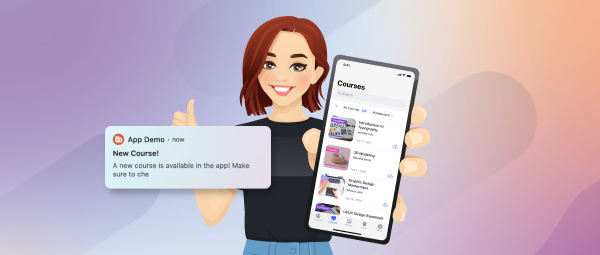
Keep members connected on the go by sending timely push notifications (use sparingly). These can be used for:
Remember, the key is to strike a balance. While member engagement strategies like notifications can be valuable, avoid overwhelming members with excessive communication.
In the final chapter of our exploration of member engagement strategies, we'll focus on personalizing the experience and recognizing member contributions to foster a sense of belonging and appreciation.
Tailor your content and announcements based on member interests and preferences. By leveraging data on member activity and preferences, you can send targeted communications that resonate more deeply, increasing engagement and satisfaction.
Go beyond generic content suggestions. Utilize member data to recommend relevant discussions, articles, and connections based on their interests and past activity. This personalized approach demonstrates attentiveness to individual needs and encourages further exploration within the community.

Don't let valuable contributions go unnoticed! Acknowledge and celebrate member achievements, participation, and insightful contributions. This could involve:
Show your appreciation for active members by offering exclusive benefits, such as:
Special member events: Organize exclusive events or webinars for active members, fostering a sense of community and appreciation.

A simple “thank you” goes a long way. Regularly express gratitude for member involvement and highlight the positive impact of the community. This could involve:
By implementing these member engagement strategies, you can foster a sense of personalization, recognition, and appreciation within your community. This, in turn, strengthens member connections, boosts engagement, and builds a thriving online space where everyone feels valued and contributes to its success.
Active Participation Rate (APR):
Calculate APR by dividing the number of active users (those who post, comment, or react) by your total member base. Tools like Google Analytics or your community platform’s built-in dashboard can help capture this data.
Formula:
APR = (Number of Active Members / Total Members) x 100
Continuous Monitoring & Iteration:
Data is only as good as the actions it drives. Regularly review your KPIs, run A/B tests for different engagement tactics, and adjust your strategy based on what the numbers reveal. Use segmentation to understand which sub-groups are most engaged and tailor your approach accordingly.
Avoiding pitfalls is just as important as implementing winning strategies. Here are some key mistakes to steer clear of when trying to boost community engagement:
Don’t Overwhelm with Notifications: Bombarding your members with too many emails, push notifications, or alerts can lead to fatigue and eventual disengagement. Instead, curate your communication to ensure each message adds value.
Don’t Neglect Personalization: Generic messages make members feel like just another number. Avoid one-size-fits-all content—take the time to personalize interactions so your community feels truly seen and heard.
Don’t Ignore Feedback: If you dismiss or overlook member feedback, you risk alienating your audience. Instead, actively solicit input and show that you’re responsive to their needs by making thoughtful adjustments.
Don’t Prioritize Quantity Over Quality: Focusing solely on the number of posts or interactions without considering their relevance and value can dilute the overall experience. Ensure that each piece of content or activity contributes meaningfully to the community.
Don’t Be Inconsistent: Irregular posting or sporadic engagement efforts can confuse and frustrate your audience. Consistency builds trust, so stick to a regular schedule and maintain a steady flow of content.
Don’t Forget to Set Clear Guidelines: A lack of community rules or standards can lead to chaos and disengagement. Establish clear, fair guidelines to help members know what to expect and how to interact respectfully.
Below are some top tools and plugins that can help you create a more engaging and interactive community:
BuddyBoss Platform & Theme Pro
A complete solution designed specifically for social communities. It offers built-in member profiles, groups, forums, and messaging—providing a solid foundation for user interaction.
Add gamification to your community by rewarding members with points, badges, and ranks. This plugin motivates participation by making engagement fun and competitive.
Streamline your workflow with automation. Use it to trigger notifications, send welcome emails, or award points when members take certain actions—keeping your community active with minimal manual effort.
If you need a dedicated forum, bbPress integrates easily with WordPress and helps foster rich discussions by providing a lightweight, customizable forum system.
This intuitive page builder lets you design interactive pages and custom layouts that capture attention and encourage member engagement. Use it to create dynamic landing pages, community dashboards, and more.
Push Notification Plugins (OneSignal, PushEngage)
Keep your community connected in real time. These plugins allow you to send mobile and desktop push notifications, ensuring your members never miss important updates or new content.
WP FusionConnect your community to your CRM system. WP Fusion helps segment your audience, track member behavior, and deliver personalized communications based on real-time data.
Building a thriving online community requires continuous effort and effective tools. BuddyBoss, a powerful community platform, empowers you to implement the member engagement strategies outlined in this blog and take your community to the next level.
Here's how you BuddyBoss features that you can use to implement these strategies:
Beyond these features, BuddyBoss offers a user-friendly platform that fosters meaningful connections and communication, essential for a thriving online community.
Ready to experience the power of BuddyBoss? Check our demo and see it for yourself.
Building a thriving online community hinges on one crucial factor: member engagement. By implementing the strategies outlined in this blog, you can foster a space where members feel valued, connected, and actively contribute to the community's success.
Remember, these strategies are not a one-size-fits-all solution. Continuously gather feedback, evaluate your efforts, and adapt your approach based on the unique needs and preferences of your specific community.
We encourage you to put these strategies into action and witness the positive impact on your community. Share your member engagement strategies and experiences in the comments section below. We'd love to hear from you!
Have you ever felt a sense of disconnection among the students in your online course? Lectures might be polished, and content comprehensive, but there's still a nagging sense of something missing. The magic ingredient? Social interaction.
Studies show that students in collaborative learning environments score 25% higher than students in traditional lecture settings.
Think back to your own learning experiences. Didn't those lively discussions, brainstorming sessions with peers, and one-on-one chats with teachers solidify your understanding and fuel your motivation? With social learning, your online courses can replicate that magic and today we will show you how.
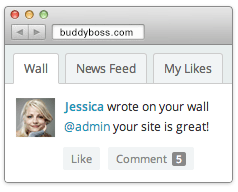
Unlike traditional learning where knowledge flows primarily from teacher to student, social learning emphasizes a collaborative and interactive approach. Students in social interaction-based learning, actively participate in discussions, work together on projects, and get to share their perspectives. It's like building knowledge together, brick by brick, through shared experiences and active engagement, leading to a deeper and more meaningful learning journey.
Here are some captivating social learning methods for online courses, but don't limit yourself to these only – the possibilities are endless!

The more that students are invested in, leading to higher completion rates and happier learners. We've established the power of social interaction in online learning. But how does it translate into concrete benefits for your online course? And which are the features that you should target to have on your website to achieve this?
Deeper Dives with Diverse Perspectives: Imagine a student struggling with a complex concept. In a traditional setting, they might muddle through alone. But in a course buzzing with interaction, things are different. Social networking features like Activity Feed can become a launching pad for discussion, where classmates offer insights and alternative interpretations. Suddenly, that knotty concept unravels. Students exposed to diverse perspectives are 20% more likely to critically evaluate information and 15% more likely to develop empathy for others.
From Isolation to Community: Remember the dreaded feeling of being lost in a sea of faces during a lecture? Features like group functionalities and messaging foster collaboration, allowing students to tackle projects, brainstorm solutions, and share experiences. This creates a sense of belonging, motivates them to stay engaged, and transforms your course into a vibrant learning community. According to research by The Center for Teaching and Learning at Stanford University, students who feel a sense of belonging in their online courses are 80% more likely to report feeling motivated and engaged.
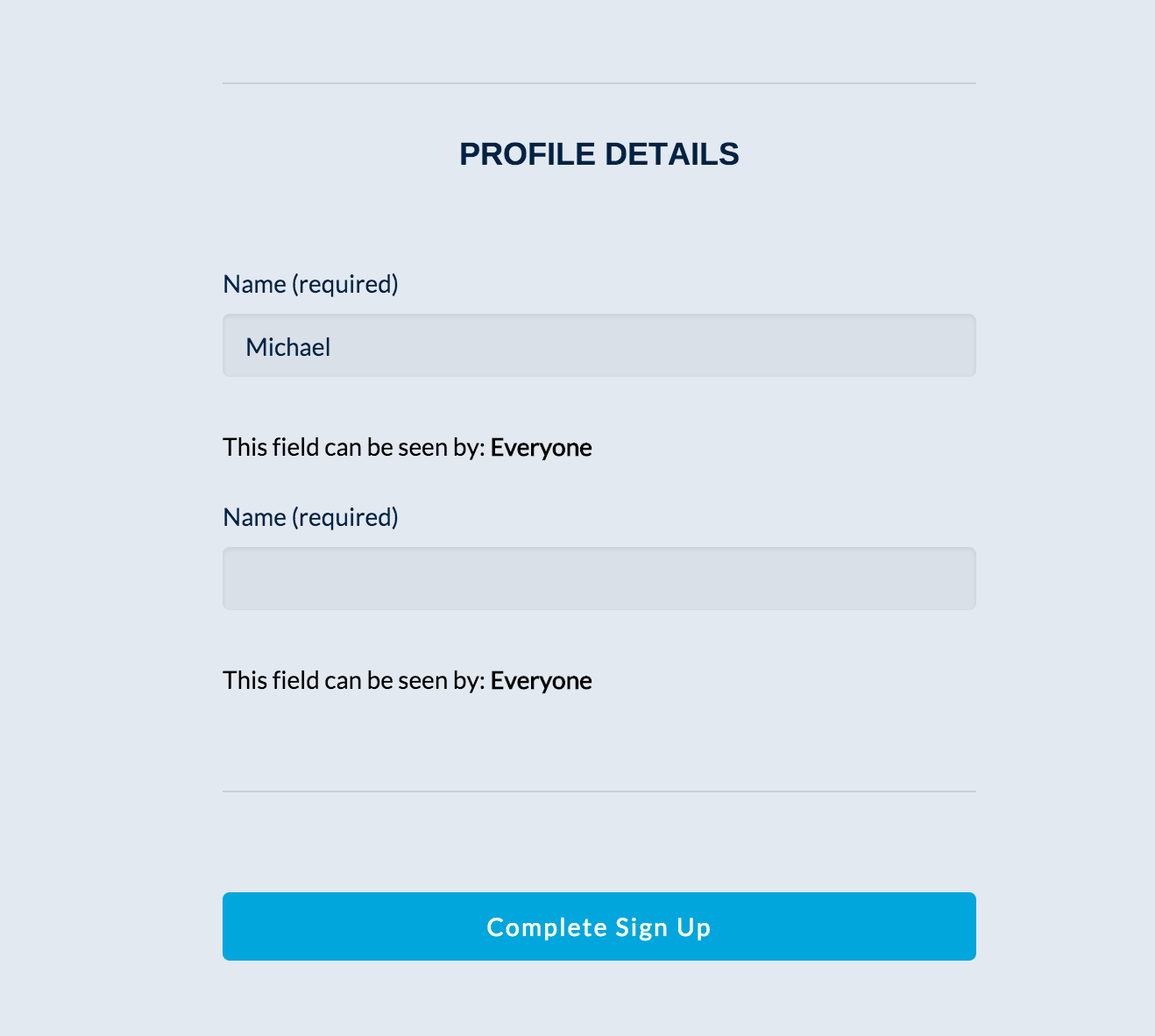
Sharpening Skills in the Social Forge: Collaboration isn't just about making friends (although that's a nice bonus!). It's a potent skill-building exercise. As students work together on courses based on social learning methods, they hone their communication skills by explaining ideas and seeking feedback. They tackle problems collectively, developing critical thinking and problem-solving prowess. 75% of employers say that collaboration and communication are the most important skills they look for in new hires. By the end of your course, your students won't just have mastered the content, they'll have acquired valuable real-world skills forged in the social fire.
Completion Rates Soar on the Wings of Connection: Let's face it, course completion rates can be a stubborn foe. However, research shows that social interaction acts as a potent elixir. Studies reveal a strong correlation between active engagement and seeing a course through to the finish line. Gamified interaction elements in online courses can increase completion rates by up to 30%. By employing Post & Comment Reactions features, encouraging active participation through prompts and gamification features, and fostering a supportive environment through public recognition of the Activity Feed feature, you can create a course more engaging and effective.
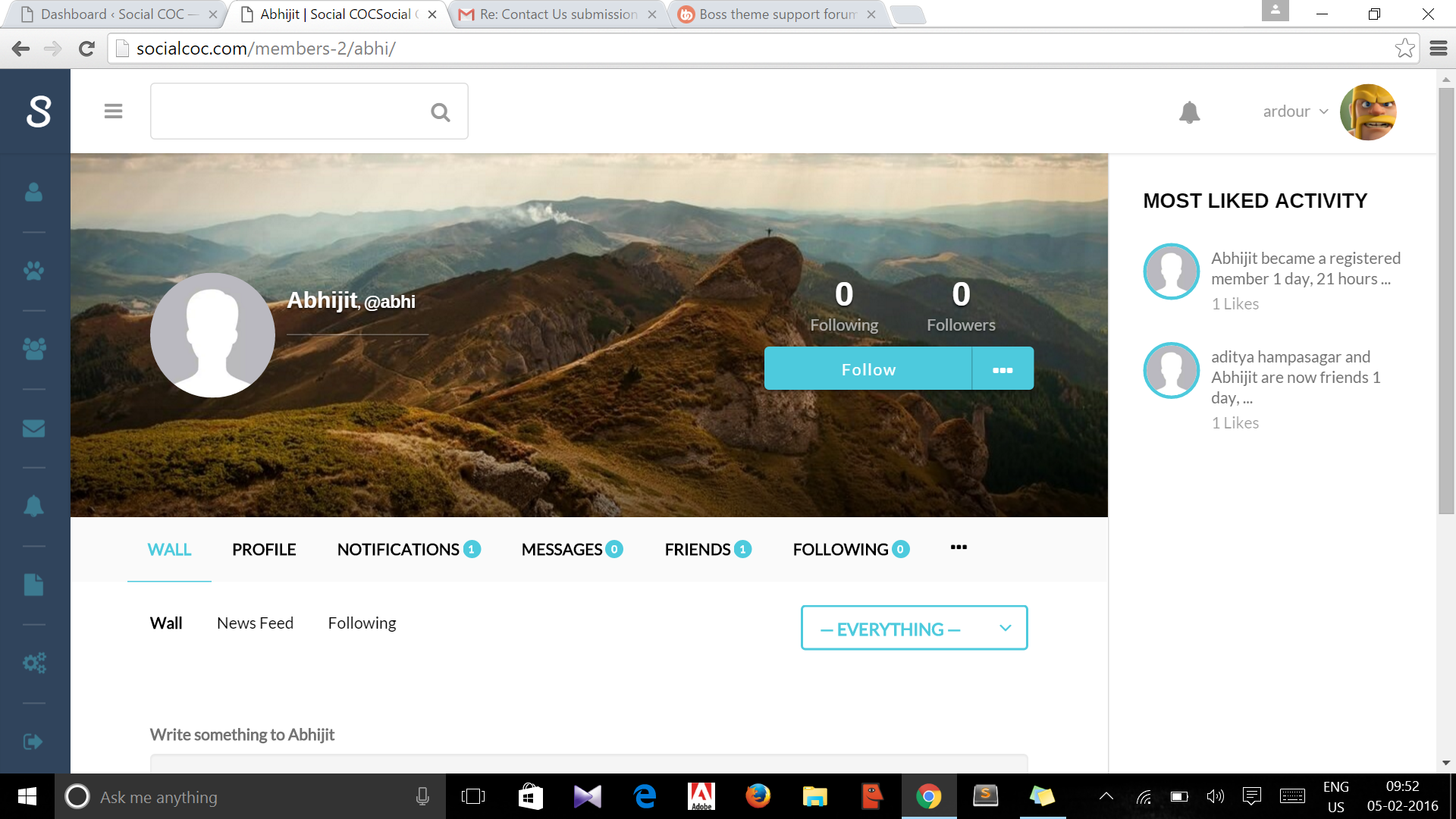
Now, let's move from theory to practice. How can you harness the power of social interaction in your course? Here are some actionable tips:
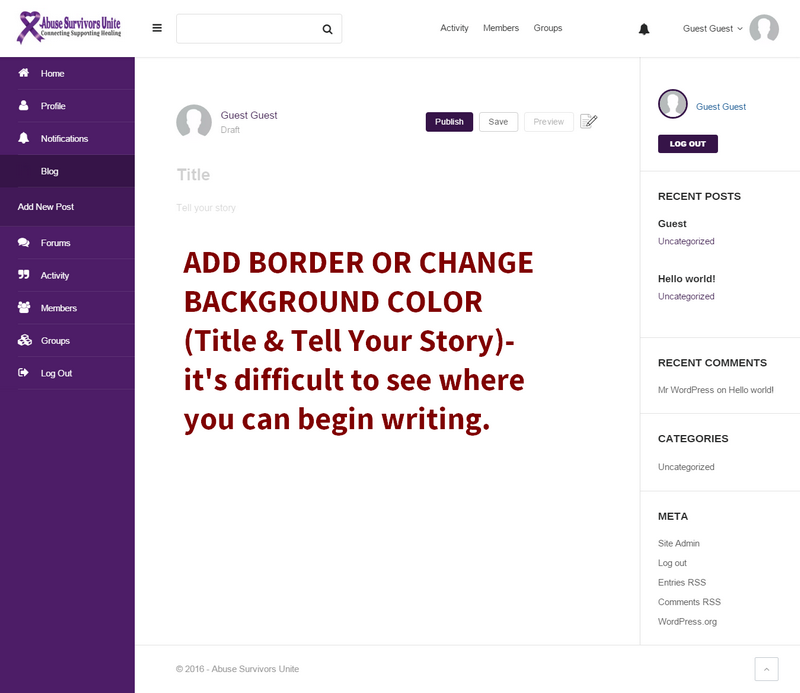
Having powered thousands of successful online course platforms, we at BuddyBoss, know how effective social learning can be. It goes beyond the traditional by offering unique features that enhance social interaction. That’s why we offer a range of features to increase social interaction among the students and we are constantly bringing new ways. Some of the ways you can keep your students engaged on BuddyBoss-powered online learning platforms are:
Social interaction isn't just a trend; it's a game-changer in online learning. By fostering connections and collaboration within your online course, you create an environment where students not only grasp concepts but also thrive. They develop essential skills, forge meaningful connections, and discover the joy of shared learning.
Ready to unlock this potential? Employ the ways to interact on your online course to make your course more effective than ever. You can also explore BuddyBoss to learn more about the unique social networking features like the Activity Feed, Messaging, Gamification,Post and Comment Reactions which are proven to boost interaction in online courses.
I hope you have found this blog helpful. If you have any questions regarding BuddyBoss's social networking features or social learning as a whole, let me know in the comment box below.
When starting a coaching business or any business, we often emphasize creating content such as blogs to increase traffic.
However, content creation through blogs and videos can be exhausting.
At the same time, one cannot stop making blog content in the name of exhaustion because it means Google’s algorithm will rank other businesses with their updated blog content.
So in this post, we will discuss how to increase blog traffic with little effort without draining yourself.
Before we go further into how you can increase blog traffic with minimal effort please remember that if you are in the beginning stages of your business, then you need to be aggressive with your blogging efforts.
You must publish quality blogs consistently to build a strong domain authority. Domain authority is a search engine ranking score that predicts how likely a website is to rank in search engine result pages.
A website generally gains strong domain authority when a website has several blogs in a certain niche. So try to first have several blogs published with keywords that target your niche field. That way, the search engines will know your business and direct your blog content to the right audience.
For example, Brian Dean an expert content strategist and entrepreneur does not often update his content as he is already well known in the industry. But there was once a time when uploaded videos and blogs regularly.
He now uploads only 1-2 videos a month on his YouTube channel while focusing on his other business activities. Sometimes he uploads videos after 3 months and still gains traffic on his website.
But at the same time, you also cannot completely stop blogging as it will mean other businesses will eventually outrank you. So always check your blog rankings and update with new content to let the search engines know that your blogs are updated regularly.
Now let’s look at how you can increase your blog traffic.
When writing blogs focus on providing value to the reader.
Your blog may not be fully read but if you draft blogs with quality information, you get advantages.
The first is it will help you rank on Google. Google today can quickly judge the quality of written content. The more information you provide the better your chances of ranking. Remember, the quality has to be in combination with the use of your keywords.
But you don’t always have to focus on the content directly focused on your niche, rather supporting content that your customers may find helpful (but not directly connected to your niche) can do wonders.
For example, the famous Elementor plugin publishes blogs on how to create websites for various purposes using their product. To those who do not know what is Elementor plugin, it is a very popular and famous plugin for designing websites without coding at all. You drag and drop widgets and elements to build your website.
Look at the image below of the blog section of the Elementor plugin. They have solid blog content for at least 6 different categories: Design, Development, Business, Development, Hosting and Marketing.
This means they do not just rank for web design but also for other related categories. These blogs are not just how-to-tutorials, these are blog content that shares tips, tricks, hacks, templates, and design ideas by using the endless features of the Elementor plugin.
If you already have around 40-50 blogs or even around 30 blogs, then you can take a short break from writing to only focus on boosting your SEO efforts for your blogs.
What I mean by this is to check the ranking of your blogs.
Many old blogs eventually become outranked by newer blogs over time. This may be a sign that you need to add more information, update content, or even add additional keywords.
You can make your text-based content more appealing by adding impressive information such as facts, recent statistics, a short story relevant to your blog's content, or a research result to validate your view.
While reading your blogs, be sure to take a look at the tone of your blog. Always keep the tone of your blog conversational. Conversational blogs always have the highest ranking.
You can consider upgrading your content by adding images, infographics, coupon codes, and links to other blogs on your site. Also when using images, always make sure to add the keywords to your images as well.
Don't forget to set the structure of your blog content. You want to make it visually appealing to read. Start a new paragraph if your sentences cross 3-4 lines.
Another factor is to create links to other blogs on your website. This is called inbound links. Sometimes there are other topics that you already covered in a separate blog. So be sure to link each blog to each other where relevant.
Videos today are a lifeline for a blog to rank. We will talk more about videos in our next point.
With enough blogs already published, you can also focus on repurposing your content and making videos related to your niche.
Videos today bring heavier traffic than blogs. But if you combine that with your published blogs, then your website will attract more traffic than before.
As a video creator and editor myself, I can understand the challenge one might feel when it comes to creating videos. A 5 min video on average can take up to 2 hours for a person to single-handedly create.
But the good news is, the audience today is impatient so you do not need to create a 5-minute-long video to gain more traffic. You can create shorter videos that are only a minute long.
Platforms such as TikTok gained popularity for this very reason.
Creating shorter videos is also beginner-friendly. You can start with TikTok as a warmup.
Users who are interested in your videos will click the link to your blog for more information.
This is how videos on YouTube, TikTok and other social channels supports your blogs and bring more traffic to your website.
Another way to effortlessly get traffic to your blogs is to share your published blog on Social Media. The trick is to first know the time when most of your audience is online to check their social media. Most businesses use Facebook, X (formerly Twitter), Instagram, Pinterest, and Linked In. You do not need to choose all of these platforms to share your blog posts. Choose the one that is relevant to your niche.
If you have many blogs that are already published then simply schedule them with a short but catchy caption. Schedule several blogs for a month or week so that you can move on to other tasks.
This will raise your chances for not only traffic but also for ranking on the search engines.
Another efficient method to gain traffic with less effort is to have your own membership community. Businesses that do not have their own membership community rely on Google and social media for blogs to gain traffic. However, those who maintain their own membership community have bigger chances for traffic to their blogs without relying on search engine or social media.
With your own community, you can relax your efforts occasionally without the pressure to create new blog content.
The International Institute of Business Analysis(IIBA) is a professional association for supporting business analysis professionals to deliver better business outcomes. This organization has been maintaining its own membership for more than 10 years.
They mostly publish books, newsletters, and blogs.
Anything that is published is first shared within the community and gets the first traction even before Google ranks the blog,
As you can see, this organization’s membership community brings quality traffic just from its members alone. Not updating the blogs for a while will not harm as there is so much to gain from the members.
Social media experts such as Neil Patel do have blogs on their website. The website is always updated with newer blogs and the blogs are all written in Patel’s name. But he also publishes videos at the same time.
How is he able to write blogs and do videos at the same time?
I remember watching one of his videos where he admitted that he spends most of his time on videos.
He delegates his writing tasks to other authors who are employed in his team. This is also true for his videos. A separate team is in charge of editing and publishing the videos.
So if you are looking to get more traffic with less effort but with quality content, consider delegating your blogging tasks to a freelance writer. The same goes for videos as well.
Use any tools out there to automate your tasks. Today there are almost any tools or features for automating tasks. For example, for social media posting you can schedule many of your blog posts for the future.
If your business requires you to be active in posting content on social media then you can also hire a freelancer to work posting content on social media.
For videos, consider using AI video editing tools and video assets to quickly create videos in a short amount of time.
Popular tools such as Canva's Video AI Generator, Colossyan AI, and Synthesia.io can help you create videos faster than when it comes to creating videos from scratch.
Previously, we mentioned the importance of having your own community. But having a community is not enough. You must interact and build a relationship with members of your community. Members who join will leave if there are no updates or any interesting content to learn from.
If you are in a coaching business or are looking to sell any products, then post them in your business community. You can post about your business’s campaigns, awareness, discounts, or special offers.
In addition, simply posting your blogs or videos may make your members bored. You need to be lively with them.
You can post memes, jokes, and images, along with the link to your blog for further insights.
This strategy is a popular way to keep members of an audience interested in staying within a business’s community.
As your community grows greater, you will eventually be required to delegate authority to manage your members. The IIBA organization has a whole team to work with its members. For example, if you send an email to them for any queries, they are answered within a few days.
The Society for Technical Communication (STC) is a community connecting tech industry people to develop written content. The community is open to non-members who want to access the free resources and other learning resources.
There is a yearly subscription fee which will allow a subscriber to purchase additional educational resources at an affordable price.
One would expect such a platform to have a YouTube channel with tons of videos. However, the organization surprisingly does not have an updated YouTube channel. This is because the community is so enormous that all the content marketing and activities reap the profits that are enough for the community. The community is very active with webinars, courses, newsletters, research, and paid courses that are recognized in the US.
Although the STC membership is open to non-members, most followers mostly end up becoming members to take advantage of the lower prices available as a members. Organizers who are well-known in the community often publish video content that is only for members or paid users.
There is also blog content on the website that is written by members. However, the organization also does not shy away from non-members as they are also allowed to publish blogs on their site.
STC’s membership is a fine example of publishing quality content with little need to worry about new traffic. The quality of the educational content provided to members is so good that users end up recommending other people to be a members of the community.
It is very easy to start your own membership community.
Facebook also has its own system to start a group but the problem is that you will not OWN this community and the features are limited to manage members of your community. You also risk the chance of Facebook deleting your community if anyone falsely reports your community to Facebook. The worst and most common problem is when your Facebook profile is hacked and you lose all your valuable members along with the links to your blogs.
To avoid such a scenario, it is better to own your own membership community. The BuddyBoss community is a popular option for your business as it allows you to organize your members, create sub-groups, share blogs or any content topic, and have discussions with your members.
You can also delegate authority to your business employee to manage your member’s interaction. If you have someone responsible for sharing all your blog content then you can give authority to such a person to share your blog content as described previously.
If you're still not sure then why not try the live Demo? Feel free to explore the demo version of the site to decide whether you want to start your community to receive relevant traffic.
You can do 2 blog posts per week. Monthly, you can try to aim for 8 posts per month. But make sure the blog posts are of high quality and provide valuable insight into your niche topic.
There could be various factors involved. It could be because your blogs are not of any value. Google can judge this aspect very well. You will know this when other blogs are outranking yours.
You also need to focus on creating other content such as videos and sharing your blog content to your membership community as explained above.
If you are constant with your blogging efforts then do not feel worried about traffic in the long run. Traffic in-flow is never constant. Sometimes it is high and sometimes it will be low.
But if a membership community is maintained, then you can expect better traffic as your followers are ready to read your blogs.
One way to bring traffic courses for a course-based business is to create blog posts with the right keyword relevant to your course topic. Make the blog interesting to read but do not give away the whole information. Then near the end of the blog, you can recommend the reader to buy the course if they want to learn more.
You can do the same thing for videos. Some instructors even publish free courses but persuade viewers to visit their website for more exclusive courses.
This way you can bring traffic to your website with courses. If you are looking to create courses then you can have a look at this post on What Is The Best Way To Outline Your Online Course
The rules for getting traffic to your WordPress blog posts are to follow the same rules as described above. But if you are having trouble staying on track to follow all the basic SEO rules then you can use the Rank Math plugin or the Yoast plugin to help you complete a proper blog with the basic SEO rules such as using a keyword a few more times or adding the keyword to the blog title etc.
But once you get used to the SEO process for the blogs, you will not need to use these plugins.
Less content does not mean you can relax in your efforts to create blog content. But if you do feel exhausted from creating content, please take a break. Go outside, take a snooze, talk to people, or look at the open sky.
When you get back, do not straight away start churning out content. You can try other activities that bring traffic.
How about adding new keywords to your new blog or an existing blog? Or delegating your content creation task?
If you're looking for some quick results, then you can share published blogs or courses with your membership community. If you have a large community then your strategic efforts may result in additional traffic or even more sales.
In the long run, it will be more efficient to maintain your membership community. If you maintain the community the right way then sharing a blog post will result in a large flow of traffic from your community-not just from Google.
So start bridging traffic to your own membership community!
This month, we're rolling out thrilling updates that promise to elevate your digital experience. A revamped blog layout for the BuddyBoss App that turns each post into a visual journey, coupled with critical bug fixes enhancing the smoothness of your platform and app interactions.
In this blog, we share these vibrant enhancements, ready to transform how you connect, create, and explore within BuddyBoss. Let's get started!
Excited to introduce our latest feature: the Blog Post Layout Redesign in the BuddyBoss App. This redesign is particularly geared towards creators and educators who publish blog posts on their BuddyBoss App. The key part that we revisualized are:
This array of features, combined with Bookmarking and Comments not only enriches the user interface but also fosters a deeper level of engagement between content creators and their audience.Once you update the app plugin, these enhancements can be configured from BuddyBoss App > Settings > Blog Posts. You will also need to create a new build and submit it to the App stores for your users to see the new features.
Apart from the major feature release, we've also focused on addressing some critical issues to enhance functionality and user experience.
Optimized Document Tab Loading: Recognizing the importance of speed and efficiency, we have significantly enhanced the loading time of the document tab. This improvement is especially noticeable for users who are members of numerous groups and have the Forum Discussions component enabled. The fix dramatically reduces load times, providing smoother and quicker access to essential documents.
Up-to-date WooCommerce Templates: In keeping with our commitment to seamless integration, we have updated our WooCommerce templates to align with the latest version, 8.1.1. This update eliminates the warning message of outdated templates.
The BuddyBoss App has also received significant attention in this update, with crucial bug fixes aimed at improving the user experience on mobile devices.
Refined Comment Editing: We've addressed and resolved a critical issue that previously prevented users from saving edited comments within the app. This fix ensures that any changes made to comments are effectively captured and saved, enhancing the interactive aspect of community discussions.
Full Visibility for Long Push Notifications: We've tackled the problem where long text-based push notifications were not fully viewable. This fix ensures that all notifications, regardless of length, are now completely displayed, improving the communication and notification experience within the app.
Accurate Blog Post Embedding: We have corrected a display issue with embedded blog posts. Previously, embedded blogs did not show the correct content in the live published blog. With this fix, embedded posts now accurately reflect the intended content, ensuring a consistent and reliable reading experience.
Functional Rate App & Smart Banner Links: In an effort to streamline user interaction, we've improved the backend settings related to the ‘Rate this App' and Smart Banner links. These links now correctly guide users to the intended pages, enhancing the overall user experience and engagement with the app.
With more than another 20 issues fixed with this update, See Full Release Notes
The latest updates to the BuddyBoss Platform and App exemplify our unwavering commitment to providing a robust and user-friendly environment for our community. From the visually engaging Blog Post Layout Redesign to the critical bug fixes in both the platform and the app, each enhancement is a step towards refining your digital experience. These updates are a reflection of our dedication to continuously evolve in response to the needs of our users – creators, educators, and community members alike. We eagerly anticipate the positive impact these changes will bring to your interactions within the BuddyBoss ecosystem.
What do you think of the latest changes, let us know in the comment below.
Today is an important day in BuddyBoss’s mission to become a world-leading authority in Online Course, Community, Membership and WordPress Publishing education!
Going beyond building world-leading products, to empowering leaders like you to reach new heights with your online businesses through strategic and tactical learning and growth!
We crossed an important first milestone on our new Content Marketing journey…
We just launched the all-new, redesigned, BuddyBoss Blog!
We will be iterating on this new design a lot over the coming weeks as we start pouring new content into it but I want to outline what phase 1 looks like as well as some of the improvements to you, to give you a sense of where we’re headed!
The first thing you will notice is the beautiful new overall design concept.
(Thanks design team!!! ??)
We needed to bring our blog design into alignment with the new marketing website redesign that we worked so hard on last year! So we redesigned it to make it more appealing to readers, feel more modern and contemporary, make it easier to see what content relates to what through the visual and UI elements including color coded featured images.
As we add more and more content within specific categories over the coming months it will become increasingly clear when you are within a topic by the themed elements shared across related content. This should help you quickly identify if content is relevant to you right now.
We have added new content types to the blog beyond “articles” which, to start with, includes Templates, Tools and Workshops. You won’t see a lot in there right now but this should give you an idea of what’s to come over the next few months as we get ready for 2023.
The biggest change of all, which is also the least apparent from first look, is that we have completely restructured the way the content on the blog will be structured from now on, and we have begun to recategorise every single one of the blog posts that were on the blog before so they don’t get lost. The new information architecture is designed to get you to content that is valuable to you in as few clicks as possible and surround that content with other highly related content, instead of just showing everything in chronological order like a classic blog feed. So far we have created 3 main educational topics – Online Courses, Online Communities and Membership Sites and after selecting which of those is most relevant to you we have created a series of sub topics surrounding the most common challenges like “Growing your Online Community” or “Launching your Online Course”.
You won’t see all the topics and subtopics just yet as there aren’t any posts published in many of the key categories but as we publish more and more content. The topics and the structure will start to unfold.
To go along with this relaunch our brand new content team put together seventeen new blog posts! So that we had some fresh new posts ready to go at launch (as well as to help us flaunt our new categorisation and structure ?) See if you can spot all the new ones you might not have seen yet!
Right now we wanted to push phase 1 out to you all before the end of the year so we’re going to spend the next few weeks polishing up some of the last little niggles in the UI as well as finish properly recategorizing all of the content that was there before. That’s going to set us up in a big way for an avalanche of incredible new content that we’ve got planned for you in 2023!
We hope you’re excited for what’s to come!
BuddyBoss Content Team!
So you’ve opened the doors to your online community, you’re getting a steady trickle of new members each week and people are digging your content… now what!
If you’re a community leader that's already got a bit of traction in your groups (or you’ve been running a group for a while and it’s started to go a little bit quiet) you’ve probably thought to yourself, on more than one occasion…
How do I increase my engagement?
Community Engagement is the measurement and management of how many people participate in your community, how often and to what depth. Community engagement is a strategy that identifies key groups of your members and the tactics required to encourage more of them to participate at the right level for them. Engagement allows you to measure how impactful your initiatives are and is also the activity responsible for causing that impact.
Community engagement on its own is not a measure of success. I’ll say that again – Engagement on its own is not a measure of the success of your community! Does the engagement help you meet your community outcomes or goals? If the goal of your community is to increase average customer value by 10% and your thriving community with millions of likes and comments never causes anyone to buy anything… well then your community is failing despite it being highly engaged!
Engagement is not push notifications, or emails, or gamification, or badges, or prizes, or welcome posts, or member-of-the-month posts… Those are all tools that you might use to enact the tactics that you decide you need to to increase engagement, but they are not engagement in themselves. There’s no use saying “I need to increase my engagement so I better start awarding badges” Awarding badges to who, for doing what, and why? The engagement strategy is the who, what and why, not the tool that you use to achieve it.
Engagement is not a blanket that you throw over all your members in the hopes that some of them raise their hand, for example you wouldn’t ask a brand new member to write a detailed tutorial on an expert level topic the first day they arrive, that’s a sure way to make them run a mile and never come back. Instead Engagement is selective and segmented, it’s a ladder that you want to encourage your users up one rung at a time.
So what is the Community Engagement Ladder and what can you do as a community leader to measure and manage more of your members up it.
The Community engagement ladder has 5 steps up to the top. Ideally you want as many of your members as possible to climb up those steps to the top. Almost all members start at the bottom and in most cases members won’t skip more than one step up but once they’re up there they will often jump back down to engage at the lower levels in a much deeper way.
Those steps are:
(You don’t want to know how long I spent with a thesaurus to find all those c-words!)
Let's go through these one-by-one
This measures how many of your members consume community content and resources passively without adding any value themselves. This is the lowest form of community engagement where the value is flowing entirely one way from the people who do contribute value to those passive lurkers.
However this is where almost every single community user starts on their engagement journey so it is important to measure and track but it’s also important to encourage users beyond this first step.
This measures how many relationships are being created by being engaged in your community and is the next logical step up for most of your community users. Are they discovering people with shared interests, knowledge or expertise that is valuable to them, potential people to help them solve a problem they are having or maybe even mentors to help guide them on a similar journey. If members feel a strong sense of connection through being a member of your community they will stay around for longer, return more often and be more likely to want to contribute value themselves.
Here is where your users first get involved in adding content in your community. Usually their first touchpoint is not to author original content themselves but to contribute in some way to already existing content that someone else already created. Contributions measure the level of people who add something of value to something already existing or who help keep something of value alive and relevant. Often we think of contributions as answers to questions but adding thought provoking points of view to existing discussions also helps to keep them alive for longer. Contributions are sort of like a gateway drug to the higher forms of engagement like creation and collaboration.
The most common form of community engagement, where members create new value for the community on their own. This is where an individual member directly authors something within the community that either causes value to be generated or is valuable in and of itself. Typically average users create value by asking great questions or starting thought provoking discussions and your more engaged power users or super users create value by authoring instructional posts, writing topic specific guides, creating how-to videos or walkthroughs or inspiring other members with what they are up to.
Now your users elevate their connections with each other by joining forces to create value together. Collaboration is the final step on the ladder of contributing after users start to create value on their own. Collaboration can be prompted by the community leaders or admins or it can be prompted by other members. Members often collaborate to solve a common issue or to address a common challenge. Encouraging collaboration is the highest leverage, most scalable way for you to increase engagement in your community.
So now that you understand the 5 steps on the ladder of community engagement the next step for you to think about is what different segments of users do you have at each stage of the ladder and how you are going to encourage members at each stage to take the next step up the ladder to become more engaged members of your community.
So here’s what I want you to do, pick just one stage from the five I have outlined above and in the comments below tell me one thing you could do to encourage more of your members to engage at that stage. I’m gonna reply to every single one of you in the comments with feedback on your approach to point you in the right direction and the tips and tactics you need to make it a success for your online community.
If you’ve made it this far and you got value from this video do me a favour and hit that like button and click the bell icon to keep up to date with all the latest content here at BuddyBoss
Until next time!