














You’ve built a WordPress community or course site, and now you need to gate premium content behind a paywall.
The problem is that not all WordPress membership plugins are built for the same purpose. Some are designed for bloggers protecting posts.
Others are built for community operators running tiered access across groups, courses, and forums. Choosing the best WordPress membership plugin for your specific architecture without a clear framework is how you end up rebuilding your stack six months later.
The plugin landscape has shifted. Pricing has changed, native features have expanded, and the options have multiplied. If you’re also thinking about how to monetize your community, this comparison feeds directly into that decision.
What to Look for in a WordPress Membership Plugin
Before you open a single plugin’s sales page, get clear on what your site actually needs. The evaluation criteria that matter for a content blog are different from the criteria that matter for a community-first membership. Here’s the framework:-
- Content protection granularity. Can you gate content at the page level, post level, category level, or within a post (partial content)? Can you drip content on a schedule, releasing lessons weekly, for example? More granular protection gives you more flexibility to design your membership tiers. The gap between plugins here is significant.
- Payment gateway support. Look for native Stripe and PayPal, recurring billing, Apple Pay, and failed payment retry (also called dunning). A plugin that processes $10,000/month but doesn’t recover failed cards is leaving real money on the table.
- Member management. Can you create custom member profiles? Assign roles beyond simple “member” and “admin”? Segment members by tier, activity, or custom criteria? Track who’s active and who’s churning? Member management depth varies widely across plugins.
- LMS integration. If you’re running courses alongside membership, you need course access tied to membership level. Can a member upgrade and instantly unlock the next tier of courses? Can you enroll a group in a course automatically? Shallow LMS integration creates manual work.
- Community integration. This is where most membership plugins fall short. They gate pages, but they don’t gate community spaces. Can you restrict access to specific forums, groups, or activity feeds based on membership tier? For community-first sites, this isn’t optional.
- Pricing model. Annual license vs. lifetime vs. freemium. Transaction fees (some plugins charge a percentage of every payment processed). Site limits (single-site vs. unlimited). The sticker price rarely tells the whole story. Calculate total cost of ownership over three years before deciding.
- Ease of use and support quality. A plugin you can actually configure without a developer is worth more than one with every feature in the world that requires 20 hours to set up. Check support response times, documentation quality, and the plugin’s track record with updates and compatibility.
The 7 Best WordPress Membership Plugins Compared
Here’s how the top contenders stack up across the criteria that matter most.
| Feature | BuddyBoss Platform | MemberPress | Paid Memberships Pro | Restrict Content Pro | WooCommerce Memberships | MemberMouse | ARMember |
|---|---|---|---|---|---|---|---|
| Content Protection | Yes | Advanced | Yes | Yes | Via WooCommerce | Yes | Yes |
| Subscription Billing | Yes | Yes | Yes | Yes | Via WooCommerce | Yes | Yes |
| Community Integration | Native | Basic | No | No | No | No | No |
| LMS Integration | Via LearnDash | Via LearnDash | Via LearnDash | No | No | No | No |
| Mobile App | Yes (branded) | No | No | No | No | No | No |
| Transaction Fees | 0% | 4.9% on Launch plan only, 0% on all other plans | 0% | 0% | 0% | 0% | 0% |
| Starting Price | $299/yr | $199.50/yr | Free (basic) | $99/yr | $199/yr | $199/yr | $199/yr |
Pricing as of April 2026. Visit each plugin’s website for current rates
BuddyBoss Platform
Best for: community-first membership sites that need membership, community, and courses under one roof.
Pricing: $299/yr (Pro). Visit buddyboss.com/pricing for current rates.

BuddyBoss includes native access controls for groups, forums, and community spaces, and integrates with leading membership plugins including MemberPress, Paid Memberships Pro, WooCommerce Memberships, and WooCommerce Subscriptions to handle content protection, subscription billing, and member management.
Groups and forums can be restricted by membership tier, so paid members access exclusive community spaces while free members see only public content.
Built-in course access control means membership level determines which courses a member can enroll in, and upgrades unlock new course tiers automatically.
BuddyBoss itself charges zero platform transaction fees at all plan tiers. The overall fee structure depends on which membership plugin you use for billing. MemberPress Growth and above, Paid Memberships Pro, and Restrict Content Pro all charge 0% in platform fees.
The branded BuddyBoss App lets members access gated content, community, and courses from iOS or Android. No other membership plugin for WordPress includes a native branded mobile app.
MemberPress
Best for: content-heavy sites needing sophisticated paywall rules, partial content gating, and precise drip scheduling.
Pricing: Launch from $199.50/yr (4.9% transaction fee). Growth from $349.50/yr (0% fees). Visit memberpress.com for current rates.
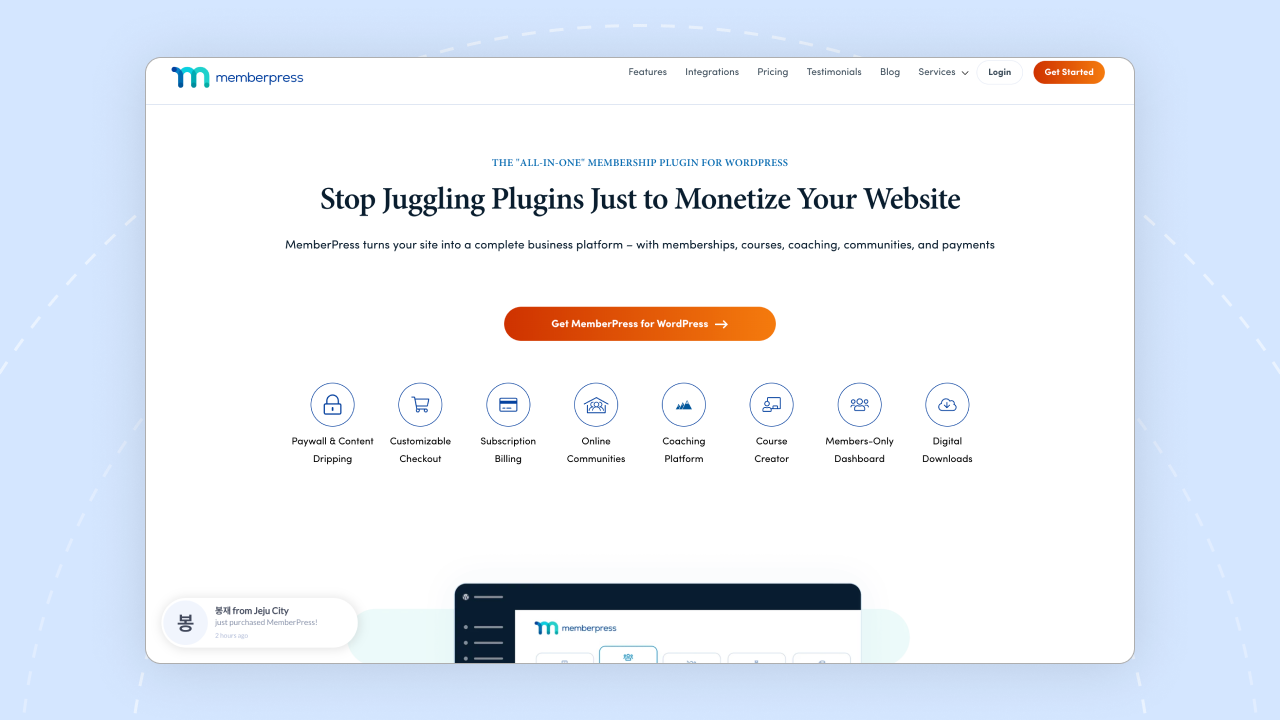
MemberPress offers the most granular content protection of any plugin tested. You can gate content by page, post, category, tag, or partial content within a post, and drip it by specific date or days since signup.
Combined with mature Stripe and PayPal integration including dunning (failed payment retry logic that meaningfully recovers churned revenue), it’s the strongest pure paywall solution in this comparison.
Corporate and group membership accounts for B2B use cases are available on the Scale plan and above. On the transaction fee side, the 4.9% fee applies only to the Launch plan ($199.50/yr). Growth ($349.50/yr) and all higher plans charge 0% in platform fees.
For community MemberPress integrates well with BuddyBoss and for LMS functionality, MemberPress integrates well with LearnDash, though that requires a separate LearnDash license ($199/yr) on top of your MemberPress subscription.
Paid Memberships Pro
Best for: budget-conscious sites with simple membership needs and no community or LMS requirements.
Pricing: Free core plugin. Paid plans available for premium add-ons and support. Visit paidmembershipspro.com for current rates.

Paid Memberships Pro is one of the few serious membership plugins with a genuinely functional free tier. The core plugin, available in the WordPress repository, supports unlimited membership levels, content restriction, and Stripe and PayPal payments at no cost, making it the strongest free starting point for budget-conscious sites.
The plugin is fully open source with a mature codebase and a large add-on library covering email marketing integrations, custom registration fields, and multi-site support. That flexibility comes with a caveat though: the add-on model means costs can add up as you enable more features, so evaluate total cost of ownership including paid add-ons before committing.
There is no native community integration and no native LMS, so both require third-party plugins. The developer community is active and the support forum is one of the strongest in the WordPress membership plugin space.
Restrict Content Pro
Best for: bloggers and content creators who need simple, clean content gating without community or course complexity.
Pricing: $99/yr (1 site), $149/yr (5 sites), $249/yr (unlimited sites). Visit restrictcontentpro.com for current rates.
Restrict Content Pro is a lightweight, focused plugin that does one thing well: content protection and subscription management. The overhead is minimal compared to heavier plugins, which matters for performance-sensitive sites, and setup is measurable in hours rather than days for most straightforward use cases.
There is no LMS integration and no community integration. If you need either, you will need separate plugins. On the payment side, Stripe and PayPal are both supported with solid recurring billing. Dunning exists but is less configurable than MemberPress, meaning failed payment recovery is functional rather than sophisticated. At $99/yr for a single site license, it sits in the mid-range of this comparison on price, with ARMember being the only cheaper paid option at $59/yr.
WooCommerce Memberships
Best for: Ecommerce sites adding membership as a layer on top of an existing WooCommerce store, particularly where product purchases and membership access need to be tied together.
Pricing: $199/yr (membership access only). Add WooCommerce Subscriptions ($199/yr) for recurring billing. Visit woocommerce.com for current rates.
WooCommerce Memberships is the natural choice if you’re already running a WooCommerce store. Membership access can be tied directly to product purchases, making it uniquely strong for ecommerce scenarios where buying a product unlocks content or member perks. The integration is seamless precisely because it was built by the same team that builds WooCommerce.
That said, there are two important cost considerations. First, the $199/yr covers the membership access control layer only. If you need recurring subscription billing, you will also need WooCommerce Subscriptions, which is another $199/yr, bringing the combined cost to $398/yr. Second, there is no native LMS or community integration, so both require additional plugins if needed. For standalone membership communities without an existing WooCommerce store, the added complexity is hard to justify when simpler options exist at a lower price point.
MemberMouse
Best for: data-driven membership operators focused on reducing churn and optimising subscription funnels where analytics and reporting depth justify the cost.
Pricing: Builder from $29/month. Advanced from $79/month. Premium from $199/month. Visit membermouse.com for current rates.
MemberMouse stands out in this comparison for its analytics and reporting depth. Built-in member retention dashboards, churn analysis, and funnel optimization tools give data-driven operators a level of visibility that most other plugins in this list don’t offer.
The Smart Tags system allows sophisticated member segmentation and conditional content display, making it possible to personalise the member experience based on behaviour and purchase history.
There is no community integration and no native LMS, so both require third-party plugins. Dunning is solid and failed payment recovery works reliably.
The pricing model is monthly rather than annual, which makes it stand out from the rest of this comparison. The Builder plan starts at $29/month, making it accessible at entry level, but costs scale quickly as you add features.
ARMember
Best for: individuals or small sites with tight budgets and straightforward membership requirements.
Pricing: Free plan available. Standard from $79/yr (1 site). Professional from $129/yr (2 sites). Enterprise from $299/yr (10 sites). Visit armemberplugin.com for current rates.

ARMember offers the most affordable entry point of any paid plugin in this comparison, with a free plan available for lifetime use covering unlimited membership plans and basic payment gateways.
The Standard plan at $79/yr for a single site unlocks a significantly expanded feature set including 57+ built-in add-ons and additional payment gateways, making it genuinely competitive for budget-conscious sites that need more than the basics.
Core membership and content protection features are functional and cover the essentials competently.
The UI is less polished than higher-priced options, and some users report a steeper learning curve relative to the price point.
There is no community integration and no native LMS, and analytics depth is limited compared to MemberMouse or MemberPress. For simple sites where budget is the primary constraint and community or course features are not needed, ARMember gets the job done without unnecessary overhead.
The True Cost of Building a WordPress Membership Site
The comparison table shows starting prices, but for community builders the real comparison is between BuddyBoss and a plugin stack. Here’s how the numbers look at entry level and at mid-tier:
| Approach | Annual Cost | Plugins to Manage |
|---|---|---|
| BuddyBoss Platform + Paid Memberships Pro (free) | $299/yr | 1 |
| MemberPress Launch + LearnDash + BuddyPress | ~$398/yr | 3+ |
| MemberPress Growth + LearnDash + FluentCommunity | ~$708/yr | 3+ |
At entry level the cost difference is modest, around $100/yr. But the stack approach also introduces update conflict risk, three separate support channels, and the operational overhead of keeping multiple plugins compatible through every WordPress update.
At mid-tier, where most serious community sites land, BuddyBoss paired with a free membership plugin like Paid Memberships Pro saves over $400/yr compared to an equivalent stack using MemberPress Growth and FluentCommunity.
For a breakdown of LMS plugin options that factor into this stack decision, see best WordPress LMS plugins.
BuddyBoss Platform: The Membership Solution for Community Builders
Most WordPress membership plugins solve one piece of the puzzle. BuddyBoss Platform was built to solve all of them together.
Why the Architecture Matters
Traditional membership setups treat membership as a content access layer. You protect pages, users pay, users get access. That model works for a blog. It doesn’t work for a community where the value is in the people and the interactions, not just the content pages.
BuddyBoss integrates with leading membership plugins including MemberPress, Paid Memberships Pro, WooCommerce Memberships, and WooCommerce Subscriptions to handle billing and content protection. What makes it different is what sits on top of that layer. Paid tiers unlock exclusive groups, premium course access, and gated community spaces, not just individual pages.
Tiered Community Access in Practice
A typical BuddyBoss membership structure might look like this. A free tier gives members access to public activity feeds, public groups, and preview content. A Pro tier unlocks exclusive groups, premium courses, direct messaging with instructors or peers, and gated content. A Premium tier adds coaching cohorts, advanced courses, and direct access to leadership.
This structure keeps free members engaged in the community, creating social proof for paid members and a conversion pipeline, while delivering clear, tangible value at each paid tier.
The Mobile App Advantage
No other plugin in this comparison includes a branded mobile app. BuddyBoss App gives your members a native iOS and Android experience, your brand, your community, your gated content, without building a custom app. For communities where mobile engagement is high, this is a genuine differentiator that no plugin stack can replicate without a custom development project.
Honest Limitations
BuddyBoss’s membership access controls are newer than MemberPress, and that matters in specific ways.
BuddyBoss doesn’t offer partial content gating (showing the first paragraph of a post, then requiring login) or date-specific drip scheduling at the sophistication MemberPress provides. MemberPress’s drip logic is more flexible and configurable, and it has years more real-world deployment across complex membership sites.
If your membership architecture depends on extremely granular paywall rules, partial content, date-specific drip, or complex conditional access logic, MemberPress may still be the right tool for that specific need. BuddyBoss wins on community architecture. MemberPress wins on paywall sophistication.
Compare BuddyBoss Free, Pro, and Plus plans → BuddyBoss pricing plans
How to Choose: Decision Framework
There’s no universally “best” WordPress membership plugin. There’s the best one for your specific site. Here’s how to make the call.
Choose BuddyBoss if:
- You’re building a community-first membership site where forums, groups, and social features are central to the value proposition
- You want courses, community, and membership controls managed in one ecosystem without a large multi-plugin stack
- A branded mobile app for members is important to your experience or brand
- You want zero platform transaction fees and a lower overall cost ($299/yr vs. $399/yr or more for an equivalent entry-level stack)
Choose MemberPress if:
- You need extremely granular content protection, including partial content gating, drip by specific date, and category-level access rules
- You’re running a content-heavy site (blog, publication, resource library) without community features
- You need corporate or group membership accounts for B2B use cases
- You’re already using LearnDash, as the MemberPress and LearnDash integration is mature and well-documented
Choose Paid Memberships Pro if:
- Budget is the primary constraint and the free tier meets your needs
- You want open-source flexibility and a large developer community
- Your membership needs are simple: content protection, subscription billing, basic member management with no community or course requirements
Which Platform Fits Your Model
For community builders in 2026, pairing BuddyBoss with a free or low-cost membership plugin eliminates much of the complexity and cost of running a larger multi-plugin stack. The community, courses, and access controls work from the same platform, the same admin panel, and the same support team.
For pure content paywalling, especially if you need sophisticated drip and partial content rules, MemberPress remains the strongest option in that specific category.
For more context on building out a community-first membership site, see real membership site examples, top integrations for paid communities, and how to create a membership site.
Frequently Asked Questions
What is the best WordPress membership plugin?
It depends on your site’s architecture. For community-first sites where groups, forums, and social features are central, BuddyBoss Platform is the strongest option at $299/yr, particularly when paired with a free membership plugin like Paid Memberships Pro for billing. For sites that need extremely granular content protection including partial content, date-specific drip, and category-level access, MemberPress starting at $199.50/yr is the more mature and flexible choice. For simple, budget-conscious setups, Paid Memberships Pro offers a functional free tier.
Is MemberPress free for WordPress?
No. MemberPress starts at $199.50/yr (Launch plan) and doesn’t have a free tier. If you need a free WordPress membership plugin, Paid Memberships Pro has a free core plugin in the WordPress repository with a functional feature set for basic memberships. ARMember also offers a free version with limited features.
How do I add a membership feature to WordPress?
Install a membership plugin (BuddyBoss Platform with Paid Memberships Pro, MemberPress, or another from this list), connect a payment processor (Stripe is the standard choice), create your membership tiers, and assign content or community access to each tier. Most plugins walk you through this with a setup wizard. The full process from plugin install to first paying member typically takes one to three days depending on your site’s complexity.
What is the best free membership plugin for WordPress?
Paid Memberships Pro has the strongest free core plugin for basic membership functionality, covering content protection, subscription billing via Stripe, and member management. ARMember also has a free version. For community-specific features, BuddyPress (the open-source community plugin that underpins BuddyBoss) is free, though it requires additional plugins for membership billing.
How much does a WordPress membership site cost?
It depends on your stack. The minimum viable setup is a free plugin like Paid Memberships Pro plus basic hosting at $60–$120/yr. A community membership site using BuddyBoss Platform ($299/yr) paired with Paid Memberships Pro (free) plus managed WordPress hosting ($120–$300/yr) runs $419–$599/yr. Compare that to a multi-plugin stack: MemberPress Launch ($199.50/yr) plus LearnDash ($199/yr) plus hosting ($120–$300/yr) comes to $518–$698/yr at entry level, not counting a separate community plugin. Add Stripe’s standard 2.9% plus $0.30 per transaction in all scenarios.
