














Introduction
FluentCRM is a self-hosted email marketing automation plugin that helps you manage leads and customers, email campaigns, automated email sequencing, learner and affiliate management, and monitor user activities and so much more; without ever having to leave your WordPress dashboard.
FluentCRM’s BuddyBoss Integration allows you to:
- Import BuddyBoss members as FluentCRM contacts by groups and profile types
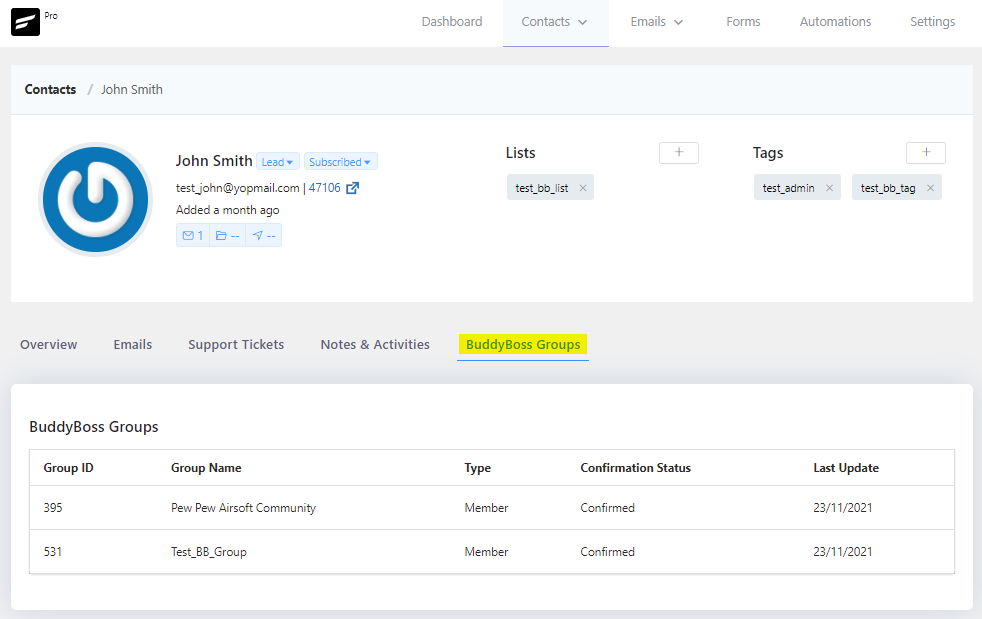
- Get a detailed overview of a BuddyBoss member within FluentCRM contact profile
- See group memberships of contacts via FluentCRM
- Apply or remove tags in FluentCRM when people join a profile type or group
- Send email campaigns to contacts
- Set up email marketing workflows based on a tag applied or remove
Importing BuddyBoss Members
To import your BuddyBoss members as FluentCRM contacts:
- Go to WordPress Dashboard > FluentCRM.
- In the FluentCRM Dashboard, click the Import button, then click BuddyBoss and then click the Next button.
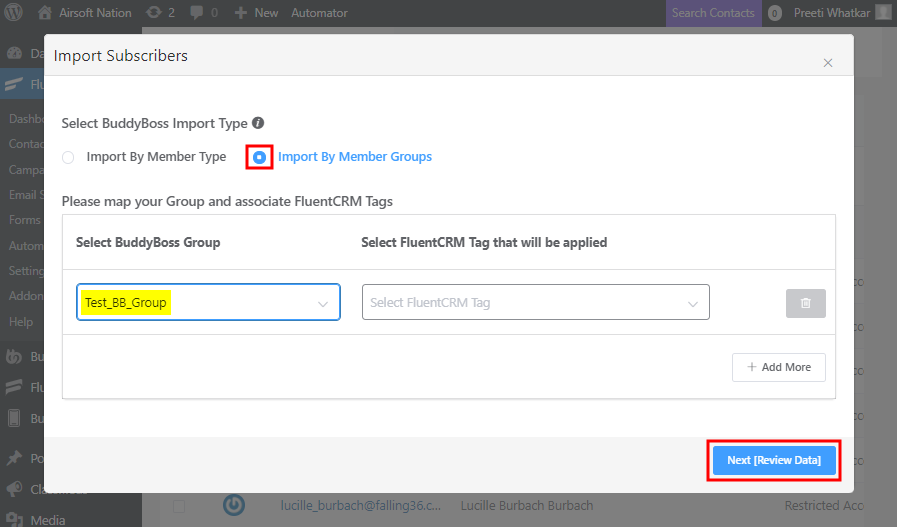
- You can import BuddyBoss members by Type or by Group. Select Import By Member Group and then select the member type from the BuddyBoss Group dropdown and then click the Next button.
- Apply a list and set the subscription status for the imported BuddyBoss members and then click the Import BuddyBoss Members Now button.
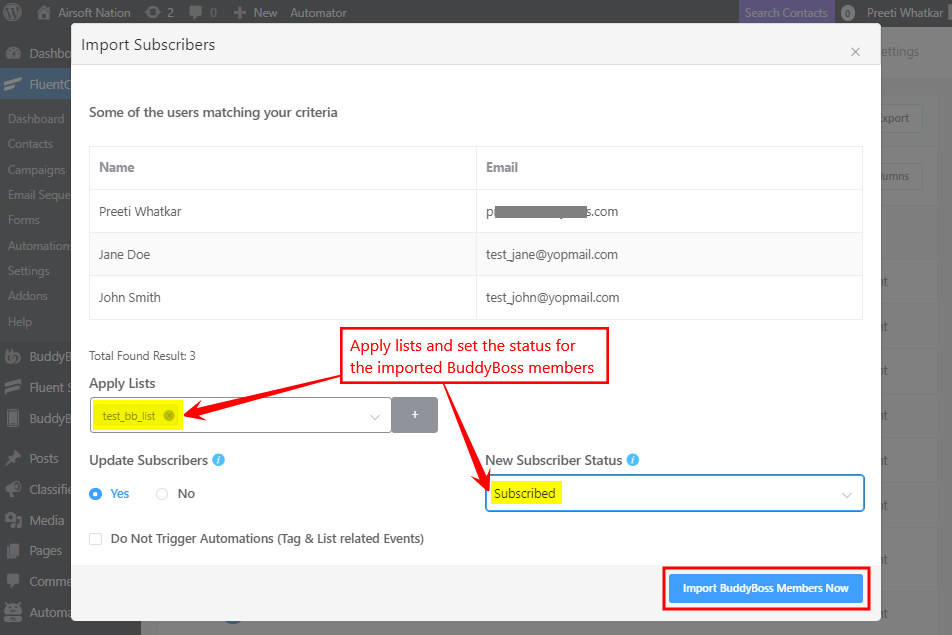
Note: If you have any automation running for the tags you applied to the new contacts you can also disable any list/tag-based automation by keeping the Do Not Trigger Automations radio button checked.
Segmenting contacts based on BuddyBoss profile types
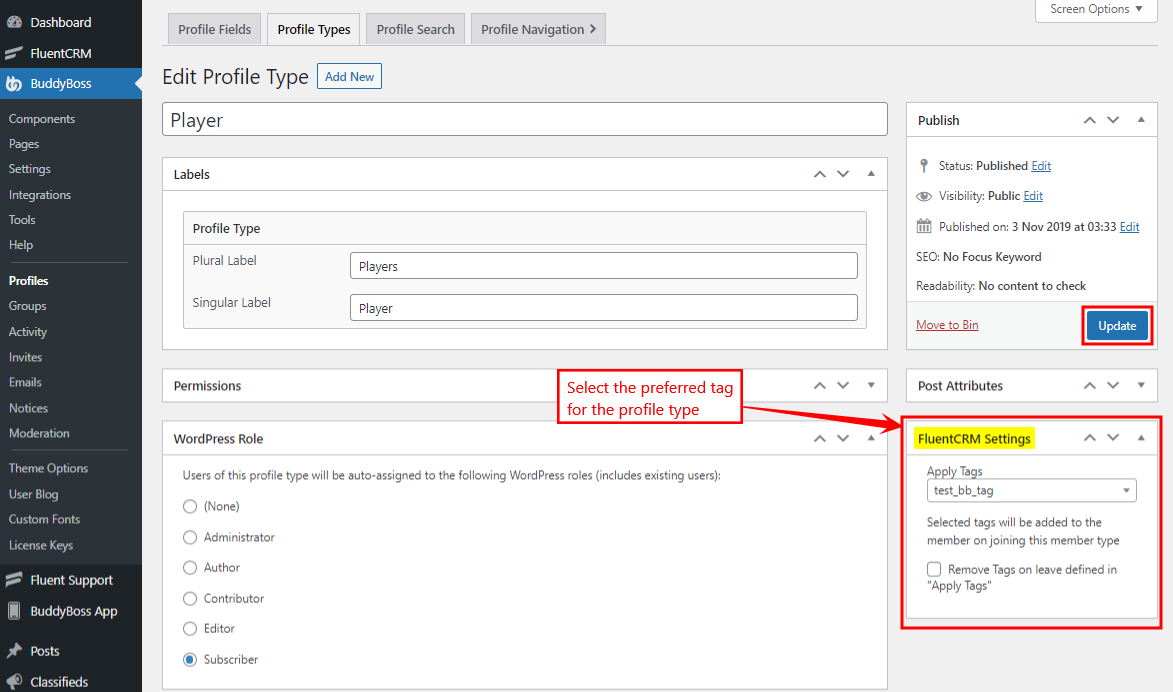
You can set up automated tagging for BuddyBoss Profile Types when you create/edit them. and Groups. To add a tag to a BuddyBoss profile type:
- Go to WordPress Dashboard > BuddyBoss > Profiles > Profile Types.
- Click the Edit button for the preferred profile type.
- In the FluentCRM Settings meta box, select the tag(s) you want to apply to the profile type and then click the Update button.
Segmenting contacts based on BuddyBoss groups
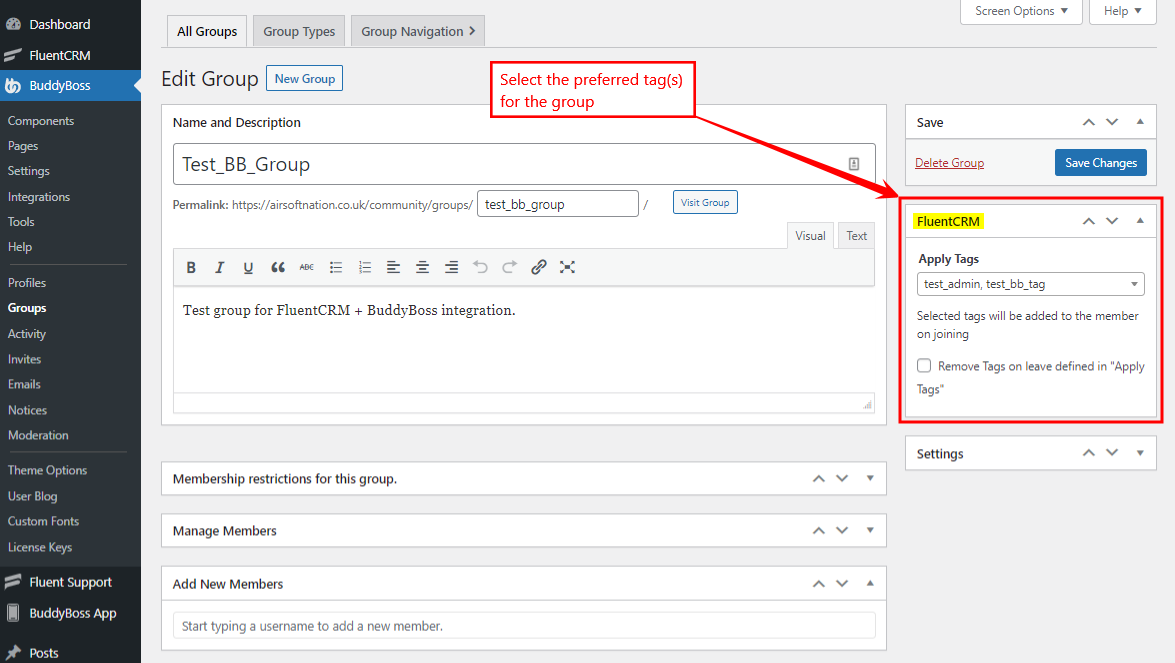
You can set up automated tagging for BuddyBoss Groups when you create/edit them. To add a tag to a BuddyBoss Group:
- Go to WordPress Dashboard > BuddyBoss > Groups.
- Click the Edit button for the preferred BuddyBoss group.
- In the FluentCRM meta box, select the tag(s) you want to apply to the group and then click the Save Changes button.
For further information about the BuddyBoss integration with FluentCRM, refer to the official documentation.