
Your members can now amplify your community's best content with a single click.
Activity Sharing just launched for BuddyBoss Platform Pro and Plus and it transforms how content spreads in your community.
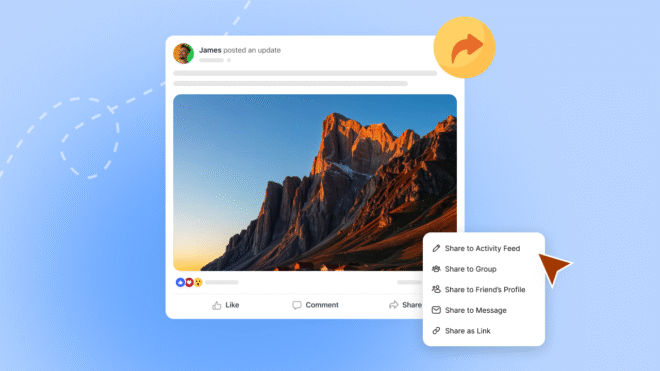
Members can reshare posts across groups, drop them on a friend's profile, send them via message, or broadcast them to Facebook, LinkedIn, WhatsApp, X, and Messenger.
All with professional Open Graph (OG image) previews that make your shared links look incredible.
No more screenshotting posts. No more manually copying content between groups. No more watching great discussions die in a single feed while members who'd benefit most never discover them.
This is built-in and works across your BuddyBoss Web experience, and when paired with the BuddyBoss App, members can also share content from their mobile devices. Your members create valuable content every day. Now that content can actually reach the people who need to see it: inside your community and across the social web.
Activity Sharing gives you two distribution channels working together:
Internal sharing moves content between spaces in your community. A discussion in the main feed can jump to a specific group. A question from one group can reach another relevant group. A valuable insight can land directly on a friend's profile or in a private message thread.
External sharing connects your community to social media. Members broadcast activity posts to Facebook, WhatsApp, LinkedIn, X, and Messenger with properly formatted Open Graph previews. Your shared links look professional, complete, and clickable.
Both systems work together while respecting your privacy settings. Private content stays private. Public content gets maximum visibility.
Internal sharing gives members four ways to amplify content, each serving different purposes.
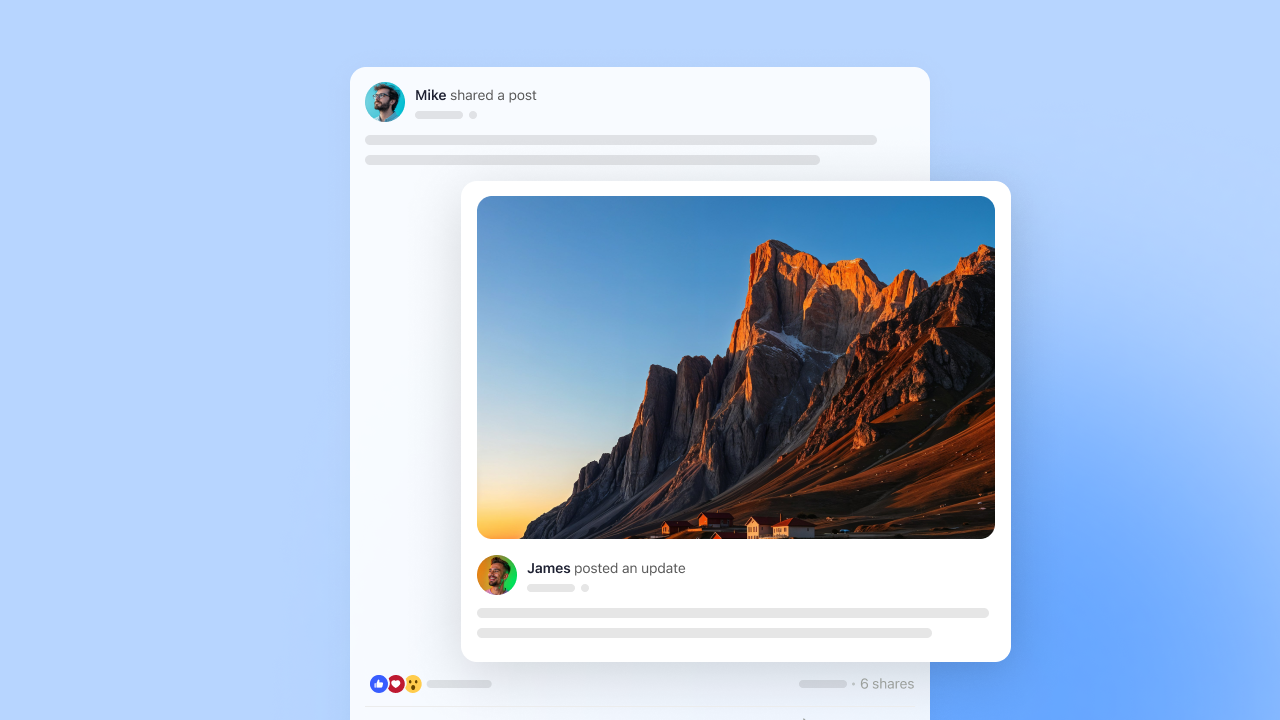
Broadcasting to the activity feed works like a retweet. The original post appears with fresh visibility to everyone following the sharer. Enable custom messages (in Activity Sharing settings) and members can add their perspective: “This approach increased my completion rate by 40%.” That context transforms passive reposting into active endorsement.
Group sharing routes content into focused spaces. Someone spots a training question in the main feed and pushes it to the “Customer Success Managers” group. Now specialists can discuss it without noise from unrelated conversations.
Profile sharing creates one-to-one engagement. You see a job posting relevant to a friend and drop it on their profile. They get notified immediately. Personal recommendations carry more weight than algorithm-driven suggestions, and this feature shows you're paying attention to what matters to them.
Profile sharing excels in communities focused on networking, career development, or peer support.
Message sharing moves content into private conversations. A post sparks a sensitive topic better handled privately? Share it to messages. Want to coordinate with specific team members without broadcasting publicly? Messages.
Not everything needs public visibility. Private sharing respects community dynamics while keeping conversations flowing.
External sharing turns members into ambassadors who introduce your community to their broader networks.
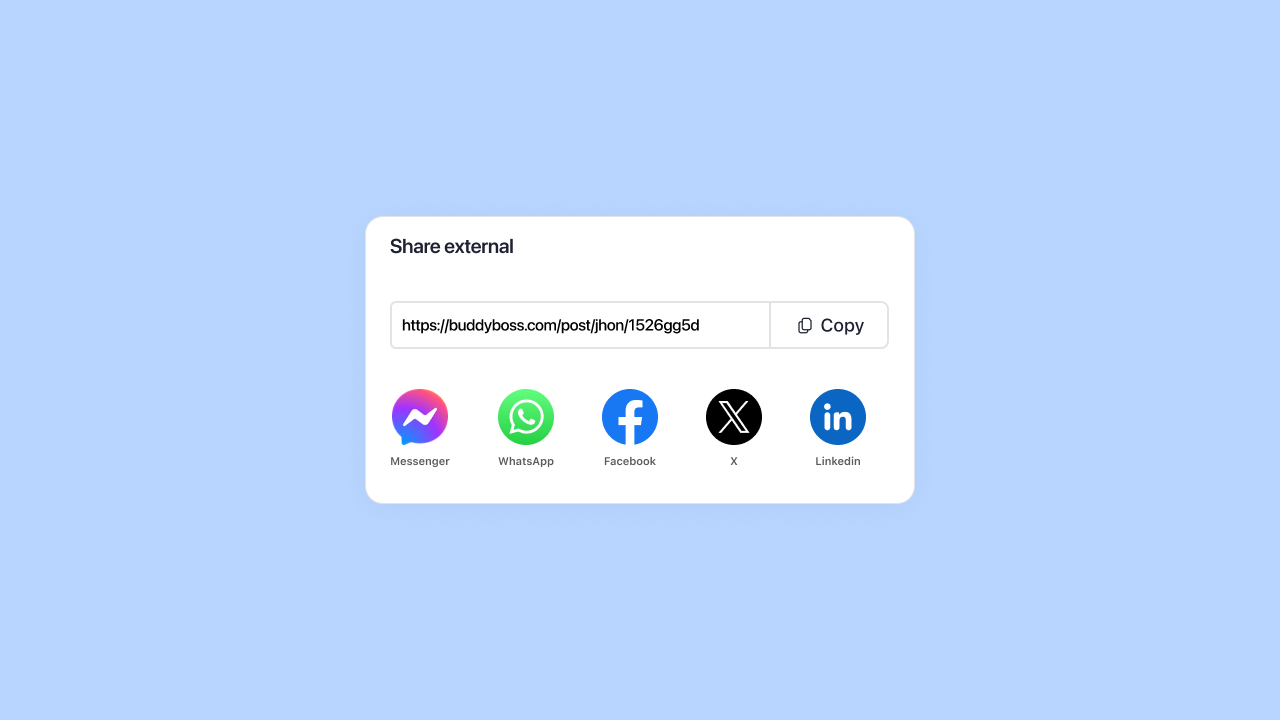
Share as link generates a URL with complete Open Graph metadata. When members paste this on social media, platforms automatically display your custom title, description, and image. BuddyBoss shows the shareable link in a modal with one-click copy functionality.
Members use dozens of communication tools. Share as link works with all of them: email, Slack, Discord, or any platform you haven't explicitly integrated.
Members can share directly to Facebook, WhatsApp, and LinkedIn without copying and pasting. Click the icon, add an optional message, publish.
With 5.22 billion social media users worldwide, external sharing puts your content in front of massive audiences.
Activity Sharing works identically on desktop web and the BuddyBoss mobile app. Members get the same sharing options, the same interface, the same functionality whether they're at their desk or on a train.
Mobile sharing matters because 70% of social media engagement happens on phones. Your members aren't always at computers when they want to share valuable content. The app integration ensures they can amplify discussions the moment inspiration strikes.
Search functionality in both web and app interfaces lets members quickly find the right group or friend to share with. No endless scrolling through lists.
Privacy shouldn’t be an option for your members. They trust you with discussions, personal information, and professional insights. Activity Sharing treats privacy as a core requirement.
Run your community in Private Mode? On fully private sites, logged-out visitors are redirected to the login page. External shares won’t expose private activity content to people who don’t have access. Internal content stays completely hidden from social platforms and search engines.
This protects communities built for exclusive groups, paid memberships, or sensitive topics. Medical communities, legal discussions, corporate training platforms, they all stay secure. Members get full internal sharing capabilities while external visibility stays restricted.
Private and hidden groups maintain security boundaries regardless of sharing settings. If a post lives in a private or hidden group, external viewers won’t see the content. BuddyBoss checks member permissions so private content only appears to people who are allowed to view it
Members can still share private group content internally to other authorized members. The system checks permissions automatically.
Indexing controls in Site SEO settings (Settings > General > Site SEO) give you another privacy layer. Checkboxes for Posts, Profiles, and Groups let you control exactly what search engines see.
Turn off profile indexing to keep member information out of search results. Disable group indexing to prevent search engines from cataloging your community structure. Leave posts enabled if you want public discussions discoverable.
Balance discoverability with privacy based on your community's specific needs.
Activity Sharing requires the BuddyBoss Sharing plugin, available in your Platform Pro or Platform Plus account dashboard.
Additionally, certain sharing options require specific BuddyBoss components enabled:
| Sharing Option | Requires Component |
| Share to Groups | Groups component |
| Share to Friend Profiles | Member Connections component |
| Share to Messages | Messages component |
If a component isn't active, that sharing option won't appear. This keeps the interface clean and relevant to your community's actual setup.
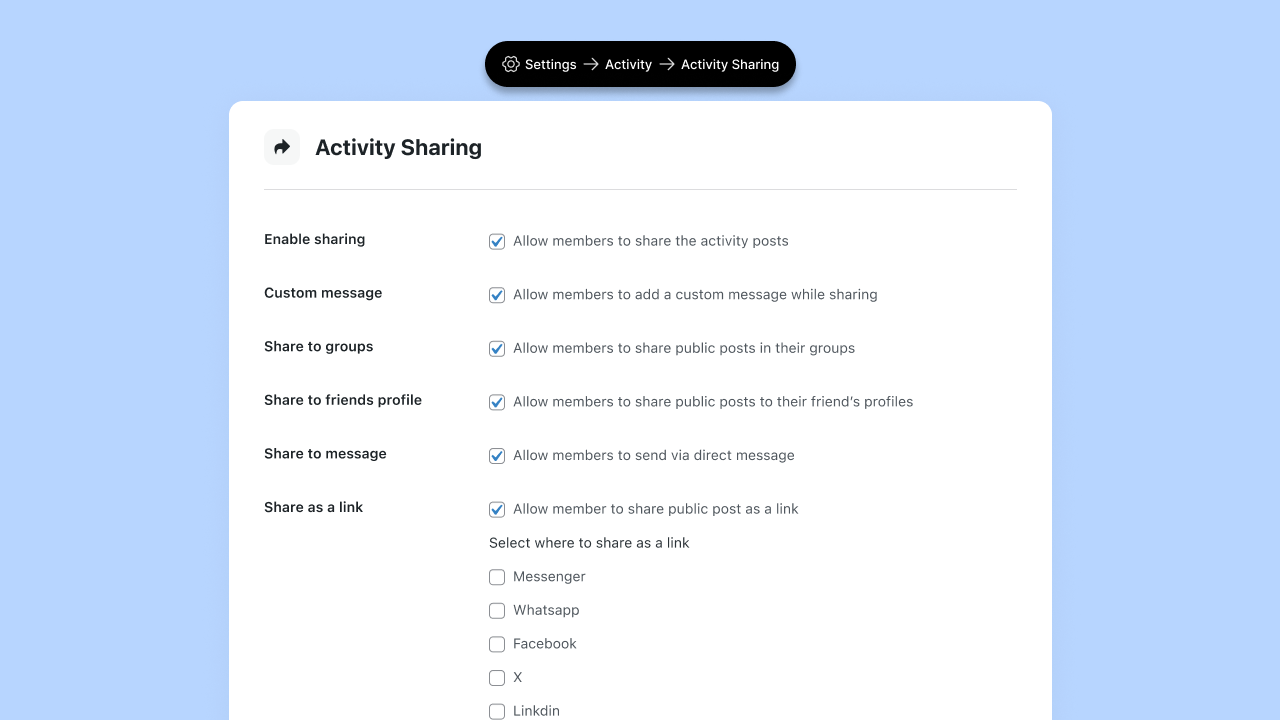
Enable Sharing: Master toggle that activates the feature and adds share buttons to all activity posts.
Custom Message: Determines whether members can add personal context when sharing. Enable this, as context makes shares more valuable.
Share to Groups / Friend Profiles / Messages: Toggle each option based on your community structure and goals.
Share as a Link: Enables external sharing. When activated, you can then enable specific platforms: Messenger, WhatsApp, Facebook, X, LinkedIn.
Choose channels where your members actually spend time. Professional networks benefit from LinkedIn. Mobile-first communities need WhatsApp. Consumer brands prioritize Facebook. Fewer purposeful options work better than overwhelming members with choices.
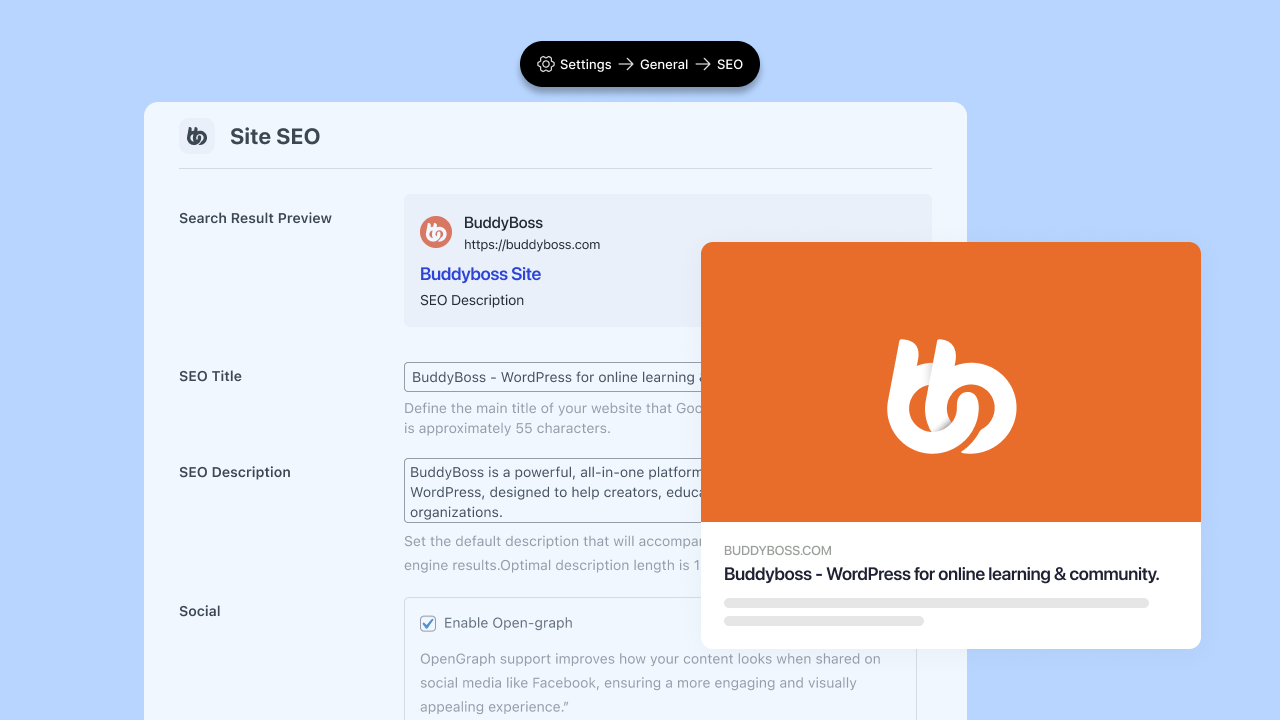
Navigate to Settings > General > Site SEO.
Enter your SEO title and meta description: these become default values for all shared content. Enable Open Graph support. Upload your Open Graph image (minimum dimensions: 1200 x 630 pixels).
Choose what gets indexed: Posts for activity content in search results, Profiles for discoverable member pages, Groups for findable community spaces.
Save settings. Your sharing infrastructure is live.
BuddyBoss automatically tracks and links shared content back to original posts. Engagement metrics remain connected regardless of where content gets shared.
This matters for analytics. You can see which posts generate sharing activity, which types of content spread fastest, and which sharing methods drive the most engagement. Track patterns over time to understand what your community values.
Most platforms treat shares as disconnected copies. BuddyBoss maintains the connection, giving you better data for strategic decisions.
Students discover a study technique that helps them finally grasp a difficult concept. They share it with their cohort group. Now twenty other students benefit instead of one. Course completion rates increase because knowledge spreads efficiently.
Instructors can share exemplary student work to relevant groups, showcasing what success looks like. Peer learning accelerates when valuable insights circulate freely.
A member solves a complex technical problem and posts the solution. Colleagues share it to their company's private group. Industry peers share it externally to LinkedIn. The original poster gains recognition. The community establishes authority. New members discover the platform through high-quality content.
Professional communities grow when members can easily show colleagues why they should join.
Customers post product tips, creative use cases, and troubleshooting solutions. Community managers share the best content to relevant product-specific groups. Power users share externally to social media, effectively marketing your product through authentic testimonials.
User-generated content generates more trust than any advertisement. Activity Sharing turns that content into growth fuel.
Activity Sharing ships with BuddyBoss Platform Pro and Plus. Download it from your account dashboard, install the plugin, activate it, and configure your settings.
The feature works with your existing community setup, which means no migration, no data restructuring, no breaking changes.
If you're currently on the free Platform tier and run multiple groups with active cross-pollination needs, upgrading to Pro gives you Activity Sharing plus reactions, polls, scheduled posts, and learning management integrations.
Your members create valuable content every day. Activity Sharing ensures it reaches the people who need to see it, whether that's across your community or across social media.
Enable it. Track what spreads. Build more of what works. Let your members drive growth instead of carrying it all yourself.
Points. Badges. Leaderboards. Ranks.
If you run a community, you already know this stuff works. Many platforms using gamified features report up to 48% higher engagement compared with non-gamified ones.
But there’s one layer almost no community builder uses and it’s the one that actually changes behavior: competitions.
Competitions add what ‘always on’ gamification can’t: a deadline, a shared goal, a moment that opens, builds energy, and then closes.
And that time pressure?
It changes how members show up.
A competition is a time-bound challenge where members complete specific actions before a deadline to earn rewards.
Games figured this out years ago. Fortnite's Battle Pass resets each season, miss the window, miss the rewards. Pokémon GO's Community Days give you three hours to catch a rare spawn. Duolingo borrowed the same playbook: miss a day, lose your streak.
According to research, well-implemented gamification raises engagement by about 30% on average. But add time-based elements like challenges and competitions, and that number can climb to 100-150% compared to static approaches.
The time constraint isn't a limitation but It's the mechanism.
When members know a challenge ends Friday, they don't bookmark it for later. They act. The countdown creates momentum. The shared deadline creates community. Everyone's working toward the same thing at the same time.
A competition isn't “do this thing for points.” It's “do this thing, by this date, and here's exactly what you unlock.” That specificity matters more than most community builders realize.
Here are seven competition formats that work. Each one maps to specific member actions you can track and reward.
Best for: Communities that want to activate new and existing members together
New members often lurk because they don't know where to start. A Welcome Week gives everyone a reason to introduce themselves and start conversations.
Run a week-long competition challenging members to comment on 5 posts. Point them toward your introductions forum or a pinned welcome thread.
It works because cCommenting is low-stakes. Members don't need expertise to say “welcome” or ask a question. And when new members see responses to their posts, they're more likely
Duration: 7 days
User Action: Posts created, comments made
Reward: Achievement badge (exclusive to that cohort)
Best for: Communities that depend on member-generated content
You've stared at a quiet feed before. Posted a discussion prompt that got two replies. The problem isn't that members have nothing to say. It's that they're not sure anyone will care. Lurking feels safer than posting.
To do this, challenge members to publish a set number of posts within 30 days. Award points for each post, with a bonus achievement for hitting the goal.
The reason why it works is because most lurkers aren't lazy. They're uncertain. A challenge gives them permission to post and a reason to do it. Once they start and get responses, the behavior often continues after the challenge ends.
Duration: 30 days
User Action: Posts created
Reward: Free access to an advanced course
Best for: Course creators and learning communities
Most people who buy courses don't finish them. They sign up with good intentions, watch a few lessons, get busy, and drift away. The course sits in their dashboard, half-finished, generating guilt instead of results.
Start by giving members a deadline to complete a course. Those who finish unlock an exclusive reward: a certificate, access to advanced content, or an invite to a graduates-only group.
External deadlines create accountability that self-paced learning can't. When completion comes with visible recognition, members have two reasons to finish: the value of learning and the status of completing.
Duration: 14-30 days depending on course length
User Action: Courses completed
Reward: Achievement badge + access to a graduates-only group
Pro tip: Run this as a cohort where everyone starts together. Shared deadlines create peer pressure. Discussion threads around the material create connection. The combination drives completion rates that self-paced courses can't match.
Best for: Communities with content but low interaction
Content without engagement is just broadcasting. You need members reacting, commenting, and building on each other's ideas. But most people default to passive consumption. They scroll, read, and leave.
Challenge members to like and comment on a set number of posts within two weeks. Make the threshold achievable but meaningful.
Why does it work? Engagement begets engagement. When members start commenting, they get responses. Those responses pull them back. A two-week push can shift passive consumers into active participants.
Duration: 2 weeks
User Action: Likes, comments
Reward: Extra points
Best for: Any community that wants predictable engagement spikes
Holidays and seasons give you a natural hook. Members already expect something special during these moments. A “12 Days of Engagement” challenge in December. A “New Year Sprint” in January. A “Black Friday Blitz” tied to your biggest sale.
Design a themed challenge around a calendar moment. Use any trigger that fits: posts, comments, course completions, logins. The theme does the heavy lifting.
This is one of the best challenges because seasonal events feel inherently time-limited. That psychology works in your favor. They also give you an excuse to re-engage inactive members with something fresh.
Duration: 7-14 days, aligned with the holiday
User Action: Any (themed framing)
Reward: Bonus points + seasonal achievement (only available during that window)
Pro tip: Plan these in advance. Put them on your content calendar. You'll thank yourself when December arrives and you're not scrambling.
Best for: Communities with existing point systems
If you already have points running, a milestone challenge adds a turbo boost. Instead of members earning points at whatever pace they naturally engage, you challenge them to hit a specific threshold by a deadline.
Set a goal: complete 20 posts by Christmas, or 15 comments in two weeks. Show a leaderboard. Make the countdown visible. Those who hit the milestone earn points and unlock a reward.
Why does it work? Points alone can feel abstract. A milestone gives them concrete meaning. Members start doing the math: “If I post three times, comment on five discussions, and complete one lesson, I'll hit my goal.” That calculation drives action.
Duration: 1-2 weeks
User Action: Points threshold
Reward: Free access to a premium course
Best for: Communities that want to surface and reward power users
Every community has members who contribute more than others. They post frequently, comment thoughtfully, and help others. But often they're invisible. A top contributor challenge puts them on stage.
Run a leaderboard-based competition where the most active members over a set period win. Track posts or comments, whichever fits your community best. Reward the top 3, 5, or 10.
Members who might contribute anyway will push harder when there's a leaderboard. And the public visibility shows everyone else what engaged membership looks like.
Duration: 2-4 weeks
User Action: Posts created, comments made
Reward: Access to “Community Champions” group (insider updates, direct feedback channel, early access to new features)
Having the feature doesn't guarantee results. Here's what separates competitions that drive engagement from ones that get ignored.
Start with one. Don't launch five competitions at once. Run one, watch what happens, gather feedback, iterate. You'll learn more from one well-observed competition than from a dozen you barely tracked.
Match duration to effort. A simple action like completing your profile needs only a few days. A bigger commitment like finishing a course needs 2-4 weeks. Too short and members feel rushed. Too long and urgency disappears.
Make rewards meaningful. Status often beats stuff. A badge that says “I finished” can matter more than a gift card. Members want recognition and visible proof they accomplished something. Exclusive access to content, people, or experiences typically outperforms physical rewards.
Promote before, during, and after. Announce the competition before it starts. Send reminders during. Celebrate winners publicly when it ends. The competition isn't just an activity. It's the conversation around the activity.
Avoid competition fatigue. If you run challenges constantly, they stop feeling special. Space them out. Monthly or quarterly works for most communities. Save the big competitions for moments that matter.
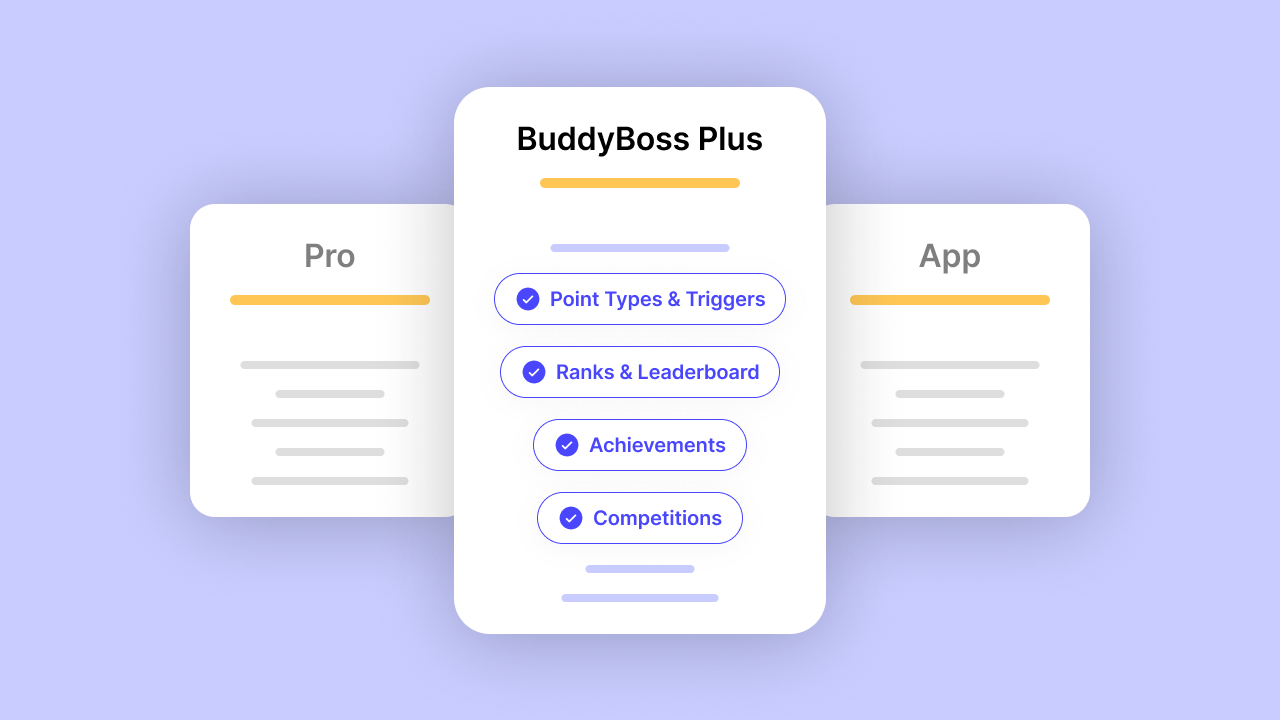
We're excited to introduce Competitions, the newest addition to BuddyBoss Gamification.
Competitions bring time-based challenges to your community. Set a goal, pick a deadline, choose rewards, and watch your members rally around a shared objective.
Whether you're running a 7-day onboarding sprint or a month-long content creation challenge, Competitions give you the tools to turn engagement into an event.
This feature is available now for all BuddyBoss Plus users. If you're already using Points, Ranks, and Achievements, Competitions integrate directly into your existing Gamification setup, no extra configuration required.
Here's how to get started.
If you're running your community on BuddyBoss, you can set up time-based competitions directly in the Gamification settings. The setup process takes just a few minutes.
Step 1: Navigate to Competitions
From your WordPress dashboard, go to BuddyBoss > Gamification > Competitions. This is where you'll create, manage, and monitor all your competitions.
Step 2: Create a New Competition
Click “Add New Competition” to start. Give your competition a clear, motivating name, something members will immediately understand. “7-Day Onboarding Sprint” works better than “New Member Challenge Q4.”
Use the description field to explain what members need to do and what they'll earn. Keep it short and specific.
Step 3: Choose Your User Action (Triggers)
Select the action members need to complete. Available User Action include:
Pick the User Action that aligns with the behavior you want to encourage.
Step 4: Set the Required Count
Define how many times members need to complete the action. For example: log in 5 times, publish 10 posts, or complete 1 course. Keep the threshold achievable but meaningful—too easy feels hollow, too hard discourages participation.
Step 5: Define Your Timeline
Set your start and end dates. This is what creates the urgency. A competition without a deadline is just a suggestion. Choose a duration that matches the effort required:
Step 6: Select Rewards
Choose what members earn for completing the competition. Options include:
Status often motivates more than stuff. A badge that says “Challenge Completed” can drive participation just as effectively as a tangible prize.
Step 7: Save and Launch
Review your settings, save the competition, and you're live.
Note: Once you save a competition, the action type and rewards cannot be changed. Double-check your settings before saving.
Tracking Progress
Once your competition is running, Members track their progress from the Awards Page under the Competitions tab.. They'll see what they've completed, what's remaining, and how much time is left.
You can monitor overall participation from the Competitions dashboard, see who's joined, who's on track, and who's completed the challenge.
Want to see what's possible? Read our full Competitions announcement for use cases, best practices, and ideas to get started.
You don't need seven competitions. You need one.
Look at your community's biggest gap right now. New members disappearing? Try an onboarding sprint. Is the content feed too quiet? Run a content creation challenge. Course completions low? Launch a completion race.
Set a clear trigger. Choose a meaningful reward. Define your dates. Promote it.
Then watch what happens when you give members something to rally around and a deadline to do it.
Ready to launch your first competition?
Get Plus Today —Unlock Competitions and full Gamification
Points work. Badges work. Leaderboards work. Your members are earning and climbing.
But here’s what’s missing: urgency. No urgency means no countdown, no shared push and no reason to act today
There's no reason to engage today instead of next week. No shared moment. No countdown pulling everyone forward at the same time.
That changes now.
Competitions are here. And they're available today in BuddyBoss Plus, turning everyday engagement into something members race to complete.
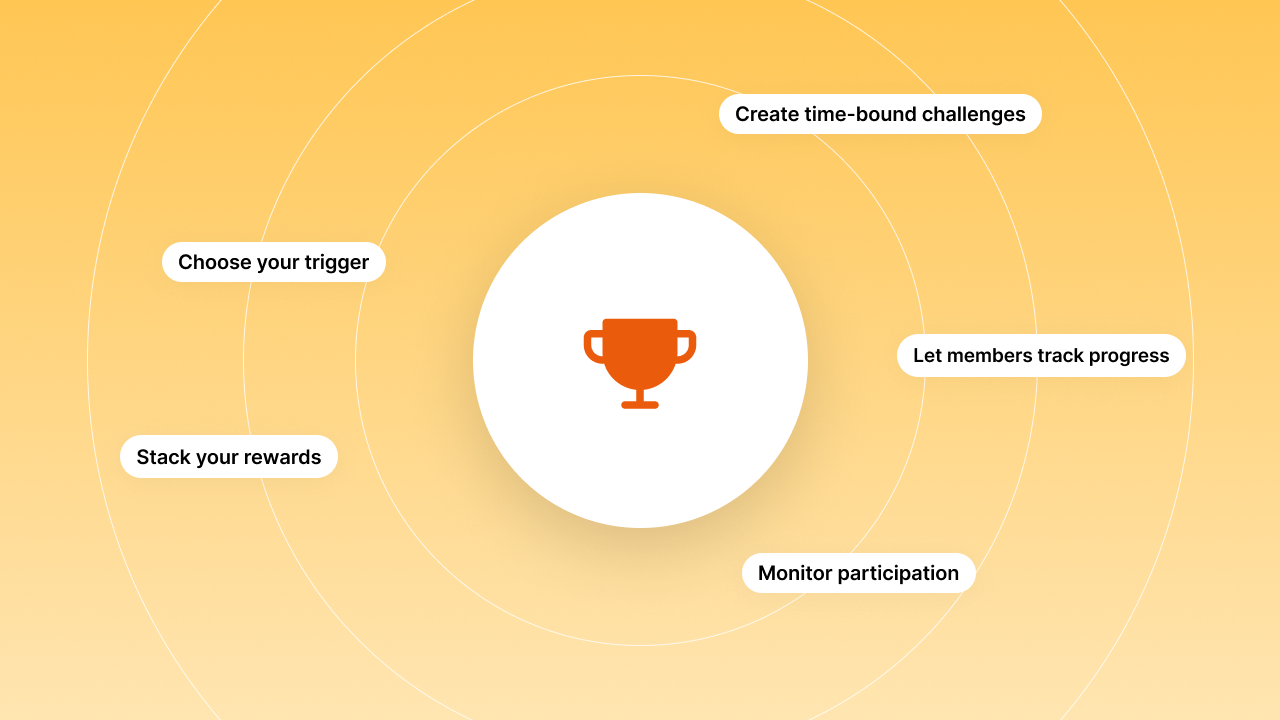
Competitions turn your gamification system into a live event. Instead of “earn points whenever,” you're saying “earn points by Friday and here's what you'll unlock.”
Here's what you can do with competitions::
You set the rules. You set the timeline. Your members do the rest.
Think about the apps that actually get people to show up consistently. Duolingo. Strava. Nike Run Club. They all share one thing: time pressure.
“Deadlines create urgency. Urgency creates action.”
When your community knows a challenge ends Sunday, they don't bookmark it for later. They move. And when everyone's working toward the same goal at the same time, something shifts. The energy compounds. Members start encouraging each other. The feed comes alive.
Competitions give your members something to do together, at the same time, with a finish line.
Need inspiration? We put together 7 community competition ideas that actually drive engagement, including exactly which triggers, durations, and rewards work best for each one.
Here are three competitions you could launch this week:
Challenge members to comment on 10 posts in 7 days. Point them to your introductions forum or a pinned welcome thread. Those who finish earn a “Welcome Week Champion” badge.
Why it works: Commenting is low-stakes and gets new members interacting immediately. When they see responses back, they're more likely to stick around.
Challenge members to publish 10 posts in 30 days. Award points for each post, with a bonus achievement for hitting the goal.
Why it works: Most lurkers aren't lazy but they're uncertain. A challenge gives them permission to post and a reason to do it.
Set a goal: earn 1,000 points by Christmas. Show a leaderboard. Make the countdown visible. Those who hit the milestone unlock access to an exclusive resource or members-only space.
Why it works: Seasonal events feel inherently time-limited. That psychology works in your favor.
These are just starting points. Once you see how your community responds, you'll find formats that fit your specific members and goals.
Setting up a competition takes about two minutes. Here's how:
That's it. Your competition is live.
Members can track their progress on their profile. You can monitor participation and see who's leading from your Competitions dashboard.
Which plan includes Competitions?
Competitions are available on the BuddyBoss Plus plan.
Do I need the full Gamification suite enabled?
Yes. Competitions work alongside Points, Ranks, and Achievements. They're part of the complete Gamification system, not a standalone feature.
Can members see their progress?
Absolutely. Members track their progress from the Awards Page under the Competitions tab.
Can I run multiple competitions at once?
Yes. You can run several competitions simultaneously, different triggers, different timelines, different rewards. Just be mindful of competition fatigue. Spacing them out keeps each one feeling special.
What happens when a competition ends?
Members who completed the challenge receive their rewards automatically. Those who didn't can try again if you run the competition again or you can create a new one with different parameters.
Competitions are live today in BuddyBoss Plus.
If you're already on the Plus plan, head to BuddyBoss → Gamification → Competitions and set up your first challenge.
If you're not on Plus yet, now's the time. Competitions join Points, Ranks, Achievements, and the rest of the Gamification suite, everything you need to turn passive members into active participants.
Give your members a deadline worth chasing.
Upgrade to Plus
Your members already have reasons to engage. Now give them a reason to engage today.
Remember when online communities were just places to chat? Those days are gone.
Modern communities have transformed into sophisticated learning ecosystems where members don't just connect, they grow together.
The shift happened quietly: a forum thread became a tutorial, a member's question sparked a masterclass, and suddenly, casual spaces evolved into structured learning environments.
At the heart of this transformation sits learning pathway design, a structured roadmap that guides learners from point A to mastery.
Think of learning pathway design as a GPS for skill development. Instead of wandering through random content, learners follow a clear route with checkpoints, milestones, and a destination.
BuddyBoss paired with a Learning Management System (LMS) makes this possible. The combination turns scattered knowledge into organized journeys while keeping the community spirit alive.
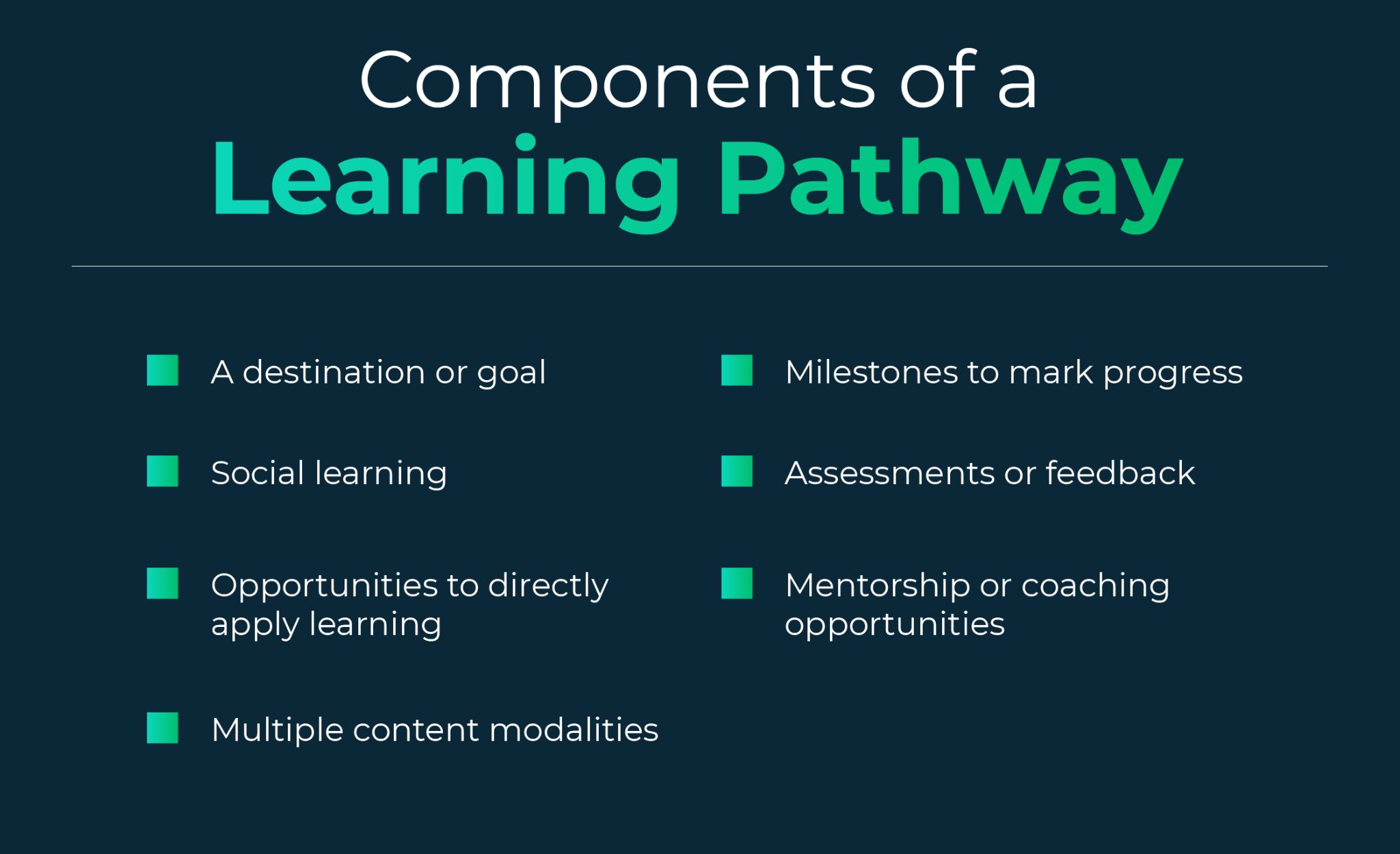
A learning pathway is exactly what it sounds like: a step-by-step route through educational content.
Imagine climbing a mountain with marked trails versus bushwhacking through dense forest. Same destination, wildly different experiences.
Learning pathway design creates three critical outcomes:
Direction. Learners know what comes next. No confusion about whether they're ready for advanced topics or still need fundamentals.
Motivation. Progress becomes visible. Each completed module feels like a small victory, building momentum toward larger goals.
Measurable results. Both learners and educators can track advancement. Analytics show completion rates, engagement patterns, and knowledge gaps.
The benefits compound quickly. Communities with structured pathways report consistency in skill development, better retention rates (up to 60% higher in some cases), and members who actually finish what they start.
Here's what traditional online courses get wrong: they isolate learners.
You watch videos alone. Complete assignments alone. Struggle with concepts alone.
Communities flip this model. Learning pathway design integrated with community features creates peer-powered education.
Discussion forums become problem-solving hubs where members help each other through challenging concepts.
Feedback loops form naturally when learners share their work and receive input from peers who've walked the same path. Group learning activities transform abstract lessons into collaborative projects.
BuddyBoss enhances these interactions through native community features:
The result? Learning becomes social again. Members stick around longer because they're invested in both their education and their relationships.
Creating a successful learning pathway in your online community starts with the right tools and a clear plan.
With BuddyBoss and an integrated LMS like LearnDash, Lifter LMS or TutorLMS– you can structure engaging courses, connect members to targeted groups, and empower learners to progress with confidence.
This step-by-step guide shows exactly how to combine BuddyBoss’s robust social features with LMS capabilities, making it easy to build a learning journey that keeps participants motivated and connected from start to finish.
Start with your audience. Who are they? What do they need to learn? Where are they starting from?
Effective learning pathway design begins with segmentation. A graphic designer switching to web development needs different guidance than a complete beginner. Create learner personas:
Survey your community. Ask about their goals, pain points, and preferred learning styles. This data shapes your pathway structure.
Your LMS (LearnDash, LifterLMS, or similar) handles the educational architecture.
Break content into modules that build logically. Each module should:
Example pathway structure:
Module 1: Foundation (2 weeks)
Module 2: Core Skills (3 weeks)
Module 3: Application (3 weeks)
Module 4: Advanced Techniques (4 weeks)
Module 5: Capstone Project (2 weeks)
Content should flow naturally. Don't jump from beginner concepts to expert-level material without bridging steps. Think gradual incline, not vertical cliff.
This is where learning pathway design meets community power.
Connect your LMS to BuddyBoss through native integration or plugins. This sync ensures that:
Create a dedicated group for each learning pathway or module. These spaces become mini-communities within your larger ecosystem. Pin resources, host live Q&As, and encourage members to share breakthroughs and challenges.
Gamification matters here. BuddyBoss integrates with GamiPress to support badges, points, and leaderboards. Award badges for completing modules, participating in discussions, or helping fellow learners. These digital acknowledgments drive engagement more than you'd expect.
Structured learning plus community interaction equals retention magic. Here’s how to build interaction points directly into your pathway:
Discussion prompts. After each lesson, post a question in your group forum. Make it specific enough to generate real conversation, not generic “What did you think?” fluff.
Peer review assignments. Have learners submit work for community feedback before final submission. This creates accountability and teaches evaluation skills.
Collaboration projects. Pair or group members for applied learning. Real-world projects beat theoretical exercises every time.
Office hours. Host regular live sessions where learners can ask questions, share progress, or work through problems together.
Recognition fuels participation. Highlight member achievements in activity feeds. Feature standout work. Celebrate completions publicly. These small acknowledgments create a culture where learning feels valued.
Learning pathway design isn't a set-it-and-forget-it process.
Your LMS provides analytics: completion rates, quiz scores, time spent per module, drop-off points. BuddyBoss adds engagement metrics: forum participation, group activity, profile visits.
Watch for patterns:
Gather direct feedback through surveys or community polls. Ask what's working, what's confusing, and what's missing. Members will tell you exactly how to improve if you ask.
Update your pathway quarterly. Refresh outdated content, add new modules based on emerging needs, and remove elements that don't serve learning goals.
Keep it modular. Learners should see clear units with defined beginnings and ends. Massive, sprawling content overwhelms. Break big topics into digestible chunks.
Mix your formats. Video lessons, written guides, interactive exercises, live sessions, downloadable resources. Different learners absorb information differently. Variety also prevents monotony.
Reward milestones. Certificates, badges, or even simple congratulatory messages matter. They provide tangible proof of progress and natural pause points for reflection.
Balance structure with flexibility. Self-paced learning respects different schedules and speeds. Group activities create accountability and connection. Your pathway needs both. Let members move through content at their own pace but schedule regular community touchpoints (weekly discussions, monthly projects, quarterly cohort sessions).
Make navigation intuitive. Learners shouldn't hunt for the next module or wonder if they missed something. Clear labels, progress indicators, and logical sequencing prevent confusion.
Which LMS works best with BuddyBoss for creating learning pathways?
BuddyBoss integrates seamlessly with several LMS platforms, including LearnDash, LifterLMS, and TutorLMS. LearnDash is often the most popular choice for its robust features like drip content, advanced quizzing, and detailed analytics. LifterLMS offers strong ecommerce capabilities if you're selling courses. TutorLMS provides a lightweight option with solid community features. Your choice depends on your specific needs: budget, technical requirements, and desired features.
How long should a learning pathway take to complete?
This depends entirely on your content complexity and audience availability. Effective pathways range from 2 weeks for focused skill-building to 12+ weeks for comprehensive programs. The sweet spot for most communities is 4-8 weeks, allowing enough time for deep learning without losing momentum. More important than total length is pacing: break content into manageable weekly or bi-weekly modules. Always prioritize completion over cramming in more content.
Can I create multiple learning pathways for different skill levels?
Absolutely, and you should. Effective learning pathway design includes segmentation. Create separate pathways for beginners, intermediate, and advanced learners. You can also build specialized pathways for different roles or interests within your community. BuddyBoss groups help organize these segments, letting members join the pathway that matches their current level. Some communities even create “choose your own adventure” style pathways where learners select their track after completing foundational modules.
How do I keep learners engaged throughout the entire pathway?
Engagement comes from combining structure with community. Build interaction points directly into your pathway: discussion prompts after lessons, peer review assignments, group projects, and live office hours. Use BuddyBoss gamification features like badges, points, and leaderboards to recognize progress. Celebrate completions publicly in activity feeds. Mix content formats (videos, exercises, resources) to prevent monotony. Most importantly, create accountability through cohort-based learning where members progress together and support each other.
What's the biggest mistake people make when designing learning pathways?
Content overload. Enthusiastic creators pack pathways with every possible piece of information, overwhelming learners and tanking completion rates. A focused pathway that members actually finish beats a comprehensive one that sits incomplete. Cut ruthlessly. If content doesn't directly serve your learning goals, remove it. The second biggest mistake is ignoring the community aspect, if you're not leveraging peer interaction and support, you're just building another isolated online course.
How much does it cost to set up BuddyBoss with an LMS for learning pathways?
BuddyBoss pricing starts at $299/year for the platform license (one-time fee) plus hosting costs ($25-100/month depending on your provider). LearnDash costs $199/year for a single site. Budget around $500-800 for the first year including setup, then $300-500 annually for renewals. This covers the core platform and LMS. Additional costs might include premium plugins, design customization, or developer help for complex integrations. Compared to enterprise learning platforms that run $10,000-50,000+ annually, this represents significant savings.
Structured learning pathways can turn any online community into a truly impactful learning platform.
By combining BuddyBoss with an LMS, you get organized courses and active social features working together, making it easier for members to connect, progress, and succeed. Start with one focused pathway, refine it with feedback, and expand as you go.
Ready to transform your community?
Launch your first learning pathway with BuddyBoss today and see how direction + community creates lasting growth.
A member cancels their premium subscription, but they can still access your exclusive coaching videos, private forum discussions, and downloadable templates. Your paying members notice. Trust erodes. Revenue leaks.
This scenario plays out more often than you'd think. Membership content restriction isn't just a technical checkbox; it's the foundation of sustainable membership sites.
Without proper access controls, you can't deliver on your value proposition or protect the exclusive resources that justify membership fees.
This guide walks you through setting up effective content restriction using BuddyBoss, a platform designed specifically for community and membership management.
We've helped hundreds of membership site owners create structured access systems that improve retention and engagement, and we'll share exactly what works.
Your premium content represents investment: time creating courses, curating resources, building communities.
When anyone can access it regardless of membership status, that investment loses value immediately.
Proper membership content restriction delivers three critical benefits:
It protects your exclusive resources. Members pay for access to something they can't get elsewhere. The moment that exclusivity disappears, so does your competitive advantage.
It encourages upgrades to higher membership tiers. When free members see locked premium content, they understand the additional value available. Sites with clear tiered access see up to 40% higher retention rates because the upgrade path is visible and compelling.
It improves member experience and engagement. Restricted content creates intentional pathways through your community. Members know exactly what they get at each level, reducing confusion and support requests.
Top membership platforms structure access around value, not arbitrary restrictions. They show just enough to demonstrate what's behind the paywall without giving everything away.
Membership content restriction controls who can view, download, or interact with specific parts of your site based on their membership status or tier.
Think of it like building security. Some areas are open to the public (your lobby), some require basic credentials (the office floor), and others need special clearance (the executive suite). Your membership site works the same way.
Most membership sites use tiered access:
Courses and lessons: Lock entire courses or individual modules based on membership level. This works particularly well for progressive learning paths where members need foundational knowledge before accessing advanced material.
Forums and discussion boards: Create spaces exclusively for paid members or specific tiers. Privacy encourages honest conversation and builds stronger community bonds.
Downloadable files: Templates, worksheets, eBooks, and resources can be gated based on membership status.
Groups or social spaces: Private groups for networking, accountability, or specialized topics create additional value for higher tiers.
BuddyBoss differs from basic membership plugins by integrating social features with access control. You're not just restricting pages, you're building entire community experiences around membership levels.

BuddyBoss combines WordPress membership functionality with purpose-built community features.
Moreover, BuddyBoss supports membership restriction via integrations with leading plugins like MemberPress or LearnDash.
Seamless integration with leading membership plugins: BuddyBoss Integrates with MemberPress, LearnDash, and WooCommerce Memberships directly when configured, no additional coding required.. You're not locked into a single ecosystem.
Native content restriction options: Beyond plugin integration, BuddyBoss includes built-in access controls for groups, profiles, and social features that standard membership plugins can't touch.
Role-based access and group visibility settings: Create nuanced access rules that go beyond simple yes/no restrictions. Members can see different navigation menus, group listings, and content based on their specific role.
Secure infrastructure trusted by thousands: BuddyBoss is trusted by major organizations across education and enterprise sectors companies, educational institutions, and professional associations. Their security protocols meet enterprise standards.
BuddyBoss supports multi-level access control when configured with MemberPress, LearnDash, or WooCommerce Memberships.
Moreover, membership access rules are managed in your membership plugin; BuddyBoss displays content visibility accordingly.
Below you can find the step by step guide to restrict content access using your very own BuddyBoss:-
Download the BuddyBoss Platform plugin and theme from your BuddyBoss account. Install the platform plugin first, then activate the theme. The setup wizard walks you through basic configuration.
Set your site title, tagline, and primary navigation during initial setup. These foundational elements affect how members navigate your restricted content later.
Choose your membership management system based on your specific needs:
MemberPress: Best for straightforward subscription management and drip content
WooCommerce Memberships: Ideal if you're already running a WooCommerce store
LearnDash: Perfect for course-focused membership sites
Install and activate your chosen plugin. Navigate to BuddyBoss > Integrations and enable the connection. This creates the bridge between your membership levels and BuddyBoss access controls.
Define your membership tiers before restricting any content. Clear tier structure prevents confusion later.
In your membership plugin, create levels like:
Name tiers based on value delivered, not arbitrary labels. “Expert Access” means more to potential members than “Gold Tier.”
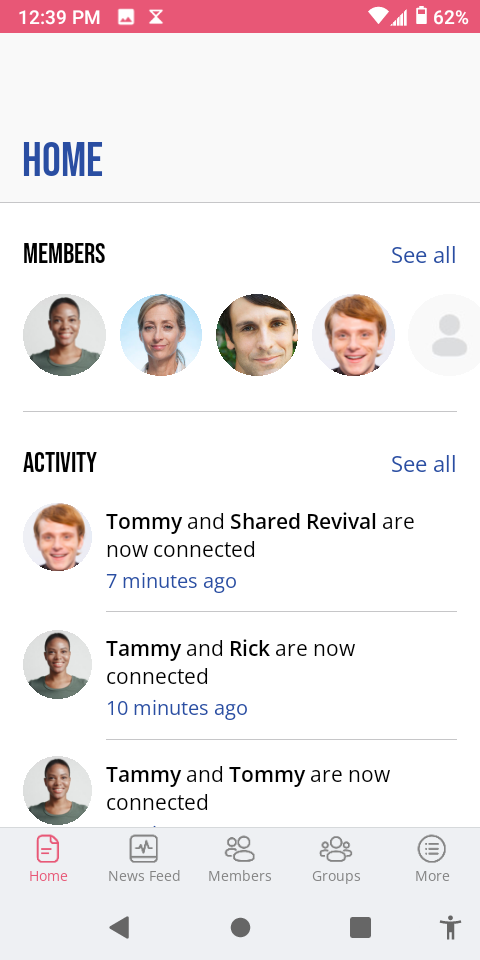
This is where membership content restriction becomes operational.
For pages and posts, use your membership plugin's restriction settings. MemberPress adds a “Membership Access” meta box to every page where you can select which levels can view it.
For BuddyBoss groups, navigate to Groups > All Groups, edit a group, and find the “Group Membership Access” section. Select which membership levels can see and join the group.
For courses (if using LearnDash), set access controls at both the course level and individual lesson level. This creates progressive unlocking as members advance through tiers.
How to configure Member Access Controls in BuddyBoss
Default restriction messages are generic: “You don't have permission to view this content.” That's a missed opportunity.
Replace them with messages that explain the value behind the restriction:
“This advanced masterclass is available to Premium Members. Upgrade now to access 40+ expert-led sessions, downloadable templates, and our private coaching community.”
Include a clear call-to-action button that links directly to your upgrade page. Make the path forward obvious.
Create test accounts at each membership level. Never assume your restrictions work, verify them.
Log in as a free member. Can they access paid content? Do restricted groups show in the directory? Check every critical piece of content.
Log in as a paid member. Does everything they should access actually load? Are there any broken permission rules causing unnecessary restrictions?
Always test with a non-admin account to see the member experience firsthand. Admin accounts often bypass restrictions by default, giving you a false sense of security.
Membership content restriction isn't set-it-and-forget-it. As your community grows, you'll add content, create new tiers, and refine your access structure.
Schedule monthly audits. Review:
Adjust rules based on actual member behavior, not assumptions about what they want.
Keep access rules simple and easy to understand. Members shouldn't need a flowchart to figure out what they can access. If you're explaining tier differences in paragraphs, simplify your structure.
Use clear messaging for restricted pages. Every restriction should include context. Why is this locked? What do I get if I upgrade? Make the value proposition explicit.
Regularly audit your content permissions. Set a recurring calendar reminder. Check for orphaned content (created but never assigned to a tier) and overly restricted resources (locked by accident).
Offer previews to encourage upgrades. Show the first lesson of a course, the first paragraph of an article, or sample questions from a private forum. Give free members a taste that makes them want the full meal.
Update rules as you add features. New content types require new restriction rules. When you launch a podcast feed, Q&A section, or resource library, immediately determine access levels.
BuddyBoss documentation provides detailed guides for advanced restriction scenarios. Reference their knowledge base when implementing complex permission structures.
Over-restricting content frustrates members. Locking basic navigation, member profiles, or introductory resources behind paywalls creates a hostile first impression. Give free members enough value to experience your community before asking for payment.
Forgetting to update rules after site changes. Plugin updates, theme changes, and site redesigns can break existing restrictions. Test thoroughly after any major site modification.
Using too many membership tiers. Three to four tiers is ideal. Beyond that, members face decision paralysis and you create a maintenance nightmare. More isn't better.
Not testing access before launch. Discovering broken restrictions after members join damages credibility. Test extensively, then test again.
How do I restrict access to specific BuddyBoss groups?
Navigate to Groups > All Groups in your WordPress dashboard. Edit the group you want to restrict, scroll to the “Group Membership Access” section, and select which membership levels can view or join. Members outside those levels won't see the group in directories or searches.
Can I show teaser content to non-members?
Yes. Most membership plugins include excerpt or preview functionality. Display the first 200 words of an article, the introduction video of a course, or sample forum posts. This demonstrates value without giving away premium content. BuddyBoss also supports custom messages on restricted pages where you can embed preview content.
Does BuddyBoss work with LearnDash or MemberPress for content restriction?
BuddyBoss integrates natively with both LearnDash and MemberPress. The integration connects membership levels with course access, group permissions, and site features. You manage membership plans in MemberPress or LearnDash, then apply those membership levels throughout your BuddyBoss community. This creates unified membership content restriction across your entire site.
Effective membership content restriction protects your revenue, enhances member experience, and creates clear upgrade paths. BuddyBoss gives you the tools to implement sophisticated access controls without technical complexity.
The platform's integration with leading membership plugins, combined with native social features and group management, makes it uniquely suited for community-focused membership sites. You're not just selling access to content—you're building an exclusive space where members connect, learn, and grow together.
Start building your secure, scalable membership community with BuddyBoss today.
Set up your first restricted group, create your membership tiers, and give your community the structure it needs to thrive.
Community UX design determines whether your platform feels like a welcoming neighborhood or a confusing maze.
Thoughtful design choices around navigation, layout, and accessibility directly influence whether members participate once or become active contributors.
This guide explains exactly how design shapes engagement and what you can do about it.
Community UX design is the practice of creating online spaces where member interactions feel natural, enjoyable, and friction-free.
It encompasses every touchpoint: how someone discovers groups, posts their first comment, receives notifications, and navigates between conversations.
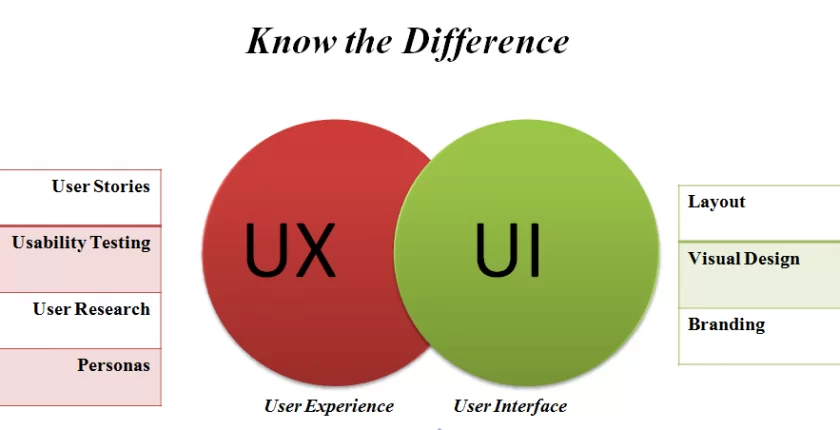
UX (user experience) differs from UI (user interface) in an important way. UI is what members see—buttons, colors, typography, layouts. UX is what members feel—the ease of completing actions, the satisfaction of finding what they need, the emotional response to the entire experience.
A beautiful interface with terrible UX is like a stunning restaurant with no menus, confusing seating, and waiters who disappear. The aesthetics don't matter if the fundamental experience frustrates people.
In community contexts, UX design focuses specifically on social interactions. Can members find relevant discussions quickly? Does posting feel effortless? Do notifications bring them back without overwhelming them?
These micro-experiences accumulate into overall satisfaction or frustration.
Design shapes behavior. When actions require minimal effort, people do them more frequently. When interfaces create friction, participation drops.
Higher participation rates stem from reduced barriers. If posting a comment takes three clicks instead of seven, members comment more often. If finding a group requires clear navigation instead of hidden menus, more people join groups. Each unnecessary step filters out a percentage of potential participants.
Better content discovery keeps members engaged longer. Well-designed communities surface relevant discussions, highlight trending topics, and recommend groups based on interests. Members who find valuable content quickly stick around. Those who can't find anything interesting leave permanently.
Improved member satisfaction builds loyalty. Frustrating experiences erode goodwill even when content is excellent. Smooth experiences create positive associations that keep members returning even during slower content periods.
Increased retention directly impacts community growth. Acquiring new members costs time and money. Retaining existing members is exponentially more efficient. Strong community UX design reduces churn by making the platform pleasant to use.
Research on online communities consistently shows that usability issues are among the top reasons people abandon platforms. Content quality matters, but if members can't easily access that content, quality becomes irrelevant.
Here's a few top elements you should care about-
Members should find what they're looking for in two clicks maximum. Groups, recent posts, notifications, and profile settings need prominent placement with clear labels.
Clutter-free layouts increase time spent in communities because members focus on content rather than deciphering where to click next. Every unnecessary menu item, every ambiguous icon, every hidden feature creates cognitive load that reduces engagement.
Consider two community platforms. Platform A has a sidebar with 20 options, nested menus three levels deep, and features scattered across multiple tabs.
Platform B has five main sections, each clearly labeled, with secondary options appearing contextually when needed. Platform B will see higher engagement because navigation doesn't require mental effort.
Community UX design prioritizes the 80/20 rule: make the 20% of features that members use 80% of the time incredibly easy to find.
Consistent colors, icons, and typography build familiarity. When buttons look the same across pages, members learn patterns quickly. When every section uses different styling, members must relearn navigation constantly.
Visual hierarchy guides attention naturally. Primary actions (posting, commenting, joining) should stand out through size, color, or placement. Secondary actions (editing settings, reporting content) can be less prominent without being invisible.
The link between visual appeal and long-term engagement is well-documented. Attractive interfaces create positive first impressions that increase the likelihood someone will push through initial unfamiliarity. Ugly interfaces trigger immediate skepticism about the entire platform's quality.
Consistency also builds trust. Professional, cohesive design signals that the community is well-maintained and trustworthy. Inconsistent design suggests neglect or lack of attention to detail.
Most community members access platforms on mobile devices. If your community isn't optimized for small screens, you're excluding the majority of potential participants.
Mobile optimization means more than shrinking desktop layouts. Touch targets need adequate spacing. Text needs readable sizing without zooming. Navigation requires thumb-friendly placement. Forms should minimize typing through smart defaults and selection menus.
Responsive community UX design adapts interfaces to screen size automatically. Members get an experience tailored to their device without downloading separate apps or dealing with broken layouts.
Communities that neglect mobile experience see dramatically lower engagement from mobile visitors. Those visitors don't convert into active members, they leave immediately because the experience feels broken.
Build Your Mobile First Community – https://buddyboss.com/blog/mobile-first-community-building/
Personalization is a core principle for driving meaningful engagement.
Generic experiences result in generic interaction, while personalized dashboards and activity feeds keep members connected to content and discussions relevant to their interests.
By prioritizing content based on group memberships and past behavior, these feeds prevent valuable posts from getting lost in noise.
Custom member profiles allow individuals to showcase their identity, interests, and achievements within the community, fostering a sense of ownership that encourages participation.
Leading platforms like BuddyBoss implement these principles by showing members content from their groups and connections first, supporting custom profile fields, badges, and achievements that make each profile unique.
Importantly, effective personalization doesn’t require complex AI; even simple filtering by group membership outperforms generic content dumps, enhancing engagement and satisfaction.
Accessible design ensures everyone can engage regardless of device, ability, or technical knowledge. This isn't optional altruism—it's practical business sense that expands your potential member base.
Key accessibility features in community UX design include sufficient color contrast for readability, keyboard navigation for those who can't use mice, alt text for images, and proper heading structure for screen readers.
Inclusivity extends beyond technical accessibility. Use clear language without jargon. Provide help documentation at the point of need. Design for varying levels of technical comfort.
Communities that prioritize accessibility see broader participation across age groups, technical abilities, and backgrounds. Those that ignore accessibility exclude significant portions of potential members without realizing it.
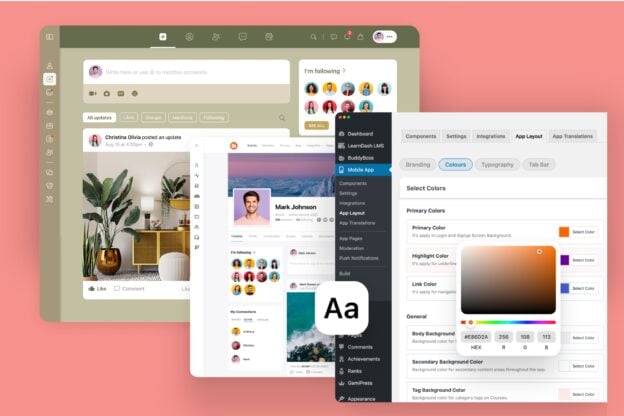
BuddyBoss helps businesses and creators build communities with user experience at the foundation. The platform combines WordPress flexibility with purpose-built community features designed around how people actually interact online.
Clean interface with customizable layouts means you're not locked into a single design approach. Adjust spacing, colors, and component placement to match your brand while maintaining usability best practices.
Member profiles and activity feeds create personalized experiences out of the box. When configured, members see activity from their groups and connections prioritized in feeds.
BuddyBoss App provides a branded, native mobile experience designed for community engagement. No responsive web compromises, actual apps built for touch interfaces and mobile behaviors.
BuddyBoss supports engagement systems such as badges and points via GamiPress integration. Good community UX design makes recognition visible and satisfying.
BuddyBoss simplifies community setup by managing backend complexity through WordPress. This separation of complexity is what allows non-technical community builders to create professional experiences.
Overloading users with too many features creates decision paralysis. When members face 15 different actions they could take, they often take none. Simplify options to the most valuable actions.
Confusing navigation or cluttered interfaces force members to work harder than necessary. If people need tutorials to find basic functions, your navigation has failed. Intuitive design shouldn't require explanation.
Ignoring feedback and analytics means you're designing based on assumptions rather than reality. Members tell you what's not working through their behavior and their complaints. Failing to listen guarantees poor experiences persist.
Lack of consistency across web and mobile experiences creates fragmented understanding. Members learn your platform once—if web and mobile work differently, you're forcing them to learn twice. That friction reduces usage of whichever platform feels less familiar.
Many community builders add features because competitors have them without considering whether those features serve their specific members. Feature bloat is the enemy of good UX.
Great community UX design makes members feel understood, supported, and connected. It reduces friction between intent and action. When someone wants to share an idea, good design makes posting effortless. When someone needs help, good design surfaces relevant resources immediately.
Want to create a community that looks great and feels effortless to use?
Explore how BuddyBoss helps you design experiences that keep members coming back through intuitive navigation, personalized feeds, and seamless mobile experiences.
Strong community UX design is what transforms casual visitors into engaged members who build your community's culture.
Start with clarity, optimize for ease, and never stop refining the experience based on how members actually use your platform. That's how design drives engagement.
Every community has one common goal, keeping members engaged and coming back.
But here’s the thing: not every member joins for the same reason. Some are there to learn, others to network, and a few just want to belong. Treating them all the same is like serving one dish to a table full of different tastes; it rarely works.
That’s where member segmentation comes in. By understanding your audience and grouping them based on their behavior, goals, or engagement level, you can create personalized experiences that make members feel seen, valued, and motivated to stay.
In this blog, we’ll explore how segmentation shapes retention strategies, the key metrics to track, and practical ways to use data to strengthen community loyalty.
Let's explore how strategic segmentation transforms retention rates and why your platform choice makes all the difference.
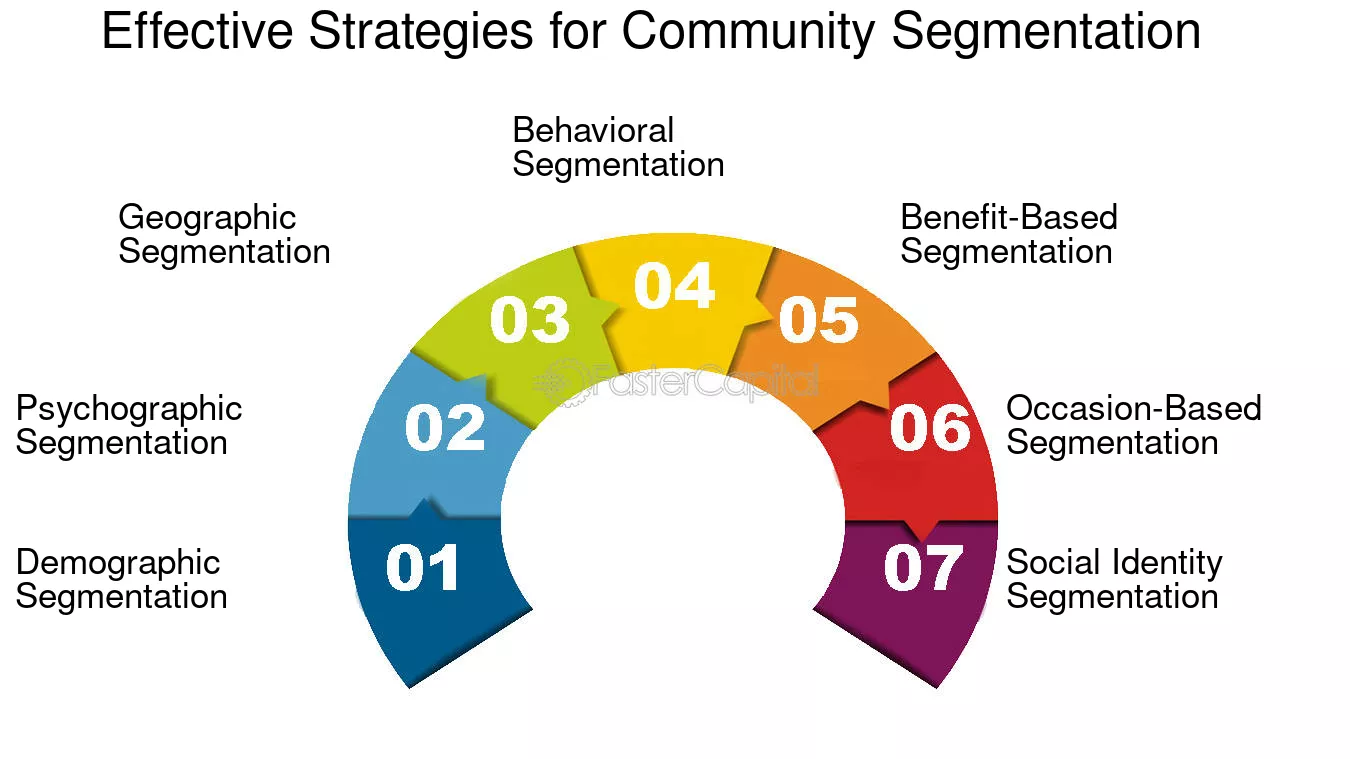
Community segmentation is the practice of dividing your member base into distinct groups based on shared characteristics. Think behavior patterns, interests, membership tiers, engagement levels, or demographics.
Here's the practical difference: Instead of sending one weekly newsletter to 10,000 members, you send targeted messages. Your power users get early access to advanced discussions. New members receive curated onboarding content. Silent lurkers get re-engagement campaigns with low-barrier participation prompts.
The personalization isn't superficial. When someone joins a fitness community interested in strength training, they don't want yoga retreat announcements clogging their feed. Community segmentation ensures each member sees content that matches their goals.
Platforms like BuddyBoss, Circle, and Mighty Networks all offer segmentation features, but they differ significantly in flexibility and control. BuddyBoss provides granular customization through WordPress's open ecosystem, while SaaS alternatives often limit you to preset categories.
Retention depends on emotional investment. Members stay when they feel the community serves their specific needs, not generic content spray.
Community segmentation strengthens this bond through three mechanisms:
Relevance filtering. Members see discussions, events, and recommendations aligned with their interests. A developer in your tech community won't wade through marketing threads to find relevant conversations.
Micro-community formation. Large communities feel overwhelming. Segmentation creates intimate sub-groups where meaningful relationships form. Research from higher education communities shows that students in targeted cohorts participate 3x more frequently than those in general forums.
Behavioral recognition. When your platform notices someone hasn't engaged in 30 days and sends them content based on their past interests, that member feels seen.
Your free members need different experiences than premium subscribers. Tier-based community segmentation lets you deliver appropriate value at each level while creating natural upgrade paths.
Free members might access basic discussions and monthly webinars. Paid members unlock expert Q&As, exclusive courses, and private networking groups. Premium tiers get one-on-one mentorship access.
BuddyBoss integrates seamlessly with WooCommerce and MemberPress, automatically syncing membership levels with group access permissions. When configured with CRM tools, BuddyBoss can automate parts of access management, reducing manual oversight.
Topic-based segmentation creates focused discussion spaces where expertise develops. Instead of one massive forum, you build specialized sub-communities around specific themes.
A professional development community might segment into leadership skills, technical certifications, career transitions, and freelance business building. Each segment develops its own culture, inside jokes, and trusted contributors.
BuddyBoss lets you create private discussion groups tied directly to specific courses or interest categories. When someone enrolls in your marketing strategy course, they automatically join the marketing-focused community group without extra steps.
Not all members participate equally. Community segmentation by engagement reveals critical patterns:
You can automate these workflows through CRM integrations. Tools like n8n, ActiveCampaign, or Groundhogg connect with BuddyBoss to send behavior-triggered emails, adjust member types automatically, or flag accounts needing intervention.
Regional segmentation works beautifully for hybrid communities hosting local meetups or serving global audiences across time zones.
A wellness community might create regional cohorts for in-person workshops while maintaining global discussion spaces. An educational platform could segment by time zone to schedule live sessions when members can actually attend.
BuddyBoss's flexible group and tagging system makes geographic community segmentation straightforward. You control exactly how location data appears in profiles and which regional groups members can discover.
Not all platforms handle community segmentation with equal sophistication. Here's what you actually get:
| Feature | BuddyBoss (WordPress) | Mighty Networks (SaaS) | Circle (SaaS) |
| Member Grouping Flexibility | Fully customizable roles, tags, and profile fields | Limited role-based segmentation | Topic-based, not user-specific |
| CRM / Email Integration | Native and plugin support (HubSpot, Groundhogg, ActiveCampaign) | Closed ecosystem | Partial integrations |
| Data Ownership & Control | 100% data ownership | SaaS owns member data | Shared data control |
| Automation Possibilities | Open integrations via WordPress ecosystem | Limited API hooks | Requires Zapier-level automation |
| Scalability for Large Communities | Flexible hosting and scaling | Platform-limited | Platform-limited |
SaaS platforms prioritize simplicity. You get faster initial setup but sacrifice long-term flexibility. As your community segmentation needs evolve, you'll hit platform limitations.
BuddyBoss runs on WordPress, supports full white-label customization, giving you extensive control over your community’s brand presentation, unlimited customization through plugins, and the ability to integrate with virtually any marketing or analytics tool.
When you need sophisticated segmentation for a 50,000-member community, BuddyBoss’s open ecosystem supports long-term scalability for demographic and psychographic segmentation without platform migration
All you need to do is scale intentionally. Add new membership tiers, automation workflows, and engagement features using the same foundation.
Segmentation in BuddyBoss empowers community managers to deliver relevant experiences to every member. By organizing users based on profile types, groups, interests, or activity, segmentation unlocks targeting options for gamification, marketing, and member communication. This approach ensures that each member receives content and interactions tailored to their needs and roles, helping grow engagement and retention as the community scales.
Step 1: Define Your Segmentation Strategy
Start with clear goals. Are you trying to reduce churn among new members? Increase premium conversions? Reactivate dormant users? Your community segmentation approach should solve specific retention challenges.
Step 2: Configure Profile Fields and Member Types
BuddyBoss lets you create custom profile fields capturing relevant member data—interests, experience levels, goals, location. These fields become your segmentation foundation.
Set up member types (like Student, Professional, Expert) that automatically determine group access and content visibility. Members self-select or get assigned based on their profile data or purchases.
How to customize the profile fields based on profile type within the Platform?
Step 3: Build Automated Workflows
Connect BuddyBoss with your CRM or marketing automation platform. Create workflows triggered by member actions:
Step 4: Monitor and Refine
Use BuddyBoss with analytics plugins or CRM reports to track segmentation performance. Which segments have the highest retention? Where are members churning? Adjust your community segmentation strategy quarterly based on actual behavior.
Pro tip: Combine segmentation with gamification. Award badges or ranks for participation within specific segments. A “Marketing Maven” badge for contributions in the marketing group creates identity and encourages continued engagement.
Track these KPIs to understand whether your community segmentation drives retention:
Member Retention Rate by Segment. Calculate 30, 60, and 90-day retention for each segment. Your most engaged segments should show 70%+ retention at 90 days.
Churn and Reactivation Trends. Which segments lose members fastest? Which responds best to re-engagement campaigns? According to Community Roundtable research, segmented reactivation campaigns achieve 2-3x higher success rates than generic outreach.
DAU/MAU Ratio per Segment. Daily Active Users divided by Monthly Active Users reveals engagement depth. Strong segments maintain 20%+ ratios, meaning members return multiple times monthly.
Segment-Specific Engagement Metrics. Track posts, replies, reactions, and event attendance within each segment. Healthy segments show increasing engagement over time as relationships deepen.
Tier Conversion Rates. For membership communities, measure how many free members upgrade to paid tiers. Effective community segmentation should increase conversions by delivering clear value differentiation.
Over-Segmentation Creates Isolation
Creating 47 hyper-specific sub-groups fragments your community. Members feel isolated in empty segments. Start with 3-5 major segments, then subdivide only when groups exceed 500 active members.
Ignoring Inactive Segments
Many communities segment enthusiastically, then forget about dormant member groups. These represent your biggest retention opportunity. A single well-timed re-engagement campaign can recover 15-20% of inactive members.
Static Segmentation as Members Evolve
Member interests change. Someone joining as a beginner might become an expert six months later. Your community segmentation system should automatically move members between segments as they progress, not trap them in outdated categories.
Community segmentation isn't about dividing your member base. It's about deepening every member's connection to your community through personalized, relevant experiences.
The difference between stagnant communities and thriving ones often comes down to this: generic broadcast messaging versus targeted, meaningful engagement. When members feel your community understands their specific needs and delivers value accordingly, they don't just stay—they become advocates.
With BuddyBoss, you build these dynamic, personalized experiences without platform limitations. You own your data, control your integrations, and scale your community segmentation strategy as sophistication demands increase.
The communities winning in 2025 treat members as individuals, not statistics. That requires both strategic thinking and the right technical foundation.
Ready to personalize your member experience? Explore BuddyBoss segmentation features and see how flexible WordPress-based communities outperform closed platforms. Start with the Pricing Plans.
Picture thousands of customers creating content for your brand without being asked, defending your products in online discussions, and recruiting new buyers from their personal networks.
This isn't wishful thinking, it's the power of a thriving brand community in action!
Brand communities have evolved from marketing buzzwords into business necessities. Customers spend 19% more after joining a company's online community compared to those who interact with the brand only on third-party platforms like Facebook, according to a University of Michigan study.
These aren't just customer support forums or social media followers. They're passionate groups of people who connect around shared values, experiences, and aspirations tied to your brand.
The shift toward community-driven business models reflects a fundamental change in how consumers interact with brands.
People crave authentic connections and meaningful relationships in an increasingly digital world. Smart brands recognize this opportunity and build communities that serve both business goals and human needs.
Three years ago, creating quality content was a competitive advantage. Today, anyone with a ChatGPT subscription can generate passable articles, discussion prompts, and welcome sequences in minutes.
This shift has consequences for community builders.
When content becomes abundant, it stops being the thing that differentiates your community. Members can find similar information, similar formats, and similar structures anywhere.
What they can't easily find is a space that feels distinctly like something, a place with a recognizable voice, consistent values, and an identity worth belonging to.
AI amplifies this in two ways:
Social feeds, newsletters, and community spaces are increasingly filled with competent but interchangeable material. Members develop a kind of pattern recognition for AI-generated sameness. When everything sounds the same, communities with genuine personality stand out more sharply than ever.
Members are becoming skeptical because they can sense when a community runs on autopilot, when welcome messages feel templated, when engagement feels mechanical. The communities that thrive are the ones where human intention and distinctive voice remain visible.
This doesn't mean AI is the enemy. Smart community builders use AI for efficiency while investing the time saved into the things AI can't replicate: developing a unique voice, creating meaningful rituals, and building genuine relationships with members.
The brands that treat AI as a replacement for personality will blend into the noise. The ones that treat it as a tool to amplify personality will pull ahead.
Before comparing marketing and brand building in communities, it’s important to clarify how each contributes to a thriving ecosystem.
Marketing within communities focuses on short-term campaigns, promotion, and member acquisition, helping get the word out and draw new participants.
Brand building, on the other hand, is about fostering trust, shared identity, and long-term engagement among members.
Both strategies are interconnected, but their distinct goals and methods shape how communities grow, retain, and empower members over time.
| Feature | Marketing in Communities | Brand Building in Communities |
| Main Goal | Awareness, lead generation, sales conversion | Loyalty, shared identity, trust, long-term engagement |
| Communication | One-way, brand-directed, campaign-based | Two-way, authentic, member-driven discussions |
| Content Source | Brand-created assets, polished messaging | Member-generated content, peer validation |
| Time Focus | Short-term (campaigns, launches) | Long-term relationship building |
| Metrics | Clicks, impressions, conversion rates | Engagement, retention, referrals, advocacy |
| Role in Community | Drives first visits and initial sign-ups | Fosters belonging, supports deeper connections |
| Trust Mechanism | Authority, repetition | Social proof, authentic member voices |
| Cost | Steady investment for visibility | Initial investment, lower ongoing costs as community matures |
To put it simply, marketing attracts attention. Branding earns loyalty.
When you run Facebook ads, launch referral campaigns, or send promotional emails, you're marketing. These tactics generate awareness and drive sign-ups.
They're essential for growth, but they operate on short cycles: launch, promote, convert, repeat.
Community branding works differently. It's a long game focused on identity, trust, and emotional recall.
Marketing might convince someone to join your community. Branding determines whether they stay, engage, and eventually advocate for you.
Consider this scenario: A targeted ad brings 100 new members to your community. They signed up because the offer looked interesting or the topic matched their needs. Fast forward six months. Maybe 15 are still active. What happened to the other 85?
They encountered dozens of similar communities with comparable content. Without distinctive community branding, they had no reason to prioritize yours. Your voice blended into the noise. Your visual identity felt generic. The experience didn't create enough emotional connection to compete for their limited attention.
Branding is what members remember when they're not actively participating. It's the personality that makes them think of your community when they encounter a relevant problem, see a specific color combination, or hear a particular phrase. Marketing fills your funnel. Branding keeps people from leaking out.
Communities with powerful brands don't need constant promotional campaigns to survive. They sustain themselves through shared values, consistent identity, and emotional resonance that outlasts activity fluctuations.
This creates what brand strategists call “memory equity.” Even members who haven't logged in for months still identify with your community.
They feel connected to what you represent. When they return, they're coming home, not visiting a stranger's house.
Emotional resonance transforms participation from a transaction into belonging. Members don't just extract value; they feel proud to be part of something. They share their membership status. They defend your community in other spaces. They recruit friends without being asked.
Look at Notion's community. Users maintain active connections to Notion's ecosystem even during periods when they're not heavily using the product.
The community branding, built around creativity, productivity, and beautiful systems, creates an identity users want to maintain. They stay subscribed to newsletters, follow community accounts, and check in periodically because the brand resonates with how they see themselves.
Strong community branding also creates rituals, culture, and belonging that survive external changes.
You might redesign your platform, shift your content focus, or bring in new moderators. Members with deep brand connections adapt because they're invested in the underlying identity, not just surface features.
This perpetual quality means you're building a long-term asset, not just managing an engagement channel. Communities with weak branding require constant feeding: new content, new campaigns, new incentives. Communities with strong branding develop their own momentum through member-driven culture that aligns with your brand values.
Building distinctive community branding requires intention across multiple touchpoints. Here's how to create recognition and resonance in your specific niche.
Ask yourself why your community exists beyond being a place to share information.
What worldview does it represent? What values unite members? Your purpose becomes your North Star for every branding decision.
A fitness community might exist to help busy parents reclaim their health without guilt or extremes.
A developer community might exist to prove that technical excellence and human-centered design aren't contradictory. Your purpose shapes everything from the language you use to the types of achievements you celebrate.
Your community branding lives in how you communicate. Are you educational and thoughtful? Empowering and direct? Witty and irreverent? Warm and supportive?
This voice should remain consistent across all communications: welcome messages, discussion prompts, email newsletters, social posts, and moderation responses. When members can recognize your tone without seeing your logo, you've built real voice equity.
Document your voice with specific examples. Create a guide showing how you would phrase common scenarios differently than generic communities in your space. This becomes training material for any team members who represent your community.
Visual consistency across all touchpoints reinforces community branding. Choose colors, fonts, and imagery styles that align with your brand purpose, then use them religiously.
This extends beyond your main platform. Your email templates, social graphics, event presentations, and member resources should all feel like they come from the same family. When someone encounters your content in their inbox or social feed, they should recognize it immediately.
Visual coherence doesn't mean boring uniformity. It means establishing a clear visual language with room for creativity within defined parameters.
The most powerful community branding comes from members themselves. Encourage members to share success stories, transformation journeys, or valuable lessons that reflect your community values.
These stories do double duty. They provide proof of your community's impact while reinforcing the identity and culture you're building. Feature member stories prominently in newsletters, on your community homepage, or during events. Make storytelling a regular ritual rather than an occasional feature.
Weekly or monthly rituals create predictable touchpoints that strengthen community branding. “Win Wednesdays” where members share recent successes. “Ask Me Anything Fridays” with experts. Monthly challenges tied to your core values.
These rituals become part of your brand identity. Members anticipate them, plan around them, and feel like they're missing something when they can't participate. Over time, the rituals themselves become synonymous with your community.
Small branded touches create memorable moments that reinforce identity. Welcome kits for new members with branded stickers or guides. Custom badges or titles that reflect achievements aligned with your values. Event themes that feel distinctly “you.”
These experiences give members tangible connections to your brand. A welcome kit isn't just practical information; it's a statement that joining your community means something. Custom badges aren't just gamification; they're identity markers members display with pride.
Community branding should evolve based on member feedback and changing needs, but your core identity remains stable. Gather input through surveys, informal conversations, and observation of how members talk about your community.
Adaptation might mean updating your visual style to feel more modern or adjusting your voice to be more inclusive. It doesn't mean abandoning your fundamental purpose or values. The best brands evolve their expression while maintaining their essence.
Real-world communities demonstrate how effective branding creates lasting impact. Here's what we can learn from their approaches.
Notion's community mirrors its product philosophy: clean, intentional, user-first. The visual minimalism extends from their app interface to community spaces, documentation, and user-generated content.
Their community branding emphasizes creativity and beautiful systems, attracting members who see organization as both functional and aesthetic.
The lesson here is that alignment between product and community creates authenticity. Members don't experience dissonance between what Notion promises and what the community delivers. Every touchpoint reinforces the same brand values, building cumulative authority over time.
Duolingo transformed language learning through playful community branding centered on their green mascot and encouraging tone.
Users don't just learn vocabulary; they become part of Duo's story. The brand personality makes potentially tedious learning feel like an adventure with a quirky friend.
This demonstrates how distinctive personality cuts through competitive noise. Dozens of language learning apps exist, but Duolingo's brand makes users feel emotionally different about their choice. They share Duo memes, jokes about streak anxiety, and feel part of a recognizable culture.
LEGO Ideas allows community members to submit designs and vote on which sets get produced.
Successful designers receive credit and a percentage of sales. This community branding approach centers on co-ownership and creative empowerment.
The lesson is that giving members real influence over your brand creates deep investment. LEGO users aren't just customers or fans; they're potential creators whose ideas might become official products. This transforms the relationship from consumption to collaboration, strengthening brand loyalty exponentially.
BuddyBoss enables creators to build fully branded community spaces while maintaining platform reliability.
Rather than forcing all communities into identical templates, BuddyBoss provides customization tools that let each community express its unique identity.
This teaches us that platform-level community branding can enhance rather than restrict individual brand expression. The framework provides consistency and quality while giving creators control over the elements that matter most for their specific brand identity.
Growth creates branding challenges. As your community expands, you'll add moderators, create subgroups, and delegate communication. Without systems, these changes dilute the distinctive identity you've built.
Multiple people representing your community means multiple interpretations of your voice and values. One moderator might be overly formal while another becomes too casual. Visual materials created by different team members might clash stylistically. These inconsistencies confuse members and weaken community branding.
Prevent this through clear documentation and accessible tools. Create comprehensive brand guidelines that cover voice, visuals, and values. Include specific examples of approved and discouraged communication styles. Show how to handle common scenarios in ways that reinforce your brand.
Provide templates for frequent needs: discussion prompts, welcome messages, event announcements, graphics. Templates ensure consistency while saving time. Update them periodically based on what works, but maintain the core elements that make your brand recognizable.
Automate where possible: If you're using platforms like BuddyBoss, customize themes and notification templates to maintain visual consistency across automated communications. Use tools like Canva for branded graphic templates or Notion for internal brand guides that evolve with your community.
Regular training for community managers ensures everyone understands not just what to do, but why. Help them internalize your brand purpose and values so they can make aligned decisions even in unprecedented situations.
Platform choice significantly impacts your ability to build and maintain strong community branding. Generic platforms force your community into predetermined templates that look and feel like everyone else's. This undermines the distinctiveness you need to stand out.
BuddyBoss provides a fully white-label experience, giving you complete control over your brand presentation. Members experience your community as an extension of your brand, not a third-party platform they're visiting.
You can customize themes, typography, and logos to align perfectly with your existing brand identity. Whether your brand is minimalist and modern or bold and energetic, BuddyBoss adapts to your vision rather than forcing you to adapt to platform constraints.
Branded communication tools extend your identity into every interaction. Activity feeds, private groups, direct messages, and notifications all carry your visual identity and voice.
Members never leave your branded experience, strengthening their emotional connection to your community.
This level of customization matters because community branding succeeds when every touchpoint reinforces the same identity. Inconsistent experiences, where your website looks professional but your community feels generic, create cognitive dissonance that weakens trust and reduces emotional investment.
BuddyBoss also allows you to create branded mobile apps, extending your community identity to platforms where members spend most of their time. Your community becomes an icon on their home screen, a constant reminder of the brand and values you represent.
What are some examples of powerful brand communities?
Brands like Apple, LEGO, Notion, Duolingo, and Peloton all have passionate communities built around shared identity, creative collaboration, and consistent brand experiences. These groups drive organic growth and strengthen brand loyalty.
How do I start building my own brand community?
Begin by defining your community’s purpose, establishing a consistent voice and visual identity, and inviting members to share stories. Regular rituals, branded experiences, and member empowerment are key elements of strong brand communities.
What platform features help with community branding?
Look for platforms that allow white-label customization, custom themes, branded communications (like BuddyBoss), and built-in tools for storytelling and engagement. These features let your brand be front and center across all member touchpoints
Branding is what sets your community apart and builds long-lasting belonging. Strong brand communities create loyalty, advocacy, and organic growth, giving members something meaningful to connect with even when they’re not active every day.
Invest in your community brand, and you’ll build a foundation that sustains engagement and makes your space unforgettable.
Ready to build your brand-driven community? Explore BuddyBoss plans and see how you can create a community that looks, feels, and sounds unmistakably like you.
Your online course just hit 1,000 students. Your community has grown from 50 members to 5,000. Now what?
The answer isn't hiding in another productivity app or social media strategy. It's standing in a convention hall in Las Vegas, San Diego, or Nashville, surrounded by people who've built what you're trying to build.
The top tech conferences in the USA aren't just networking events.
They're where course creators discover the platforms that can significantly improve monetization when implemented strategically.
Where community moderators learn strategies that improve engagement metrics through proven community strategies, and where casual conversations at coffee breaks turn into high-value partnerships that can shape your business trajectory.
With 2025 winding down and 2026 on the horizon, course creators and community builders face a crowded conference calendar. This guide cuts through the noise to spotlight the events that actually matter for your growth.
Building courses in isolation creates blind spots. You can't see the AI tools reshaping education delivery. You miss the community platforms that solve your retention problems.
You don't hear about the monetization strategies working right now.
The education technology sector continues evolving rapidly, with professionals needing to stay informed about emerging trends in AI, online learning platforms, and community engagement tools.
Course creators who attend conferences gain three critical advantages: direct access to platform developers, real-world case studies from successful creators, and hands-on demos of tools before they hit the mainstream market.
Community moderators gain even more. Managing online communities requires understanding behavior patterns, conflict resolution frameworks, and engagement mechanics that change constantly. The top tech conferences in the USA bring together community professionals who've solved the exact problems you're facing.
Oops! We could not locate your form.

When: 6-9, January 2026
Where: Las Vegas, Nevada
Why Attend: First look at education hardware and software
CES brings together global brands and rising startups to showcase breakthrough technologies, with opportunities to engage with industry leaders and explore solutions through immersive demonstrations.
For course creators, CES offers something unique: you'll see the devices and platforms your students will use before they're widely available. VR headsets for immersive learning. AI tutors that adapt in real-time. Community platforms with features you didn't know existed.
The education technology section has expanded significantly. Expect demonstrations of tools for video production, interactive assessments, and student engagement tracking.
This isn't theory, many exhibitors provide live demos and prototypes attendees can explore.
Start building your own post-conference community with BuddyBoss
When: March 12-18, 2026
Where: Austin, Texas
Why Attend: Creator economy insights and cross-industry innovation
SXSW features a dedicated Creator Economy track exploring tools, trends, and tactics for success in the fastest-growing sector in small business, with nearly one in four people participating globally.
SXSW isn't just about music and film anymore. The Creator Economy track has become essential for anyone building courses or communities. Workshops cover monetization strategies, platform selection, and audience building tactics you won't find in generic marketing courses.
The networking here hits different. You’ll often meet creators across industries, including established YouTubers and educators, podcasters running seven-figure businesses, and community builders managing 100,000+ member platforms.
When: January 13-14, 2026 (Las Vegas) and July 28-29, 2026 (New York City)
Where: Las Vegas and NYC
Why Attend: Data-driven influencer marketing and creator strategies
Creator Economy Live serves as the original influencer marketing event for brands, featuring insights on maximizing campaigns and connecting platforms, networks, and creators through data and metrics.
This conference speaks directly to course creators treating their work as a business. Sessions dissect conversion rates, lifetime customer value, and retention metrics. You'll learn how successful creators structure their offers, price their products, and build sustainable revenue streams.
The dual-coast format means you can attend based on location and focus. The Vegas event coincides with Affiliate Summit West, adding partnership opportunities. The NYC summer event taps into the East Coast's creator community and brand partnerships.
Oops! We could not locate your form.
When: 2026 (to be announced, check website for exact dates)
Where: TBD
Why Attend: Platform-independent business building
Content Entrepreneur Expo focuses specifically on serious content creators building content-first businesses without relying on social platforms, offering actionable strategies and lasting relationships with fellow creators.
Social platforms change their algorithms overnight. Your reach drops 70% without warning. Content Entrepreneur Expo addresses this vulnerability directly, teaching creators how to build email lists, owned platforms, and direct customer relationships.
For community moderators, this conference offers frameworks for building standalone communities rather than relying on Facebook Groups or Discord servers. You'll discover membership platforms, engagement strategies, and retention tactics that work across any hosting solution.
When: February 18-20, 2026
Where: San Jose, California
Why Attend: Developer education and technical community building
DeveloperWeek serves as the world's largest developer and engineering technology conference, bringing together the brightest minds in tech for comprehensive exploration of development's future.
Teaching technical skills? DeveloperWeek shows you how it's done at scale. The conference features workshops on creating technical content, building developer communities, and monetizing coding education.
You'll meet course creators teaching programming languages, software tools, and development frameworks. They'll share their curriculum structures, student support systems, and pricing strategies. The expo floor showcases learning management systems built specifically for technical education.
Start building your own post-conference community with BuddyBoss
When: October 20-22, 2025
Where: Columbia University, New York City
Why Attend: Education transformation and CEO networking
EdTech Week brings together 200 world-class speakers and offers access to 300+ investors, with exclusive networking opportunities including an invitation-only CEO Summit.
EdTech Week occupies a unique space among the top tech conferences in the USA. It's not just about technology; it's about the transformation of learning itself.
Course creators discover pedagogical approaches backed by research, not just the latest shiny tools.
The CEO Summit (invitation-only) connects serious course creators with investors and established education companies. If you're scaling beyond solo creator status, this event opens doors to partnerships and funding opportunities unavailable elsewhere.
When: January 14-17, 2026
Where: Orlando, Florida
Why Attend: Hands-on education technology training
The Future of Education Technology Conference offers dynamic sessions, inspiring keynotes, and extensive expo access, with flexible pass options including complimentary expo-only passes for qualified professionals.
FETC strikes the balance between inspiration and implementation. You won't just hear about AI in education, you'll use AI tools in workshops.
You won't just learn about engagement strategies, you'll experience them through interactive sessions.
The expo-only pass option makes this accessible for course creators on tight budgets. You can explore vendor booths, attend learning labs, and connect with solution providers without paying for full conference access.
When: April 2025 (check website for exact dates)
Where: Florida
Why Attend: Creator economy metrics and brand partnerships
The Influencer Marketing Show connects leading brands, agencies, and technology shaping the creator economy, providing strategies and confidence to demonstrate measurable results in authentic ways.
Course creators often overlook influencer marketing strategies, but these tactics apply directly to course promotion and community building. You'll learn how successful creators negotiate sponsorships, structure partnerships, and measure campaign effectiveness.
Community moderators gain frameworks for working with brand partners within their communities. The sessions cover maintaining authenticity while monetizing, setting boundaries, and creating value for both members and sponsors.
Start building your own post-conference community with BuddyBoss
When: October 27-30, 2025 (Nashville) + November 12-13, 2025 (Online)
Where: Nashville, Tennessee and Virtual
Why Attend: Higher education technology and institutional partnerships
EDUCAUSE gathers higher education technology leaders to explore latest trends, connect with community peers, and discover innovative solutions, with both in-person and online components.
If you're creating academic courses or targeting institutional buyers, EDUCAUSE opens doors. University decision-makers attend this conference, looking for solutions to their online learning challenges.
The hybrid format (in-person plus online) maximizes accessibility. Course creators can attend virtually to learn about institutional needs, accreditation considerations, and bulk licensing opportunities without travel expenses.

When: April 23-24, 2026
Where: Hyatt Regency Miami
Why Attend: Specialized technical education communities
React Miami and similar JavaScript conferences bring together hundreds of developers for expert-led sessions, interactive workshops, and exclusive networking opportunities within specific technology communities.
Creating courses in specific programming languages or frameworks? These specialized conferences show you how active communities operate. You'll observe how conference organizers create engagement, structure learning experiences, and build lasting connections.
The community dynamics at language-specific conferences provide masterclasses in engagement. Notice how attendees interact, what content generates discussion, and which formats keep people engaged. Apply these observations directly to your course communities.
When: 22 – 26 June 2026
Where: Pittsburgh, Pennsylvania
Why Attend: Creator economy and brand building
The Platform Conference brings content creators together to discuss all aspects of the creator economy and brand building in a focused, one-day format.
Smaller conferences like Platform offer intimacy larger events can't match. You'll have actual conversations with speakers, not just see them on stage. The Pittsburgh location keeps costs manageable compared to coastal conferences.
Single-day formats work well for creators testing conference waters. You can attend without major time investment, gauge the value, and decide whether larger multi-day events fit your professional development strategy.
Oops! We could not locate your form.
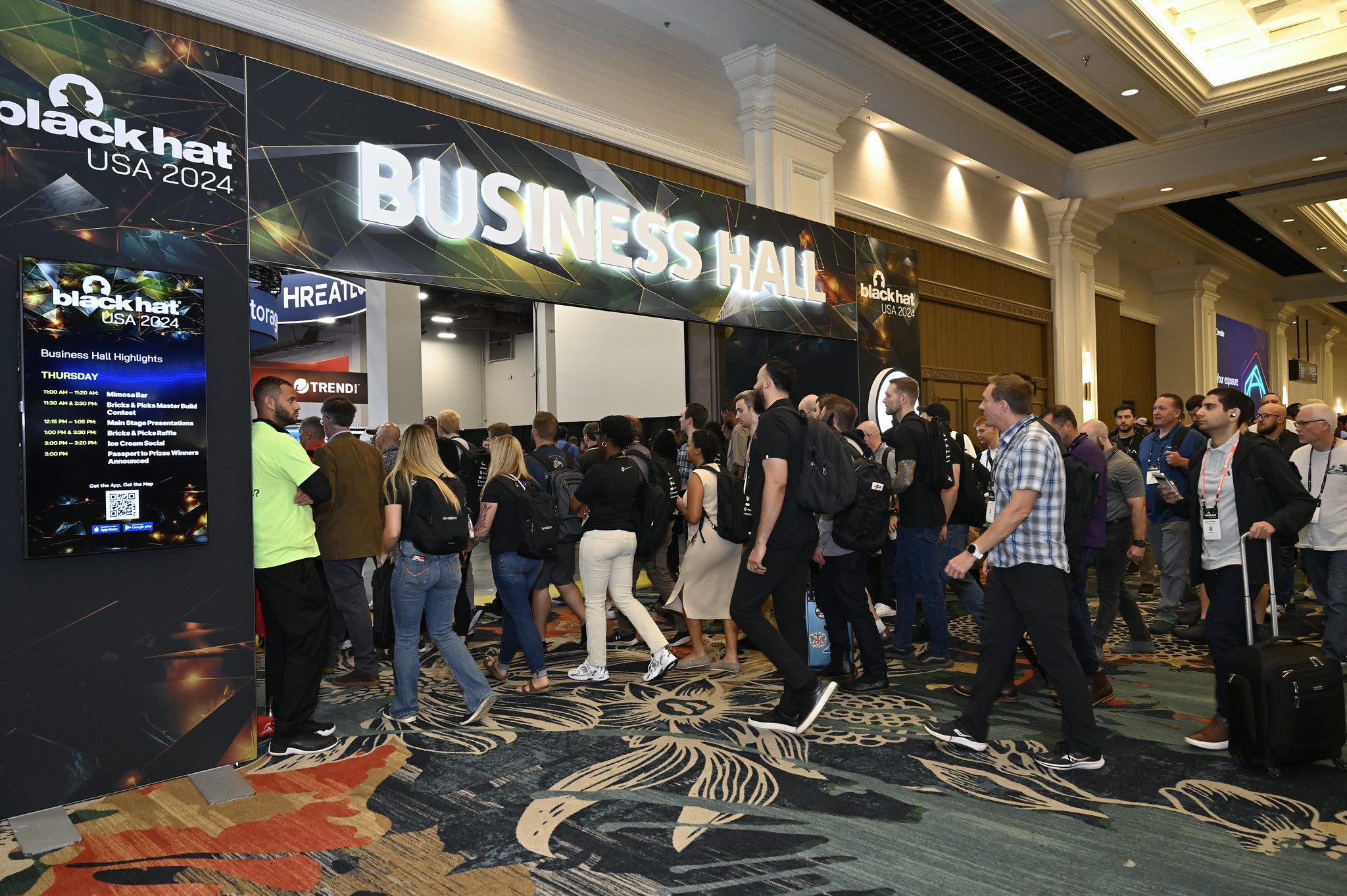
When: Summer 2025 (typically late July/early August)
Where: Las Vegas, Nevada
Why Attend: Cybersecurity for course platforms and communities
Black Hat brings together cybersecurity experts to present cutting-edge research on vulnerabilities and real-world threats, with training offering hands-on skills and the Arsenal showcasing latest security tools.
Running an online community means protecting member data. Hosting courses means securing payment information and student records. Black Hat shows you what threats exist and how to defend against them.
The training, while technical, offers practical knowledge for course creators managing their own platforms.
You'll learn about authentication systems, data encryption, and privacy regulations affecting online education businesses.
Start building your own post-conference community with BuddyBoss

When: September-October 2025
Where: San Francisco, California
Why Attend: Startup ecosystem and emerging platforms
TechCrunch Disrupt showcases revolutionary startups and game-changing technologies, featuring the Startup Battlefield competition where early-stage companies compete for funding and recognition.
The top tech conferences in the USA include events focused on the startup ecosystem. TechCrunch Disrupt lets you spot emerging platforms before they become mainstream.
That new course hosting platform? That innovative community tool? You'll see them first here.
Startup Alley showcases hundreds of early-stage companies. Many specifically target creators, educators, and community builders. You can influence product development by providing feedback directly to founders, potentially shaping tools you'll use within months.
You can't attend everything. Smart course creators and community moderators choose strategically based on current needs.
Early-stage creators benefit from creator-focused events like Creator Economy Live and Content Entrepreneur Expo. These conferences address fundamental questions about monetization, audience building, and platform selection.
Technical course creators gain more from DeveloperWeek, React Miami, and similar technology-specific conferences. You'll learn from peers teaching similar content and discover tools built for technical education.
Scaling creators need EdTech Week, EDUCAUSE, and larger conferences connecting them with institutional buyers, investors, and enterprise solutions. These events facilitate business growth beyond solo creator status.
Community moderators should prioritize SXSW (Creator Economy track), FETC, and conferences with dedicated community management sessions. The focus on engagement, retention, and conflict resolution directly applies to daily moderation work.
Oops! We could not locate your form.
Conference attendance costs money and time. Extract maximum value through preparation and follow-through.
Before attending: Research speakers and attendees. Many conferences share attendee lists or have networking apps. Identify 10-15 people you specifically want to meet. Prepare your introduction of what you do, what you're building, what you're seeking.
During the event: Attend fewer sessions than you think. Hallway conversations and expo floor meetings often deliver more value than sitting through presentations. Schedule coffee meetings. Join dinner groups. Show up to unofficial gatherings.
After attending: Follow up within 48 hours while you're fresh in people's minds. Connect on LinkedIn. Send that resource you promised. Schedule the follow-up call. Many conference relationships die because nobody follows through.
Attending a tech or creator conference? Don’t let the energy fade once the sessions end. With BuddyBoss, you can turn that momentum into a thriving post-conference hub.
Use BuddyBoss to build a private community exclusively for attendees where ideas, insights, and collaborations continue long after the event. Host follow-up discussions, share key takeaways, and create mastermind groups to deepen the learning.
Its native web and mobile apps support makes engagement effortless whether you’re sharing presentation slides, hosting a live recap, or networking with peers on the go.
Start building your own post-conference community with BuddyBoss
Are There Virtual Or Hybrid Attendance Options For Major Tech Conferences?
Yes, several top tech conferences including EDUCAUSE Annual Conference, CES, and others offer virtual and hybrid attendance options. This allows participants to access keynotes, workshops, and networking sessions online, making it easier for those who can't travel to still benefit from the experience.
How Can I Attend Tech Conferences On A Tight Budget?
Many conferences provide early bird rates, group discounts, or complimentary expo-only passes for educators and qualified professionals. Prioritize events with expo-only tickets (like FETC) or leverage virtual passes, which are typically less expensive. Organizing group attendance with other creators can also reduce costs per person.
What Are The Best Conferences For Educators And Course Creators?
Recommended picks include CES for emerging EdTech, SXSW (Creator Economy track) for platform and content trends, EdTech Week and EDUCAUSE for instructional innovation, and FETC for hands-on technology training. Events like Content Entrepreneur Expo are great for those seeking platform independence, while DeveloperWeek serves technical course creators.
Are There Networking Opportunities For Community Moderators At These Conferences?
Absolutely! Many conferences host dedicated networking lounges, official apps, or after-hours gatherings designed for community professionals to connect, share insights, and collaborate on solutions.
What Tech Topics Are Trending In 2025-2026 Conference Programs?
Expect a strong focus on AI integration, platform independence, community engagement, hybrid learning models, and practical uses of new hardware (like VR and AR devices) in both course creation and moderation.
How Do I Choose The Right Conference For My Current Needs?
Consider your goals: early-stage creators should opt for platform or creator-focused events (like Creator Economy Live), technical educators for DeveloperWeek, and those aiming to scale for EdTech, EDUCAUSE, or SaaStr Annual. Review session tracks, speakers, and networking opportunities to match your priorities for professional growth.
The calendar above shows numerous opportunities across the next 12 months. Pick one conference aligned with your current needs. Register for early bird pricing. Block travel dates on your calendar before other commitments fill the space.
If you're uncertain which conference fits best, start with creator-focused events like Creator Economy Live or Content Entrepreneur Expo. These gatherings specifically address course creator and community moderator challenges, making them accessible entry points to the conference circuit.
The top tech conferences in USA offer more than education—they provide inflection points where your trajectory shifts. You'll implement one strategy learned at a breakout session that doubles your revenue. You'll meet one person who becomes a business partner. You'll discover one tool that solves a persistent problem.
Your course isn't going to build itself bigger. Your community won't suddenly engage more actively. Growth requires new knowledge, fresh strategies, and expanded networks. Conferences deliver all three in concentrated form.
The question isn't whether you can afford to attend. It's whether you can afford not to.
When Netflix introduced its binge-watching features and achievement-style viewing progress bars, Streaming services, including Netflix, have surpassed traditional TV in terms of viewing hours, reflecting a significant shift in entertainment consumption patterns.
This same psychological framework now drives everything from fitness apps that celebrate daily step goals to corporate training programs that turn mundane compliance courses into competitive challenges.
Just like the same way, your membership community already has valuable content and a growing audience.
To take engagement to the next level, you need a way to keep members consistently motivated and excited to participate.
Gamification adds the motivation and fun that keep people coming back, transforming casual visitors into committed contributors.
By introducing points, badges, and rewarding milestones, you create a dynamic experience where every interaction feels meaningful and engaging.
By 2027, the gamification market is projected to reach $30.7 billion, and 70% of Global 2000 companies use gamification in some form.
The reason is simple: gamification increases employee engagement by up to 48% and boosts retention rates by as much as 90%.
This guide walks you through the BuddyBoss gamification setup in your membership community step-by-step, with specific instructions for BuddyBoss, a platform that makes implementing badges, points, and rewards surprisingly simple, without writing a single line of code.
Gamification setup involves adding game-like mechanics to your membership site to drive specific behaviors.
Instead of hoping members engage, you create a system that rewards participation with points, badges, levels, and tangible perks.
Why gamification works: The neuroscience is straightforward. When members earn rewards, their brains release dopamine, the “feel-good” chemical that generates pleasure and reinforces behavior.
This creates a psychological loop: complete action → receive reward → feel good → seek more rewards.
Studies show that gamified learning experiences can increase retention rates by as much as 90%, and 78% of employees say gamification makes their work more enjoyable.
The effect isn't limited to corporate training; it transforms membership communities by making every interaction feel rewarding.
Let’s look at the most common gamification elements that make communities more interactive and enjoyable:-
Badges: Visual achievements displayed on member profiles (e.g., “First Post,” “Helpful Member,” “Course Completionist”)
Points: Digital currency earned for actions like posting, commenting, completing lessons
Levels or ranks: Progressive tiers that unlock as members accumulate points (Bronze, Silver, Gold, Platinum)
Leaderboards: Rankings that show top contributors, fostering friendly competition
Progress bars: Visual indicators showing how close members are to their next achievement
Streaks: Consecutive days of activity that members work to maintain
Before diving into technical implementation, understand the building blocks of effective gamification setup:
Points are your gamification currency. Members earn them for completing desired actions, creating immediate feedback that reinforces behavior.
Strategic point allocation:
Keep point values meaningful. If everything earns 1 point, members won't perceive value. Create clear hierarchies where significant contributions earn proportionally more.
Badges tap into our psychological need for recognition and achievement. They're digital trophies that members display with pride.
Badge categories that work:
Make badge designs visually distinctive. Members should feel proud displaying them on their profiles.
Levels give members a clear path forward. Instead of an endless point accumulation, levels segment progress into achievable goals.
Example level structure:
Each level should unlock something meaningful—access to exclusive content, special badges, or recognition in the community. This gives members reasons to climb the ladder.
Leaderboards leverage our competitive nature, but use them carefully. The key is making competition feel motivating rather than discouraging.
Leaderboard best practices:
Gamification elements like leaderboards are recommended as proven strategies to increase the effectiveness of referral programs. Competition works when it's designed thoughtfully.
While points and badges provide psychological rewards, tangible perks create additional motivation.
Reward ideas:
Align rewards with your community's purpose. A fitness community might offer workout gear; a business community might provide consulting hours.
BuddyBoss provides native GamiPress integration, making rewards visible in profiles, groups, and the app. It is a free WordPress plugin specifically designed for this purpose. Here's your step-by-step implementation guide and complete BuddyBoss gamification setup.
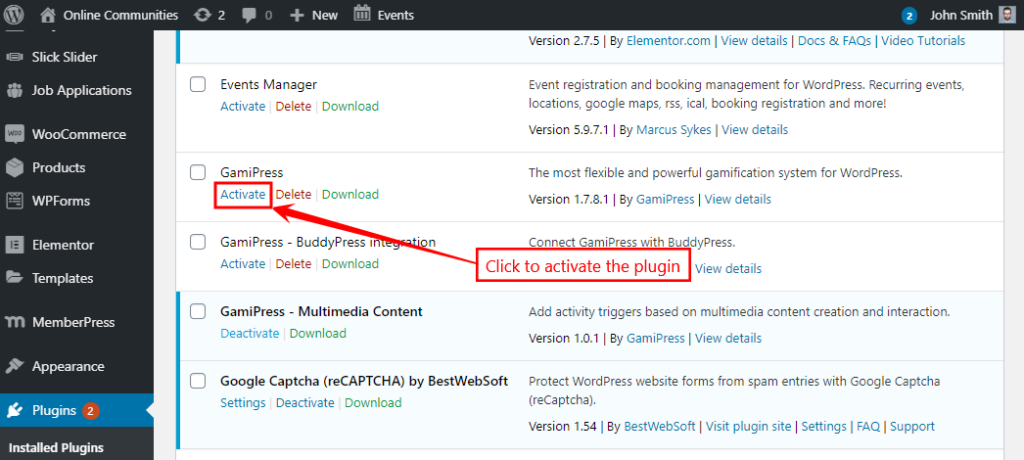
The integration plugin ensures gamification elements display seamlessly within your BuddyBoss theme and platform, blending points, achievements, and ranks naturally into your community interface.
Jump to Full Guide
Before creating specific awards, configure how gamification displays in your community.
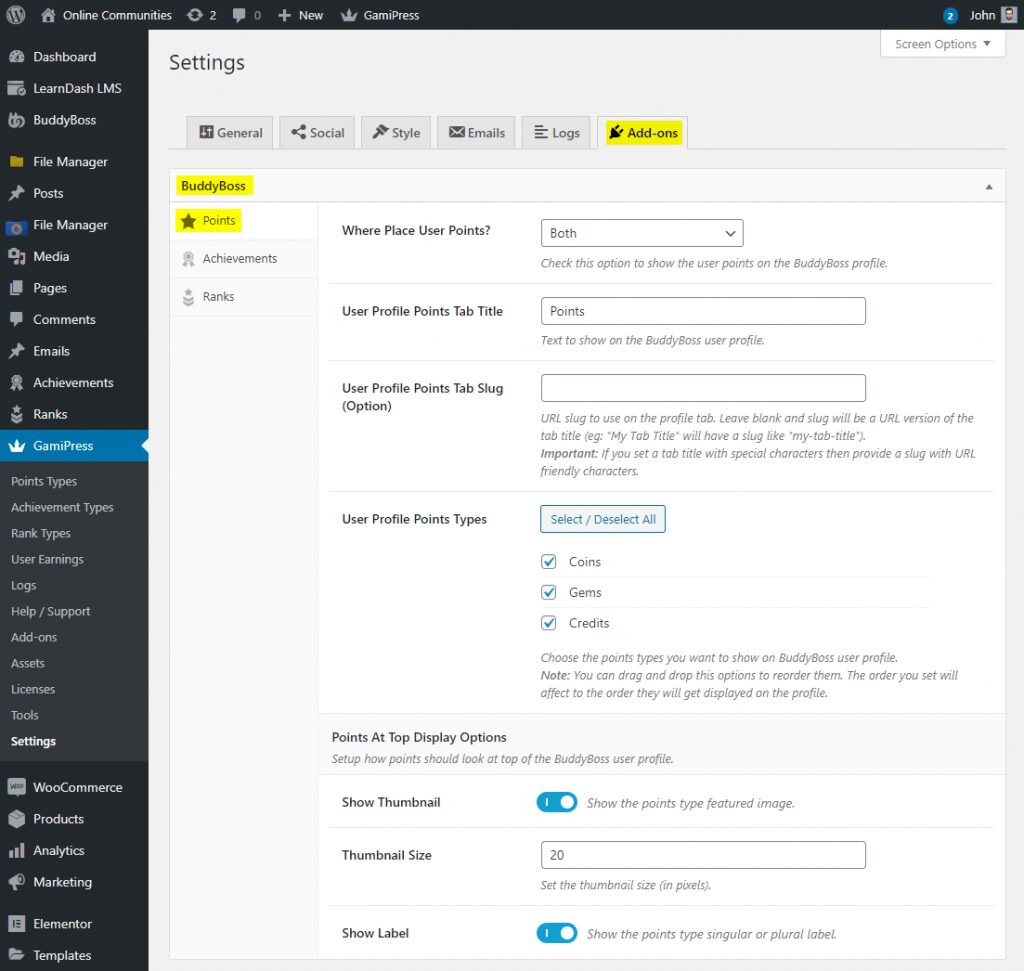
These settings control visibility. Make achievements prominent enough to motivate members but not so overwhelming that they clutter the interface.
Point types let you create different point systems for different purposes. You might have “Community Points” for social interactions and “Learning Points” for course completions.
You can create multiple point types if your community has distinct areas for example, “Forum Points” for discussion participation and “Course Points” for learning activities.
Point rules define what actions earn rewards. This is where BuddyBoss gamification setup gets strategic to choose actions that drive your community goals.
Within your Point Type, scroll to the “Automatic Points Awards” section. (take a look at above image for Automatic Points Awards)
Click “Add New”
In the “When” dropdown, select a BuddyBoss trigger:
→ Reply to a topic
→ Post an update
→ Comment on an activity
→ Complete profile
→ Send friendship request
→ Join a group
→ Upload avatar/cover image
Set how many times members can earn points for this action:
Enter the number of points to award
Add a descriptive label (members see this in their activity feed)
Click “Save All Points Awards”
Example point rule structure:
Create 5-10 core rules initially. You can always add more as you identify which behaviors need reinforcement.
Achievements are milestone-based rewards that recognize specific accomplishments. They're more prestigious than points because they're earned through significant effort.

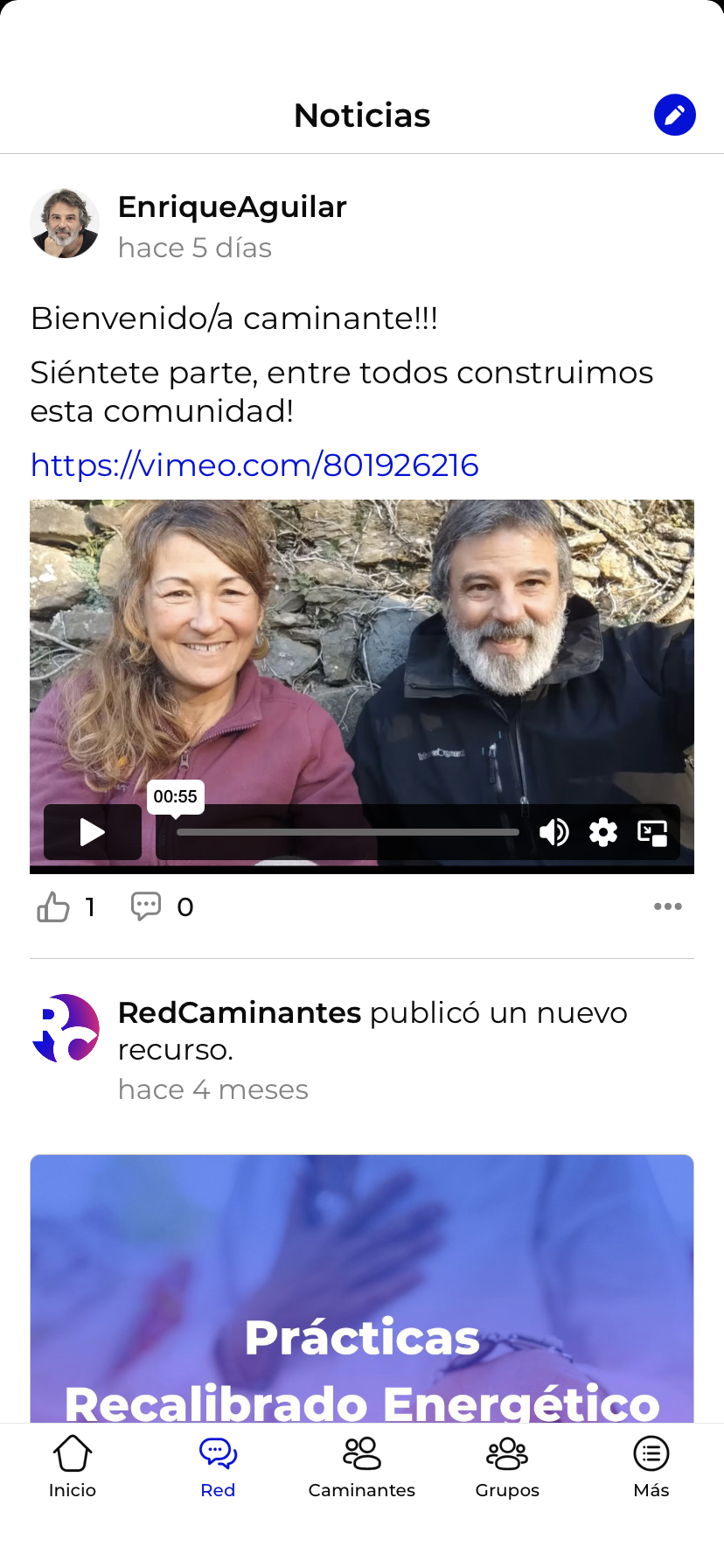
Strategic achievement examples:
Make achievements feel meaningful. If everyone earns every badge in their first week, they lose value.
Ranks create a progression system where members “level up” as they accumulate points or achievements.
Go to WordPress Dashboard > GamiPress > Rank Types
Click “Add New”
Name your rank type (e.g., “Community Ranks”)
Configure settings
Click “Publish”
For each rank:
Members automatically move up ranks as they meet requirements. This creates visible progression that motivates continued engagement.
Leaderboards display rankings, creating healthy competition. GamiPress includes leaderboard shortcodes you can place anywhere on your site.
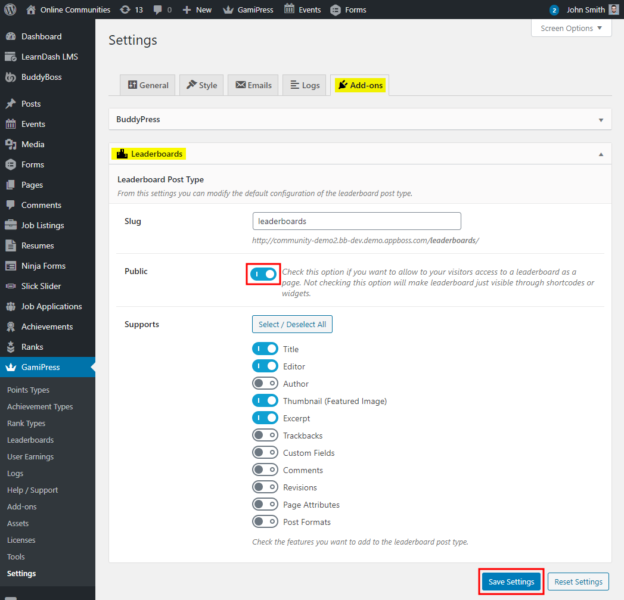
Create a leaderboard page:
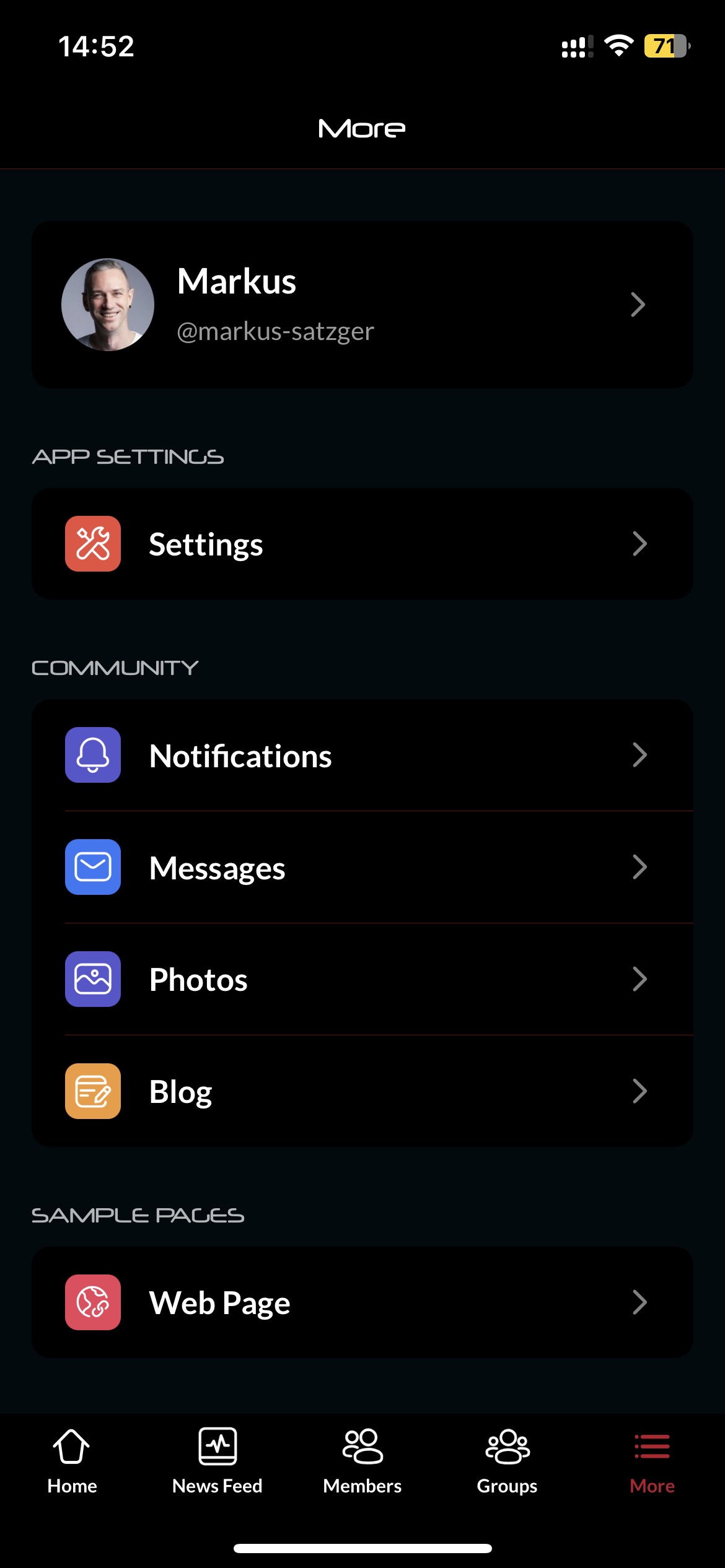
Add this page to your main menu so members can easily find it. Consider creating multiple leaderboards for different categories most helpful answers, top course completers, most active forum participants.
Before announcing your gamification system, test everything thoroughly.
Testing checklist:
Fix any issues before launching to your full community. First impressions matter, BuddyBoss gamification setup should feel polished and seamless.
Roll out your gamification with excitement. Don't just flip the switch make it an event.
Launch strategies:
Sample announcement structure:
Day 1: Introduce the concept and why you're adding gamification
Day 2: Explain the points system and how to earn them
Day 3: Showcase available badges and achievements
Day 4: Reveal rank levels and progression paths
Day 5: Launch leaderboards and announce launch week contests
Make the launch feel celebratory. Members should be excited to start earning, not confused about what changed.
Experience Points, Badges & Rewards Live
Once your basic system runs smoothly, level up your gamification with these advanced techniques.
Use automation tools like Uncanny Automator to celebrate member achievements automatically:
Automated celebration examples:
These automated touches make members feel valued without requiring constant manual moderation.
If you use LearnDash for courses within BuddyBoss, GamiPress integrates seamlessly:
This integration turns passive course consumption into an engaging achievement hunt.
Keep gamification fresh with rotating challenges:
Scarcity creates urgency. Members engage more when they know rewards won't always be available.
Link gamification to tangible business outcomes:
This creates an upsell opportunity while rewarding your most engaged members.
Effective gamification setup doesn't just make things more fun; it drives measurable business results.
Retention skyrockets: The use of badges, is a key motivator and can significantly increase user engagement and retention in online communities and learning environments. When people invest time earning points and achievements, they develop emotional attachment to your community.
Daily activity increases: Gamification creates daily check-in habits. Duolingo's streak feature, for example, has driven millions of users to practice languages daily for years. Members return to maintain streaks, check leaderboards, and work toward their next level.
Positive behaviors multiply: Want more members answering questions? Award 50 points for helpful replies. Need course completion rates to improve? Give badges for finishing each module. Gamification setup lets you incentivize exactly the behaviors your community needs.
Belonging deepens: When members see their rank, achievements, and progress displayed publicly, they feel like recognized contributors rather than anonymous users. This sense of status and belonging reduces churn dramatically.
Organizations with gamified loyalty programs see a 22% increase in customer retention. The return on investment for proper gamification setup is clear: engaged members stay longer, buy more, and become advocates who recruit others.
Gamification can backfire if poorly implemented. Follow these principles to keep it motivating rather than manipulating:
Start simple: Launch with basic points and a few badges. Add complexity gradually as members adapt. Overcomplicating BuddyBoss gamification setup from day one overwhelms people.
Reward quality over quantity: Don't just award points for posting—award extra points when posts receive likes or helpful reactions. This prevents spam and encourages thoughtful contributions.
Balance individual and community goals: While leaderboards foster competition, also create team challenges where groups work together toward shared objectives. This builds collaboration alongside competition.
Make early wins easy: New members should earn their first badge within their first session. Early success hooks people into the system.
Regular refresh: Update challenges quarterly, rotate featured badges seasonally, and adjust point values if certain actions become too easy or too hard. Stale gamification loses effectiveness.
Combine with human recognition: Gamification supplements personal appreciation—it doesn't replace it. Community managers should still personally thank helpful members and highlight great contributions.
Track analytics: GamiPress provides reports on which achievements members pursue most, which points awards drive behavior, and which badges people display proudly. Use this data to refine your system.
Gather feedback: Ask members what motivates them. Some prefer competition, others like milestone achievements. Create systems that appeal to different motivational styles.
BuddyBoss's integration with gamification plugins creates a seamless experience that feels native rather than bolted-on.
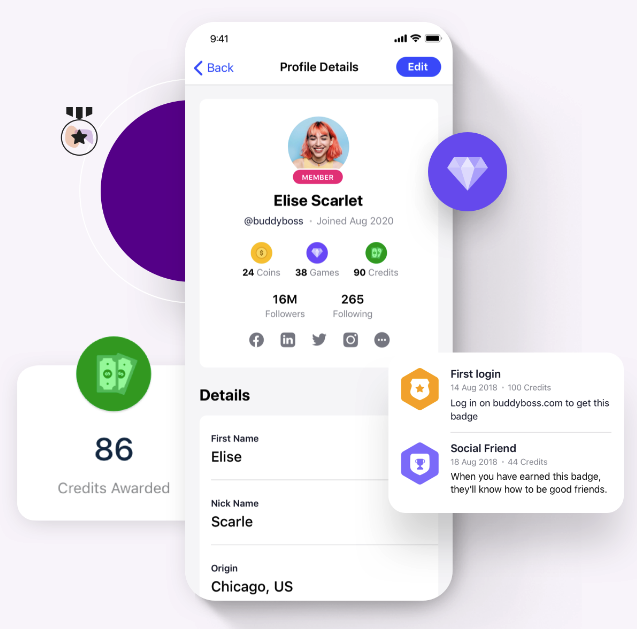
Seamless ecosystem integrations:
LearnDash: Award achievements for course progress
MemberPress: Create membership level perks based on points/ranks
WooCommerce: Offer point-based discounts on products
bbPress: Gamify forum participation
BuddyPress: Reward social interactions
These integrations mean your entire community ecosystem works together, reinforcing engagement at every touchpoint.
Mobile-friendly gamification: The BuddyBoss app displays points, badges, and achievements on mobile devices. Members can check leaderboards, track progress, and earn rewards from their phones. Mobile accessibility keeps engagement high even when members aren't at their desks.
Scalability: BuddyBoss is architected to scale effectively, its performance for large communities being primarily dependent on robust hosting infrastructure and server optimization, rather than inherent platform limitations. Your gamification setup scales automatically.
How do you set up gamification?
Begin by setting clear goals for engagement or learning. Decide which user actions you want to encourage, then pick game elements like points, badges, or leaderboards that match your audience’s interests. Integrate these elements smoothly into your platform and review user activity regularly to refine your setup as needed.
Can gamification be done correctly?
Yes, when game elements connect directly to meaningful goals and user motivation. The best approach is to design strategically, use feedback to improve, and avoid superficial rewards that don’t match real value.
Can we add custom badges?
Definitely! Custom badges are a great way to reward important actions or milestones, boosting motivation and helping users feel recognized for their unique achievements.
How does gamification affect learning?
It makes learning enjoyable and interactive. Learners stay motivated through features like instant feedback, progress tracking, and engaging challenges, which help improve knowledge retention and completion rates.
How can I gamify my curriculum?
Start with one or two game elements like points or quests linked to specific learning goals. Use pilot programs to see what works; then expand and fine-tune based on student feedback and engagement.
How do I measure gamification success?
Track activity rates, assignment completions, and test or survey results. Watch for improvements in participation, performance, and satisfaction to see if your system is working.
How does gamification increase user engagement?
It motivates users by creating clear challenges, goals, and rewards. Social features and friendly competition foster a sense of belonging, keeping people returning and participating more fully.
How much gamification is too much?
Too much can distract from your purpose. Keep mechanics meaningful and embedded in your experience, if users focus more on collecting rewards than learning or contributing, it’s time to scale back.
How to plan a marketing gamification strategy?
Clarify your campaign goals, explore what motivates the audience, and select relevant game mechanics to fit your brand. Measure results with analytics and adjust your approach to maximize success.
Is gamification only for learning?
Not at all. It’s used in marketing, HR, health, product design, and customer loyalty, anywhere you want people more engaged or motivated.
What tools can help gamify a classroom?
Platforms like Moodle, Canvas, Kahoot, ClassDojo, and Open Badges add points, quizzes, and badges to lessons, making learning more fun and interactive.
What game elements suit different age groups?
Kids: Bright visuals, simple points, and stories.
Pre-teens: Badges, team activities, and clear goals.
Teens: Leaderboards, more advanced challenges, and customization.
Adults: Achievements tied to real benefits and skill-building.
Start with BuddyBoss and GamiPress today. Your first badge could be “Gamification Pioneer” awarded to community creators who set up their first gamification system this week.
What achievement will your members chase first?
Stats source-
https://www.fortunebusinessinsights.com/industry-reports/gamification-market-100632