
Growing your online community to or even beyond 10,000 members is an incredible milestone, it means your platform is resonating, your members are engaged, and conversations are thriving.
But with this exciting growth also comes new responsibilities. More members mean more discussions, diverse opinions, and the need to maintain harmony at scale.
This is where a community moderation framework becomes your strongest ally. With the right balance of clear rules and supportive moderators, you can nurture a safe, vibrant, and scalable community without feeling overwhelmed.
In this blog, we’ll walk you through the complete framework to help you not only manage but truly thrive with a 10,000+ member community.
Let me explore BuddyBoss community features at a glance!
Community moderation is the practice of managing, guiding, and protecting an online community to ensure it remains safe, respectful, and engaging for its members.
It involves setting rules, monitoring interactions, addressing conflicts, and encouraging positive participation all while balancing freedom of expression with community standards. These are the types of community moderation:-
BuddyBoss Moderation Component | BuddyBoss Platform
Now let's talk about how to build a strong moderation team and why its essential.
Even the best rules won’t enforce themselves. At scale, a dedicated and well-structured moderation team becomes the backbone of a healthy community.
Public support for active moderation is common; for example, 65% of Americans support tech companies moderating false information online.
To prevent confusion and burnout, clearly assign responsibilities within your team:
Large platforms like Reddit and Discord follow similar tiered moderation structures, relying heavily on distributed teams of volunteer and lead moderators to keep discussions civil across thousands of sub-communities.
How to Set Moderator on Groups- Detailed Guide on group moderator
Recruit from Within
Many of the best moderators are already your most engaged members; they understand the culture, care about the space, and have earned the community’s trust.
Reddit, for example, thrives on volunteer moderators who were once just passionate contributors.
Invest in Training
Equip moderators with clear documentation, conflict resolution techniques, and platform-specific tools. This helps ensure consistent enforcement and avoids bias.
Create A Private Space For Collaboration
Whether it’s a Slack channel, a Discord server, or an internal forum, moderators need a secure place to share updates, flag issues, and coordinate actions.
Set Up An Escalation Process
Not every case can be solved at the same level. Establish clear rules for when issues should be escalated to lead moderators, community managers, or even legal/PR teams in extreme cases.
In January 2021, Reddit’s r/WallStreetBets surged to mainstream attention. Moderation combined both rules (e.g., AutoModerator) and human interventions.
The surge brought valuable discussions but also spam, misinformation, and heated conflicts. What helped the community survive this explosive growth was a mix of proactive safeguards (like Automoderator keyword filters) and reactive interventions from human moderators when disputes broke out.
This balance is exactly what large-scale communities need. Moderation works best when you combine proactive prevention with reactive problem-solving.
One keeps trouble from surfacing, while the other ensures issues are dealt with fairly when they inevitably occur.
Check How Moderation Works with the Activity Posts in BuddyBoss
Proactive strategies reduce the sheer volume of issues, while reactive methods ensure the remaining conflicts are handled with fairness and consistency. Together, they create a self-regulating ecosystem where moderators are not overwhelmed, and members feel safe and respected.
BuddyBoss includes powerful native moderation features and offers integrations for advanced workflows. Here’s what’s possible:
Settings Example in BuddyBoss:
Moderation settings: Turn on group moderation, set new member review queues.
Content approval: Create approval rules for posts, media, and comments.
Reporting: Members can flag inappropriate content, triggering moderator review.
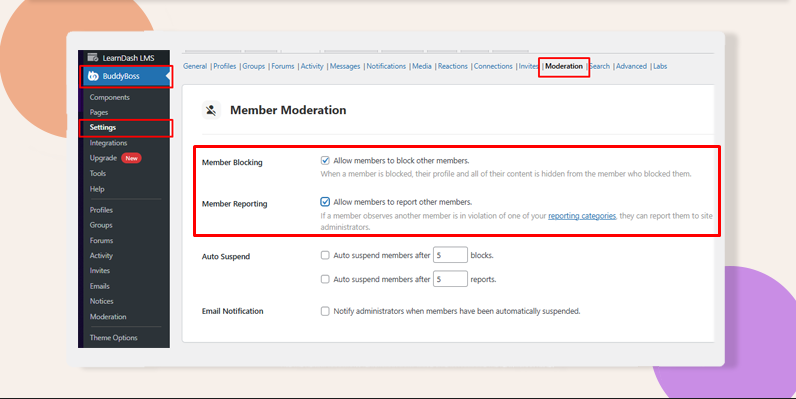
Roles: Use built‑in Group Organizers and Moderators; optionally create custom WordPress roles or Member Types to mirror ‘Lead/Reviewer/Engagement’ responsibilities.
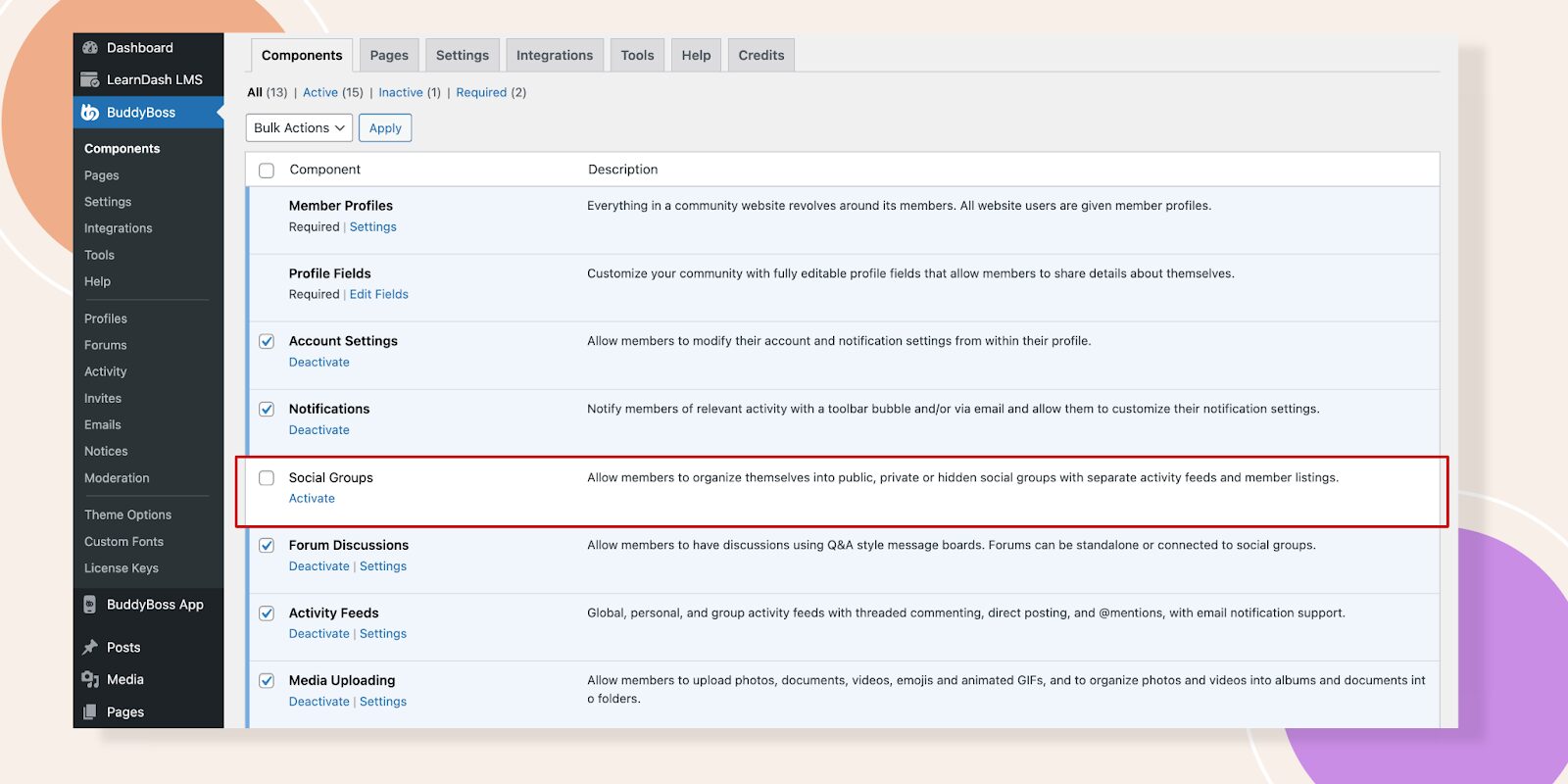
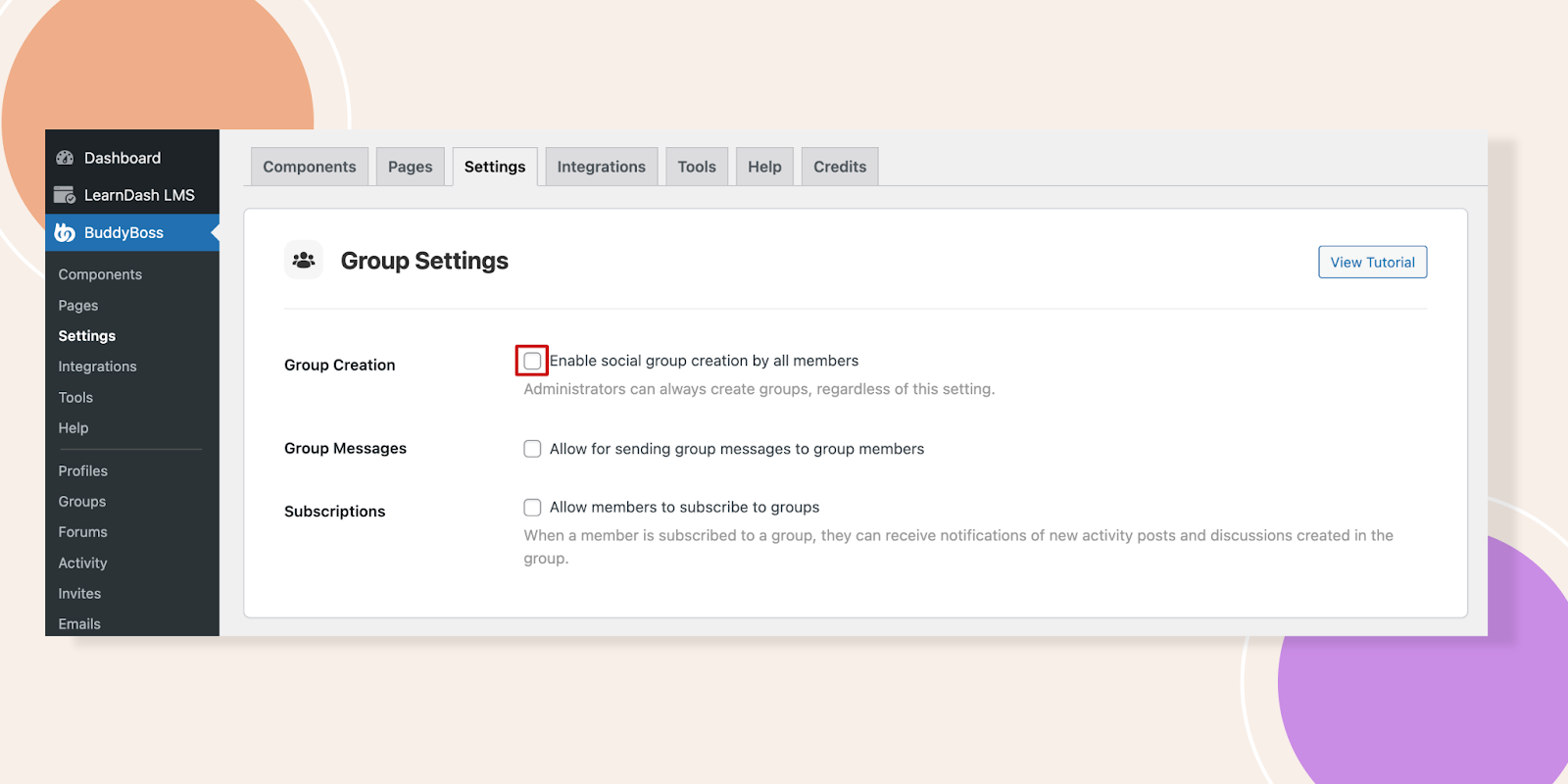
Important: BuddyBoss does not natively provide AI-driven moderation. For advanced automation (spam AI, sentiment analysis, etc.), integrate third-party tools using APIs or services like Zapier.
Let me talk to BuddyBoss DFY Team to handle advanced customization.
To help you quickly implement effective moderation in your community, here are some concise, step-by-step “How-To” mini-guides using BuddyBoss.
Set Group Moderators
Dashboard → Groups → Edit Group → Members → Change role to Moderator → Save.
Here's the detailed guide for you
Enable Content Reporting & Auto-Hide
BuddyBoss > Settings > Moderation → Enable Reporting → Choose content types → Set Auto
Hide threshold → Enable email notifications.
Moderation Settings in BuddyBoss
Set Auto-Suspend Thresholds
BuddyBoss > Settings > Moderation → Auto Suspend → Set number of reports/blocks to suspend → Save.
Member Moderation Guide on BuddyBoss
Registration Approval (Optional)
Install BuddyPress Registration Options → Approve/Deny new members manually.
Plugin Documentation and explore BuddyPress moderation tools to make your job easier.
Manage and grow your community effortlessly with BuddyBoss
Moderation isn’t just about removing negativity, it’s about actively shaping a space where members feel safe, valued, and motivated to contribute. A strong culture doesn’t happen by accident; it’s built through intentional actions and consistent reinforcement.
Best practices for handling conflicts fairly and openly:
Address disputes privately first. Direct messages or one-on-one communication can help de-escalate tensions before they spiral publicly. (Example: Reddit moderators often begin with private messages before issuing warnings or bans.)
Communicate decisions clearly. Don’t leave members guessing why action was taken. Explain which rule was broken and why moderation was necessary. This builds credibility and reduces perceptions of bias.
Offer an appeals process. Giving members a chance to present their side fosters fairness. Platforms like Stack Overflow allow users to flag unfair moderation for review, ensuring no one feels powerless.
Stay consistent in enforcement. Apply the same standards to all members, whether they’re new or long-time contributors. Inconsistency is the #1 driver of resentment in online communities.
Balance firmness with empathy. Not all conflicts stem from malice misunderstandings, cultural differences, or even tone can create friction. Acknowledging these factors while enforcing rules helps maintain respect.
See How to Moderate Members in BuddyBoss for guides on handling reports, suspensions, and member blocks.
Communities are living ecosystems that evolve with their members, making moderation policies and practices more effective when treated as adaptable guidelines rather than rigid rules.
What works for 1,000 people may collapse under the weight of 10,000 or 100,000, which is why continuous improvement is key. Regular audits (quarterly or bi-annual) help ensure policies reflect new behaviors, technologies, and social norms similar to Reddit’s frequent updates to tackle misinformation and harassment.
Closing the feedback loop by inviting members to share what’s working (and what isn’t) can also pay off; CMX’s 2022 report found that communities leveraging member feedback enjoy 25% higher retention.
Equally important is experimenting with tools whether AI-driven filters, gamified badges, or Discord’s AutoMod since these innovations reduce moderator workload and build trust.
Above all, staying adaptable ensures resilience; a viral post bringing in a sudden wave of new members, for example, may demand stricter onboarding or more proactive moderation to keep the space safe, engaging, and scalable.
Q1. What is online community moderation?
Moderation refers to managing member content and behavior to ensure safety and engagement.
Q2. What’s the difference between proactive and reactive moderation?
Proactive prevents problems (e.g., filters); reactive addresses violations after they occur (e.g., member reporting).
Q3. Does BuddyBoss natively include AI-powered moderation?
No. For AI moderation, integrate third-party tools via APIs (learn more in BuddyBoss documentation).
Q4. How can I scale moderation efforts as my community grows?
Build diverse teams, use clear roles, adopt approval/reporting systems, and supplement with integrations as needed.
Managing a 10,000+ member community might sound overwhelming, but with the right community moderation and automation framework, it becomes not only manageable but sustainable.
By setting clear rules, empowering a capable moderation team, and fostering a culture of respect, you create a space where members feel safe, engaged, and valued.
The long-term payoff? A thriving community that grows without burning out its leaders.
If you’re serious about scaling your community, now’s the time to invest in a moderation strategy that blends human oversight with automation.
Ready to scale your community management?
Get BuddyBoss to support your moderation goals | Give our demo a try
For any feature, troubleshooting, or advanced setup details, visit our main documentation page.
Web push notifications bridge the gap between community members and the critical updates, delivering instant alerts directly to browsers, even when users aren't actively browsing your site.
BuddyBoss supports web push through official integration with OneSignal, connecting your community activity to browser alerts.
This guide walks you through setup, troubleshooting, and optimization, clarifying what's native, what’s integrated, and what you need to configure for success.
| Aspect | Reality (Web) | App Notifications |
| Native? | Standard BuddyBoss notifications are in-site only | Mobile push is via BuddyBoss App (Firebase/Apple Push) |
| Official Support | Web push requires OneSignal setup and integration | Not handled by OneSignal |
| Permissions | Must configure permissions, icons, and triggers manually | Managed in app/mobile OS |
| Segmentation | Advanced options require OneSignal features | Managed differently |
| “Soft Prompt” | Powered by OneSignal, not BuddyBoss | N/A |
| Analytics | OneSignal analytics | App analytics separate |
Tip: BuddyBoss Push Notification Integration Guide
App Push Info: Mobile App Push via BuddyBoss
Disclaimer: The following statistics are based on industry research across multiple platforms. Your results with BuddyBoss + OneSignal may vary depending on your audience and configuration.
Before you dive into configuration, ensure your technical setup meets BuddyBoss’s requirements. This not only avoids errors but also guarantees smooth notification delivery.
You’ll need:
BuddyBoss Platform Pro – This premium add-on unlocks advanced notification triggers and the official OneSignal integration required for web push notifications. It is not sold as a standalone product.
See BuddyBoss Platform Pro pricing and details
Server Requirements – PHP 7.3+, MySQL 5.6+ (or MariaDB 10.1+), preferably running on a Linux/Nginx environment for optimal performance.
Review detailed server requirements
A OneSignal Account – Sign up at onesignal.com. The free plan supports most communities, but if you expect over 10,000 subscribers, consider upgrading.
Why OneSignal? OneSignal takes care of browser compatibility, delivery infrastructure, and scaling, letting you focus on crafting relevant, engaging messages for your members.
BuddyBoss Settings Configuration: After installing BuddyBoss Platform Pro and setting up your OneSignal account, enable web push notifications in your BuddyBoss dashboard at BuddyBoss > Settings > Notifications. Here you can activate web push, upload notification icons for consistent branding, and configure customized permission prompt messages to maximize opt-in rates.
Here are helpful video guides covering both web push and mobile app notifications:
BuddyBoss Web Push Setup with OneSignal
Configuring Push Notifications in the BuddyBoss Mobile App
Note: Web push is not native to BuddyBoss; OneSignal integration is required for browser-based push features.
Before diving into the technical steps, it’s important to understand that OneSignal acts as the engine powering your web push notifications, while BuddyBoss provides the dashboard to manage/trigger relevant alerts. Integration is supported, but setup and configuration are required. Connecting the two ensures your alerts are delivered seamlessly, branded beautifully, and optimized for engagement.
Navigate to OneSignal's dashboard and create a new web application. Select “Web” as your platform, then choose “Custom Code” for maximum flexibility with BuddyBoss integration.
Input your site's name and URL accurately; these details appear in notification headers when you install the plugin.
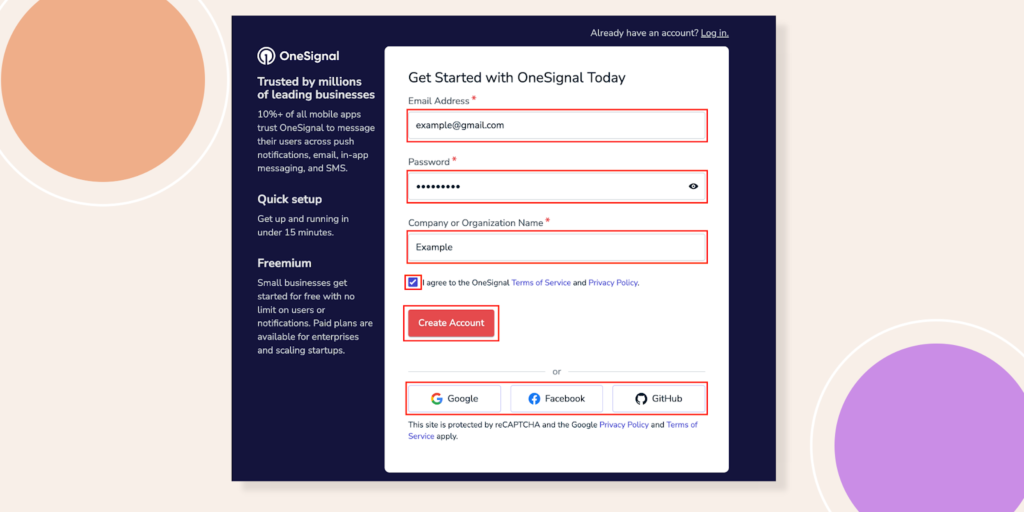
For more detailed Guide on Creating a OneSignal Account- Click Here
Upload a square notification icon, ideally 192×192 pixels in PNG format (keep file under 2MB). This icon represents your brand in push notifications, so choose something instantly recognizable. OneSignal generates your App ID and REST API Key upon saving these settings copy both values immediately.
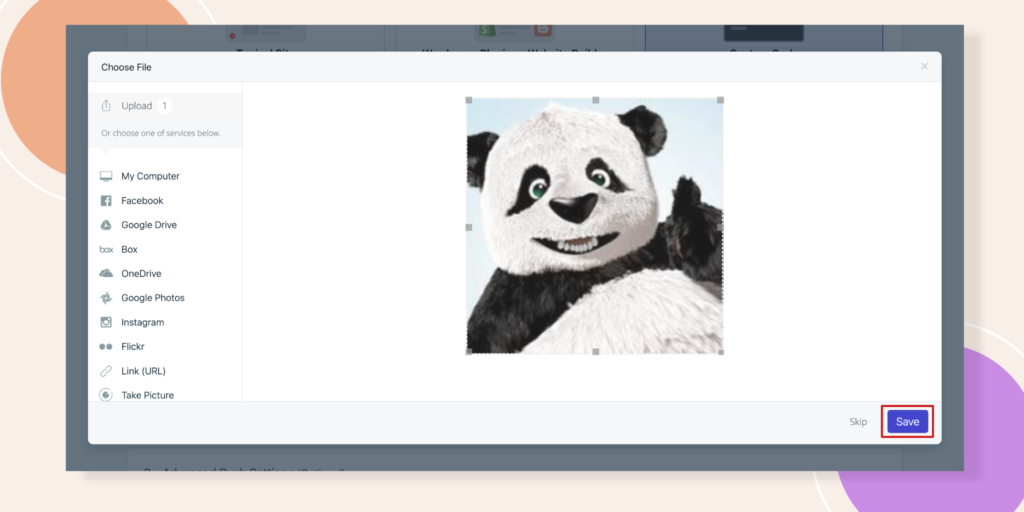
Access your BuddyBoss dashboard and navigate to BuddyBoss > Settings > Notifications. Paste your OneSignal App ID and REST API Key into their respective fields. Upload your default notification icon here as well, ensuring brand consistency across all automated alerts in the notification system.
Reconnect Your OneSignal account to BuddyBoss for Web Push Notifications
Enable “Automatically Request Permission” to trigger browser prompts when users first visit or log in. More importantly, activate the “Soft Prompt” feature that presents a branded permission request before the browser's default prompt.
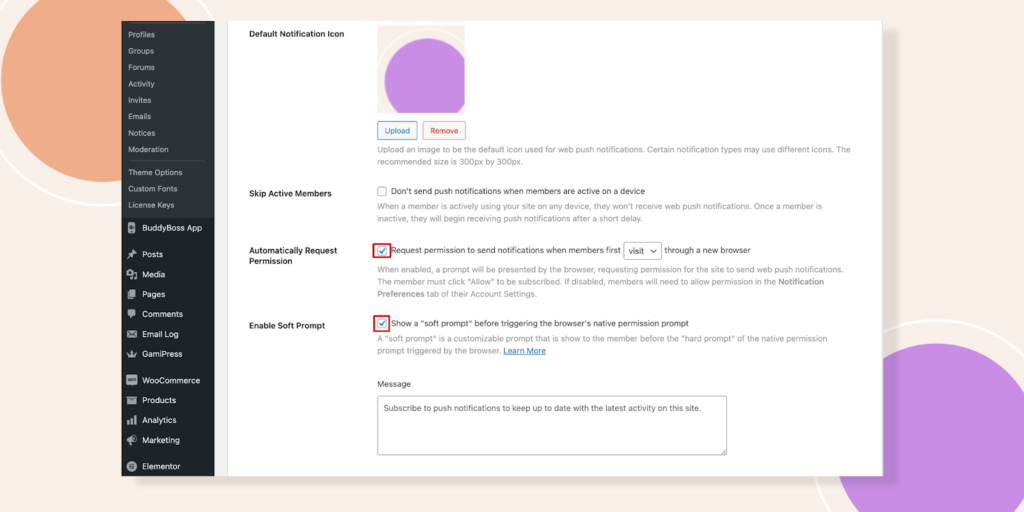
OneSignal reports that branded prompts can improve opt-in rates, but actual results vary.
BuddyBoss automatically handles common notification scenarios (mentions, replies, group invites), but all push delivery is via OneSignal.
The Skip Active Members feature proves particularly valuable; it suppresses notifications for users actively browsing your site within the past 180 seconds.
Prioritize notification types based on engagement impact, especially when using plugins to enhance user interaction.
Start with high-value alerts: replies to posts, direct mentions, friend requests, and group invitations in the BuddyBoss forum, then install additional plugins for enhanced functionality. These notifications drive immediate action and maintain conversation momentum within your community.
Course-related notifications deserve special attention if you're running educational content. BuddyBoss Platform Pro integrates with learning management systems like LearnDash and TutorLMS (but via OneSignal integration), enabling automated deadline reminders and progress milestone celebrations through push notifications.
Configure notification frequency carefully. Members who receive more than five daily notifications show 60% higher unsubscribe rates.
Use OneSignal for notification groups/roles (e.g., admins get instant alerts, members get daily digests).
Balance staying top-of-mind with respecting user attention quality trumps quantity in your notification strategy, as outlined in our knowledge base.
For a comprehensive, step-by-step guide to configuring push notifications
Test as a Regular Member
Log into your community as a regular member to experience the notification flow firsthand. The soft prompt should appear cleanly, matching your site's design language. Test various scenarios: commenting on posts, receiving mentions, joining groups.
Verify Skip Active Members
Verify the Skip Active Members feature works correctly. Open your site in one tab, then trigger a notification from another device or browser. You shouldn't receive the push notification until after 180 seconds of inactivity.
Common Issues
Common troubleshooting scenarios require systematic diagnosis. If notifications aren't delivering, first verify your OneSignal credentials in BuddyBoss settings and consult our tutorial for troubleshooting. Check browser permissions next users must explicitly allow notifications for your domain.
Missing notification icons typically indicate upload issues. Check that your notification icon is uploaded (192x192px, <2MB).
Reset your default notification icon in BuddyBoss settings, ensuring file size stays under 2MB and dimensions match OneSignal's specifications.
Use OneSignal Analytics
OneSignal's analytics dashboard provides delivery metrics and engagement data, which can be used to edit notification strategies. Monitor these closely during your first week; low delivery rates often signal browser compatibility issues or overly aggressive notification blocking.
Craft notification copy that compels immediate action. Generic messages like “New activity in your community” generate 40% lower click-through rates than specific alerts: “Sarah replied to your post about marketing automation.”
Test different soft prompt variations to maximize opt-in rates. A/B test messages like “Stay updated on community discussions” against “Never miss important replies.”
Icon choice matters too community logos often outperform generic notification symbols in the notification system.
Integrate notification timing with user behavior patterns. BuddyBoss Platform Pro's scheduling features enable strategic notification deployment, sending course reminders during peak engagement hours rather than random intervals.
Consider notification segmentation based on user roles or interests. Group administrators might want instant alerts about membership requests, while casual members prefer daily digest formats. OneSignal's segmentation features work seamlessly with BuddyBoss user data.
GDPR and CCPA regulations require transparent notification practices. Include clear opt-in language explaining what types of notifications users will receive and how often, and consider adding a button for easy access to preferences.
Provide easy unsubscribe mechanisms within the notification settings or through individual notification actions, as advised in our tutorial.
Document opt-in consent for compliance consider double opt-in for sensitive alerts. Legal compliance depends on proving users actively opted into receiving alerts, not just clicked “allow” accidentally. Consider implementing double opt-in for sensitive notification categories.
TCPA compliance The notification system becomes relevant if you're combining web push with SMS notifications.
Maintain separate opt-in records for each communication channel web push permission doesn't extend to text messaging.
Implement notification frequency controls to prevent spam complaints. Platform Pro includes user preference panels where members can customize their notification types and timing, reducing unsubscribe rates while maintaining engagement through our knowledge base and on-screen notifications.
OneSignal's analytics reveal crucial engagement patterns. Track delivery rates, click-through rates, and unsubscribe trends weekly to improve your notification system.
Healthy communities typically see 15-25% click-through rates on web push notifications, with unsubscribe rates below 2% monthly.
Monitor notification performance by type and consult the BuddyBoss resources for best practices. Course deadline reminders might show 45% click-through rates, while social activity alerts average 12%.
Use these insights to prioritize high-performing notification categories and refine low-engagement triggers.
Seasonal optimization matters significantly. Educational communities see notification engagement spike during semester starts and drop during holidays, so it's essential to register for timely updates.
Adjust notification frequency and content timing accordingly, rather than maintaining static schedules year-round.
Regular maintenance ensures continued performance. Update OneSignal credentials annually, refresh notification icons seasonally, and review user feedback quarterly by searching our documentation. What works today might irritate users tomorrow and stay responsive to community preferences.
Q1: Can I use web push notifications in BuddyBoss without OneSignal?
No; BuddyBoss’s browser push functionality is not native it requires OneSignal integration.
Q2: Do web push notifications work on iOS Safari?
Support is limited. As of mid-2025, iOS Safari offers some push notification support (iOS 16.4+), but compatibility varies. Always test on target devices.
Q3: Are web and app notifications the same in BuddyBoss?
No. Web push uses OneSignal integration via browser; mobile app push notifications are managed by the BuddyBoss App through Firebase/Apple Push and are separate.
Q4: Can my users manage push notification preferences in BuddyBoss?
Native settings exist only for BuddyBoss in-app notifications. Push notification preferences (including unsubscribe/timing) are handled via OneSignal’s UI.
Q5: Is the “Soft Prompt” a BuddyBoss feature?
No. “Soft Prompt” is a OneSignal feature. BuddyBoss enables you to use it via integration.
Web push notifications can turn passive site visitors into active participants in your BuddyBoss-powered community. For mobile apps, push notifications are handled separately via the BuddyBoss App. Remember:
Proper BuddyBoss configuration, combined with strategic OneSignal optimization, creates notification experiences that users anticipate rather than tolerate, especially when using the right plugins. Start with these fundamentals, then iterate based on your community's unique engagement patterns by editing notification settings.
Ready to boost your community engagement?
Set up your BuddyBoss–OneSignal integration today and start sending notifications that keep members engaged and informed.
New to BuddyBoss?
Start your journey today and see how effortless community engagement can be with the right platform.
Statistics source- mobiloud, businessofapps
Successful online communities don’t just capture attention, they capture minds. Members don’t simply participate; they become deeply and often unconsciously hooked through powerful cognitive mechanisms that shape their behavior over time.
Research shows that true community engagement doesn’t come from surface-level likes, badges, or quick replies.
Instead, it’s the deeper psychological commitment processes that transform casual visitors into loyal advocates.
The most addictive online communities tap into seven key cognitive triggers that align with fundamental human psychology.
When combined, these triggers create self-sustaining engagement loops. Members return more often, contribute more meaningfully, and actively promote the community.
For community builders, understanding these mechanisms provides an edge over platforms that rely solely on generic gamification.
This trigger mirrors the variable reinforcement schedules used in casinos and gaming apps. Predictable rewards lose their charm quickly, but unpredictable recognition keeps engagement fresh and exciting.
In elite communities, this plays out as irregular acknowledgment of valuable contributions. Members never know which post will spark a meaningful discussion, receive expert feedback, or unlock access to exclusive resources. The uncertainty creates a subtle anticipation loop.
Research even suggests that emotionally charged debates enhance engagement because they offer a mix of validation, challenge, and learning, creating a multi-layered reward system.
A great example to understand this trigger is Reddit. Reddit thrives on unpredictability. A post that goes unnoticed today might explode with thousands of upvotes tomorrow, drawing the user back again and again. That sense of “maybe next time” mirrors the same reinforcement psychology found in slot machines, keeping members hooked on the possibility of a big win.
BuddyBoss Feature:- BuddyBoss has a comprehensive notification system you can configure on-screen, email, and app notifications. Admins also have the option to send manual or scheduled push notifications to targeted member segments.
The most addictive communities become part of a member’s personal and professional identity. Over time, participation moves from “something I do” to “part of who I am.”
Members proudly label themselves as expert contributors or community moderators, integrating these roles into their LinkedIn profiles, bios, and personal narratives. Leaving would mean losing a piece of their identity, a cost most won’t pay.
On GitHub, developers often start by fixing small bugs, but over time, their contributions grow into major features or project leadership roles.
Their GitHub profile becomes part of their professional identity, a living portfolio that shapes how they present themselves to employers, collaborators, and peers.
BuddyBoss Feature:- The platform supports multiple custom profile types, editable profile fields, permissions, and segmentation (e.g., student vs. instructor) that shape member identity.
Today’s audiences can spot fake likes and inflated follower counts from a mile away. Instead, addictive communities thrive on authentic, specific peer recognition.
Detailed appreciation calling out specific insights or problem-solving contributions does more than flatter; it models the behavior others want to replicate. Over time, this becomes a self-reinforcing loop of positive contribution.
Stack Overflow thrives on authentic peer validation. When someone’s answer is marked as “accepted” with a comment like, “This solved my issue after three days of searching,” it’s a powerful motivator.
Such targeted praise guides other members toward producing similarly valuable contributions.
BuddyBoss Feature:- BuddyBoss integrates with gamification tools like GamiPress and BadgeOS, allowing members to earn and display badges for various community actions.
People don’t just remember what they consume, they remember what they create. Communities that focus on collaborative problem-solving spark deeper mental investment.
When members co-create resources, brainstorm solutions, or collaborate on projects, they develop intellectual and emotional ownership.
This bond often extends beyond the original task, creating lasting professional and personal connections.
In the Figma Community, designers co-create templates, plugins, and UI kits. These collaborations foster both creative ownership and professional bonds. Even after a project ends, the relationships and pride in joint creations keep members coming back.
BuddyBoss feature:- Built-in social groups, group-specific activity feeds, forums, private messaging, and media sharing help facilitate collaborative problem-solving.
Communities that remain too simple risk losing advanced members; those that are too complex alienate newcomers. The sweet spot is progressive complexity gradually introducing more advanced features, challenges, and cultural nuances.
As members master these layers, they gain competence, autonomy, and status. The result? A steady progression that keeps both beginners and veterans engaged.
World of Warcraft keeps players engaged for years through progressive complexity. Beginners start with simple quests, but as they advance, they unlock sophisticated mechanics, group challenges, and elite content, creating a sense of mastery and accomplishment.
BuddyBoss Feature:- You can create tiered group types (public, private, hidden), gated access, and integrate with learning systems to enable progressive engagement.
The more members invest time, ideas, connections the harder it is for them to walk away. Communities that document and showcase contributions strengthen this effect.
When members can see their growth from asking questions to becoming a thought leader they value their participation history as part of their personal brand.
LinkedIn users accumulate years of posts, endorsements, recommendations, and connections. This visible career capital becomes too valuable to abandon, ensuring they keep returning if only to maintain their professional presence.
BuddyBoss feature:- Members have visible activity feeds, mention systems, directories, and media galleries all contributing to an ongoing personal history that’s hard to abandon.
The ultimate stage of community addiction happens when participation becomes identity. At this point, engagement isn’t a task, it's an expression of self.
Members who see themselves as leaders, mentors, or creators remain active even without immediate rewards, because participation reinforces their self-concept.
Veteran Wikipedia editors don’t just “edit pages” they are Wikipedia editors. This role becomes part of their self-image, keeping them engaged even without direct personal gain.
BuddyBoss Feature:- BuddyBoss supports customizable member roles, group moderators, mentorship structures, and leadership designations that reinforce member identity.
Which cognitive trigger keeps people coming back to communities?
Variable reward scheduling (like unpredictable notifications or post reactions) is one of the strongest triggers, as it creates curiosity and excitement.
Are these strategies only for large communities?
Not at all. Even small communities can benefit from cognitive triggers for engagement. For example, a small coaching group can use BuddyBoss roles and progress tracking to build identity-based loyalty.
Can BuddyBoss help reduce member churn with these triggers?
Absolutely. By combining features like progressive identity integration, activity history, and authentic peer recognition, BuddyBoss reduces drop-offs. Members stay because they’ve built social capital, professional identity, and habits tied to the community.
What’s the difference between gamification and cognitive triggers?
Gamification adds surface-level motivators like points and badges, while cognitive triggers go deeper into human psychology. For example, a badge is gamification, but receiving personalized recognition that reinforces identity is a cognitive trigger. Effective communities blend both.
Building an addictive online community isn’t about manipulating members, it's about understanding what truly keeps humans connected, motivated, and inspired.
By applying these seven cognitive triggers you transform a passive audience into a self-sustaining, passionate ecosystem.
With BuddyBoss, you’re not just creating a platform, you're creating a place where members don’t just visit, they belong.
🚀 Ready to build a community people can’t quit? Start with BuddyBoss today.
Four creators launched their online communities in January. By December, three were struggling to cross $500/month. One hit $12,000 in predictable recurring revenue.
The difference? It wasn’t audience size, content quality, or marketing budget, it was a strategic monetization framework that turned casual engagement into a steady flow of income.
That winning creator followed a Community Monetization Ladder — a step-by-step system for moving members from free participation to high-value paid offerings, all while increasing trust, engagement, and perceived value at every stage.

For many creators, the biggest roadblock to building a profitable community isn’t getting members in, it’s keeping them in once money is on the table.
Too often, community builders:
The result? Low conversions, high churn, and a reputation hit that’s hard to recover from. Even if you have amazing content or a highly active group, the absence of a structured journey makes monetization feel forced rather than natural.
Think of it like inviting someone to join a fitness club, charging them on day one, but not letting them try the gym, meet the trainers, or see results first. Most will walk away before they’ve even laced up their shoes.
Before you can expect people to invest financially, they need to invest their time, attention, and trust in you. This first rung is about proving through action, not promises that your community delivers meaningful results.
Think of it as laying the bricks before building the house. Without a strong foundation, any community monetization effort will crumble under churn and low engagement.
Offer high-value free content that solves a specific, pressing problem for your target audience. This isn’t about generic tips. It’s about giving away something so useful that members start to see you as the go-to authority in your niche.
Host interactive events like weekly problem-solving sessions, live Q&A calls, or “hot seat” coaching hours. Let members bring real challenges and walk away with actionable solutions.
Deliver quick wins members can implement immediately, then encourage them to share results in the community. This creates social proof and momentum, both of which are critical for the next rungs.
At this point, you’re not just growing numbers, you're qualifying your audience. You’re looking for signs of: Frequent logins and active participation, Willingness to share experiences and wins, and Engagement with multiple types of content/events.
These highly engaged members are your future paying customers, the ones most likely to see value in upgrading when the time comes.
With BuddyBoss, you don’t have to guess who’s engaged and who isn’t. You can:
Track likes, comments, and participation via activity streams
View individual member profiles to see behavior patterns
Use BuddyBoss’s activity tracking to see which members are engaging most- whether in specific groups, forum threads, or events. For deeper conversion insights, connect with analytics tools like Google Analytics, MonsterInsights, or CRM integrations to map these interactions to specific content and offers.
This data becomes your conversion roadmap, telling you exactly who’s ready for a low-risk paid offer in the next rung.
Once trust is built, it’s time to introduce a low-cost, high-value offer that gets members comfortable with paying without feeling like they’re taking a big financial risk.
Think of this as a “trial run” for deeper commitment.
The goal is to deliver tangible, measurable results quickly, ideally within 30–60 days so members feel the ROI instantly.
Design your program for success by keeping the scope focused, ensuring members can realistically complete it without feeling overwhelmed.
Incorporate accountability features such as regular check-ins, peer support groups, and progress tracking to keep participants engaged and motivated. Celebrate achievements publicly, showcasing member wins to inspire others and spark interest in joining future programs.
BuddyBoss integrates seamlessly with LearnDash and LifterLMS to deliver structured programs, track learner progress in real time, and issue certificates that boost both achievement and credibility.
Pro Tip: Leverage completion data to spot members who are most likely to upgrade to your core membership these engaged participants are your warmest leads.
Note: These ranges are common industry benchmarks, not fixed rules. Actual pricing should reflect your audience, niche, and the value provided.
This is your recurring revenue powerhouse, the tier that provides predictable income and ongoing engagement.
At this stage, you’re no longer proving your value; you’re maintaining and deepening it month after month.
→ Weekly group coaching calls with direct Q&A
→ Peer accountability partnerships to keep members on track
→ Ongoing expert access for personalized guidance
→ Exclusive content library that evolves over time
The magic here lies in community-driven value, members should benefit just as much from each other as from you. This reduces dependency on the founder and creates a self-sustaining ecosystem.
With BuddyBoss, you create sub-groups based on niche, expertise, or member stage, offer private messaging for more intimate and meaningful networking, and Use BuddyBoss’s built-in engagement metrics like login frequency, post activity, and group participation- to spot dips in member activity.
Pair these insights with external analytics or CRM tools for a fuller picture of member health and to take proactive action before disengagement becomes churn.
Note: This range reflects typical high-touch premium offers in the industry. Your results will vary based on program scope, exclusivity, and audience size.
This top rung is where you deliver intensive, high-touch experiences with guaranteed outcomes and charge accordingly.
Premium services often cater to just 5–20 members per year but can generate a large share of total revenue.
→ 90-day implementation intensives with one-on-one coaching
→ Mastermind groups with strict qualification criteria
→ Done-with-you solutions where you directly help members execute
The selling point here is certainty: members pay for speed, personalization, and results they can’t get anywhere else.
BuddyBoss enables you to create private premium spaces that feel exclusive yet remain connected to the main community. Deliver premium sessions through BuddyBoss’s Zoom integration or embedded livestreams- accessible from both the web platform and the BuddyBoss App.
On mobile, members can join Zoom calls through the native Zoom app for the best experience, while livestreams can be viewed directly within the platform.
Pro Tip: Only accept members who’ve shown commitment, have the resources to succeed, and align with your program’s goals. This keeps your success rate high and your case studies strong.
Many platforms can host your members. Few can help you monetize, scale, and optimize without tech headaches. BuddyBoss isn’t just software, it’s the backbone that keeps your Community Monetization Ladder running smoothly.
Instead of juggling disconnected tools, BuddyBoss unites payment processing, member engagement, and growth tools under one roof so you can focus on retention and creating value.
How BuddyBoss Powers Your Scaling
Scaling your community isn’t just about bringing in more members but it’s about getting more value from each one while keeping them active and engaged.
BuddyBoss gives you the right tools to monetize at every level, whether it’s entry offers, mid-tier memberships, or premium programs.
Its solid infrastructure means you can handle a sudden wave of new members without slowdowns or glitches. And because it’s flexible, you can easily adjust your offers as your community’s needs change.
Even the best ideas can crash if you stumble into these common traps:
🚫 Charging too early – Asking for payment before members truly understand your value is like proposing on the first date. They’re more likely to walk away than say “yes.”
🚫 Treating free and paid members the same – If there’s no visible difference in benefits, why would someone upgrade? Your premium members should feel the perks at every touchpoint.
🚫 Using platforms that can’t scale with you – Outgrowing your tech stack is painful. Migrating platforms mid-growth can cost you time, members, and momentum.
The fix:
✔ Follow a structured monetization ladder so members are naturally guided toward paid offers.
✔ Make value differentiation clear — exclusive events, content, and tools should be undeniably worth the price.
✔ Use a platform like BuddyBoss that grows with your community, offering flexible membership levels, multilingual support, and scalable integrations from day one.
1. What is the Community Monetization Ladder?
It’s a step-by-step framework that moves members from free participation to premium offerings in a structured way, increasing both trust and revenue. Each rung focuses on delivering value that naturally leads to the next stage.
2. Do I need a large audience to make this work?
No. Many creators see strong results with small, engaged audiences. The key is guiding members through each rung rather than trying to monetize everyone immediately.
3. How long does it take to reach $10K/month?
Results vary based on audience size, offer quality, and execution. The “$10K/month” example is illustrative, not guaranteed. Some communities reach this in months; others may take a year or more.
4. Why do most community monetization attempts fail?
Common mistakes include charging too early, treating all members the same, relying on a single income source, and lacking a structured upgrade path.
5. How does BuddyBoss support this framework?
BuddyBoss combines member engagement tools, learning management integration, payment processing, and multilingual support in one platform—making it easier to track progress, segment members, and scale without tech headaches.
6. Can I skip straight to higher-priced offers?
You can, but it’s risky. Without building trust through earlier rungs, conversions are usually low, churn is high, and your reputation can suffer.
7. Does this work for global audiences?
Yes. BuddyBoss is multilingual-ready (compatible with WPML and Polylang), supports global payment gateways, and integrates with CDNs for fast international access.
8. What’s the first step to implementing the Ladder?
Audit your current community. Identify engagement drop-off points, then create a free, high-value offer that solves a specific problem and moves members toward your first paid tier.
Audit Your Community Experience – Pinpoint where members drop off or lose interest. Look for gaps in engagement and opportunities to move them forward.
Build Your First Rung – Launch a free, high-value resource or experience that solves a specific pain point and gets members excited to take the next step.
Set Up Your Monetization System – Equip yourself with tools that can track activity, segment members, and make upgrades seamless so growth feels natural, not forced.
Creating a multilingual community isn’t just about swapping words into another language, it's about building cultural bridges.
The real challenge?
Many international community see higher drop‑off when language selection is clunky or onboarding feels culturally off. Reducing friction at language selection materially improves registration completion.
With built-in app support for interface localization, BuddyBoss can match a user’s device language (showing translated menus, buttons, and prompts if language files exist for that language). This reduces language barriers, streamlines the onboarding experience, and helps communities connect with a truly global audience.
Ready to go global with your community? Let’s build it together with ease.

Before you can go global, you need a rock-solid foundation. Your hosting and initial setup will determine how fast, secure, and scalable your multilingual community becomes so don’t cut corners here.
1⃣ Choose a Reliable Hosting Environment
BuddyBoss recommends cloud hosting or high-performance VPS over shared hosting, due to the platform’s dynamic nature and high resource demand.
You can choose Rapyd– an optimized hosting for BuddyBoss built on AWS using LiteSpeed Enterprise and MariaDB for maximum speed and stability.
Note: Hosts like SiteGround, WP Engine, and Bluehost can be great starting points for many BuddyBoss communities. As your community grows and traffic increases, you’ll benefit from hosting that’s specifically optimized for BuddyBoss performance like Rapyd Hosting to ensure speed, stability, and a seamless member experience.
2⃣ Install WordPress
Most high-quality hosts offer 1-click WordPress installs. Once WordPress is ready, you're set to add the necessary plugins and themes.
3⃣ Add the BuddyBoss Platform & Theme
Install the BuddyBoss Platform plugin from your WordPress Dashboard (Plugins → Add New) using the downloaded ZIP file. Here's the detailed guide for you-
Install and activate the BuddyBoss Theme (and optionally a child theme) through the Appearance → Themes upload interface.
4⃣ (Optionally) Use the BuddyBoss Setup Process
BuddyBoss provides a “Quick Start” screen after activation to enable or disable core features, set community basics, and manage menu/layout essentials. While not a full guided onboarding wizard, these setup options let you activate components and basic settings for your community foundation quickly.
Jump to Setup Guide
Tip: Stick to configuring only the essentials at this stage, you can customize deeply later, once your structure is in place.
Once your WordPress and BuddyBoss setup is in place, it’s time to give your community the ability to speak multiple languages without creating a chaotic, plugin-heavy mess. The right multilingual plugin is the backbone of your global expansion strategy, so choose wisely.
a. Understand What You Need from a Multilingual Plugin
Not all translation tools are created equal. In a community platform, your plugin needs to handle:
Core page translation (Home, About, Dashboard, Groups, Forums)
Dynamic content translation (profile fields, activity feeds, notifications)
Seamless BuddyBoss integration for both web and mobile
Multilingual SEO so your community ranks in every target market
b. Recommended Plugins for BuddyBoss Communities
# Choice 1. WPML (WordPress Multilingual Plugin) – Best for full control and native WordPress integration. Supports granular translations, multilingual SEO, and complex content structures.
# Choice 2. TranslatePress – User-friendly with real-time, visual editing. Ideal if you want to see translations live as you make them.
# Choice 3. Weglot – Cloud-based, lightning-fast setup. Great for quick deployment with minimal configuration.
Note:- BuddyBoss works with leading multilingual plugins like WPML, TranslatePress, and Weglot. For the most seamless web and app integration, WPML is a recommended solution, as it has been thoroughly tested for both BuddyBoss Platform and App.
Our recently launched app multilingual support is deeply integrated with WPML, making it the officially recommended solution for seamless web and mobile language parity with BuddyBoss.
c. Install & Activate Your Plugin
→ From your WordPress dashboard, go to Plugins > Add New
→ Upload the plugin file (for premium options like WPML) or search directly in the repository (for free versions)
→ Click Activate and follow the setup prompts
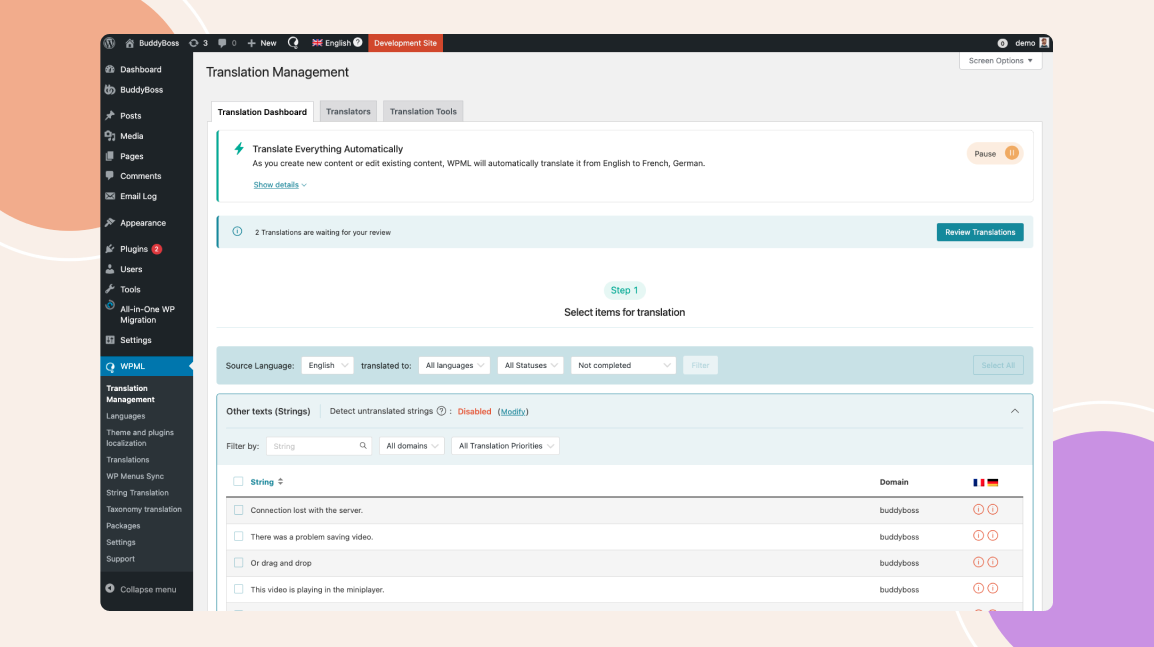
d. Ensure BuddyBoss Compatibility
BuddyBoss works seamlessly with major multilingual plugins, but it’s smart to double-check your plugin’s settings to ensure all BuddyBoss-specific elements like activity feeds, profile fields, and group names are translation-ready.
With your plugin installed, it’s time to configure it for maximum impact. This step transforms your platform from “multi-language ready” into a seamlessly bilingual or multilingual community hub where members feel instantly at home.
a. Set Your Default Language
Choose the primary language your community will operate in. This will be the baseline for all content creation and translations.
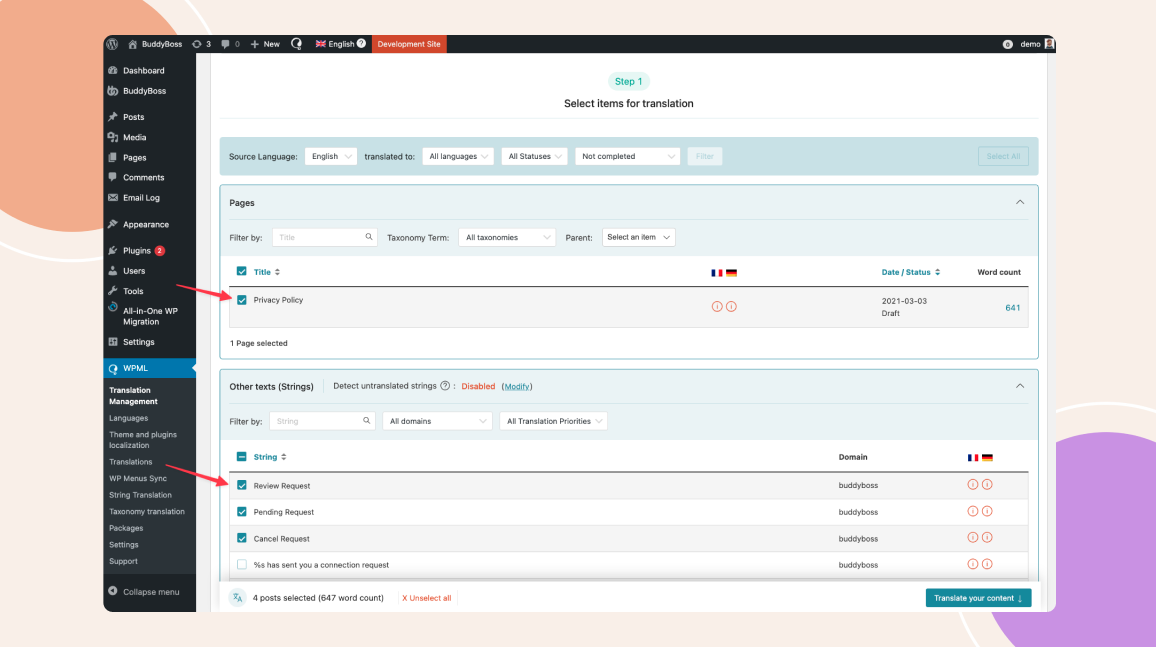
Select the language that matches your largest or most active user base this ensures the majority of members get the smoothest experience from day one.
b. Add Target Languages
Using your plugin’s dashboard:
Add each language you plan to support (focus on your top 2–3 markets for best results). Ensure language codes and country variants are accurate (e.g., Spanish for Spain vs. Spanish for Mexico).
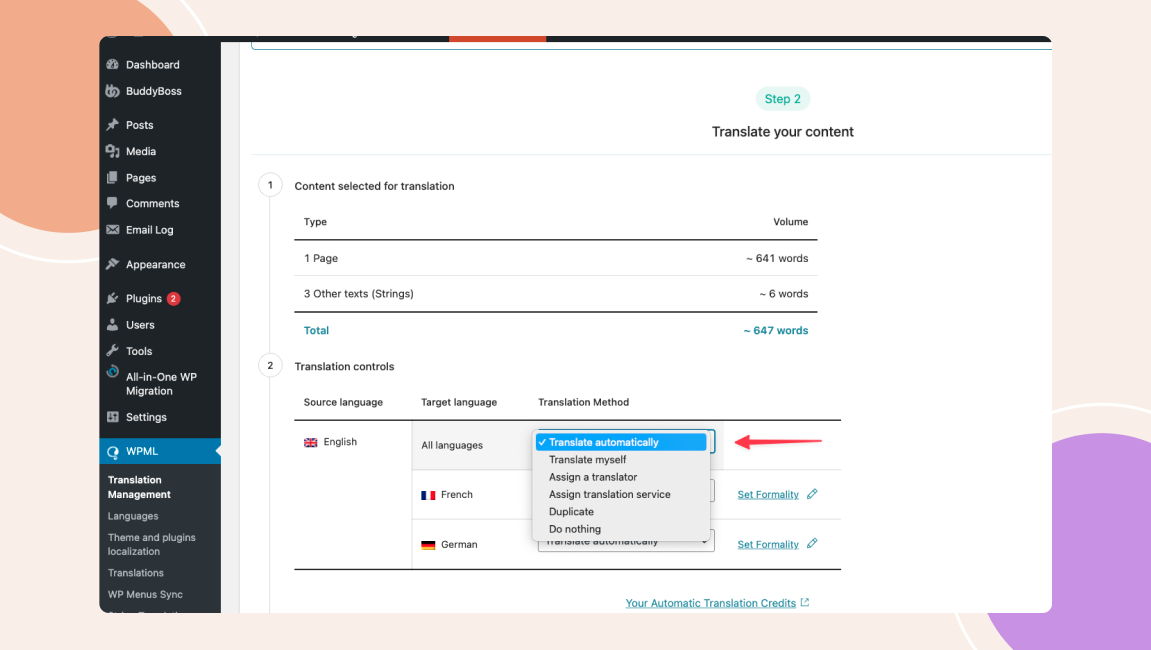
c. Enable the Language Switcher
Make it immediately visible so members can change their preferred language without hunting through settings.
Common placements: Top navigation bar (BuddyBoss-compatible location), Header or footer menus, and Mobile hamburger menu for easy app access.
Use both text and flag icons for clarity, but keep in mind that some countries share the same language flags alone can be misleading.
d. Configure Automatic Language Detection
If your plugin supports it (like Weglot or WPML with add-ons), turn on browser/device language detection. This auto-sets the interface language based on the user’s device, eliminating manual selection and increasing registration completion rates.
e. Test Across Devices
Switch between languages on: Desktop web, Mobile browsers, BuddyBoss mobile app (if applicable). Confirm that navigation menus, buttons, and user-generated content display correctly in each language.
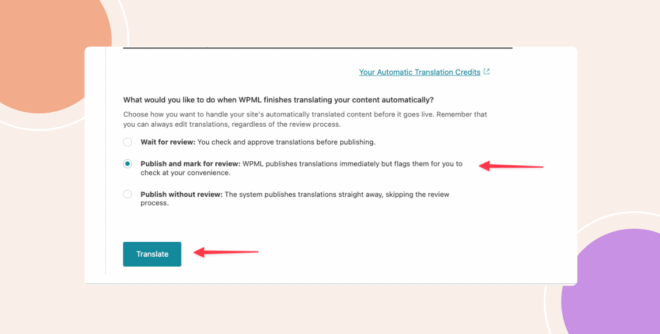
Now that your multilingual plugin is configured, it’s time to actually bring your community to life in multiple languages. This is where your site begins to feel truly international, not just technically bilingual.
a. Prioritize High-Traffic Pages First
Focus on the pages that matter most to user onboarding and engagement:
Homepage – Your first impression; ensure messaging resonates culturally, not just linguistically.
About Page – Build trust with localized storytelling.
Dashboard – The control center for members; must be perfectly clear in every language.
Groups & Forums – Core community hubs where interaction starts.
Note: If you’re running online courses with LearnDash or LifterLMS, include course pages and lesson content in your priority list.
b. Use a Mix of Automated & Manual Translation
c. Translate Dynamic Elements
Don’t forget about interactive and user-facing elements like: Call-to-action buttons, Menu items, Form labels and placeholder text, and Notifications and error messages. These often get overlooked but play a big role in smooth navigation.
d. Keep Formatting Consistent Across Languages
Different languages vary in length. German text often runs longer, while Chinese is more compact. Adjust font sizes, spacing, and button widths so your layout remains clean in every language.
e. Maintain SEO in Each Language
If your plugin supports multilingual SEO (like WPML or Weglot), make sure to: Translate meta titles and descriptions, Localize URLs (e.g., /es/ for Spanish, /fr/ for French), and Submit separate language sitemaps to Google Search Console.
Why This Step Matters:
Core content is your community’s front door. If it feels clumsy, incomplete, or culturally off, international users will bounce before they even explore. Properly translating and optimizing your core pages sets the tone for a welcoming, professional, and culturally aware community experience.
Translating your core pages is only half the story. The real magic of a multilingual community happens when the social, interactive parts of BuddyBoss profiles, groups, forums, notifications speak your members’ language as naturally as their own conversations.
a. Localize Member Profile Fields
In some cultures, users prefer more formal introductions; in others, casual and fun prompts encourage better engagement. Adjust field tone accordingly.
b. Translate Groups & Forums
c. Localize Notifications & Messages
Translate system notifications (friend requests, mentions, group invites) to keep user engagement high.
For private messages, ensure any default templates (welcome messages, onboarding tips) are available in each language.
Use your plugin’s string translation tool (WPML or TranslatePress) to find and localize all BuddyBoss-generated text.
d. Adapt Activity Feeds for Each Language
e. Translate Roles & Permissions
f. Check Mobile App Consistency
If you’re using the BuddyBoss App, ensure all translated elements sync seamlessly between web and mobile. A mismatched interface between platforms is a fast way to lose trust.
Your community is multilingual, but to truly thrive globally, you need to help people find it and make them love using it.
SEO for Each Language: Configure hreflang tags so search engines know which language version to show to which audience. Customize meta titles, descriptions, and keywords for each translation instead of just duplicating the original.
Localized Content Marketing: Create blog posts, guides, and community announcements tailored to cultural interests in each region. What resonates with your Spanish audience may not be as engaging for your Japanese audience.
Fast Loading Worldwide: Use a Content Delivery Network (CDN) like Cloudflare or Bunny.net to ensure your site loads quickly everywhere. A slow site is the fastest way to lose international members.
Check for Accessibility: Make sure fonts, layouts, and colors work well for all languages, including right-to-left scripts like Arabic.
Test the User Flow: Have real users in different countries navigate your site. This reveals small usability issues that automated testing can miss.
With everything set, it’s time to open the virtual doors of your multilingual community but the work doesn’t stop at launch.
Too many platforms approach multilingual support like “adding extra rooms to a house” they slap on translations, duplicate the same content, and wait for people to magically fill the space.
The outcome? A hollow community experience that feels more like an afterthought than a welcoming home.
Fragmented Journeys – Members in different languages get siloed, losing the sense of shared belonging.
Language Selection Roadblocks – Forcing users to manually pick a language before they’ve even seen value creates unnecessary friction.
Cultural Disconnects – Word-for-word translation may be technically correct but lacks the cultural nuance that sparks true connection.
Many users abandon registration if forced to select a language, creating unnecessary friction. And for those who stay, communities that stop at basic translation often feel sterile, accurate in words, but empty in emotion.
In short, language alone doesn’t build community — shared meaning does. Without cultural empathy, multilingual efforts risk becoming nothing more than a neatly translated ghost town.
Unlike many platforms that add multilingual support as an afterthought, BuddyBoss is translation‑ready. Its UI strings can be localized. For running the same site in multiple languages (navigation, posts, groups, SEO), pair BuddyBoss with a multilingual plugin such as WPML, TranslatePress, or Weglot.
This ensures every user gets a smooth, localized experience from the start without extra setup for admins.
Menus, buttons, and prompts can display in a member’s language if the relevant translation files are installed or available (not machine-translated live).
Device language detection so users see the platform in their preferred language instantly. (automatic language switching requires support from your selected multilingual plugin e.g., WPML’s browser language detection)
Consistent experience across web and mobile, eliminating duplicate work.
Because it’s built at the architecture level, multilingual support in BuddyBoss isn’t just about switching languages, it's about removing friction, improving retention, and making your community accessible to a truly global audience.
1. Can I run a community in multiple languages at the same time?
Absolutely. With the right plugin, you can offer a fully multilingual experience, where users choose their preferred language for navigation, posts, and discussions.
2. Will switching to a multilingual setup affect my site speed?
A properly configured multilingual setup has minimal impact on performance. For larger communities, we recommend optimized hosting like Rapyd to handle higher traffic smoothly.
3. Do I need coding skills to make my BuddyBoss site multilingual?
No coding is required. Most multilingual plugins offer intuitive interfaces or visual editors, so you can manage translations without technical expertise.
A true multilingual platform is more than a feature, it’s a competitive edge. BuddyBoss is designed with localization in mind, providing translation-ready UI, device language matching in the app (when translation files are installed), and seamless integration with top multilingual plugins for both web and mobile. With the right multilingual plugin, you can offer a culturally and linguistically tailored experience for your entire global audience without coding.
🚀 Ready to launch your truly global community?
Get Started with BuddyBoss Today →
As a coach, educator, or course creator, launching your platform is just the beginning. But scaling it? That’s where the real challenge begins.
Between setting up your LMS, customizing themes, managing plugins, and navigating app store requirements, the technical load can quickly pull you away from what you do best, teaching and connecting with your audience.
Done-for-You (DFY) services are designed to solve exactly that. Instead of spending time piecing things together or hiring multiple freelancers, DFY gives you an expert team to build and launch your web and mobile platform- start to finish.
In this guide, we’ll break down why DFY is the smartest way to scale with speed, confidence, and clarity.
Done-for-You (DFY) services are complete, expert-led solutions where a professional team handles the strategy, setup, design, and launch of your platform so you don’t have to.
Instead of doing it yourself, DFY takes care of everything from LMS configuration to mobile app publishing, allowing you to focus on teaching and scaling.
Here’s why DFY for business scaling is a game-changer:
Save Time and Focus on High-Value Tasks
When you’re scaling, time is your most valuable asset. DFY services free you from repetitive tasks like content creation, ad setup, or tech management. Instead, you can focus on strategy, partnerships, and revenue-generating activities.
Access Expert-Level Execution Without Hiring Full-Time
Scaling usually means you need specialized skills like designers, marketers, developers, and more. Hiring full-time employees can be costly and time-consuming. With DFY, you instantly tap into a team of experts without long-term hiring commitments.
Reduce Costs and Operational Complexity
Building an in-house team for every business function can quickly burn through your budget. DFY services let you scale on-demand without overhead costs like salaries, benefits, or training.
Maintain Quality and Consistency While Growing
One of the biggest scaling challenges is keeping quality high as you take on more customers. DFY providers already have streamlined workflows, proven processes, and quality checks in place helping you maintain consistency as you grow.
Scale Faster Without the Learning Curve
DIY approaches often mean trial-and-error. DFY providers already know what works, so you skip the learning curve and achieve results faster. That’s especially valuable when you’re in a competitive niche and can’t afford delays.
BuddyBoss DFY Web – Snappy (Peter Wheeler)
Peter Wheeler, Chief Consultant at Snappy, opted for BuddyBoss’s Web DFY service. The team handled full setup from branding to launch faster and more affordably than DIY or hiring internally. The result? A clean, performance-optimized learning platform delivered on time with expert onboarding support.
Growth School
When Growth School scaled rapidly, they paired BuddyBoss with high-performance hosting via 10Web to support their 200K+ user base. They outsourced the entire tech stack from BuddyBoss setup to hosting optimization which significantly improved speed by 2x and eliminated downtime during high-traffic course launches. The DFY approach helped them scale with confidence without exhausting internal resources.
TalkBox.Mom, Project Life Mastery, Maxwell Leadership
These BuddyBoss clients (TalkBox.Mom, Project Life Mastery University, Maxwell Leadership, and Female Entrepreneur Association) used BuddyBoss DFY App Services to launch fully branded iOS/Android apps, mobile learning, and push notifications all built and submitted for them to drive engagement on-the-go.
DIY (Do-It-Yourself) is perfect when you're just getting started. It gives you full control, minimal upfront costs, and hands-on experience with your tools and systems.
But once your business starts to grow, DIY often becomes a bottleneck. You’re wearing too many hats, spending too much time troubleshooting, and delaying key launches because you're stuck in execution mode.
DFY (Done-for-You) flips the script. Instead of doing everything yourself, you hand off the heavy lifting to experts.
That means no more spinning your wheels trying to “figure it out.”
You get expert-level execution, faster timelines, and fewer errors all while focusing on what actually grows your business: sales, vision, partnerships, and customer experience.
Think of it like this:
If any of these sound familiar, it’s time to stop doing everything yourself and start scaling with expert help:
You’re bogged down in low-impact tasks like tweaking themes, setting up plugins, or formatting content when you should be focused on growth and strategy.
Your team is stretched thin, deadlines are slipping, and new projects are sitting on the back burner due to bandwidth issues.
You’re moving too slow, stuck in a loop of tutorials, revisions, and second-guessing every step instead of launching and iterating.
You’re out of your depth when it comes to tech, design, or marketing—and the cost of getting it wrong is starting to show.
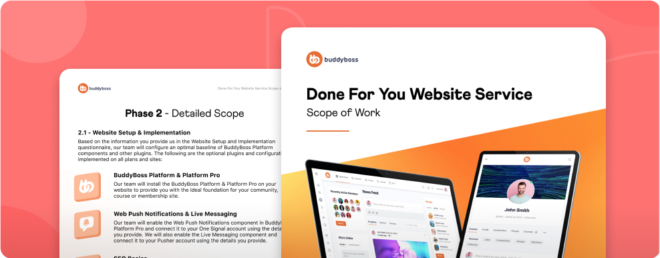
If you’re building an online learning, coaching, or community platform, BuddyBoss’s Done-for-You (DFY) services are built to help you skip the tech overwhelm and launch with confidence.
BuddyBoss DFY is a white-glove service where the BuddyBoss team sets up, customizes, and optimizes your website or app.
From design and integrations to backend tech and launch support. It’s not just a template, they build it for you, tailored to your business goals.
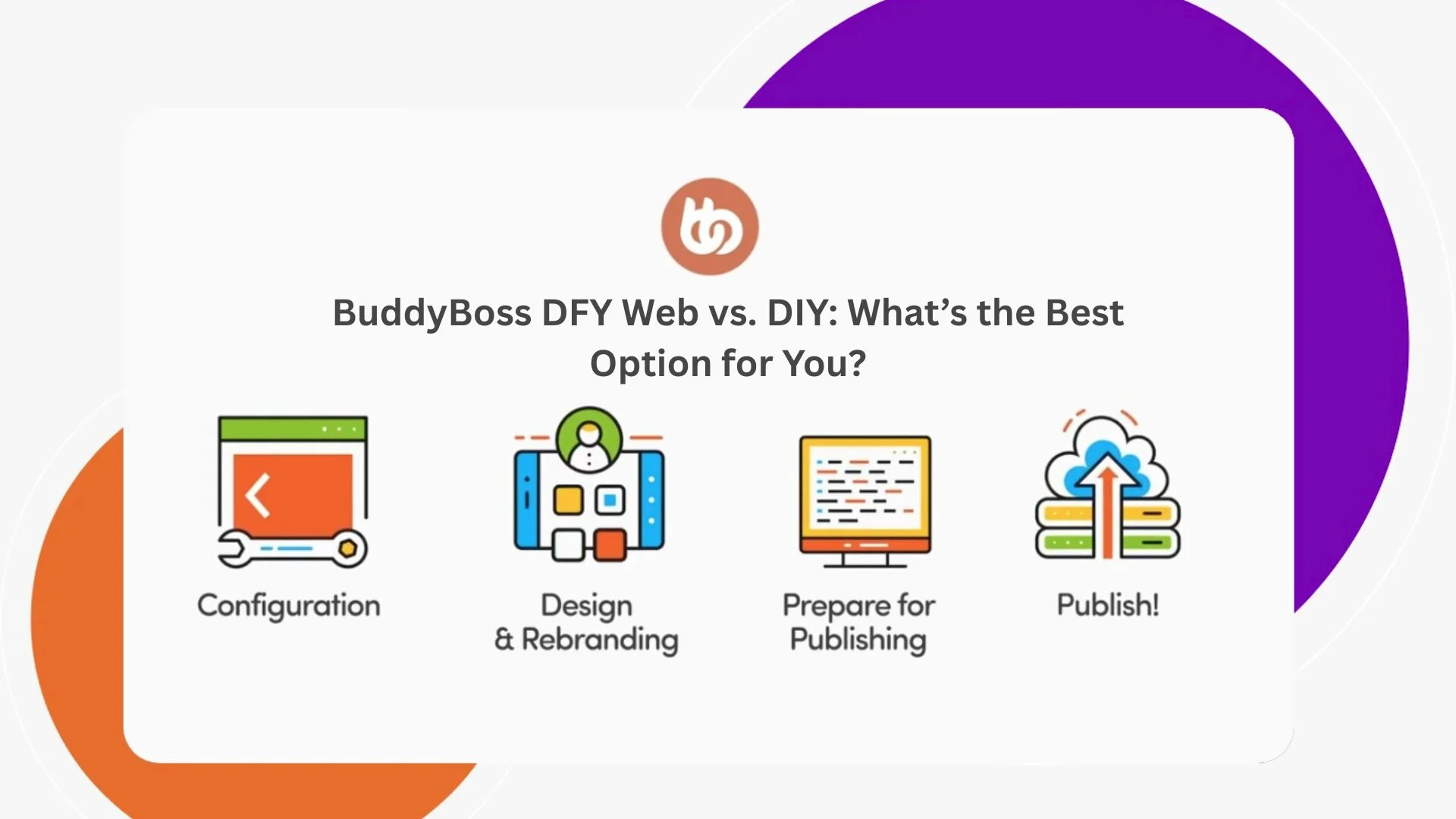
Explore BuddyBoss Done For You (DFY) Web Service
Explore BuddyBoss Done For You (DFY) App Service
If you're an online educator, coach, or community builder ready to scale, BuddyBoss DFY removes the tech friction so you can launch faster with fewer risks and better results.
Instead of figuring out plugins, themes, hosting, or app store submission, the BuddyBoss team builds the full ecosystem for you.
Whether it’s a professional web platform or a sleek mobile app, they make sure everything works so you can focus on growing your audience, creating content, and building community.
Also Read- BuddyBoss DFY Web vs DIY: What’s the Best Option for You?
What’s the difference between DFY and DIY?
DFY means experts handle everything- from strategy to execution; while DIY requires you to set up and manage everything yourself. DFY is ideal when you’re ready to scale and don’t want to get stuck in tech or design tasks.
How much does a DFY service cost compared to hiring freelancers or agencies?
DFY services like BuddyBoss typically cost less than hiring a full-time team or multiple freelancers, and they come with the added value of platform expertise, faster delivery, and post-launch support.
Will I be able to make changes to my platform after it’s built?
Yes! With BuddyBoss DFY, you get full ownership of your site or app. You can update, edit, or expand features anytime, plus you’ll receive documentation or training where needed.
Can I launch both a web platform and mobile app with DFY?
Absolutely. BuddyBoss DFY includes both web and mobile setup options, tailored to your business goals—whether you need a course site, community platform, or both.
How long does the DFY process usually take?
Timelines vary by project scope, but most BuddyBoss DFY web platforms are launched in a few weeks. App setup—including app store publishing—is also handled efficiently by the team.
If you’re serious about scaling, DFY for business scaling is one of the smartest investments you can make.
It gives you the freedom to focus on vision, leadership, and growth while trusted experts handle the execution.
Instead of drowning in day-to-day operations, you get predictable results, faster growth, and more time to work on your business, not just in it.
Ready to scale smarter, not harder?
👉 Explore BuddyBoss DFY solutions that handle the heavy lifting so you can stay focused on growing your business.
In 2025, over 70% of online course creators are prioritizing community-building features over standalone content delivery.
A shift driven by the rising demand for connection, collaboration, and real-time interaction in learning environments.
And that is where social learning platforms are becoming a new standard of learning. Social learning platforms blend structured content with features like forums, live chat, private groups, activity feeds, and gamification to make learning feel more like an experience and less like a lecture.
Whether you’re creating a membership site, a cohort-based course, or a niche community, offering these interactive elements helps your audience stay motivated, engaged, and coming back.
In this article, we’ll explore the top social learning platforms for online courses and communities, along with their standout features and best use cases.
Social learning platforms are online systems that combine traditional course delivery with built-in social features. They’re designed to help learners not just consume content, but also interact, collaborate, and stay engaged throughout the learning journey.
Unlike standard eLearning platforms, which focus mainly on one-way content delivery, social learning platforms introduce a community element. This helps increase motivation, accountability, and retention rates especially in long-term or cohort-based programs.
They’re ideal for creators running online courses, membership sites, or training communities that value interaction as much as instruction.
1. Higher Engagement
When learners don’t feel alone, they’re more likely to stay involved. Social features like discussion boards, group challenges, and live chats keep them motivated, curious, and active.
2. Stronger Community Building
These platforms create a space where learners feel a sense of belonging. Whether it’s through niche groups, mastermind circles, or live meetups, students form genuine connections that enhance the learning journey.
3. Peer-to-Peer Knowledge Sharing
Everyone brings something to the table. Social learning empowers learners to share tips, real-life examples, and personal insights turning your course into a two-way street of knowledge exchange.
4. Better Retention & Completion Rates
When learners are held accountable by their peers, they’re more likely to show up and follow through. A little friendly competition or encouragement can go a long way in reducing dropouts.
5. Scalable, Organic Growth
A thriving community becomes your biggest marketing asset. Happy, engaged members naturally promote your platform through word-of-mouth, testimonials, and referrals, bringing in new learners without paid ads.
6. Continuous Feedback Loop
Your community is a goldmine for insights. From real-time questions to candid conversations, you get instant feedback to improve course content, spot trends, and keep your offerings relevant.
Not all social learning platforms are created equal and the best one for you depends on your goals, your audience, and the kind of learning experience you want to deliver.
Before diving in and committing to a platform, use this checklist to assess what features truly matter to you. Some tools are packed with advanced functions, while others focus on simplicity and ease of use. This guide will help you cut through the noise and choose wisely.
Here’s a breakdown of the key features to consider, along with how important each one might be for your specific use case:
Analytics & Reporting – Key for tracking user progress, drop-off points, and refining your content.
Marketing & CRM Integrations – Great for growing and nurturing your audience through automation and campaigns.
Here are some of the best social learning platforms that combine online courses with community-driven experiences.
| Platform | Best For | Key Strength | Pricing Starts At | Mobile App |
| BuddyBoss | WordPress users and open source lovers wanting full control | Fully customizable with native app | Platform free, theme- $228/yr + $219/mo | Yes |
| Thinkific Communities | Existing Thinkific users | Seamless LMS integration | $74/mo | Yes |
| Circle | Community-focused creators | Clean UI + powerful community tools | $49/mo | Yes |
| Mighty Networks | Branded community experiences | All-in-one with branded app | Free / $119/mo | Yes |
| Kajabi | Course sellers + marketers | Marketing + learning suite | $149/mo | Yes |
| Podia | Budget-conscious solo creators | Easy-to-use + built-in tools | $39/mo | No |
| Skool | Engaged, gamified communities | Simple + highly engaging | $99/mo | Yes |
| LearnWorlds | Interactive academies with branding needs | Interactive learning + white-label app | $29/mo | Yes |
If you're already using WordPress or planning to, BuddyBoss is one of the most powerful and flexible social learning platforms available today.
It’s not just a plugin or a theme; it’s an entire ecosystem designed to help you build immersive learning communities, membership sites, and online academies all under your own brand.
Thousands of coaches, educators, consultants, and course creators trust BuddyBoss to deliver structured learning alongside rich community engagement.
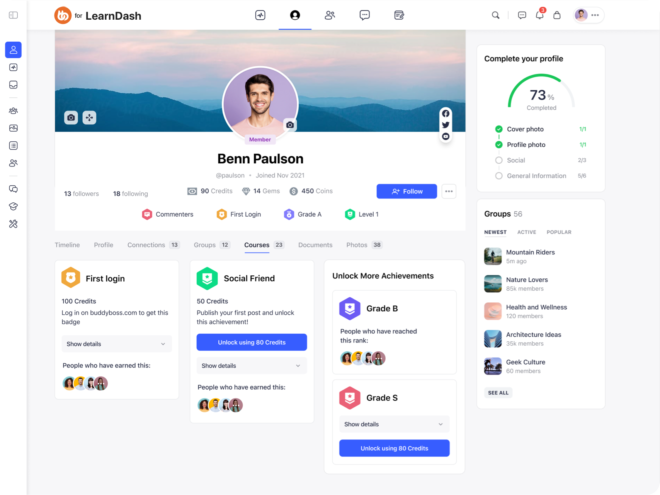
Key Features:
Best Use Case: Ideal for course creators, membership site owners, and organizations wanting full control on WordPress while combining learning and community.
Pricing: BuddyBoss Platform: Free (community plugin). BuddyBoss Theme + Platform Pro: $228/year. BuddyBoss App (iOS + Android): Starting at $219/month billed annually. Includes white-label, app publishing, and regular updates.
Integrations: LearnDash, LifterLMS, WooCommerce, GamiPress, Zoom, MemberPress, Mailchimp, Elementor and 100s more.
Pros:
Cons:
Mobile/App Experience: Offers a fully customizable white-label mobile app with push notifications and offline access.
User Reviews
“BuddyBoss has been a game-changer for my business. The mobile app keeps my students engaged!” — Lisa, Online Educator
Support & Community: Robust documentation, active community forum, and ticket-based support with high satisfaction.
Verdict / Ideal For: BuddyBoss is ideal for serious creators and businesses who want a branded platform and mobile app, without giving up control to SaaS platforms. Perfect for scaling courses, memberships, and learning communities in your own ecosystem.
Try BuddyBoss—built for WordPress and perfect for combining courses, memberships, and social interaction.
Thinkific now offers integrated Communities alongside its course platform, enabling creators to bring discussions, challenges, and engagement directly into the learning experience.
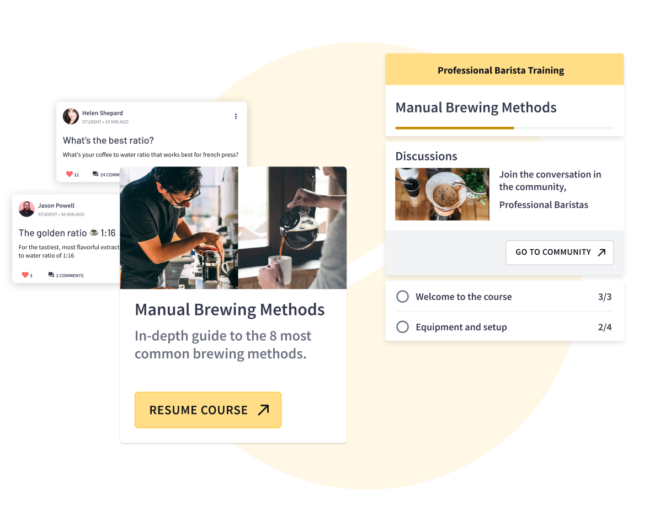
Key Features:
Best Use Case: Great for creators who want to boost student interaction within their Thinkific course environment.
Pricing: Free plan available. Communities available on Start ($74/mo) and Grow ($149/mo) plans.
Integrations: Zoom, Shopify, Stripe, ConvertKit, Zapier
Pros:
Cons:
Mobile/App Experience: Mobile responsive but no standalone mobile app for communities.
User Reviews:
“The community feature helped my students stay accountable and connect. Love how it's built in!” — Jordan, Course Creator
Support & Community: Email and live chat support, Help Center, active creator community
Verdict / Ideal For: Ideal for Thinkific users who want native community-building tools.
Circle is a modern, sleek community platform that supports courses, memberships, live streams, and content hubs all in one flexible, white-label interface.
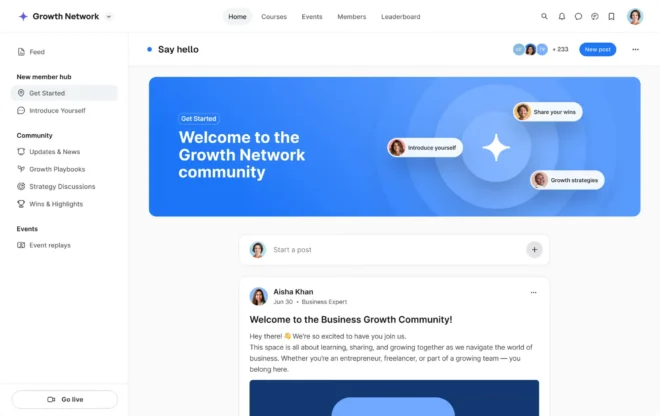
Key Features:
Best Use Case: Creators, coaches, and membership businesses seeking an all-in-one hosted social learning environment.
Pricing: Starts at $49/month. Professional plan at $99/month, with a 14-day free trial.
Integrations: Zapier, ConvertKit, Slack, Stripe, Notion, Webhooks
Pros:
Cons:
Mobile/App Experience: Responsive on mobile; native apps available for Circle communities.
User Reviews: “Circle makes it easy to build vibrant, engaged communities. It just works!” — Amanda, Coach
Support & Community: Priority chat, resource hub, webinars, and a strong Circle community
Verdict / Ideal For: Perfect for community-first creators who value design, speed, and ease.
Mighty Networks lets you build branded community spaces with courses, events, and member interaction—all under your own app and domain. It’s designed for creators, entrepreneurs, and organizations who want to build thriving networks around their expertise.
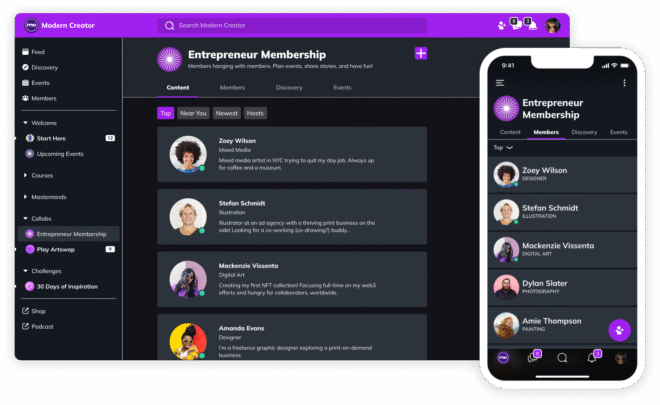
Key Features:
Best Use Case:
Educators and experts who want to own their brand and mobile app while creating a community-based learning environment.
Pricing:
Free plan available; paid plans start at $39/month, $119/month for full branding
Integrations: Zapier, Stripe, Calendly, and embeds from Vimeo, YouTube, etc.
Pros:
Cons: Limited third-party integration options
Mobile/App Experience:
Native mobile apps (iOS and Android) with push notifications, branded UI, and course access on the go.
User Reviews:
“The ability to run our own app and fully brand it changed everything for our academy.” – Kevin Chan, Leadership Coach
Support & Community:
Priority support on paid plans, large creator community, weekly training sessions.
Verdict / Ideal For:
Best suited for creators and entrepreneurs who want a branded mobile learning experience and community in one place.
Kajabi is a robust, all-in-one platform that allows you to create online courses, host communities, build websites, run email marketing, and sell digital products all under one roof. It's built for creators who want control over their brand and business without relying on a stack of different tools.
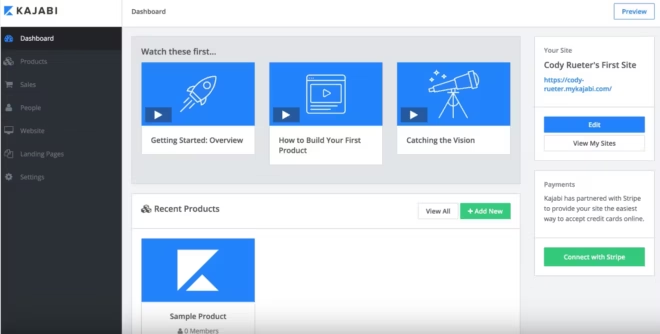
Key Features:
Best Use Case: Ideal for coaches, educators, and entrepreneurs who want a scalable, all-in-one system for digital products, marketing, and community engagement.
Pricing: Starts at $149/month for the Basic plan. Growth plan at $199/month and Pro plan at $399/month. 14-day free trial available.
Integrations: Zapier, ConvertKit, Stripe, Calendly, ActiveCampaign, Mailchimp, Google Analytics, and more.
Pros:
Cons:
Mobile/App Experience: Kajabi offers a powerful mobile app for both iOS and Android where users can access courses, communities, and coaching in one place.
User Reviews:
“Kajabi is a business in a box. Everything just works together website, email, products, all of it.” — James, Online Business Coach
Support & Community: 24/7 live chat, a rich knowledge base, Kajabi University, webinars, and an active user community.
Verdict / Ideal For: Perfect for digital entrepreneurs and coaches who want one reliable platform to manage their entire business from content to community to conversion.
Podia is a creator-friendly platform built for selling digital products, online courses, webinars, and memberships. It’s known for its simplicity, clean interface, and transparent pricing. If you want to launch fast and grow your digital business without needing extra tools, Podia is a solid pick.
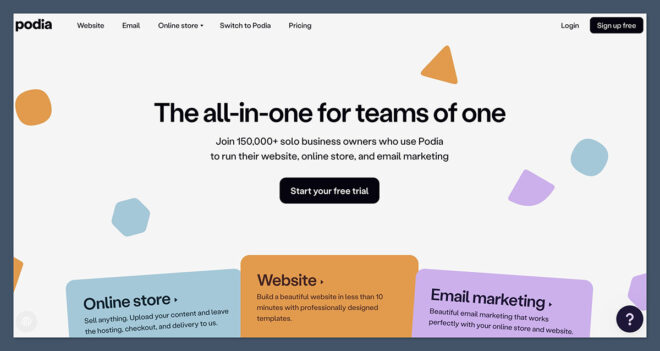
Key Features:
Best Use Case: Great for solo creators, educators, and small teams looking to sell courses, products, or memberships without technical complexity.
Pricing: Starts at $0/month with an 8% transaction fee. Paid plans:Mover- $39/month (no transaction fee), Shaker- $89/month (adds affiliate marketing & embedded checkout)
Free trial available.
Integrations: Zoom, YouTube Live, ConvertKit, Mailchimp, Stripe, PayPal, Zapier, Calendly, Google Analytics
Pros:
Cons:
Mobile/App Experience: No native mobile app yet.
User Reviews:
“Podia makes it easy to sell anything digital. I launched my course and made sales within days!” — Lena, Freelancer & Course Creator
Support & Community: Live chat support, help docs, free creator resources, weekly webinars, and an active Podia Creator Community.
Verdict / Ideal For: Perfect for beginners and budget-conscious creators who want a no-fuss platform to sell online courses, downloads, and memberships.
Skool is a fast-growing community and course platform that prioritizes ease of use, member engagement, and fun. It combines a clean community feed with gamified learning, making it ideal for course creators, coaches, and community-led programs. It feels more like a social app than a traditional LMS, which is why members keep coming back.
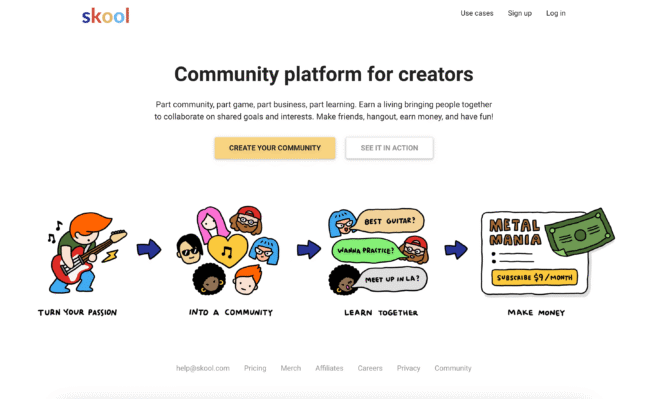
Key Features:
Best Use Case: Perfect for coaches, educators, and creators who want to build an engaging, community-first learning space with minimal tech hassle.
Pricing: Flat pricing at $99/month per group includes unlimited members, courses, and community posts. 14-day free trial available.
Integrations: Zapier, Stripe, Webhooks (No direct email marketing tools or advanced LMS integrations, but basic automation is possible.)
Pros:
Cons:
Mobile/App Experience: Clean, responsive mobile site and native iOS + Android apps. Fast, lightweight, and designed for community interaction on the go.
User Reviews:
“Skool made my community feel alive again. The gamification is genius and my members love it.” — Derrick, Coach & Course Creator
Support & Community: Skool’s own community is super active and responsive. Email support is fast. Weekly updates and tutorials from the team. No live chat, but strong peer-to-peer help via the Skool Community.
Verdict / Ideal For: A great pick for coaches, course creators, and online community leaders who value simplicity, speed, and fun. If you don’t need heavy LMS features but want people to show up and engage, Skool nails it.
LearnWorlds is a robust online course platform built for educators, trainers, and organizations that want full control over branding, interactivity, and learning analytics. It combines powerful course creation tools with community features, making it ideal for those building structured, scalable learning experiences.
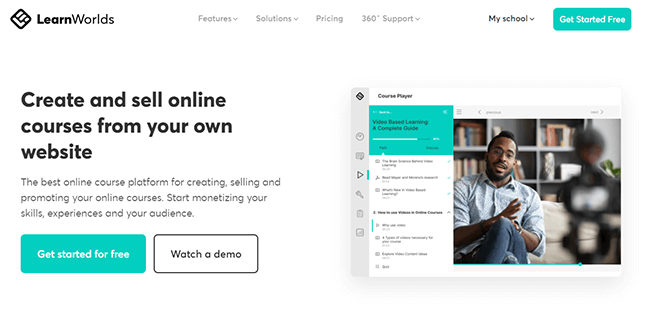
Key Features:
Best Use Case: Ideal for educators, training companies, and brands wanting to launch polished, interactive online academies with strong community support.
Pricing: Starts at $29/month (Starter – $5 fee per course sale). Pro Trainer Plan: $99/month (no transaction fees). Learning Center Plan: $299/month. 30-day free trial available.
Integrations: Zapier, Mailchimp, ActiveCampaign, Zoom, HubSpot, Stripe, PayPal, Google Analytics, and more.
Pros:
Cons:
Mobile/App Experience: Responsive web experience and white-label mobile app (on higher-tier plans). Excellent for learners who want a full-featured branded experience.
User Reviews:
“LearnWorlds helped us build a branded academy that feels like our own. Our students love the interactive videos!” — Sophie, Corporate Trainer
Support & Community: 24/7 support (chat & email), knowledge base, onboarding webinars, and an active Facebook group. Priority support available for premium plans.
Verdict / Ideal For: A great fit for creators who want more than just videos and PDFs. LearnWorlds is perfect for corporate training, professional development, or branded academies that demand interactivity, structure, and customization.
When deciding which platform fits your needs, consider:
Also Read- How to Choose the Right LMS for Your Needs
What is the difference between a social learning platform and an LMS?
LMS platforms focus on course delivery, while social learning platforms combine learning with community tools, helping boost engagement and retention.
Can I migrate my existing course into a social learning platform?
Yes. Most platforms offer migration tools or services to help you move content and members.
Do I need a mobile app for my community?
Not always, but it helps. Platforms like BuddyBoss, Mighty Networks, and Kajabi offer native apps to improve engagement and accessibility.
Which platform is best for monetizing my learning community?
BuddyBoss, Kajabi, and Podia all offer built-in monetization tools like memberships, subscriptions, and paywalls.
Traditional online learning often feels isolating, but social learning platforms bring learners together, creating a richer and more interactive experience. Whether you want to build a thriving online course business, a professional network, or an engaged membership site, these platforms make it possible.
👉 Looking for the ultimate learning + community experience?
Try BuddyBoss—built for WordPress and perfect for combining courses, memberships, and social interaction.
WordPress isn’t just for blogs anymore, it's a powerful platform for creating online courses, training programs, and entire eLearning businesses.
Thanks to robust plugins and integrations, you can transform your WordPress site into a fully functional Learning Management System (LMS) that rivals dedicated eLearning platforms.
In this guide, we’ll look at the best learning management systems for WordPress, their key features, and practical use cases to help you choose the right one for your needs.
WordPress offers unmatched flexibility and control over your online learning experience. Unlike hosted LMS solutions, a WordPress LMS gives you:
Customization to match your branding and learner experience, and much more. With the right LMS plugin, you can manage courses, track student progress, create quizzes, issue certificates, and even sell memberships all inside WordPress.
Here are the top LMS plugins for WordPress and the types of projects they work best for.
| LMS Plugin | Starting Price | Best For | Standout Features |
| LearnDash | $199/year | Pro courses & institutions | Drip content, quizzes, certificates |
| MemberPress | $179/year | Paid memberships | Access control + LMS in one |
| LifterLMS | Free (Add-ons) | Coaching & memberships | Course bundles, badges, upsells |
| Tutor LMS | Free / Pro | Beginners | Drag-and-drop, quiz builder |
| WP Courseware | $129/year | Simple course delivery | Real-time learner tracking |
| Sensei LMS | Free / Paid | WooCommerce store owners | Sell courses like digital products |
| MasterStudy | $89/year | Live & interactive learning | Zoom/Google Classroom, reviews |
LearnDash is one of the most popular learning management systems for WordPress, trusted by universities, professional educators, and corporate trainers.
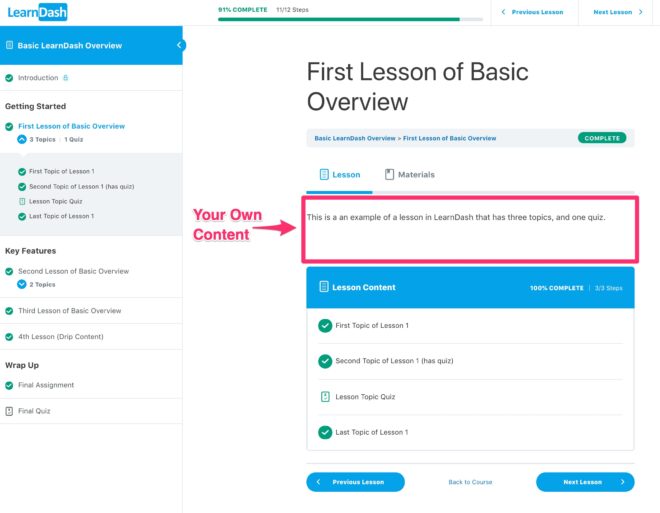
Key Features:
Best Use Cases:
LearnDash strikes the ideal balance between depth and ease-of-use, giving you complete control over your course design, monetization, and learner experience.
MemberPress is a powerful all-in-one membership and course plugin built for creators who want to monetize gated content, offer tiered access, and build sustainable subscription-based learning models. With its Courses add-on, it transforms WordPress into a sleek, user-friendly LMS.
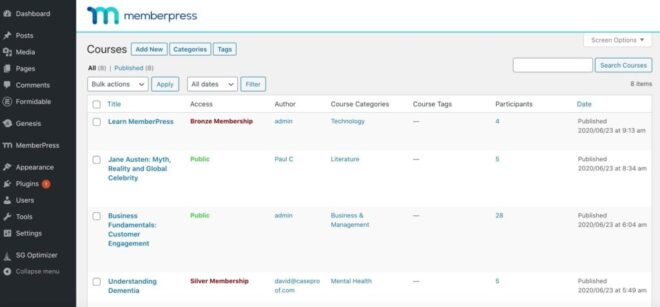
Key Features:
MemberPress is ideal if your goal is to build a full membership site with LMS features baked in without juggling multiple plugins. It’s perfect for creators who value simplicity, reliability, and monetization control.
LifterLMS is a versatile WordPress LMS plugin built to support creators who want to blend online courses with memberships, coaching, and community engagement. It’s ideal for building a full learning ecosystem under one roof with no patchwork of tools required.
Key Features:
Best Use Cases:
LifterLMS is perfect if you want to combine education, engagement, and monetization without relying on multiple plugins. Its focus on student experience, community-building, and coaching makes it a strong choice for relationship-driven learning platforms.
Tutor LMS is a lightweight, intuitive LMS plugin that makes launching an online course fast and frustration-free even for beginners. Its streamlined setup, clean interface, and powerful tools make it ideal for creators who want functionality without the bloat.
Tutor LMS strikes a smart balance between simplicity and power. If you want a platform that lets you teach without a steep learning curve, but still offers room to grow, this plugin delivers.
WP Courseware is a straightforward, easy-to-use LMS plugin designed for creators who want to add online courses to their site without overcomplicating things. It strips away the noise and focuses on clean course delivery and smooth user experience.
Key Features:
Best Use Cases:
If you're after a simple, effective LMS that gets the job done without a steep learning curve or feature overload, WP Courseware is a solid choice.
Sensei LMS, built by the team behind WooCommerce, is ideal for creators who want to treat their courses like digital products. With tight native integration, it’s a natural fit for anyone already running a WooCommerce-powered site.

Key Features:
Best Use Cases:
If you're already familiar with WooCommerce and want to monetize courses without switching platforms, Sensei LMS offers one of the smoothest ways to do it, especially for WordPress-based shops.
MasterStudy LMS is built for engagement. With support for live streaming, real-time lessons, and detailed course reviews, it's ideal for educators who want to bring classroom-like interaction into their online platform.
Key Features:
Best Use Cases:
If your teaching style relies on interaction and feedback, MasterStudy LMS delivers a classroom-like feel with all the flexibility of WordPress.
Who uses it: Lucy Wolfe (Sleep Matters), Althris professional training, and companies like Flash University and Project Life Mastery
Use Case: Structured courses with integrated community support
Details: Lucy Wolfe (Sleep Matters) built a scaled parent-coaching platform combining LearnDash courses and BuddyBoss-powered community forums to drive support and completion rates. Similarly, Althris uses the duo to deliver rigorous corporate training with drip content, quizzes, and credentialing for professionals. Flash University leverages BuddyBoss and LearnDash for global hybrid learning, supporting bulk user imports and Zoom integration.
Who uses it: Melissa Love – The Design Space membership site
Use Case: Course + membership site with expert contributors
Details: Melissa Love built a thriving training and membership platform using LifterLMS. Her site serves over 500 students, includes multiple instructor-led courses, and maintains a waitlist. It’s powered by LifterLMS and integrates with WooCommerce and community features.
Who uses it: Online educators, workshop hosts, and institutions offering live instruction
Use Case: Blended learning with live webinars and reviews
Details: MasterStudy LMS is chosen by creators and institutions that combine recorded content with Zoom or Google Classroom live sessions, interactive quizzes with timers, and detailed instructor profiles for credibility and engagement.
Who uses it: AMK Pro Platform, Vitruvian Studio Art Courses
Use Case: Selling courses as WooCommerce products
Details: AMK Pro used Sensei paired with WooCommerce to list courses like any other digital product complete with student registration, course purchase flow, and campaign monitor sync. The setup allowed seamless purchase and enrollment in courses like “Mastering WordPress without Programming.” Other examples include art course platforms built using Sensei as the course engine.
1. What is a learning management system for WordPress?
A WordPress LMS is a plugin that transforms a standard WordPress site into a full-featured eLearning platform enabling you to create, manage, and sell courses with assessments, user tracking, certifications, and more.
2. Which WordPress LMS plugin should I choose for professional courses?
For structured, high-value courses, LearnDash is the go-to choice with features like drip-fed content, advanced quizzes, and seamless integration with community tools like BuddyBoss.
3. Can I build a membership site with course content?
Absolutely. MemberPress and LifterLMS are designed to combine gated content, tiered memberships, and course delivery all in one setup. Perfect for subscription-based models with added perks.
4. Which LMS is best suited for beginners?
Tutor LMS and WP Courseware are ideal if you want a quick, lightweight setup. They offer drag-and-drop course builders, quizzes, and certification tools without overwhelming complexity.
5. What if I already run a WooCommerce store?
Then Sensei LMS is a smart pick—it lets you sell courses just like your other digital products with no extra eCommerce plugins required.
6. How can I offer live or interactive classes?
Choose MasterStudy LMS for support with live streaming, Zoom integration, timed quizzes, and interactive features that simulate a real classroom environment.
7. Are these WordPress LMS plugins GDPR compliant?
Most plugins like LearnDash, MemberPress, LifterLMS, and others offer tools or extensions to help meet GDPR (and global privacy law) requirements, but it's important to review settings and policies to stay compliant.
8. Can I switch LMS plugins later on?
Yes, but migrating course data, users, and certificates can be time-consuming. You’ll likely need migration tools or developer help so choose the LMS that aligns closest with your long-term goals upfront.
The best learning management systems for WordPress depend on your goals, audience, and the type of experience you want to create.
If you’re looking for a professional, scalable solution, LearnDash remains the top choice.
For community-driven learning, LifterLMS is a great fit, while Tutor LMS is ideal for beginners who want simplicity.
👉 Want the ultimate learning + community experience? Pair LearnDash with BuddyBoss to create an engaging online learning platform that keeps students connected.
The right LMS helps you deliver structured learning, boost engagement, and monetize your expertise all while saving time and giving you full control over your brand experience.
But sometimes choosing the right Learning Management System (LMS) can feel overwhelming.
With so many options available, it’s easy to get lost in endless features, pricing plans, and technical jargon.
But the truth is, the best LMS isn’t the one with the longest list of features, it's the one that aligns perfectly with your goals, audience, and resources.
At BuddyBoss, we’ve helped thousands of creators, educators, and organizations build thriving online learning businesses. In this guide, we’ll share the essential criteria we recommend when choosing the right LMS.
A Learning Management System (LMS) is a platform that helps you create, deliver, and manage online learning experiences. It’s where your students or employees access lessons, track their progress, and stay engaged.
Choosing the wrong LMS can lead to:- Poor learner experience, high drop-off rates, and wasting time migrating to another system later.
That’s why knowing which LMS to choose is a critical first step before launching your online learning program.
When evaluating LMS platforms, focus on these core areas:
Are you training employees, selling courses, or building a membership site?
Do you need simple course delivery or advanced features like gamification and certifications?
Is your audience tech-savvy or will they need a very user-friendly interface?
Tip: Write down your top 3 priorities this will help you avoid unnecessary complexity.
A good LMS should make it simple to set up and manage courses without requiring technical expertise.
It should also allow you to fully brand the platform with your own colors, logo, and style so it feels like an extension of your business.
Most importantly, learners should be able to navigate the platform intuitively without facing a steep learning curve. Remember, an LMS should save you time and effort, not create more work.
When evaluating an LMS, consider how it delivers your content. A strong platform supports a variety of formats like videos, quizzes, PDFs, and even live sessions.
It should let you create structured learning paths or drip content gradually to keep learners engaged over time.
Mobile-friendliness is equally important since many learners access training on the go. Ultimately, the more dynamic and flexible the content delivery, the better the engagement.
Your LMS shouldn’t exist in isolation. It should integrate seamlessly with your existing tools such as CRMs, email marketing software, or payment gateways.
As your learner base grows, the platform must also scale without performance issues.
Ideally, it should offer API or plugin support for future needs, ensuring you can expand your learning programs without limitations.
Good reporting and analytics are critical for improving your training. The right LMS makes it easy to track learner progress, completion rates, and performance metrics.
It should provide clear insights that help you refine your courses over time. Look for built-in dashboards that visualize this data, or check if the platform supports third-party analytics tools for deeper reporting.
Reliable support is essential, especially when technical issues arise.
Choose an LMS provider that offers responsive customer support and has an active community or knowledge base for troubleshooting.
Regular updates and improvements are also a good sign of a platform that’s committed to staying relevant and secure. Strong support can save you from unnecessary headaches later on.
Finally, consider the pricing carefully. Look for a plan that fits your current needs while offering flexibility for future growth.
Be aware of hidden costs like extra fees for additional users, storage, or premium features. If possible, take advantage of free trials or demos to test the platform before making a commitment.
Always weigh the cost against the actual value you’ll receive, not just the monthly subscription price.
👉 Want the full breakdown of the top WordPress LMS options?
Check out our in-depth guide and find the perfect fit for your platform.
Even the best-looking LMS can become a headache if you overlook these common pitfalls:
Overpaying for unnecessary features
Don’t get distracted by fancy add-ons you’ll never use. Focus on what directly supports your learning goals and your audience’s needs.
Ignoring mobile-friendliness and learner experience
Most learners access content on their phones. If your LMS isn’t mobile-friendly or feels clunky, engagement will drop fast.
Choosing a platform that doesn’t scale
An LMS that works for 50 learners may fail when you hit 500. Always think ahead and choose a platform that can grow with you.
Overlooking integration with existing tools
Your LMS shouldn’t live in isolation. Make sure it connects with your email system, CRM, payment gateways, and other essential tools.
Skipping the free trial or demo
Never commit blindly. Test the platform to see how it feels for both you and your learners what looks good on paper may feel totally different in practice.
BuddyBoss is built to work seamlessly with some of the most powerful Learning Management System (LMS) plugins on WordPress—giving you complete control over how you create, deliver, and monetize your courses. Whether you're building a coaching platform, a membership site, or a full-scale online academy, these integrations give you the flexibility and tools you need to scale.
LearnDash
One of the most popular LMS plugins, LearnDash pairs perfectly with BuddyBoss to create structured, feature-rich course experiences. Drip content, quizzes, certificates, and advanced progress tracking are all built in—and with BuddyBoss, it all integrates visually and functionally with your community.
Perfect for: Professional course creators, universities, coaching programs.
LifterLMS
If your platform includes memberships, coaching, or community-driven learning, LifterLMS offers robust tools to build an ecosystem. With BuddyBoss, you can tie learning progress directly into your member profiles, community interactions, and achievement systems.
Perfect for: Coaches, consultants, and community-focused educators.
Tutor LMS
Looking for something lightweight, modern, and user-friendly? Tutor LMS integrates beautifully with BuddyBoss to give you a streamlined course-building experience, complete with frontend editing, quizzes, and monetization options.
Perfect for: Solo creators, beginners, and small teams.
WP Courseware
This plugin keeps things simple. It allows drag-and-drop course building and quick setup for those who want a straightforward way to add learning to their site. BuddyBoss complements it with community, gamification, and social learning features.
Perfect for: Internal team training, light online courses, or add-on content.
1. Should I choose a free or paid LMS?
Free LMS platforms can work for small projects or testing, but they often come with limitations. Paid LMSs typically offer better customization, support, and scalability. Always evaluate the total value — not just the price.
2. How important is integration when choosing an LMS?
Very. Your LMS should connect easily with your CRM, email system, and payment tools. This saves time, automates workflows, and helps deliver a smooth user experience.
3. What kind of support should I expect from an LMS provider?
Look for providers that offer responsive customer support, documentation, and an active user community. Reliable support can make a big difference if you run into technical issues or need help customizing your setup.
4. How does BuddyBoss help me choose the right LMS?
BuddyBoss is built to support creators, educators, and businesses with flexible course delivery, deep customization, mobile app support, and built-in community tools. We focus on helping you launch an LMS that fits your brand and scales with your growth.
5. Do I need technical skills to set up an LMS?
Not necessarily. Many modern LMS platforms are built with non-technical users in mind. Look for drag-and-drop course builders, templates, and clear documentation. If you're using WordPress, platforms like BuddyBoss simplify setup without coding.
6. Can I migrate to a different LMS later if needed?
Yes, but it’s not always simple. Migrating courses, users, and data can be time-consuming and may require developer support. That’s why it’s best to choose an LMS that’s built for long-term growth from the start.
7. How long does it take to launch an LMS?
This depends on the platform and how much content you’re starting with. Some LMSs can be up and running in a few hours, while others may take weeks to fully configure. Having a clear plan and pre-prepared content will speed things up.
8. Is mobile access really that important in an LMS?
Yes. A large percentage of users access courses from their phones or tablets. Choosing an LMS with mobile responsiveness or a dedicated app ensures your learners can engage from anywhere which boosts completion rates.
9. Can I use an LMS to sell courses?
Absolutely. Many LMS platforms offer eCommerce integrations or built-in tools to help you sell courses, offer memberships, and manage payments. Look for options that connect with Stripe, PayPal, or WooCommerce if monetization is part of your plan.
10. How can I evaluate the learner experience before committing to an LMS?
Use the free trial or demo to view the platform from the learner’s perspective. Try enrolling in a test course, completing lessons, and using the navigation. You’ll quickly see how intuitive (or not) the experience feels.
11. What’s the difference between a self-hosted LMS and a hosted LMS?
A self-hosted LMS (like WordPress-based platforms) gives you full control over customization, data, and integrations but you manage hosting and updates. A hosted LMS handles all the backend work for you but offers less flexibility.
When it comes to how to choose an LMS, it’s not about picking the most popular option, it's about selecting one that aligns with your learning goals, fits your audience, and grows with your needs.
At BuddyBoss, we believe a great LMS should empower your business not complicate it.
That’s why our platform is built for creators and educators who want professional course delivery, seamless community engagement, and native mobile access all with the full control and flexibility of WordPress.
👉 Explore BuddyBoss now — and launch a learning experience that grows with you.
In 2025, creators have more opportunities than ever to reach their audience across diverse platforms and formats.
With the right content planning tools, it’s easier to stay organized, stay consistent, and share content that truly resonates.
But with dozens of planning tools available today from Trello’s simplicity to Airtable’s database power it’s hard to know which one really fits your workflow.
In this guide, we’ll explore the best content planning tools for creators in 2025, what makes them stand out, and how they can streamline your workflow.

Posting content on the fly might work for a while, but to grow sustainably, creators need a plan. Content planning tools help you:
Here’s How Content Planning Tools Help You Win:
Centralize Ideas & Campaigns
Instead of scattered notes, spreadsheets, or last-minute brainstorming, you can store all your content ideas, drafts, visuals, and campaigns in one place for easy access and planning.
Stay Ahead of Key Dates
Plan for upcoming launches, holidays, seasonal trends, or industry events without the last-minute scramble. A good content calendar keeps your strategy aligned with your goals.
Stay Consistent Without Burnout
Consistency builds trust but it shouldn't come at the cost of your sanity. With planning tools, you can batch content, schedule posts, and maintain a steady presence without being online 24/7.
Improve Team Collaboration
If you work with a team, editor, VA, or client, planning tools streamline communication. Everyone stays on the same page with deadlines, responsibilities, and content status.
Analyze & Optimize
Many tools offer built-in analytics or integrate with your data platforms. That means you can review what’s working, what isn’t, and fine-tune your content strategy with confidence.
Also Read-How to Create and Manage Membership Sites
Here’s a look at the top tools that are making content planning easier, more strategic, and more fun for creators this year:-
Here’s a quick comparison of the top content planning tools for creators in 2025, including pricing, best use cases, and key highlights.
| Tool | Starting Price (2025) | Best For | Key Highlight |
| Notion | Free (Paid from $8/mo) | Solo creators & small teams | Highly customizable with AI-powered templates |
| Trello | Free (Paid from $5/mo) | Visual thinkers & simple workflows | Drag-and-drop boards & automation features |
| Airtable | Free (Paid from $12/mo) | Data-driven creators managing multiple formats | Combines spreadsheet + database flexibility |
| Asana | Free (Paid from $10.99/mo) | Teams & agencies handling high-volume contentTask automation & timeline views for planning | Task automation & timeline views for planning |
| Loomly | From $26/mo | Social media creators & small brands | Post optimization + platform-specific tips |
| ContentCal (Adobe Express) | From $9.99/mo (via Adobe Express) | Brands needing content approvals | AI-assisted campaigns + built-in design tools |
| CoSchedule | From $29/mo | Creators juggling blogs, social, & email | All-in-one marketing calendar + AI headlines |
| ClickUp | Free (Paid from $7/mo) | Creators managing tasks, goals & content | Modular dashboards + AI-powered task prioritization |
| Buffer | Free (Paid from $6/mo) | Solo creators & small brands focused on socials | Simple scheduling + AI-assisted consistency tools |
| Planable | From $11/mo (billed annually | Social teams needing fast feedback & sign-offs | Pixel-perfect previews + real-time commenting |
Best for: Solo creators and small teams who want flexibility
Why it stands out in 2025: AI-powered templates and integrations that make content organization effortless
Notion continues to be a favorite among creators because of its endlessly customizable features. You can build a simple content calendar, track ideas, create campaign dashboards, and even manage your brand assets all in one workspace.
Potential Drawbacks:
Notion can feel overwhelming for new users due to its flexible but complex interface. It lacks native publishing features, so creators need separate tools to post content. Also, large workspaces may cause performance lag on lower-powered devices.
Should You Consider It?
If you want a customizable, all-in-one planning hub. If you’re comfortable using integrations or third-party tools for publishing, Notion’s flexibility makes it a powerful choice for organizing ideas, campaigns, and content pipelines.
Best for: Creators who prefer a drag-and-drop style workflow
Why it stands out in 2025: Enhanced automations and improved cross-platform syncing
Coming in second place, Trello uses boards, lists, and cards to help you visually plan your content. It’s ideal for mapping out a content workflow from ideation to publishing, especially if you’re more of a visual thinker.
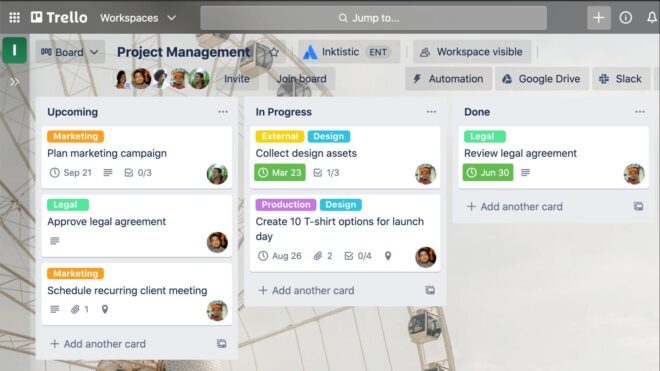
Potential Drawbacks:
Trello’s simplicity can become a limitation for creators handling complex content workflows, multiple clients, or diverse content formats. It lacks built-in analytics, so performance tracking requires external tools. Without a good system for tagging and archiving, boards can also get cluttered over time.
Should Creators Consider It?
If you're a visual planner or solo creator who values simplicity and clarity Trello is a good choice. Trello’s drag-and-drop interface is intuitive and great for getting started quickly. It’s ideal for light to moderate content planning, and you can expand its capabilities with Power-Ups as your needs grow.
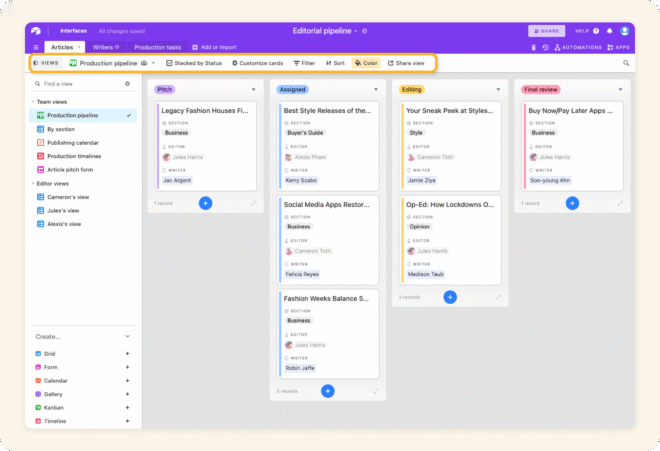
Best for: Creators managing multiple platforms, formats, and collaborators
Why it stands out in 2025: Seamless integration with analytics tools and AI-generated workflow suggestions
Combines the simplicity of a spreadsheet with the power of a database. With Airtable, you can track campaigns, deadlines, assets, and even analytics all in one place.
Potential Drawbacks:
Airtable’s advanced features like relational databases and custom automations come with a learning curve, especially for new users. Its free plan is limited, and managing large media files isn’t ideal. Mobile functionality is basic, and building custom workflows can take time without pre-built templates.
Should Creators Consider It?
If you're a data-driven creator managing multiple content channels or collaborating with a team. Airtable shines when you need structured planning, detailed tracking, and integration with analytics or marketing tools. It’s especially powerful for those who want to centralize complex content operations in one flexible system.
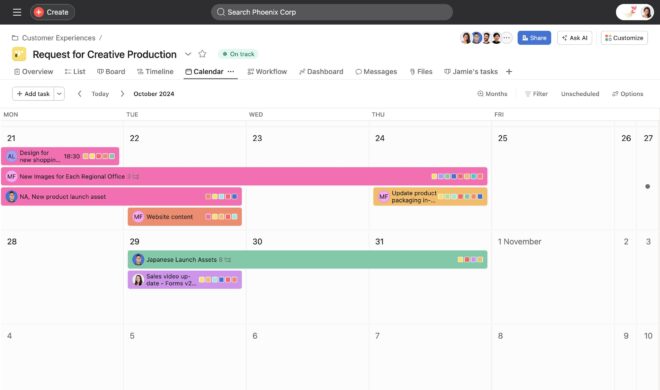
Best for: Agencies or teams managing high-volume content
Why it stands out in 2025: Improved timeline views and automated task prioritization
Asana is a great tool if you work with a team or clients. Asana makes task assignments, deadlines, and collaboration seamless, ensuring everyone knows what’s happening and when.
Potential Drawbacks:
Asana can feel overly complex for solo creators or small teams, especially when managing simple content workflows. Its most powerful features like advanced automations and timeline views are locked behind premium plans. Setting up custom workflows takes time, and without careful notification settings, teams may experience alert fatigue.
Should Creators Consider It?
Absolutely, if you're part of a team or agency managing high-volume, multi-channel content. Asana excels in keeping teams aligned with deadlines, roles, and responsibilities. For creators handling collaborative campaigns, it offers the structure and automation needed to scale efficiently. For simpler needs, though, it may be more tool than you need.
Best for: Social media-first creators and brands
Why it stands out in 2025: Advanced AI-driven post optimization and platform-specific content tips
Loomly is designed specifically for social media creators. It helps you plan, create, schedule, and analyze your posts all from one dashboard.
Potential Drawbacks:
Loomly is built for social media, so it's not ideal if you manage blog posts, email campaigns, or broader content types. Its design tools are basic, so you’ll still need external platforms like Canva for visuals. Also, advanced features like team approvals and detailed analytics are locked behind higher-tier plans.
Should Creators Consider It?
If social media is your main content channel, Loomly is a streamlined, user-friendly tool that saves time and improves content quality. It’s especially valuable for small teams or brands that want scheduling, optimization, and feedback tools in one place. For multi-format content creators, though, it works best as part of a broader stack.
Best for: Brands that need approvals and content sign-offs
Why it stands out in 2025: AI-assisted campaign planning and easy design integration
ContentCal now integrated with Adobe Express, remains a strong choice for those who want a dedicated social content planner. It helps with ideation, scheduling, and approvals, especially helpful for brands and teams.
Potential Drawbacks:
ContentCal is now tightly integrated with Adobe Express, which means it’s best suited for users already within the Adobe ecosystem. It’s heavily social-focused, so creators working with blogs, newsletters, or YouTube may need additional tools. Pricing also scales quickly depending on team size and features needed.
Should Creators Consider It?
Yes, especially for brands and teams that value a structured content approval process and strong visual design support. The Adobe integration makes it easy to create polished, on-brand assets, while the planning tools help keep campaigns organized. For creators outside social media or Adobe's suite, other platforms may offer broader flexibility.
Best for: Creators juggling blogs, social media, and email marketing
Why it stands out in 2025: AI-powered headline suggestions and improved cross-channel campaign tracking
CoSchedule is more than just a content calendar; it's a full-fledged marketing hub. It lets creators plan, write, schedule, and track all their content across blogs, newsletters, and social channels in one streamlined dashboard.
Potential Drawbacks:
CoSchedule can get expensive for solo creators if you want advanced features like automation and analytics. Also, while it covers a wide range of content, it's not as customizable as tools like Notion or Airtable for broader project management.
Should Creators Consider It?
If you're a content-heavy creator running a blog, email list, and social media channels, CoSchedule helps you bring everything under one roof. It’s ideal for simplifying campaign planning and ensuring consistent output across platforms. Just make sure the pricing aligns with your current scale.
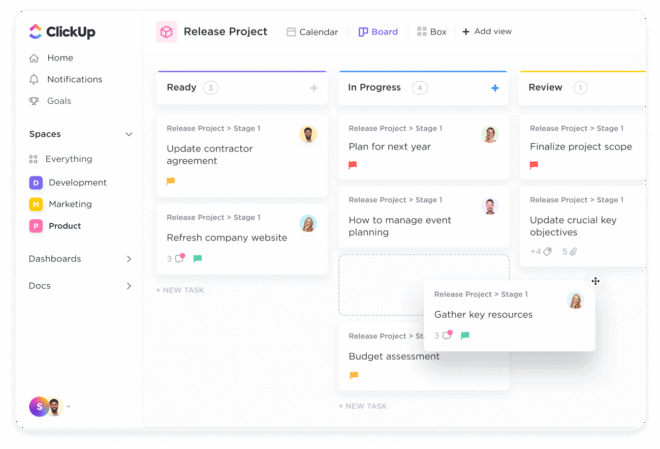
Best for: Creators who want to manage content, tasks, and goals in one place
Why it stands out in 2025: Modular dashboards and AI-powered task prioritization
ClickUp is a powerful, all-in-one workspace designed to help creators centralize content planning, task management, goal tracking, and documentation.
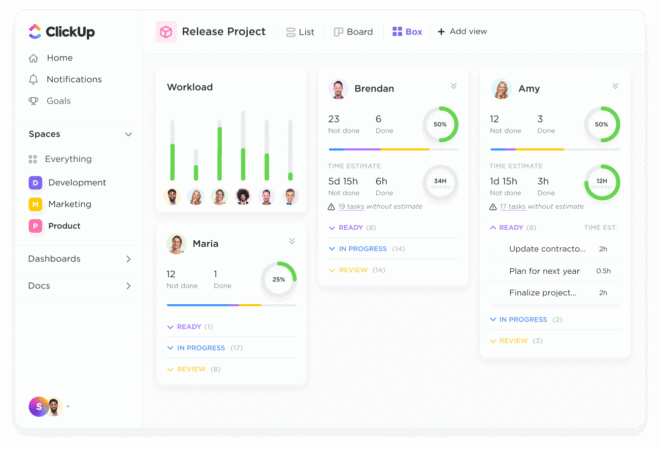
Potential Drawbacks:
ClickUp can feel overwhelming at first due to its vast feature set. Larger workspaces may also experience occasional performance slowdowns, especially when heavily customized.
Should Creators Consider It?
If you’re managing complex workflows or juggling multiple content projects. ClickUp offers unmatched flexibility and scalability, making it perfect for creators ready to streamline and scale their content operation. Just be prepared for a slight learning curve upfront.
Best for: Solo creators and small brands focused on social content
Why it stands out in 2025: AI-assisted scheduling and built-in engagement tools
Buffer is a clean, easy-to-use platform designed to help creators plan, schedule, and track social media content.
Potential Drawbacks:
Buffer lacks advanced campaign planning or editorial calendar tools, making it less ideal for creators managing multi-channel or long-form content strategies.
Should Creators Consider It?
If your primary focus is social media and you want a reliable, no-fuss scheduling tool. Buffer is perfect for creators who value simplicity, consistency, and time-saving automation. For more complex content operations, you may need to pair it with a separate planning or project management tool.
Best for: Content teams needing fast feedback loops
Why it stands out in 2025: Comment-first workflow and pixel-perfect previews
Planable is a collaboration-first tool designed to streamline the content review and approval process. It offers live previews and real-time commenting, making it especially useful for social teams who need quick feedback and visual accuracy across platforms.
Potential Drawbacks:
Planable is focused on social media, so it lacks support for long-form, blog, or email content. It also offers fewer automation options compared to other social tools like Buffer or Later.
Should Creators Consider It?
If your workflow involves multiple collaborators or clients and fast turnaround times. Planable is ideal for social-first teams that value clarity, speed, and visual precision. Just know you'll need additional tools for broader content types or automation-heavy strategies.
With so many content planning tools for creators, how do you choose the right one? Ask yourself:
Do I need a simple personal planner or a robust team solution?
Am I managing multiple platforms or just one?
Do I need advanced analytics and integrations?
What’s my budget for content planning tools?
Start with one tool that meets your immediate needs, then upgrade or expand your workflow as you grow.
1. Do I need a different tool for publishing my content?
It depends on the platform. Some tools like Buffer and Loomly include scheduling and publishing features. Others, like Notion or Airtable, focus more on planning and require integration with external publishing tools.
2. What tool is best for a content team that needs feedback and approval workflows?
Planable and ContentCal (via Adobe Express) are ideal for teams that need real-time collaboration, visual previews, and approval steps before publishing.
3. Are free plans available for these tools?
Yes, many tools like Notion, Trello, Asana, Airtable, and Buffer offer free plans with basic features. However, advanced functionality like automations, analytics, and multi-user permissions often require paid plans.
4. Can I use more than one tool for content planning?
Absolutely. Many creators use a combination—like Notion for ideation, Buffer for scheduling, and ClickUp for team task management—to cover every part of the content lifecycle.
5. Which tool is best for managing content across blogs, emails, and social media?
CoSchedule is designed for multi-channel content strategies. It supports blogs, newsletters, and social content with a unified calendar and performance tracking.
6. How do I choose the right content planning tool for me?
Start by evaluating your content type, team size, platform needs, and preferred workflow. Pick a tool that aligns with your immediate goals and allows for flexibility as your content strategy grows.
In 2025, content creation is more competitive than ever. But with the right content planning tools for creators, you can stay organized, consistent, and ahead of trends without feeling overwhelmed.
👉 Want an easy way to organize, schedule, and publish content while building a community?
Consider integrating BuddyBoss later to bring community support into your planning workflow.