Introduction
By default, BuddyBoss does not provide an option to hide the Last Activity in the Members Directory for logged-out users. You can use a simple CSS snippet to prevent non-logged-in visitors from seeing the last activity of members, which can help maintain privacy and a cleaner directory view.
Custom Workaround
Follow the steps below to hide the Last Activity for logged-out users:
- Go to BuddyBoss > Theme Options
- Under Custom Codes, enable CSS
- Append the following:
body:not(.logged-in) .buddypress-wrap .members-list li .list-wrap .last-activity { display: none; }- Save changes.
Troubleshooting and FAQs
Q: Will this hide the last activity for logged-in users?
A: No. This CSS only hides the Last Activity for users who are not logged in.
Q: The code doesn’t seem to work. What should I do?
A: Clear your site cache and browser cache. Make sure the CSS is added correctly in Theme Options. If the code is not working, submit a ticket to the support team for assistance.
Q: Does this remove data from the database?
A: No. The data remains intact; this snippet only hides it visually.
Q: Can I customize this to hide other member details for logged-out users?
A: Yes. You can target other elements in the members list with similar CSS. If unsure, submit a ticket to the support team for guidance.
Screenshots
Without Code:
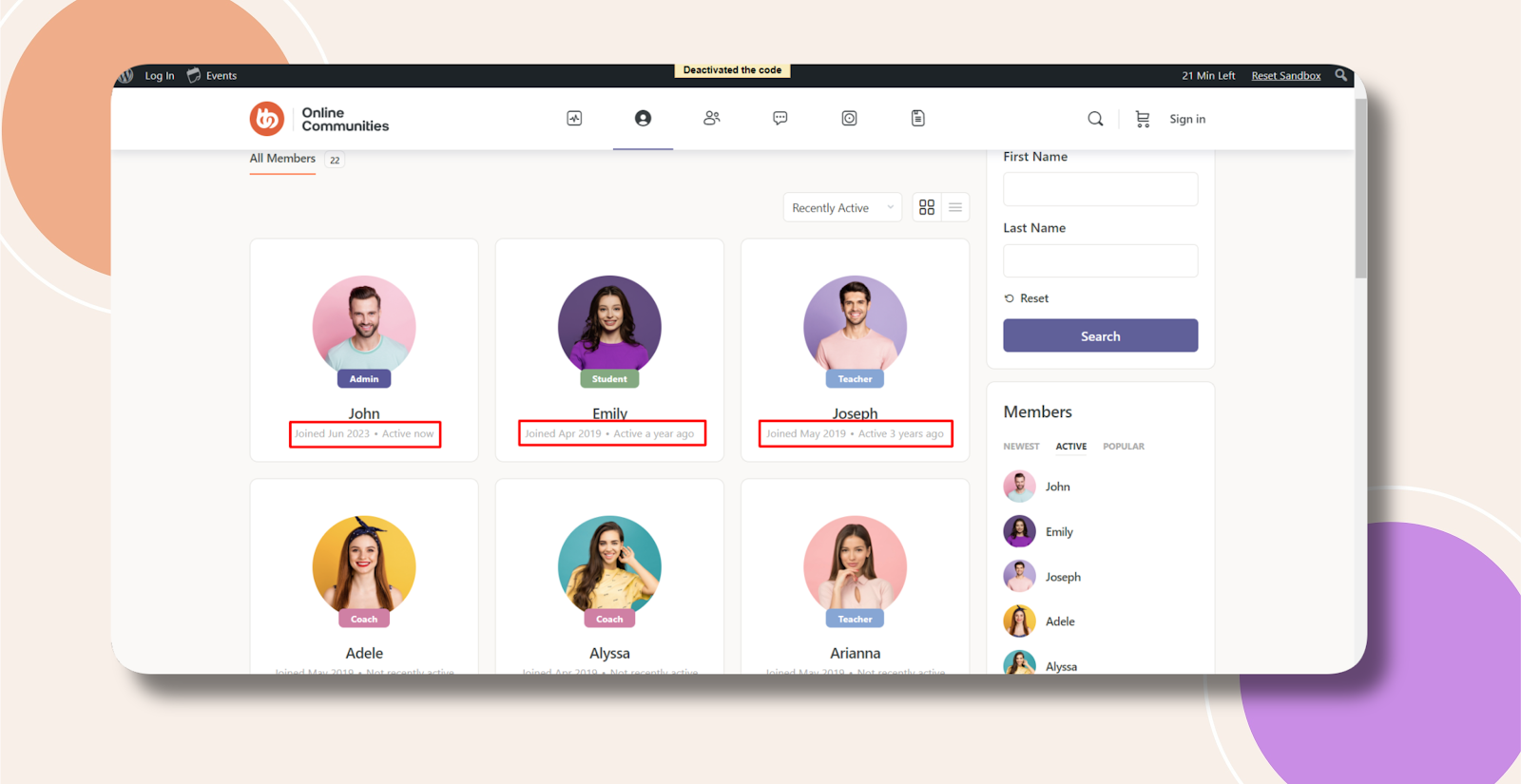
With Code: