
Online communities thrive on rich media—images, videos, and documents are essential for engaging members and delivering compelling content. However, managing this media efficiently often presents challenges, including the potential for slower load times, increased hosting resource usage, and complex optimization processes. Improvements in media delivery directly enhance the user experience, boost site performance, and ultimately contribute to the success of your platform. Today, we're excited to introduce BuddyBoss Offload Media, a powerful new feature designed to help you build a high-performance community that captivates and connects.
BuddyBoss Offload Media automatically moves your images, videos, and documents to Cloudflare, ensuring blazing-fast performance, efficient hosting cost management, and a seamless experience for your members. This transforms your media-heavy community with a deeply integrated solution that optimizes content delivery, drastically improves site speed, and simplifies management with significant operational benefits. This intelligent media delivery is here to enhance how your content reaches your audience, helping you build a high-performance community that captivates and connects.
Before Offload Media, managing a growing community's rich media could sometimes lead to increased server load, potentially impacting site responsiveness and overall user experience. This could mean members facing longer waits for content to load, or administrators dedicating more time and resources to media management plugins. With Offload Media, you can effortlessly deliver lightning-fast media, achieve significant operational savings, and watch your members thrive in a responsive, high-performance environment. Your entire platform becomes agile and responsive, serving content seamlessly from Cloudflare and turning potential performance challenges into fluid engagement.
Offload Media is an indispensable tool for online community administrators, educators, and content creators who manage media-rich platforms and are seeking to enhance performance, reduce operational costs, and streamline their media management workflows. If your community features extensive photo galleries, video tutorials, or downloadable resources, and you're looking for ways to improve loading speeds and optimize storage, this feature is for you. It simplifies a complex aspect of site management, allowing you to focus on creating engaging content and fostering community growth without technical headaches. This feature is valuable for all BuddyBoss users looking to optimize their site performance and reduce hosting overhead.
Automatically offloads and optimizes all your images, videos, and documents to Cloudflare's global network, ensuring lightning-fast delivery and a superior user experience that keeps your members engaged. This means your members enjoy instant access to all content, leading to higher satisfaction and longer session times.
Eliminate the need for additional third-party offload and image optimization plugins and reduce hosting bandwidth consumption, centralizing your media strategy into one powerful, integrated solution that can significantly lower your operational costs. You can reclaim budget previously spent on separate services and reallocate it to enhance your community further.
With a simple, one-time configuration, activate intelligent media offloading and optimization, allowing you to focus on growing your community and content creation, not technical complexities. The “set it and forget it” approach frees up your valuable time, simplifying what used to be a tedious and technical task.
Effortless setup, profound impact: Offload Media integrates seamlessly in just a few clicks, freeing you from complex media management. To begin leveraging the power of Offload Media, ensure your BuddyBoss installation is updated to the latest version. Navigate to your administrative dashboard and activate the Offload Media feature. Follow the intuitive setup wizard to configure your Cloudflare integration and select the media types you wish to offload. “Set it and forget it” media optimization means more time for your community, less time troubleshooting performance issues. It is important to note that you will need to have a Cloudflare account for this integration. Comprehensive help guides and tutorials are available to assist you every step of the way.
Offload Media is available on the Plus Plan and above, ensuring that every community can benefit from enhanced performance and reduced resource strain. If you are a BuddyBoss Pro license holder upgrade to Plus from your account dashboard to start offloading your media today. This feature supports both web and app, providing robust media offloading capabilities for your desktop and mobile browser users. All media types—images, videos, and documents—are supported, leveraging Cloudflare's global network for optimal delivery. This feature is compatible with both BuddyBoss Web & App users.
A1. Offload Media automatically moves all your BuddyBoss site's images, videos, and documents to Cloudflare's global network (R2 storage). When a user requests media, it's served directly from Cloudflare, bypassing your server, leading to faster load times and reduced server load.
A2. Offload Media is included in BuddyBoss Plus and above, making its powerful optimization and cost-saving benefits affordable as an upgrade from Pro.
A3. Yes, Offload Media is designed to optimize media delivery for your web and app. Wherever your media is loaded from optimised versions are served from Cloudflare directly to your website or mobile app.
A4. Yes, during the setup process, you have the option to select which media types (images, videos, documents) you wish to offload to Cloudflare storage, giving you full control over your media strategy.
A5. Yes, Offload Media is designed to significantly reduce your hosting costs. By offloading media to Cloudflare, you drastically reduce bandwidth consumption and storage usage on your primary hosting server, which can lead to substantial savings, especially for media-heavy sites.
A6. Serving media directly from Cloudflare's globally distributed network (CDN) means content is delivered from the closest server to your users. This significantly reduces latency and server load, resulting in blazing-fast page load times and a smoother user experience.
A7. Not at all. Offload Media is designed for effortless setup. A simple, intuitive wizard guides you through the one-time configuration process for integrating with Cloudflare, allowing you to “set it and forget it.” Please note you will need a Cloudflare account.
A8. Offload Media centralizes media offloading and intelligent optimization. While it significantly reduces the need for many third-party media optimization plugins, you may still choose to use others for functions not directly related to offloading, such as object caching.
A9. Cloudflare R2 offers generous free tiers, including 10GB of storage and 10 million read operations per month, with very competitive pricing beyond that. While Offload Media facilitates the integration, any Cloudflare R2 storage costs are managed directly with Cloudflare.
A10. Offload Media utilizes Cloudflare's services, which are designed with strong privacy and security features. Cloudflare is GDPR compliant, helping you ensure that critical legal and regulatory requirements for data protection are met for your media assets.
We're excited to announce BuddyBoss Gamification is now available as part of BuddyBoss Plus.
After years of customer requests and months of development, we've built a comprehensive gamification system designed specifically for online communities and course platforms. No third-party plugins. No compatibility issues. No additional costs. Just powerful engagement tools integrated seamlessly into the platform you already use.
Today, you can start rewarding member contributions, creating clear progression paths, and celebrating meaningful achievements in your community. Here's everything you need to know about what's included and how it works.
BuddyBoss Gamification allows you to apply game design principles to your community and courses. It makes participation rewarding, progression visible, and contribution meaningful.
The system includes three core components that work together to drive engagement:
Points act as behavioral currency. Members earn points for actions you want to encourage. Create multiple point types to separate different engagement categories. You might create “Community” points for social activity, “Learning” points for course progress, “Contribution” points for helping other members. Each type could track different types of behaviors and serve a different strategic purposes.
Ranks transform accumulated points into meaningful reputation. Members start at your entry rank and advance as they engage. Configure up to 20 customizable ranks that unlock real capabilities within your community. Automatically add members to private groups. Give them access to premium courses. Grant special permissions. Ranks aren't just badges; they're progression milestones that unlock genuine value.
Achievements recognize specific one-time accomplishments. Create unlimited achievements that celebrate milestones. Complete your first course. Help 10 other members. Log in daily for 30 days. Achievements display as permanent badges on member profiles, turning moments of success into lasting recognition. You can even chain achievements together to award other achievements.
We built complete control into every aspect of the system. Your community has unique goals. Your configuration should reflect what matters to your members and your business.
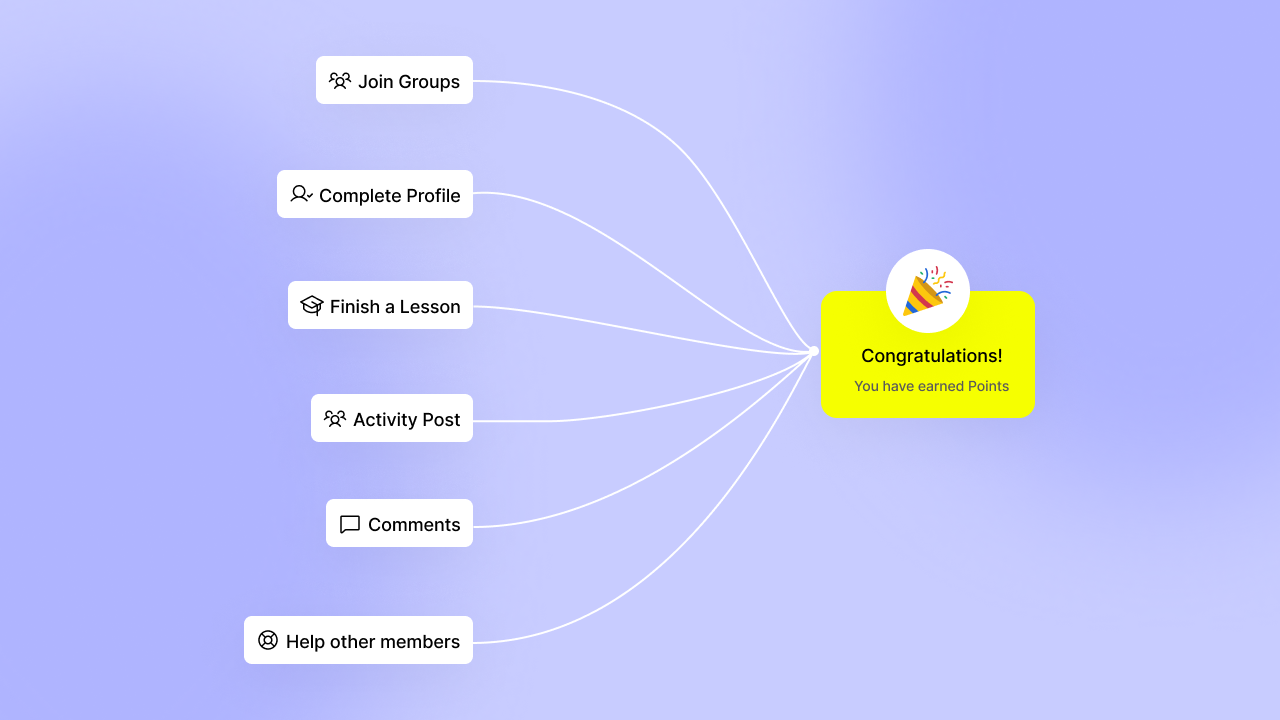
You decide which actions earn points and how much each is worth. We're launching with 91 triggers across your entire BuddyBoss platform.
Award points when members:
Each trigger connects to the point types you define. Maybe profile completion is worth 100 “community” points because complete profiles lead to better connections. Maybe answering forum questions is worth 50 “learning” points because you want to encourage peer support as a way to internalise knowledge.
The strategic power comes from flexibility. You control what gets rewarded and by how much. Your gamification strategy aligns perfectly with your business objectives.
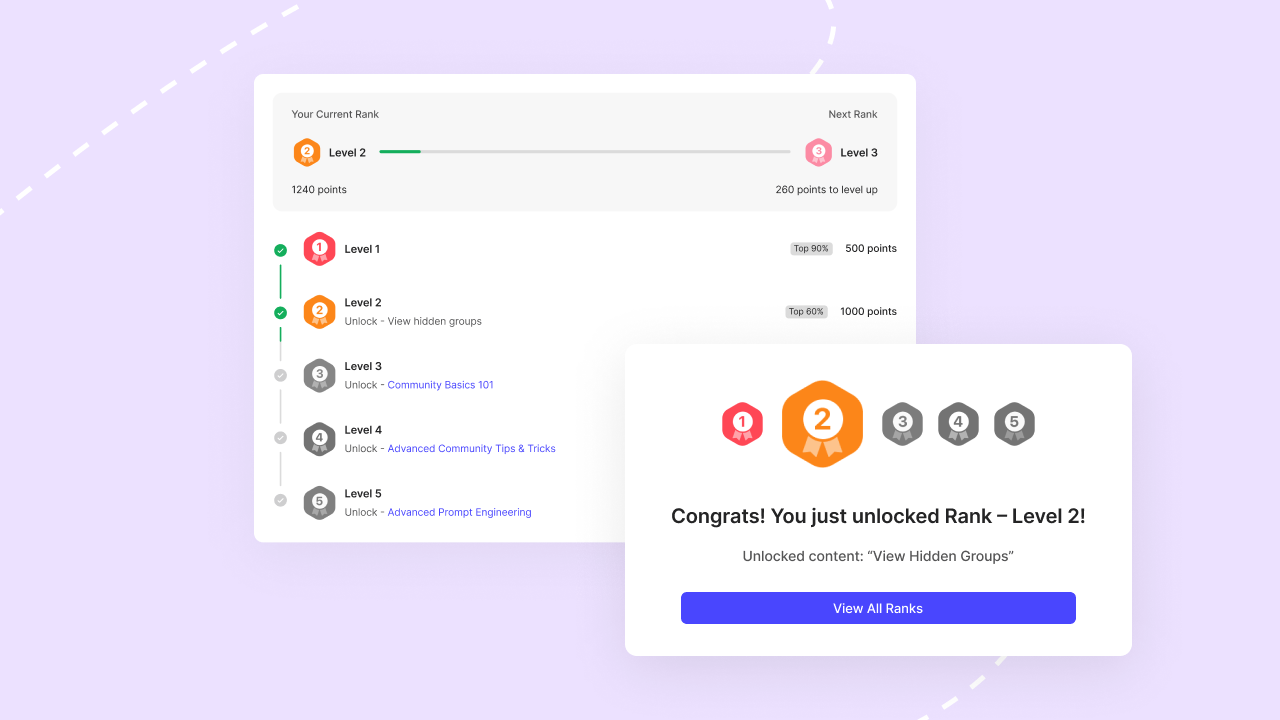
Ranks give members a visible path forward. As they accumulate points, they automatically advance through the ranks you configure.
Name ranks to match your community's theme. A fitness community might use Bronze, Silver, Gold, Platinum. A professional network might use Member, Contributor, Expert, Authority. A course platform might use Student, Scholar, Master.
Set point thresholds for each rank. The progression is clear. The requirements are consistent. The achievement feels earned.
Most importantly, ranks can be used to unlock capabilities. Set ranks to automatically add members to exclusive groups. Give them access to premium courses only available at higher levels. Grant special permissions within your community. When ranks provide real value, members work to achieve them.
Rank indicators appear throughout your platform. Next to usernames in activity feeds. On member profiles. In group directories. Every interaction showcases who your most engaged members are, creating social proof and aspirational goals.
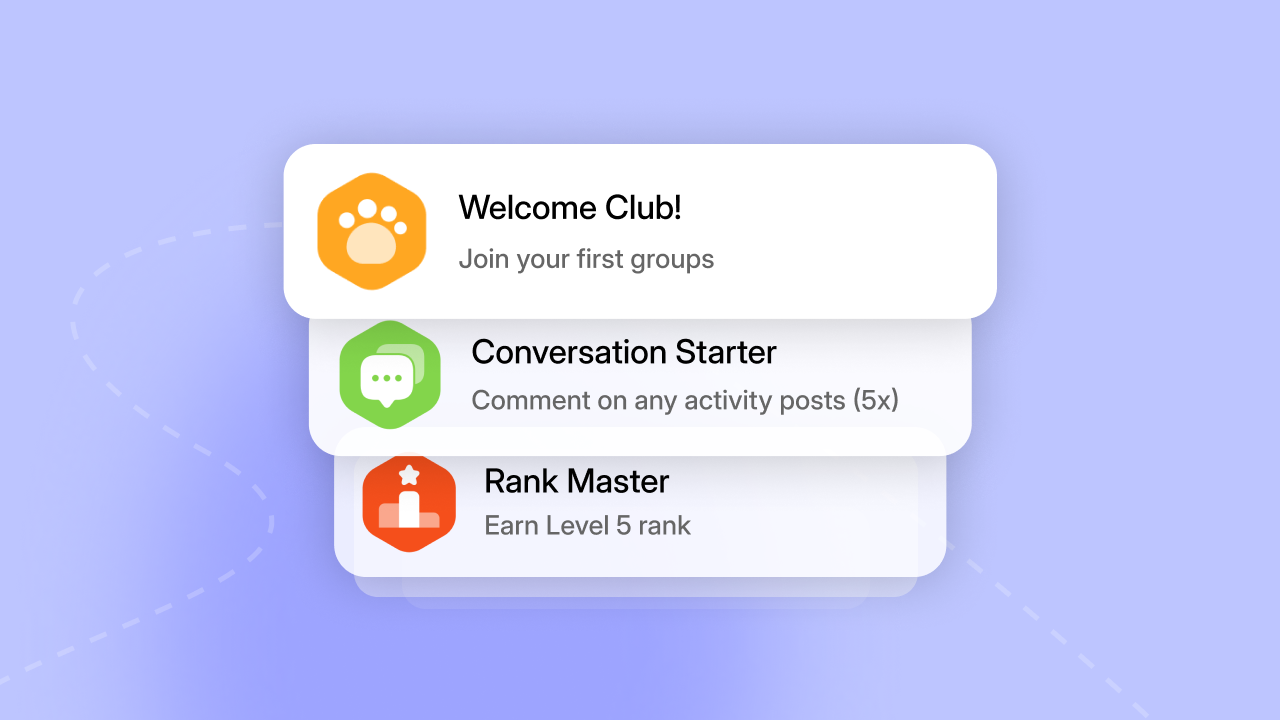
Achievements work independently from points and ranks. You can create as many as you need, each representing a milestone worth celebrating.
Trigger achievements in multiple ways:
Use achievements strategically. Create onboarding achievements that guide new members through your platform. Build expertise achievements that identify subject matter experts. Design commitment achievements that reward consistent engagement over time.
Achievements stay on member profiles forever. Unlike ranks, which can change, achievements are permanent recognition of past accomplishments.
We're adding one more layer soon. Time-based competitions let you create special events where specific behaviors earn bonus rewards for limited periods.
Launch a campaign to boost forum activity during your product launch. Run a campaign to increase course enrollments during a seasonal promotion. Create campaigns that drive the behaviors your business needs exactly when you need them.
Every type of community can use gamification effectively. The specific implementation differs based on your goals, but the strategic approach remains consistent.
Increase course completion rates by rewarding lesson progress, quiz performance, and course finishes. Create achievements for completing entire course sequences. Set ranks that unlock advanced courses only after members finish prerequisites.
67% of students find gamified courses more engaging and motivating than traditional formats. Make learning progression visible and rewarding, and watch completion rates improve.
Create onboarding achievements that guide new members through your platform. Use ranks to unlock premium content. Members at your base rank get free resources. Higher ranks unlock your premium library, exclusive groups, or advanced courses.
The result? Members stay longer. They engage more deeply. Your community becomes stickier because members have accumulated status and achievements they don't want to lose.
Build accountability into your platform. Create point systems that track client progress toward goals. Award achievements for completing homework, attending sessions, or implementing strategies. Use ranks to identify your most committed clients.
Group coaching programs particularly benefit. Members see each other's progress, creating healthy competition and mutual encouragement. Top contributors become peer leaders naturally.
Activate passive members by making participation rewarding. Award points for attending events, participating in discussions, sharing expertise, or mentoring newer members. Create achievements that recognize specific contributions.
Use ranks to identify your most valuable members and invite them into leadership roles. The visibility of engagement creates social proof that encourages others to participate.
You might wonder why we built our own gamification system when third-party plugins exist. Three reasons: integration, alignment, and value.
Native integration means zero compatibility issues. Everything works together because it's all built together. When you install BuddyBoss Gamification, it looks and feels like part of your platform because it is.
Strategic alignment means gamification evolves with your platform. When we add new BuddyBoss features, we simultaneously add corresponding gamification triggers. There's no development lag. No waiting for third-party developers to catch up. Your gamification system grows as your platform grows.
Better value means more for your investment. BuddyBoss Gamification comes included with your Plus plan. You're not paying $69 to $200 per year for separate plugin licenses. You're not managing multiple vendor relationships. One platform, one price, complete functionality.
For BuddyBoss-focused gamification across your online course communities, our native solution provides the streamlined, integrated approach that just works.
If you need extensive gamification across multiple WordPress plugins beyond BuddyBoss, GamiPress remains an excellent choice for that broader use case. Stefan James at Project Life Mastery University successfully used both GamiPress and BuddyBoss together to create custom leaderboards across his entire learning ecosystem. The solutions can complement each other when your needs extend beyond core community engagement.
BuddyBoss Gamification launches today as part of BuddyBoss Plus. The feature is available immediately to all Plus plan members.
Installation is straightforward. Enable the gamification add-on from your BuddyBoss settings. Configure your point types and triggers. Set up your ranks. Create your achievements. The entire setup takes less than an hour, and you can start with a simple configuration and expand over time.
Want to implement gamification strategically? We've created a comprehensive guide on how to implement community gamification that actually works covering best practices, common traps to avoid, and proven strategies for driving meaningful engagement.
The gamification market is projected to reach $190.87 billion by 2034 because companies everywhere recognize the power of game mechanics to drive behavior. But market size doesn't guarantee success. Implementation matters as much as the tools themselves.
Ready to transform passive members into active contributors? Explore BuddyBoss Plus pricing and see how strategic gamification can drive the engagement your community needs to succeed.
Your members want to contribute. Your community needs their participation. Give them a system that makes meaningful engagement visible, rewarding, and worth pursuing.
Your community is growing. Members are engaged. Your courses are converting. Everything is working.
Then you hit the scaling wall.
Storage costs climb as members upload more content. Your member uploads slow to a crawl because your server is handling gigabytes of media files. You upgrade your hosting plan. Six months later, you have to upgrade again.
You want gamification to drive user behavior, so you add a plugin. It conflicts with another plugin. You troubleshoot for three hours. You're piecing together solutions when you should be building your business.
Today, we're launching BuddyBoss Plus with native Gamification and Offload Media. Two features you've been asking for. Two problems you've been solving with workarounds. One integrated solution that just works.
This is how online communities should scale. No plugin conflicts. No compatibility guessing. No vendor juggling. Just powerful features built specifically for your platform, included in one plan.
Here's what happens when community platforms grow. You start with the core features you need. Everything works. Then business requirements change.
You need to reward member contributions strategically. You install a gamification plugin. That's $199 per year. Configuration takes eight hours because it wasn't built for your specific use case. Every BuddyBoss update means checking if the plugin still works.
Your media library explodes. Members upload videos, share photos, post documents. Your hosting provider sends an email suggesting you upgrade. You install an offload plugin. Have more than a few hundred members? That could cost you another $249 per year. Another configuration session. Another compatibility concern with every update.
You're now managing licenses for your theme, your platform, your gamification solution, your media offloading, and whatever else you've added. Multiple renewal dates. Multiple support contacts. Multiple potential failure points.
BuddyBoss Plus solves this differently. Everything you need to scale, built into the platform you already trust. Native integration means zero compatibility issues. Included features mean predictable costs. Single vendor means one support relationship that understands your entire setup.
BuddyBoss Plus includes everything in Pro, plus native features designed specifically for communities that need to scale strategically.
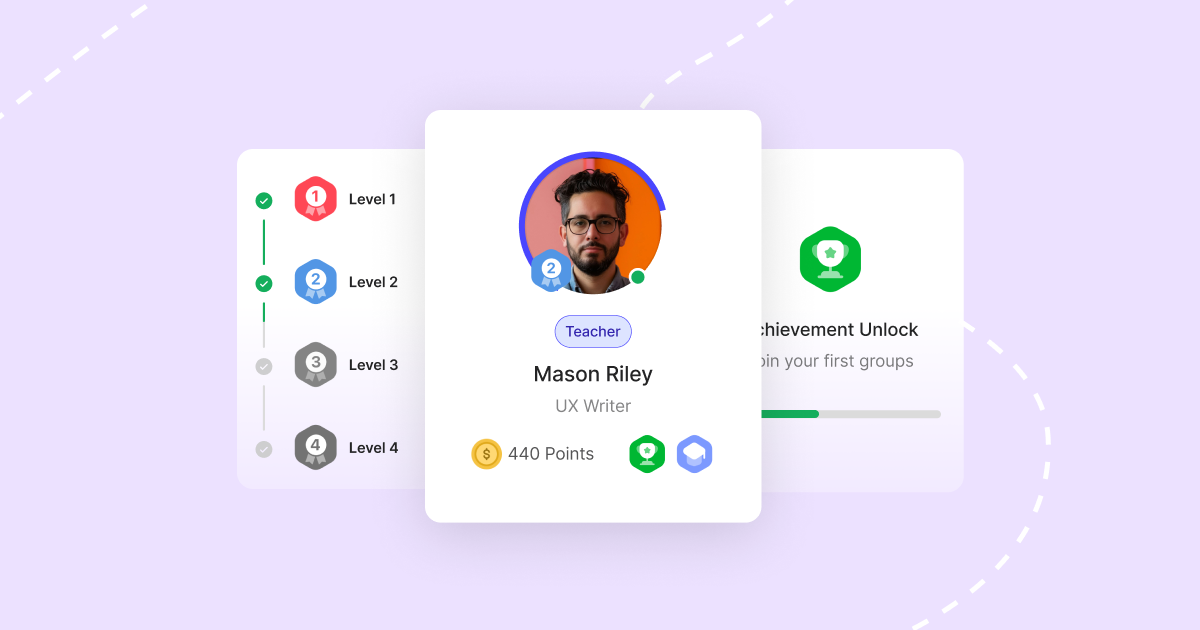
Most community gamification fails within 30 days. Members flood in, chase points, game the system, and disappear. The pattern is predictable and preventable.
BuddyBoss Gamification takes a different approach. We built a system that rewards genuine contribution, recognizes expertise, and scales with your community's growth.
Read more about our new Gamification feature here.
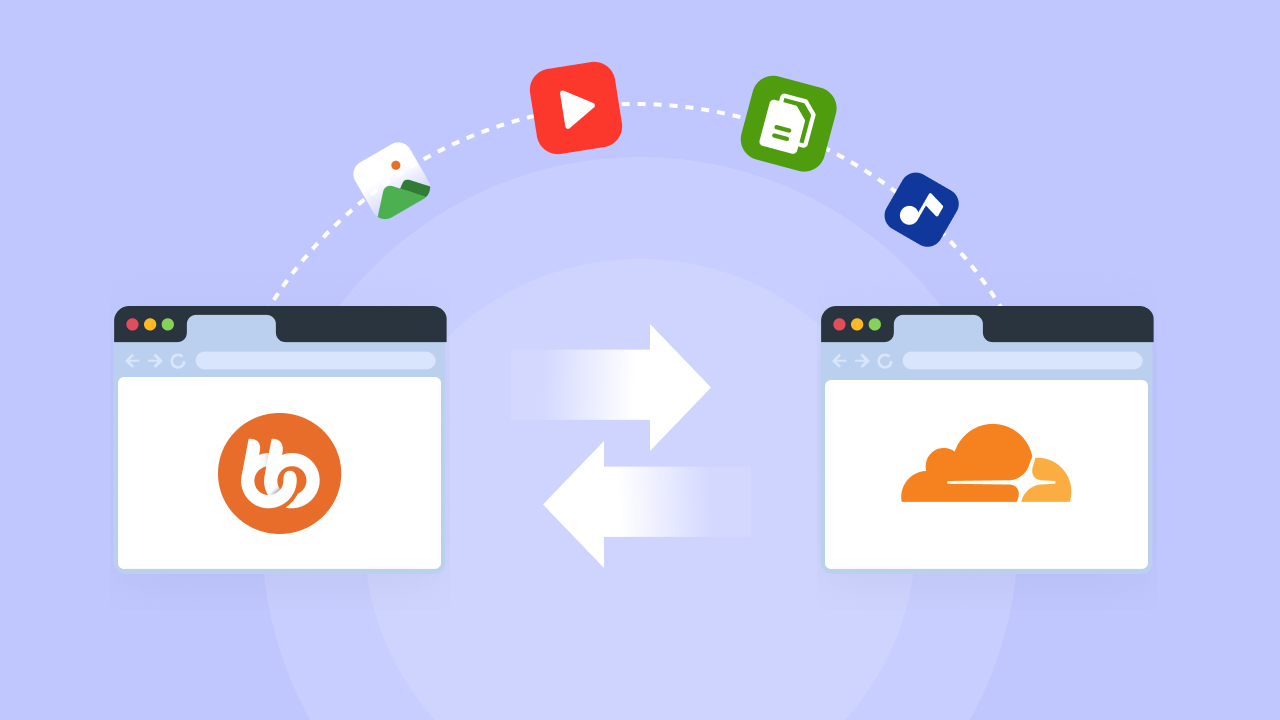
Your community uploads photos, videos, and documents. Your hosting bill keeps growing. Your site keeps slowing down. This is the scaling challenge every media-heavy community faces.
BuddyBoss Offload Media integrates directly with Cloudflare to move images, videos, and documents from your WordPress server to Cloudflare's global network. Once configured, it happens automatically.
Read more about our new Offload Media feature here.
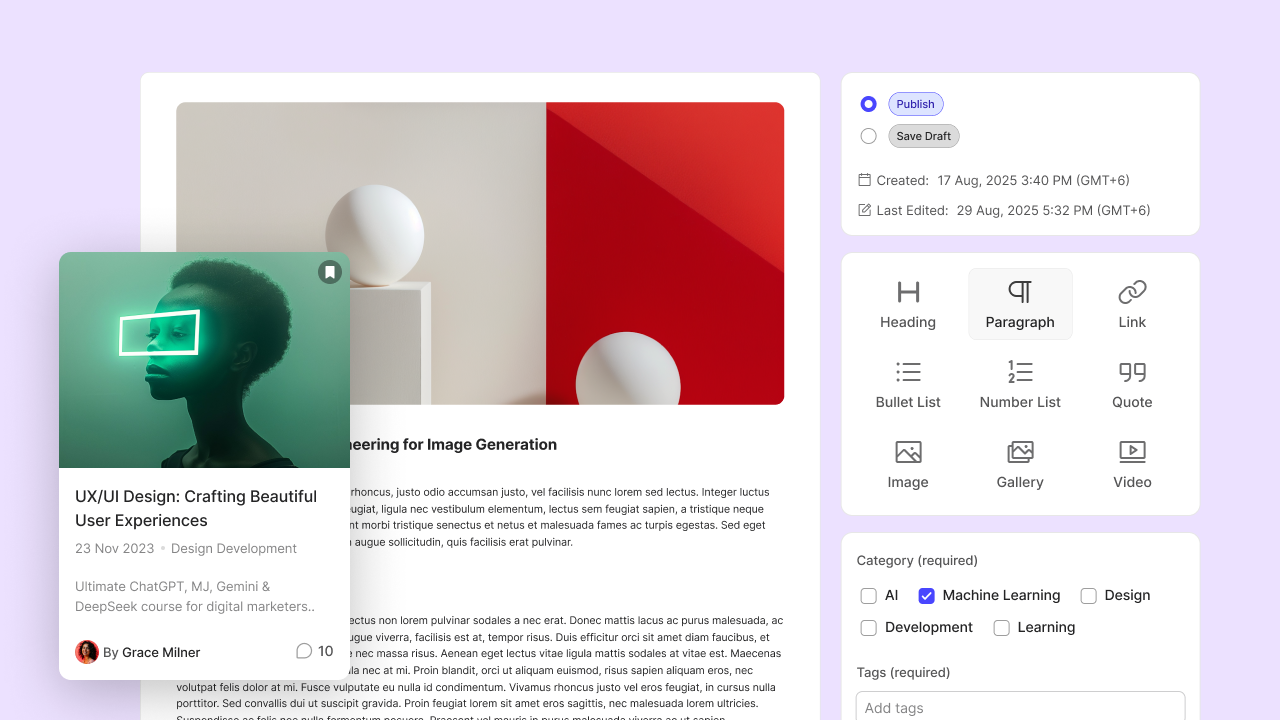
We're not done building. Two more features are coming to BuddyBoss Plus based on your requests.
Member Blogging
Let members create their own blog posts from the front end. Not just activity updates or forum posts, but full articles with proper formatting, featured images, and categories.
Perfect for communities where members are building their own audiences. Course platforms where students showcase their work. Professional networks where expertise sharing drives value.
Members control their own content. You control who can blog. Posts appear in activity feeds, member profiles, and your blog archive. Search engines index them. Members build their presence while building your community.
Gamification Competitions
Turn your existing gamification into competitive events. Launch a 30-day engagement challenge. Create team competitions between groups. Run seasonal leaderboards that reset and reward.
Competitions activate your community around specific objectives. Course completion competitions. Content creation challenges. Peer support competitions. Any behavior you can track with points, you can turn into a time-bound event.
These features are in active development. They'll roll out to BuddyBoss Plus members as they're completed. You'll get access automatically with your Plus plan.
You can find gamification plugins. You can find media offload plugins. You can piece together solutions. Here's why native integration beats that approach every time.
Everything works together because it's built together. No styling conflicts. No broken features after updates. No wondering if your gamification plugin will work with the next BuddyBoss release.
When you update BuddyBoss, you update everything simultaneously. Gamification and Offload Media are tested as part of the platform, not bolted on afterwards.
When we add new community features, corresponding gamification triggers arrive simultaneously. Members can earn points for new activities immediately. No development lag. No waiting for third-party developers to update their plugins.
This matters more as your community grows. Features you launch this year need gamification support. Native integration guarantees that support exists from day one.
One platform. One license. One renewal date. One support relationship. When something doesn't work as expected, you contact one team that understands your entire system.
Compare that to managing separate vendors. One team for your theme. Another for your platform. Another for gamification. Another for media offloading. Each with their own license terms, renewal schedules, and support processes.
The overhead compounds. You're not just paying more money. You're spending more time managing vendors instead of building your community.
BuddyBoss Plus only costs $349 for your first year, then $599 annually. That includes Platform, Theme, Gamification, Offload Media and all future plus plan features.
Third-party gamification plugins cost $69 to $199 per year. Media offload plugins cost $49 to $249 per year. You're already spending $118 to $298 annually on solutions that add complexity, compatibility concerns.
Plus gives you native versions of both features, professionally integrated, with no compatibility risk. The investment makes sense immediately. Upgrading to plus essentially comes at no cost to you, or might even save you money!
Native features are designed specifically for community and course engagement. Triggers align with behaviors that matter for online communities. Configuration options focus on common use cases, not edge cases.
Third-party plugins serve broader WordPress audiences. They need to work for blogs, e-commerce sites, forums, and communities. This creates complexity that most community builders don't need.
BuddyBoss Plus focuses on one thing: giving you everything you need to build and scale online communities and course platforms. Every feature serves that purpose.
The numbers validate the approach. 90% of users report gamification makes them more productive when implemented correctly.
Media offloading delivers measurable performance gains. Page load times drop 40 to 60%. Mobile app media load times improves dramatically. Server costs drop significantly instead of climbing every quarter.
More importantly, these features work together. Gamification drives the behaviors you want. Offload Media ensures your platform performs well as those behaviors generate more content. Your community scales without hitting technical walls.
Communities like Happy Pear manage thousands of members with video-based courses and active social engagement. These aren't small communities running on basic hosting. They're substantial businesses that need professional infrastructure.
BuddyBoss Plus provides that infrastructure without requiring you to become a systems engineer.
BuddyBoss Plus is available now at $349 for your first year, then $599 annually. This includes Platform, Theme, Gamification, Offload Media, and all future Plus features as they launch.
Start directly on BuddyBoss Plus when you purchase. View current pricing and plan details to see what's included. The 14-day money-back guarantee applies to all plans, including Plus.
Existing BuddyBoss Pro customers can upgrade to Plus from your account dashboard. The upgrade price is prorated based on your remaining Pro subscription time. You keep your existing renewal date and just pay the difference.
Gamification and Offload Media become available immediately after upgrading. No waiting. No additional setup beyond configuring the features.
If you are a BuddyBoss Lifetime License customer you already own BuddyBoss Platform Pro and Theme permanently. That doesn't change. We honor every lifetime commitment we've made.
You have been one of our customers for the longest time and so we want to reward you for supporting us for all these years, so check your emails for a very special offer to add the Plus plan onto your existing Lifetime license grandfathered in at a special price and still keep your lifetime license forever!
This Lifetime upgrade offer is only available for a short time and you won't be able to get it forever so act fast if you want to save hundreds on the Plus plan forever!
If you haven't received an LTD upgrade email – contact support immediately, don't miss out.
If you need 3 to 5+ licenses, contact our team for bulk pricing. Enterprise customers get volume discounts on Plus along with priority support and dedicated account management.
We work with agencies, hosting providers, and organizations running multiple communities. Reach out to discuss your specific needs.
Community building used to mean choosing between power and simplicity. Powerful platforms required technical expertise. Simple platforms hit scaling walls.
BuddyBoss Plus eliminates that trade-off. You get strategic gamification that drives real engagement. You get automated media offloading that solves storage problems. You get native integration that prevents compatibility issues. You get upcoming features that expand your capabilities.
All built into the platform you already use. All managed through one dashboard. All supported by one team.
Your community deserves professional-grade features without professional-level complexity. That's what we built.
Upgrade to BuddyBoss Plus today and enable the features your growing community needs. Or start fresh on Plus if you're building something new.
Your members want to contribute. Your business needs their engagement. Your platform should make scaling feel natural, not painful.
That's the difference BuddyBoss Plus makes.
Ready to learn more?
The BuddyBoss Monster Giveaway 2025 has come to a close – and what a giveaway it was!
Over the course of the 5 days there were 2,033 individual entrants with a total number of entries overall of 20,491 which means the average number of entries per person was 10. The highest number of entries for a single entrant was 61!
The winner of the top prize; BuddyBoss All In One Bundle worth $4,999 was Tomas Svoboda 🥳 who's lucky entry was drawn from their 39 entries!
The full list of winners is published here along with the prize they have won. Each winners details will be passed to the company whose prize you have won and they will be in touch with you over the next few days to claim your prize.
Activity posts are the lifeblood of any thriving online community, the dynamic conversations and updates that keep members engaged and informed. They are where ideas spark, announcements are shared, and connections deepen.
Recognising their pivotal role, we're excited to unveil Activity Post Formatting Enhancements, a powerful new suite of tools designed to cultivate a more organised, visually compelling, and professional community experience for everyone.
These enhancements are rolling out from BuddyBoss Platform 2.13.0, Platform Pro 2.9.0, and BuddyBoss App 2.9.0 – empowering you to make every piece of content shine.
Activity Post Formatting Enhancements empower community creators to elevate their content quality and cultivate a more organized and visually compelling community experience, ensuring their most valuable content always stands out. This feature transforms ordinary activity posts into professional, impactful content that drives greater engagement, enhances discoverability, and boosts your community's SEO. It allows you to present information in a highly organized, readable, and visually compelling manner, making every post count.
Before, important announcements and calls to action sometimes got lost in a stream of text, making it harder for members to quickly grasp critical information. Now, with Activity Post Formatting Enhancements, the struggle to create visually compelling and SEO-friendly posts is over. You can give every post a clear title, structured headings, and captivating featured images (Platform Pro required), instantly grabbing attention and making valuable content effortlessly discoverable. This transforms your activity feed into a dynamic and engaging hub, where every piece of content reflects your brand's professionalism and sparks genuine interaction, fostering a truly vibrant community.
Everyone benefits from a more organized and engaging community! You now have the power to make every single post count, ensuring your valuable content always stands out and delivers impact. Add clear, structured titles to every activity post so you can ensure your valuable content is easily found through searches and improves overall visibility. Utilize H3 and H4 headings within your posts so you can present information in a highly organized, readable, and professional manner, just like a blog post or article. Include eye-catching Featured Images in your activity posts (with Platform Pro) so you can make your admin and moderator updates pop and immediately grab your members' attention.
Give every post a purpose with structured titles (H2) and multi-level headings (H3/H4). Craft content that's not just shared, but truly read and understood, elevating the professionalism of your entire community. This allows you to present information in a highly organized, readable, and professional manner.
Make your valuable content effortlessly findable. Activity Post Titles integrate directly into your network searches, ensuring members can quickly locate specific information and boosting overall content visibility. This means your important announcements are easily seen and acted upon.
Capture attention instantly and make your important updates pop. Featured Images allow admins, group owners, and moderators to add eye-catching visuals, transforming your activity feed into a dynamic and engaging space. Transform posts into professional, branded content with these powerful visual tools.
Elevating your content is now as intuitive as typing. Simply add titles, choose headings, and upload images with ease, directly within your activity composer. You can enhance your posts without interrupting your workflow, making powerful formatting part of your everyday routine. Ensure your platform is updated to the latest version to access these enhancements. Administrators can also optionally require titles for all activity posts, fostering a more structured content environment across the community. No complex design tools or coding required; just a few clicks to transform your activity posts.
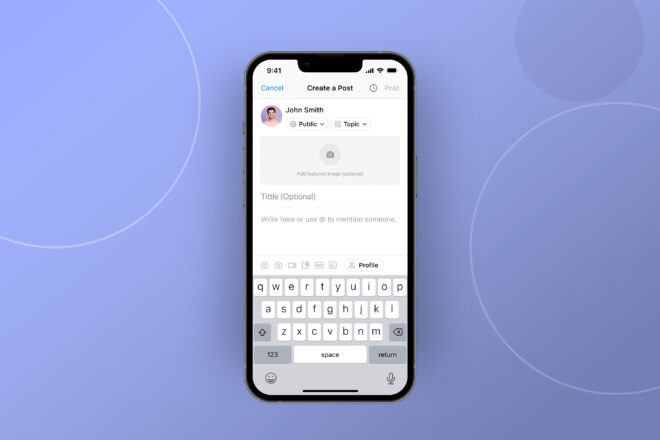
Activity Post Formatting Enhancements are available to all users. The core functionality including Activity Post Titles (H2) and multi-level headings (H3/H4) are accessible to all. The eye-catching Featured Image capability requires Platform Pro. These features are designed for seamless integration within your existing activity feed composer on both web and mobile experiences. Keep an eye out for further updates and enhancements as we continue to evolve your community experience.
No, absolutely not! Elevating your content is now as intuitive as typing. Simply add titles, choose headings, and upload images with ease, directly within your activity composer. No complex design tools or coding required.
While Activity Post Titles and multi-level headings (H3/H4) are available to all users, the eye-catching Featured Image capability requires Platform Pro to unlock its full visual impact.
Activity Post Titles integrate directly into your network searches, ensuring members can quickly locate specific information. This boosts overall content visibility and helps your valuable content get found.
Yes, administrators have greater content control and can optionally require titles for all activity posts, fostering a more structured and professional content environment across the community.
These enhancements are primarily for new activity posts. However, you can edit existing posts to apply the new formatting options.
Not at all! These enhancements are designed for efficiency and seamlessly integrate without interrupting your workflow, ensuring a smooth and dynamic activity feed experience.
Unlike major social media platforms that often offer basic text, BuddyBoss empowers you with structured titles, multi-level headings, and featured images for truly impactful content, surpassing typical community platforms.
You can utilize H2 titles for main headings, and H3 and H4 headings within your posts to present information in a highly organized, readable, and professional manner.
Yes! Activity Post Titles (H2) and subheadings (H3/H4) are leveraged for improved search engine indexing of public content, helping to attract more organic traffic to your community.
We recommend checking out our dedicated help guides and tutorial videos (links below) for comprehensive instructions on activating and utilizing all the new Activity Post Formatting Enhancements.
Help Guide – How to Use Activity Post Formatting Enhancements
Tutorial Video – Deep Dive into Activity Post Formatting
Today, August 21st, we have released a new version of the BuddyBoss App to address bringing the target API level for Android up to date.
This update has been released as a hotfix to give you the maximum amount of time possible to update and publish your app, before their deadline of August 31st, 2025 (10 days from now)
It's important that you perform this update as soon as possible because it's unclear what Googles actions will be if you don't. Out of an abundance of caution we are recommending that you perform this update immediately. If you don't think you will be able to perform this update within the next 10 days there are some simple instructions below that will allow you to get an extension until November 1st.
If you intend to update and publish your latest build immediately then there is nothing else for you to do and you can ignore the rest of this article.
If you want to know more about this update, or you know that you wont be able to perform this update by August 31st, then read on.

From August 31st 2025, apps in the Google Play store are required to meet a target for Android that is no older than 1 year from the current stable version. This is to ensure that older versions of android don't become targets for security vulnerabilities, and is normal practice.
BuddyBoss maintains a target level that is appropriate for the needs of your app and balances the recency of the version with the stability and security of the app codebase and the development effort required to update, test, bugfix, quality control and deliver a stable experience for all users.
We have been working on updating the target level used in the BuddyBoss App for some time now, but we ran into several challenges along the way that meant we needed to address related issues before we could release this update. Because of this, the update has taken a little longer to release than we had hoped. Because of this, we have taken the decision to release the update as a hotfix and to promote the update with a little more urgency than we usual would.

Google's communication around this issue has been complicated and confusing, even for us! Some users have reported receiving warnings suggesting that, if they don't update before the deadline, they might permanently lose the ability to update their apps. This might in effect force you to publish a brand new app in the Google Play store losing your previous listing and all your previous users.
Out of an abundance of caution we are recommending that you immediately update your BuddyBoss App to the latest version and publish your update to the Play Store before the deadline of August 31st (10 days from now)
If for some reason you think you might not be able to generate a new build and publish it before August 31st, then you can apply for an extension to the deadline.
Fortunately, applying for an extension to the deadline is simple and easy and you can do it in just a few clicks from your Play Console.
Inside your Play Console, navigate to Your App > Monitor and Improve > Policy & Programs > Policy Status
Find the issue titled “App must target Android 15 (API level 35) or higher”
Inside that issue, scroll to the bottom where you will see: Need more time? with a button labelled “Request additional time” click that button.

In the form that pops up, select the following two reasons:
The click “Request”

You should be granted an automatic extension with a new deadline date of at least November 1st. That will provide you plenty of time to request a new build and update your app.
If you have any trouble performing this update, reach out to support who will be happy to help you.
ReadyLaunch brings the power of a BuddyBoss Community to any WordPress site, running any theme. Launch a professional community experience that integrates seamlessly with your current site in just one click.
📢 Click Here To Add Your Feedback & Suggestions To The FeatureYour course site is working great, but adding a BuddyBoss community means changing your whole theme! That changes today.
Download The BuddyBoss Platform & Try ReadyLaunch Today
ReadyLaunch eliminates the need to use the BuddyBoss Theme to launch a world class community for your courses. Using just the free BuddyBoss Platform with ReadyLaunch activated, you can launch your community in minutes no matter what theme you're using. No technical setup and no more monthly fees for a proper community experience!
Break free from monthly community fees. Launch your community in minutes!
Before ReadyLaunch, launching a professional community meant you had to choose between your existing WordPress Theme which was already working for you and your courses, or adopt the BuddyBoss Theme to benefit from the powerful community features and then rebuild your website using a page builder like Elementor.
For most of you that was fine, the BuddyBoss Theme is flexible and powerful enough to provide a great social learning experience. But for some of you, switching themes or using a page builder was a chore. Now, you can keep your existing WordPress site design exactly as it is while adding a complete community experience powered by BuddyBoss – completely free, with ReadyLaunch.
This isn't about replacing the BuddyBoss Theme – that remains the premium solution for users who want maximum flexibility and customization. ReadyLaunch delivers professional community features through the free BuddyBoss Platform plugin, working with any WordPress theme through fixed page templates that become completely theme-independent. Toggle ReadyLaunch on or off instantly – when disabled, your site returns exactly as it was.
For creators who love their current theme and don't want the complexity of switching, ReadyLaunch gives you the best of both worlds.
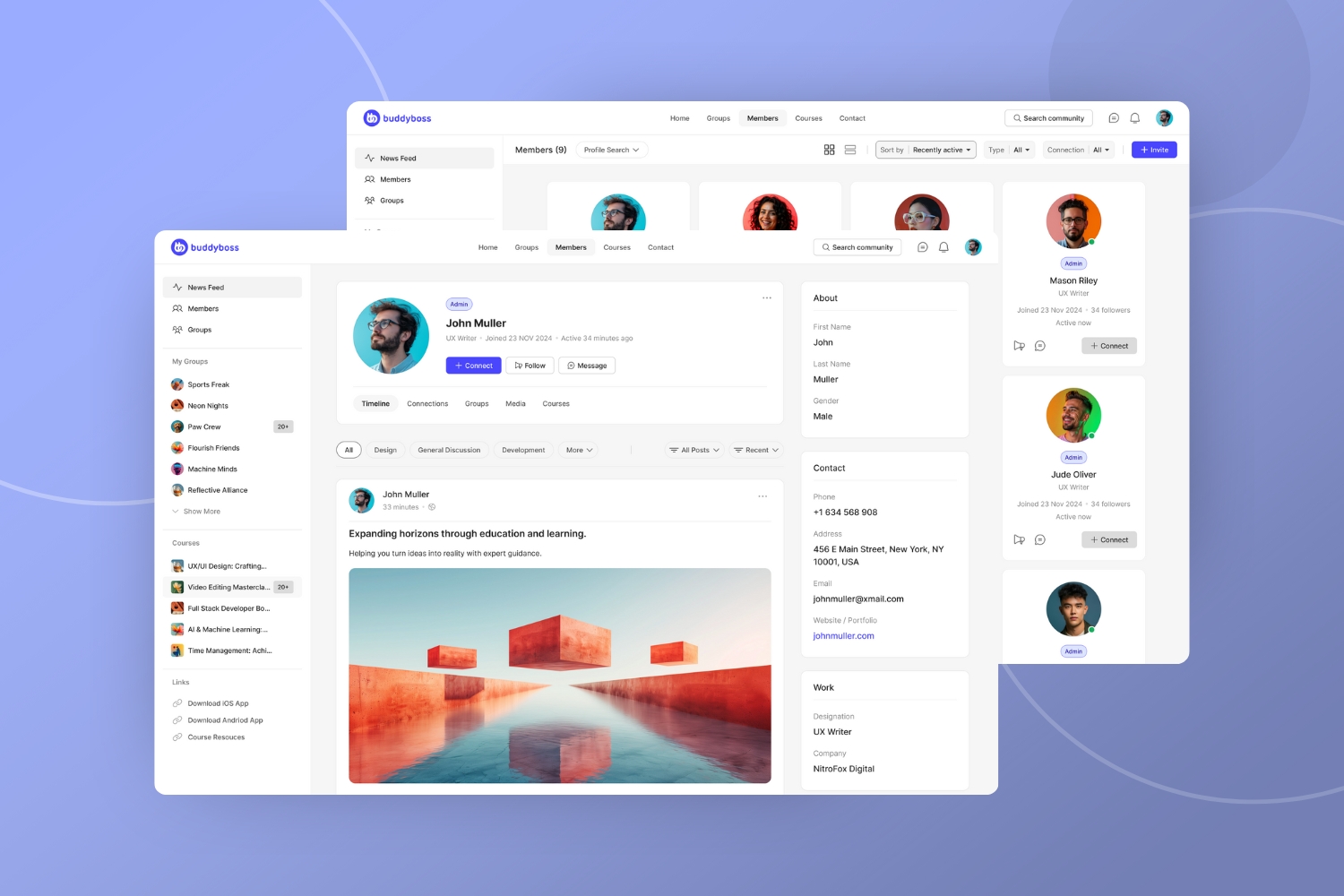
Complete community functionality including messaging, groups, activity feeds, media galleries, and documents that works seamlessly with any existing WordPress theme, requiring no theme changes or site redesign. Professional community pages work with any WordPress theme without conflicts or design changes.
ReadyLaunch provides fixed page templates stored in a dedicated directory that cannot be overridden by child themes. This template system uses the template_redirect hook to implement custom styling while stripping out unnecessary WordPress hooks and filters for performance optimization.
Important technical note: Third-party plugin integrations that modify front-end styling will not work with ReadyLaunch. This performance-focused approach means most 3rd party plugins don't load – but that's what makes ReadyLaunch so reliable and fast.
Launch your community in under an hour with just 3 simple configuration screens. No technical skills required – simple configuration in just 3 screens.
The ReadyLaunch admin configuration has been built from ground up using React architecture to speed up the configuration workflow. The backend saves continually as you change options, with features like autosaving and toggles that eliminate the fear of losing progress.
Toggle ReadyLaunch on or off instantly from the BuddyBoss admin, with 3 simple configuration pages that can be customized in just a few minutes, plus the ability to revert to your previous setup anytime.
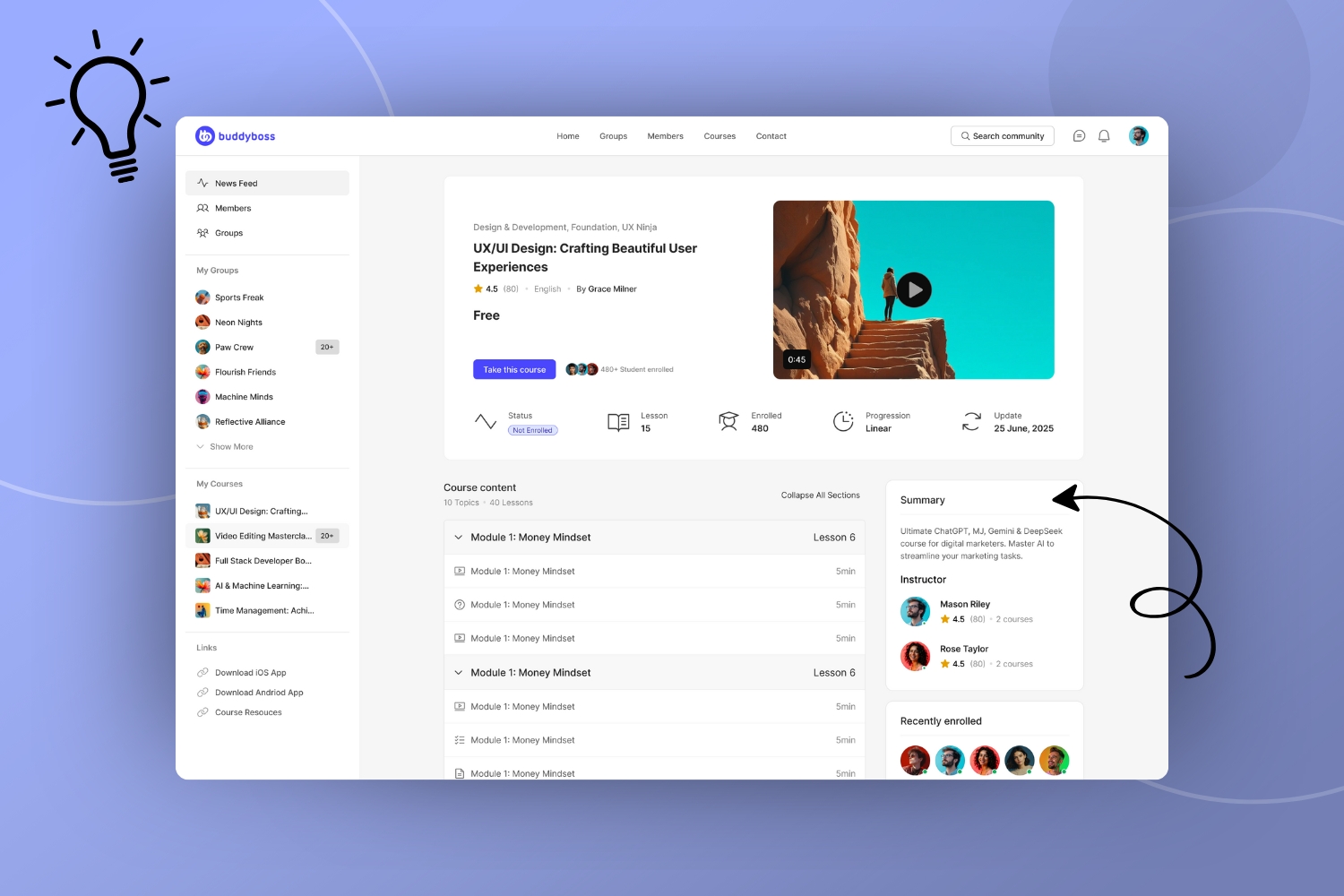
ReadyLaunch includes all major BuddyBoss features: activity feeds, messaging, groups, members, media galleries, and documents. Features are preconfigured to be “on” by default, eliminating complex setup decisions.
Custom-designed course grids and lesson interfaces specifically built for LearnDash and MemberPress that match the ReadyLaunch aesthetic perfectly. Both LearnDash and MemberPress courses have dedicated ReadyLaunch screens with complete integration maintained by the BuddyBoss team, not third-party developers.
This addresses the primary pain point for 80%+ of BuddyBoss customers who are in the learning space, providing a unified courses and community experience with accessibility compliance features built into the development scope.
If you're not using LearnDash or MemberPress, you can continue using your existing LMS with whatever theme you're already running independently. Other 3rd party LMS plugins like TutorLMS and LifterLMS must be linked from the custom links area in the sidebar and will use the default display templates supported by your active theme.
Current limitation: ReadyLaunch does not currently support any other 3rd party integrations or LMS plugins besides LearnDash and MemberPress. Additional integrations may be considered after initial user feedback.
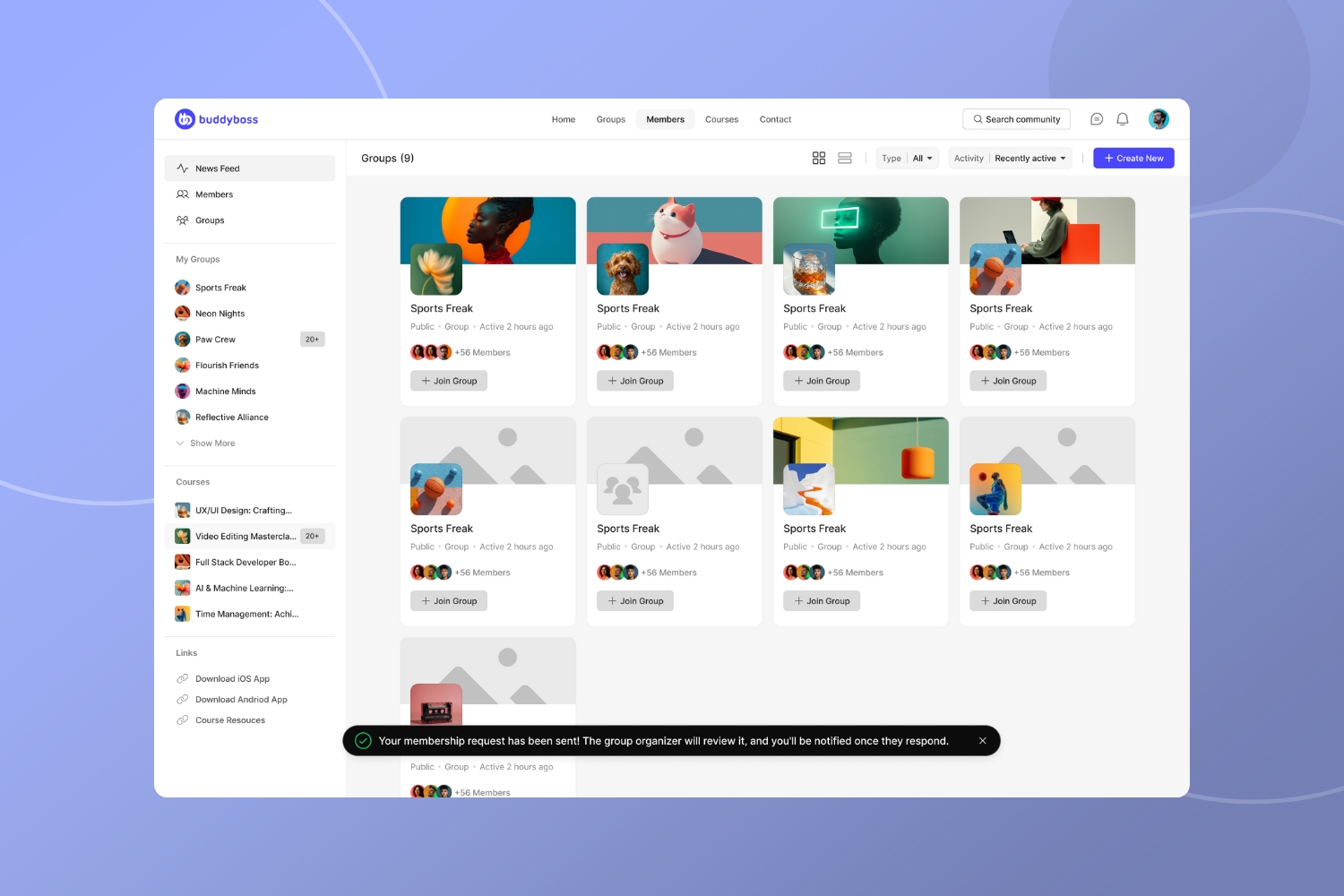
ReadyLaunch features modern UI styling, but with intentionally minimal customization options: logo, brand colors, and dark/light mode toggle only.
The left sidebar elements are fixed and non-configurable by design. Registration and login pages are non-customizable, using ReadyLaunch branding by default, though you can disable the ReadyLaunch options on these pages and use your own.
This minimal approach eliminates decision paralysis while delivering professional results that rival expensive SaaS platforms.
ReadyLaunch is included completely free with BuddyBoss Platform – no monthly fees, no vendor lock-in, and full ownership of your community data. This gives you a powerful alternative to expensive platforms like Circle ($99-$500/month) and Skool ($99/month) while keeping the WordPress theme you already love.
Instead of choosing between your successful theme and community functionality, or paying thousands per year for platforms with design limitations, ReadyLaunch gives you the best of both worlds.
When you're ready for advanced engagement tools like polls, reactions, and activity topics, upgrade to Platform Pro seamlessly.
The most profitable communities have less than 1,000 members. ReadyLaunch prioritizes quality engagement over complex features – ideal for course creators and niche community builders who want to launch quickly without switching themes or learning page builders.
Primary targets include:
ReadyLaunch is available from today inside the BuddyBoss Platform for you to try out. And we want to hear your feedback so we can add as many essential features that you want within the next month.
📢 Click Here To Add Your Feedback & Suggestions To The FeatureKeep your existing success, add community power. ReadyLaunch gives you professional community features with complete ownership – for free. No vendor lock-in, and we don't hold your data hostage.
Download The BuddyBoss Platform & Try ReadyLaunch Today
Yes, ReadyLaunch is included free with BuddyBoss Platform. Advanced features like polls, reactions, and activity topics require a Platform Pro upgrade, but all core community functionality is completely free.
ReadyLaunch works with any WordPress theme for non-BuddyBoss pages. The community pages use fixed templates that sit above your theme, ensuring complete compatibility without design conflicts.
You can toggle ReadyLaunch on or off instantly. When disabled, users revert to your current platform pages exactly as they were before activation.
No technical skills required. ReadyLaunch features simple configuration in just 3 screens with a React-powered admin that autosaves your progress.
ReadyLaunch includes full integration for LearnDash and MemberPress with custom course grids and lesson interfaces. Other LMS platforms work alongside ReadyLaunch using your existing theme design.
The BuddyBoss Theme is our premium solution offering maximum flexibility and customization options – perfect for users who want complete control over their community design. ReadyLaunch is ideal for users who love their current theme and want to add community features without switching themes or learning page builders. Both are powered by the same robust BuddyBoss Platform.
ReadyLaunch provides similar functionality to platforms costing $99-$500/month, but it's completely free and gives you full ownership of your data and community. Plus, you keep your existing WordPress theme instead of being locked into a SaaS platform's design limitations.
ReadyLaunch offers intentionally minimal customization options: logo, brand colors, and dark/light mode toggle. This streamlined approach eliminates complexity while delivering professional results.
ReadyLaunch is built for performance, stripping out unnecessary WordPress complexity. While most 3rd party plugins don't load on ReadyLaunch pages, this optimization delivers enterprise-level speed to your members.
Your app now speaks your members' language, helping you grow, connect, and keep your community engaged wherever they are. App Multilingual Support transforms how your community experiences your app by letting every member choose their preferred language while keeping your message clear and your experience true across cultures.
This feature enables inclusive, globally accessible communities for leaders ready to expand their reach. Whether you're launching in regulated multilingual markets, expanding internationally, or wanting every member to feel at home in your app, multilingual support turns language diversity into a competitive advantage. In this post you'll discover how this feature works, who benefits most, and how to get started creating a truly global community experience.
This feature automatically detects each member's device settings on first launch and displays everything in their default language. Members can also switch languages anytime through Settings > Language, giving them complete control over their experience. Your app comes pre-installed with core interface translations for 20+ languages, covering all built-in BuddyBoss buttons, navigation elements, and essential features.
You've transformed from one-language limits to global member connection. Now you can serve every member in their preferred language so your community feels local, no matter where they are. Launch in regulated multilingual markets with confidence, scale your reach while maintaining quality, and create truly inclusive experiences where every member feels valued and understood.
App Multilingual Support empowers community leaders, educators, and creators with global audiences who want to expand internationally while enhancing user experience. This feature is especially valuable for organizations entering regulated markets like Canada and the EU, where native-language experiences create competitive advantages and meet compliance standards.
Perfect for fitness coaches building diverse communities, educational platforms welcoming international students, professional networks spanning multiple countries, and membership organizations with global reach. Whether you're a startup planning international expansion or an established community wanting to better serve existing multilingual members, this feature transforms language diversity into growth opportunities.
The feature works seamlessly across all BuddyBoss App licenses at no additional cost. You'll configure custom menus for each language to ensure perfect navigation, and pages or posts can be translated through WPML's AI-powered automated translation services (separate credit-based pricing). No coding skills required: just activate multilingual support in your dashboard, choose which languages to offer, and upload your translations via easy CSV files.
We're also delighted to have been able to rely on the new Private Translation Cloud service from WPML to power our build-in language pack translations. PTC from WPML is an AI-powered translation service that delivers fast, consistent translations for software and apps. Allowing you to enter new markets faster, with consistent quality, and at an unbeatable cost.
Let members choose their app language so your community feels local no matter where they are.
Launch in regulated multilingual markets so you can grow with confidence and competitive advantage. Supports compliance efforts in multilingual regions like Canada and the EU by enabling localized member experiences that build trust and exceed legal standards.
Scale your reach while maintaining quality so you can serve every member efficiently. Manage all languages from a single dashboard, upload and control translations with simple CSV files, and transform your app into a multilingual platform that enhances rather than complicates your operations.
Create truly inclusive experiences so every member feels valued and understood. Your message, mission, and membership connect everywhere it counts, turning language diversity into a powerful driver for global community building and member loyalty.
Access App Multilingual Support through your BuddyBoss dashboard under Settings > Languages. Choose which languages to offer from the 20+ pre-installed options, then upload your custom translations via CSV files for any additional content you want to localize.
Begin by translating your most important pages and posts through WPML's AI-powered translation services, then configure custom menus for each language to ensure perfect navigation. The app will automatically detect members' phone languages on first launch, and they can switch languages anytime through their Settings.
Our comprehensive setup guides walk you through WPML integration, menu configuration, and translation planning. Customer success support is available to help you plan an efficient translation strategy that maximizes your impact and fits your timeline. Start with your core content and expand your multilingual coverage as your global community grows.
App Multilingual Support is included with all BuddyBoss App licenses at no additional cost. The feature covers core app interface translations for 20+ languages, automatic language detection, in-app language switching, and admin-controlled translation management via CSV files.
Available on both web and mobile app platforms with built-in fallbacks that ensure seamless user experience across all language scenarios. Custom menus can be configured for each language to provide tailored navigation, while pages and posts can be translated through WPML's AI-assisted automated translation services (99 EUR plugin includes 90k translation credits, additional credits from 50 EUR for 40k credits).
Note: Currently, member-generated content such as comments and manual activity updates are treated as non-translatable, similar to post comments. BuddyBoss does support showing translated posts in activity feeds for secondary languages. While this part of multilingual support is robust today, translating all types of member-generated content is planned for the near future.
Support for in-app purchase translations will be available in a future update, expanding your monetization opportunities globally.
Q: How does automatic language detection enhance member experience? A: The app detects members' phone language on first launch and displays everything in their native tongue, creating immediate comfort and engagement from their very first interaction.
Q: What content displays in multiple languages immediately? A: Core app interface including built-in buttons, navigation elements, and BuddyBoss functionality displays in 20+ languages automatically, providing instant localization for essential features.
Q: How do members control their language experience? A: Members can switch languages anytime through Settings > Language. The app performs a quick restart to ensure every interface element displays perfectly in their chosen language.
Q: What investment is required for content translation? A: App Multilingual Support is included free. WPML's AI-powered translation services use a credit-based system starting at 99 EUR (includes 90k credits), giving you control over translation costs and timeline.
Q: How does this feature support community growth? A: By enabling members to experience your app in their preferred language, you increase engagement, retention, and word-of-mouth growth in diverse markets while maintaining operational simplicity.
Q: What makes this different from managing multiple separate apps? A: One unified app serves all languages, eliminating content duplication, reducing management complexity, and ensuring consistent brand experience across all markets.
Q: How does built-in fallback protection work? A: Smart fallbacks automatically display content in your default language when specific translations aren't available, ensuring members always have full access to your community.
Q: Which global markets benefit most from multilingual support? A: Canada, EU regions, and other multilingual markets where native-language experiences create competitive advantages and meet regulatory requirements for app deployment.
Q: How do custom menus enhance the multilingual experience? A: Custom menus can be configured for each language to ensure relevant navigation and content display, creating tailored experiences that feel native to each market.
Q: What's the roadmap for expanding multilingual capabilities? A: Future updates will include member-generated content translation when WPML extends support, and in-app purchase translations to maximize global monetization opportunities.
Ready to turn your language barrier into a launchpad?
Activity Topics transform how you guide your special interest community by creating structure that works automatically. Instead of constantly moderating discussions, you can now lead with intention while members naturally organize their conversations around the topics that matter most.
Community leaders often find themselves spending more time managing content than building relationships and guiding meaningful discussions. As communities grow, the challenge shifts from encouraging participation to channeling it effectively without becoming a full-time moderator.
Activity Topics changes this dynamic by putting organizational structure directly into your members' hands. When members can easily categorize their posts and find relevant discussions, you spend less time sorting content and more time leading conversations that matter. This modern approach supersedes hashtags of the late 2010s, providing structured, intuitive organization that actually works.
Activity Topics are ideal for community leaders who want to guide engagement without micromanaging every conversation. Photography community leaders can establish clear spaces for “Landscape,” “Portrait,” “Equipment,” and “Critiques” discussions, then step back and let members self-organize while focusing on fostering deeper connections.
Perfect for leaders managing special interest groups where members have diverse focus areas within the broader topic. Fitness community organizers can create structure around “Nutrition,” “Workouts,” “Progress,” and “Motivation,” then concentrate on encouraging and celebrating member achievements rather than constantly sorting posts.
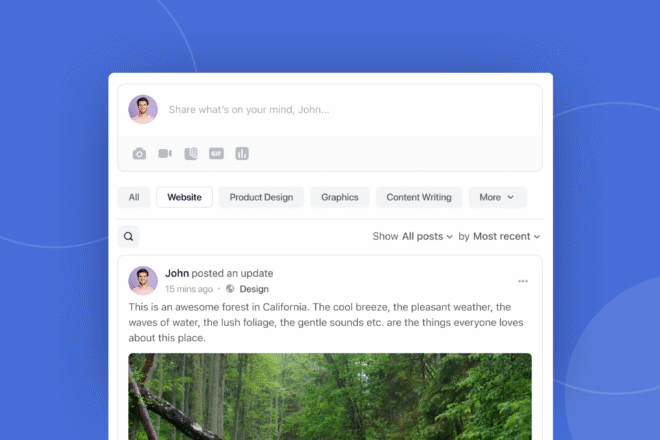
Guide conversations without constant oversight as members naturally organize discussions around established topics, freeing you to focus on relationship building and community vision.
Create purposeful engagement by establishing clear discussion areas that encourage thoughtful posting, reducing off-topic content and improving overall conversation quality.
Scale your leadership impact with structure that works automatically, allowing you to influence community direction without being present in every conversation.
Empower member ownership by giving participants clear ways to contribute meaningfully, creating a self-sustaining community culture that reflects your leadership vision.
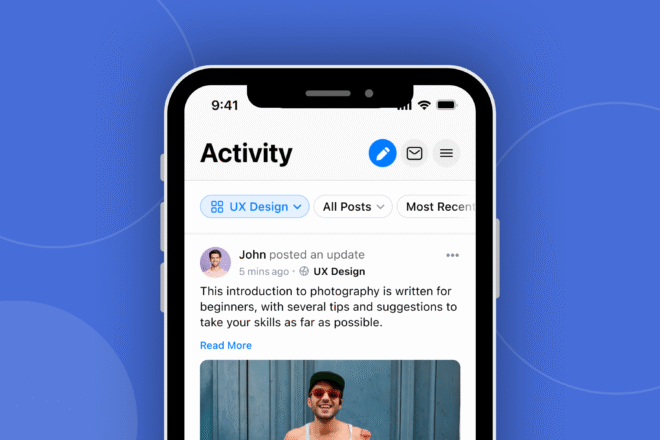
Enable Activity Topics in your platform settings and establish core discussion areas that reflect your community's main interests. Start with optional topic selection to help members adapt to the new structure while you observe natural conversation patterns.
Focus on creating topics that align with your community's purpose and your leadership goals. Pro plan subscribers can set posting permissions for specific topics, allowing you to maintain quality standards while encouraging broad participation in appropriate areas.
Activity Topics are available to all BuddyBoss customers across web and mobile platforms. Core functionality, including member topic selection and filterable feeds, works seamlessly across all plan levels to support your leadership approach.
Group Topic Management, including custom group-level topics and posting permissions, is available exclusively to Pro plan subscribers. This advanced functionality provides the leadership tools needed for sophisticated community guidance and strategic conversation management.
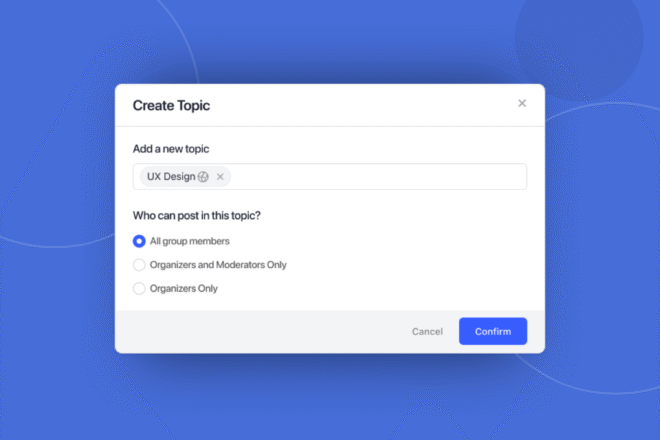
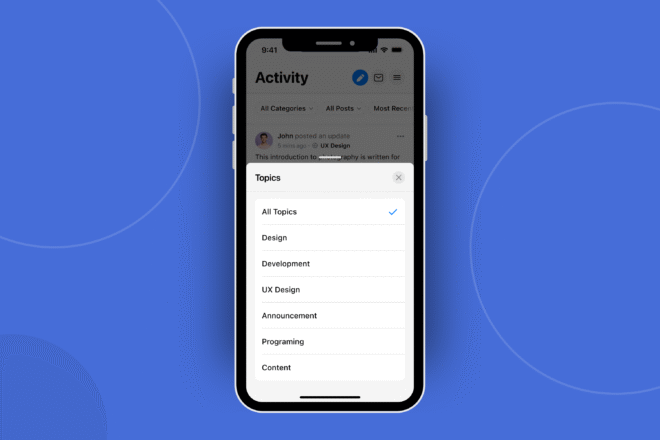
Q: Can I require members to select a topic when posting? A: Yes, you can configure topic selection as optional or required, giving you control over how structured you want discussions to be.
Q: What happens if I delete a topic that has existing posts? A: Posts become uncategorized if a topic is deleted without reassignment. You can reassign posts to other topics before deletion to maintain organization.
Q: Can group organizers create their own topics? A: Yes, Pro plan subscribers can create custom group-level topics and manage posting permissions for strategic community guidance.
Q: Will you be adding hashtags to the platform? A: We implemented Activity Topics for better filtering and organization. This modern approach provides superior community management compared to hashtags.
Q: Can I control who posts to specific topics? A: Pro users can set posting permissions for each topic, allowing for strategic moderation and quality control.
Q: How do global and group topics work together? A: Global topics work platform-wide, while group topics (Pro only) give you specific control over individual community spaces.
Q: Do topic filters persist when members navigate away? A: Yes, topic filter selections persist across sessions, helping members stay engaged with their preferred discussion areas.
Q: Can members filter by multiple topics simultaneously? A: Currently, members can filter by one topic at a time, creating focused conversation spaces.
Q: Is there any technical setup required? A: No technical knowledge is required. Admins and organizers can manage topics through the user interface.
Q: Are there any posting restrictions with topics? A: Only one topic can be assigned per post, and group organizers cannot delete global topics.
Q: What is the maximum number of topics I can have? A. Admins can register up to 20 topics in the global activity feed. Pro customers can also can also have an additional 20 topics assigned to each group feed.
Enable Activity Topics in your dashboard today and transform how you guide your community.
Questions about implementation? Our support team can help you configure Activity Topics to support your leadership approach.
Your First 30-Day Roadmap: Step-by-Step Guide to Launching, Promoting, and Earning as a New Affiliate
So, you’ve joined the BuddyBoss Affiliate Program—congratulations!
You’re now part of a thriving community that empowers entrepreneurs, educators, and creators to build online communities and membership sites.
But if you’re new to affiliate marketing for beginners, you might feel overwhelmed.. Where do you start? How do you promote BuddyBoss effectively? And how can you earn your first commission quickly?
Don’t worry—we’ve got your back. This 30-day roadmap breaks down exactly what you need to do, week by week, to set up your promotional channels, create content that converts, and start earning. Let’s dive into the best affiliate marketing programs for beginners!
Goal: Get approved, understand the program, and set up your tools.
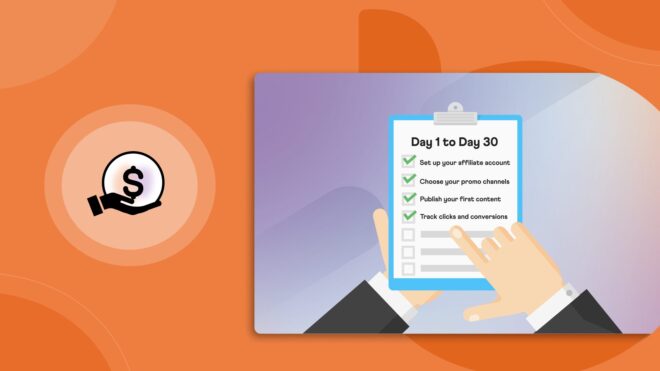
Affiliate marketing can be advantageous if done right. To maximize your success with the BuddyBoss Affiliate Program, it’s important to take a strategic approach. This 7-day plan will help you get started the right way—step by step.
Starting strong is all about preparation. Think of this week as building the scaffolding for your affiliate journey.
By focusing on the essentials—approval, product knowledge, and tools—you’ll avoid confusion later and set yourself up for smooth sailing. Take your time here; a solid foundation means fewer headaches.
Your affiliate journey begins with the right foundation. Signing up for the BuddyBoss Affiliate Program is your first step toward earning commissions.
The approval process is smoother if you highlight any relevant audience you already have, such as a blog, email list, or social media following.
Once approved, your affiliate dashboard is where you’ll find everything you need: tracking links, marketing creatives, and performance analytics. Spend some time getting comfortable navigating this dashboard—it’s your go-to resource for monitoring clicks, conversions, and earnings. Bookmark it so you can easily access it whenever needed.
To effectively promote BuddyBoss, you need to understand what it offers. Whether you’re creating content, running ads, or recommending it to your audience, knowing the products inside out will make your marketing efforts more authentic and persuasive.
BuddyBoss provides a comprehensive suite of tools for community building, memberships, and online learning. By familiarising yourself with Platform Pro, the Theme, the App, and additional add-ons, you’ll be able to position them correctly for different audiences.
Speaking of audiences—who needs BuddyBoss the most? Course creators, online coaches, fitness trainers, and membership site owners all benefit from BuddyBoss solutions. Tailoring your promotions to these groups will increase your chances of conversions.
Without proper tracking, you might miss out on commissions! Your unique tracking links ensure that every sale you refer is credited to you. Generate links for key BuddyBoss products and test them to make sure they work before sharing them with your audience.
Next, it’s time to choose your promotional channels wisely. Rather than trying to be everywhere at once, start with one or two platforms that align with your strengths and audience. Bloggers can write in-depth product reviews,
YouTubers can create tutorial videos, and social media influencers can post engaging content on Instagram, LinkedIn, or Facebook.
If you already have an email list, leverage it by sending valuable content and product recommendations to your subscribers. Focusing on a couple of strong channels in the beginning will help you build momentum without feeling overwhelmed.
Goal: Publish your first promotional content and start driving traffic.
Now that you’re set up, it’s time to shift gears into action. Content is your megaphone—it’s how you’ll attract your audience and showcase BuddyBoss’s value. This week, you’ll craft content that educates, inspires, and nudges readers toward clicking your affiliate links.
Remember: quality over quantity. One stellar blog post or video can outperform 10 rushed pieces.
Content is king in affiliate marketing, and a well-written tutorial can be a powerful tool to attract potential customers. A step-by-step guide makes it easier for beginners to understand how BuddyBoss works and why they need it.
A great example is:
Here’s how to make your tutorial effective and conversion-friendly:
✅ Include your affiliate link whenever you mention BuddyBoss.
✅ Use keywords naturally—phrases like “how to become a BuddyBoss affiliate” can improve your search ranking.
✅ Optimize for SEO:
With the right approach, your tutorial can become a long-term traffic and commission generator.
Not everyone prefers reading—some people engage better with video content. If you’re comfortable on camera, a short YouTube video or Instagram Reel can help boost engagement and clicks on your affiliate link.
🎥 YouTube/Instagram Reel Idea:
📌 “Why I Recommend BuddyBoss for Membership Sites”
📲 Social Media Tips:
By diversifying your content strategy with blog posts, videos, and social media engagement, you’re setting yourself up for long-term affiliate success.
Goal: Drive traffic and refine your strategy.
Creating content is only half the battle—now you need eyeballs on it. This week, you’ll learn how to amplify your reach without spending a dime. By engaging with communities and collaborating with others, you’ll build credibility and attract the right audience.
Think of this as planting seeds; some efforts will sprout quickly, while others may take time—but every interaction counts.
Creating content is just the first step—getting people to see it is just as important. Instead of waiting for traffic to come to you, actively share your guide, tutorial, or video in relevant communities where your target audience hangs out.
📌 Leverage free communities to reach more potential customers:
✅ Facebook Groups: Post in groups related to WordPress, online business, and course creation.
✅ Reddit & Quora: Answer relevant questions and subtly link to your guide.
✅ Example post idea for Facebook:
💬 “Has anyone tried BuddyBoss for their membership site? Here’s a BuddyBoss affiliate guide comparing it to [competitor]—link below!”
📧 Email Your List (if you have one):
If you have an email list, use it to drive direct traffic to your content. Try a compelling subject line like:
📩 “The Tool I Use to Build Online Communities (Plus a Free Guide).”
The more strategic you are in distributing your content, the better your chances of converting readers into paying customers.
Partnerships can amplify your reach—especially with micro-influencers (creators with 1k–10k followers). These smaller influencers often have highly engaged audiences and are more approachable than big-name influencers.
🤝 Ways to collaborate with micro-influencers (1k–10k followers) in your niche:
✅ Guest Blogging: Offer to write a guest post on their blog about online community-building, featuring BuddyBoss.
✅ Co-Host a LinkedIn Live or Instagram Live: Discuss community-building tools and how BuddyBoss can help.
✅ Affiliate Link Placement: If they share your content, ensure your affiliate link is included in the shared material.
By teaming up with others in your niche, you expand your audience, gain credibility, and increase the chances of earning more commissions.
Goal: Track results and double down on what works.
By now, you’ve put in the work—but success in affiliate marketing isn’t just about effort; it’s about smart effort. You’ve shared your content, collaborated with influencers, and built momentum. Now, it’s time to analyze what’s working and launch a mini campaign to drive even more conversions.
This week, you’ll learn how to turn data into decisions. Which links are working? Which channels deserve more attention? Use these insights to refine your strategy and focus on what drives results.
Tracking your performance is essential to refining your strategy. By monitoring your affiliate dashboard, you’ll gain insights into which channels, content, and promotions are driving the most clicks and conversions.
📊 Key metrics to track:
✅ Which links are getting the most clicks?
✅ Which channels are performing best? (e.g., Blog vs. Instagram vs. Email)
🛠️ Adjust your strategy based on the data:
By making data-driven decisions, you’ll continuously improve your results and maximize your commissions.
Now that you know what works, it’s time to launch a targeted mini campaign to drive more sales. A short, structured campaign can create urgency and engagement.
📧 Example: “5 Days to a Better Membership Site” Email Series
🛒 Include strong CTAs in every email:
💡 “Start your free trial with BuddyBoss here [affiliate link].”
This structured campaign helps educate your audience, build trust, and guide them toward making a purchase—all while boosting your affiliate earnings.
Quick Wins for Early Results
You can check what the BuddyBoss Affiliate Program is offering after its relaunch.

Q: How long does it take to get approved as a BuddyBoss affiliate?
A: Most applications are reviewed within 2–3 business days.
Q: What’s the commission rate?
A: Earn a 20% commission on BuddyBoss products.
Q: Can I promote BuddyBoss on multiple channels?
A: Absolutely! Just ensure you disclose affiliate links properly (e.g., “As a BuddyBoss affiliate, I earn commissions if you buy through my link”).
Final Tip: Stay Consistent!
Your first sale might take 30–60 days, but don’t give up. Keep publishing helpful content, engage with your audience, and refine your approach. Remember, even top affiliates started as affiliate marketing for beginners!
Ready to crush your first 30 days? Let’s go! 🚀
Need BuddyBoss graphics or swipes? DM us on social media—we’re here to help! For any questions or clarifications, feel free to reach out to Yeasin, our Affiliate Manager, at [email protected].
Written by – Muhammad Yeasin (Partnerships & Affiliate Manager)