














Introduction
Turn new signups into paying members by requiring an in-app purchase as part of the registration flow. Whether you’d like to gate access before members fill out your form, embed products on the signup screen, or prompt a purchase afterward, BuddyBoss App gives you the flexibility to lock down content and streamline checkout on both iOS and Android. This guide explains how you can require In-App Purchases During Registration
Tutorial Video
Enabling Registration Purchases
- In your WordPress admin, go to BuddyBoss App > Settings > In-App Purchases.
- Check Require members to purchase an in-app product while registering for an account.
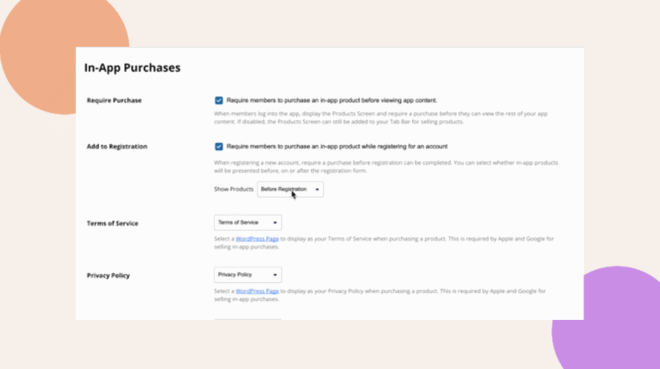
- Under Show Products, select when to display the products:
- Before Registration
- On Registration
- After Registration
- Before Registration
- Click Save Changes.
Understanding Each Flow
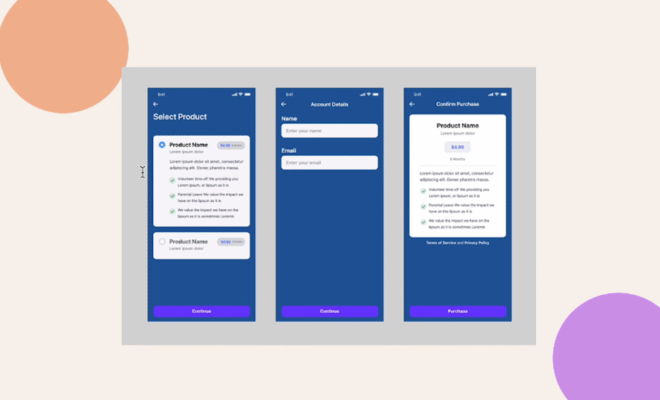
Before Registration
Members land on your Products Screen first. After selecting a product, they complete the registration form and then finalize the purchase to activate their account.
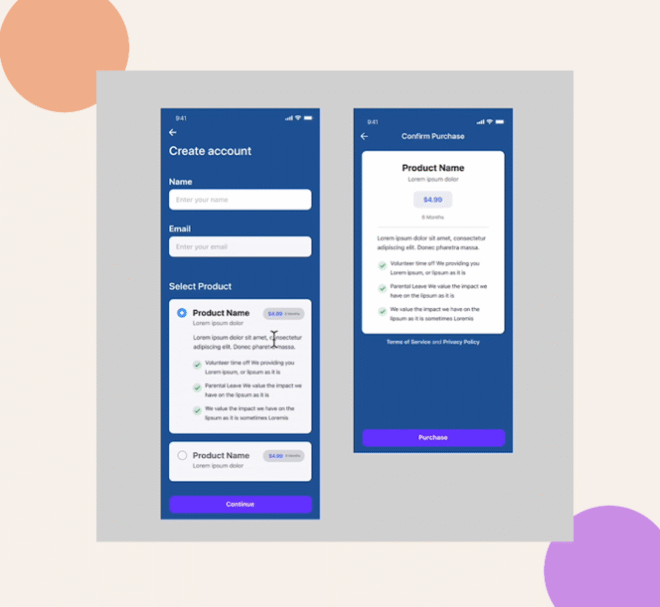
On Registration
Products appear directly beneath the form fields. The “Register” button remains disabled until the member completes the in-app purchase.
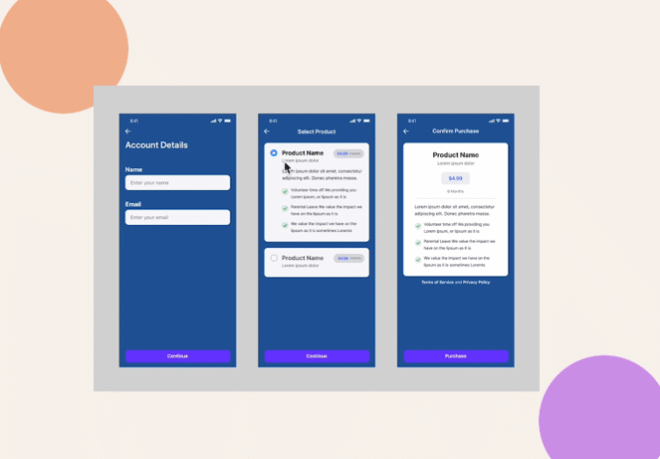
After Registration
Members fill out and submit the registration form, then are directed to choose and purchase a product to finish their signup.
Troubleshooting and FAQs
Q: Products aren’t showing up on the registration screen.
A: Make sure each in-app product is synced and enabled under BuddyBoss App > In-App Purchases > Products, and that the “Show Products” setting matches your chosen flow.
Q: Tapping a product crashes the app.
A: Verify your Bundle ID and product identifiers match exactly between your store console (App Store Connect/Google Play) and the BuddyBoss App settings. Also confirm the In-App Purchases component is enabled under Components.
Q: I updated prices in the store but the app still shows the old price.
A: Re-sync metadata by clicking Sync with Apple or Sync with Google on each product in the plugin, then force-close and reopen the app to clear its cache.
Q: How can I test without real charges?
A: Use a Test App build, paid products behave as free in Test Apps, allowing you to walk through the full purchase flow with no billing.