














The Minimum Build Version setting allows you to require members to update their BuddyBoss App before they can continue using it. To force update BuddyBoss App, you can set separate minimum build versions for iOS and Android, ensuring members are using a supported version of your app.
Before setting a minimum build version, make sure the selected version has already been published and is available in the Apple App Store or Google Play Store so members can successfully update their app.
Set the Minimum Build Version
- In your WordPress Dashboard, navigate to BuddyBoss App > Configure > General.
- Locate Minimum iOS Build Version and Minimum Android Build Version.
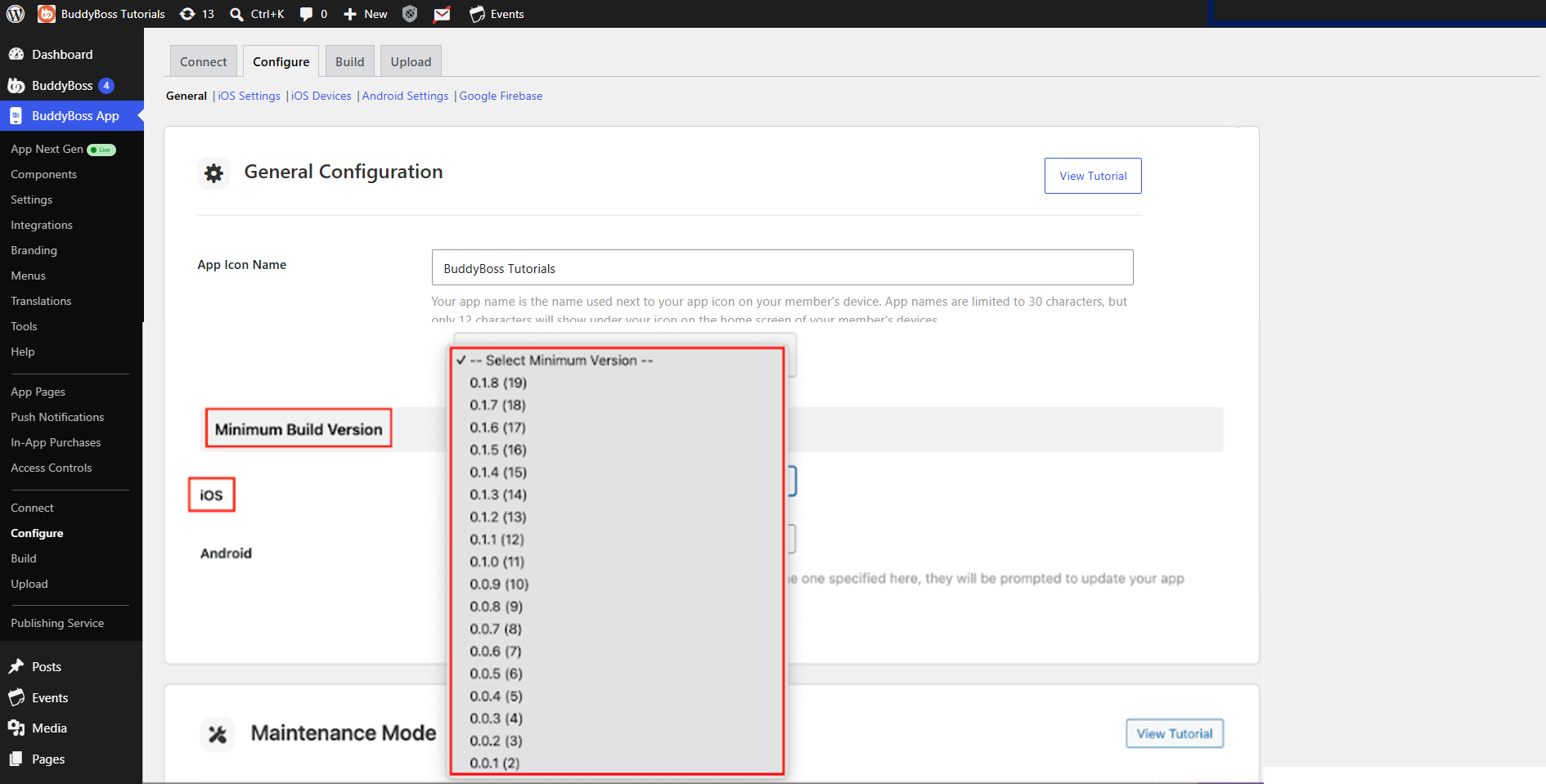
- Select the lowest published build version you want to allow for each platform.
- Click Save Settings.
Members using a build older than the selected minimum version will be prompted to update their app before they can continue using it.
Note: Only select a minimum build version that is already published and available in the Apple App Store or Google Play Store. Setting an unpublished version as the minimum could prevent members from accessing the app without an available version to update to.