
Community guidelines are important for online communities because they help to create and maintain a positive and constructive environment. Guidelines also help to ensure that all members of the community feel safe and respected.
In this article, we will share the things to include in your creating community guidelines. We will also share some community guidelines examples at the end of this blog to help you create one for your website.
But first, let’s take a look at why it is so important to have strict guidelines for your community.
There are a number of reasons why community guidelines are so important. Below are some of the key reasons.
If you find it tough to create a proper community guideline, we can help. Here is a list of things that you should include in your community guideline.
When you are creating community guidelines, it is important to state your values. This will help to set the tone for the community and will help to ensure that all members of the community are on the same page. Some values that you may want to consider are respect, inclusivity, and diversity.
It is also important to be hard on unacceptable behavior. This means that you should not tolerate behavior that goes against the values that you have set for the community. If someone is behaving in a way that is not in line with the community guidelines, they should be warned or even banned from the community.
In addition to stating your values and being hard against unexpected behavior, you should also outline what is allowed. This will help to ensure that everyone is on the same page and that there are no surprises. For example, you may want to outline what types of content are allowed and what types of behavior are not tolerated.
Finally, you should request cooperation from the community to maintain the guidelines. This means that you should ask for help from the community in enforcing the guidelines. For example, you may want to ask the community to report any behavior that goes against the guidelines.
When it comes to creating community guidelines, using the brand voice is a good practice. This is because the brand voice helps to set the tone for the community and helps to ensure that all members are on the same page. It also helps to create a sense of unity within the community and helps to keep things organized.
Following are some of the common guidelines examples that can take inspiration from while creating one for your website.
Filckr, one of the biggest photo-sharing platforms on the internet has created an effective community guideline. Their community guideline is available here. This is a great example of a fun, yet strict guideline to moderate a community.
NurseCon, the popular community website for nurses and nursing students from around the world, has one of the most detailed guidelines for managing the community. You can check their community guidelines from here.
Ubuntu is one of the largest open-source operating systems powered by Linux. They have a thriving community that supports each other through their website. Their guideline is another great example of what you will need on your website. Check out Ubuntu’s community guidelines here.
Enforcing community guidelines can be a challenge, but it’s important to take action when users violate the rules. Here are a few tips for enforcing community guidelines:
The best way to enforce community guidelines is to be proactive about setting and enforcing rules. Make sure your guidelines are clear and easy to understand and take action when you see users violating the rules.
There are a number of tools and technologies that can help you enforce community guidelines. For example, you can use moderation tools to help you moderate content and keep an eye on user behavior.
Another way to enforce community guidelines is to get help from the community. If you have a large community, consider appointing community moderators who can help enforce the rules. You can also encourage users to report violations of the guidelines.
When you see a violation of the community guidelines, take action. This might include removing offending content, suspending or banning users, or taking other measures.
It’s important to be consistent in enforcing the community guidelines. If you only take action sometimes, users will be less likely to take the rules seriously.
Enforcing community guidelines can be a challenge, but it’s important to take action to keep your community safe and welcoming.
In conclusion, community guidelines are important for any online community. They help to maintain a friendly atmosphere in the community for anyone and everyone to feel secure. When creating community guidelines, be sure to state your values, be hard against unexpected behavior, outline what is allowed, and request cooperation from the community to maintain the guidelines.
To create a thriving community where you can enforce such guidelines, you can trust BuddyBoss. BuddyBoss moderation features include blocking a fellow member, reporting a member, and auto suspend members after a certain number of reports or blocks. It is also possible to report certain content. Apart from that, the admin will have the option to suspend a member. So as you can see, BuddyBoss is a great way to build a rule-following community with powerful moderation features.
Try BuddyBoss to Build an Online Community
Since 2011 we at BuddyBoss have built our company around helping individuals and businesses succeed with online communities, courses, and membership sites.
In the early days, we relied on BuddyPress & bbPress to achieve that mission; both open-source plugins that allow anyone to add social community and forum functionality to their WordPress websites.
For many years BuddyBoss products and services proudly contributed to the popularity and growth of BuddyPress & bbPress and for many years we delighted our customers and clients by helping them to achieve the experience they had imagined when they first discovered BuddyPress & bbPress.
But as the years went by the challenges of relying on those plugins began to mount and we noticed that our customers were facing many of the same difficulties over and over again
Our products and services needed BuddyPress & bbPress to function, so we had to first sell our customers on committing to those platforms. This got harder and harder as web design trends modernized but their marketing sites lagged behind.
For our customers who were business owners or community leaders, it was hard for them to get excited about the product. They needed to see a site that was marketed towards them, not developers. They needed to see a website that looked professional, with case studies of other businesses using the platform.
For our customers who were universities or corporations, they needed to see a website that filled them with confidence, that was marketed professionally showing systems were modern and allowed them to get buy-in from other stakeholders in their organizations.
Taking a look at those websites today unfortunately continues to tell the same story, with only 1 minor design update in the last 10 years.
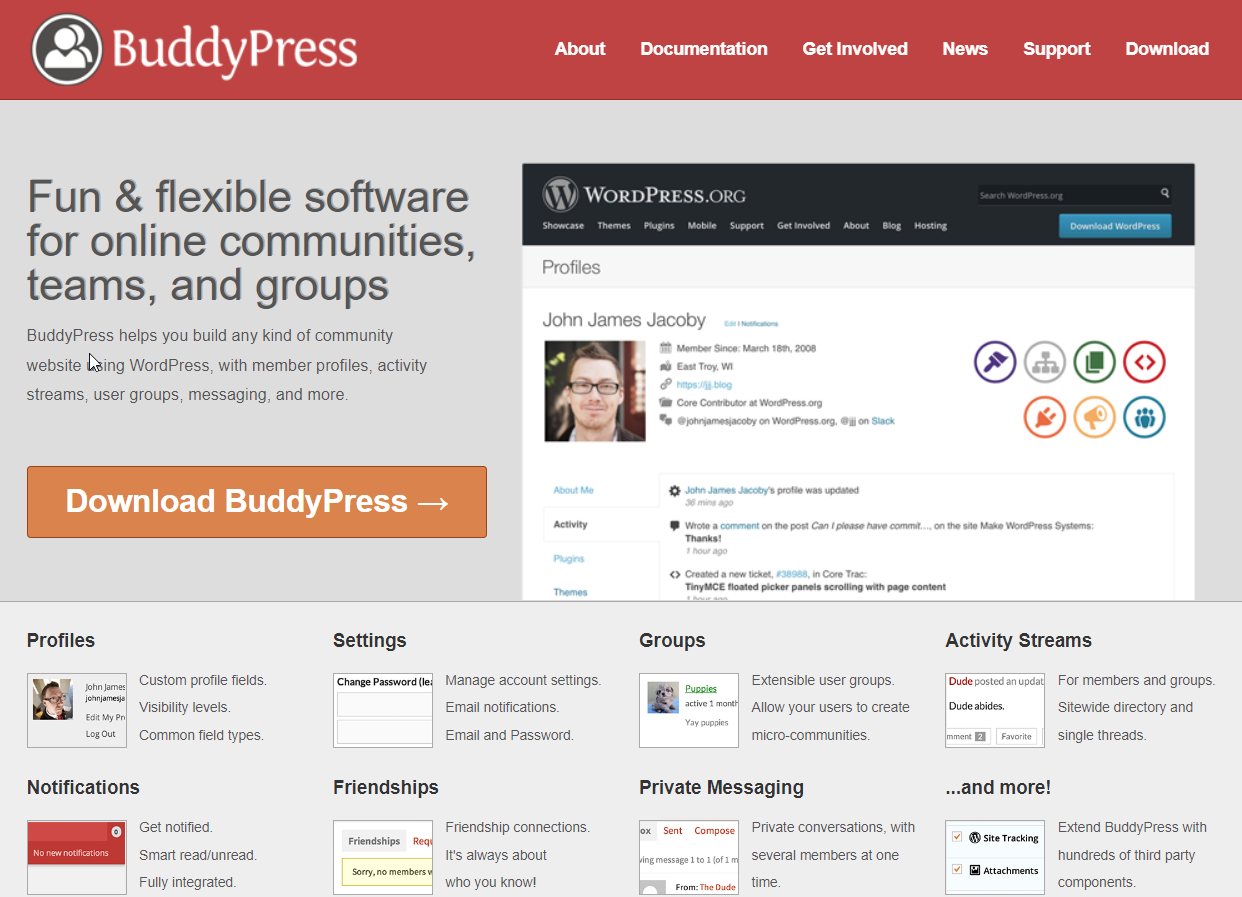
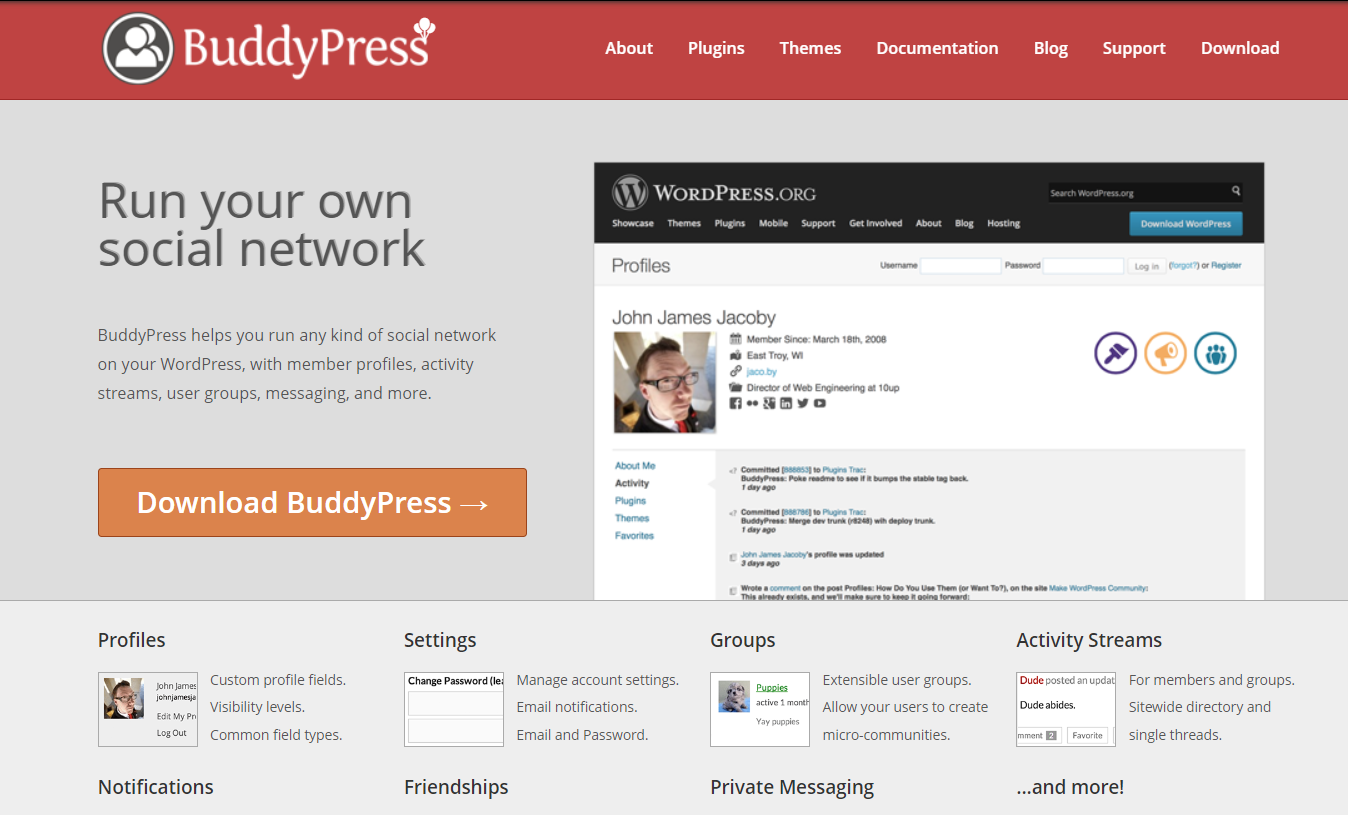
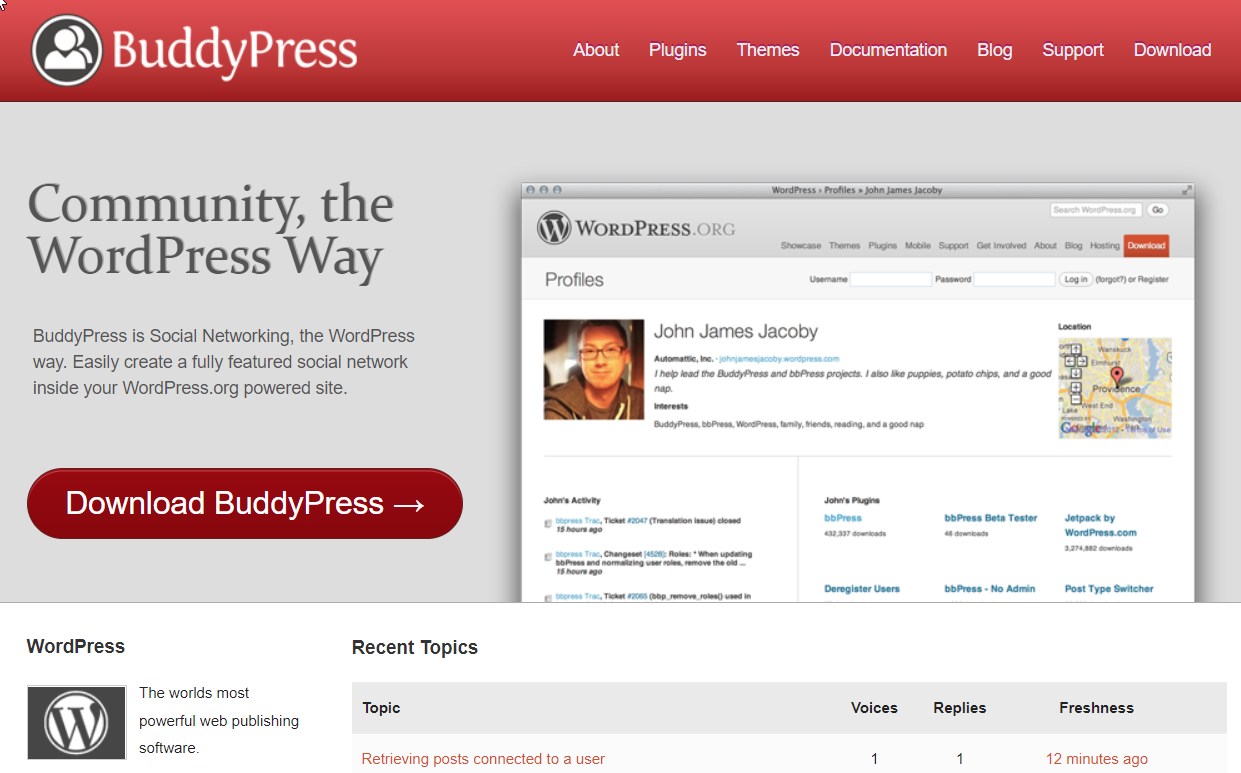
After convincing our customers to use BuddyPress & bbPress our next challenge was in convincing them to spend the majority of their initial budget and time to add the basic functionality they expected to be built in.
They expected to see many of the features that had become ubiquitous on other social platforms like the ability to run a private community, to feature multimedia content like photos, videos, and documents, to “like” content and “follow” other users, and even the ability to simply search the community. None of these were core features of BuddyPress or bbPress and unfortunately, most are still missing to this day.
Every time we took on a project we had to do this basic work before we could get started on any of the cool stuff they wanted to make their communities unique. That disappointed many of our customers when they were excited about getting started and launching their sites.
To achieve that basic functionality we often had to use several plugins from 3rd party developers, and ended up creating many plugins ourselves. That ended up in a bloated codebase and a disjointed user and administrator experience.
It was clear to us that our customers expected more out of the box and were disappointed that they needed to buy and maintain so many plugins for what they considered to be core features and the limiting experience that this created while trying to manage their communities and websites.
Developing an interactive software platform is hard, even when you have a team of dedicated, full-time paid development staff like we do. It’s a constant balancing act to manage resources, quality, and customer expectations and keep up with the pace of emerging technologies.
But for a volunteer-led, community development project, with little to no funding or self-sustaining revenue streams like BuddyPress and bbPress, it was an incredible achievement simply getting as far as they did. While the development efforts got it to where it deserved to be commended, unfortunately, our customers were left feeling disappointed when key features never progressed.
Our customers would frequently voice that disappointment to us because… they were our customers, even though we had no control over it.
The same was true of the BuddyPress support forums. Despite a valiant effort from the community of volunteers, some of whom dedicated hundreds of hours to answering thousands of customer queries for free, the forum experience disappointed many BuddyPress & bbPress users. Hundreds of questions remain unanswered, with many answers taking days or weeks to arrive if they arrive at all.
On the other hand, we have invested a lot in our support team over the years. Users often couldn’t tell if their problem was coming from BuddyPress or bbPress, and because the support experience we provided was fast and professional, users often turned to us for free support with those plugins even though they weren’t our products. We provided that support freely for a long time.
We had begun development of the BuddyBoss App which was entirely API driven. This meant we would, again, have been stuck relying on the BuddyPress API to power a new cutting-edge technology. This wouldn’t have covered everything we needed in the App and wouldn’t have allowed us to implement advanced functionality like API caching for example.
As you can see our entire business relied on the success or failure of an external platform that we had no control over. Even if the platform had picked up the pace of development, had the investment it needed, and had the support it needed to encourage those dedicated contributors to pledge more of their hard work to make it the great platform that it had the potential to be, it still left our business vulnerable.
By 2018 we knew we were going to have to get more involved with the projects to help resolve these challenges.
So we met with key members of the BuddyPress team and after a great conversation, we proposed several huge undertakings that we offered to contribute to the project:
We offered to redesign the BuddyPress and bbPress marketing websites, as we knew that this would have an enormous positive impact on the open-source projects.
Redesigning the marketing websites was long overdue and with the competition from other social networks heating up, the BuddyPress and bbPress websites were making the software look like antiquated technology only made for developers that nobody could get excited about.
We also offered to develop two Native Mobile Apps based on our new technology dedicated to the BuddyPress and bbPress Support Forums.
Whilst the level of support that contributors were providing for free was commendable, the support experience for users was lacking and the experience as a whole made users feel abandoned to wrangle the platform by themselves. We knew that our new app technology could have revolutionized the way that users communed around the product. We knew that providing users with a modern and usable experience would fill them with confidence in the platform.
We also pledged resources from our marketing team to help with creating case studies and related content for the BuddyPress & bbPress Blog.
We wanted to showcase users of BuddyPress & bbPress that were doing amazing things with the platform, with thriving communities creating real impact in the world. We knew that this would inspire others who wanted to break free from traditional social platforms and see what was possible with BuddyPress & bbPress
From our development team, we pledged to contribute towards dedicated free themes for BuddyPress and bbPress to finally provide all users of the free platforms with a frontend experience that was modern and exciting.
In the following months, we sent iOS & Android app designs and followed that with a working prototype of a Native iOS App for the bbPress Support Forums on request from the team. We waited to hear the results of internal discussions about the other projects we had pledged to help.
Unfortunately, after some initial excitement… all communication stopped and no more feedback came.
We knew then that we had no choice but to go our own way.
Our goal was to provide users with all of the default functionality that they expected out of the box whilst still keeping the platform completely free and open source in the spirit of the original project. So over the next year, we merged bbPress forums into the core of BuddyPress and rapidly expanded the included feature set so that most 3rd party extensions would no longer be needed.
In mid-2019 we launched the free and open-source BuddyBoss Platform.
At the time of launch, the free BuddyBoss Platform already included many of the core components users had been requesting for years and were previously using a web of disjointed 3rd party plugins to achieve
3 and a half years later, the BuddyBoss Platform now includes over 50+ core features and components that are vital to the success of online communities, courses, and membership sites that are still not available in BuddyPress or bbPress including several major new components for large feature set such as photos, videos, documents, and network search to name a few.
We also added countless quality of life improvements like the ability for admins to easily view the site as any user, the ability to follow users, updating the messaging interface to behave more like other social networks, and the ability to operate a private community.
Since 2019 we have released 112 new versions of the Free Platform, with an average of 2.6 releases per month with an average of between 7 and 23 major and minor updates in each.
That’s around 1,800 total updates in 3 years to the free platform alone.
Over that same period, BuddyPress has had 23 new versions with 455 total updates (of which only 110 were categorized as enhancements)
In number alone, that means that BuddyBoss Platform development is moving 296% faster than BuddyPress, which says nothing about the size, scale or impact of releases.
In that time we have also taken many of the BuddyPress core functionalities and modernized them or in some cases completely rebuilt them to be more user and developer friendly.
Features like Symlink for file and media security, Redis Object Cache support for much better performance, the improved Notifications system allowing much easier notification types to be developed and much more granular notification control for admins, and the improved Messaging component providing a far more modern messaging experience among many others.
We’re also not just adding more and more new features but reconstructing features to reduce the bloat and optimize the original code for better security, better performance, and to be more extendable for developers, and more customizable for admins.
Outside of the product itself, we have also invested heavily in creating exhaustive written and video tutorials for users and developer tutorials that we release alongside every major release.
We’ve also invested heavily in a detailed API reference and code reference making development far more straightforward and accessible than ever before.
So how does the BuddyBoss Platform now relate to the Open Source Project?
Well the GPL is an open-source license that enshrines the freedoms of developers to run, study, modify and redistribute code in any way they like as long as they pass the same freedoms on.
The existence of this open-source license is what gave rise to WordPress itself, which was originally a fork of b2/cafelog. The free WordPress core platform is now supported by a suite of premium add-ons and services provided by Automattic that largely funds the development and support of the core. The b2/cafelog project has largely been abandoned since.
Over the years, many other forks have come into existence when the pace of development of the original has fallen behind. WooCommerce; a fork of Jigoshop, is one of the most well-known forks which was eventually also acquired by Automattic and forms part of their portfolio that earns them over $780M in annual revenue. Jigoshop has now also been abandoned.
The BuddyBoss Platform remains free and open source under the GPL v3 License, available for anyone to download and fork at any time if they wish.
We continue to fund the development of our free and open-source platform through the success of our companion premium offerings, and that has significant benefits to BuddyBoss users.
For one, it means that your use of the free platform is supported by a small army of paid support staff who are there to help you achieve success with your community. You can check out this recent episode of Inside BuddyBoss for a detailed walkthrough of our internal support processes with our incredible Support Manager Graham Hoffman.
It also means that the BuddyBoss Platform is at no risk of shutting down or disappearing because of a lack of resources or interest, as was suggested could happen to BuddyPress recently by some of their core team in their recent developer meeting here.
To this day we have a permanent acknowledgments page within the BuddyBoss Platform that identifies BuddyBoss as a fork of BuddyPress and credits the original contributors of the BuddyPress plugin with links to their wordpress.org profiles.
The WordPress ecosystem is built on the shoulders of giants and BuddyBoss is no exception, we are proud of our history and excited for a future that is only growing brighter and brighter each day.
Just take a look at our public roadmap and you will see the ambitious plans we have to move this project ever forward, ever faster.
It’s chock-full of cutting-edge features in development, for the free and premium products, that already keep our full-time development team busy up to their eyeballs and we are always looking for new hires.
That is also the reason we no longer action pull requests on our public git repo; we simply don’t have the capacity to manage public submissions in that way. Instead, we take all feedback and insight through our roadmap which goes into our internal planning system to be worked on by our full-time development staff who have the necessary visibility across the full scope of our product line to be able to work on those items effectively and in line with our company's direction.
If you have contributed to the BuddyPress or bbPress projects, or if you are just as passionate about the success of online communities, courses, and memberships as we are and you want to contribute to an open source project that is shaping the future of WordPress and beyond, then we invite you to join us.
Have you got an online course that you’re gearing up to launch out in the world? Or maybe you’ve already got a live course but your student numbers aren’t quite what you’d like them to be?
In this blog, I’m going to walk you through The Best Types Of Online Course Launch & Which One Is Right For You
There are a wide variety of online course launch methods, so it's important to choose the one that works best for you.
Each launch type has different strengths and weaknesses depending on your circumstance and what stage of your course journey you are at.
The most popular launch types are;
Once you've understood each type of launch, its advantages and disadvantages, it will be easy to choose the right one for you to focus on.
Let’s kick it of with…
The Seed Launch is a highly underrated technique, perfect for beginners without any content, email list or experience.
Also referred to as a pilot course or beta course.
A seed launch is an effective way to launch your course when all you have is the “seed” of an idea.
You validate your idea by getting a small group of your ideal audience to “seed” the content creation.
You reach out one-by-one, tell them your concept and for a deep discount invite them to help you create the course with you.
The term Seed Launch was popularised by Jeff Walker in his book “Launch” and through his own online course launching system… Product Launch Formula
A seed launch is a great way to get your business off the ground without any investment.
You can also use it as a precursor to one of the other launch types.
It allows you to test the market, gather feedback and develop a better course.
You don't need any pre-existing email list or audience to do a seed launch, although it helps if you have one.
You don't even need any course content yet, you just need to be a subject matter expert comfortable teaching your topic.
It can be a little scary asking people to buy into something that doesn't exist yet.
It will likely require you to have one-to-one conversations with people about your topic and often sell directly to them
It is unlikely to generate a large amount of income, especially on your first launch.
There is a significant amount of manual work required to make it a success.
The seed launch could fail, although this would be a good thing as it helps validate your course idea before you invest any more time or energy.
A seed launch could be right for you if you have no audience or email list yet. If you are just starting out or you don’t know the best topic or content for your course yet.
A seed launch could be right for you if you're not sure if anyone will buy your course or if you've never created a digital product before.
Now let’s talk about launch type 2…
The pre-sell launch is another form of early stage course launch better suited to established experts.
A pre-sell is similar to a Seed Launch except that it requires you to have an already established audience to sell to.
Involves you teasing your audience about the topic then having them buy-in to the early creation of the content.
You then typically deliver the lessons live week by week which you then wrap up into a complete product afterwards
Often involves a more complex marketing campaign at-scale with teaser content.
Many course creation experts like Amy Porterfield teach and promote pre-selling your course.
Pre-selling your course allows you to self-fund the creation of the course, generating income before you create content
It allows you to quickly validate whether your idea will sell well to your audience and to test the broad marketing strategy and elements like the course title, promise and sales copy
Pre-selling can also motivate you to actually go through with the course creation if you are procrastinating because as soon as you’ve sold it – you’ve got paying customers expecting you to show up and deliver what you promised.
Like with seed launching it can be scary to sell something that doesn't exist yet.
If you sell it before you have created it you can be on the hook to deliver something you aren't capable of.
It can be difficult to generate interest in your course before you have any content available.
You can't rely on testimonials from past students to help sales, because there aren't any.
A pre-sell launch can be the right option for you if you already have a decent sized audience to sell to. It can be a good idea if you are an established expert in your field with no digital product yet, maybe you’ve only done coaching or consulting.
A pre-sell launch can be the right option for you if you are unsure what the best topic is for your course and you want to test elements like the title and copy before a full launch.
A pre-sell launch can be the right option for you if you are confident creating great teaser content and a marketing campaign to build buzz up front.
Now let’s talk about the old-faithful…
The open-close launch is the most popular type of course launch by far, effective in a wide variety of situations for established experts
An open-close launch is where enrollment opens for just a short time and then closes again.
Most of the most popular established online courses out there use this strategy.
B-School by Marie Forleo has been running for years, but only opens enrollment once or twice a year
This type of launch is great for businesses that are looking to make lots of sales over a short timeframe.
It uses the natural scarcity of a fixed close date to encourage people to take immediate action and buy the course.
It is repeatable and can be improved on each time you open.
It can give you a concentrated amount of energy to throw behind the promotion for a short time.
You can do it as many or as few times as makes sense for your business, from once a month to once a year, or once ever!
It can be timed to coincide with a season or event like Best Year Ever by Michael Hyatt on New Years
The launch itself can be as much or more work than the online course took to create
Once it's done, you have to do it all over again to get more sales. This can lead to the launch hamster-wheel effect!
After the closing date people who want to buy, can't. They have to wait until the next time the course opens.
An open-close could be the right launch for you if you have an established audience to sell to or if you are an established expert with a proven methodology or system.
An open-close could be the right launch for you if you have your course content finished already so you can focus on the launch itself.
An open-close could be the right launch for you if you have already run a seed launch or pre-sale, or if you don't need the money up front to go and create your content.
Now let’s talk about a more recent phenomenon…
The challenge launch option is one that allows you to build your audience while you launch the course.
It has become more popular recently as it builds buzz and excitement around your content making it easier to sell.
An online course challenge launch is where you run a challenge for a short time around a small topic within your course
Usually free to participate in, challengers typically complete a daily activity and share their results online
Often these challenges are run in a public forum or online community to increase the virality of the content
At the end of the challenge you would invite participants to continue their journey by enrolling on your course.
Challenges are usually 3 days, 5 days, 7 days, 14 days or 30 days with the offer happening on or after the final day.
Lisa Johnson recently run an incredibly effective “30 Day Visibility Sprint” which naturally fed into her new course.
Can be a great way to build a buzz around your content before you launch your course.
If run publicly the content created by participants naturally promotes the challenge to new participants.
Free challenges often build a lot of good will by offering highly valuable content and interaction with you at no cost.
Because people actively participate they are far more likely to be engaged and therefore want to buy your course.
If you have a very large audience a challenge launch is great free content to encourage more people to buy premium stuff
If you don't hit the mark with your challenge then it's very visible how few people are participating.
If too few people participate then it can be demotivating to the people that are engaging who feel like they are alone.
It can be hard to find the right balance between asking for too much participation and not enough.
It takes a lot of live engagement and involvement from you to constantly encourage participants.
If the outcomes of your challenge are poor that will often have a negative effect on course sales.
A challenge launch can be great for you if you are confident you can quickly build a highly engaged group or if your challenge surrounds a popular or trending topic.
A challenge launch can be great for you if you have a huge audience, many of whom never buy your paid content.
A challenge launch can be great for you if you are confident using social media and are happy to engage publicly often.
Now let’s break out the big guns…
Affiliate launches are a highly effective advanced strategy for massively increasing course sales.
An affiliate launch recruits a group of partners with similar audiences to yours to promote your course launch for you
In return you pay them a commission of typically 20-50% on each course sale they make for you.
Most of the big popular courses you have seen will use affiliate launches to promote their sales.
If you've ever seen one course creator promoting another course creators content – that was an affiliate launch.
Some of the largest affiliate course launches include – B-School, The Membership Experience, Digital Course Academy but there are hundreds of examples out there.
You can reach an audience many times larger than your own very quickly
You can skyrocket your course sales in a very short time.
You can create great relationships with some of the most influential creators in your field.
You can build your own email lists and social media following very quickly for future marketing.
You gain credibility for yourself and your course by being associated with an already trusted expert.
You will have to pay a commission for every sale, often as high as 50%.
You will have to create a lot of additional assets to give to the affiliates so they can promote your course for you.
You will have to use some additional software to track the sales so you can attribute them to the right affiliate.
You will often have to do as much work to engage your affiliates throughout the launch as you would to your own audience
You will need to have proven sales records to demonstrate the value to your affiliates before they will promote you.
An affiliate launch could be the right launch for you if you already have a course you are selling, or if you have run your own launches successfully already.
An affiliate launch could be the right launch for you if you are confident your course and your marketing material converts really well.
An affiliate launch could be the right launch for you if you have other products and services you sell, so that you can make more profit on the back end after you’ve made the initial sale but paid out that commission to the referrer.
Now let’s talk about the secret weapon…
The Evergreen Launch is a popular option because it automates most of the process for you.
It takes the successful elements of a “live” launch and automates them.
Usually it uses paid ads to generate a steady stream of traffic to some sort of automated sales process or funnel. Or it can also rely on content marketing to generate organic traffic into the funnel instead of ads.
Often relies on recorded webinars, email automation sequences and dynamic countdown timers unique to each lead.
Most big course creators will move their most popular course launches to evergreen after a few years of successful live launches.
It allows you to attract new students to buy your course constantly all the time.
It is infinitely more scalable than a live launch allowing you to sell to many more people with much less involvement from you, allowing you to reap the benefit of the content you created for a long time without much more work.
It allows you to automate the process of selling so you can focus on something entirely new, like a membership or building your community.
And many of the tools and most of the content you already created will be exactly the same for life and evergreen launches.
There can be a lot of moving parts that need to work together so it can be difficult to orchestrate.
It is almost always obvious to customers that a launch isn't live, so the excitement is never as high and because the excitement isn't as high conversion rates for your course will usually take a hit.
And as the sales and content isn't being delivered live it can get stale pretty fast and result in lower engagement.
An evergreen launch could be right for you if you already have a history of successful course sales, if you already have a finished course that is selling well already.
Are confident in your marketing messaging and know it has been optimised to convert well.
Are not afraid of technology and using systems and processes to automate business tasks.
So there you have it; those are the The Best Types Of Online Course Launch
If you’re gearing up to launch your own online course soon, or if you’re thinking of doing a re-launch or moving up to the next launch-level – let me know in the comments: which one of these launch types are you going to use and what’s the biggest challenge you’re facing while planning your launch?
Have you seen or participated in any great course launches recently? Leave a comment below and let me know – what course was it? And what type of launch did they use?
Until next time!
We recently released our biggest Performance Update yet for the BuddyBoss Platform, version 1.9. This performance-focused update was the culmination of months of work from our product team and addresses several major areas of the platform that needed to be whipped into shape!
While the beta was getting it’s final paint job we tasked our product team with putting the release through its paces to see just how well it was running…
And the results are pretty amazing!
In this post I’m going to walk you through each of the major areas we addressed, pull back the curtain on the work that we did and show you the results that we’ve managed to achieve after taking it out for a spin.
Start your engines!
Our v1.9 Platform update focused on improvements in two major areas with several key enhancements in each.
Every time someone loads a page on your website, or interacts with a feature, your server has to go and think about what it needs to do; go and find some information or store some new information in the database to fetch again later. Each of these actions; searches, reads or writes, is a “database query”.
On a static website these queries can be easily diminished through some simple caching, but on a dynamic platform like BuddyBoss these queries are much more complex, happen much more often and in much greater numbers. That means your server has to work harder.
In 1.9 we refactored several key functions and loops to reduce the number of queries needed and remove any unnecessary ones to ensure pages and sections were loading efficiently. Overall this results in faster pages and interactions but more importantly a significant decrease in server load.
To make use of these improvements there is nothing you need to do – other than install the update – the queries take care of themselves!
The different types of caching can be a little complicated to understand but to put it simply – “object” caching helps your server remember the answers to the questions you ask, so the next time you ask a similar question it has most of the answer already prepared for you, where “page” caching helps you serve an identical copy of the same thing over and over again with no changes.
Page caching is very common for static websites where the content on each page doesn’t change frequently, but isn’t really appropriate for a community platform with dynamic content, where each page loads something slightly different for each user. That means BuddyBoss needs to rely more on object caching. The more areas of the BuddyBoss platform that support object caching the fewer server resources are required to do the same job or on the flip side – the more jobs the server can handle with the same resources.
In this update we significantly enhanced the extent to which the platform makes use of object caching, which works in tandem with optimizing database queries, to serve requests in a much more efficient way across all components. This also significantly reduces server load allowing you to serve more requests, faster and at the same time providing a better experience to more of your users, without upgrading your hosting.
BuddyBoss, like WordPress itself, supports two types of object caching; Memcached and Redis. These are two different object caching standards you could choose from but without getting into too much detail on the differences in this video, we recommend Redis for the best performance gains. If you already have Memcached configured and working on your server, that will work too.
In order to take advantage of these improvements (and believe me, when you see the results, you will want to) you need to make sure your server supports object caching and has Redis or Memcached object caching installed and enabled, your hosting support can help you verify this. If using Redis, as we did in our testing, you will need to install and activate an Object Caching plugin on your site; we recommend Redis Object Cache (And it’s free!)
We ran a series of tests across the key areas of the platform to compare this version to the previous public release and evaluate just how impactful this update was.
For this first phase of testing we wanted to get a sense of how well our performance improvements would impact the user of a mid-sized community, on a decent server in a reasonable price band with a pretty typical setup. So we decided to test using:
We configured the server in a typical way that a consumer with an intermediate level of knowledge would be comfortable with, without any of the special optimisations or enhancements that a more advanced user might consider.
However, it’s important to note that the specifics of the test environment are not particularly relevant for this phase; we are not testing how well this server performs against another server, or how to get the best performance from this server. What really matters is the relative difference between two versions of the platform hosted on the same environment.
In order to simulate a real world BuddyBoss database to test against we didn’t want to just use our demo content. Instead we gathered some metrics from one of our agency customers and then created a dummy database that replicated the size and number of all of the resources that their real-life website was operating with.
Our test database consisted of approximately:
We ran our tests on 20-30 different areas of the platform each, depending on the test, focusing first on the most trafficked areas of the platform and then selectively testing some key areas specific to the work we had done including:
As well as several other key pages.
We also tested certain interactive features particularly those relying on Ajax such as:
We wanted to test both perceived performance improvements but also resource usage improvements, so for the results we wanted to gather we decided on:
This is the most obvious choice for perceived performance improvement; how long does it take each page to load for a user. When a page first loads on BuddyBoss it generates the static HTML elements and then loads the dynamic content using AJAX. You will recognise this as the “Please wait…” message or spinner you see when something is loading.
For our page speed tests we isolated the dynamic content areas (AJAX) to give a more relevant comparison between the different areas of the platform that have been optimized.
The percentage improvement of database requests called on each page, where fewer requests means a lighter load on the server.
The number of total requests of a single resource the server was capable of executing in 30 seconds at its maximum capacity. This shows how much more work the server is capable of achieving with the same resources because it is now working more efficiently.
Specifically to focus on how this performance improvement impacts the BuddyBoss App, we also ran the above tests in an environment simulating how the App communicates with the server directly via the API
For the above tests, where appropriate, what was the impact when the same requests were made by 20 concurrent users and 100 concurrent users, to get an indication of how this performance improvement behaves as it begins to scale up.
Finally, how did all of the above compare when redis object caching was enabled and disabled to demonstrate the percentage improvement that was gained by our increased support for object caching.
Now that we’ve covered our test methodology and detailed our environment and test cases that we ran, let's take a look at the results that we were able to achieve.
Page load time is the result that will be most immediately experienced by your end users. This update pushes this perceived load time down by over 15% on average with more than half of the tested pages achieving above a 10% faster load time. The results shown are the average improvement to fully load the AJAX dynamic content.
The directory pages are typically the most trafficked pages on your site, this includes the Activity Feed, Members, Groups, Photos, Videos, Documents & Forums directories. Overall the directory pages are now 13% faster to load on average, with the Photos directory clocking in at over 26% faster and the Documents directory reaching over 33% faster to load.
2. Group Pages Up To 27% Faster
Group pages get a big uplift, achieving over 20% faster loads on average. Group Photos saw the biggest improvement, coming in at almost 27% faster, with the Group Activity seeing an improvement of almost 25%
3. Group Messages Up To 75% Faster
One of the best results across all our tests came from an enormous improvement to Group Messages load time, where a group message thread with 5,000 members loaded 75% faster on our new version.

This performance update achieved an average of almost 50% fewer database requests across the key platform pages, with some areas improving by up to 88% with caching enabled compared to the previous version. That really is an enormous improvement and will immediately have an impact on all platform users regardless of the size or configuration of your server.
There were significant improvements across the board but let’s take a look at some of the highlights:
The greatest overall improvement came across the major areas of forums, with an average of 82% fewer database calls with caching enabled across the forum directory, single, topic and discussion pages. The Single Forum and Forum Topics pages achieved an incredible 88% improvement each. Even without any caching, Forum pages are running 21-25% fewer database queries which is a big improvement.
On average the directory pages are loading 58% fewer queries when cached, with the Activity feed itself loading 55% fewer. Groups, Photos & Documents have seen over 60% improvements each. This will really impact the overall experience of your platform to your users.
Group pages also benefited significantly from this update overall achieving an average of 25% fewer queries each when cached, across Group directory pages, Activity & Photos when tested with 5,000 group members and all of their content.

We tested the maximum number of page requests and AJAX requests the server was capable of executing in 30 seconds by 20 concurrent users and 100 concurrent users. Page tests showed between 3-4% improvement on average but AJAX is where this update really shined with an average of 21% improvement across all tests and 32% average improvement for all tests at 100 concurrent users.
The area with the most significant improvement demonstrated here was the activity feeds and posts with up to 11% improvement in page requests of the activity directory but for AJAX requests the performance almost doubled; with 97% more requests of the feed executed with 100 concurrent users. The single activity post AJAX was capable of nearly triple the performance with 181% more requests in 30 seconds with 100 concurrent users.
Network search also had a big improvement evident in these tests with the server capable of loading 15% more page requests at 20 concurrent users and 38% more at 100 concurrent users. AJAX requests for Network Search were almost 10% greater at 20 and 22% greater at 100 concurrent users.
Groups pages also had a great improvement overall with page requests up a few percent for 20 and 100 concurrent users, but group AJAX really had a lift with the Groups Directory seeing an 18.5% average improvement and the Groups Activity loading 20% more requests on average across 20 and 100 concurrent users.

API Request tests help us highlight how BuddyBoss App customers are specifically impacted by this performance update, as most of the app content is generated through API requests. On average the single API request time was improved by more than 14% across all tests with the average number of requests increasing by almost 16%.
The single request time of the Activity Feed API improved by over 23% and the total number of requests the server was capable of increased by an incredible 50%.
The members API also enjoyed a significant improvement with single API requests 26% quicker and the server capable of achieving 34% more requests than before.
The documents, videos and photos APIs also had a decent improvement of 13% quicker on average with the documents API request time down almost 15% and the total number of requests increased by almost 21%.

For many of the tests I’ve mentioned already I gave you two sets of results; cached and uncached. Because we were load testing the maximum capacity of the server we are looking for a decrease in the single request time and an increase in the number of requests the environment was capable of when comparing the old platform version to the new one – demonstrating it is performing more efficiently overall.
But in order to understand how much of an impact caching is having compared to just improvements in the queries themselves, we can compare two identical tests on the new update with caching disabled and enabled. The difference between their performance results shows us how much more performance we can squeeze out through the use of Object Caching.
Across all database tests Redis Object Caching was responsible for an average reduction of 35% in database requests compared to the same test run with caching disabled. The Groups directory, forums and the single forum page had a 60% decrease in requests thanks to object caching.
Across all areas we tested there was an average increase of 11.5% in the number of requests the server was capable of when object caching was enabled when tested with 20, 100 and 200 concurrent users. That means you can squeeze an extra 11% out of your current server environment just by updating to this latest version and using Redis! At 200 concurrent users the update resulted in over 17% greater capacity through the use of object caching.

Both the improvements released in this update as well as the work undertaken to test the results were significant internal projects that we will continue working on over the months and years to come.
Performance improvements are constantly being identified and prioritized alongside our feature enhancements and updates by our product team. Any new features or enhancements are always built with performance at the forefront, but this project represents a significant improvement to some of the major areas of the Platform.
One of the biggest undertakings of the performance testing project was actually in the development of the test environments and testing tools capable of delivering the results we needed. Now that we have performed this first phase of work we will find it even easier in future to test specific areas of the platform to identify what we can optimize next!
I’m sure you’ll agree the results we’ve managed to achieve here are pretty great and we’re excited to see you test this update out on your own and leave a comment below to let us know what you think.
WPML – The WordPress Multilingual Plugin have recently released version 1.7.0 of their BuddyPress Multilingual Plugin and we're delighted to let you know that they've included enhanced support for the BuddyBoss Platform & Theme!
This means that your BuddyBoss site is now even more translatable than ever before and is even more widely accessible to you and your users around the globe!
Let's take a look at the new features and where you can put them to use in your community, course or membership site.
WPML is a premium translation plugin that lets you translate pages, posts, menus, custom post types, taxonomy and theme text.
The WPML plugin is a dependable solution for translating your WordPress site. It is compatible with almost every plugin or theme that uses the WordPress API. It allows you to set SEO meta information to optimize your website for multiple languages and also lets you build and run multilingual eCommerce sites with WooCommerce (using WooCommerce Multilingual).
To see a more complete list of core features, check out our WPML integration page.
WPML also allows you to run a multilingual social network, community or membership platform with support for:

To check out some more screenshots and see how you can put WPML to work in your site check out our WPML integration page.
Big thanks to Dean and all the team at On The Go Systems for their great work on this. ?
April 29th, 2011.
Game Of Thrones episode 1 had just premiered on HBO. ?
“The Social Network” had recently not won best picture at the Oscars. ?
And just a few days after Obama released his birth certificate to the public, something else was born to the social web:
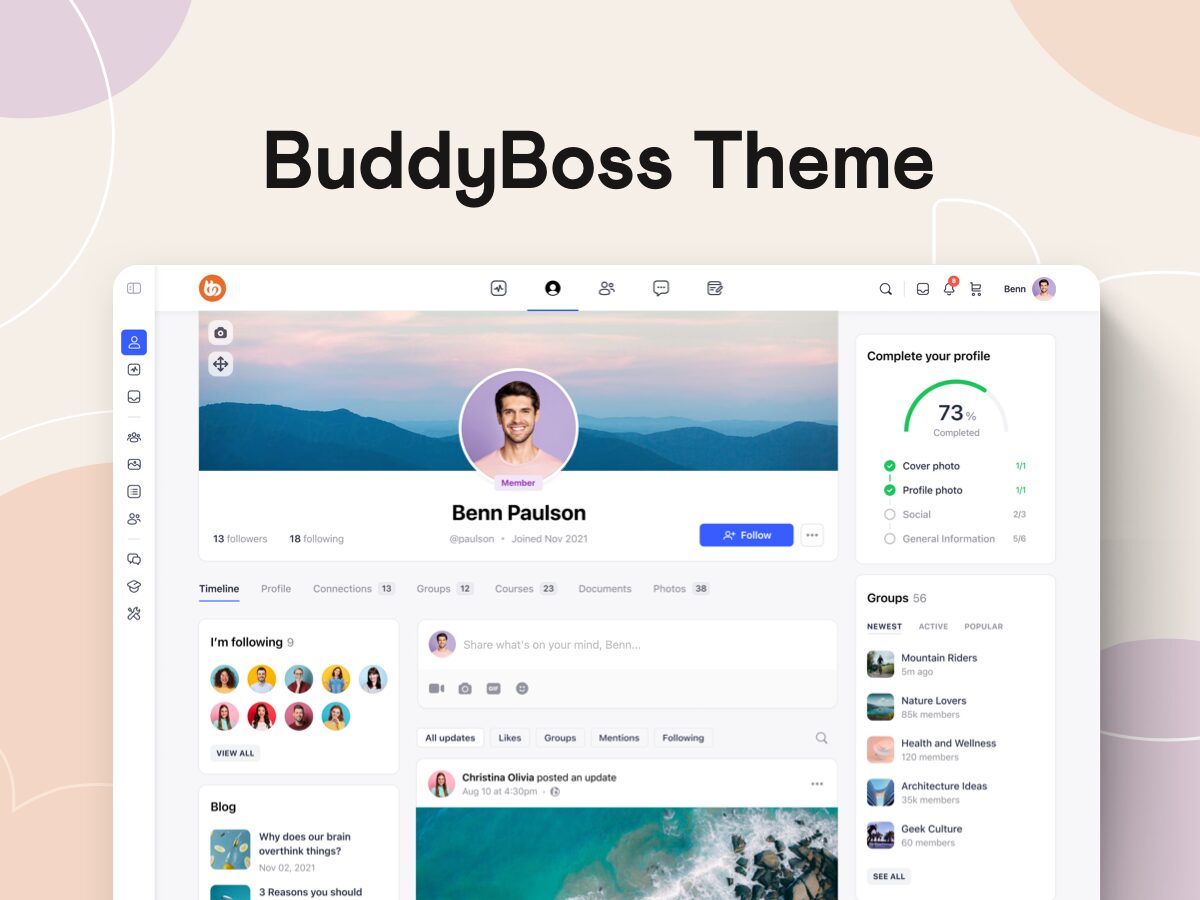
Technically version 1.0.6 of what we now call “BuddyBoss Legacy Theme”, what you see above was our first crack at making an impact on how you create your own social communities with WordPress.
A lot happened in the years that have followed; we released the popular Boss Theme with a focus on social learning, along with various plugins and extensions to help you greatly improve your WordPress community, course & membership sites.
In mid-2018 we released the last update for the original BuddyBoss Theme and on June 7th, 2019 the all-new BuddyBoss Theme & Platform came into the world.
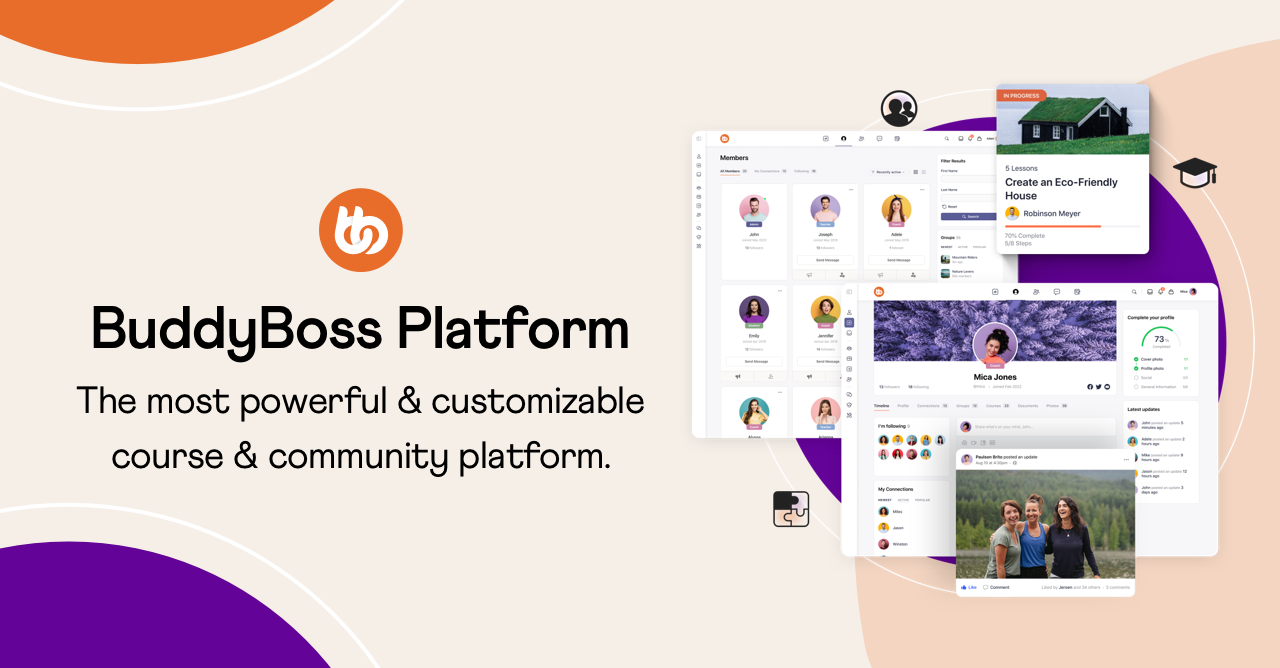
The BuddyBoss Theme & Platform as we now know it was a major innovation in the world of open-source communities, memberships, and course websites.
We took everything we had learned from years of building themes and extensions for BuddyPress, and gathered the best of all our work into a single, unified package; The BuddyBoss Platform, and released it free to the WordPress community.
But we didn’t stop there.
We took everything we had learned about designing beautiful social experiences, combed through every popular platform on the web, and asked ourselves; “how can we do better?”.
I’m sure you’ll agree that, compared to all of the social media giants in 2019… The BuddyBoss Theme was gorgeous! ?
Since 2019 there has been an explosion of new social networks, community and membership sites on the web, each one bringing some new hook that quickly ripples through to all the other billion-dollar giants as they all scramble to keep up with each other.
It’s an incredibly exciting time to be developing world-changing technology and as we’ve learned through our work on the BuddyBoss App over the last 5 years…
Developing revolutionary technology is an enormous undertaking!
(A mobile app builder for WordPress! ?)
We have always, and will continue to focus our attention on providing you with world-class tools to help you build and grow your own communities, memberships, and online course websites.
But a big part of empowering you with the tools to build your very own world-class platform is helping you make it look and feel just as great as it functions.
So let's take a look at how we are improving the theme:
The BuddyBoss ecosystem has advanced leaps and bounds in the last 18 months and this new theme refresh capitalizes on all of the incredible work we have achieved with the BuddyBoss App to create a unified experience for all our BuddyBoss customers.
We are taking many of the design principles that helped make the launch of the BuddyBoss App such a success and infusing them into the BuddyBoss Theme, solidifying our position as the most feature-rich, flexible, customizable, and best-looking community, course, and membership platform in or out of WordPress!
Let’s take a look at some of the highlights.
Please note: All of the images featured in this post are concept designs and anything pictured here could change before we release it to the world!
One of the most frequently requested features for the BuddyBoss Theme is for more options to customize the look and functionality of the theme header.
BuddyBoss Theme 2.0 will not only come with some great new header styles for you to select from, like the ones above, but in the future we are also going to be adding greater block support to make use of WordPress’s upcoming Full Site Editor which will enable you to go beyond our pre-built header styles entirely and actually create your own headers from scratch!
With the BuddyBoss Theme 2.0, we are keen to give you more options to make even better use of the BuddyPanel.
Starting with sections for menu items to help you organize and group your menus and submenus better and lay them out in a way that is more intuitive for your unique setup.
I mentioned it above but one of the key drivers of BuddyBoss Theme 2.0 is providing both you and your own users with a unified experience across web and app versions of your platform.
Having invested heavily into the design of the BuddyBoss App we want to expand on that work to make the BuddyBoss Theme look just as great as the App looks and provide you with the same app-like experience you have come to expect from all modern platforms.
We are also keen to make sure that you can deliver that experience to your own site users too so that if you have the BuddyBoss App then your web platform looks and feels the same.
Theme customers will benefit hugely from all of the cutting-edge design work we invested in for the app, and of course, app customers will also benefit from having a unified experience across all platforms.
We’re doing this in a few ways, including:
Updated Icon Sets
We are updating the BuddyBoss icon set included in our theme to the more modern and visually consistent icon set that we created for the app.
This will come as a welcome addition for many of you who may have been using mismatched icons from different icon sets when you couldn’t find quite the right icon you were looking for.
Now, not only will the icons themselves look better, sharper, more modern, and contemporary, but your layout and styling options will behave more consistently when applied to a single comprehensive set.
As well as this, we will be adding multiple icon styles to each icon so you’ll be able to choose from an outlined or filled icon style, and with a square or circle around the icon too!
Sharing these icons sets across the web and app versions of your platform will create a much more unified visual experience.
Updated UI Elements & Styling
Probably the most impactful enhancement of all, we will be providing an enhanced set of theme options to control more of the UI elements and styling to create that fresh contemporary look and feel.
Widgets and content areas will be allowed more padding, elements will be cleaner, flatter, and simpler and anywhere where it makes sense you will have even more options to control the styling of interactive elements, for example; button styles like rounded, pill, or squared.
Refreshed Default Typefaces, Images & Colors
One of the things we are very keen to achieve with BuddyBoss Theme 2.0 is that the “out-of-the-box” experience looks and feels as modern and contemporary as we can.
That’s why we’ll be shipping 2.0 with a new set of default typography, default images like the default profile and group images, and an updated set of default colors for things like menu highlights, progress bars, notification badges, category tags, and the like.
For all you CSS tweakers, don’t worry! Most of the 2.0 updates will come as optional so you’re not going to lose your hard-earned customizations if you don’t want to.
As if that wasn’t already enough, we’ll be improving the default styling of over 50 widgets in BuddyBoss Theme 2.0 including:
All of the new design work being done to refresh the BuddyBoss Theme for version 2.0 will help pave the way for a slew of new Gutenberg Blocks. As Gutenberg gets more and more advanced and WordPress Full Site Editor becomes more and more ubiquitous we will be leaning into the block editor for a number of reasons:
Enhancing the support for Gutenberg blocks will allow more of you to create your communities, course, and membership sites with a “Gutenberg first” approach, using elements that are part of the WordPress core to greater effect and creating even better page and website parts with just the block editor.
Increasing our support for Gutenberg and the block editor means your Gutenberg pages and website parts will become more feature-rich and customizable over time. Aside from having more flexibility and options at your disposal, it will also allow us to make great use of Gutenberg’s “Patterns” functionality that’s currently in its infancy.
We want to marry the creation experience across the web and app together, harnessing the flexibility and control of the WordPress web experience with the power and advanced capabilities of the App. This will allow us to create even better support for React-driven layouts on the web as well as blocks and layouts in the web that are already compatible with the BuddyBoss App and don’t need to be rebuilt.
With any major update to a widely used (and heavily customizable) platform, you have to take great care to implement changes in a way that causes no disruption to business-as-usual.
While we are confident that all of these updates will be a very welcome sight for most of you, we want to take a second to outline some of the principles that are guiding us so you can be confident that when 2.0 is ready, you’re not going to be hit with any surprises.
The main guiding principle of our work towards 2.0 is to give you more ways to customize your own unique web experience. The biggest reason you chose BuddyBoss in the first place was because of its infinite customizability, you don’t wanna be stuck inside a box (or a circle ?) so we’re going to give you even more options than you already have to do exactly what you want.
We know that not everyone is a designer, but every one of you wants your community, membership or course platform to look cutting edge and not just to keep up, but to outpace the experiences that your users are having elsewhere. That’s why we’re enhancing our theme options with more on-trend elements your users will be familiar with from other platforms.
Where it makes sense we will improve the default styling of elements and features where it has become generally ubiquitous, using our best judgment to ensure the best compatibility possible across integrations and extensions.
When 2.0 is ready to drop, you will be able to control the pace of your own refresh. The theme options you had set previously, for elements such as the header, BuddyPanel, typography, and color options will remain the same until you intentionally switch them after updating. General improvements such as the icon set and widget styling will be made available to everyone after updating. This means that if you’ve invested into your own customizations or enhancements you will be able to keep your previous theme options, while still benefiting from the smaller improvements throughout the theme.
We’re very excited to get BuddyBoss Theme 2.0 in your hands, we know it’s going to make a huge difference and we can’t wait to hear what you think.
Now would be a great time to get your insight to us; let us know what you’re most excited for and if you have any ideas for things that you’d like to see us develop.
Do you have an online community, membership site, or online courses website on WordPress? Do you want to increase member engagement, provide an awesome user experience, expand your reach to the mobile users, make your brand easier to remember all while adding another revenue stream? Then you should take a look at the new BuddyBoss App!
Today, more users are turning to mobile apps to interact with brands, stay connected with friends, and learn on the go.
Mobile devices now account for over 64% of all web traffic as of 2025, significantly leading desktop usage
So in this era of mobile communications, having a mobile strategy for your business is critical for your success.
The BuddyBoss App is the pioneering native mobile solution that allows entrepreneurs, organizations, and virtually anyone to launch their own branded native mobile app for iOS and Android. The WordPress mobile app includes built-in support for all the major features of the BuddyBoss Platform (the company’s flagship product that adds powerful social features to any website built using WordPress) and LearnDash courses, integrates with membership plugins (like Paid Memberships Pro, WooCommerce Memberships, WishList Member, Restrict Content Pro), and so much more!
The BuddyBoss App comes packed with a ton of useful features you can easily customize and configure to suit your brand. This makes it an ideal solution so you can easily create your own membership native mobile app, community mobile app, or learning mobile app.
What’s great about the BuddyBoss App is that you are able to add custom features to your own mobile app. So if you’re a developer or work with a team of developers, you can add your own features to your mobile app and extend the core functionality of the BuddyBoss App.
The way it works is that you will have your own Git repository where you can make any changes to the appearance and features of your mobile app. And during the build process, your Git repository will be combined with the app’s core Git repository. So any changes you made will be included in the next iOS and Android builds of your mobile app.
If you have a WordPress website, the BuddyBoss App plugin pulls the data from your WordPress backend so you can configure your mobile app easily from there. This includes your app’s features, configuration, appearance, and more. The app syncs the data from your website to your app in real-time and vice versa.
The BuddyBoss App fully integrates with LearnDash allowing you to easily create and manage your courses from your WordPress dashboard, configure offline support for your learning materials, customize the course pages, and so much more.
Mobile Learning is growing faster than ever before and students are increasingly choosing their mobile phones for taking courses over using a computer. So having your own learning mobile app allows your students to access your course materials from wherever they are.
BuddyBoss for LearnDash allows students to download course content, including lessons and videos, for offline viewing. However, features like marking lessons complete or taking quizzes require an internet connection. When you provide your students with convenient access to your courses, there’s a better chance that they become more motivated to finish the course at their own pace, ultimately increasing student satisfaction.
Recent studies have shown that mobile apps can greatly improve course completion rates, help students learn faster, boost student engagement, and improve learner retention.
Whether or not you’re building a mobile app for your business for the first time, the BuddyBoss App caters to both non-technical and experienced users. Here are the top 5 reasons why the BuddyBoss App can add more value to your online business strategy.
The BuddyBoss App integrates powerful gamification elements that motivate users to keep using your mobile app. You can award points and rewards when they achieve specific steps (like completing their profiles, participating in forum discussions). You can also encourage them to interact with parts of your mobile app, or complete certain actions and award them badges which they can display on their profiles.
Whether you’re building a mobile app strictly for mobile learning, or running some courses alongside your membership or community website, the BuddyBoss App seamlessly integrates with LearnDash, one of the most popular LMS for WordPress. The BuddyBoss App also supports all the major features of the LearnDash, so your students can take their courses and quizzes anywhere, on-the-go.
Another cool feature is that the BuddyBoss App is compatible with any WordPress theme. As long as you have the BuddyBoss Platform, LearnDash, or both plugins installed, the BuddyBoss App will work perfectly no matter what WordPress theme your site is running.
The BuddyBoss App is built on React Native, one of the most popular cross-platform development frameworks that allow the creation of native mobile apps for both Android and iOS with just one codebase.
React Native is used by popular apps like Instagram and Facebook for various features, and it was also used by SoundCloud for its Pulse app. With just one codebase, you can easily launch your own branded native mobile app for both iOS and Android.
We offer a Done For You service where our team of experienced developers, designers, and app publishers handles the full mobile app building process for you. This includes creating, customizing, branding, and preparing your mobile app for publishing to the Apple Store and the Google Play Store.
We review your app from start to finish, making sure that it complies with the Apple App Store guidelines and the Google Play Store guidelines. Some steps require a manual review and manual intervention after your mobile app is built and submitted under your own Apple and Google Developer accounts.
Fun fact: BuddyBoss offers a comprehensive app publishing service to navigate the app store approval process, assisting users with submissions and addressing any rejections or issues to help ensure successful app launches.
While the Google Play Store has a generally faster and less stringent review process with a lower rejection rate, the Apple App Store has a higher likelihood of rejecting apps due to stricter guidelines around privacy, user experience, and performance, with millions of app submissions rejected annually.
We love helping businesses create and launch their own successful online communities, membership websites, and online learning platforms. Our products are used by top industry professionals and highly successful digital entrepreneurs like Adam Preiser from WPCrafter, Nathan Chan from Foundr Magazine, popular content creator Jay Shetty for his certification school, and more than 50,000 organizations around the globe.
Much like your website, you can easily replicate all the powerful social functionality and bring it into the hands of your members and students with The BuddyBoss App.
You can configure and customize your app’s push notifications to keep your members and students up to date with reminders, alerts, and more.
Your members can easily view updates to their interactions, tag their friends on posts, and keep track of conversations right from the mobile app.
What’s a community or learning platform without member profiles? This feature allows your app to display profile fields as configured from your WordPress dashboard. Members and students can upload their avatars, add information, view their profile, and other members’ profiles.
One way to boost engagement is to encourage users to join social groups. Students can post updates in the group activity, share photos, videos, and other media with other members in the group, and more. Bring knowledge sharing in real-time and create a unique and collaborative learning environment.
Members can connect, share ideas, and learn from each other through the app’s built-in forum discussions feature.
You can also allow private messaging between your members or students, or allow them to create group messaging threads.
Members can share videos, images, photos, documents, and other media on their own activity feeds or in social groups.
The BuddyBoss app offers built-in Face ID and fingerprint unlock for user convenience and security.
The BuddyBoss App Store listing currently only displays “English (EN)” as the localization, regardless of the actual in-app language settings. Just like your website, the app uses language files that can be uploaded to translate your mobile app into a different language so you can also easily change specific text across the whole mobile app via the WordPress admin. You can customize push notifications, app content, and many more options for maximum flexibility and control. The app also supports Right to Left Languages (RTL) which means you can display your content in a beautiful RTL Layout.
For a limited time, the BuddyBoss App is available for a special introductory price. If you buy now, you will get early access to the BuddyBoss App and permanently lock-in the discounted price for the lifetime of your app subscription.
You can view the complete pricing here.
The BuddyBoss App is the result of multiple years of development, community feedback gathering, and iterations. It is an amazing solution that allows virtually anyone to easily create their own branded native mobile app.
Much like the BuddyBoss Platform and the BuddyBoss Theme, you get the same total control and flexibility over the structure, appearance, and functionality of your native mobile app. You can fully customize the look and feel of your mobile app, decide which features you want to add, and so much more!
BuddyBoss is recognized as a premium and comprehensive solution for building online communities and membership sites on WordPress, offering advanced features beyond the free BuddyPress plugin. And with our newest mobile solution available soon, your business can do so much more, offer more, and truly, help your business thrive in an increasingly mobile world. Every detail on your mobile app has been created to look great and be easily editable. Customize your mobile app to suit your brand and have fun doing it!
Excited? Try the BuddyBoss App demo today!
As WordPress and BuddyPress developers we have worked with many WordPress plugins.
At BuddyBoss, we don’t just build with plugins- we create a complete ecosystem for online communities, memberships, and eLearning. Our flagship products include the BuddyBoss Platform for building feature-rich communities, the BuddyBoss Theme (web) for beautiful customization, and the BuddyBoss App for delivering your content and community on iOS and Android. Together, they provide a seamless experience for connecting, engaging, and growing your audience- whether you run a course site, membership platform, or private social network.
Now let's explore a list of plugings that we use on a regular basis.
Protects your website against hacks, brute force login attacks, and malware. Active security monitoring for files, firewalls, and much more.
Optimizes your WordPress site for Search Engines (Search Engine Optimization).
Allows you to easily create forms, view and edit entries within WordPress, receive email notifications, build mailing lists, and export form entries to CSV.
Provides scheduled backups of your core WordPress database tables and saves them to your server and can even email them to you.
Allows you to redirect links within your website. Useful for migrating a website, changing domains and forwarding outdated pages to newer pages
shrink, beautify, track, manage and share any URL on or off of your WordPress website
Protects your website from spam comments, registrations, and forum posts.
Allows you to restrict access to content based on membership levels. Integrate with popular payment gateways such as Stripe, PayPal, Authorize.net, Braintree, or 2Checkout. Features recurring billing, ability to track affiliate commissions on a recurring basis.
Advanced WordPress users/developers may require user IDs for some plugins or template tags.
If you move your WordPress site to a domain or server, you will likely run into a need to run a search/replace on the database for everything to work correctly.
Need some help installing and configuring plugins? Fill out our contact form to get a quote for our assistance. We'll be happy to help.
Have you been trying to build your own online community? If you have been around for a long time, you may have heard about the explosion of online communities. Online tribes are everywhere now.
You know: finding a tribe, creating a tribe, nurturing a tribe, and so on… But it all really begins with engagement. The better engaged your community, the better your chances of making the most of it.
And $299
Read More about BuddyBoss | View Demo
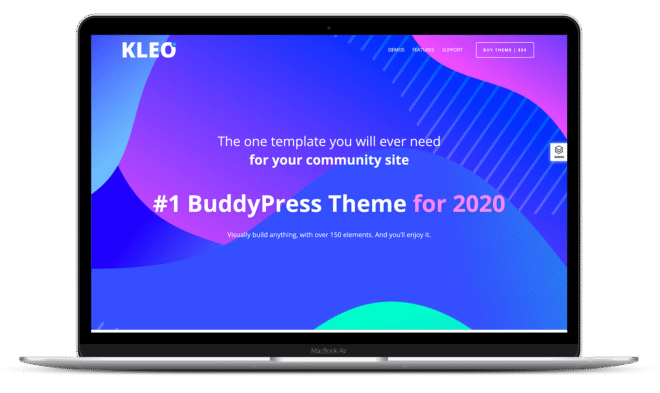
Kleo is a multipurpose WordPress theme that works seamlessly with BuddyPress. You can use it to create community sites, build eCommerce stores, host online portfolios, or simply run a blog.
It comes bundled with 2 premium plugins including a Drag & Drop page builder and a pricing table builder.
Price: $59
Learn Kleo in Details
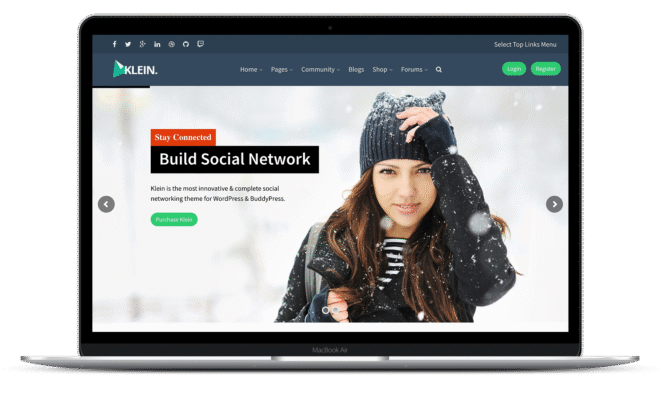
Klein is a slick BuddyPress theme that lets you create community, eCommerce, educational, and portfolio sites. It comes with 6 pre-built layout options and Visual Composer, the top Drag & Drop page builder WordPress plugin.
Klein is translation-ready, supports many BuddyPress plugins, and allows users to sign in using their Google and Facebook accounts.
Price: $39
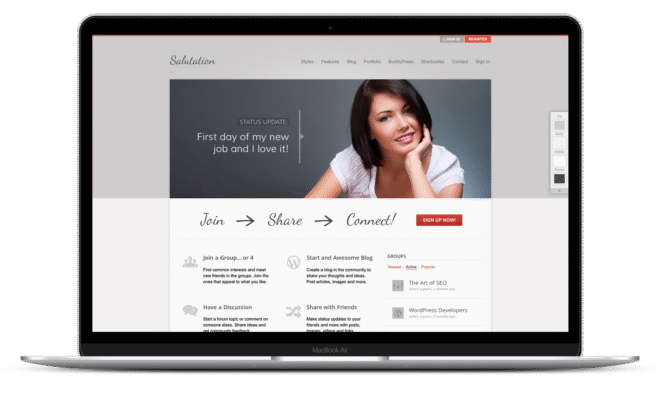
Salutation is a responsive BuddyPress theme that comes packed with the Slider Revolution plugin. It lets you add stunning slideshows to your community site while on the go.
It also comes with easy-to-use page and contact form builders to help you create custom layouts and forms. Also, Salutation is translation-ready, so you can create your community site in your native language.
Price: $79
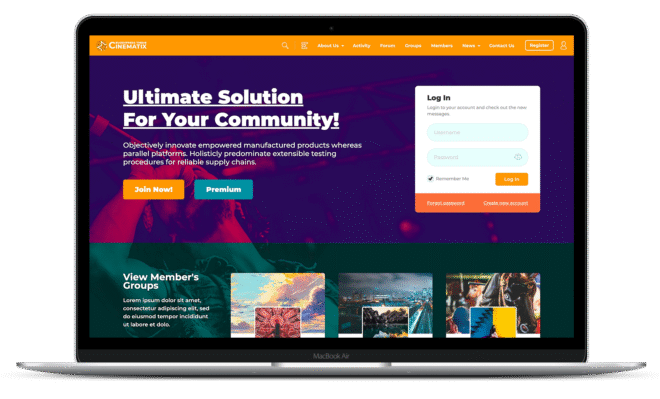
Xphoria is a fairly simple BuddyPress theme that focuses on building social sites. Not too many bells and whistles here but an easy-to-deploy theme for a quick setup.
Price: $59
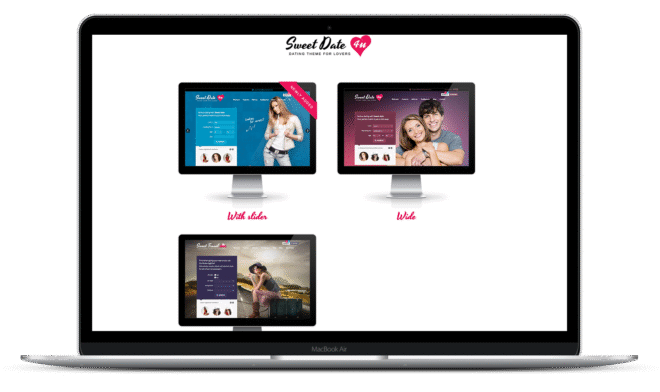
SweetDate is a BuddyPress theme that lets you create sites within the dating niche (although they like to call it more than a dating theme). Since it supports WooCommerce, you can add a store to your site.
Also, as it’s tailor-made for dating or match-making sites, you will find a lot of custom fields in the user profile. And there’s a great profile matching function to show you profiles based upon your preferences.
SweetDate lets you allow your users to register and sign-in with their Facebook accounts.
Price: $69
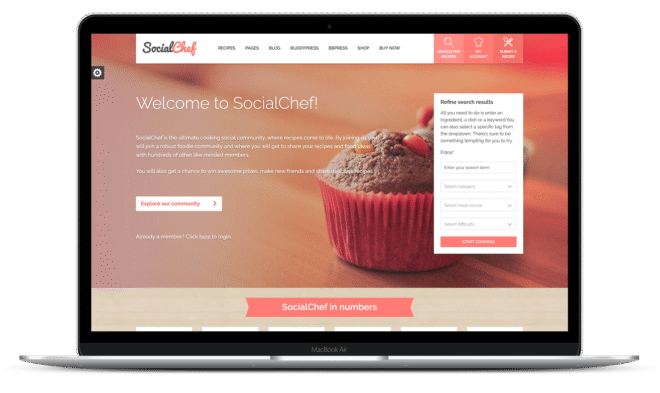
Social Chef is a specialized BuddyPress theme for creating food social communities. And as you’d expect from a great food theme, Social Chef has a tempting design.
Social Chef supports WooCommerce that lets you sell on your site. Also, you can allow users to submit recipes from the frontend.
It also supports Schema markup language, so you can expect your recipes and its ratings to show up directly in the search results.
Price: $59
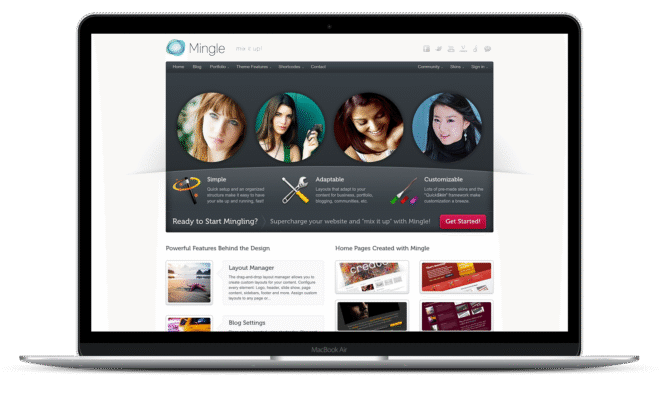
Mingle is a multipurpose WordPress theme that works great with BuddyPress. It comes with a Drag & Drop Layout manager to let you create custom pages for your site. Also, there’s a custom form builder too in case you’d like to include custom fields in your forms.
Mingle is responsive and looks great across all mobile and tablet devices.
Price: $79
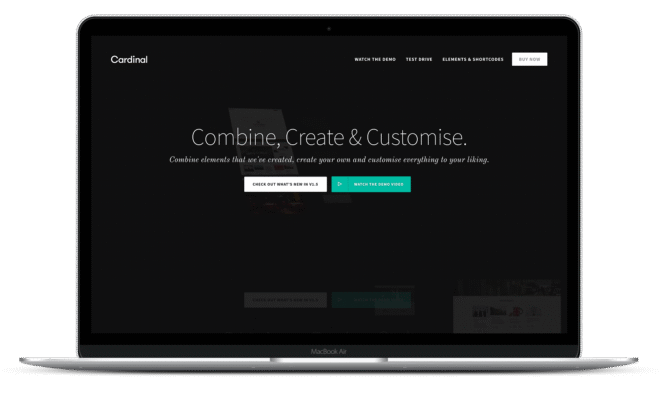
Cardinal is a powerful BuddyPress theme that lets you create social sites, online stores, and portfolios. It comes across as a well-rounded theme and seems to do a couple of things really well. It has about 30 demos on showcase, each of which can be installed on your site with a single click using Cardinal’s content importer plugin.
Cardinal is responsive, supports multiple languages and works well in a multisite environment too.
Price: $59
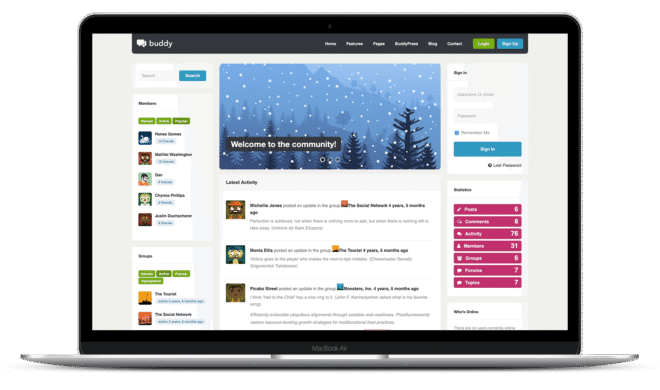
Buddy is a simple BuddyPress theme that sports a simple design. It’s a multisite theme that can be used to create different kinds of websites.
It’s responsive and can be made to work in lots of languages.
Price: $42
Read More about Buddy
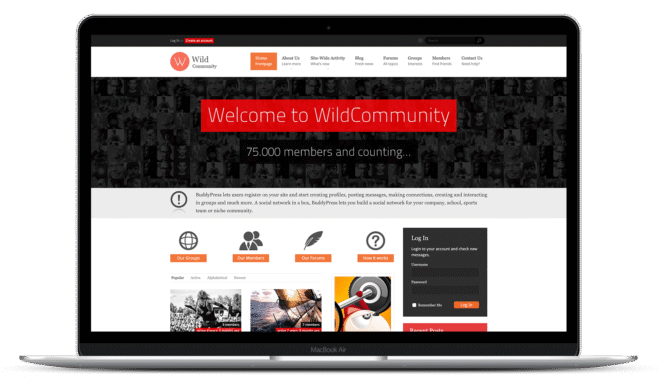
Wild Community is a responsive BuddyPress theme with awesome looks. It supports WooCommerce, so you extend it to open an online store. Wild Community is compatible with a ton of BuddyPress plugins letting you offer additional functionality through your site.
Wild Community is translation-ready and uses popups to show live update notifications.
Price: $49
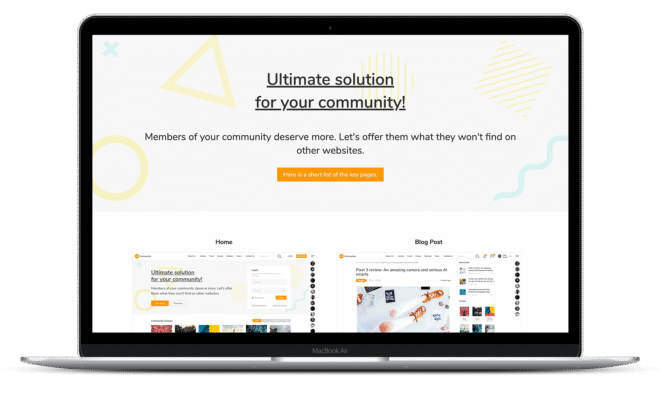
OneCommunity is a really pep BuddyPress theme. It’s responsive and offers nine color schemes along with 4 homepage layouts. And it’s translation ready, allowing you to create social sites in your niche.
OneCommunity supports a lot of BuddyPress plugins and offers an inbuilt live chat feature where your community members can chat with each other.
Its support for WooCommerce lets you add a store to your site. You can also use OneCommunity in a multisite environment.
Price: $59
Cinematix is a sleek-looking BuddyPress theme that comes with 10 color schemes. It supports WooCommerce letting you add a shop to your site. And it comes shipped with the OneByOne responsive slider plugin.
It’s responsive and adapts to different screen sizes. It also has a cool live chat feature that adds a chat room to your community site. To customize how your site looks, this theme offers lots of layout options. Cinematix is multisite and translation-ready.
Price: $59
Explore Cinematix Features
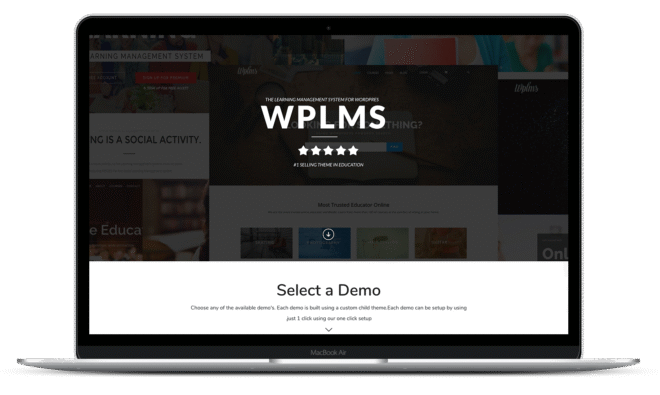
WPLMS is the most popular BuddyPress eLearning theme. It can be used to create a full-blown learning management system right inside your site. You can use it to create a site like Udemy where instructors can upload their courses and certification programs.
WP LMS comes with separate dashboards for online instructors and students and shows all the important metrics at a glance. The course pages are also designed with care — missing no important information. It’s easy to create courses and browse the course directory. WP LMS also offers a Udemy-style course timeline.
Its autoresponder-like feature lets you create and schedule custom emails when a course is about to expire or new content/chapters are made available.
All in all, a thorough and well-thought out theme that does a great job.
Price: $69
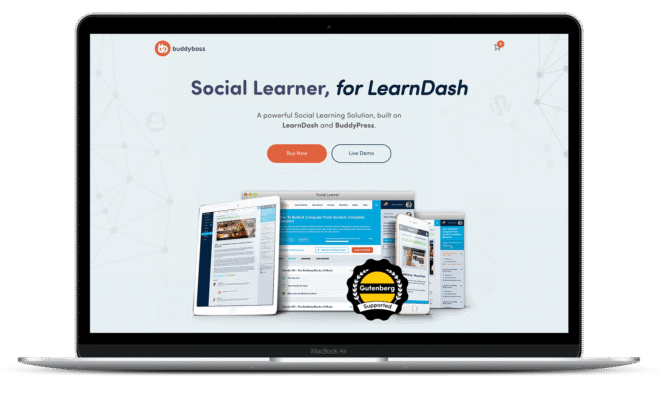
Social Learner is an incredible social learning solution that's built on LearnDash adds advanced social features and gamification to learning management systems. It helps boost both the engagement and performance of students.
Now you won't bill Social Learner as a premium BuddyPress theme, but it adds a lot of value to eLearning sites. If you're really serious about your online teaching programs, you should consider getting it. In case you use LearnDash to deliver your program, do add Social Learner to the mix.
Price: $179
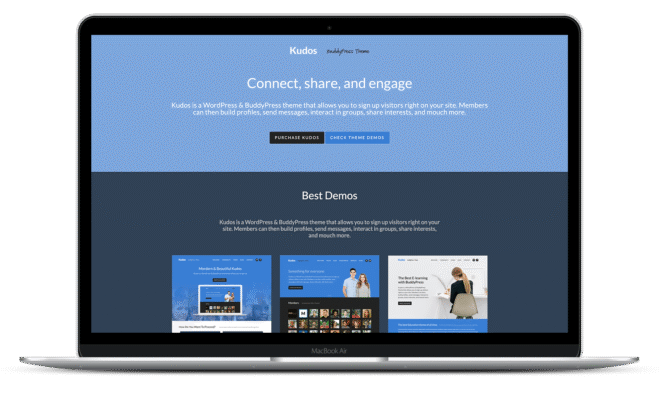
Kudos places the online community into high gear with its beautiful responsive design. The theme is crafted for BuddyPress and bbPress and has cross browser support. It has custom page templates, built-in SEO, localization and translation ready. The contains layouts for Corporate Portfolio, Services, WooCommerce, Client Testimonials, and Call to Action.
The theme also includes features such as Integrated LayerSlider, Retina & HDPI Ready, Multiple Post Formats, Social Widgets and many more. The theme integrates with third-party solutions such as Google Analytics, YouTube, Vimeo, etc.
Price: $59
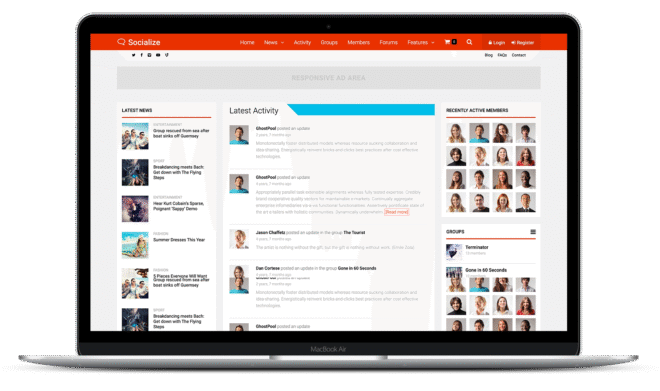
Being a multi-purpose BuddyPress theme, Socialize is the perfect choice if you want to create a community or social network. Socialize has been designed specifically to make the most out of BuddyPress and has also totally redesigned bbPress so it now looks like a traditional forum.
The features of the theme include multiple layouts for homepage, posts, pages and categories, AJAX filtering, bundled with WPBakery Page Builder (worth $46), one-click install, front-end and social login, WooCommerce integration, profile link/notifications counter, multiple page headers, multiple advertisement areas. The theme is retina ready, SEO friendly, translation ready, Contact Form 7 ready, JavaScript fallback, compatible in all major browsers.
Price: $89
Explore Socialize Features
Aardvark is a complete community-focussed WordPress theme. The theme is the perfect option for paid membership sites, online courses, online stores, blogging, magazine/news sites, intranet/extranet.
The theme can be integrated with Paid Membership Pro, Sensei, WooCommerce, Elementor, Event Manager, bbPress, BuddyPress, WPML, rtMedia, Yoast SEO. It contains multiple header layouts, custom pricing tables, 15 custom page builder elements/shortcodes, 200+ theme options for customizations, social login support and social share options.
Price: $65
Explore AardvarkFeatures
So that’s about it for the top premium BuddyPress themes. If you’ve stumbled upon any other interesting options, we would love to know. Do share in the comments!
Need an advanced, feature-packed and smart alternative for BuddyPress? Download the BuddyBoss Platform – an innovative and smart solution for building online communities.
We recently launched ReadyLaunch- a one click community launching theme for BuddyBoss.
BuddyBoss Platform is a fork and forge of the BuddyPress plugin and bbPress plugin. Any plugin developed for the BuddyPress and bbPress plugin is supported by the BuddyBoss Platform. All the themes listed in this article are 100% compatible with the BuddyBoss Platform and BuddyPress.
Our CEO created an in-depth video explaining the advantages of choosing the BuddyBoss Platform over BuddyPress. Watch it today and choose the most innovative online community solution for your website just like the industry experts – Adam Preiser (WPCrafter) Vito Peleg (WP FeedBack) and Michael Short (WaaS.PRO).
Want to take your community site to the next level? If so, you need to read this.
You know there are so many things that your members could be secretly wanting from your site. It could be that some members have privacy concerns or others would like to be able to invite their friends and so much more.
You could even be looking for a better way to control or monetize your site.
But everything can’t be inbuilt, right? So here are 17 amazing free and premium BuddyPress plugins to maximize your community site.

The Verified Member for BuddyPress plugin lets you manually verify your BuddyPress members from the profile edit screen. Verified members will have a twitter-like ‘verified’ badge displayed on the front-end.
You can choose to display the badge on:
FREE | 1,000+ Active Installations | Download

BuddyDrive lets a site’s members upload and share files and folders. You can choose to restrict the uploading capability to specific user roles. You can also define the maximum space available to each member and the maximum file upload size.
Members can upload, edit, and delete files and folders directly from their members’ page.
You can set the plugin to give access to a file (or folder) to (1) just the file’s owner, (2) the owner’s friends, (3) the owner’s fellow group members, (4) people who have access to the password to unlock the file, (5) or simply to everyone.
FREE | 10,000+ Active Installations | Download

The BuddyPress Docs plugin adds a collaborative workspace (document service) for your BuddyPress community. Part shared dropbox, part wiki, and part document editing for your WordPress users.
BuddyPress Docs’ features include shared access to a document between users and groups, sortable and filterable document lists, simple frontend WYSIWYG editor, and autosave among others.
Unlike Google Docs, you can’t have multiple users working on a document. Instead, the plugin comes with a one-editor-at-a-time system to avoid overwrites. But just like Google Docs, you can access each document’s revision history.
FREE | 10,000+ Active Installations | Download

BuddyPress Group Email Subscription lets you notify your group members about the latest group activity and forum posts via email.
This plugin supports 5 subscription levels:
You can set any of these subscription levels as default for new members. They can, however, update their subscription levels as they like.
FREE | 6,000+ Active Installations | Download

With the Location Autocomplete for BuddyPress plugin, you can let your members add accurate addresses to their profiles and groups. The plugin uses the Google Places API to populate and validate the address fields.
The plugin also enables accurate location searches for the members. Adds location fields for the user profiles. The plugin works with BuddyPress Global Search and BP Profile Search.
FREE | Download

The GamiPress + BuddyPress Integration plugin allows you to connect GamiPress with your BuddyPress activity events and features.
You can assign points, achievements, and ranks for BuddyPress events like account activation, profile updates, sending/accepting friendship requests, sending/replying private messages, activity stream events, group events and much more.
FREE | 2,000+ Active Installations | Download

The BuddyPress Default Cover Photo plugin replaces the default BuddyPress cover photo and lets you add DEFAULT cover images for profiles and groups.
FREE | 2,000+ Active Installations | Download

The Block, Suspend, Report for BuddyPress plugin lets your BuddyPress users block another member, allows the site administrator to suspend a member with the Suspend button on the front-end, and allows your users to report/flag inappropriate, abusive, or otherwise unacceptable behavior to the site administrator.
FREE | 600+ Active Installations | Download

BuddyPress Global Search is a handy plugin to add an advanced, unified search to a BuddyPress site. You can set the search results to include any of your site’s components including members, forums, groups, activities, messages, pages, and posts. You can also add custom post types into the search.
As a user types in the search phrase, the search results start appearing in a live dropdown.
FREE | 9,000+ Active Installations | Download

BP Profile Search lets visitors search for BuddyPress members based on profile fields. You just need to set up a search form and place it anywhere in your members’ directory or in a widget area in your theme’s sidebar. Existing members can use the same search form to look for people in their friend list.
You can set the plugin to show only the exact matches in the search results or can relax this a bit by showing similar results.
FREE | 10,000+ Active Installations | Download
BP Group Documents creates a page where members of a BuddyPress group can upload different file types and documents. The uploaded content can be edited or deleted by the group member who uploaded it or by the group’s admin. If you’re running a private group, you can require members to authenticate themselves to be able to download a file.
You can choose to allow just a group’s admin or moderator to be able to upload files.
If you want to create an archive of downloadable user-generated content, this is a nice plugin that you could consider.
FREE | 2000+ Active Installations | Download

Invite Anyone allows a BuddyPress site member to send invites to outsiders via emails. It adds a “Send Invites” tab to an existing member’s profile that h/she can use to ask other people to join the site. The invite consists of a form with a field for a custom message. Invite Anyone also enables group members to invite non-friends to join their group.
Additionally, a site member who sends an invitation to join a certain group can set the plugin to automatically send invites to the invitee to a number of other groups once the invitation is accepted. Also, with the auto-suggest feature, it doesn’t take long to find the people whom you’d like to invite.
If you want to boost your community’s outreach, go for this plugin.
FREE | 7,000+ Active Installations | Download

BuddyPress Activity Plus is a cool plugin to spice up the activity function of a BuddyPress site. It lets your users upload images and embed videos and links into a post.
The plugin allows:
FREE | 10,000+ Active Installations | Download

Buddypress Xprofile Custom Fields Type adds custom fields like birthdate, email, web, file, image and many more to the Xprofile BuddyPress extension.
It’s possible to restrict the number of characters in a field and set the image format and the maximum upload size. You can find all the required code snippets here.
FREE | 5,000+ Active Installations | Download

MemberPress is a premium WordPress membership plugin that gives you the ability to protect the content that your users are accessing based on membership levels and the ability to charge your users based on which membership levels the user is trying to access.
You can set up payment gateways for memberships and control who sees your content, create a learning courses website, sell digital products, and much more with MemberPress. MemberPress helps you manage and track access to your website content based on the membership users have subscribed to.
PREMIUM | Download

Paid Memberships Pro is the leading payment collection plugin for membership sites. It lets you define unlimited membership levels and configure access settings for each. You can use it to restrict access to different areas on your site like pages, posts, categories, videos, forums, downloads, support and many others (and also to grant access based on membership levels).
Allowing drip content is a very popular feature of this plugin. In case you don’t know, drip content is a way to grant access to content in a controlled manner. Suppose you’ve set up a course where you require your members to pay monthly. Instead of giving access to your full course material immediately, you’d like to introduce some content each month so that your students don’t run away after downloading all the courseware. No wonder this plugin is highly recommended for powering online courses delivered via a WordPress site.
Paid Memberships Pro supports a number of payment gateways including Stripe, PayPal, Authorize.net, and 2Checkout. Settings for all the payment gateways can be configured through a single page. Also, for adding people to different lists based on their membership levels, Paid Memberships Pro extends support to MailChimp, AWeber, ConstantContact, GetResponse, and Infushionsoft.
FREE & PREMIUM | 90,000+ Active Installations | Download

BuddyPress Group Tabs Creator Pro adds a nifty little feature to a BuddyPress site that allows the site admin to create and manage unlimited BuddyPress Group tabs and subtabs.
It also lets you easily reorder the tabs and sub-tabs (and even custom tabs) on BuddyPress Groups, restrict tab availability to a certain group (by group status or you can select one or more groups). You can choose to restrict tab visibility to certain users and set the default group landing tab. Doing this manually would require complicated code edits.
PREMIUM | Download
So these are 17 of our favorite free and premium BuddyPress plugins. And no, we aren’t skewed toward our own offerings in the list — they really qualify ?
Need an advanced, feature-packed and smart alternative for BuddyPress? Download the BuddyBoss Platform – an innovative and smart solution for building online communities. BuddyBoss Platform is a fork and forge of the BuddyPress plugin and bbPress plugin. Any plugin developed for the BuddyPress and bbPress plugin is supported by the BuddyBoss Platform. All the plugins listed in this article are 100% compatible with the BuddyBoss Platform and BuddyPress. For a list of all the compatible plugins check out our Integrations page here.
Find out why you should choose the BuddyBoss Platform over BuddyPress as our CEO talks about how and why industry experts like Adam Preiser (WPCrafter) Vito Peleg (WP FeedBack) and Michael Short (WaaS.PRO) chose BuddyBoss Platform over BuddyPress.