














Adding BuddyBoss as an Admin to your Apple Developer account allows our team to assist with managing certificates, identifiers, provisioning profiles, and other essential iOS app configurations. You can add BuddyBoss as Admin to your Apple Developer account through App Store Connect and grant access to the required developer resources.
This access allows our team to assist with your BuddyBoss App’s build and submission process while you retain control over the assigned permissions.
Invite BuddyBoss as Admin
- Log in to App Store Connect using your Apple Developer account.
- Navigate to Users and Access.
- Click the + button to invite a new user.
- Complete the invitation form with the following details:
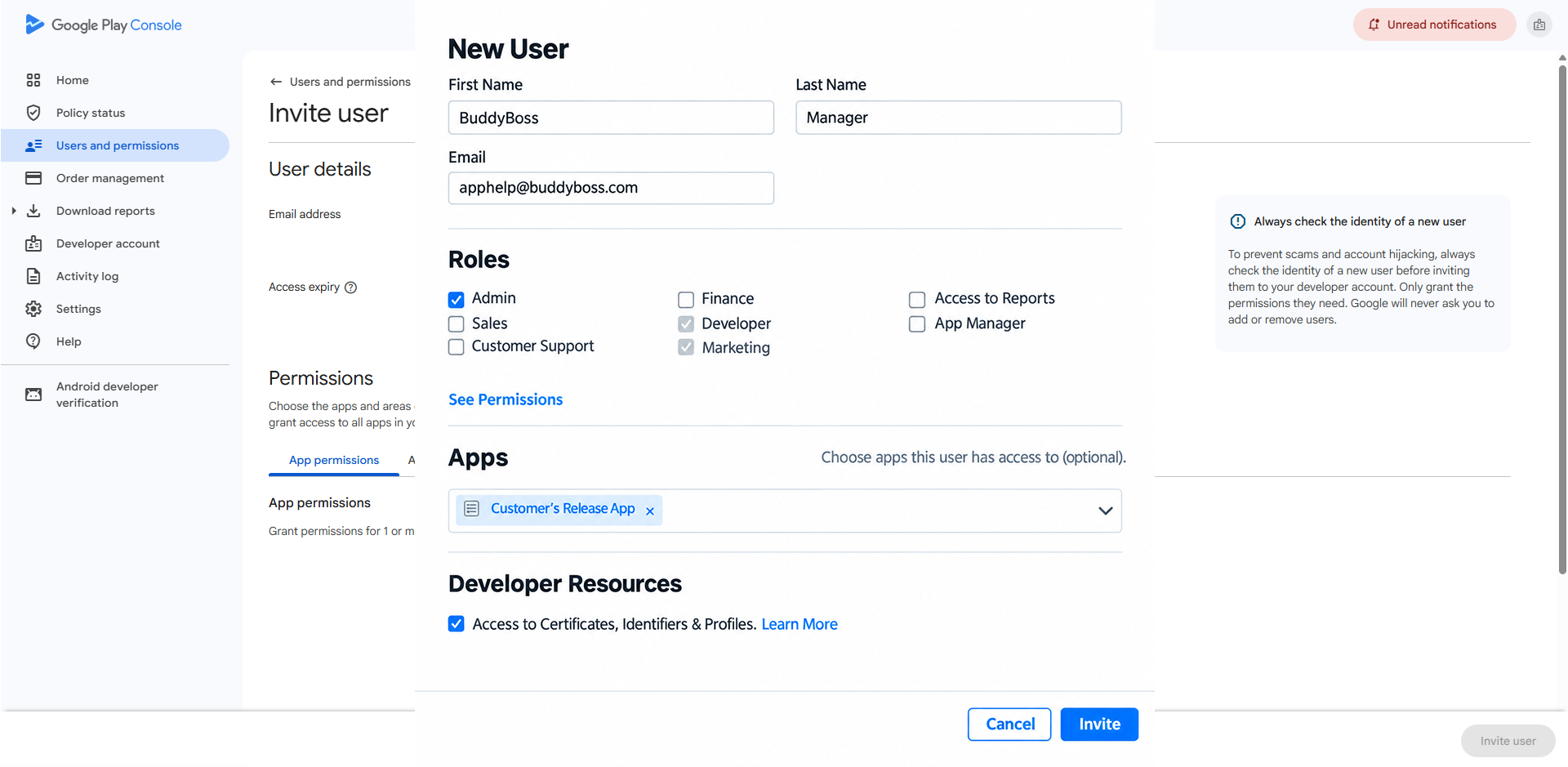
- First Name: BuddyBoss
- Last Name: Manager
- Email Address: Enter the email address provided in your BuddyBoss questionnaire.
- Roles: Select Admin.
- Apps: Select the applicable apps, if prompted.
- Developer Resources: Enable Access to Certificates, Identifiers & Profiles.
- Click Invite to send the invitation.
Once the invitation is sent, BuddyBoss will receive an email invitation. After our team accepts it, we can access the permitted Apple Developer resources and assist with your iOS app configuration.
Note: If your Apple Developer account belongs to multiple teams, make sure you are using the correct team before sending the invitation.
Manage BuddyBoss Access
You can review or update BuddyBoss’s permissions at any time.
- Log in to App Store Connect.
- Navigate to Users and Access.
- Locate and select the BuddyBoss user account.
- Review or update the assigned permissions as needed.
- Save your changes.
Note: You can modify or remove BuddyBoss’s access when it is no longer required. However, removing access during an active app build or submission process may affect our team’s ability to assist with your app.