














The BuddyBoss App User Registration lets new members create an account directly from your BuddyBoss App.
Enabling registration on both BuddyBoss Platform and the BuddyBoss App provides a streamlined onboarding experience.
You can use the BuddyBoss Registration Form to include your configured profile fields.
For a simpler sign up, you can also use WordPress Registration, which supports BuddyBoss App User Registration.
Enable Registration on Your Website
- In your Dashboard, go to BuddyBoss > Settings > Login & Registration
- Toggle on Allow non-members to register new accounts.
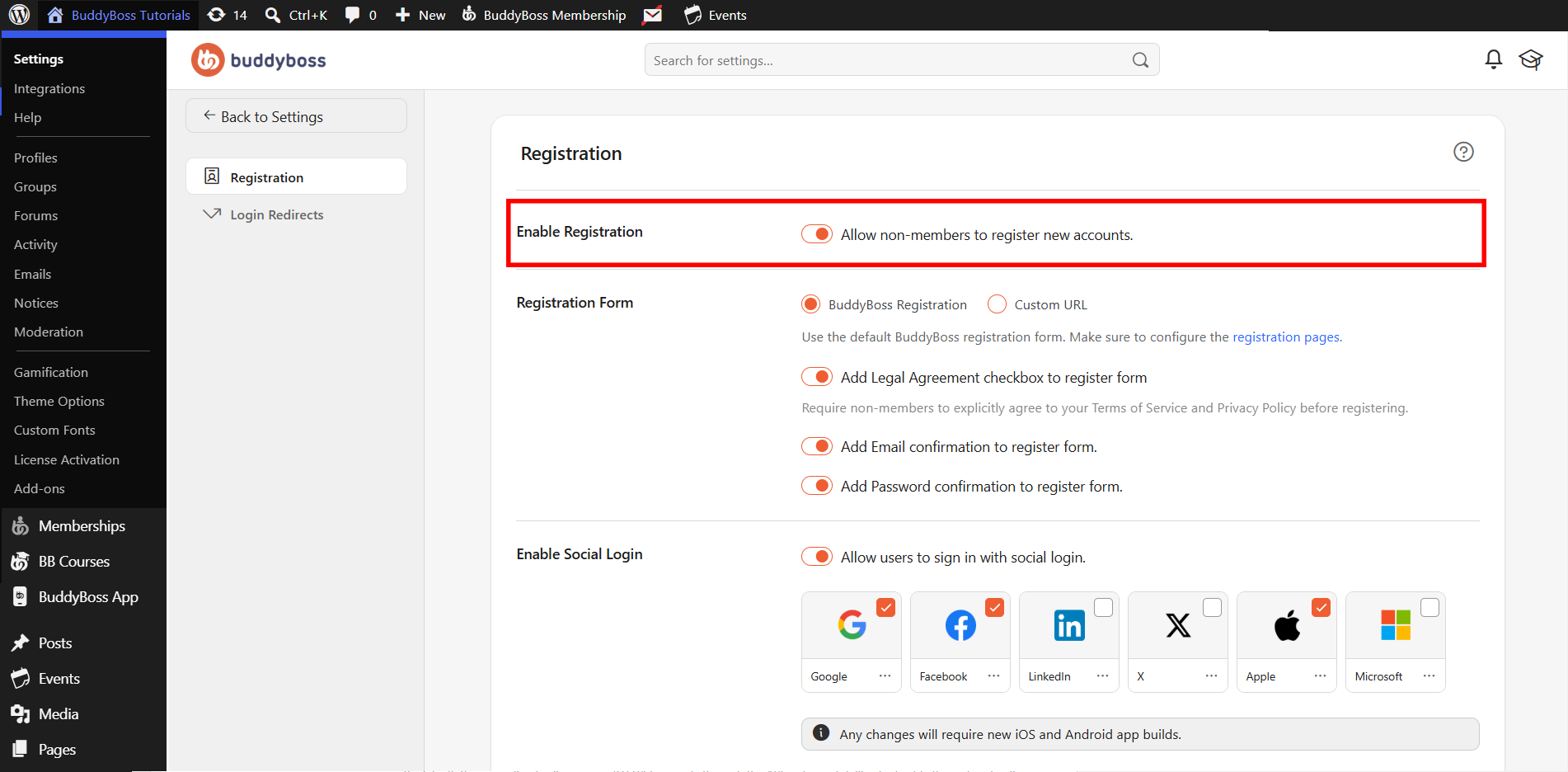
This setting lets anyone register. This is ideal for public communities or internal business tools managed by an admin.
Enable In-App Registration
- In your Dashboard, navigate to BuddyBoss App > Settings > General.
- Under Registration, toggle on Allow registering a new account from within the app.
- In the Registration Form, select the BuddyBoss Registration Form to include all profile fields defined in BuddyBoss Platform > Profile > Profile Fields.
- (Optional) Choose WordPress Registration to require Username, Email, and Password only during registration.
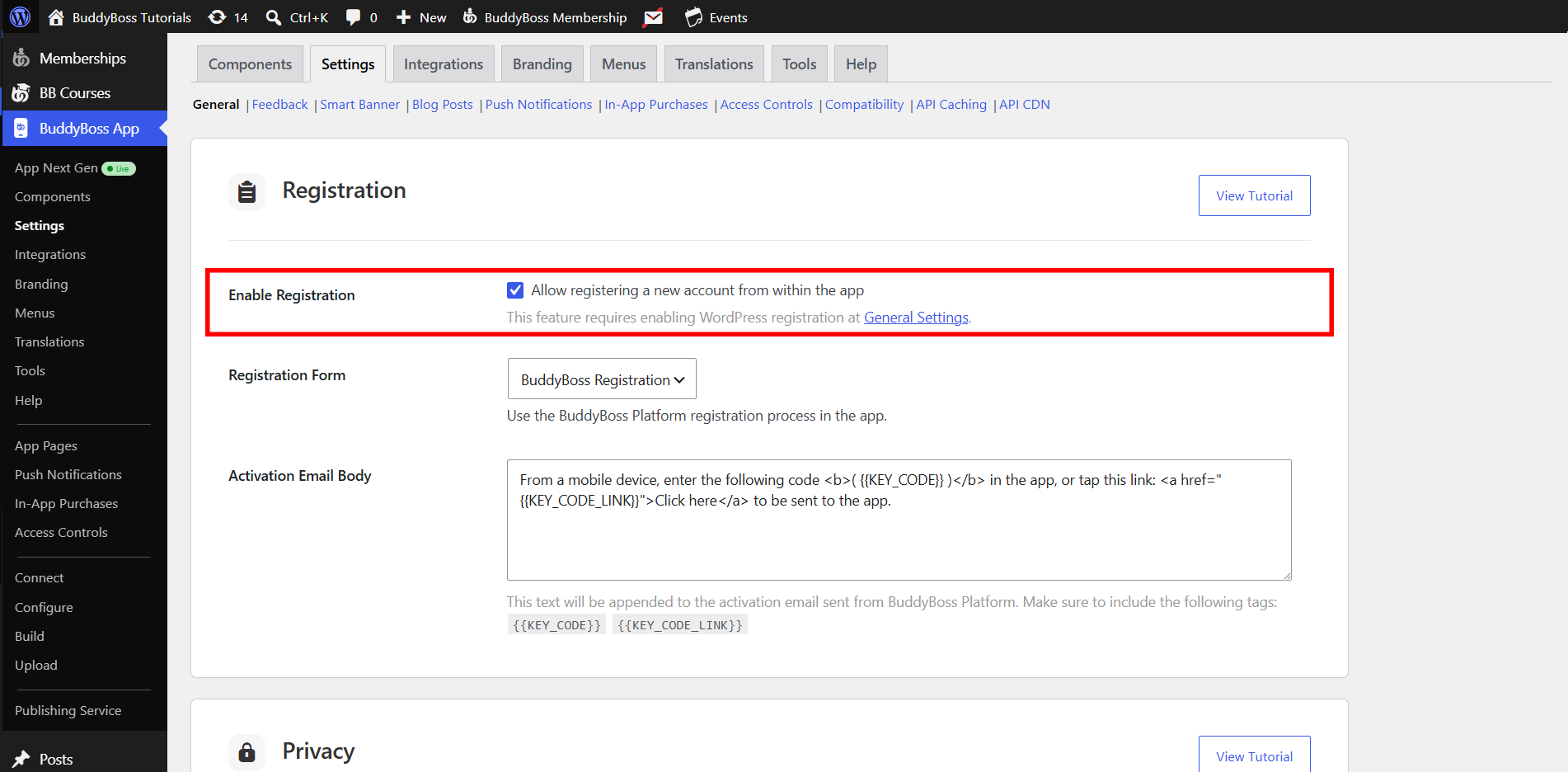
Note: The BuddyBoss App User Registration form supports built-in 2FA for app users, while the WordPress Registration option uses basic email verification.