
A 3-second delay in page loading increases bounce rates by 32%. When load time stretches to 5 seconds, bounce rates jump to 90%.
Google's research on mobile page speed reveals these stark numbers, and they directly impact your bottom line. A 100-millisecond delay in load time can hurt conversion rates by 7%.
Example- For an eCommerce site generating $100,000 monthly, that's $7,000 in lost revenue from a barely perceptible slowdown.
Every page request triggers multiple database queries, theme processing, and plugin execution. Cache plugins for WordPress solve this bottleneck by storing pre-generated versions of your content, serving pages in milliseconds instead of seconds.
Caching stores frequently accessed data in temporary storage locations for faster retrieval. When someone visits your WordPress site, the server normally processes PHP code, queries the database, and generates HTML output from scratch. Caching skips most of this process by serving pre-built pages instantly.
WordPress caching operates at multiple levels:
Page Caching creates static HTML versions of your dynamic pages. Instead of rebuilding each page per visit, the cache serves the stored HTML file. This delivers the biggest performance gains for most sites.
Browser Caching instructs visitors' browsers to store images, CSS files, and JavaScript locally. Return visitors load these assets from their device rather than downloading them again.
Object Caching stores database query results in memory. Popular posts, navigation menus, and widget data get retrieved from cache instead of hitting the database repeatedly.
Server-Side Caching happens at the hosting level through technologies like Varnish or Redis. Your hosting provider may offer this independently of WordPress plugins.
Google's Core Web Vitals—Largest Contentful Paint, First Input Delay, and Cumulative Layout Shift, directly measure user experience metrics that caching improves. Sites with optimized caching typically see LCP scores under 2.5 seconds, well within Google's “good” threshold.
Cache plugins for WordPress deliver measurable improvements across multiple performance metrics.
Faster Page Load Times: Well-configured caching can reduce load times by more than half in some cases..
Better SEO Rankings: Google's algorithm considers page speed as a ranking factor, so faster sites may have an advantage when content quality is comparable. The correlation isn't guaranteed, but speed removes a potential ranking penalty.
Improved User Experience: Faster sites feel more responsive and professional. Users complete more actions, view more pages, and return more frequently when sites load quickly.
Reduced Server Load: Cached pages require minimal server resources to serve. A high-traffic site might handle 10x more concurrent visitors with proper caching than without it. This prevents server crashes during traffic spikes.
Not all cache plugins offer the same capabilities. Essential features separate effective solutions from basic ones.
Easy Setup & User-Friendly Dashboard: The best plugins work immediately after activation with minimal configuration. Complex settings should be optional, not required. Look for clear explanations of each feature and one-click optimization options.
Compatibility: Your chosen plugin must work with your theme, other plugins, and hosting environment. Popular plugins maintain extensive compatibility testing, but specialty themes or plugins might require specific cache solutions.
CDN Integration: Content Delivery Networks distribute your static files across global servers, reducing load times for international visitors. Native CDN integration simplifies setup and management.
Mobile Caching: Mobile traffic often exceeds desktop traffic, and mobile users expect fast loading despite slower connections. Dedicated mobile caching ensures optimal performance across all devices.
Database Optimization: WordPress databases accumulate spam comments, post revisions, and unused data over time. Built-in database cleanup tools maintain optimal performance without requiring separate plugins.
Support & Regular Updates: WordPress core, themes, and plugins update frequently. Your cache plugin needs regular updates to maintain compatibility and security. Responsive support helps troubleshoot conflicts quickly.
Speed is crucial for a great WordPress experience, especially as sites grow and visitors expect instant access. Choosing the best cache plugin in 2025 can dramatically improve page load times, boost SEO rankings, and keep your members engaged.
In the next section, the top free and premium cache plugins for WordPress are compared, highlighting their unique strengths and how they help optimize community and content-driven sites.
| Plugin | Pricing | Ease of Use | Performance Level | Notable Limitations |
| W3 Total Cache | Free (Premium support paid) | Advanced | High | Complex interface, can break sites if misconfigured |
| WP Super Cache | Completely Free | Beginner | Good | Limited advanced features, no CDN integration |
| WP Rocket | Premium ($59/year) | Beginner | Very High | Premium-only pricing, potential plugin conflicts |
| LiteSpeed Cache | Free | Intermediate | Excellent | Requires LiteSpeed servers, limited on other hosts |
| Hummingbird | Freemium | Intermediate | Good | Advanced features need WPMU DEV membership |
| Swift Performance | Premium | Advanced | Very High | High learning curve, aggressive settings can break sites |
| Borlabs Cache | Premium | Beginner | Good | Limited features for price, smaller user community |
W3 Total Cache offers comprehensive caching options with extensive customization capabilities. It handles page caching, database caching, object caching, and browser caching through a single interface.
Pros:
Cons:
Best For: Advanced users and developers who want granular control over caching behavior.
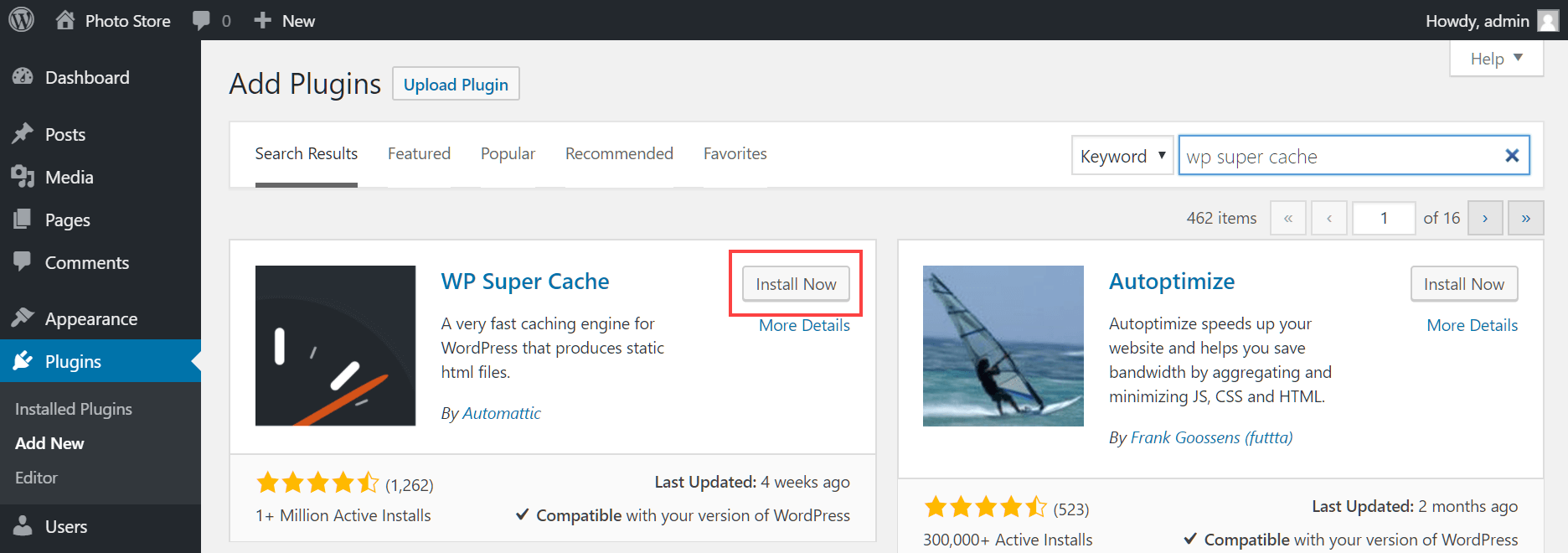
Developed by Automattic (WordPress.com's parent company), WP Super Cache focuses on simplicity and reliability. It generates static HTML files and serves them without processing PHP.
Pros:
Cons:
Best For: Beginners and small-to-medium sites that need reliable caching without complexity.
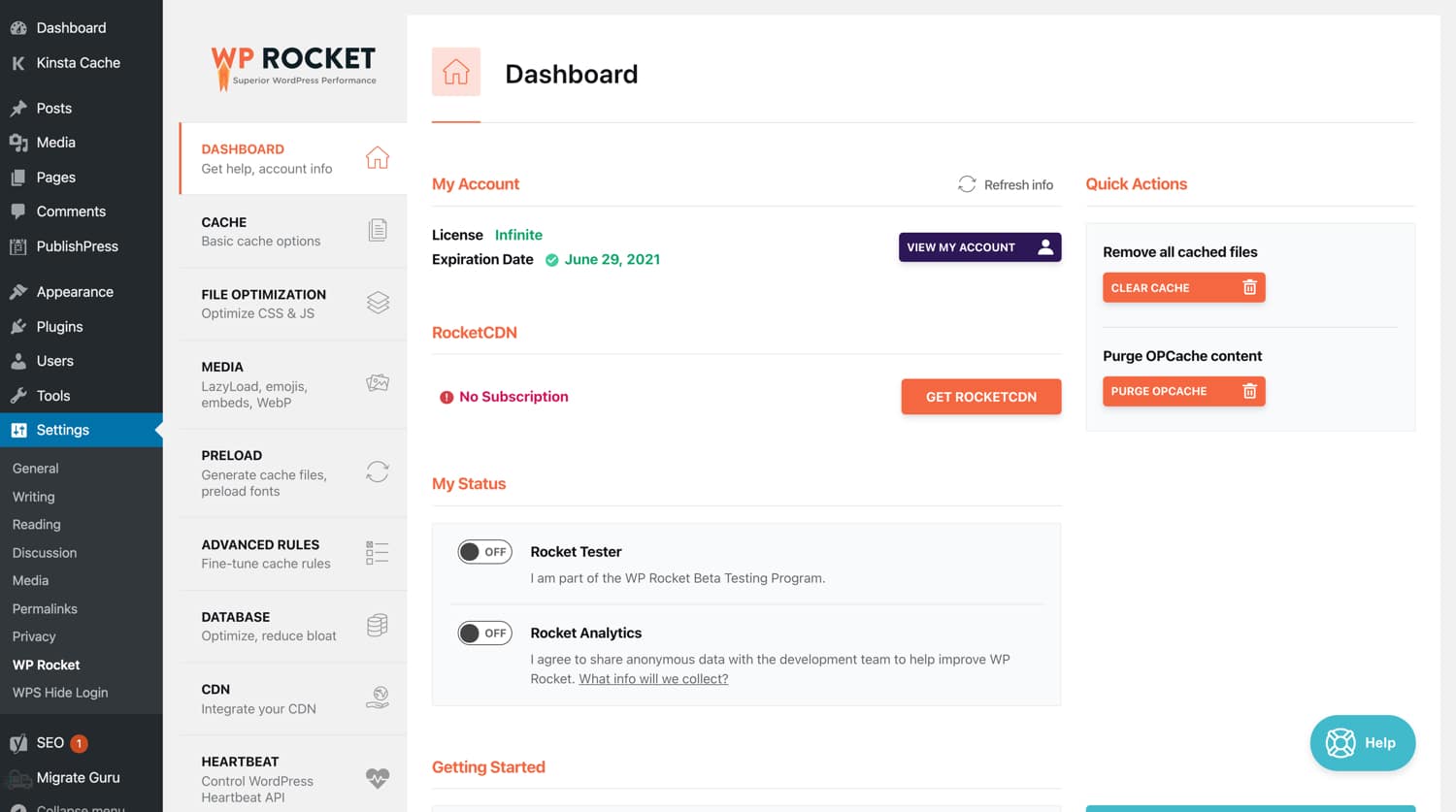
WP Rocket positions itself as the premium cache plugin with the most user-friendly experience. It activates 80% of its optimizations immediately upon installation.
Pros:
Cons:
Best For: Site owners who want maximum performance with minimal technical involvement and don't mind paying for premium features.
LiteSpeed Cache works exclusively with LiteSpeed servers but offers exceptional performance when compatible. It provides server-level caching that outperforms plugin-based solutions.
Pros:
Cons:
Best For: Sites hosted on LiteSpeed servers or users willing to switch hosting for optimal performance.
Hummingbird, created by WPMU DEV, combines caching with comprehensive performance optimization tools. It includes uptime monitoring and performance scoring.
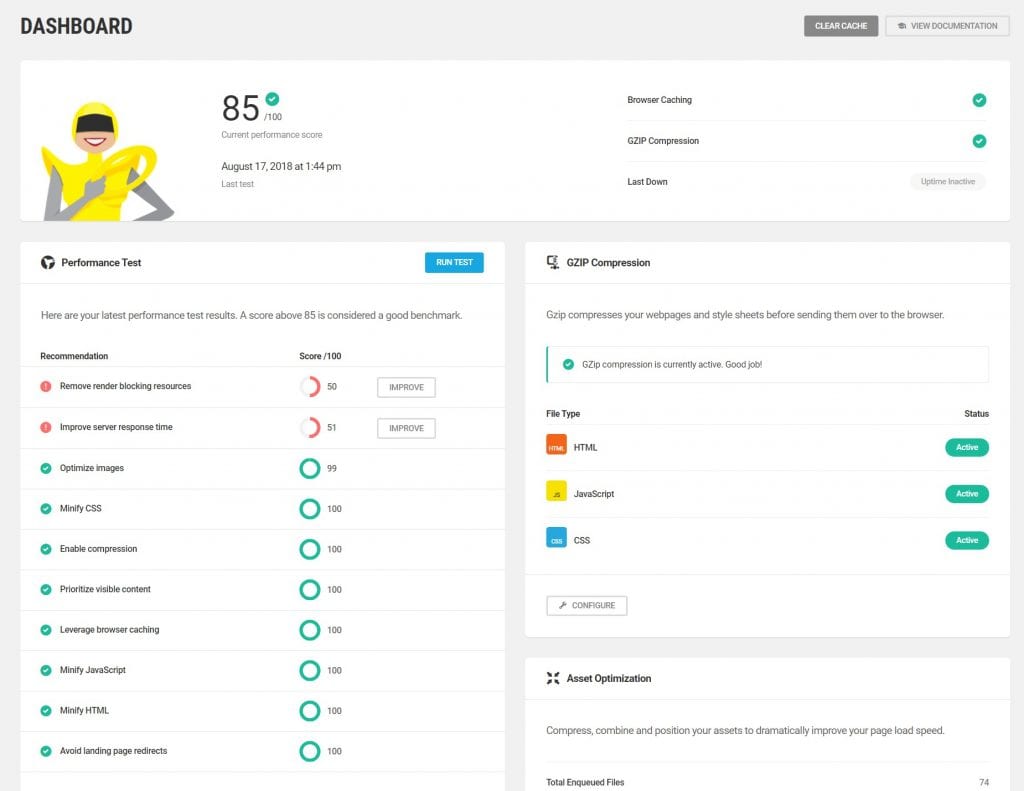
Pros:
Cons:
Best For: Users who want caching plus comprehensive site monitoring and optimization tools.
Swift Performance takes an aggressive approach to optimization, including advanced features like critical CSS generation and intelligent script loading.
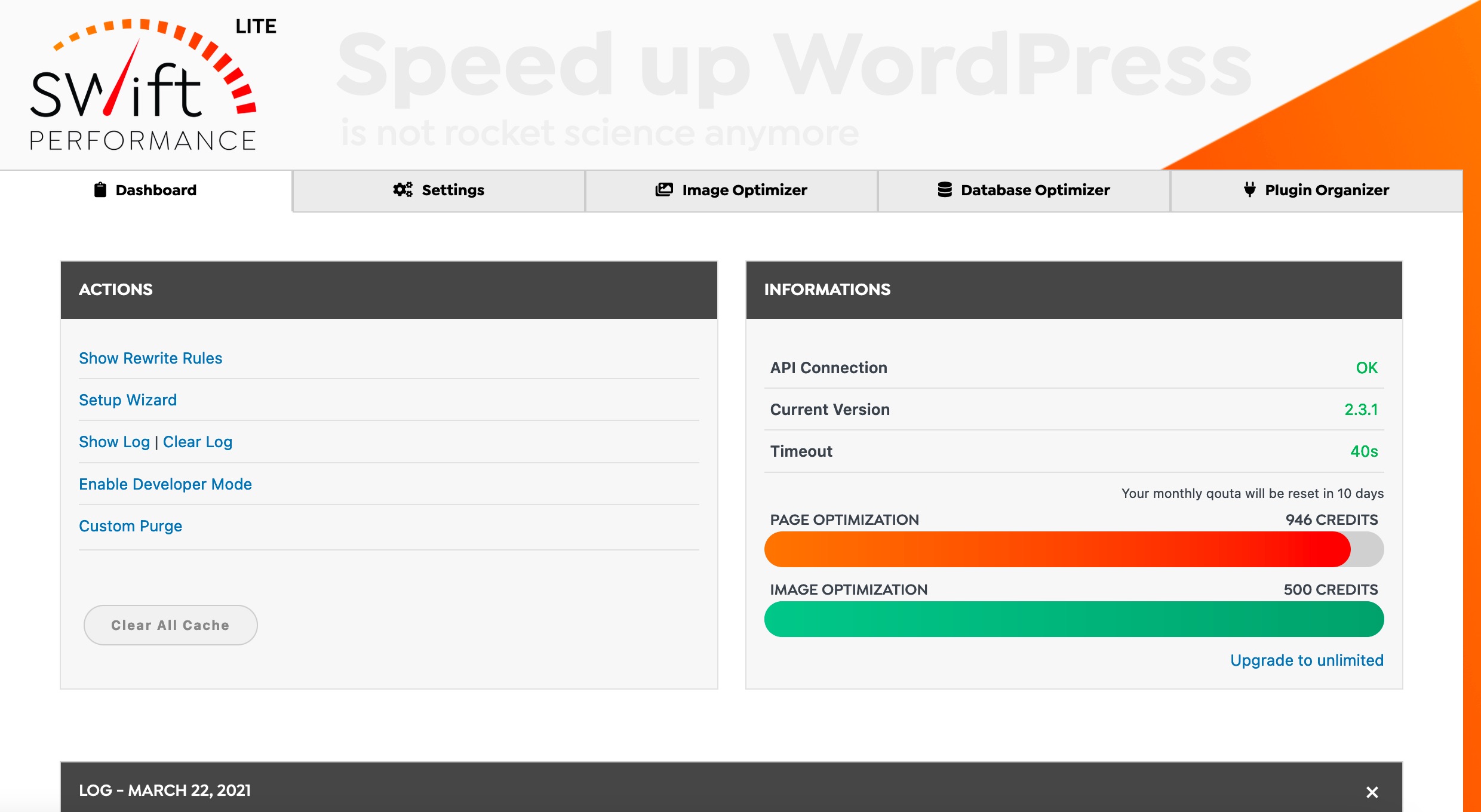
Pros:
Cons:
Best For: Advanced users and developers who want the latest optimization techniques and don't mind complexity.
Borlabs Cache focuses on simplicity and reliability, offering straightforward caching without unnecessary complexity. It's particularly popular among German users due to GDPR compliance features.
Pros:
Cons:
Best For: Users who prioritize simplicity and privacy compliance over advanced features.
Your ideal cache plugin depends on your site type, technical expertise, and hosting environment.
Small Business/Blog Sites: WP Super Cache or the free version of Hummingbird provide excellent performance without complexity. These sites rarely need advanced features and benefit more from reliability than cutting-edge optimization.
E-commerce Sites: WP Rocket or LiteSpeed Cache handle the complex caching challenges that online stores face. Product pages, shopping carts, and checkout processes require careful cache exclusion rules that these plugins handle automatically.
High-Traffic Sites: W3 Total Cache or Swift Performance offer the advanced features necessary for sites serving thousands of concurrent visitors. These plugins provide granular control over caching behavior and integration with enterprise-level infrastructure.
Hosting Considerations: Many managed WordPress hosts include server-level caching that conflicts with plugin-based solutions. WP Engine, Kinsta, and similar providers often recommend disabling cache plugins entirely. Check with your hosting provider before installing any cache plugin.
Technical Expertise: Beginners should prioritize plugins with simple setup and automatic configuration. Advanced users can leverage complex plugins that offer more optimization opportunities but require careful configuration.
Budget Constraints: Free plugins like WP Super Cache and W3 Total Cache provide significant performance improvements without ongoing costs. Premium plugins typically offer better support and additional features but aren't always necessary for smaller sites.
The most important factor isn't which plugin you choose, but that you implement caching at all. A properly configured free plugin outperforms the most expensive premium plugin that's incorrectly set up. Start with a simple solution, measure the results, and upgrade only if you need additional features.
Cache plugins can significantly improve site performance when configured correctly.
They're one of the highest-impact optimizations you can implement, delivering immediate improvements that benefit both users and search rankings.
Do I really need a cache plugin if my host offers caching?
If your hosting includes server-level caching (e.g., Kinsta, WP Engine), you may not need an additional plugin. Always check your provider’s documentation.
Will a caching plugin break my site?
Improper configuration can cause issues, especially with e-commerce (carts, checkout) or membership sites. Look for plugins with exclusion rules for dynamic pages.
What’s the difference between free and premium cache plugins?
Free plugins (like WP Super Cache) cover basics. Premium plugins (like WP Rocket) often include advanced optimizations (lazy loading, minification, database cleanup) and priority support.
Can caching improve Core Web Vitals?
Yes. Faster page delivery helps with Largest Contentful Paint (LCP) and First Input Delay (FID), both key Google metrics.
Is caching enough to speed up my site?
Caching helps a lot, but combining it with a CDN, image optimization, and quality hosting produces the best results.
Caching is one of the most impactful optimizations for WordPress performance. Whether you’re running a personal blog or a high-traffic e-commerce site, a properly configured caching solution can cut load times dramatically, reduce server strain, and improve both user experience and SEO.
👉 Next Steps:
Start with a free solution like WP Super Cache or W3 Total Cache if you’re new.
Consider premium tools like WP Rocket or LiteSpeed Cache if you need advanced optimization.
Always test your site after configuration to ensure compatibility with themes, plugins, and e-commerce features.
Stats Source- https://www.browserstack.com/guide/how-fast-should-a-website-load
Did you know the subscription economy reached $1.5 trillion in 2024? And with WordPress powering 43% of all sites worldwide (W3Techs), your choice of membership plugin truly matters, especially if you want to avoid costly migration headaches and lost revenue.
If you’re thinking about launching a paid community or scaling your existing online course platform, let me save you some time: picking the wrong membership plugin can seriously impact your bottom line.
I’ve pulled together a guide covering 10 plugins for every budget and skill level to help you steer clear of expensive mistakes and choose the right solution from day one.
This analysis is made for you, whether you’re launching your very first membership site, leveling up from a basic setup, or comparing enterprise features. We’ll focus on the three fastest-growing models: online courses, subscription content, and paid communities.
Top 3 Overall Winners
| # | Plugins | Why? |
| #1 Best Overall | MemberPress | Worth the premium price for comprehensive features and reliability |
| #2 Best Value | Paid Memberships Pro | Full-featured solution with genuinely useful free version |
| #3 Best for eCommerce | WooCommerce Memberships | Seamless integration with existing stores |
Quick Picks by Specific Use Case
To help you quickly evaluate which membership plugin best fits your goals, we’ve organized a side-by-side comparison of each platform’s key features. This overview lets you easily spot strengths, limitations, and unique capabilities, so you can make an informed choice based on the functionality that matters most for your membership site.
| Plugin | Starting Price | LMS Support | Best For |
| MemberPress | $179.50/year | Built-in | All-in-one solution |
| Restrict Content Pro | $99/year | Integrations | Developers |
| MemberMouse | $149.50/year | Integrations | Enterprise analytics |
| WooCommerce Memberships | $199/year | Integrations | E-commerce stores |
| Paid Memberships Pro | Free | Integrations | Budget-conscious users |
| Ultimate Member | Free | Basic | Community building |
| Simple Membership | Free | ❌ | Absolute beginners |
| ProfilePress | $129/year | Integrations | Modern interface |
| ARMember | Free | Basic | Lifetime purchase |
| WP-Members | Free | ❌ | Developer toolkit |
Before choosing a membership plugin, it’s important to understand what each option brings to the table. Below, you’ll find detailed reviews of the top 10 WordPress membership plugins
If you’re looking to build a professional membership site that goes beyond basic tools, let me show you what’s possible with premium plugins. In this section, I’ll walk you through the premium options designed to help entrepreneurs and educators achieve lasting success with their online memberships.
MemberPress really stands out as a comprehensive solution covering memberships, courses, and payments in one plugin.
It offers built-in course creation tools suitable for simple setups; advanced LMS features may require LearnDash or LifterLMS, which is pretty impressive. Plus, with the ReadyLaunch feature, you can whip up professional sales pages without needing any design skills.

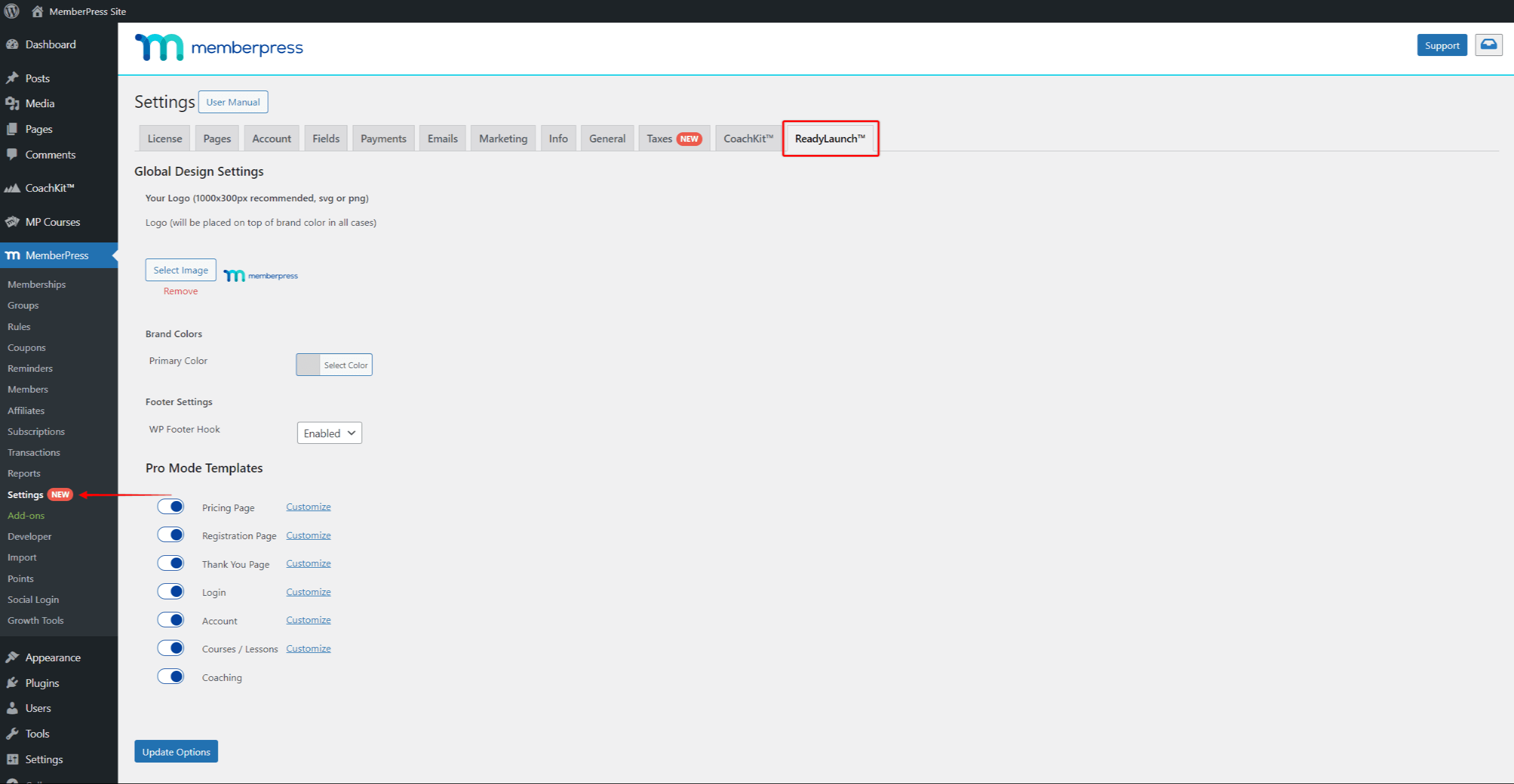
On top of that, automatic invoice generation and a solid affiliate program make it a strong fit for course creators who want fewer moving parts, though setup still requires a learning curve.
Pricing Structure:
Standout Features:
Perfect For: Course creators, coaches, and consultants who want everything in one package without managing multiple plugins.
Integration Excellence: It integrates seamlessly with popular tools like ConvertKit, ActiveCampaign, and LearnDash, and thanks to Zapier, you can connect with over 3,000 apps to automate your workflow.
Honest Assessment: The higher price reflects genuine value, Beginners might find it a little overwhelming at first, but their customer support is top-notch, and once you get the hang of it, the depth of features becomes a huge advantage.
Restrict Content Pro prioritizes performance and flexibility over flashy features. Plus, if you’re a developer or agency handling multiple clients, you’ll love the extensive hooks and customization options. The lifetime pricing option makes it even more attractive for agencies managing several sites. It’s a smart choice if you want solid core features without unnecessary extras slowing you down.
Pricing Structure:
Developer Advantages:
Free Version Reality: Available with 2% Stripe processing fee, reasonable for testing but not long-term use.
Perfect For: Developers, agencies, and users who prioritize site speed and customization options.
Trade-offs: The minimalist approach means fewer built-in features. You'll need add-ons or custom development for advanced functionality.
MemberMouse is designed for high-volume membership sites that need deep analytics. Its SmartTags system allows you to personalize content dynamically for individual members, and with built-in split testing, you can optimize your sales and conversion strategies.
Plus, advanced features like cohort analysis and lifetime value calculations give you insights that most other plugins don’t offer, helping you make smarter business decisions.
Pricing Structure:
Enterprise Features:
Reality Check: The steep learning curve and complex interface overwhelm smaller sites. Migration from other plugins proves difficult due to unique data structures.
Perfect For: Established membership sites with 1,000+ members who need detailed analytics and optimization tools.
If your membership site is growing and you need more flexibility without jumping to premium prices, mid-range solutions offer a great balance. In this section, we’ll explore some of the best mid-tier plugins designed to help you scale smoothly while keeping costs manageable.
WooCommerce Memberships fits perfectly if you already run a WooCommerce store. It lets you create product-based membership plans and offer member-only pricing, so the buying experience feels natural and familiar to your existing customers.
True Cost Analysis:
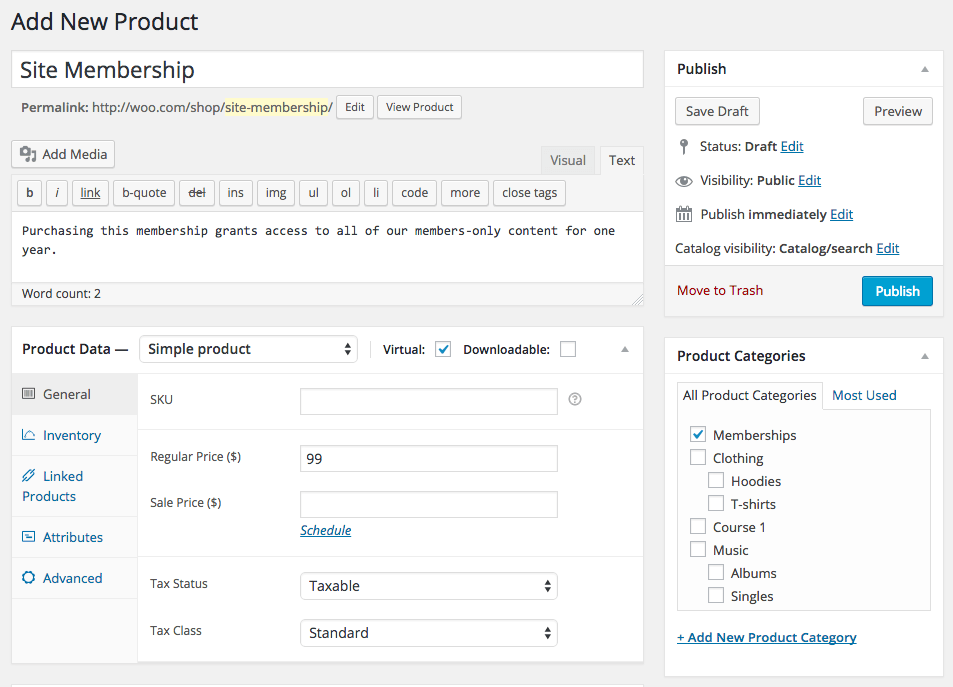
This integrates smoothly with WooCommerce, but recurring billing requires the Subscriptions add-on.
E-commerce Advantages:
Perfect For: Existing WooCommerce stores adding membership components or new sites planning significant e-commerce integration.
Important Limitation: Keep in mind that WooCommerce Memberships require a solid understanding of WooCommerce itself and often need additional extensions to unlock its full potential.
Because of that, the total cost can add up and usually ends up higher than simpler membership plugins designed just for memberships. So it’s great if you’re comfortable with WooCommerce and looking to integrate memberships tightly into an existing store, but it’s something to consider before jumping in.
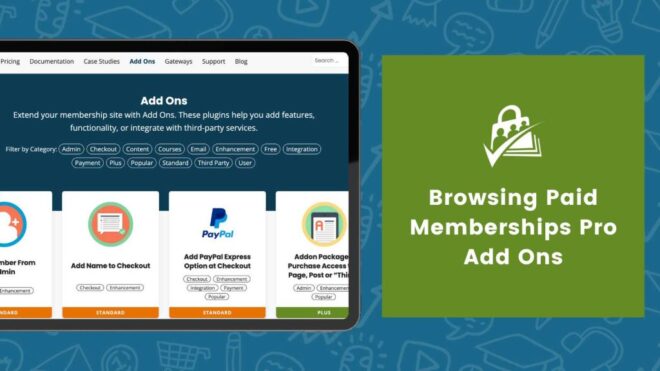
Paid Memberships Pro delivers remarkable value through its genuinely capable free version. Unlike other “freemium” plugins, the core includes all payment gateways, complete content restriction, and member management. The 34 free add-ons extend functionality without additional cost.
Pricing Reality:
Free Version Capabilities:
Open-Source Advantage: The plugin's open-source nature enables unlimited customization, while the large community provides extensive third-party add-ons.
Perfect For: Budget-conscious users, developers needing customization, and organizations requiring detailed control over membership functionality.
Honest verdict: The interface feels less polished than premium alternatives, and the extensive options can confuse beginners.
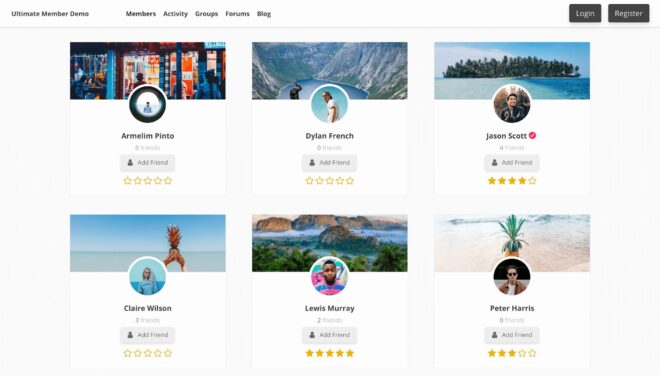
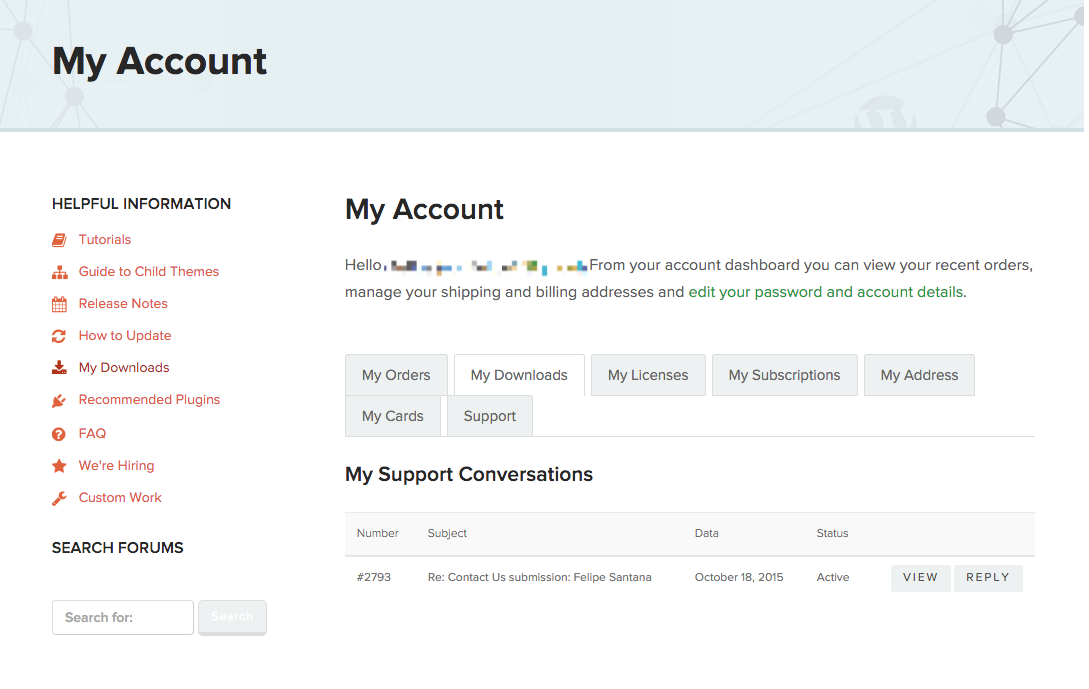
Ultimate Member really shines when it comes to building social membership sites. It offers tons of features like user profiles, member directories, and community tools right out of the free version, more social functionality than most competitors give you without charging extra.
Pricing Structure:
It’s a fantastic choice if you want to create a vibrant community where members can connect and interact seamlessly.
Community Features:
Perfect For: Community-focused sites, social networks, and membership sites prioritizing user interaction over content restriction.
Limitation: Weak content restriction and monetization features. You'll need additional plugins for comprehensive membership management.
If you’re just starting out and looking to keep costs low without sacrificing essential features, budget-friendly membership plugins are a great place to begin.
Simple Membership delivers on its name with straightforward functionality and excellent documentation. The extensive video library helps beginners understand membership site concepts beyond just plugin operation.
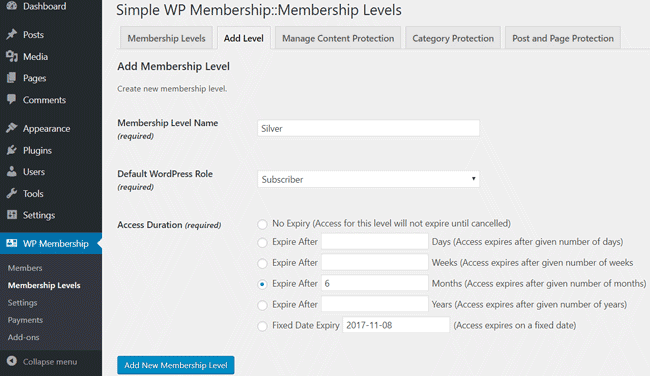
What You Get (Completely Free):
Perfect For: Absolute beginners with zero budget who accept PayPal-only payments.
Main Limitation: PayPal remains the only payment option, limiting international sales and user preferences.
ProfilePress features the most modern interface among budget options, with clean design and intuitive workflows. The user registration and profile management feels contemporary compared to older alternatives.

Pricing Structure:
Modern Advantages:
Perfect For: Users prioritizing modern design and user experience over extensive features.
ARMember's one-time pricing appeals to users avoiding subscription fatigue. The plugin includes 21+ payment gateways and gamification features uncommon in budget options.
Unique Pricing Model:
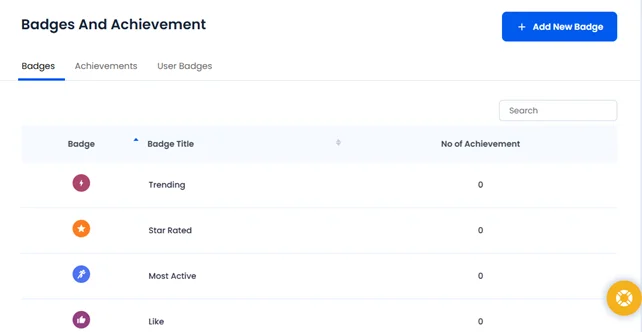
Value Proposition:
Reality Check: Updates require additional payment after the initial period. The feature-rich interface can overwhelm beginners despite the attractive pricing.
WP-Members provides extensive customization options through 120+ action hooks and filters. The plugin targets developers needing maximum flexibility rather than users seeking polished interfaces.

Pricing Structure:
Developer Features:
Perfect For: Developers building custom membership solutions or sites needing specific functionality unavailable elsewhere.
Honest Assessment: The dated interface and limited built-in features require significant customization for modern membership sites.
Zero Budget Approach: Start with Simple Membership or Paid Memberships Pro's free version. Simple Membership works if you accept PayPal-only payments, while Paid Memberships Pro offers more payment options and growth potential.
What you can achieve: Basic content protection, member registration, payment processing, and member communication.
Upgrade trigger: When you need multiple payment gateways, advanced analytics, or integrated course creation.
$100-200 Annual Budget: Consider Restrict Content Pro Personal ($99) or ProfilePress Standard ($125). Both remove transaction fees and provide better support than free alternatives.
Growth advantage: These plugins scale effectively as your membership grows, avoiding forced migrations.
Migration Considerations: Moving from one membership plugin to another involves data export challenges, member communication, and potential billing disruptions. Plan migrations during low-activity periods and communicate changes clearly to members.
Feature Justification: Calculate the ROI of paid features against your current revenue. Advanced analytics become valuable around 500+ members, while built-in course creation saves money around $50+ monthly revenue.
Integration Expansion: Focus on plugins offering the best integration ecosystem for your marketing stack. MemberPress leads in native integrations, while Paid Memberships Pro offers the most third-party add-ons.
Scalability Testing: MemberMouse and MemberPress handle 10,000+ members most effectively. Paid Memberships Pro requires more server optimization but remains cost-effective for large sites.
API and Development: Restrict Content Pro and Paid Memberships Pro offer the most extensive APIs for custom development. WooCommerce Memberships leverages the WooCommerce ecosystem for e-commerce sites.
Analytics Requirements: MemberMouse provides the most sophisticated built-in analytics. Other plugins require third-party integration with tools like Google Analytics or Mixpanel for detailed insights.
The membership economy continues expanding rapidly, but success depends on choosing the right foundation. Whether you select MemberPress for comprehensive features, Paid Memberships Pro for budget-conscious flexibility, or any other option from this analysis, focus on matching plugin capabilities to your specific business model rather than choosing based on price alone.
What is the best free WordPress membership plugin?
Paid Memberships Pro (free version) is widely recommended for its features and flexibility.
Do I need WooCommerce Subscriptions for memberships?
Yes, WooCommerce Memberships control access, but WooCommerce Subscriptions is needed for managing recurring payments.
Can I migrate from one membership plugin to another?
Yes, but migration can be complex and should be done carefully using backups and migration tools to avoid data loss.
Which membership plugin is best for online courses?
MemberPress and Paid Memberships Pro work well with LMS plugins like LearnDash, making them great choices for course creators.
Choosing the right membership plugin is key to building a successful WordPress site. Whether you prioritize ease of use, integrations, or advanced features, plugins like MemberPress, Paid Memberships Pro, and WooCommerce Memberships offer strong options for creators at every level.
Consider your unique needs and goals to pick the best fit, and you'll be set to grow a thriving membership community in 2025 and beyond.
Happy Building!
Learning has evolved beyond traditional classrooms and corporate training rooms.
Research suggests that learners who set clear career goals engage with learning four times more than those who don’t, while skills required for modern work have already changed by 25% since 2015, expected to double by 2027.
Additionally, 90% of companies prioritize learning opportunities as a top strategy to retain employees.
Professional learning communities offer an empowering way to meet these changing needs.
These collaborative networks unite individuals with shared goals, fostering continuous growth through peer-to-peer knowledge sharing and collective problem-solving.
This guide explores how to build thriving professional learning communities that generate impactful results.
You’ll learn foundational strategies, practical best practices, and draw inspiration from successful examples that have transformed organizations and careers.
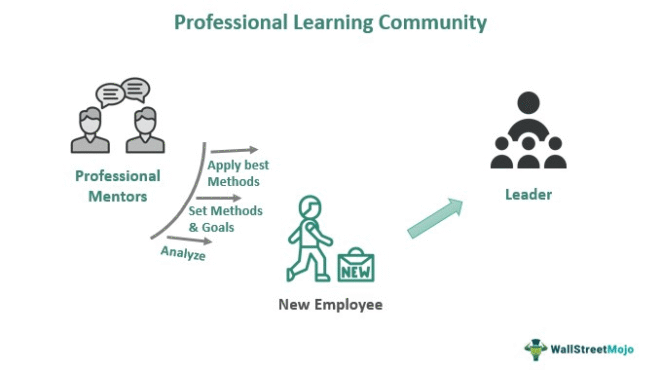
A professional learning community is a collaborative network where individuals with shared professional interests or goals come together to learn, share knowledge, and improve their practice through ongoing dialogue and mutual support.
Unlike general online communities focused on networking or social interaction, professional learning communities have distinct characteristics that set them apart:
Focused learning objectives. Members join with specific professional development goals, whether mastering new technologies, improving leadership skills, or staying current with industry trends.
Collaborative knowledge creation. Rather than passive content consumption, PLCs emphasize active participation where members contribute insights, ask questions, and solve problems together.
Continuous improvement mindset. Professional learning communities foster ongoing reflection and adaptation, encouraging members to apply new learning and share results with the group.
Structured yet flexible approach. While maintaining clear purposes and guidelines, effective PLCs adapt to member needs and evolving industry demands.
For example, a group of software developers might form a professional learning community around DevOps practices, sharing case studies, discussing implementation challenges, and collectively exploring new tools. Similarly, healthcare professionals might create a PLC focused on patient care innovations, combining research findings with practical experience.
Learning alongside peers has been a part of human culture since ancient times. From guild apprenticeships in Mesopotamia to medieval monastery schools, people have always collaborated to share knowledge and build skills.
The formal concept of professional learning communities (PLCs) emerged in the 1990s, inspired by the work of Jean Lave and Etienne Wenger, who introduced the idea of “communities of practice” groups learning together through participation and shared experiences.
In education, PLCs transformed how schools approached professional development, shifting from isolated workshops to collaborative team learning focused on improving student outcomes.
At the same time, businesses adopted similar community models to support knowledge sharing and innovation.
Advances in technology further evolved PLCs, enabling digital and hybrid communities that connect learners globally. Today’s professional learning communities blend face-to-face interaction with online collaboration, allowing continuous learning, peer support, and shared problem-solving.
The enduring success of professional learning communities lies in their social nature: learning thrives best in groups where members share goals, resources, and expertise.
Understanding this history helps us create effective, adaptable communities that grow with changing needs and technology.
The modern workplace demands continuous adaptation. Almost 70% of respondents indicated digital fluency continues to increase as an important capability within their organizations, while 77% of employers are struggling to fill roles.
This skills gap creates both challenges and opportunities for forward-thinking professionals and organizations.
The upskilling imperative has never been stronger
Traditional education and training methods cannot keep pace with rapidly evolving industry requirements. Four in five people want to learn more about AI applications in their profession, yet many organizations struggle to provide relevant, timely learning opportunities. Professional learning communities fill this gap by enabling peer-to-peer knowledge transfer and collective skill building.
Remote work has transformed learning needs
The shift toward distributed teams has created new challenges for professional development. 91% of companies surveyed said they prioritize online education programs over traditional ones. Professional learning communities provide the social connection and collaborative learning that remote workers need to stay engaged and grow professionally.
Knowledge sharing drives innovation
Organizations that facilitate knowledge sharing through professional learning communities see measurable benefits. Research suggests that participation in learning communities impacts teaching practice, and these effects extend beyond individual development to organizational capability building.
Isolation undermines professional growth
Remote workers and educators often struggle with professional isolation, limiting their access to informal learning opportunities. Professional learning communities recreate the collaborative environment that drives innovation and problem-solving in high-performing teams.
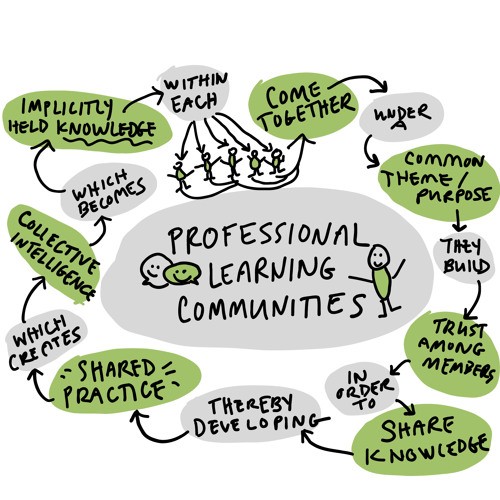
Professional learning communities create multiplier effects for individual learning efforts.
When members share experiences, case studies, and solutions, everyone benefits from collective wisdom that would take years to acquire individually.
Research validates this approach. Teacher-centered collaborative activities seem to be more effective in improving outcomes than learning activities that do not necessarily involve such collaborative opportunities.
Beyond immediate learning benefits, professional learning communities create valuable professional networks. Members develop relationships that lead to career opportunities, project collaborations, and knowledge partnerships that extend far beyond the community itself.
Professional learning communities provide ongoing exposure to new ideas, tools, and approaches. This continuous learning environment helps members stay ahead of industry trends rather than reacting to changes after they become critical.
Learning opportunities are the top retention strategy for 90% of companies concerned about employee retention.
Professional learning communities tap into intrinsic motivation by connecting individual growth with meaningful professional challenges.
Microsoft's Internal Communities of Practice have enabled knowledge sharing across global teams, resulting in faster product development cycles and improved innovation metrics.
Salesforce Trailblazer Community connects over 4 million developers, administrators, and users who share knowledge, celebrate achievements, and drive product innovation through collaborative learning.
Healthcare Quality Improvement Networks have demonstrated measurable improvements in patient outcomes when professionals share best practices through structured learning communities.
Many professional learning communities fail because they lack specific, measurable objectives. Without clear purposes, members become confused about expectations and gradually lose interest.
Solution: Define specific learning outcomes, success metrics, and member expectations from the beginning.
Passive membership kills community momentum. When only a small percentage of members actively contribute, discussions stagnate and value diminishes for everyone.
Solution: Design engagement systems that reward participation and make contributing easy and valuable.
Communities without effective facilitation often devolve into unfocused conversations or, worse, become dominated by a few vocal members who discourage broader participation.
Solution: Establish clear leadership roles, moderation guidelines, and structured discussion formats.
Complex platforms or poorly designed interfaces create friction that prevents members from participating effectively, particularly for those with varying technical comfort levels.
Solution: Choose user-friendly platforms and provide adequate technical support and training.
Professionals may hesitate to share challenges, mistakes, or incomplete ideas, fearing judgment or competitive disadvantage. This reluctance severely limits learning potential.
Solution: Create psychologically safe environments through clear community guidelines and leadership modeling of vulnerability.
Expert Insight: According to learning and development researcher Dr. Amy Edmondson, psychological safety is the foundation of effective professional learning. Communities that establish trust and encourage experimentation see significantly higher knowledge sharing and innovation rates.
Launch professional learning communities with manageable member counts that allow for meaningful interaction and relationship building. Higher functioning PLCs predict higher levels of teacher collective efficacy, but this effectiveness develops through quality interactions rather than large membership numbers.
Begin with 15-25 committed members who share strong interest in community objectives. This size enables everyone to know each other while providing sufficient diversity of perspectives and experiences.
Focus on community culture development before expanding membership. Established norms and practices make it easier to integrate new members without disrupting community dynamics.
While digital platforms enable global participation and convenient access, combining virtual and in-person elements creates stronger community bonds and more comprehensive learning experiences.
Schedule regular virtual meetups for broader participation while organizing periodic in-person gatherings for deeper relationship building.
Create hybrid learning events that accommodate both local and remote participants through video conferencing and collaborative tools.
Transparency and honest feedback accelerate both individual and community development. Create multiple channels for members to share ideas, concerns, and suggestions.
Implement regular community retrospectives where members can discuss what's working well and what needs improvement.
Establish anonymous feedback mechanisms for sensitive issues that members might hesitate to raise publicly.
Recognition systems motivate continued participation while highlighting valuable contributions for other members.
Develop gamification elements such as badges for milestone achievements, points for helpful contributions, and leaderboards that celebrate different types of value creation.
Feature member spotlights that showcase individual achievements and share their learning journeys with the broader community.
Create advancement pathways where active contributors can take on leadership roles or special recognition within the community.
Testimonials and case studies demonstrate tangible value while building credibility for the community approach.
Document member achievements that result from community participation, including career advances, skill development, and project successes.
Create case study collections that show how community knowledge has been applied to solve real problems.
Facilitate peer testimonials where members share how community participation has impacted their professional development.
BuddyBoss offers comprehensive features specifically designed for professional learning communities, including integrated learning management systems, social networking capabilities, and mobile apps that keep members connected anywhere.
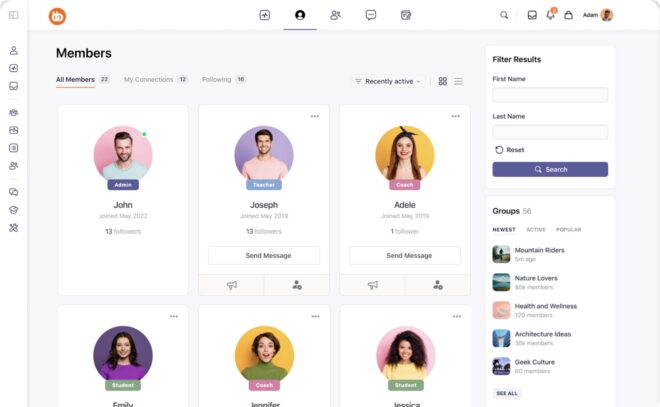
Key BuddyBoss features include:
Social Interaction: Members can create rich profiles, join interest-based groups, and interact through activity feeds, comments, likes, and direct messaging, just like top social media platforms.
Course Management: BuddyBoss integrates with leading LMS plugins like LearnDash and TutorLMS to deliver interactive courses complete with quizzes, assignments, progress tracking, and certificates all embedded within the community environment.
Mobile Accessibility: With native iOS and Android apps, learners enjoy push notifications, offline access (BuddyBoss App supports offline access to certain course content when configured with LMS integrations), and seamless engagement on the go, enhancing course completion and community involvement.
Gamification: Motivate learners with badges, points, leaderboards, and achievements that reward participation and progress (Native feature in BuddyBoss Platform Pro).
Event Management: BuddyBoss supports event management via integrations and can connect with tools like Zoom for live sessions that foster real-time collaboration.
Membership and Monetization: Control access through flexible membership levels, payment gateways, and user role management, enabling sustainable community growth.
Performance and Security: BuddyBoss is optimized for performance and supports caching and database management when configured with hosting or plugins. Offers robust security features to protect your community’s data.
BuddyBoss reduces reliance on fragmented setups by bringing core community and engagement features together, while supporting integrations for learning management, events, and live sessions.
With BuddyBoss, you can build vibrant online spaces where members collaborate, learn, and grow together, powered by technology that’s designed to scale with your vision.
Slack and Microsoft Teams excel at real-time communication and file sharing, particularly for communities with frequent informal interactions.
Zoom and Google Meet enable face-to-face discussions, webinars, and collaborative sessions that build stronger relationships.
Miro and Mural support visual collaboration for brainstorming, planning, and problem-solving activities.
Many professional learning communities benefit from structured learning paths alongside peer discussions. Platforms that integrate community features with learning management capabilities provide comprehensive solutions.
Content libraries organized by topic, skill level, and format make it easy for members to find relevant resources.
Progress tracking systems help members monitor their development and identify areas for additional focus.
Certification pathways add structure and recognition to learning achievements within the community context.
Professional learning communities often involve sharing sensitive information about challenges, strategies, and organizational practices. Robust security measures protect member trust and encourage open sharing.
Data protection protocols ensure member information and shared content remain secure and properly controlled.
Privacy controls allow members to manage what information they share and with whom.
Content ownership policies clarify intellectual property rights for community-generated resources and discussions.
What is the main purpose of a professional learning community?
The primary purpose of professional learning communities is to accelerate professional development through collaborative learning, knowledge sharing, and peer support. Unlike traditional training programs, PLCs create ongoing learning environments where members continuously develop skills, solve problems together, and adapt to changing professional demands.
How do you measure the success of a professional learning community?
Effective measurement combines engagement metrics with learning outcomes. Track active participation rates, knowledge sharing frequency, and member retention alongside skill development assessments, career advancement, and application of community learning in professional practice. Regular member surveys provide qualitative insights into community value and satisfaction.
Can small businesses and individual professionals create effective PLCs?
Professional learning communities work effectively at any scale. Small businesses can create internal PLCs for employee development or join industry-specific external communities. Individual professionals can initiate PLCs around specific skills or challenges, often finding that others share similar learning needs and are eager to collaborate.
How is a professional learning community different from a general online community?
Professional learning communities focus specifically on skill development and knowledge sharing with structured learning objectives, while general online communities may emphasize social interaction, networking, or broad industry discussions. PLCs typically have more intentional facilitation, curated content, and measurable learning outcomes compared to general professional networks.
Your professional growth and organizational success increasingly depend on your ability to learn continuously and collaborate effectively. Professional learning communities provide the structure, support, and motivation to make this vision reality.
Ready to start your professional learning community journey? BuddyBoss provides the complete platform solution to create effective professional learning communities that drive real results for members and organizations.
Stat Sources- https://positivepsychology.com/benefits-goal-setting/, https://www.getbenepass.com/blog/employee-retention-statistics
Most community builders approach their projects with overwhelming optimism and a dangerous assumption: if you build it, they will come.
This fantasy has led to many failed projects and abandoned communities.
Studies show that approximately 31% of online communities fail due to lack of support, and 24% collapse due to poor engagement. The truth is, without solid strategy and active engagement, most online communities don’t last long.
While timing and luck can play some role, the biggest differentiator is how well leaders apply core principles of human connection.
It’s all about understanding the fundamental principles that drive human connection in digital spaces and being mindful of the common challenges that can hold a community back.
Explore BuddyBoss Web Platform and Mobile app to build your dream community and ensure lasting success.
Building an online community is full of promise but the path is riddled with challenges. Understanding the core reasons why many communities struggle is the first step to creating one that truly thrives and lasts.
Many founders mistakenly believe that simply launching a platform will spark immediate activity. However, successful communities require ongoing leadership, consistent content, and active facilitation.
However, thriving communities need ongoing care, active leadership, and consistent value. Without visible leaders, engagement drops, signaling a lack of commitment.
Another common pitfall is underestimating the time and resources needed beyond platform costs content creation, support, and event planning require significant effort. This often leads to burnout and community abandonment.
Duplicating popular social media features without delivering unique value often produces generic communities struggling to engage members. Complex designs and unclear purposes can also deter potential participants before they get involved.
A major mistake is confusing a platform with a community platforms are tools, but communities are built on genuine relationships.
Without fostering real connections, even the best platform becomes a digital dead zone. True communities create belonging by focusing beyond shared interests to deeper values and aspirations that sustain engagement.
Communities must have a clear, specific purpose to guide interactions; vague goals lead to confusion and disengagement.
Overly brand-focused communities often struggle to retain members, since people seek value beyond marketing.
Successful communities understand their members deeply through ongoing research and adapt based on authentic feedback from community members.
Neglecting member focus leads to poor service, irrelevant content, and features that prioritize the organization over members.
This causes reduced engagement and member loss. Ignoring member feedback creates an echo chamber, preventing the community from evolving with members’ needs.
Communities must continuously adapt by monitoring behavior and trends to stay relevant. Relying only on vanity metrics can blind leaders to deeper engagement needs within their community members, which risks disengagement.
Building a thriving community starts with a foundation of shared purpose, active participation, and mutual trust. The strongest communities are built by leaders who set clear goals, foster open communication, and encourage collaboration so every member feels valued and empowered. Below we discuss exactly that:-
Start with a clear “why” that defines the problem your community solves and the value it offers members. This guiding purpose directs all decisions, from content to moderation and outreach.
Prioritize quality engagement over sheer numbers a smaller group of active, connected community members is more valuable than a large passive audience.
Maintain a strong focus on member needs, even if it requires tough choices like removing revenue features that confuse members or investing in support that fosters trust. This member-first mindset builds loyalty and advocacy.
Identify the core shared trait that binds your members whether a common struggle, goal, or worldview to focus your efforts and attract the right people.
Be selective about membership to ensure alignment with your core purpose, creating a cohesive and strong community.
Core pillars of online community structure provide a framework for building sustained engagement and meaningful connections. These pillars include:
Together, these pillars support each other to create a strong, resilient community foundation capable of growing and adapting over time. A well-structured community considers value proposition, clear guidelines, moderation, and member journeys to ensure lasting success and cohesion.
Fostering member engagement is at the heart of every successful community. People join groups to form real connections, learn, and contribute, so it’s important to make their first steps welcoming and their ongoing experience rewarding.
Effective onboarding turns new members into active participants by helping them understand community culture, find connections, and achieve early wins.
It goes beyond platform tutorials, introducing values, success stories, and clear engagement steps.
Getting members to “buy-in” involves encouraging small commitments like completing profiles or joining welcome discussions, building psychological investment over time.
Avoid overwhelming new members and ensure clear guidance and follow-up in the first 30 days to prevent negative first impressions.
Meaningful community interactions need active leadership to prompt deeper discussions and model engagement.
Provide members with various ways to connect one-on-one, small groups, or projects based on their comfort and style.
Focus on fostering genuine engagement, which goes beyond activity metrics to include relationship building, knowledge sharing, and mutual support.
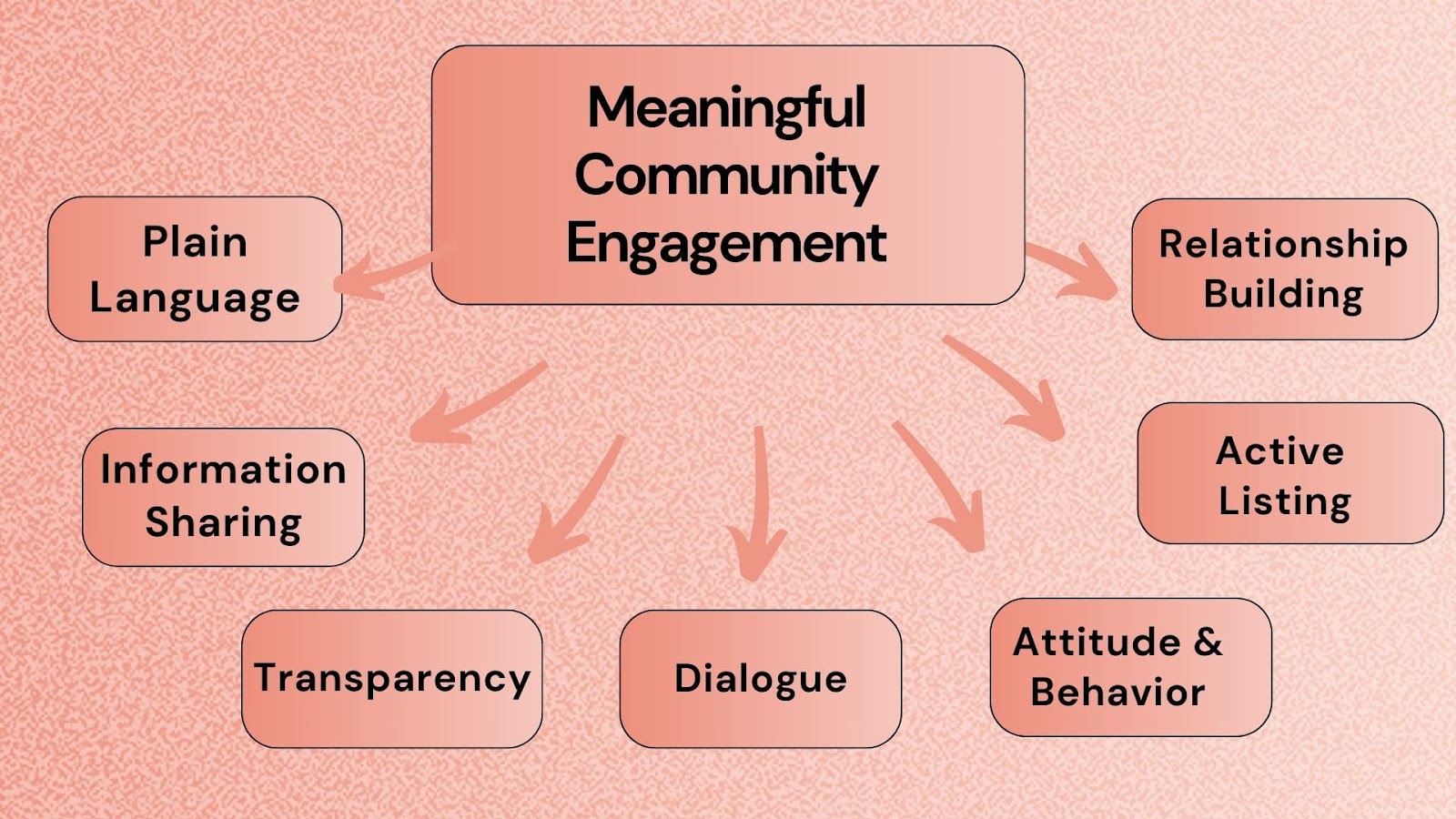
Successful communities start with a clear purpose that explains not just what the community does, but why it matters to members.
This purpose should be specific enough to guide decisions yet flexible for growth. Focus on transformation, helping members achieve meaningful change rather than just sharing information.
Avoid over-branding; prioritize member success over company metrics.
The best communities build loyalty by deeply understanding and addressing members’ real needs, including emotional support and skill development.
Continuously add value by listening to feedback, experimenting with formats, and providing resources like workshops and mentorship. Balance consistency with innovation to keep members engaged and make the community an essential part of their personal and professional growth.
As discussed below, effective community management and moderation are essential for building safe, welcoming spaces where everyone can participate and thrive.
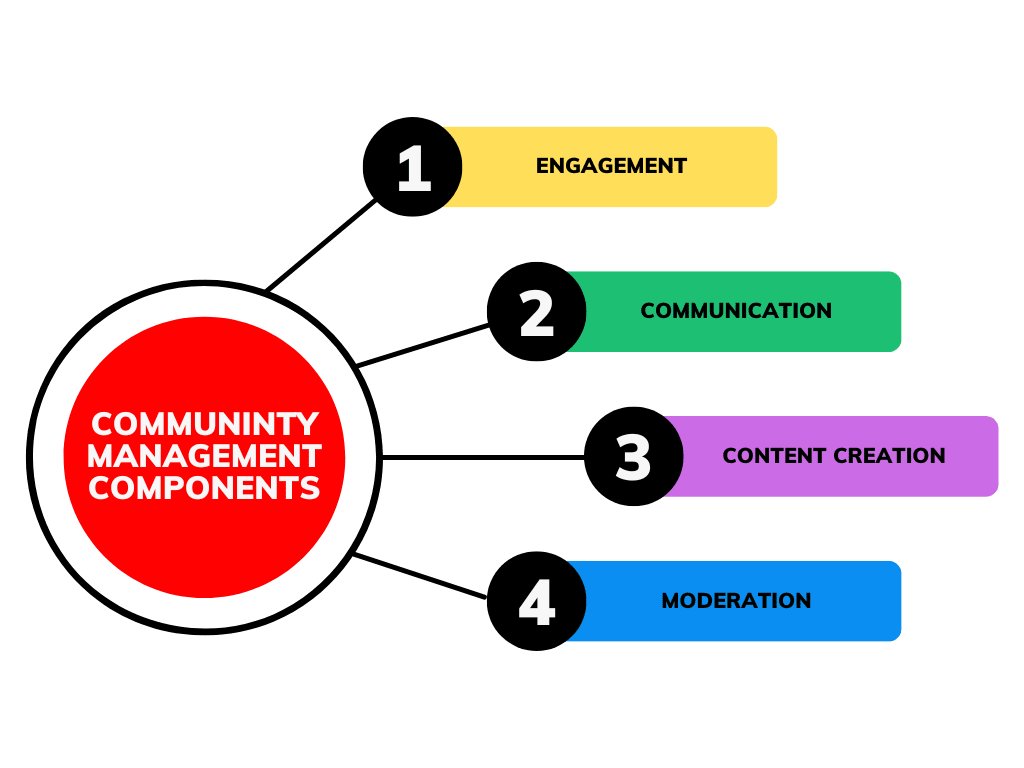
Effective moderation protects community health by enforcing clear guidelines, handling conflicts constructively, and fostering respectful participation. Moderators should be trained, supported, and empowered to maintain a safe environment where diverse views can be expressed respectfully.
Active community management goes beyond moderation, including member engagement, recognizing contributions, and addressing issues early. To avoid leadership gaps, develop multiple moderators and nurture potential leaders.
Prevent burnout by planning realistic resource allocation, setting boundaries, and building support systems. Make member interactions easy through intuitive design, clear communication, and responsive support to encourage participation.
Measuring community success and staying relevant means looking beyond simple numbers. Focus on member connections, growth, and genuine engagement to understand what’s working. Combine solid data with real feedback so insights reflect true value.
Measuring community success means focusing on metrics that reflect true health, like member connections, knowledge sharing, retention, and goal achievement. Avoid vanity metrics such as total members or post counts, which don’t show genuine engagement.
Combine quantitative data with qualitative insights surveys, interviews, and observations to understand if activity represents real value. Effective KPIs highlight deep engagement and community impact beyond surface-level numbers.
To keep communities relevant, regularly research member needs, watch industry trends, and be willing to evolve.
Balance consistent elements with new ideas that grow alongside members. Actively listen to feedback through surveys, focus groups, or direct conversations, and adapt visibly.
Community development is ongoing needs change as members and industries evolve, so continuous adaptation ensures lasting value and member retention.
Many communities struggle without the right tools and strategy. BuddyBoss provides a complete toolkit to address these common challenges.
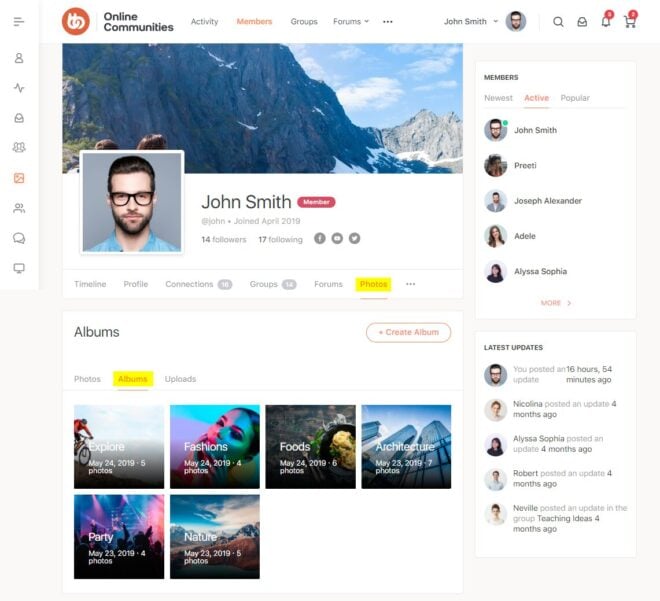
BuddyBoss includes core features such as user profiles, group spaces, forums, and live activity feeds built into the platform. Additional functionality like video meetings (Zoom), gamification (GamiPress), and monetization (WooCommerce) are available via integrations to expand your community’s capabilities.
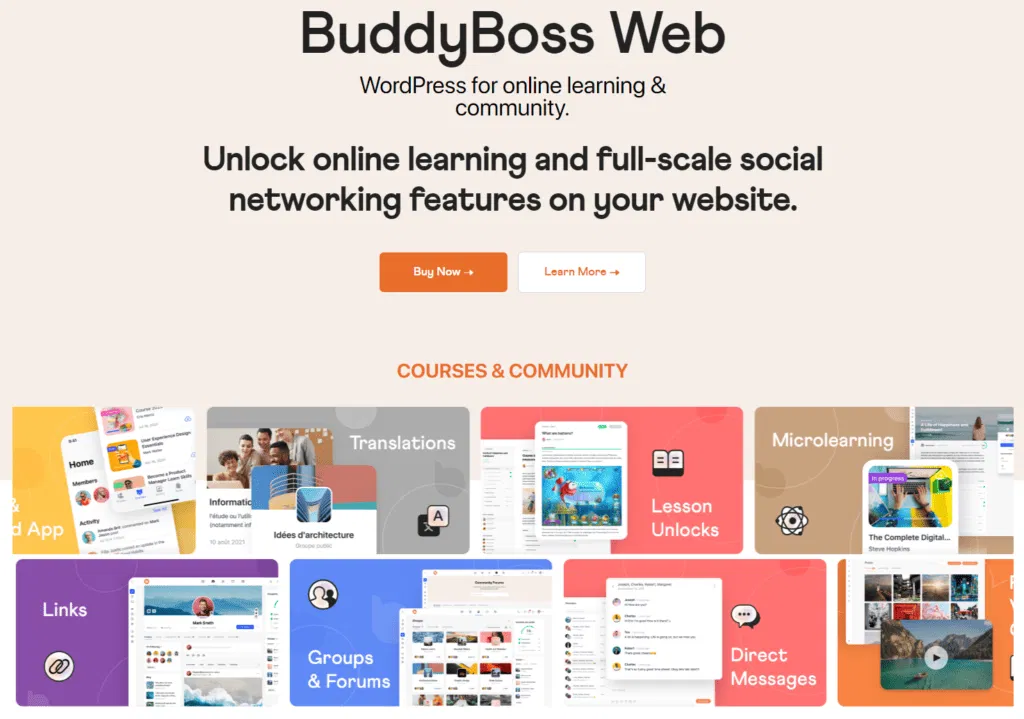
Designed to scale with your hosting environment, BuddyBoss supports large communities, courses, groups, and forums; BuddyBoss is designed to scale flexibly with your hosting environment, supporting large communities when paired with the right server resources.
Its mobile-optimized design and native apps for iOS and Android ensure users stay connected anytime, anywhere. Plus, integrations with 100s of platforms, tools, plugins like e-commerce and membership management tools empower creators to monetize their communities sustainably.
Get started with BuddyBoss today and build your thriving community!
Why do online communities fail, and how can we bring them back to life?
Communities fail when they lose clear purpose, fail to moderate well, and lack genuine member connections. To revive, listen to members, improve moderation, create engaging onboarding, host events, and encourage member-led discussions. Revival takes sustained effort and empowering members.
What factors contribute to success or failure?
Successful communities have clear purpose, strong moderation, active engagement, inclusivity, and consistent value. Failures in building a community arise from vague goals, poor moderation, toxic atmospheres, and low engagement among community members. Belonging and adaptability drive success.
How will you build and maintain a strong community?
Start with a focused purpose and target audience, set clear guidelines, recruit engaged early members, and provide structured onboarding. Maintain with quality content, member recognition, and continuous improvement based on feedback and data.
Why do people join online communities?
To connect with like-minded people, community members can share knowledge, collaborate on goals, access exclusive content, and find inspiration or support.
What are the benefits of creating a community?
Communities build brand loyalty, generate valuable feedback and content, improve customer support, and reveal insights for strategic decisions.
How to determine community success?
Track active participation, retention, organic leadership, member satisfaction, real-world impact, and strong member connections.
How do online communities compare to real-life ones?
Online communities connect diverse, geographically spread members with accessibility and anonymity benefits but can’t fully replace physical presence and immediate emotional support. Hybrid models combine strengths.
Examples of online communities creating real-life bonds?
Reddit meetups, tech Slack groups, hobbyist gatherings, and support groups often evolve into strong offline friendships and activities.
Have online communities helped members in crisis?
Yes. Members provide emotional, financial, and logistical support during personal or natural crises, strengthening community bonds.
How to attract new members?
Use valuable content marketing, referral incentives, partnerships, fresh events, and multi-platform presence.
Can students build communities?
Yes. Use focused purposes, existing platforms, hybrid online-offline approaches, and start with small engaged groups.
[source: https://bloggingx.com/online-community-statistics/]
Today, over 64% of global internet traffic flows through mobile devices a figure that continues to rise each year.
Your community members aren’t just occasionally logging in from their smartphones; they’re living, working, and connecting through these devices all day, every day.
Ignoring mobile experience when building a community is like opening a restaurant with no front door: users simply won’t come in.
By designing spaces that put mobile users first, you create environments that feel natural, are instantly accessible, and meet members exactly where life happens: in their pockets, on the move, and in every brief moment throughout the day.
Mobile-first community building means designing and developing your community platform with mobile users as the primary consideration, not an afterthought. This approach prioritizes mobile experiences during the initial design and development phases, then scales up to larger screens.
The difference between mobile-first and mobile-friendly is crucial. Mobile-friendly (or “responsive”) design takes an existing desktop experience and adapts it for mobile devices. Mobile-first community building starts with the mobile experience and works outward.
Here's why communities fail when they ignore mobile users:
Friction kills engagement. When mobile users encounter clunky navigation, slow loading times, or features that don't work properly on their devices, they leave. Mobile websites barely retain 40% of visitors past the first few seconds.
Limited functionality reduces participation. Desktop-first communities often lack mobile-optimized features like push notifications, location services, or camera integration that mobile users expect.
Poor performance drives churn. Mobile apps load up to 1.5 times faster than responsive websites, and speed directly impacts user retention.
The mobile revolution isn't coming it's here. As of 2025, an estimated 4.69 billion people own a smartphone, and 5.41 billion people use social media monthly. More telling is how they use these devices: US smartphone users spend 3 hours 45 minutes per day using mobile apps.
For community builders, these statistics reveal a fundamental shift in user behavior. People don't just access communities on mobile, they live there.
Mobile usage drives engagement patterns
Smartphone users spent 88% of their mobile internet time in apps versus websites in recent studies. This means your community members expect app-like experiences, not mobile-adapted website experiences.
The engagement advantage is massive
Communities that prioritize mobile-first community building see dramatic improvements across key metrics:
Mobile-first features unlock participation
Push notifications, quick content sharing, voice messaging, and instant photo uploads these mobile-native features transform how community members interact. They reduce friction between having an idea and sharing it with the community.
Ready to build a thriving community that feels effortless for mobile users? Here are the essential ingredients for crafting a mobile-first strategy that delights, connects, and grows everywhere your members go.
Clean, intuitive interfaces win
Mobile screens demand ruthless prioritization. Every element must earn its place. Successful mobile-first community building focuses on:
Navigation simplicity is non-negotiable
Complex navigation menus that work on desktop become unusable nightmares on mobile. Effective mobile-first community platforms use:
Speed directly impacts community growth
Mobile apps load up to 1.5 times faster than responsive websites, but speed improvements deliver exponential engagement benefits. Every second of load time improvement increases user satisfaction and reduces abandonment rates.
Optimized media keeps users engaged
Images and videos drive community engagement, but they can also kill mobile performance. Mobile-first community building requires:
Mobile-first community building must prioritize accessibility from day one. This includes:
Push notifications drive return visits
Push notification campaigns have an average open rate around 60% with ~15% click-through, far outperforming traditional email (about 15% open, 5% click-through).
Effective mobile-first community platforms harness notifications thoughtfully to keep members connected and engaged. They notify users about new messages in active conversations, celebrate community milestones and achievements, suggest personalized content tailored to individual interests, and remind members of upcoming events and important deadlines.
This approach creates timely, relevant touchpoints that nurture ongoing participation without overwhelming users.
AI-driven recommendations increase engagement
Mobile users expect personalized experiences. Smart community platforms analyze behavior patterns to surface relevant content, suggest connections, and recommend groups or topics.
Native apps clearly lead the pack when it comes to community engagement on mobile. Users dedicate about 88% of their mobile time to apps, leaving only 12% for mobile websites.
This translates into tangible benefits for communities that invest in native apps, including superior retention rates, more frequent engagement, deeper use of features, and stronger brand loyalty.
Native apps offer a rich, immersive experience tailored to the mobile environment, making them a powerful vehicle to connect and grow communities in today's mobile-first world.
| Aspect | Native Apps | Responsive Sites |
| User Engagement | Higher retention & frequent use | Lower engagement |
| Feature Utilization | Access to device hardware & features | Limited to browser capabilities |
| Performance | Optimized, smooth, faster | Dependent on browser, less smooth |
| Offline Access | Often available | Generally requires internet |
| Brand Loyalty | Stronger, visible app icon | Weaker, browser-based |
| Development Cost | Higher (platform-specific coding) | Lower (single codebase) |
| Maintenance | Requires updates per platform | Easier, single updates |
| Discoverability | App store presence | Search engines only |
Mobile devices are ideal for gamification, making community interactions more engaging and fun.
The most successful mobile-first communities incorporate achievement badges and progress tracking to reward consistent participation, daily check-in rewards and streaks to encourage habitual engagement, community challenges and competitions that foster friendly rivalry, and leaderboards along with social recognition systems that celebrate and motivate active members.
These game-like elements transform routine interactions into rewarding experiences that keep members coming back and feeling connected.
Real-time communication is the heartbeat of vibrant mobile-first communities, fueling instant and meaningful connection among members.
Platforms that prioritize this excel by offering instant private messaging for quick one-on-one chats, robust group chat functionality to keep conversations dynamic and inclusive, real-time text messaging with typing indicators and delivery without page refresh.
Audio/video calling is not available in the BuddyBoss App; live sessions use Zoom integration, and seamless rich media sharing that lets users exchange photos, videos, and documents effortlessly.
These features create a seamless communication flow that keeps members engaged, connected, and coming back for more interaction.
Below we mark features as Native (Web), Native (App), or Via Integration to set clear expectations.
| Feature | Availability | Notes |
| Member profiles, groups, forums, activity feeds | Native (Web) | Core BuddyBoss social features |
| Live (real-time) private & group messaging | Native (Web/App) with Live Messaging enabled (uses Pusher) | Requires enabling Live Messaging |
| Push notifications | Native (App) | Requires Firebase setup |
| Offline LearnDash courses | Native (App) | Supports LearnDash content with some offline limitations |
| Zoom meetings/webinars | Via Integration | Requires Platform Pro |
| Gamification (points, badges, leaderboards) | Via Integration | Supports GamiPress, BadgeOS |
| Monetization (Stripe/PayPal, subscriptions, WooCommerce) | Via Integration | Supports PMPro, WooCommerce integrations |
| Page builders (Elementor, WPBakery, Beaver Builder, Thrive) | Via Integration | BuddyBoss controls core Activity/Groups/Forums templates |
Different content formats work better on mobile devices:
Mobile users abandon complex onboarding processes. Effective mobile-first community building uses:
BuddyBoss addresses the challenge of mobile-first community building by providing:
BuddyBoss makes mobile-first community building effortless by offering advanced native app features that set it apart.
You can build branded iOS and Android apps from one React Native codebase using the BuddyBoss App builder, then publish in your own Apple and Google developer accounts or via our publishing service.
Push notifications (via Firebase) keep your community instantly connected with timely updates, while offline access for LearnDash courses is supported (download to device; progress syncs when back online) even without an internet connection. Every app is finely tuned with device-specific optimizations, delivering a seamless, smooth experience tailored for each user’s smartphone or tablet.
This combination of automation, flexibility, and power means BuddyBoss empowers communities to thrive in a mobile-first world without the technical headaches.
Please Note: Publishing requires Apple App Store and Google Play developer accounts; you can self-publish or use the BuddyBoss Publishing Service.
BuddyBoss offers a truly customizable mobile-first design experience that empowers creators to build beautiful, functional communities tailored to their brand.
It features mobile-optimized themes and layouts that automatically adapt to different screen sizes, ensuring a smooth and appealing user experience on any device.
Compatible with major page builders (Elementor, WPBakery, Beaver Builder, Thrive). Use them for pages; core community templates (Activity, Profiles, Groups, Forums) remain managed by BuddyBoss for stability.
Responsive design systems ensure consistent display across smartphones, tablets, and desktops, while brand customization options let you personalize colors, typography, headers, footers, and more to perfectly reflect your community’s identity. This blend of intuitive design tools and flexibility makes it easy to create a polished, mobile-first community that stands out and engages users deeply.
BuddyBoss elevates community engagement with a comprehensive suite of integrated tools designed to foster interaction, motivation, and seamless management.
Its powerful gamification systems, powered by integrations like GamiPress and BadgeOS, let you reward members with points, badges, and leaderboards, turning participation into a fun and competitive experience.
Social learning features encourage collaboration and knowledge-sharing through group discussions, activity feeds, and rich messaging, creating a dynamic space where members connect deeply.
Membership management is robust and flexible, enabling you to set distinct permission levels, restrict content by membership tiers, and seamlessly integrate payment gateways like WooCommerce, Stripe, and PayPal for monetization.
Coupled with e-commerce integration, BuddyBoss empowers communities to offer exclusive content, courses, and products, making engagement not just meaningful but also sustainable and growth-driven.
BuddyBoss connects with learning management systems, payment processors, and marketing tools, ensuring that mobile-first community building doesn't require platform fragmentation.
Q. Can a digital-first community still foster deep relationships?
Yes. Digital-first communities build strong bonds using varied interaction tools and thoughtful management, allowing trust to develop even without face-to-face contact.
Q. Can a mobile-first approach work for professional or B2B communities?
Absolutely. Mobile-first enables busy professionals to engage on-the-go, providing quick access to content and notifications suited to their schedules.
Q. Do mobile-first communities replace desktop versions?
No. Mobile-first prioritizes mobile design but complements it with desktop versions that offer enhanced features for deeper work.
Q. How do I measure the success of a digital-first community?
Track active users, retention rates, content engagement, surveys, and business impacts like referrals all combining quantitative and qualitative metrics.
Q. How does mobile-first design impact community engagement?
Mobile-first reduces friction, enabling more frequent, shorter interactions and real-time notifications, leading to significantly higher engagement rates.
Q. What are the risks of relying solely on digital-first platforms?
Risks include platform dependency, data ownership issues, content visibility limits, digital fatigue, and weaker in-person connections.
Q. What challenges should I be aware of when building a mobile-first community?
Challenges include device compatibility, performance on slow networks, notification balance, moderation scalability, and cross-platform consistency.
Q. What is the difference between digital-first and hybrid community building?
Digital-first focuses mainly on online engagement; hybrid blends digital tools with in-person experiences for a balanced approach.
Q. Which industries benefit most from digital-first community building?
Tech, education, healthcare, media, non-profits, and advocacy groups see strong returns from digital-first communities.
Mobile-first communities deliver seamless experiences tailored to the on-the-go lifestyles of members, while digital-first approaches create inclusive, always-on spaces that transcend geography and time zones.
Embracing these approaches empowers organizations to foster vibrant, engaged communities that drive meaningful value for members and measurable outcomes for brands.
Ready to transform your community with mobile-first and digital-first strategies?
Start by assessing your current platform’s mobile experience and exploring digital tools that amplify member connection. Build with BuddyBoss today to unlock the full potential of your online community!
Statistics Source- Statista 2023, Asurion 2019 study
Did you know nearly 40% of online communities end up switching platforms within just two years?
That’s almost half an eye‑opening number when you think about the time, energy, and resources that go into building a thriving group in the first place.
A platform move isn’t just a challenge it’s also a chance. Transitioning can open doors to better features, smoother member experiences, and new ways of engaging that simply weren’t possible before.
For community managers like you, it’s about making sure the platform truly grows with the community, rather than holding it back.
In this article, we’ll explore why communities switch platforms, the unique opportunities (and a few hurdles) migrations bring, and how leaders can make smarter choices that set their communities up for long‑term growth and connection.
Switching platforms might sound like a drastic move, but for many communities it becomes a natural decision when their current tools no longer fit their needs. Research shows that 40% of online communities change platforms within two years (CMX, 2022), and digging deeper, a few common themes emerge:
If your members struggle to navigate the space, engagement drops fast. A confusing interface or clunky mobile design can create unnecessary friction.
Considering that 63% of all online traffic now comes from mobile devices (Statista, 2023), a lack of mobile optimization can alienate a huge portion of members.
Communities thrive when access is simple, intuitive, and seamless across devices.
The identity of a community matters. Leaders want their spaces to look and feel like their own, not like another cookie‑cutter forum.
Without flexible design, custom domains, or the ability to tailor layouts, members may feel disconnected from the community’s purpose and leaders start looking elsewhere.
A “post and comment” forum isn’t enough anymore. Members want real interactivity: polls, gamification, badges, live chat, and smart notifications.
Platforms lacking these features often see participation flatten over time. When members feel rewarded and recognized, they keep showing up.
What works for 100 members may not work for a 10,000 members community. Rapidly growing communities often discover their platforms weren’t built to scale leading to slow load times, limited admin controls, or caps on membership tiers.
For community builders, that makes scalability non‑negotiable from the start.
Budget always matters. While free tools look appealing early on, hidden costs appear when critical features are locked behind paywalls or when leaders must pay extra for integrations, analytics, or expanded storage. The result: migrations to platforms that better balance affordability with value.
The Free One-Click Community for Any WordPress Site | BuddyBoss ReadyLaunch
Switching platforms might seem like a quick fix, but the hidden costs often outweigh the visible ones.
From data migration headaches to lost engagement, the price of moving isn’t always measured in dollars.
One of the biggest challenges during any platform migration is retaining the community members you’ve worked so hard to gather. Even a smooth transition can create friction points that cause some members to disengage along the way.
Why it happens:
Why it matters for community health:
Every departing member isn’t just a number, it's a potential lost contributor, advocate, or future leader. Strong community growth is about compounding engagement over time, so even a small percentage of attrition can stall momentum.
If, for example, a group of 5,000 loses 25% of its members in transition, that’s more than 1,200 voices gone, reducing both the diversity of contributions and the vibrancy of conversations.
Data is the lifeblood of any community member profiles, discussion history, shared resources, event records, and analytics all form the backbone of how a community functions. When switching platforms, however, this treasure trove is at risk.
Why it Happens and its impact on communities-
Export/import limitations → Collective memory loss
Because platforms don’t “speak the same language,” forum threads, replies, or categories may not transfer neatly. The result is missing context or broken conversations, which undermines the community’s shared knowledge base.
Attachment issues → Frustration & trust concerns
Images, videos, and embedded links often disappear during migration. When members login and see their contributions stripped of media, it damages trust and creates the impression that the new space isn’t reliable.
APIs and integrations → Increased admin workload
Communities that depend on integrations (like Slack bots, CRM systems, or analytics tools) often discover they don’t carry over smoothly. Rebuilding them requires significant time and sometimes costly developer help, making the transition more resource‑heavy.
Before committing to a full migration, it’s wise to run a test export/import to identify issues early. Always back up critical conversations in searchable formats such as PDFs or databases to preserve your community’s history.
Focus on prioritizing core data like member profiles, discussion archives, and event history rather than trying to move every single piece of content.
And whenever possible, choose a platform that actively supports migrations with built-in tools or partner services, making the entire process smoother and less risky.

For a community, trust is everything. Members return not just for content, but for the feeling that this space is stable, reliable, and worth their time. When a platform migration introduces glitches logins that don’t work, missing notifications, or broken features that delicate trust can be shaken.
Why it matters and What’s The ripple effect of it:-
Reliability issues → Member disengagement
When a platform feels unstable, members gradually lose confidence and may stop showing up.
Broken first impressions → Dampened enthusiasm
If the first experience is an error page or a broken profile, excitement about the new platform fades instantly. What should feel like a fresh start instead feels like a step backward.
High expectations + low patience → Quick exits
Even loyal members may disengage permanently after just one bad experience, leaving behind a lingering sense of frustration.
Unstable experience → Drop in member confidence
What used to feel like a safe and reliable “home” begins to feel unpredictable. Members stop trusting that notifications will arrive or their content will be preserved, reducing engagement.
Persistent issues → Admin and moderator burden
When things break, it’s admins and moderators who absorb the frustration. They spend more time troubleshooting instead of strengthening connections or guiding members.
Lasting instability → Hesitant re‑investment
Even after issues are fixed, the memory of glitches lingers. Some members are slower to fully re‑engage, making recovery from a fragile launch more difficult.
The good news is that trust can be protected during migration with the right approach. Communities that practice transparent communication sharing expected downtime, feature changes, and known issues help members feel informed and respected.
Pairing this with quick responsiveness to bugs and concerns shows that leaders value reliability.
And by celebrating wins openly when new features work well, community managers can shift the narrative toward progress and growth, rather than focusing only on disruption.
Behind every thriving community is an unseen backbone: the admins and moderators who guide conversations, enforce guidelines, welcome new members, and troubleshoot small issues before they escalate.
When a community moves to a new platform, these leaders aren’t just users, they're power users. And switching platforms often means rebuilding much of their expertise from scratch.
Why retraining matters and What’s its impact on community health:-
New workflows → Slower responses
Because moderation tasks like approving posts or managing reports work differently on the new platform, admins and moderators need time to adjust. During this period, response times to member questions or flagged issues may slow down, affecting the overall member experience.
Feature learning curve → Inconsistent enforcement
Learning new features such as gamification tools or analytics dashboards takes time. Without clear training, moderators may interpret or use these tools differently, creating uneven enforcement of guidelines and confusion for members.
Guideline adjustments → Volunteer fatigue
When new platform features (like direct messaging or reactions) change how interactions happen, moderation guidelines must be updated. For volunteer moderators, this extra responsibility can feel overwhelming, leading to fatigue or even withdrawal from their roles.
Admins and moderators can adapt more smoothly with a few supportive strategies:-
Providing structured onboarding through video walkthroughs, FAQs, and platform‑specific training sessions helps them build confidence with new tools.
Allowing a period of parallel practice, where the old platform remains active while training takes place in the new one, reduces pressure and ensures continuity.
Finally, offering recognition and support by framing retraining as valuable skill development and acknowledging the effort involved keeps morale high and motivates leaders to stay engaged throughout the transition.
One of the top reasons why communities switch platforms is that they didn’t evaluate options deeply enough before making their initial choice.
Leaders often focus on quick wins like cost or surface‑level features only to discover later that the platform can’t scale, doesn’t integrate with their tools, or frustrates members.
To avoid the disruption of switching community platforms again and again, you need a framework for smarter decision‑making.
Here’s a structured way to evaluate your options before committing.
Before signing up for a new platform, pause and ask some core strategic questions. These set the guardrails for whether a platform is suited for your community long‑term.
What’s your 3‑year member growth projection?
If you expect to grow from a few hundred members to a few thousand, you need a platform that scales seamlessly with you.
What’s your monetization strategy?
Are you leaning on memberships, courses, events, or sponsorships? Platforms differ widely. BuddyBoss integrates with WooCommerce and LearnDash for monetization, while others may offer only simple subscription payments. Align your revenue model with built‑in tools.
How important is mobile engagement?
With more than 63% of global traffic coming from mobile devices (Statista, 2023), a frictionless mobile experience is vital. If your platform doesn’t have a strong app or mobile optimization, engagement will drop.
What integrations are mission‑critical?
Think email providers, CRMs, learning management systems, or payment gateways. A platform should either support these out‑of‑the‑box or offer reliable APIs. Otherwise, you’ll face costly workarounds later.
What’s your technical resource availability?
Do you have in‑house developers or lean on no‑code tools? A self‑hosted platform like BuddyBoss unlocks flexibility but requires technical confidence, while SaaS platforms might limit customization but reduce maintenance stress.
Many communities don’t realize they’re setting themselves up for another platform change down the road. Watch for these early warning signs that often explain why communities switch platforms prematurely.
🚩 Platform demos that don’t show real communities
If you can’t see actual use‑cases in action, that’s a sign the provider may lack solid customer adoption.
🚩 Reluctance to provide customer references
Trusted platforms will happily connect you with existing clients. A lack of references is a red flag.
🚩 Pricing that increases dramatically with scale
Some platforms lure small communities with low entry costs but scale up sharply as you grow. Ensure costs align with your 3‑year projection, not just your launch.
🚩 Limited customization or branding options
Communities thrive on identity. If the platform forces its design over your community’s brand, members may eventually disengage it feels less like “yours” and more like “theirs.”
🚩 No clear data export policies
Perhaps the biggest cause of pain in switching community platforms is data lock‑in. If you can’t easily export members, content, and engagement history, you risk losing years of knowledge should you ever decide to leave.
Explore BuddyBoss and discover a platform built to scale with your members' needs.
When a community considers building or especially switching the platform, the main goal is to land somewhere stable, scalable, and engaging enough to last for years to come. That’s where BuddyBoss stands out as a compelling choice.
Need help with migration or development? Talk to
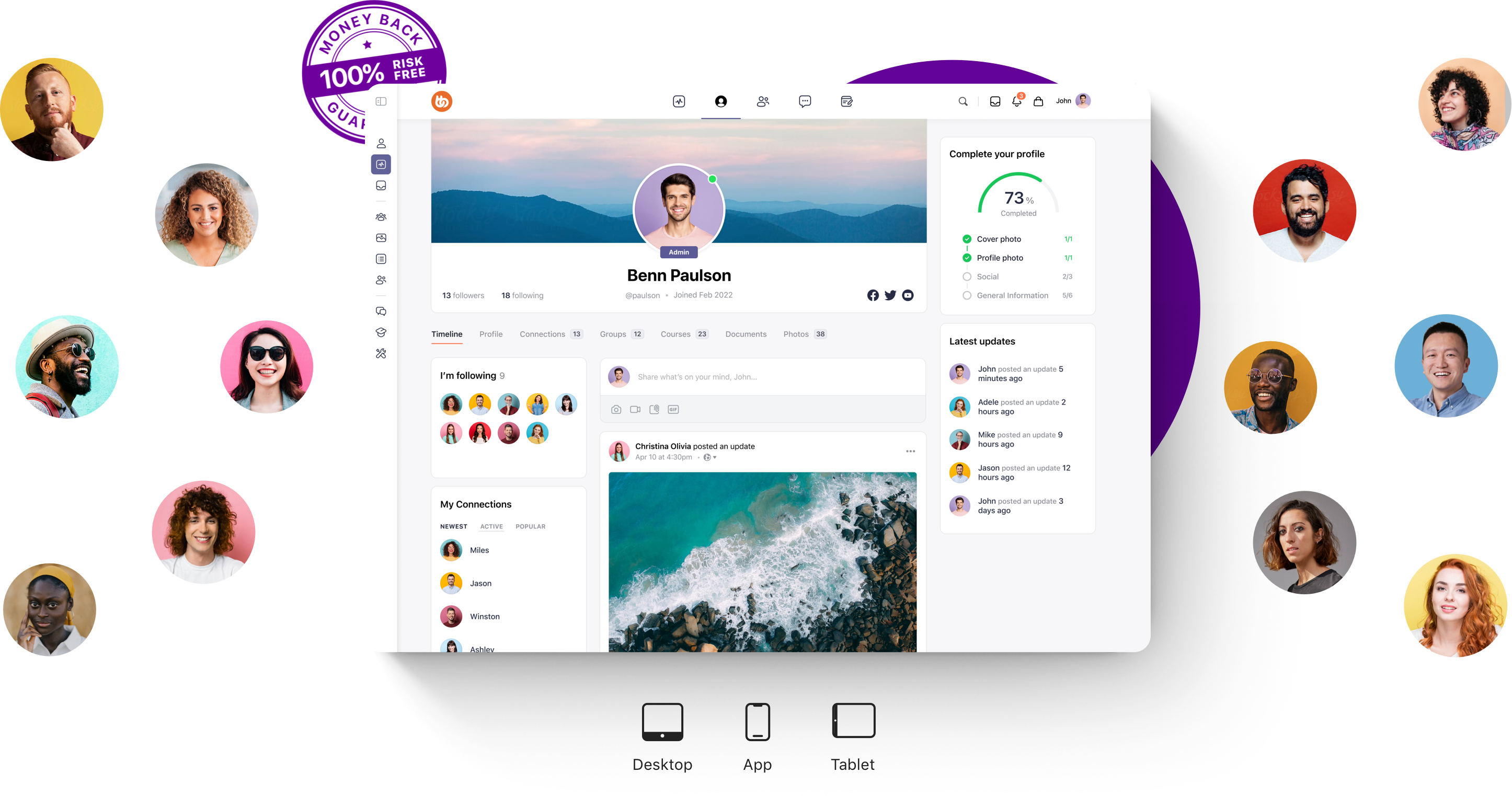
BuddyBoss is designed as a scalable, flexible foundation for long-term community growth, built on WordPress and extended through integrations. The team delivers continuous innovation, rolling out new features and improvements without disrupting your existing setup.
Its community‑driven development approach ensures that updates reflect real user needs, evolving in step with how communities actually engage.
Backed by the proven longevity of the WordPress ecosystem, BuddyBoss provides a stable and widely supported foundation you can rely on. Most importantly, it offers a true growth partnership, a platform designed to scale with you, so whether you manage a few hundred members or grow to thousands, you won’t be forced into another costly migration.
Launch your own native iOS & Android app with BuddyBoss to boost engagement and learning
Does BuddyBoss offer one-click migration from Circle or Mighty Networks?
No, BuddyBoss does not provide one-click migration from platforms like Circle or Mighty Networks. Migration is supported via WordPress import/export tools, CSV member imports, or through professional partner services.
Can I run a multilingual community with BuddyBoss?
Yes, BuddyBoss supports multilingual communities via integrations with popular plugins like WPML or Polylang, allowing you to configure multiple languages for your international audience.
What happens to my existing members’ data if I switch to BuddyBoss?
Member data can be imported via CSV files. For more complex migrations, professional help may be required to ensure all content, profiles, and engagement history transfer smoothly.
Every new platform brings fresh opportunities to innovate and serve your community better. By following a clear plan, you’ll set yourself up for smooth growth and stronger engagement on the other side.
If you’re considering a switch, choose a platform that’s scalable, reliable, and built to grow with your community for the long term.
As a coach, educator, or course creator, you have an incredible opportunity to revolutionize learning.
While traditional education often sees students retaining just 5% of lectures and 10% of reading material, you can change the game by shifting your courses into community-driven spaces grounded in proven neuroscience.
Research suggests that learning communities can help your participants achieve up to 4x better retention rates, all by tapping the brain’s natural wiring for social connection and interactive practice.
Let’s talk about why solo learning is a struggle and how embracing community makes all the difference.
Solo learning often lacks the social motivation and interaction that our brains are built to thrive on. Without engagement and peer support, learners frequently struggle with distractions, forgetfulness, and low accountability.
Learning communities work so well because they match the way our brains are naturally wired to learn through social interaction and observation.
When people learn together, the brain releases 2.5 to 3 times more dopamine than during solo study sessions.
This dopamine boost doesn’t just make learning feel good; it also strengthens memory and builds long-lasting neural pathways. In fact, the ventral tegmental area, the brain’s main dopamine hub, becomes 40–60% more active when we engage in new social learning experiences. In simple terms, learning with others gives the brain a chemical advantage.
Mirror neurons, discovered in the 1990s and extensively studied since, provide another reason learning communities are powerful. These brain cells fire both when we perform an action and when we watch someone else doing it. In group learning, Mirror neuron activity is enhanced in live group settings to watching recorded lessons.
That’s why live peer interaction often leads to better skill learning and retention. Brain scans even show synchronized activity in the premotor cortex and inferior parietal lobule during group learning clear evidence that our brains learn faster together.

Learning communities naturally enhance the spacing effect, the idea that information sticks better when reviewed at intervals. Solo learners have to plan these reviews, but communities create them effortlessly through discussions, questions, and projects.
Brain imaging shows that spaced learning in groups improves memory pattern similarity by 20–30% compared to solo cramming (Journal of Neuroscience). In other words, communities build in “review cycles” that strengthen memory without extra effort.
Whether it’s a coaching program, online course, or mastermind membership, the difference between solo and group learning is massive. When students work alone, half of what they learn disappears within an hour and 70% within a day. But when learners join communities and participate, things change:
Let’s look at coaches and creators who’ve built thriving learning communities not just content hubs, but genuinely transformative spaces. Many of them have successfully built thriving learning communities using BuddyBoss, transforming how they engage and retain learners while providing rich educational experiences.

The School of SweetGeorgia is a premium membership-based fiber arts community and course platform built with BuddyBoss Web and BuddyBoss App. It offers members access to over 300 educational videos, tutorials, and workshops covering spinning, weaving, knitting, dyeing, and more.
The community provides a vibrant space for learners to connect through forums, live-stream Q&A sessions, and exclusive in-person events.
Here’s what these communities offer:-

Foundr is a global media and education company serving over 3.5 million entrepreneurs worldwide. Their BuddyBoss-powered platform integrates courses, blogs, podcasts, and an active social community all designed to help entrepreneurs learn from top industry experts and accelerate their business growth.
Members enjoy features such as:-
This dynamic ecosystem encourages continuous learning, networking, and peer-to-peer support, turning the community into a hub for entrepreneur success and motivation.

Motivating the Masses, led by personal development pioneer Lisa Nichols, uses BuddyBoss to connect over 2 million members in a vibrant personal growth community. The platform supports transformative training programs with courses, live events, and a deeply engaged social network.
Members benefit from:-
BuddyBoss ensures seamless communication, rich content delivery, and a strong sense of belonging, empowering members worldwide to live empowered, purpose-driven lives.
Join thousands of educators and coaches who have transformed their courses with BuddyBoss.
Here’s what’s behind those numbers and what you can leverage in your own community:
1. Social Motivation:
When learners celebrate wins and learn together, their ventral tegmental area (the brain’s dopamine hub) lights up with 40-60% increased activity. That surge makes learning rewarding, memorable, and repeatable.
2. Observational Learning:
Mirror neurons strengthen learning by allowing members to not only do but also learn vicariously through peer action. Live practice and feedback in communities triple effectiveness over solo study.
3. Spaced Practice Made Simple:
Communities create natural, spaced learning intervals through peer questions, group projects, and ongoing discussions, which leads to way better long-term memory.
4. Built-in Accountability:
When your learners set goals in a public group, 33% more achieve them thanks to social pressure and regular check-ins, no expensive tech needed, just good community design.
Want to create this change? Start small and intentional:
Building a thriving learning community doesn’t happen by accident. Success comes from paying close attention to several key factors throughout your community’s growth journey.
1. Foster a Positive, Supportive Environment
Creating a safe and welcoming space is the cornerstone of any successful learning community. Members need to feel valued, heard, and respected to openly share their thoughts and ask questions.
Encourage active listening and empathy within the group to develop trust and psychological safety. When learners feel emotionally supported, they’re more likely to engage deeply, take risks in their learning, and persist through challenges.
2. Focus on Clear Purpose and Shared Goals
A strong and lasting learning community thrives when there is a clearly defined purpose that resonates with all members. Defining and communicating your community’s core objectives and learning outcomes helps align efforts and motivates members to contribute meaningfully.
When everyone understands the “why” behind the community, participants feel a stronger sense of belonging and are inspired to work collaboratively toward common goals instead of drifting aimlessly.
3. Design for Active Participation and Collaboration
Passive consumption of content rarely creates lasting learning or bonds. That’s why it’s vital to design activities that require learners to engage actively with each other whether through group projects, peer feedback sessions, or live discussions.
Structuring participation as an essential part of the experience not an optional add-on fosters social accountability and builds momentum. This sustained interaction naturally strengthens retention and deepens understanding.
4. Empower Skilled Facilitation and Peer Leadership
Facilitators play a key role in nurturing and maintaining a vibrant community culture. Training facilitators to balance guidance with openness allows learners to take ownership and emerge as peer leaders.
Q. How do you create a learning community?
Start by bringing together people with shared learning goals, defining a clear purpose, and setting expectations for collaboration. Encourage regular interaction through discussions, projects, or group activities, and foster an environment of trust and support where members feel comfortable engaging and sharing.
Q. What is an example of a professional learning community?
A professional learning community (PLC) is a group of educators who meet regularly to share ideas, analyze student outcomes, and improve teaching practice collaboratively. For example, a team of teachers within a school might meet weekly to discuss strategies and support each other in raising student achievement.
Q. Why is community learning especially critical for course creators and educators today?
Because solo learning struggles with engagement and dropout, embracing community enables you to align your programs with how brains actually learn socially, interactively, and with accountability which leads to greater impact and lasting learner success.
You’re not just providing content; you’re shaping minds and changing lives. By grounding your learning experience in neuroscience-backed community design, you can help students break free from isolation, smash the forgetting curve, and find real belonging and success.
The evidence is clear and the opportunity is huge. The only question left is: are you ready to build a learning community that truly multiplies retention and impact?
Building a thriving online community requires more than just installing BuddyBoss. Success comes from strategic customization tweaks that boost user engagement, retention, and long-term growth.
With over 50,000+ communities worldwide, BuddyBoss has become one of the leading solutions for online communities, membership sites, and e-learning platforms.
BuddyBoss customization options give you the flexibility to transform a basic setup into a highly engaging, branded ecosystem your members will love.
The latest BuddyBoss Platform (2.9.30- August, 2025) makes these customizations even more impactful, with:
Thus, we have created a guide to help you understand 15 powerful BuddyBoss customization strategies and how to use it to maximize engagement and scale your community.
Note: Explore our DFY Web and DFY App pages for advance customization- best way to get your job done the right way.
Unlocking the full potential of your BuddyBoss-powered community requires mastering both web and app customizations.
The following fifteen buddyboss customization techniques will help you tailor most aspects of your platform, ensuring a seamless, branded, and highly engaging experience for your members across devices.
Establishing a solid foundation with strategic branding and essential engagement pages sets the tone for a successful BuddyBoss community.
Custom branding is an important foundation for community success. With the BuddyBoss Theme & Platform Pro (web), you can configure different logos for desktop and mobile, including light/dark mode variants, ensuring brand consistency across devices.
Buddyboss customization extends to features like dark mode logos, especially for LearnDash and LifterLMS integrations, are easy to enable and make the platform more accessible for users who prefer reduced eye strain during learning sessions.
Meanwhile, assigning unique colors to different member roles or group types, such as gold for teachers and blue for students, helps with immediate role identification and strengthens the visual hierarchy of your community.
Uploading custom Google Fonts or your own brand fonts ensures uniform typography and supports the diverse character sets needed for international communities. Taking these steps guarantees that every member, from their very first interaction, experiences a professional and consistent brand presence.
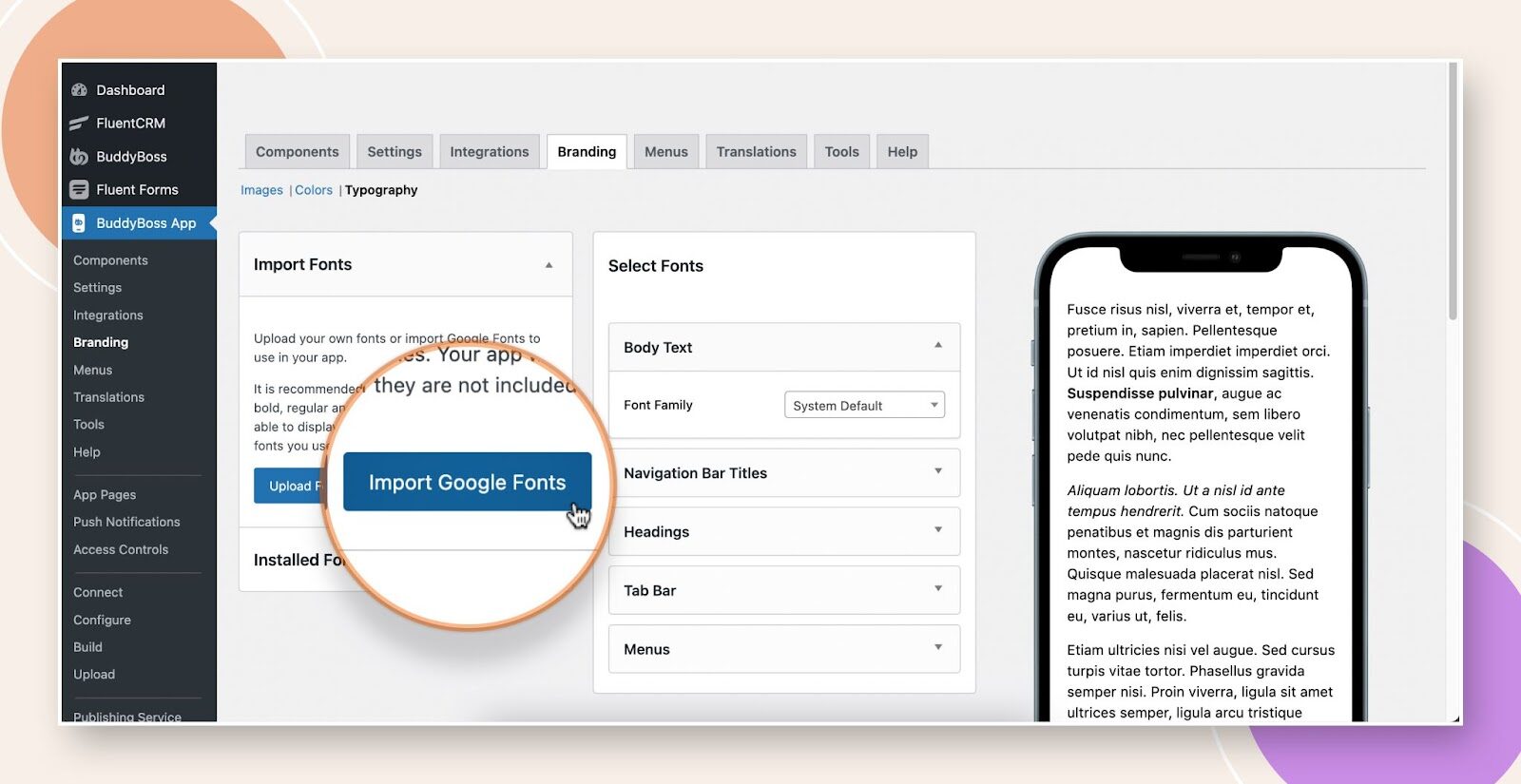
Setting up core engagement pages is equally important for driving member participation. Begin by creating distinct Profile Types like Coaches, Students, and Mentors and enrich them with custom fields that reflect user roles.
You can use specialized shortcodes, such as [profile_type type=”teacher”], to generate targeted profile pages for specific member groups.
Explore BuddyBoss Profile Type Video Tutorial-
Also, optimizing your community’s activity feeds with strategic filtering options and collapsed replies enhances readability, making it easier for members to find and interact with relevant content.
Here's a detailed Video Tutorial on Filtering and Sorting-
Note: This feature is available on both BuddyBoss Web and App.
Finally, adjusting the performance tab settings to lower load requests will dramatically improve mobile speed, creating a smoother experience for all users.
A detailed Video Tutorial on Performance settings-
Enhancing your community’s visual appeal and user experience through flexible design tools and intuitive navigation keeps members engaged and coming back.
BuddyBoss offers official integration with Elementor, one of the most popular WordPress page builders. With Elementor (and its popular add-ons like Element Pack), you can easily create custom landing pages, blog layouts, course pages, headers, and footers, all styled to match your brand. Learn more about Elementor setup.
BuddyBoss also provides its own set of prebuilt sections, widgets, and full-page templates that you can drag and drop to design polished community pages in minutes.
For advanced use cases, you can use the Elementor Theme Builder to design global elements like headers and footers across your community. BuddyBoss even includes special templates such as a member dashboard that can be customized entirely in Elementor, giving members a tailored experience from the start.
See Elementor Theme Builder guide and Elementor Member Dashboard setup.
Note: while Elementor offers extensive design freedom, it cannot override core community views such as activity feeds, member profiles, or group home screens. These are controlled by BuddyBoss to maintain functionality. Check the doc for details on limitations.
Also, when optimizing profile visuals, settings such as an avatar width of 170px, a border radius of 30px, and a subtle shadow effect help create a polished and professional appearance for every user.
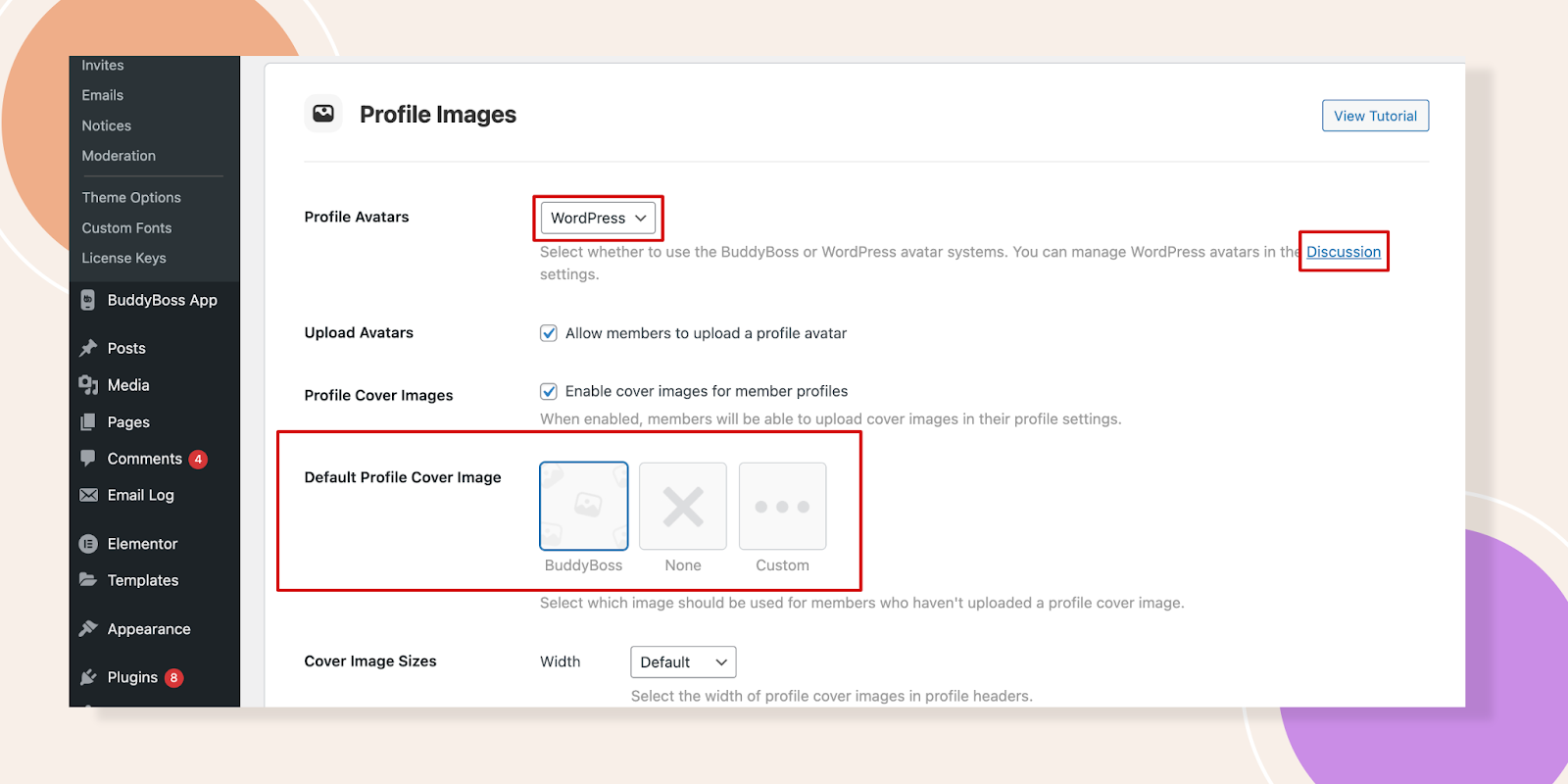
Remarkably, these customization strategies have contributed to notable outcomes for instance, the British Martial Arts Association (BuddyBoss Platform user) achieved an impressive profile completion rate among its members after implementing these tweaks.
Creating intuitive navigation is equally essential to support seamless user journeys.
Customizing the BuddyPanel allows for mobile-specific navigation that adapts efficiently to different screen sizes and behaviours.
The App Tab Bar can be fine-tuned by prioritizing the four most important icons and using a smart “More” menu to house additional features without cluttering the interface.
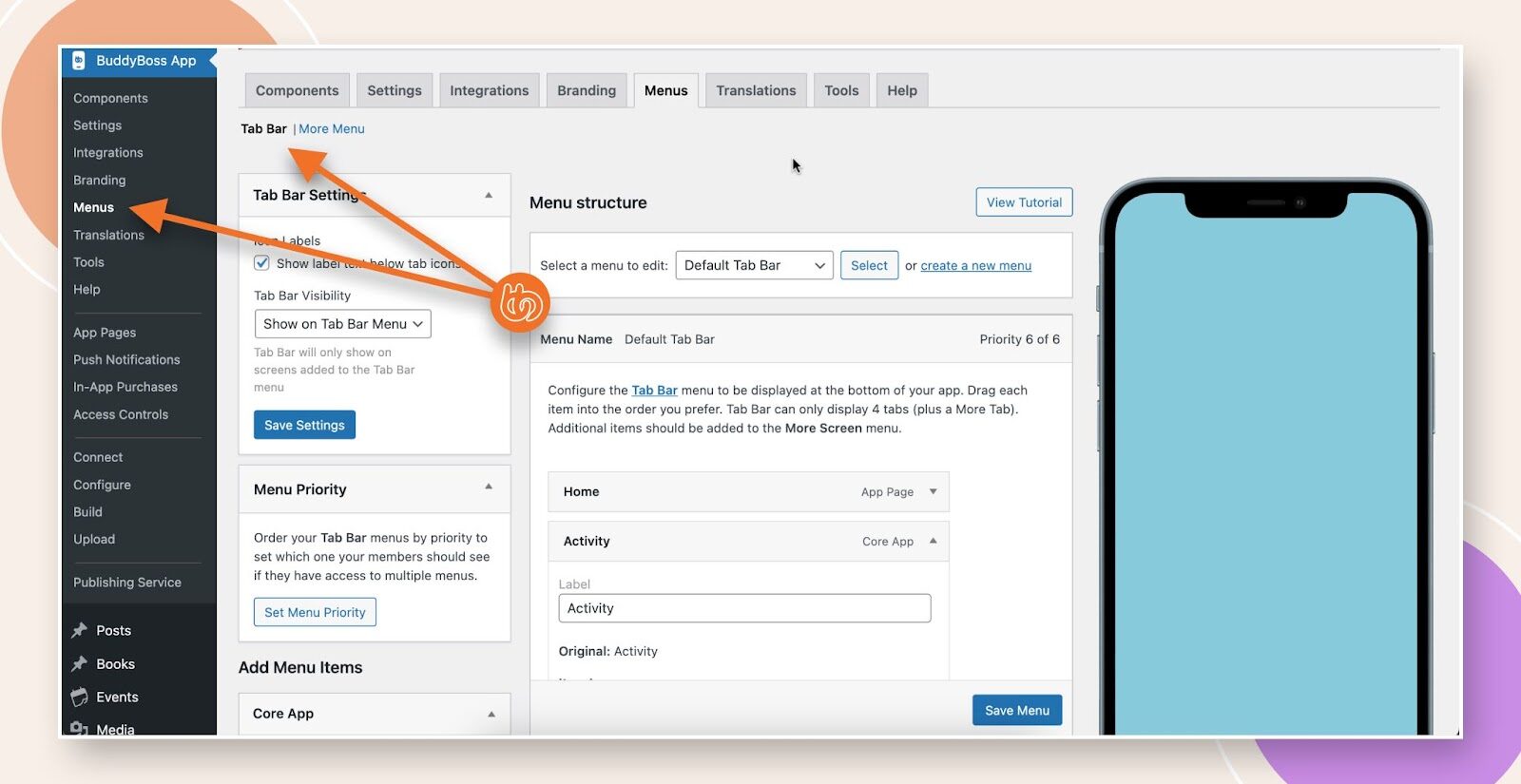
Role-based menus are another valuable approach, ensuring that administrators and regular members see relevant navigation options based on their access and responsibilities.
Additionally, configuring different menus for logged-in and logged-out users helps streamline the experience, guiding members and visitors intuitively through your community platform.
Advanced profile customization and interactive social features foster deeper connections and sustained member participation.
Advanced member profiles, a key benefit of buddyboss advance customization, allow you to add dynamic profile fields such as age calculators, image uploads, registration tokens, and oEmbed support for videos.
These capabilities enable members to showcase more about themselves and create richer, more interactive profiles.
You also have the ability to set granular visibility controls for each field, making some information public, others visible only to friends, and certain fields restricted to private viewing so users feel secure sharing details on their profiles.
To further encourage engagement, displaying profile completion progress bars effectively gamifies the onboarding process, motivating members to fill out their information and explore more features within your community.
Learn About Activity Feeds – Unveiling the New Activity Feed in BuddyBoss!
Note: Live typing requires custom development or 3rd party integration.
A guide on how to allow Group Messages on BuddyBoss Platform.
Note: For automated group-based messaging campaigns you to integrate BuddyBoss Platform With FluentCRM
Implementing gamification elements and automated notifications motivates members to stay active and contribute consistently.
The integration of GamiPress and BadgeOS allows you to implement a comprehensive achievement system within your BuddyBoss community.
You can award points for various member activities such as logging in, creating posts, and making valuable community contributions. Moreover, leaderboards can be set up to display rankings on a daily, weekly, or monthly basis, fostering a sense of competition and motivation among members.
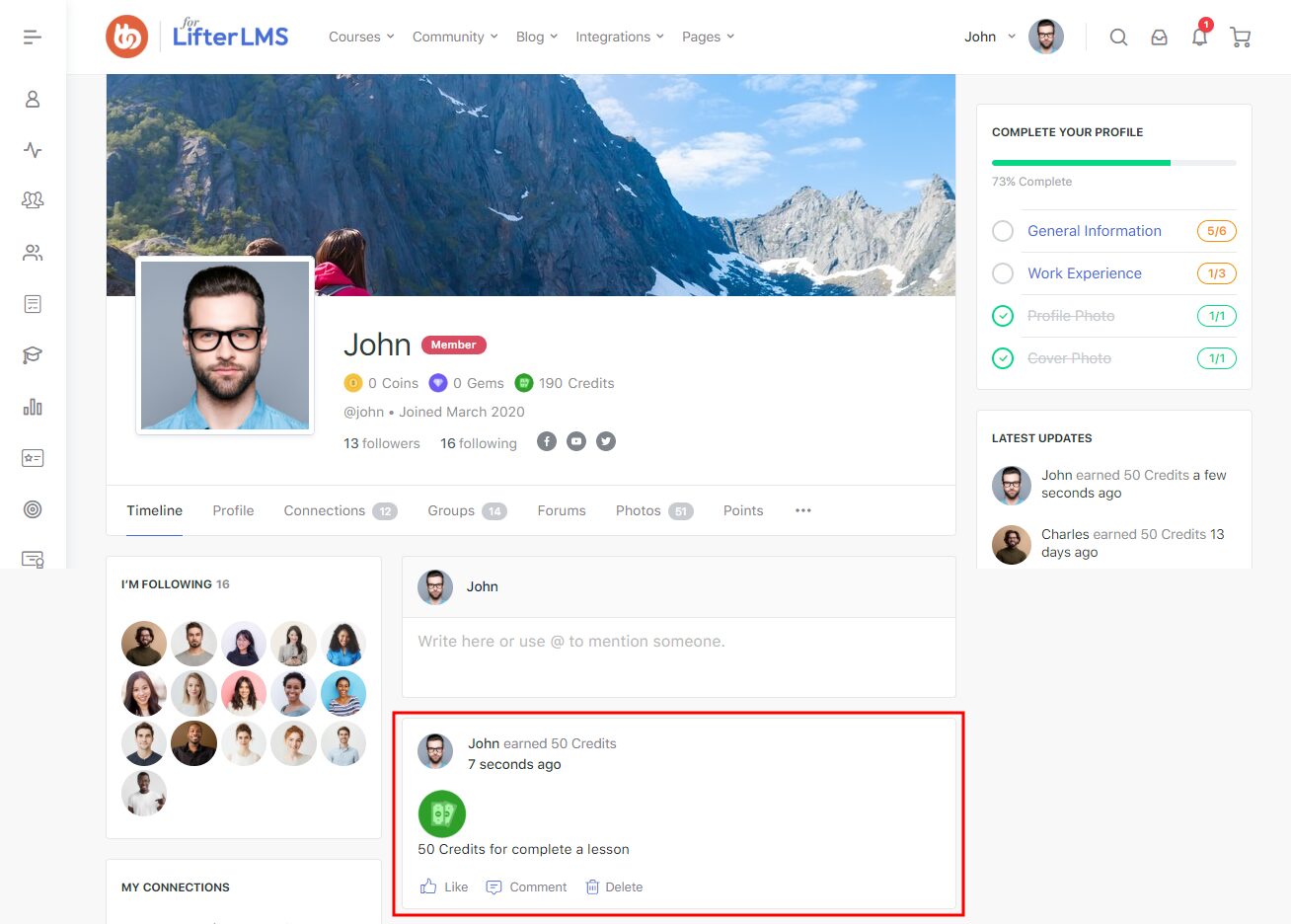
Progress bars and achievement showcases integrated into member profiles provide visual feedback that highlights individual accomplishments and encourages further participation.
Everything About GamiPress + BuddyBoss Integration, From setup to creating point types- Detailed Guide
Automated notifications are another central aspect of buddyboss advance customization. These Automated notifications can be configured via integrations such as OneSignal and FluentCRM.
OneSignal push notifications maintain high opt-in rates, while custom drip email campaigns with behavioral triggers support timely and relevant outreach.
To prevent notification fatigue and spam, the “Skip Active Members” feature can be enabled, which excludes users who have been recently active from receiving redundant alerts.
Additionally, customizing email drip campaigns with personalized templates and behavioral triggers allows you to nurture member engagement strategically, delivering targeted and relevant messages that resonate with individual users.
You can customize the app’s branding by configuring splash screens, headers, and navigation elements to reflect your unique identity and style.
When configured, the BuddyBoss App supports limited offline access for specific course materials and documents. General community features require an internet connection.
Additionally, enabling in-app purchases and notifications provides a smooth payment experience and keeps users informed and engaged through timely alerts.
Explore in-App Purchases Video Guide below-
Building trust within the community requires effective content moderation. BuddyBoss offers built-in moderation settings that support user reporting and blocking to maintain a safe and respectful environment.
Automated scanning tools like Akismet help identify and filter out inappropriate content, while manual review and escalation policies ensure that flagged issues are addressed promptly and fairly.
To comply with App Store regulations, it is essential to implement a clear moderation workflow that meets platform requirements, helping your community stay accessible and reputable on mobile app stores.
Project Life Mastery University applied these customizations for 24,000+ students, boosting engagement significantly.
Listen from the Owner of Project Life Mastery about BuddyBoss-
Client Story: Project Life Mastery’s New eLearning Platform
Dynamic content and robust moderation tools create a vibrant, safe environment where members can actively learn, share, and collaborate.
Key third-party integrations significantly extend the functionality of your BuddyBoss community.
Learn More ABout BuddyBoss’s Integration With 100s Plugins and Apps
By segmenting users based on behaviours, such as course learners versus community posters, you can tailor campaigns that resonate with their interests.
Also, Triggered re-engagement campaigns target activities like abandoned participation or significant milestone achievements, encouraging users to return and stay active.
Performance Optimizations for Growth
Explore our post on recommended BuddyBoss hosting to choose right hosting partner and give your site a go.
Does BuddyBoss support real-time chat?
Yes, BuddyBoss includes private and group messaging. For real-time indicators (typing, instant presence updates), you’ll need a third-party integration such as Pusher. It makes interactions fast and engaging across both web and app platforms.
Can I add my own branding to the mobile app?
Absolutely. BuddyBoss offers extensive options for adding your own branding to the mobile app. You can customize splash screens, icons, color themes, headers, navigation, and even upload your own logos, ensuring a seamless and professional brand experience for your users.
How do notifications work in BuddyBoss?
BuddyBoss provides flexible notification systems across web and mobile. Members receive real-time push notifications for activity updates, messages, achievements, and reminders. Integration with services like OneSignal enables targeted notifications, while settings allow users to control frequency and content, ensuring relevant and timely alerts without overwhelming members.
BuddyBoss isn’t just a community platform, it functions as a powerful growth engine when customized strategically.
To maximize your results, it’s essential to track key performance indicators such as Daily Active Users (DAU), Monthly Active Users (MAU), session duration, and interaction rates.
Monitoring gamification metrics like badges earned and leaderboard participation provides valuable insights into member engagement.
Additionally, continuously performing A/B tests on calls-to-action, page layouts, and notification strategies helps refine your approach and improve outcomes.
With ongoing Buddyboss customization and tweaking, your platform can become a scalable, highly engaging community that drives sustained member participation and growth, you can transform your BuddyBoss setup into a scalable, highly engaging community that drives sustained member participation and growth.
Explore BuddyBoss Pricing at a glance!
Growing your online community to or even beyond 10,000 members is an incredible milestone, it means your platform is resonating, your members are engaged, and conversations are thriving.
But with this exciting growth also comes new responsibilities. More members mean more discussions, diverse opinions, and the need to maintain harmony at scale.
This is where a community moderation framework becomes your strongest ally. With the right balance of clear rules and supportive moderators, you can nurture a safe, vibrant, and scalable community without feeling overwhelmed.
In this blog, we’ll walk you through the complete framework to help you not only manage but truly thrive with a 10,000+ member community.
Let me explore BuddyBoss community features at a glance!
Community moderation is the practice of managing, guiding, and protecting an online community to ensure it remains safe, respectful, and engaging for its members.
It involves setting rules, monitoring interactions, addressing conflicts, and encouraging positive participation all while balancing freedom of expression with community standards. These are the types of community moderation:-
BuddyBoss Moderation Component | BuddyBoss Platform
Now let's talk about how to build a strong moderation team and why its essential.
Even the best rules won’t enforce themselves. At scale, a dedicated and well-structured moderation team becomes the backbone of a healthy community.
Public support for active moderation is common; for example, 65% of Americans support tech companies moderating false information online.
To prevent confusion and burnout, clearly assign responsibilities within your team:
Large platforms like Reddit and Discord follow similar tiered moderation structures, relying heavily on distributed teams of volunteer and lead moderators to keep discussions civil across thousands of sub-communities.
How to Set Moderator on Groups- Detailed Guide on group moderator
Recruit from Within
Many of the best moderators are already your most engaged members; they understand the culture, care about the space, and have earned the community’s trust.
Reddit, for example, thrives on volunteer moderators who were once just passionate contributors.
Invest in Training
Equip moderators with clear documentation, conflict resolution techniques, and platform-specific tools. This helps ensure consistent enforcement and avoids bias.
Create A Private Space For Collaboration
Whether it’s a Slack channel, a Discord server, or an internal forum, moderators need a secure place to share updates, flag issues, and coordinate actions.
Set Up An Escalation Process
Not every case can be solved at the same level. Establish clear rules for when issues should be escalated to lead moderators, community managers, or even legal/PR teams in extreme cases.
In January 2021, Reddit’s r/WallStreetBets surged to mainstream attention. Moderation combined both rules (e.g., AutoModerator) and human interventions.
The surge brought valuable discussions but also spam, misinformation, and heated conflicts. What helped the community survive this explosive growth was a mix of proactive safeguards (like Automoderator keyword filters) and reactive interventions from human moderators when disputes broke out.
This balance is exactly what large-scale communities need. Moderation works best when you combine proactive prevention with reactive problem-solving.
One keeps trouble from surfacing, while the other ensures issues are dealt with fairly when they inevitably occur.
Check How Moderation Works with the Activity Posts in BuddyBoss
Proactive strategies reduce the sheer volume of issues, while reactive methods ensure the remaining conflicts are handled with fairness and consistency. Together, they create a self-regulating ecosystem where moderators are not overwhelmed, and members feel safe and respected.
BuddyBoss includes powerful native moderation features and offers integrations for advanced workflows. Here’s what’s possible:
Settings Example in BuddyBoss:
Moderation settings: Turn on group moderation, set new member review queues.
Content approval: Create approval rules for posts, media, and comments.
Reporting: Members can flag inappropriate content, triggering moderator review.
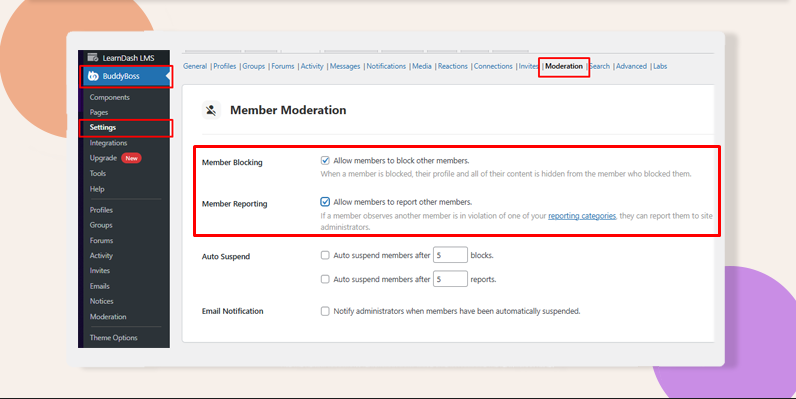
Roles: Use built‑in Group Organizers and Moderators; optionally create custom WordPress roles or Member Types to mirror ‘Lead/Reviewer/Engagement’ responsibilities.
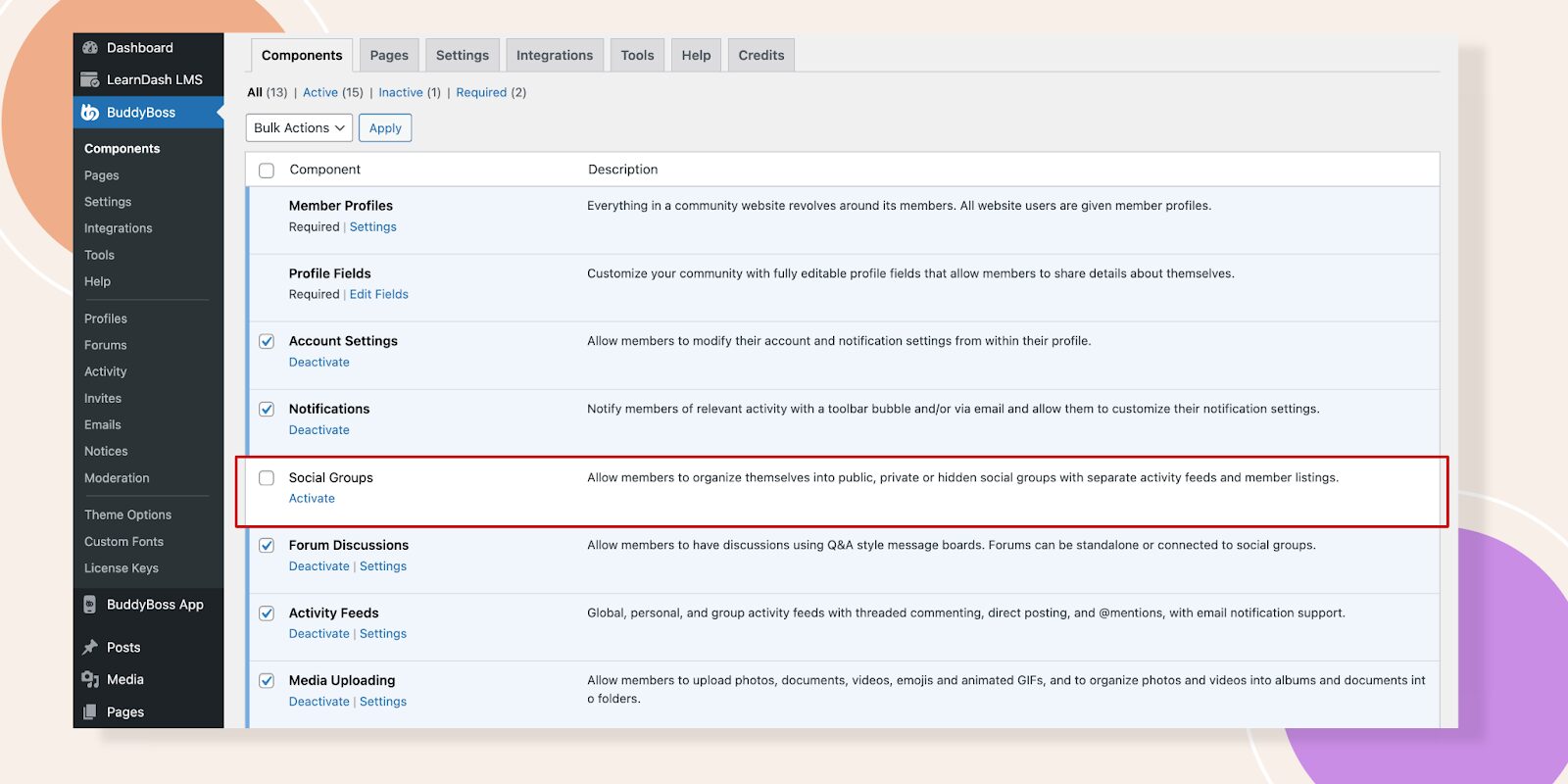
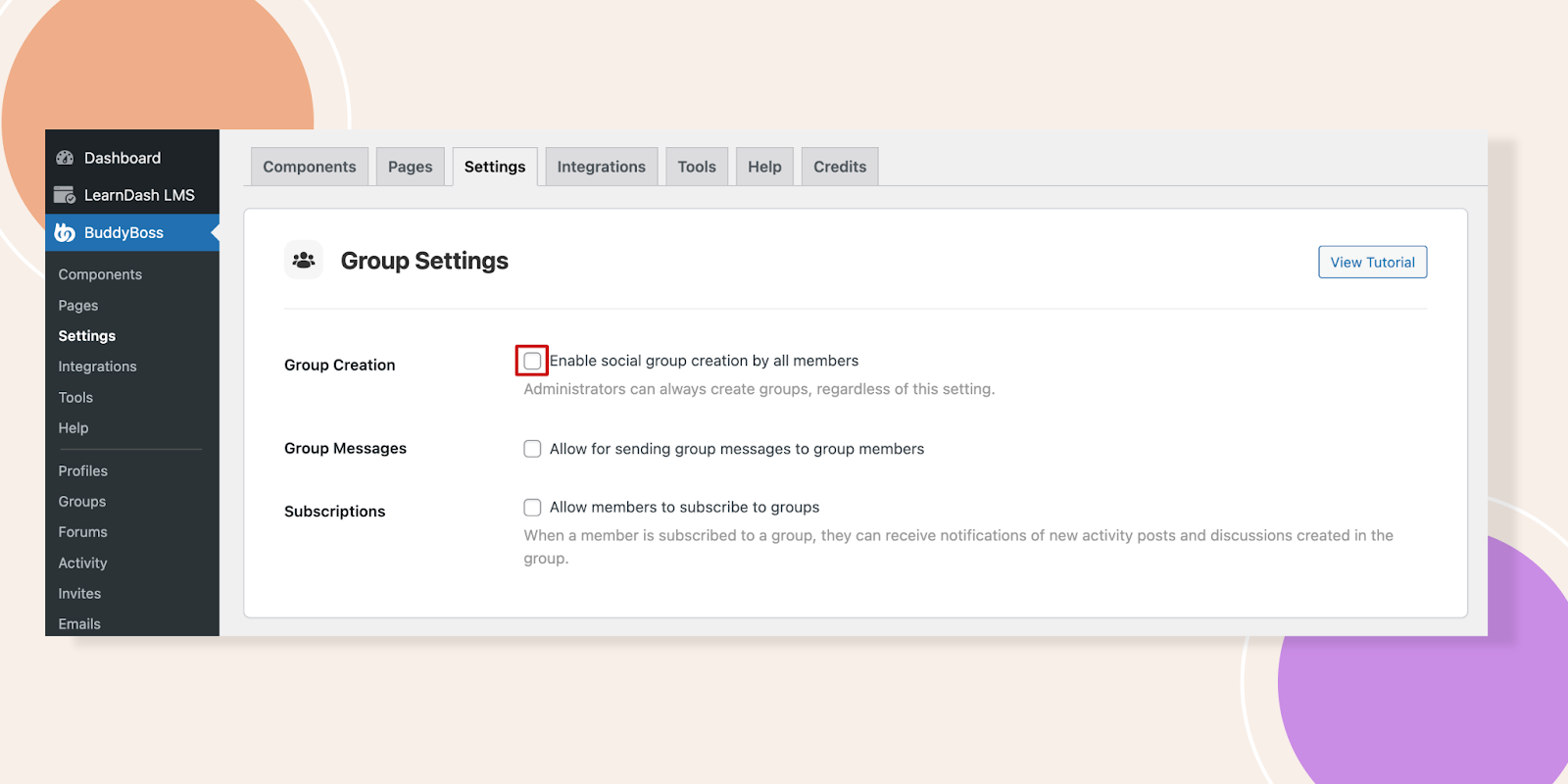
Important: BuddyBoss does not natively provide AI-driven moderation. For advanced automation (spam AI, sentiment analysis, etc.), integrate third-party tools using APIs or services like Zapier.
Let me talk to BuddyBoss DFY Team to handle advanced customization.
To help you quickly implement effective moderation in your community, here are some concise, step-by-step “How-To” mini-guides using BuddyBoss.
Set Group Moderators
Dashboard → Groups → Edit Group → Members → Change role to Moderator → Save.
Here's the detailed guide for you
Enable Content Reporting & Auto-Hide
BuddyBoss > Settings > Moderation → Enable Reporting → Choose content types → Set Auto
Hide threshold → Enable email notifications.
Moderation Settings in BuddyBoss
Set Auto-Suspend Thresholds
BuddyBoss > Settings > Moderation → Auto Suspend → Set number of reports/blocks to suspend → Save.
Member Moderation Guide on BuddyBoss
Registration Approval (Optional)
Install BuddyPress Registration Options → Approve/Deny new members manually.
Plugin Documentation and explore BuddyPress moderation tools to make your job easier.
Manage and grow your community effortlessly with BuddyBoss
Moderation isn’t just about removing negativity, it’s about actively shaping a space where members feel safe, valued, and motivated to contribute. A strong culture doesn’t happen by accident; it’s built through intentional actions and consistent reinforcement.
Best practices for handling conflicts fairly and openly:
Address disputes privately first. Direct messages or one-on-one communication can help de-escalate tensions before they spiral publicly. (Example: Reddit moderators often begin with private messages before issuing warnings or bans.)
Communicate decisions clearly. Don’t leave members guessing why action was taken. Explain which rule was broken and why moderation was necessary. This builds credibility and reduces perceptions of bias.
Offer an appeals process. Giving members a chance to present their side fosters fairness. Platforms like Stack Overflow allow users to flag unfair moderation for review, ensuring no one feels powerless.
Stay consistent in enforcement. Apply the same standards to all members, whether they’re new or long-time contributors. Inconsistency is the #1 driver of resentment in online communities.
Balance firmness with empathy. Not all conflicts stem from malice misunderstandings, cultural differences, or even tone can create friction. Acknowledging these factors while enforcing rules helps maintain respect.
See How to Moderate Members in BuddyBoss for guides on handling reports, suspensions, and member blocks.
Communities are living ecosystems that evolve with their members, making moderation policies and practices more effective when treated as adaptable guidelines rather than rigid rules.
What works for 1,000 people may collapse under the weight of 10,000 or 100,000, which is why continuous improvement is key. Regular audits (quarterly or bi-annual) help ensure policies reflect new behaviors, technologies, and social norms similar to Reddit’s frequent updates to tackle misinformation and harassment.
Closing the feedback loop by inviting members to share what’s working (and what isn’t) can also pay off; CMX’s 2022 report found that communities leveraging member feedback enjoy 25% higher retention.
Equally important is experimenting with tools whether AI-driven filters, gamified badges, or Discord’s AutoMod since these innovations reduce moderator workload and build trust.
Above all, staying adaptable ensures resilience; a viral post bringing in a sudden wave of new members, for example, may demand stricter onboarding or more proactive moderation to keep the space safe, engaging, and scalable.
Q1. What is online community moderation?
Moderation refers to managing member content and behavior to ensure safety and engagement.
Q2. What’s the difference between proactive and reactive moderation?
Proactive prevents problems (e.g., filters); reactive addresses violations after they occur (e.g., member reporting).
Q3. Does BuddyBoss natively include AI-powered moderation?
No. For AI moderation, integrate third-party tools via APIs (learn more in BuddyBoss documentation).
Q4. How can I scale moderation efforts as my community grows?
Build diverse teams, use clear roles, adopt approval/reporting systems, and supplement with integrations as needed.
Managing a 10,000+ member community might sound overwhelming, but with the right community moderation and automation framework, it becomes not only manageable but sustainable.
By setting clear rules, empowering a capable moderation team, and fostering a culture of respect, you create a space where members feel safe, engaged, and valued.
The long-term payoff? A thriving community that grows without burning out its leaders.
If you’re serious about scaling your community, now’s the time to invest in a moderation strategy that blends human oversight with automation.
Ready to scale your community management?
Get BuddyBoss to support your moderation goals | Give our demo a try
For any feature, troubleshooting, or advanced setup details, visit our main documentation page.
Web push notifications bridge the gap between community members and the critical updates, delivering instant alerts directly to browsers, even when users aren't actively browsing your site.
BuddyBoss supports web push through official integration with OneSignal, connecting your community activity to browser alerts.
This guide walks you through setup, troubleshooting, and optimization, clarifying what's native, what’s integrated, and what you need to configure for success.
| Aspect | Reality (Web) | App Notifications |
| Native? | Standard BuddyBoss notifications are in-site only | Mobile push is via BuddyBoss App (Firebase/Apple Push) |
| Official Support | Web push requires OneSignal setup and integration | Not handled by OneSignal |
| Permissions | Must configure permissions, icons, and triggers manually | Managed in app/mobile OS |
| Segmentation | Advanced options require OneSignal features | Managed differently |
| “Soft Prompt” | Powered by OneSignal, not BuddyBoss | N/A |
| Analytics | OneSignal analytics | App analytics separate |
Tip: BuddyBoss Push Notification Integration Guide
App Push Info: Mobile App Push via BuddyBoss
Disclaimer: The following statistics are based on industry research across multiple platforms. Your results with BuddyBoss + OneSignal may vary depending on your audience and configuration.
Before you dive into configuration, ensure your technical setup meets BuddyBoss’s requirements. This not only avoids errors but also guarantees smooth notification delivery.
You’ll need:
BuddyBoss Platform Pro – This premium add-on unlocks advanced notification triggers and the official OneSignal integration required for web push notifications. It is not sold as a standalone product.
See BuddyBoss Platform Pro pricing and details
Server Requirements – PHP 7.3+, MySQL 5.6+ (or MariaDB 10.1+), preferably running on a Linux/Nginx environment for optimal performance.
Review detailed server requirements
A OneSignal Account – Sign up at onesignal.com. The free plan supports most communities, but if you expect over 10,000 subscribers, consider upgrading.
Why OneSignal? OneSignal takes care of browser compatibility, delivery infrastructure, and scaling, letting you focus on crafting relevant, engaging messages for your members.
BuddyBoss Settings Configuration: After installing BuddyBoss Platform Pro and setting up your OneSignal account, enable web push notifications in your BuddyBoss dashboard at BuddyBoss > Settings > Notifications. Here you can activate web push, upload notification icons for consistent branding, and configure customized permission prompt messages to maximize opt-in rates.
Here are helpful video guides covering both web push and mobile app notifications:
BuddyBoss Web Push Setup with OneSignal
Configuring Push Notifications in the BuddyBoss Mobile App
Note: Web push is not native to BuddyBoss; OneSignal integration is required for browser-based push features.
Before diving into the technical steps, it’s important to understand that OneSignal acts as the engine powering your web push notifications, while BuddyBoss provides the dashboard to manage/trigger relevant alerts. Integration is supported, but setup and configuration are required. Connecting the two ensures your alerts are delivered seamlessly, branded beautifully, and optimized for engagement.
Navigate to OneSignal's dashboard and create a new web application. Select “Web” as your platform, then choose “Custom Code” for maximum flexibility with BuddyBoss integration.
Input your site's name and URL accurately; these details appear in notification headers when you install the plugin.
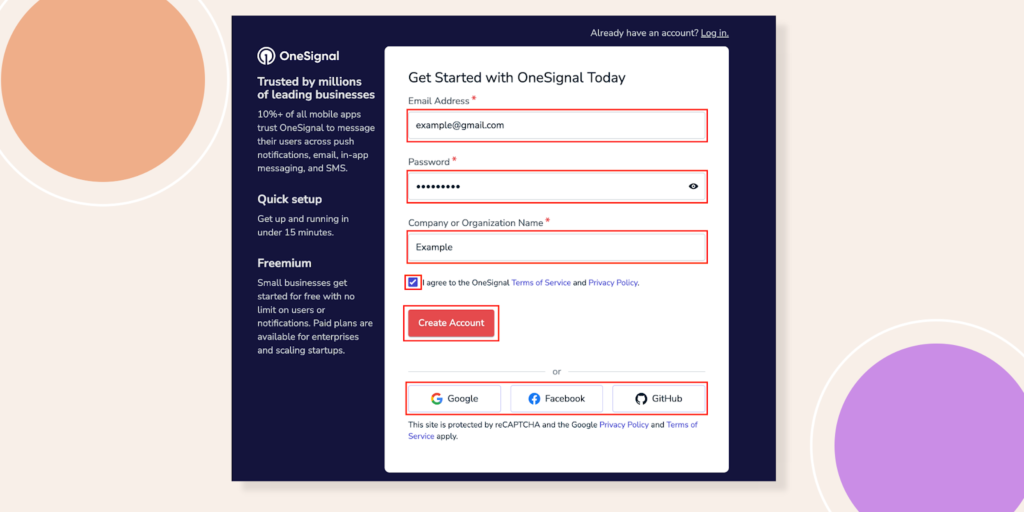
For more detailed Guide on Creating a OneSignal Account- Click Here
Upload a square notification icon, ideally 192×192 pixels in PNG format (keep file under 2MB). This icon represents your brand in push notifications, so choose something instantly recognizable. OneSignal generates your App ID and REST API Key upon saving these settings copy both values immediately.
Access your BuddyBoss dashboard and navigate to BuddyBoss > Settings > Notifications. Paste your OneSignal App ID and REST API Key into their respective fields. Upload your default notification icon here as well, ensuring brand consistency across all automated alerts in the notification system.
Reconnect Your OneSignal account to BuddyBoss for Web Push Notifications
Enable “Automatically Request Permission” to trigger browser prompts when users first visit or log in. More importantly, activate the “Soft Prompt” feature that presents a branded permission request before the browser's default prompt.
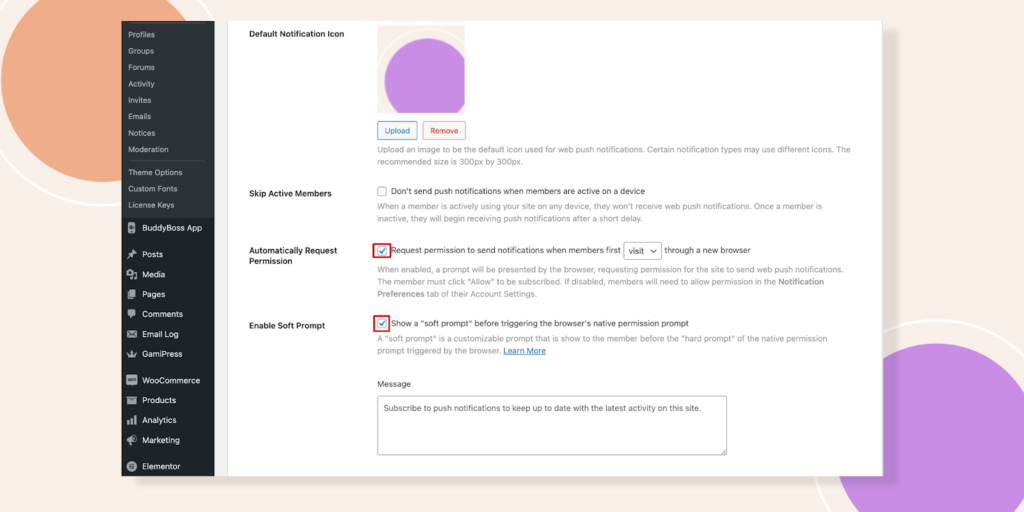
OneSignal reports that branded prompts can improve opt-in rates, but actual results vary.
BuddyBoss automatically handles common notification scenarios (mentions, replies, group invites), but all push delivery is via OneSignal.
The Skip Active Members feature proves particularly valuable; it suppresses notifications for users actively browsing your site within the past 180 seconds.
Prioritize notification types based on engagement impact, especially when using plugins to enhance user interaction.
Start with high-value alerts: replies to posts, direct mentions, friend requests, and group invitations in the BuddyBoss forum, then install additional plugins for enhanced functionality. These notifications drive immediate action and maintain conversation momentum within your community.
Course-related notifications deserve special attention if you're running educational content. BuddyBoss Platform Pro integrates with learning management systems like LearnDash and TutorLMS (but via OneSignal integration), enabling automated deadline reminders and progress milestone celebrations through push notifications.
Configure notification frequency carefully. Members who receive more than five daily notifications show 60% higher unsubscribe rates.
Use OneSignal for notification groups/roles (e.g., admins get instant alerts, members get daily digests).
Balance staying top-of-mind with respecting user attention quality trumps quantity in your notification strategy, as outlined in our knowledge base.
For a comprehensive, step-by-step guide to configuring push notifications
Test as a Regular Member
Log into your community as a regular member to experience the notification flow firsthand. The soft prompt should appear cleanly, matching your site's design language. Test various scenarios: commenting on posts, receiving mentions, joining groups.
Verify Skip Active Members
Verify the Skip Active Members feature works correctly. Open your site in one tab, then trigger a notification from another device or browser. You shouldn't receive the push notification until after 180 seconds of inactivity.
Common Issues
Common troubleshooting scenarios require systematic diagnosis. If notifications aren't delivering, first verify your OneSignal credentials in BuddyBoss settings and consult our tutorial for troubleshooting. Check browser permissions next users must explicitly allow notifications for your domain.
Missing notification icons typically indicate upload issues. Check that your notification icon is uploaded (192x192px, <2MB).
Reset your default notification icon in BuddyBoss settings, ensuring file size stays under 2MB and dimensions match OneSignal's specifications.
Use OneSignal Analytics
OneSignal's analytics dashboard provides delivery metrics and engagement data, which can be used to edit notification strategies. Monitor these closely during your first week; low delivery rates often signal browser compatibility issues or overly aggressive notification blocking.
Craft notification copy that compels immediate action. Generic messages like “New activity in your community” generate 40% lower click-through rates than specific alerts: “Sarah replied to your post about marketing automation.”
Test different soft prompt variations to maximize opt-in rates. A/B test messages like “Stay updated on community discussions” against “Never miss important replies.”
Icon choice matters too community logos often outperform generic notification symbols in the notification system.
Integrate notification timing with user behavior patterns. BuddyBoss Platform Pro's scheduling features enable strategic notification deployment, sending course reminders during peak engagement hours rather than random intervals.
Consider notification segmentation based on user roles or interests. Group administrators might want instant alerts about membership requests, while casual members prefer daily digest formats. OneSignal's segmentation features work seamlessly with BuddyBoss user data.
GDPR and CCPA regulations require transparent notification practices. Include clear opt-in language explaining what types of notifications users will receive and how often, and consider adding a button for easy access to preferences.
Provide easy unsubscribe mechanisms within the notification settings or through individual notification actions, as advised in our tutorial.
Document opt-in consent for compliance consider double opt-in for sensitive alerts. Legal compliance depends on proving users actively opted into receiving alerts, not just clicked “allow” accidentally. Consider implementing double opt-in for sensitive notification categories.
TCPA compliance The notification system becomes relevant if you're combining web push with SMS notifications.
Maintain separate opt-in records for each communication channel web push permission doesn't extend to text messaging.
Implement notification frequency controls to prevent spam complaints. Platform Pro includes user preference panels where members can customize their notification types and timing, reducing unsubscribe rates while maintaining engagement through our knowledge base and on-screen notifications.
OneSignal's analytics reveal crucial engagement patterns. Track delivery rates, click-through rates, and unsubscribe trends weekly to improve your notification system.
Healthy communities typically see 15-25% click-through rates on web push notifications, with unsubscribe rates below 2% monthly.
Monitor notification performance by type and consult the BuddyBoss resources for best practices. Course deadline reminders might show 45% click-through rates, while social activity alerts average 12%.
Use these insights to prioritize high-performing notification categories and refine low-engagement triggers.
Seasonal optimization matters significantly. Educational communities see notification engagement spike during semester starts and drop during holidays, so it's essential to register for timely updates.
Adjust notification frequency and content timing accordingly, rather than maintaining static schedules year-round.
Regular maintenance ensures continued performance. Update OneSignal credentials annually, refresh notification icons seasonally, and review user feedback quarterly by searching our documentation. What works today might irritate users tomorrow and stay responsive to community preferences.
Q1: Can I use web push notifications in BuddyBoss without OneSignal?
No; BuddyBoss’s browser push functionality is not native it requires OneSignal integration.
Q2: Do web push notifications work on iOS Safari?
Support is limited. As of mid-2025, iOS Safari offers some push notification support (iOS 16.4+), but compatibility varies. Always test on target devices.
Q3: Are web and app notifications the same in BuddyBoss?
No. Web push uses OneSignal integration via browser; mobile app push notifications are managed by the BuddyBoss App through Firebase/Apple Push and are separate.
Q4: Can my users manage push notification preferences in BuddyBoss?
Native settings exist only for BuddyBoss in-app notifications. Push notification preferences (including unsubscribe/timing) are handled via OneSignal’s UI.
Q5: Is the “Soft Prompt” a BuddyBoss feature?
No. “Soft Prompt” is a OneSignal feature. BuddyBoss enables you to use it via integration.
Web push notifications can turn passive site visitors into active participants in your BuddyBoss-powered community. For mobile apps, push notifications are handled separately via the BuddyBoss App. Remember:
Proper BuddyBoss configuration, combined with strategic OneSignal optimization, creates notification experiences that users anticipate rather than tolerate, especially when using the right plugins. Start with these fundamentals, then iterate based on your community's unique engagement patterns by editing notification settings.
Ready to boost your community engagement?
Set up your BuddyBoss–OneSignal integration today and start sending notifications that keep members engaged and informed.
New to BuddyBoss?
Start your journey today and see how effortless community engagement can be with the right platform.
Statistics source- mobiloud, businessofapps