In this tutorial, you will learn how to insert our new Elementor Dashboard, a page that displays user-specific information to your members, built entirely in Elementor.
You must have the Elementor page builder plugin and the LearnDash LMS plugin, installed and activated on your website to use and configure these widgets.
Using the Member Dashboard template
To add the pre-built Member Dashboard to a page:
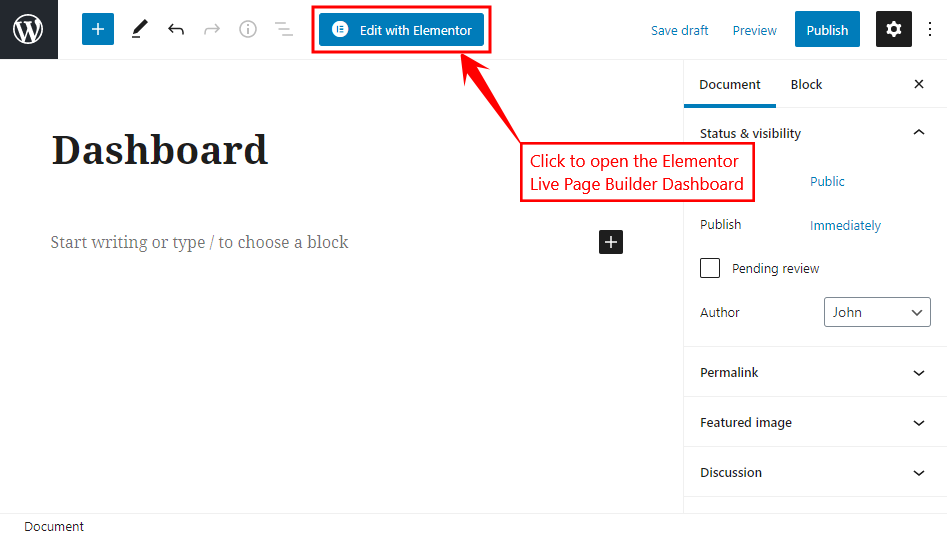
- Go to WordPress Dashboard > Pages > Add New to create a page. Add a title for the page and then click the Edit with Elementor button to open the Elementor Page Builder Dashboard.
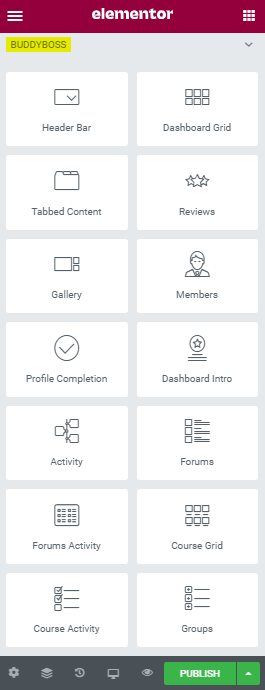
- Click the BuddyBoss icon (
 ) to open BuddyBoss Templates pop-up.
 - Navigate to the Pages tab to insert the pre-built member dashboard template in a page or post as per your requirements. Click the Insert button for the Dashboard template.
 ) to open BuddyBoss Templates pop-up.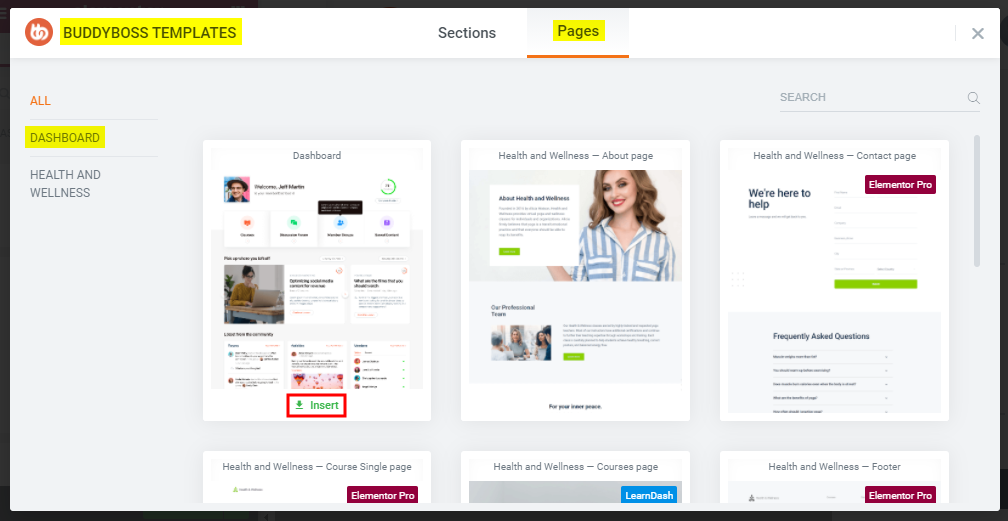
- Go to Settings > Page Layout and then select the Elementor Full Width option from the drop-down list and then click the Hide Title toggle bar to hide the page title for a cleaner look of the member dashboard.
- Edit the widget/element/block contents and style and then click the Publish button.
Customize the prebuilt template as per your brand’s requirements and design.
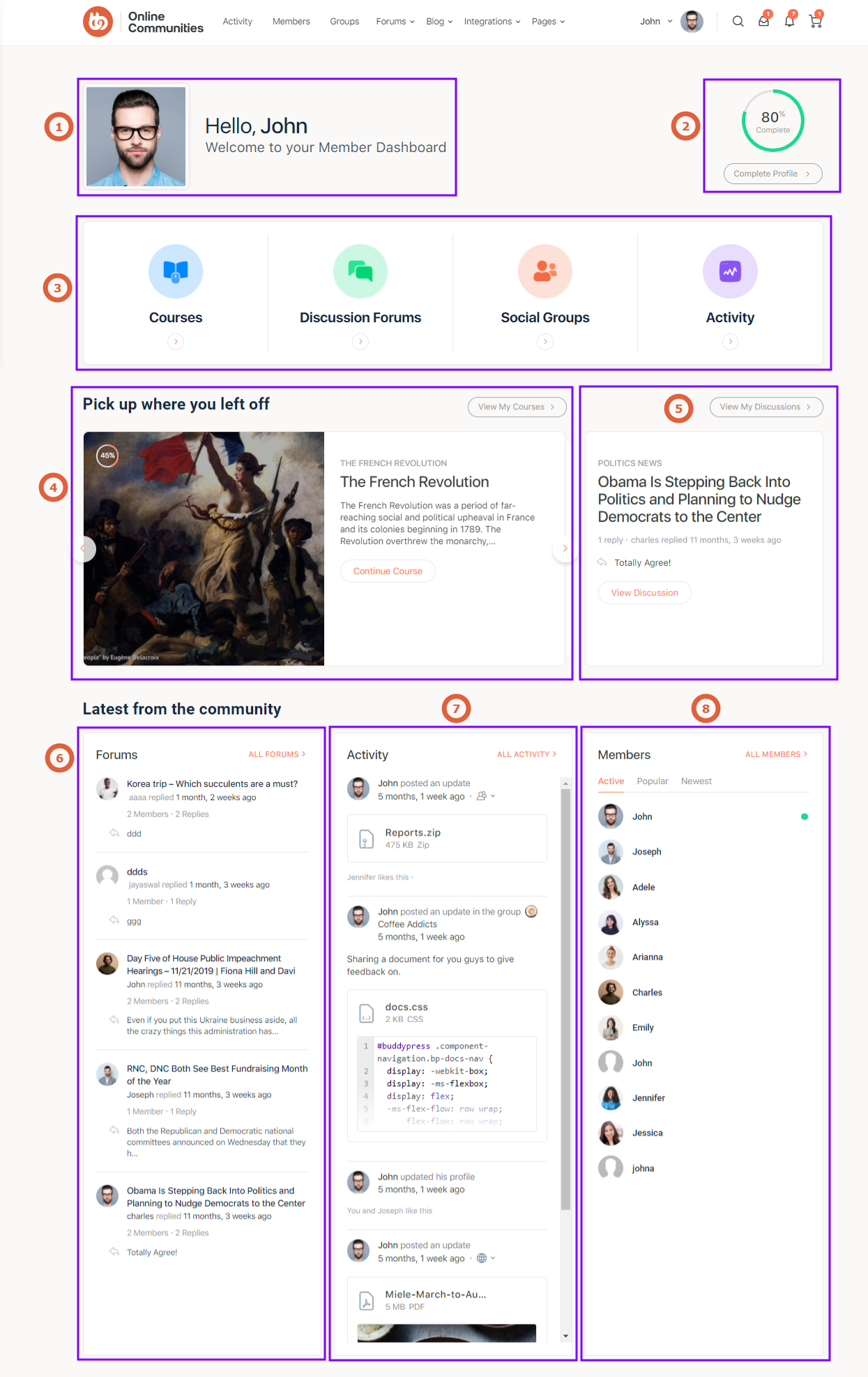
- Dashboard Intro Widget
- Profile Completion Widget
- Dashboard Grid Widget
- Course Activity Widget
- Forums Activity Widget
- Forums Widget
- Activity Widget
- Members Widget
Note: All the Elementor widgets by BuddyBoss are listed under ‘BuddyBoss’ in Elementor Page Builder Dashboard. You can drag-and-drop these widgets onto pages, posts, and sidebars.