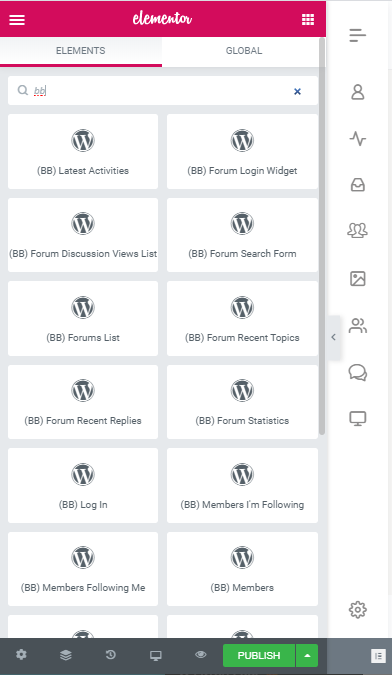
The integration works with the BuddyBoss theme and supports all templates and blocks in the Elementor Page Builder (also Elementor Pro) plugin.
Setting up the plugin
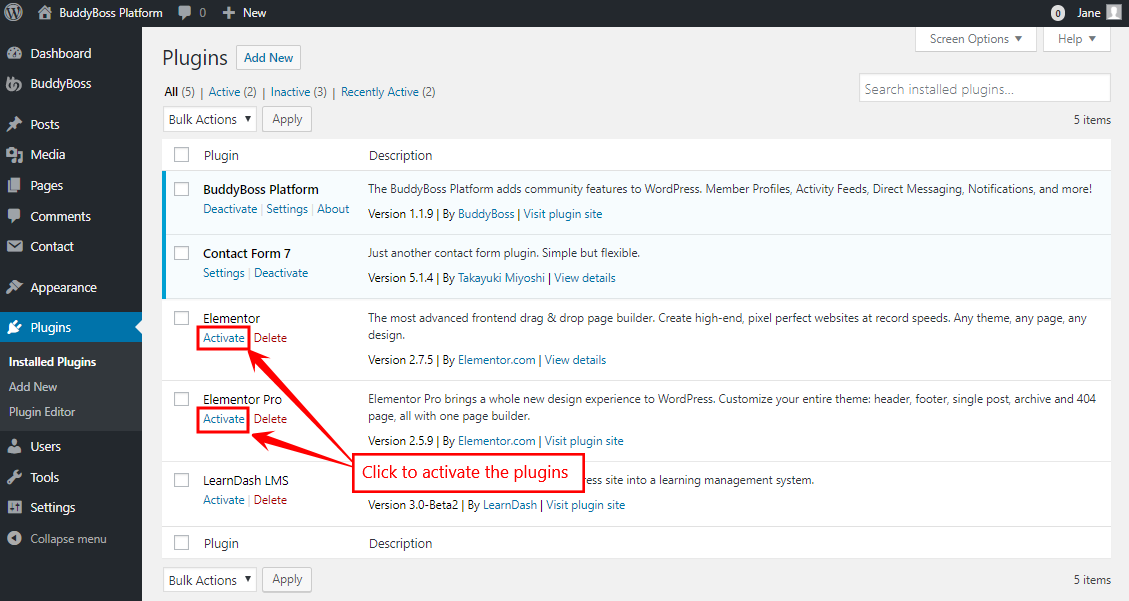
- Install and activate the Elementor plugin on your WordPress site through the admin dashboard.
- Install and activate the Elementor Pro plugin on your WordPress site through the admin dashboard.
- Go to the WordPress Admin Dashboard > Elementor > General > Post Types and mark the checkbox for the post types you want to add a ‘Edit with Elementor’ button to the post types when creating them.
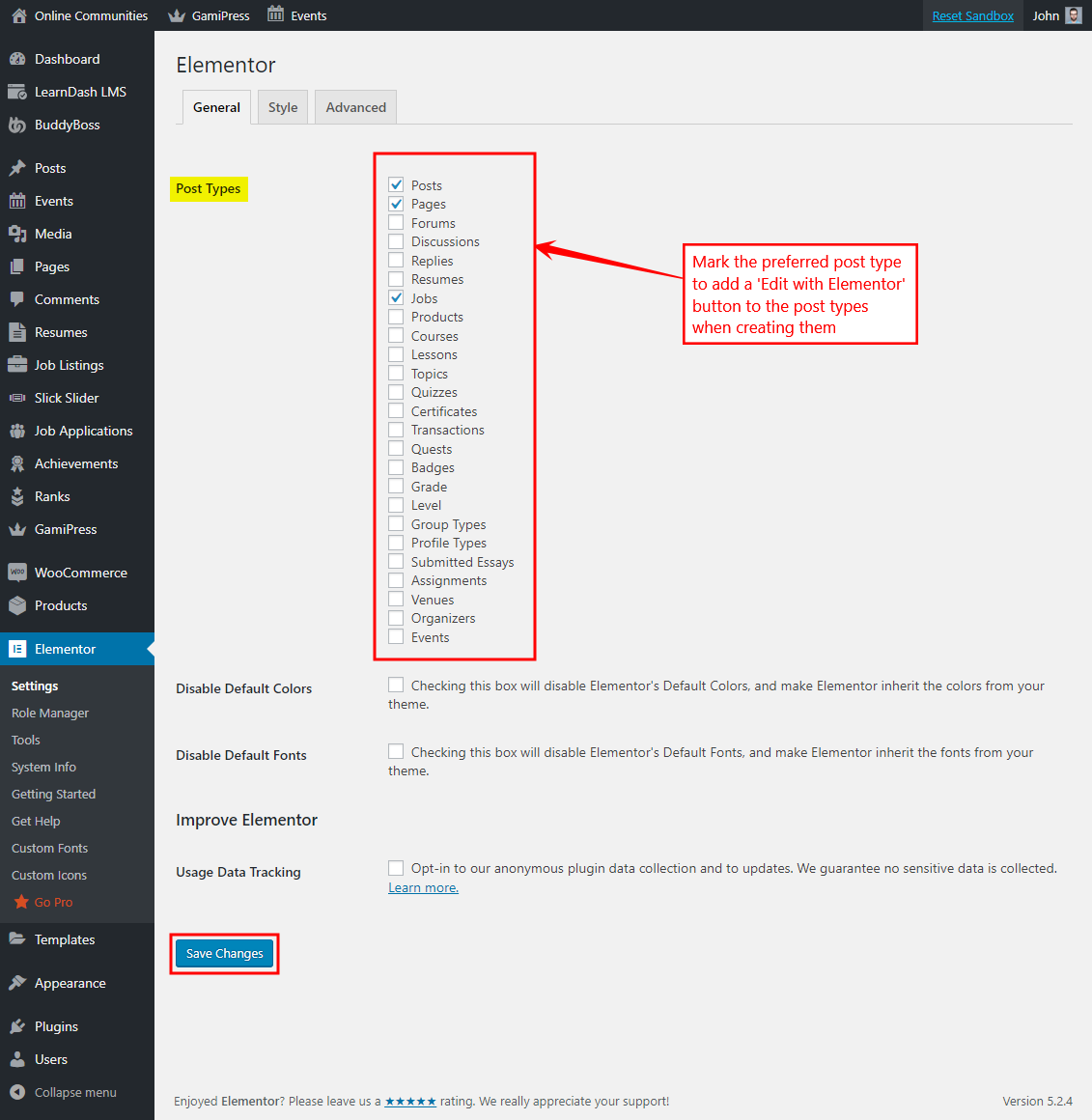
- Any custom post type that’s been registered by any plugin (for example Events Calendar Pro, LearnDash, WP Job Manager, etc.) can be chosen to be edited using the Elementor Pro plugin via these settings.
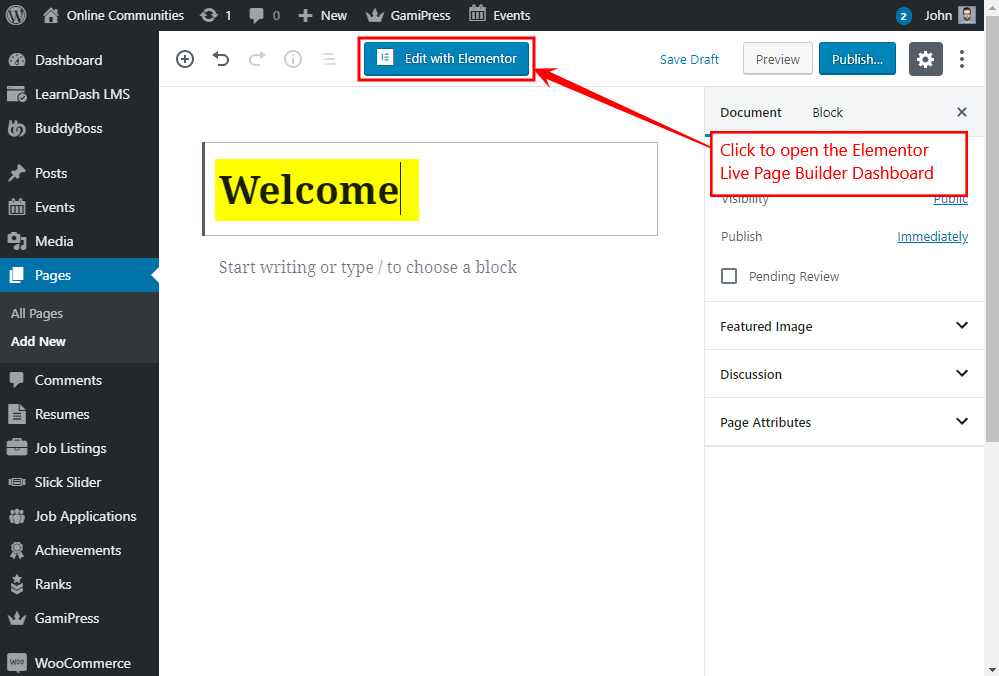
- Go to Admin Dashboard > Pages > Add New to create a page. Add a title for the page and then click the Edit with Elementor button to open the Elementor Page Builder Dashboard.
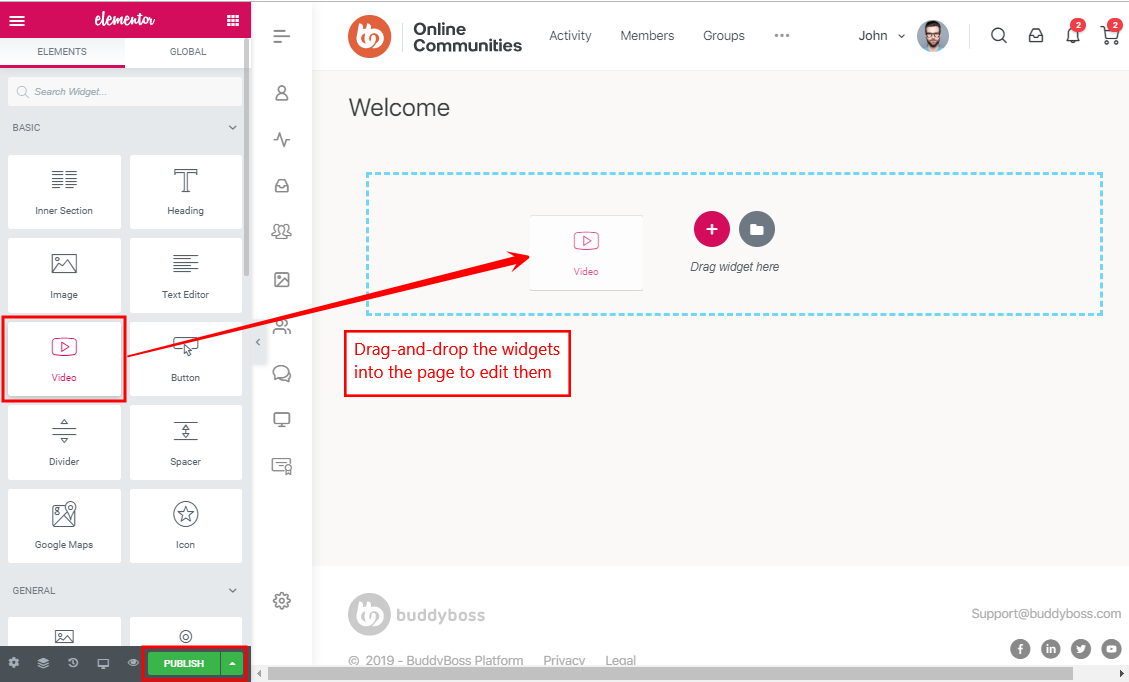
- Drag-and-drop the preferred widgets/blocks onto the page to design as per your requirements, edit the element/block contents and then click the Publish button.
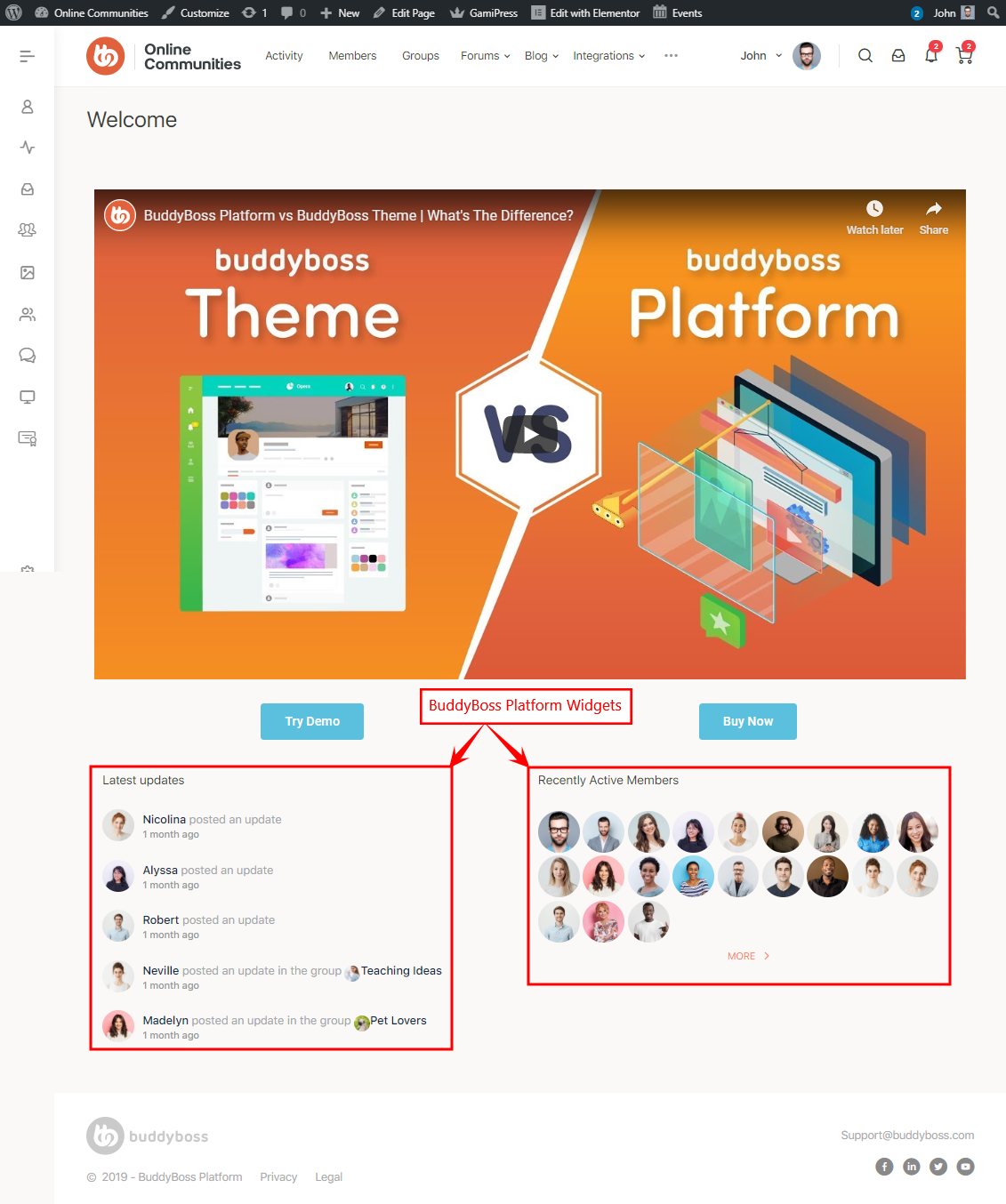
- You may use the BuddyBoss Platform with Elementor Pro plugin to create visually appealing community websites in minutes. The BuddyBoss Platform widgets are listed under ‘WordPress’ in Elementor Page Builder Dashboard. You can drag-and-drop BuddyBoss Platform widgets onto pages, posts, and sidebars.