














The Google Fonts in BuddyBoss App allow you to bring your preferred typography into your mobile app and create a more consistent visual identity. By connecting a Google Fonts API key, you can import fonts from the Google Fonts library and apply them to different areas of your app.
Once imported, fonts can be assigned to body text, headings, navigation bar titles, tab bar labels, and menus, with additional options for adjusting font sizes and styles.
Configuring the Google Fonts API Key
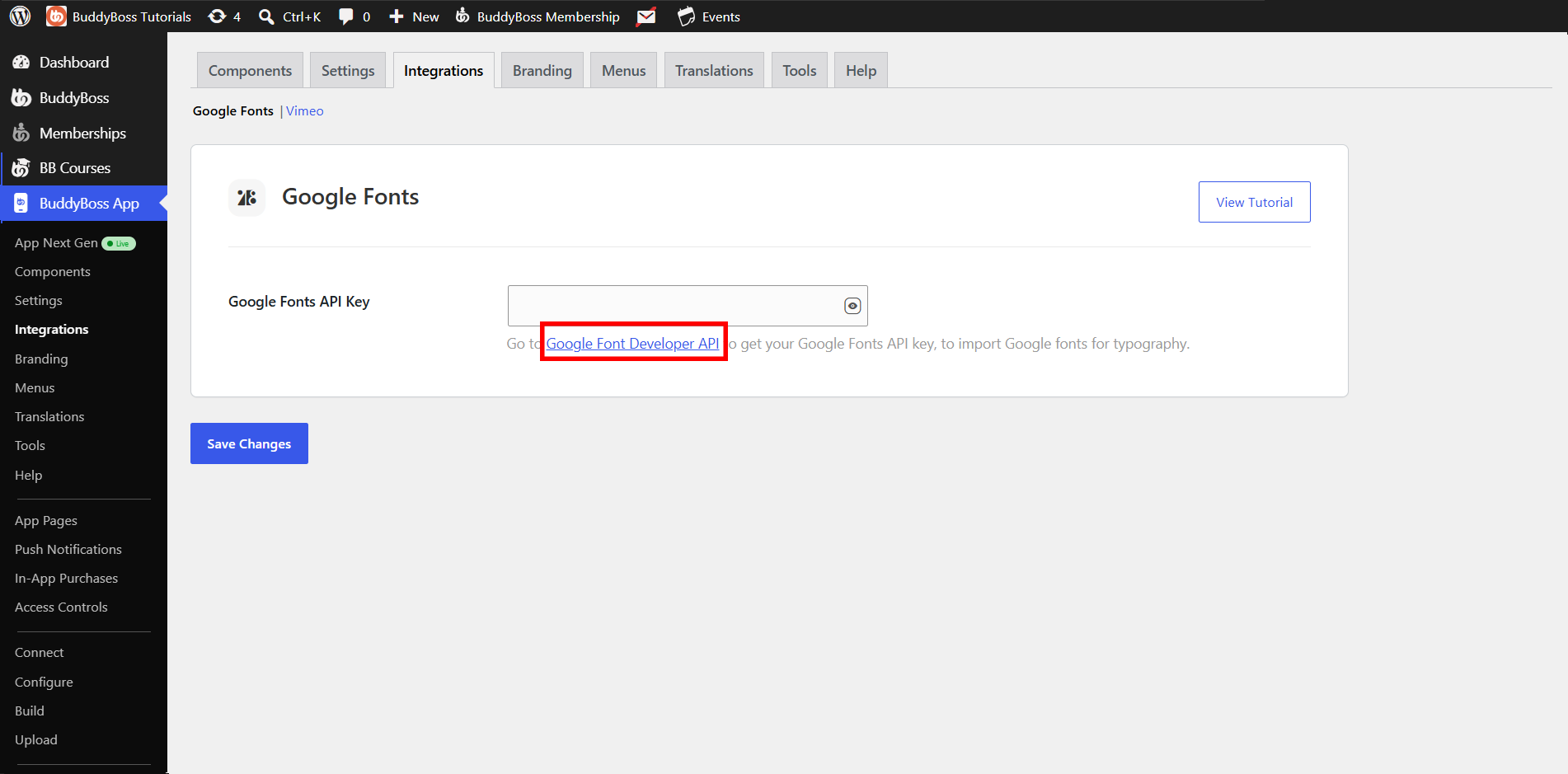
- Go to BuddyBoss App > Integrations > Google Fonts.
- Click Google Font Developer API under the Google Fonts API Key field. You’ll be redirected to the Google Developers Console.
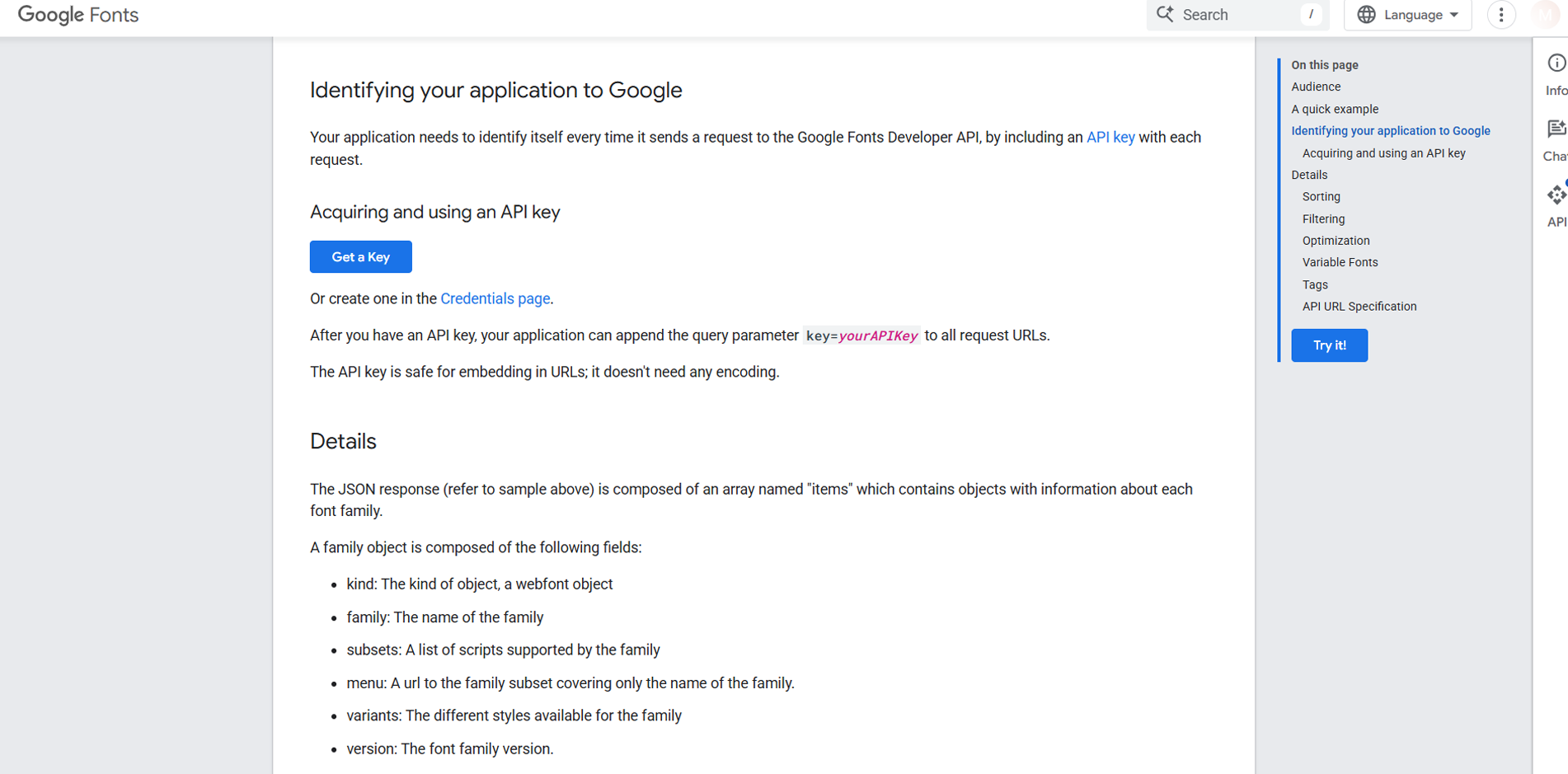
- Scroll down to Identifying your application to Google section.
- On the Acquiring and using an API key page, click Get a Key.
- If prompted, log into your Google account.
- Create or select a project, give it a name (e.g., your app’s name), agree to the Terms of Service, and click Next.
- Once your API key is generated, click the copy icon to store it on your clipboard.
- Return to BuddyBoss App > Integrations > Google Fonts, paste your API key into the Google Fonts API Key field, and click Save Changes.
Note: Without a valid API key, clicking Import Google Fonts will show a notice directing you back to this integration screen.
Importing Google Fonts
- Go to BuddyBoss App > Branding > Typography.
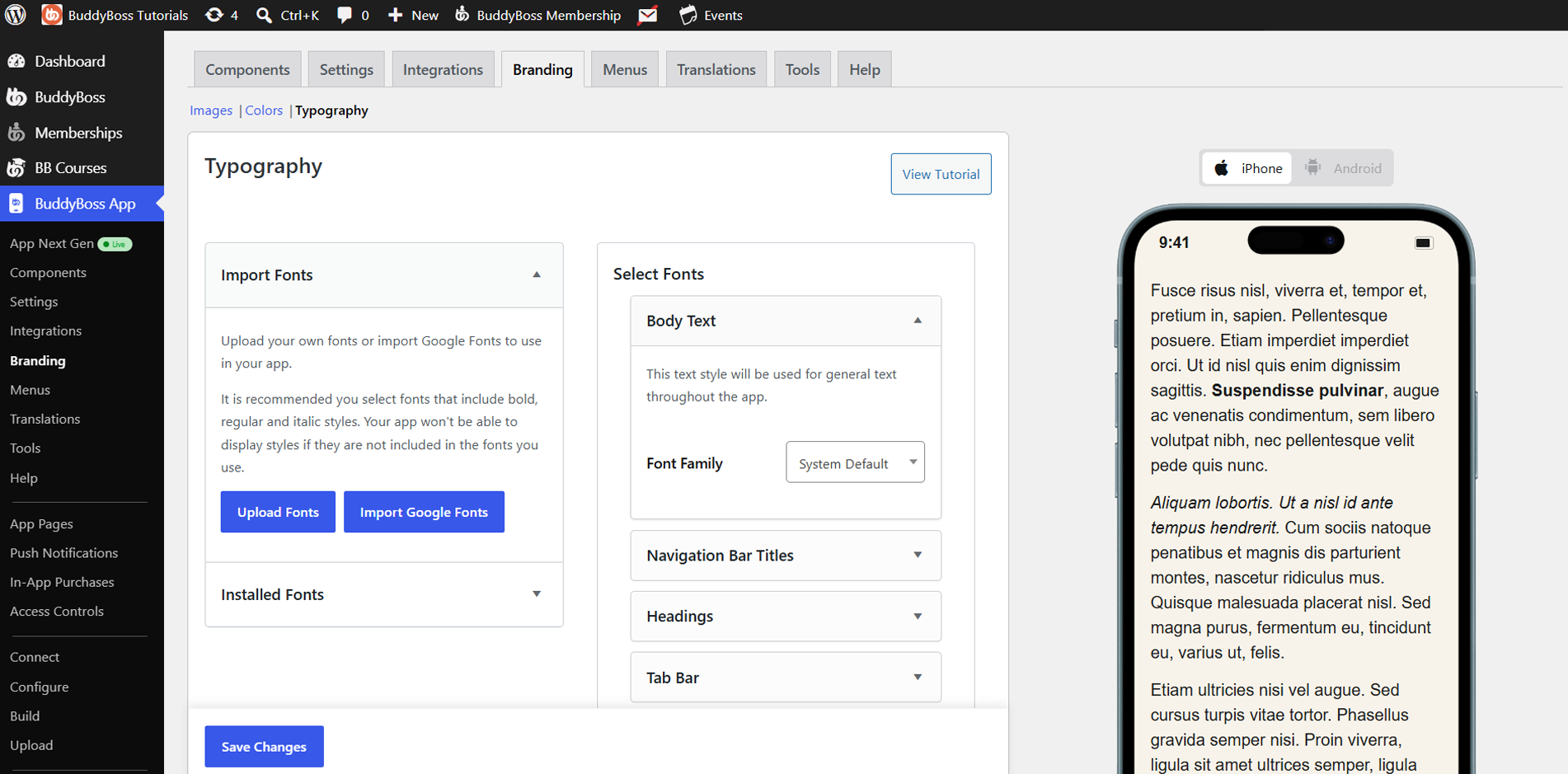
- Open the Import Google Fonts section and click Import Google Fonts.
- Browse or search for the font you need – preview its styles right in the modal.
- Select the desired style(s) and click Import.
Note: Imported fonts must be in .ttf format to work correctly in your app.
Applying Imported Fonts
Once a Google Font is imported, it appears under Imported Fonts in the Typography settings. Assign it to:
- Body Text
- Headings (H1, H2, H3…)
- Navigation Bar Titles
- Tab Bar Labels
- Menus
Adjust font sizes and styles as needed, then click Save Changes.