
Last updated: Mar 12, 2026 • ~5 min read
The Achievements settings allow you to reward members for completing specific actions across your community. You can create achievements with custom names, icons, and triggers based on actions, points, ranks, or other achievements. This manual walks you through creating and configuring achievements.
Accessing Achievement Settings
Navigate to your WordPress Dashboard, go to BuddyBoss > Settings > BuddyBoss Gamification, then click Achievements from the left panel.
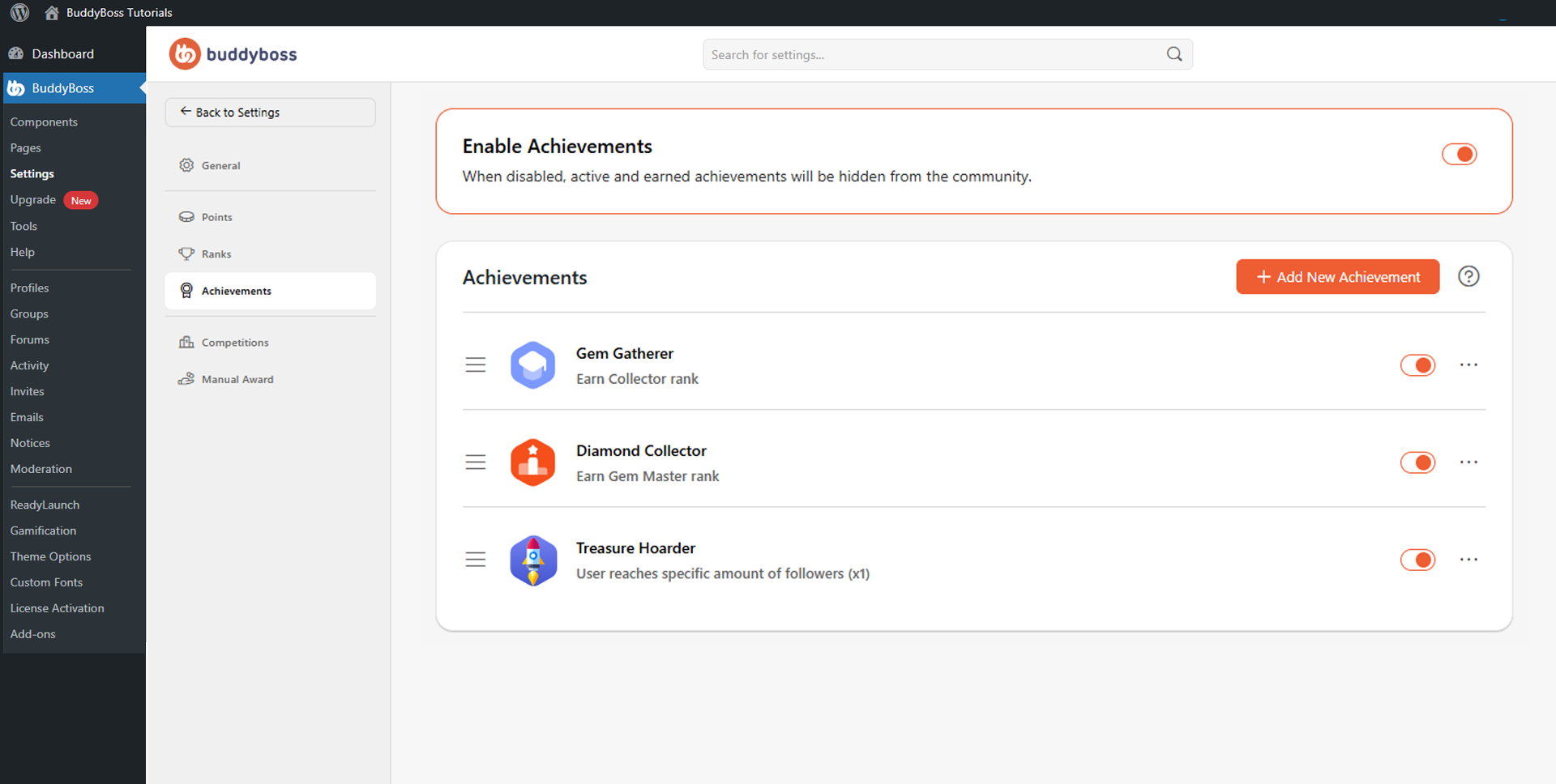
Use the Enable Achievements toggle at the top of the page to activate or hide achievements site-wide. The panel lists all existing achievements, showing each achievement’s icon, name, trigger description, visibility toggle, and a three-dot menu for additional actions.
Creating a New Achievement
Click Add New Achievement to open the creation form. Configure the fields below, then click Save to make the achievement active for members. Note that triggers cannot be changed after saving.
- Achievement Name: The title members see after earning the achievement (e.g., Complete Profile, Gem Gatherer).
- Trigger: The event that awards the achievement. Choose from Actions, Points, Ranks, or Achievements. When Actions is selected, you can pick from a wide range of member behaviors across login, groups, activity feeds, connections, messaging, profiles, forums, moderation, invitations, and media uploads.
- Number of Actions Required: When using an Actions trigger, enter how many times the action must be completed before the achievement is earned.
- Achievement Icon: Select an icon from the library or click Upload Custom Icon to use your own image. BuddyBoss recommends at least 150 × 150px, 1:1 ratio, PNG or JPG.
© 2026 BuddyBoss LLC. All Rights Reserved. | buddyboss.com