
REQUIRES: PRO PLAN OR HIGHER • Last updated: Mar 12, 2026 • ~3 min read
The Forum Directories settings control how your forum directory is displayed and how forum URLs are structured. You can prefix forum URLs with the main forums page slug and choose how the directory presents its content to members. This manual walks you through each option.
Tutorial Video
Accessing Forum Directories Settings
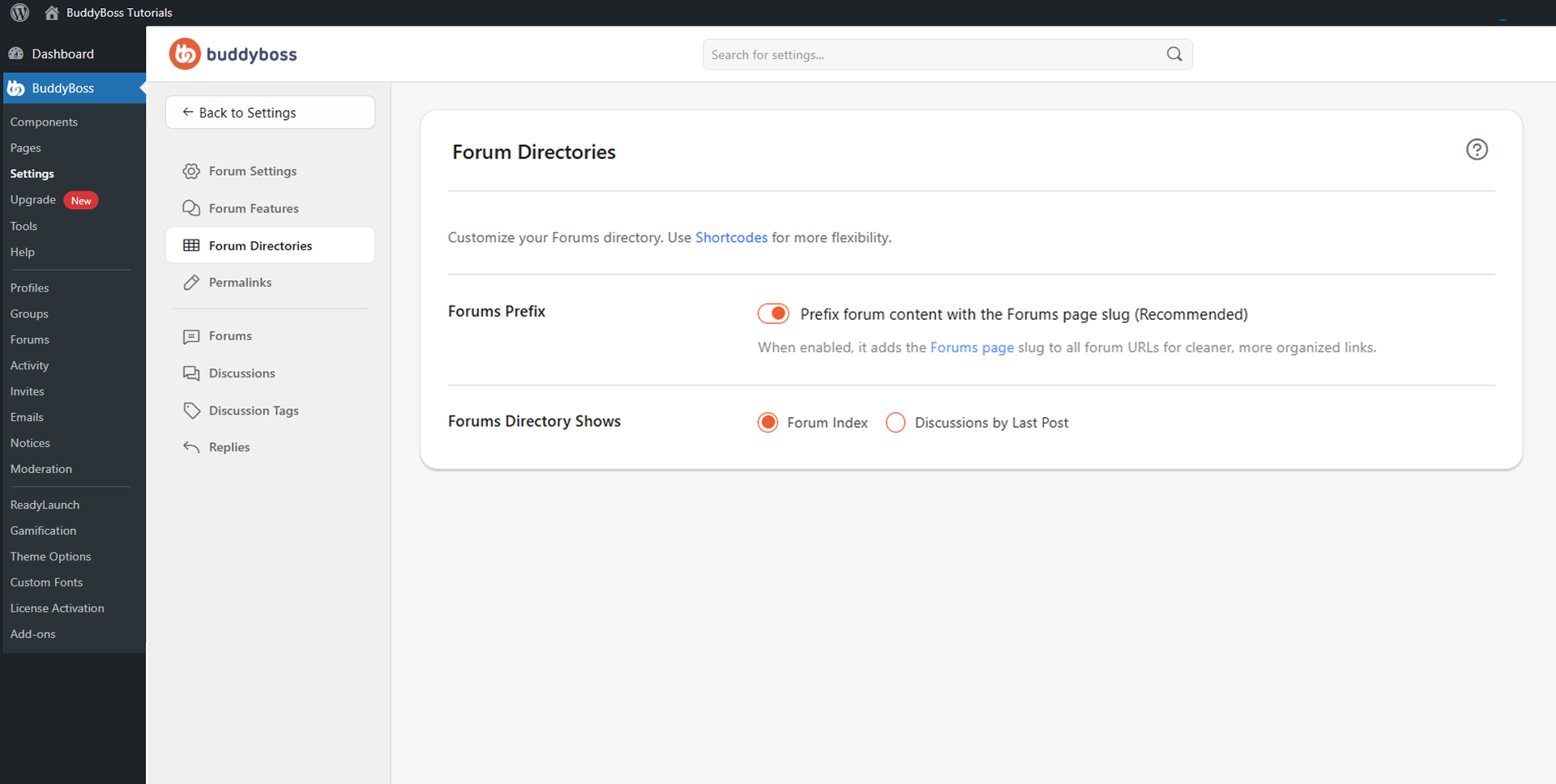
To access these settings, navigate to your WordPress Dashboard, go to BuddyBoss > Settings > Forum Discussions, then click Forum Directories from the left menu.
Forums Prefix
Toggle Prefix all forum content with the Forums page slug on to add the main Forums page slug to all forum-related URLs. For example, a topic URL becomes yourdomain.com/forums/topic/discussion-name instead of yourdomain.com/topic/discussion-name. This creates cleaner, more organized URLs and is recommended by BuddyBoss.
Forums Directory Shows
The Forums Directory Shows setting controls what members see when they visit the forums directory. Two options are available.
- Forum Index: Displays the traditional forum structure with categories and nested forums. Ideal for communities that organize discussions by topic sections.
- Discussions by Last Post: Shows discussions ordered by most recent activity, helping members quickly find the latest active conversations. Well suited for highly active communities focused on recent engagement.
© 2026 BuddyBoss LLC. All Rights Reserved. | buddyboss.com