
REQUIRES: PRO PLAN OR HIGHER • Last updated: Mar 12, 2026 • ~2 min read
The Likes and Reactions Display Settings allow you to control where members can use reactions on activity feed content. Instead of a simple like, members can respond to posts and comments with different emotional reactions. This manual walks you through the available options.
Tutorial Video
Enable Reactions
Navigate to your WordPress Dashboard, go to BuddyBoss > Settings > Likes and Reactions > Display Settings.
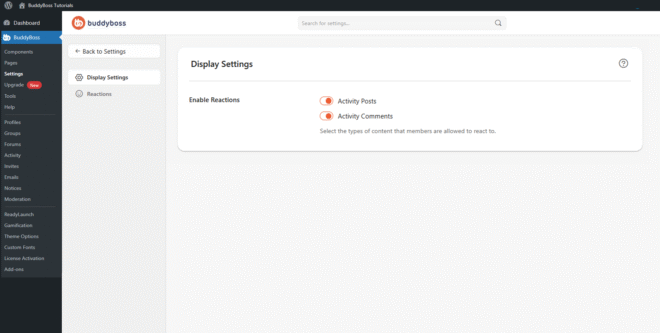
In the Enable Reactions section, toggle on each content type where you want reactions available.
- Activity Posts: Allows members to react to posts in the activity feed.
- Activity Comments: Allows members to react to comments inside activity posts.
© 2026 BuddyBoss LLC. All Rights Reserved. | buddyboss.com