
REQUIRES: PRO PLAN OR HIGHER • Last updated: Mar 12, 2026 • ~4 min read
The Documents settings under Media Uploading control how members upload and share documents across profiles, groups, messages, and forums. You can enable document uploads per area, set size and batch limits, and manage which file types are permitted. This manual walks you through each option.
Tutorial Video
Accessing Document Upload Settings
To access these settings, navigate to your WordPress Dashboard, go to BuddyBoss > Settings > Media Uploading, then click Documents.
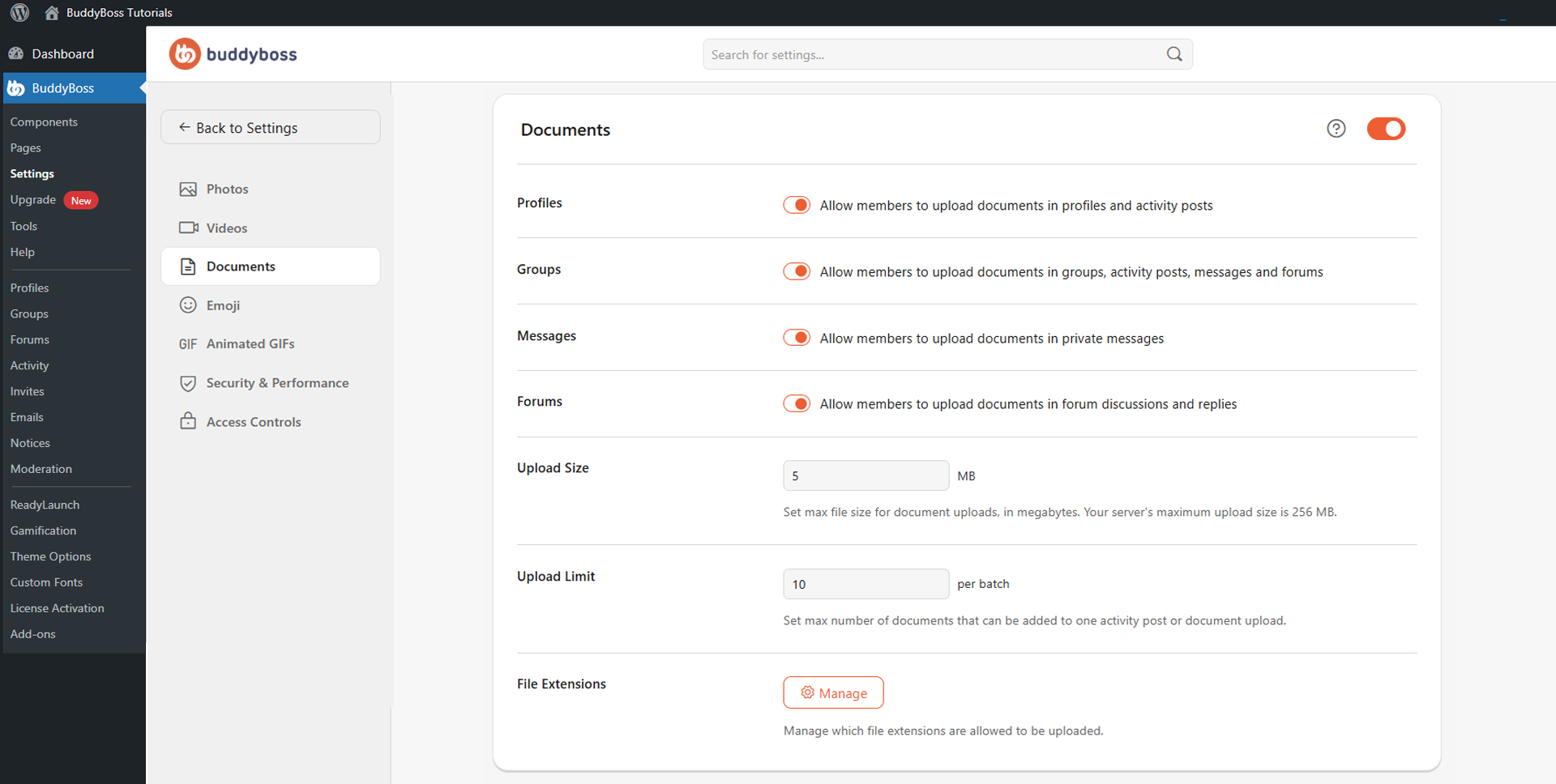
Enable the main Documents toggle to activate document uploads site-wide and reveal the additional configuration options.
Upload Permissions and Limits
Toggle each area on or off to control where members can upload documents.
- Profiles: Allows members to upload documents to their profile media section and activity feed posts.
- Groups: Allows members to upload documents inside social groups, group activity posts, group messages, and group forums.
- Messages: Allows members to share document attachments inside private messages.
- Forums: Allows members to include document attachments inside forum discussions and replies.
- Upload Size: Sets the maximum file size per uploaded document in MB. Cannot exceed your server’s maximum upload size, which is shown on the page for reference.
- Upload Limit: Sets the maximum number of documents members can upload in a single batch across activity posts, profiles, and groups.
- File Extensions: Click Manage to open the file extension settings, where you can enable or disable the document types members are permitted to upload. Common supported types include PDF, DOC/DOCX, XLS/XLSX, PPT/PPTX, TXT, CSV, and ZIP. Enable only the file types your community needs.
© 2026 BuddyBoss LLC. All Rights Reserved. | buddyboss.com