
REQUIRES: PRO PLAN OR HIGHER • Last updated: Mar 12, 2026 • ~2 min read
The Emoji settings under Media Uploading control where members can use emoji across the community. You can enable emoji support per area – profiles, groups, messages, and forums. This manual walks you through each option.
Tutorial Video
Accessing Emoji Settings
To access these settings, navigate to your WordPress Dashboard, go to BuddyBoss > Settings > Media Uploading, then click Emoji.
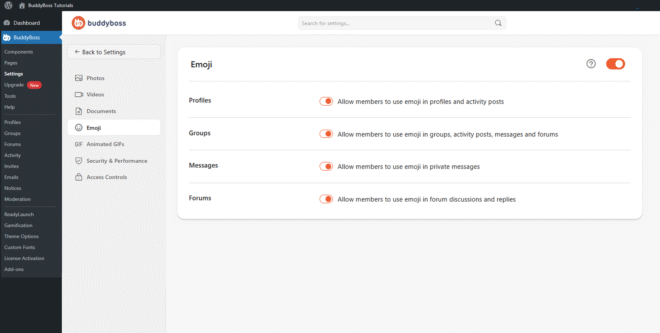
Enable the main Emoji toggle to activate emoji support site-wide and reveal the per-area settings below it.
Emoji Permissions
Toggle each area on or off to control where members can use emoji.
- Profiles: Allows members to use emoji in profile content and activity feed posts.
- Groups: Allows members to use emoji inside social groups, group activity posts, group messages, and group forums.
- Messages: Allows members to use emoji in private conversations.
- Forums: Allows members to use emoji inside forum discussions and replies.
© 2026 BuddyBoss LLC. All Rights Reserved. | buddyboss.com