
Last updated: Mar 12, 2026 • ~5 min read
The Points system rewards members for completing activities across your community. You can create multiple point types (e.g., Gems, Coins, Crystals), define activity triggers that award points automatically, and manage each trigger individually. This manual walks you through enabling points, creating point types, and configuring triggers.
Accessing Points Settings
Navigate to your WordPress Dashboard, go to BuddyBoss > Settings > BuddyBoss Gamification > Points.
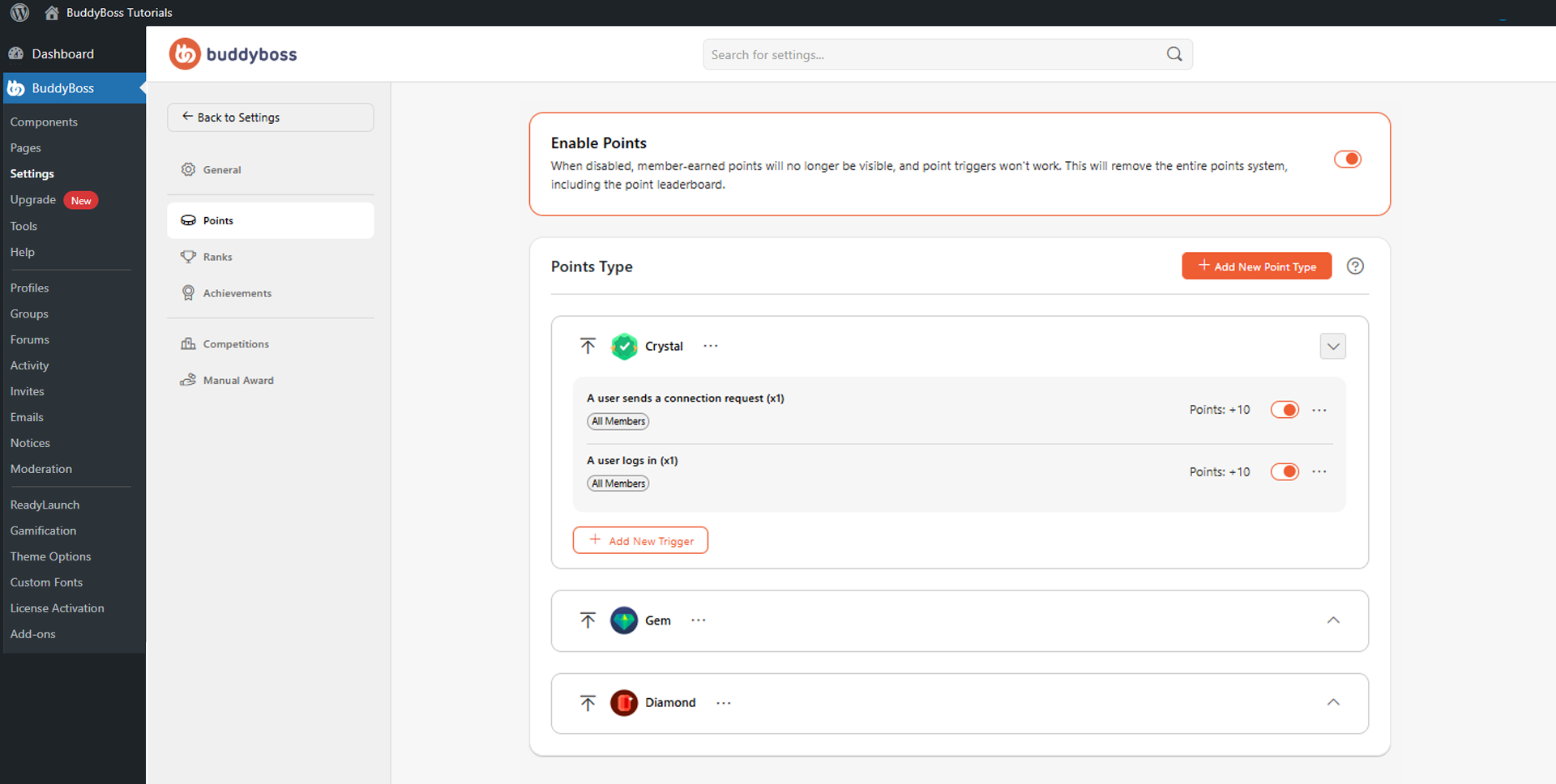
Use the Enable Points toggle to activate the entire points system. When disabled, all point triggers stop and earned points and the leaderboard are hidden from members.
Creating a Point Type
In the Points Type section, click Add New Point Type and configure the following fields, then click Save:
- Singular Name: The single-unit label (e.g., Gem).
- Plural Name: The multi-unit label (e.g., Gems).
- Icon: Select a built-in icon or upload a custom image. Custom icons should be at least 150 × 150px, 1:1 ratio, PNG or JPG.
Configuring Point Triggers
Each point type can include multiple activity triggers that award points automatically. Triggers can cover actions such as logging in, joining a group, sending or accepting a connection request, BuddyBoss Course and Membership related activities, and many other member behaviors. To add a trigger, locate the point type, click Add New Trigger, select the activity, configure the point value and any conditions or member restrictions, then save. Members earn points automatically when the trigger fires.
Each trigger can be toggled on or off individually – disabling a trigger stops future awards without affecting existing member point balances. To edit, duplicate, move, or delete a trigger, use the three-dot menu beside it.
© 2026 BuddyBoss LLC. All Rights Reserved. | buddyboss.com