














Introduction
Enabling account deletion gives your community members control over their data and complies with privacy best practices. In BuddyBoss, you can turn this feature on in both your WordPress dashboard and the BuddyBoss App settings.
Enable Account Deletion in WordPress
- In your WordPress admin, go to Settings > General.
- Scroll to the General Settings section and locate Account Deletion.
- Check the box to Allow users to delete their own accounts.
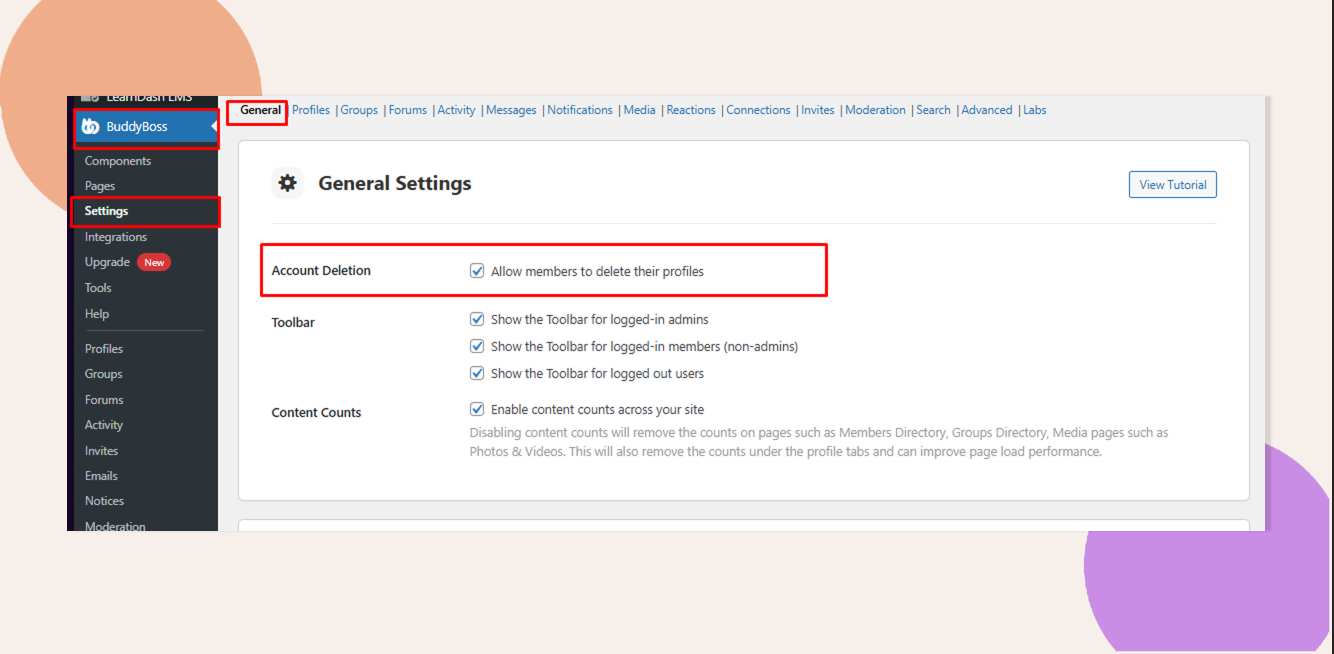
- Click Save Changes.
Verify as a User
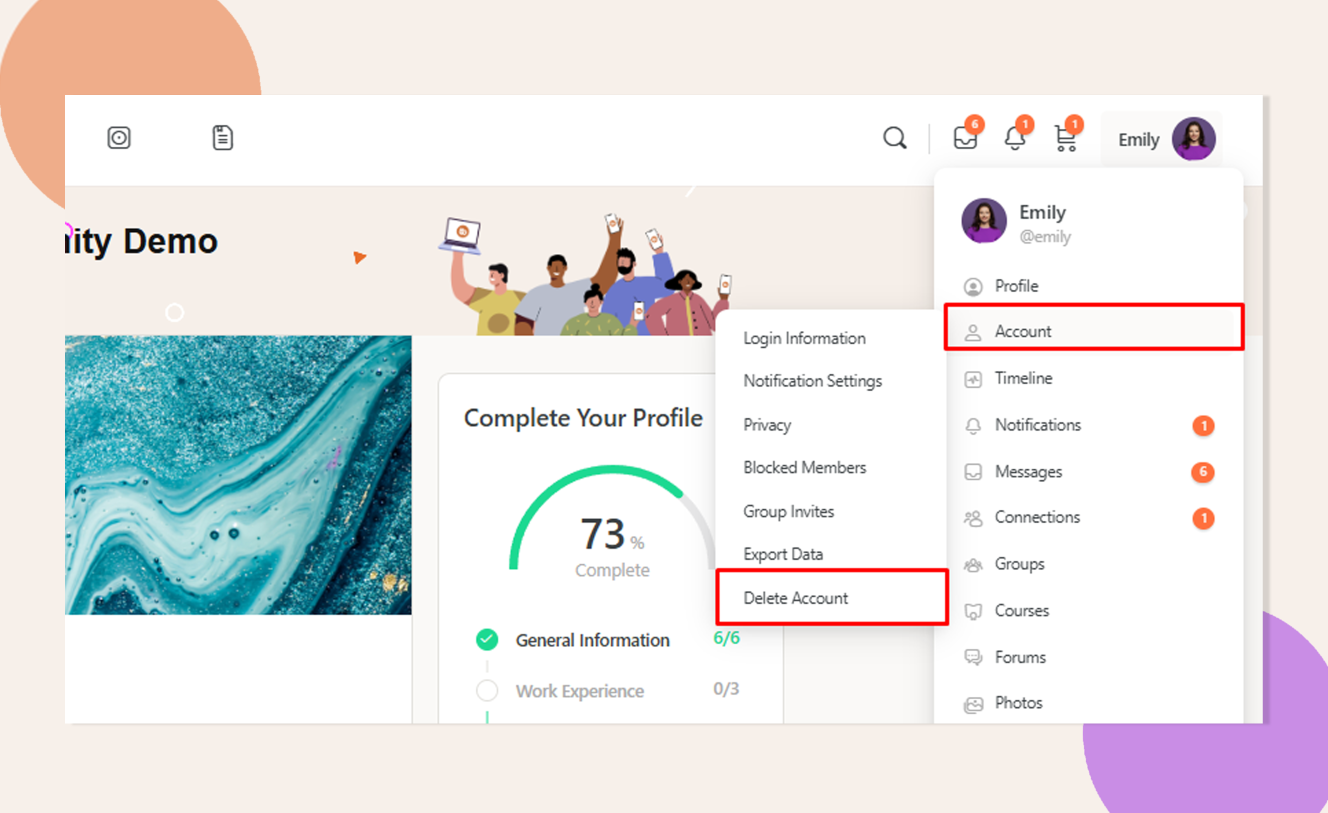
On the Web
Log in as a non-admin user, visit My Profile → Account Settings, and confirm you see a Delete Account button.
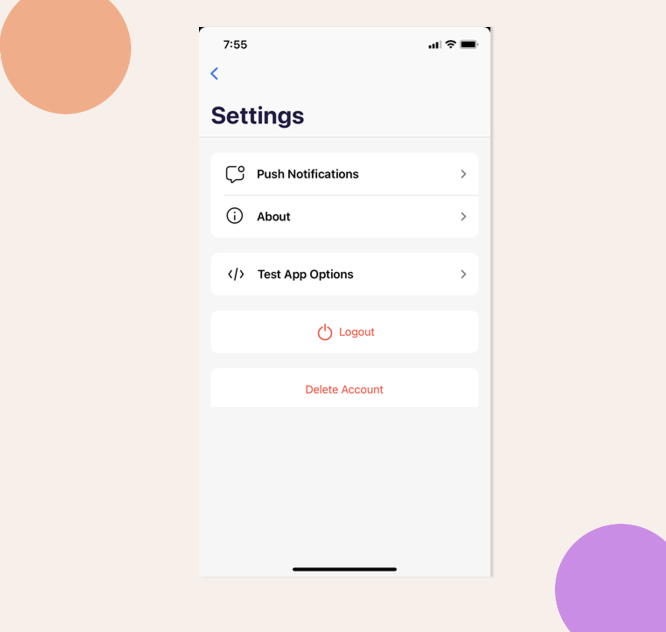
In the App
Log in on your BuddyBoss mobile app, go to Profile → Settings, and verify the Delete Account option appears.
Troubleshooting and FAQs
Q: I don’t see the Account Deletion checkbox under Settings > General. What do I do?
A: Ensure you have the latest BuddyBoss Platform and Theme installed. If the setting is still missing, clear any caching plugins and reload the page.
Q: Why can’t administrators delete their accounts?
A: For security and continuity, the Account Deletion option is hidden for admin roles. You must promote or demote someone before they can self-delete.