














The Vimeo Integration with BuddyBoss App allows you to securely deliver Vimeo-hosted video content and make supported LearnDash course videos available for offline viewing. This helps provide a smoother mobile learning experience while taking advantage of Vimeo’s privacy controls for protected course content.
Why Use Vimeo?
While platforms like YouTube or Wistia offer video hosting, Vimeo Pro stands out for its robust privacy controls that are critical if you’re monetizing via memberships or paid courses. Integrating Vimeo ensures:
- Secure Delivery: Prevent unauthorized sharing of premium content.
- Offline Support: Learners can download videos for Study Anywhere™.
- Native App Performance: The BuddyBoss App’s Vimeo block caches video metadata for snappy playback.
Generating a Vimeo Authentication Code
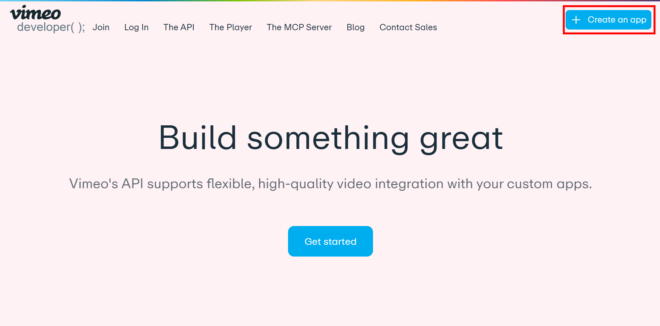
- Log into your Vimeo account at https://developer.vimeo.com/.
- Click My Apps, then Create New App (or New App).
- Enter:
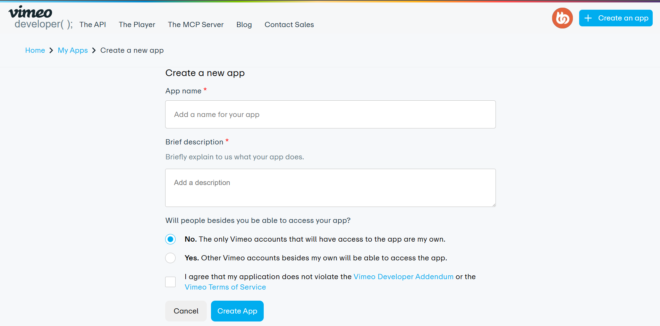
- App Name (e.g., “BuddyBoss Course Videos”)
- Brief App Description (for your reference)
- App Access
- Click Create App.
- Select the Authentication tab.
- Choose Authenticated (you), then check these scopes:
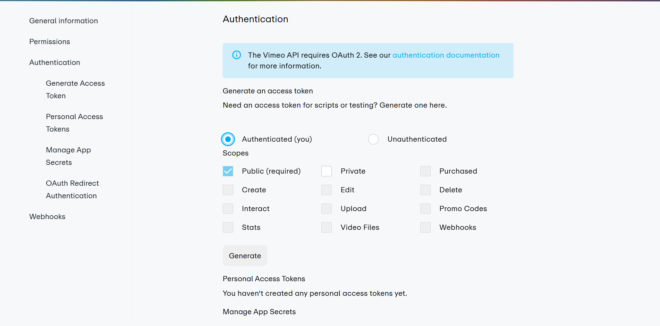
- Private
- Video Files
- Click Generate to create your access token.
- Copy the token to your clipboard.
Note: Offline mode requires a Vimeo Pro (or higher) account.
Configuring BuddyBoss App
- In WordPress, go to BuddyBoss App > Integrations > Vimeo.
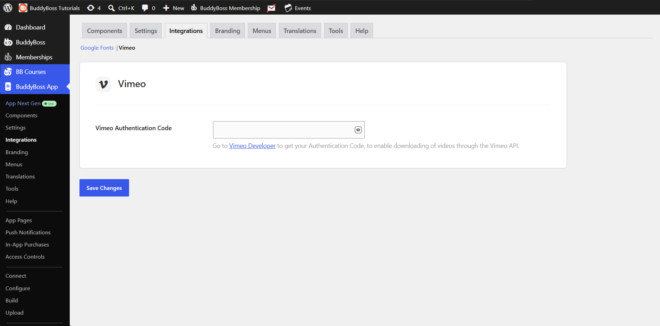
- Paste your copied access token into the Vimeo Authentication Code field.
- Click Save Changes.