
REQUIRES: PRO PLAN OR HIGHER • Last updated: Mar 12, 2026 • ~4 min read
The Notification Types settings allow you to control which actions trigger notifications across your site and how they are delivered – via Email, Web, or App. This manual walks you through enabling and disabling notification types and configuring delivery channels.
Tutorial Video
Accessing Notification Types
To access these settings, navigate to your WordPress Dashboard, go to BuddyBoss > Settings > Notifications, then click Notification Types from the left menu.
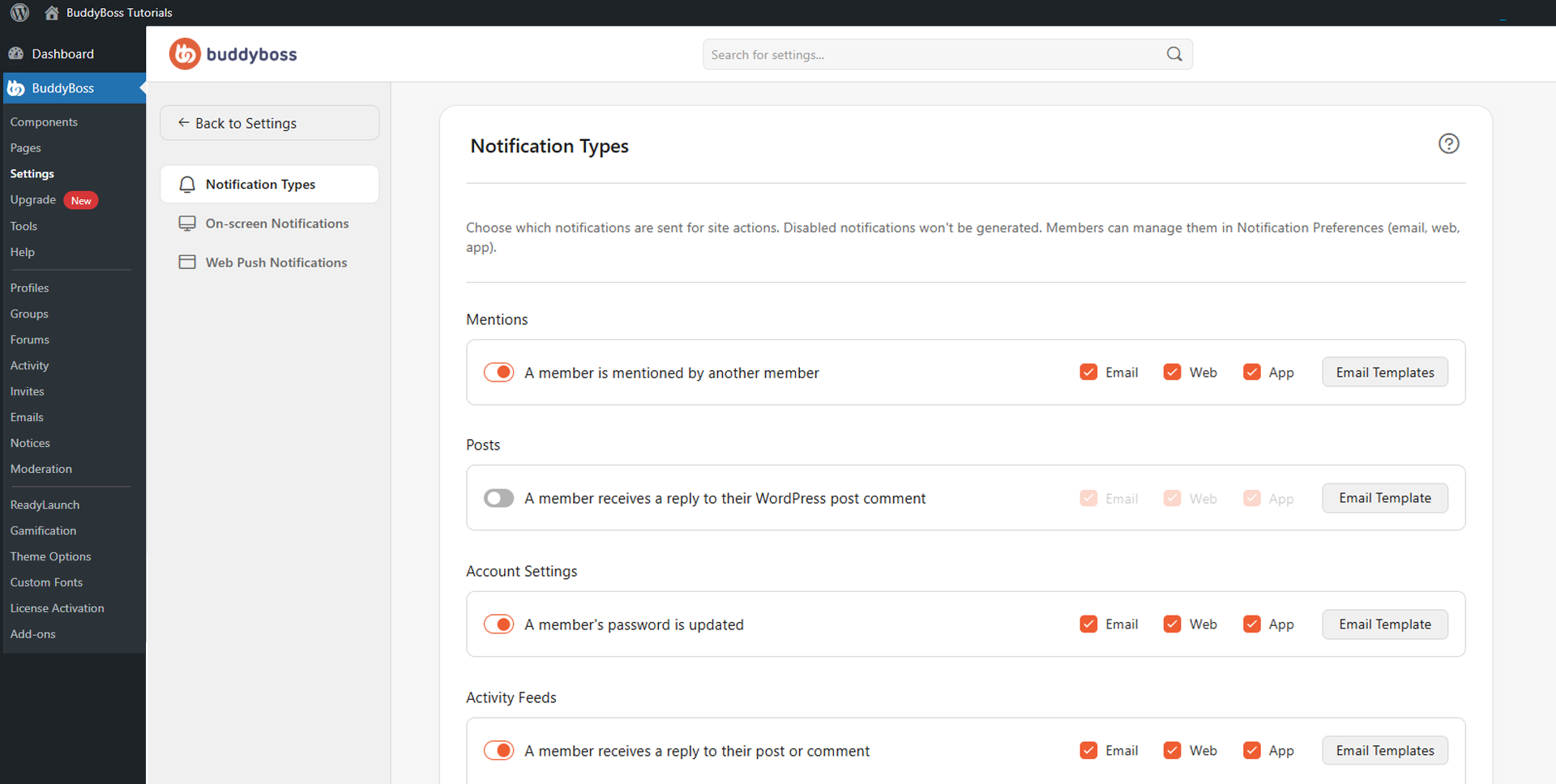
Enabling and Configuring Notifications
Notification types are organized into categories such as Mentions, Posts, Account Settings, Activity Feeds, Social Groups, Discussion Forums, Private Messages, and Member Connections. Toggle any individual notification type on or off – when disabled, notifications for that action will not be generated for any member.
For each enabled notification type, you can also control which delivery channels are active. Enable or disable Email, Web, and App channels independently for each notification. For example, you might enable Web notifications but disable Email to reduce inbox clutter for your members.
Notification Categories
The following categories and their key notification types are available to configure:
- Mentions: Triggered when a member is tagged in a post or comment by another member.
- Posts: Notifies a member when they receive a reply to their WordPress post comment.
- Account Settings: Security alerts such as password updates.
- Activity Feeds: Includes replies to posts or comments, new posts from followed members, and new follower notifications.
- Social Groups: Covers group updates, invitations, join requests, membership approvals or rejections, group messages, group activity and discussions, and Zoom meetings or webinars.
- Discussion Forums: Notifies members of new discussions in subscribed forums and replies to subscribed discussions.
- Private Messages: Notifies a member when they receive a new private message.
- Member Connections: Covers new connection requests and accepted connection requests.
© 2026 BuddyBoss LLC. All Rights Reserved. | buddyboss.com