
Last updated: Mar 12, 2026 • ~3 min read
The Manual Award section allows administrators to manually add or remove points from specific members – useful for rewarding offline participation, special contributions, or correcting point balances. This manual walks you through awarding, deducting, and reviewing recent activity.
Awarding and Deducting Points
Navigate to your WordPress Dashboard, go to BuddyBoss > Settings > BuddyBoss Gamification > Manual Award, then open the Points panel.
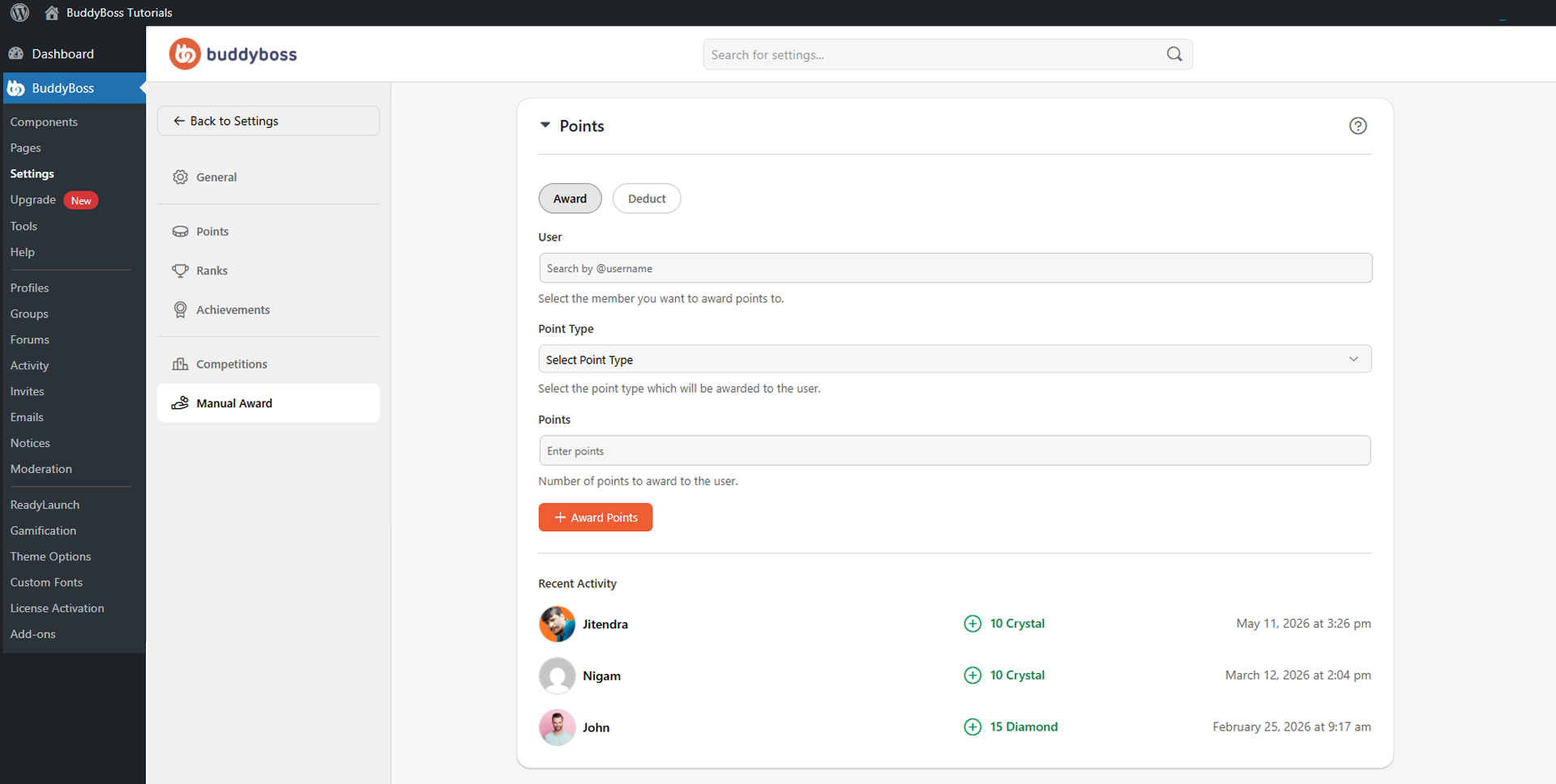
Both the Award and Deduct tabs use the same workflow: search for the member by username in the User field, select the Point Type (e.g., Crystal, Gem, Diamond), enter the number of points in the Points field, then click Award Points or Deduct Points. The change applies immediately to the member’s account.
Recent Activity
The Recent Activity section displays the latest manual point transactions, showing the member name, point amount, point type, and date and time of each action. This helps administrators track adjustments and maintain a clear audit trail of manual changes.
© 2026 BuddyBoss LLC. All Rights Reserved. | buddyboss.com