














WC Vendors Pro + BuddyBoss Integration
Turn Your Community Into a Multivendor Marketplace
What is WC Vendors Pro?
WC Vendors Pro turns your WooCommerce store into a full multivendor marketplace, letting independent vendors list, manage, and sell their own products from a dedicated front-end dashboard.
Vendors get their own branded storefront, order and shipping management, coupon creation, and a commission split that’s set per vendor or per product, while you keep marketplace-wide oversight from wp-admin.
On a BuddyBoss community, it gives members a path from participant to seller: vendor storefronts, sales, and reviews can sit alongside the profiles, groups, and activity feed your members already use.
Key features of WC Vendors Pro
Front-End Vendor Dashboard
Vendors list products, manage orders, and update shipping without ever touching wp-admin.
Flexible Commission Structures
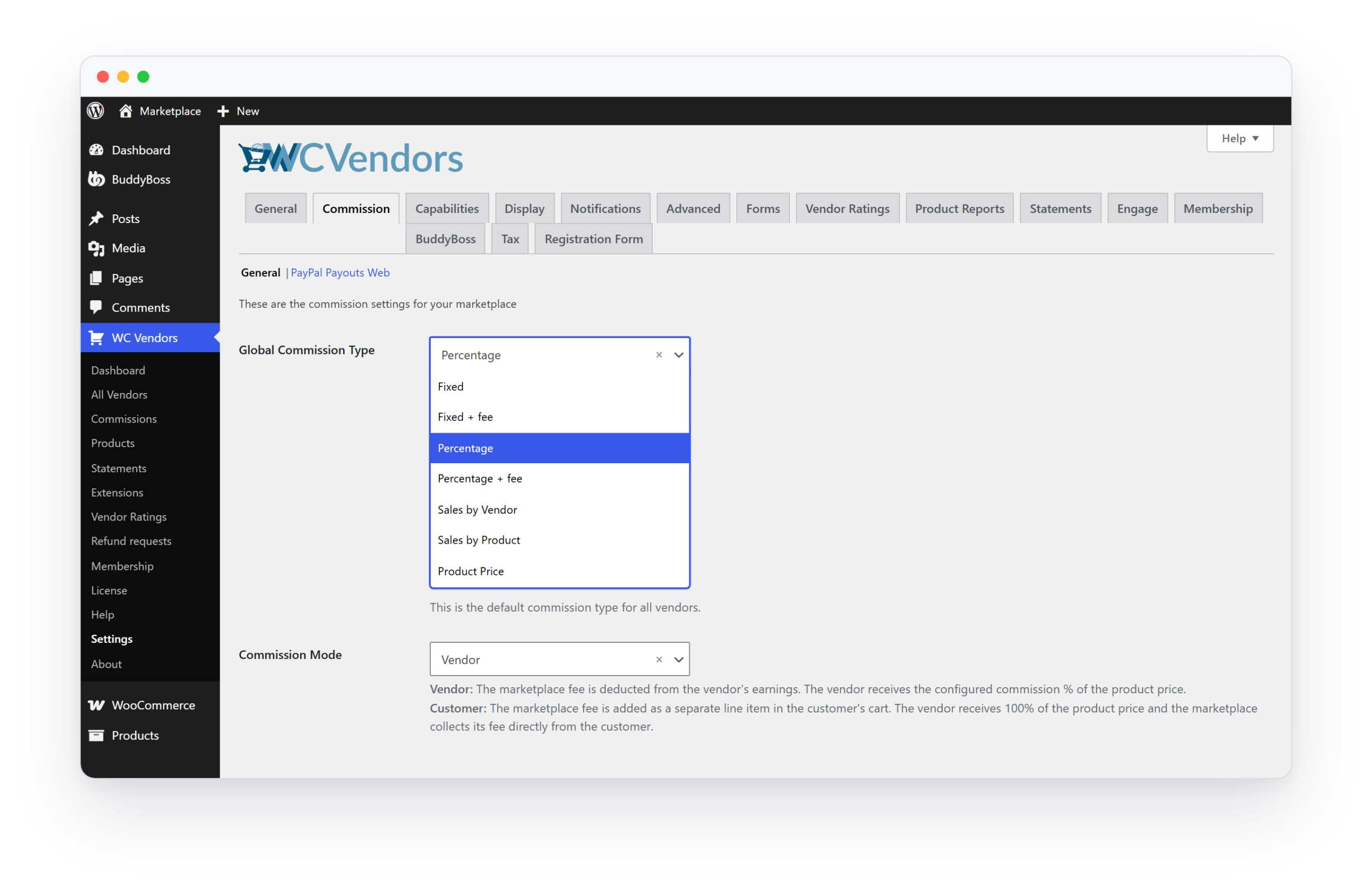
Set commissions by percentage, fixed rate, tiered thresholds, or per-vendor overrides.
Branded Vendor Storefronts
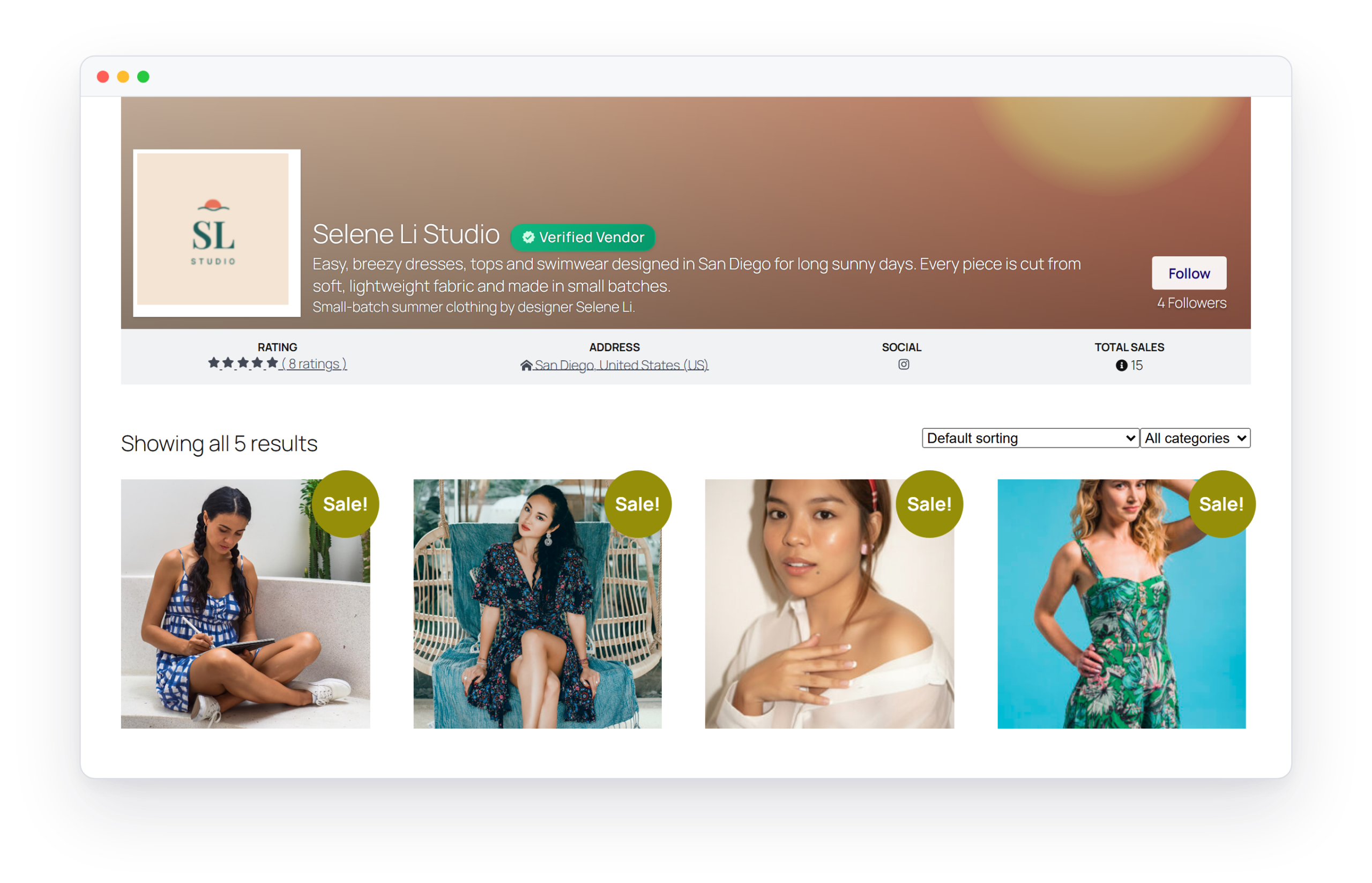
Give each vendor a customizable shop page with their own logo, banner, and store description.
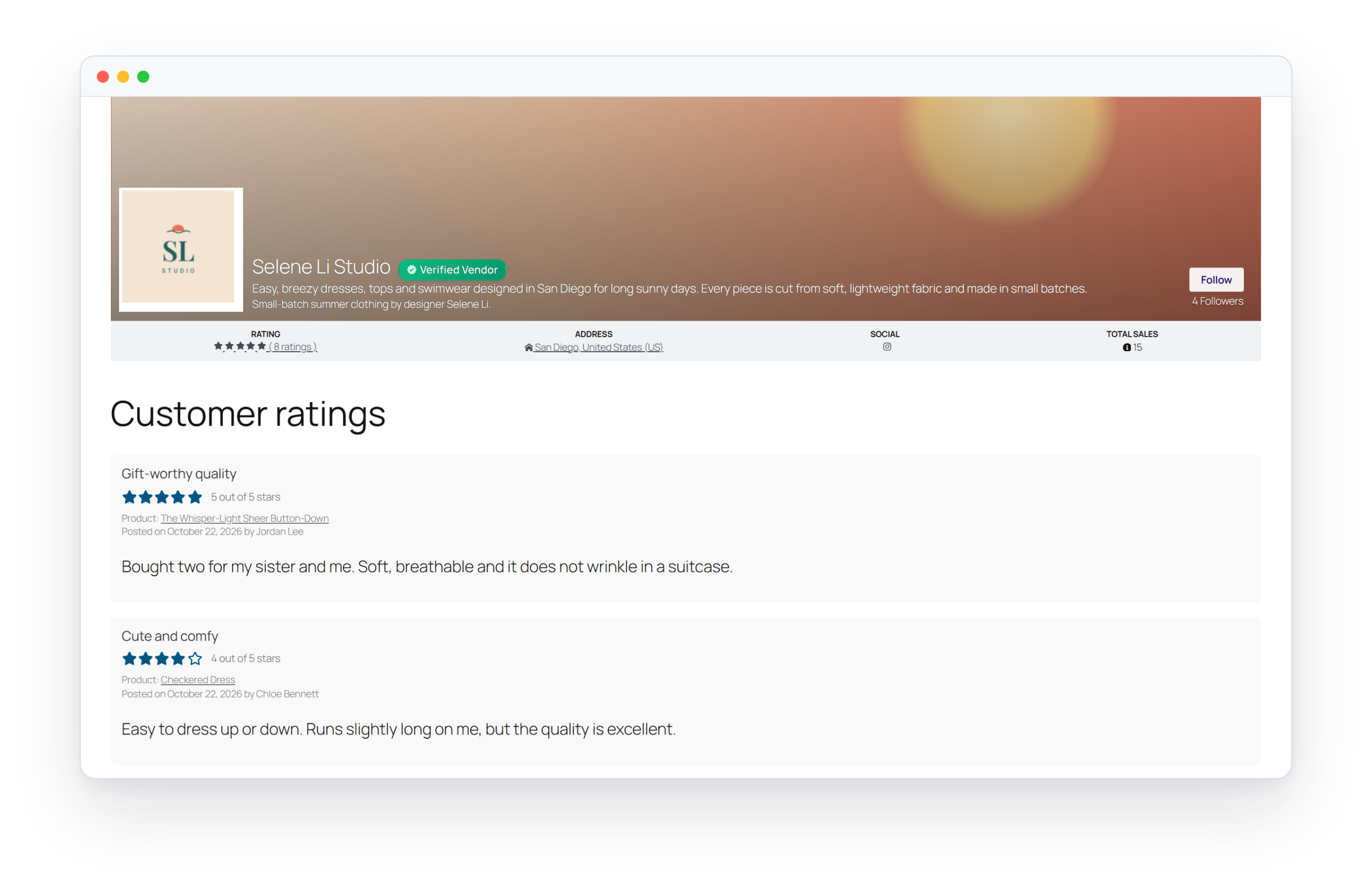
Vendor Ratings and Reviews
Let buyers rate and review vendors so shoppers can gauge trust before purchasing.
Shipping and Tax Settings
Vendors set their own shipping and tax rules, so checkout calculates both per vendor without you configuring each store.
Full WooCommerce Product Support
Sell physical goods, digital downloads, variable products, and bundles across every vendor’s store.
Watch WC Vendors Pro Working in BuddyBoss
A walkthrough of a vendor listing a product from their front-end dashboard and a shopper completing checkout on a BuddyBoss-powered marketplace.
▶
Ready to Build Your Community
Give members a path from community participant to marketplace seller, without leaving your BuddyBoss site.
Use Cases and Examples
Creator and Maker Marketplaces
A community of independent creators wants to sell handmade goods directly to fellow members. Each creator gets a branded storefront where they manage their own listings and orders, while the community collects a commission on every sale.
Course Communities Selling Add-On Products
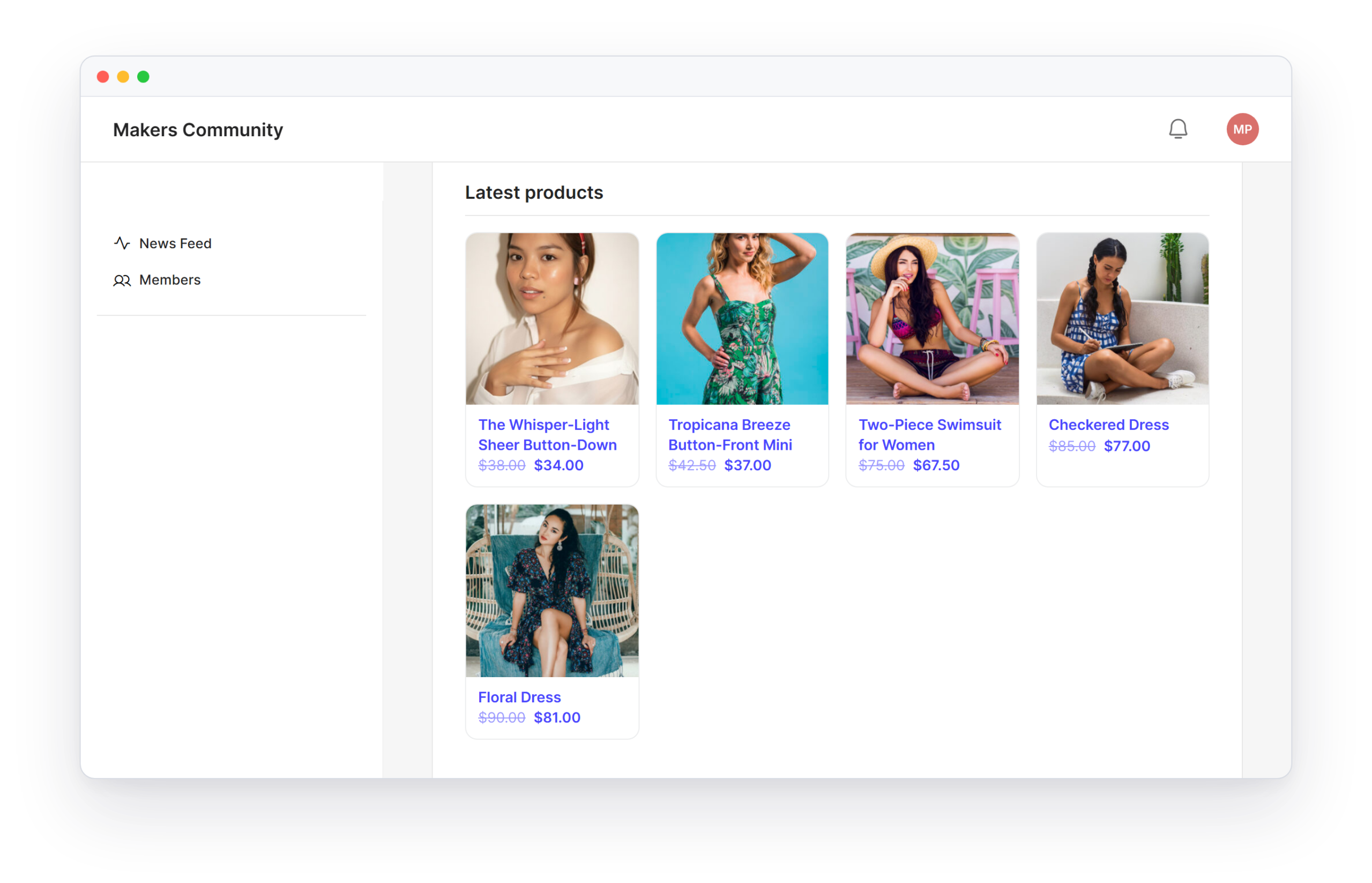
An education-focused community wants instructors to sell templates, worksheets, and digital add-ons alongside their courses. Each instructor becomes a vendor with their own storefront, keeping product sales organized separately from course enrollment.
Local or Niche Service Marketplaces
A regional or industry-specific community wants local businesses to list products and services to members. Vendors manage their own inventory and shipping, while admins set commission rates and oversee the marketplace from one dashboard.
How WC Vendors Pro Works Inside BuddyBoss
- Store tab on profiles: Each vendor’s profile gets a Store tab, so their products sit next to the rest of their member profile.
- Vendors filter in the member directory: Members can filter the directory to find sellers.
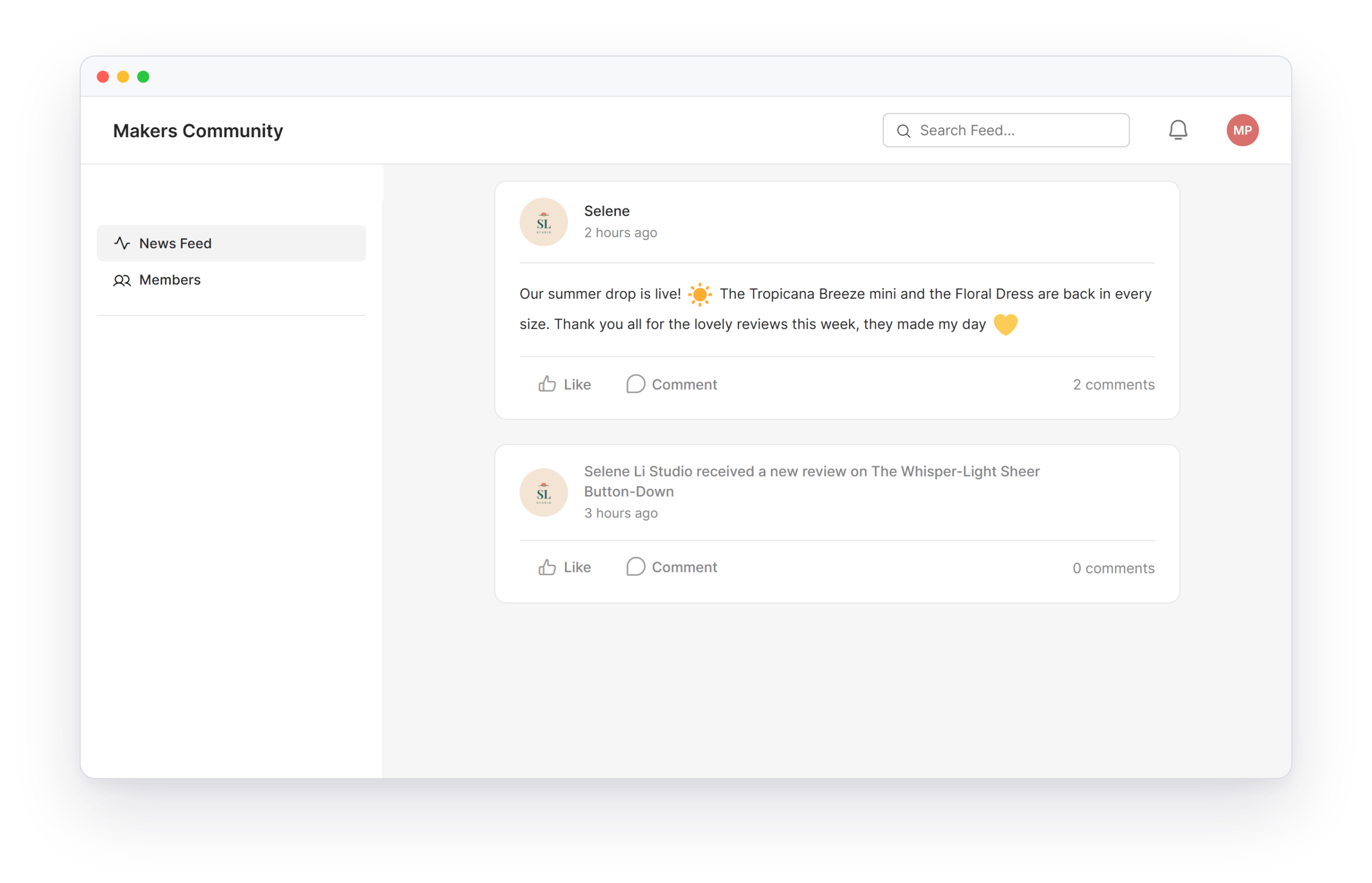
- Activity posts: New products and new reviews can appear in the activity feed.
- Notifications: Members get BuddyBoss notifications when a vendor application is approved or denied, when a new order comes in, and when a review is left.
- Messages, groups, and forums: Buyers can message vendors privately, and sellers can promote their stores in your groups and forums.
- Native styling: With the BuddyBoss Theme, vendor pages pick up your community’s design.
Requirements
- WC Vendors Pro: 2.0.9 or newer
- BuddyBoss Platform: 2.5.0 or newer
- WooCommerce: 8.0 or newer
- BuddyBoss Theme: 2.3.0 or newer, for the native styling
How to Integrate WC Vendors Pro with BuddyBoss
BuddyBoss needs no special settings for WC Vendors Pro. Follow these steps to get started:
1
Install WooCommerce and WC Vendors Pro
Confirm WooCommerce and BuddyBoss Platform are active, then install and activate WC Vendors Pro.
2
Set Up Marketplace Commission Rules
Configure your default commission structure: percentage, fixed rate, or tiered by vendor.
3
Enable Vendor Registration
Turn on vendor applications so members can apply to become sellers.
4
Approve Your First Vendors
Review and approve vendor applications, giving them access to the front-end dashboard.
5
Test a Vendor Listing and Sale
Have a test vendor list a product and walk through a sample purchase to confirm commissions calculate correctly. The BuddyBoss integration options are on by default, so you can turn off any you do not need.
Benefits of Integrating WC Vendors Pro with BuddyBoss
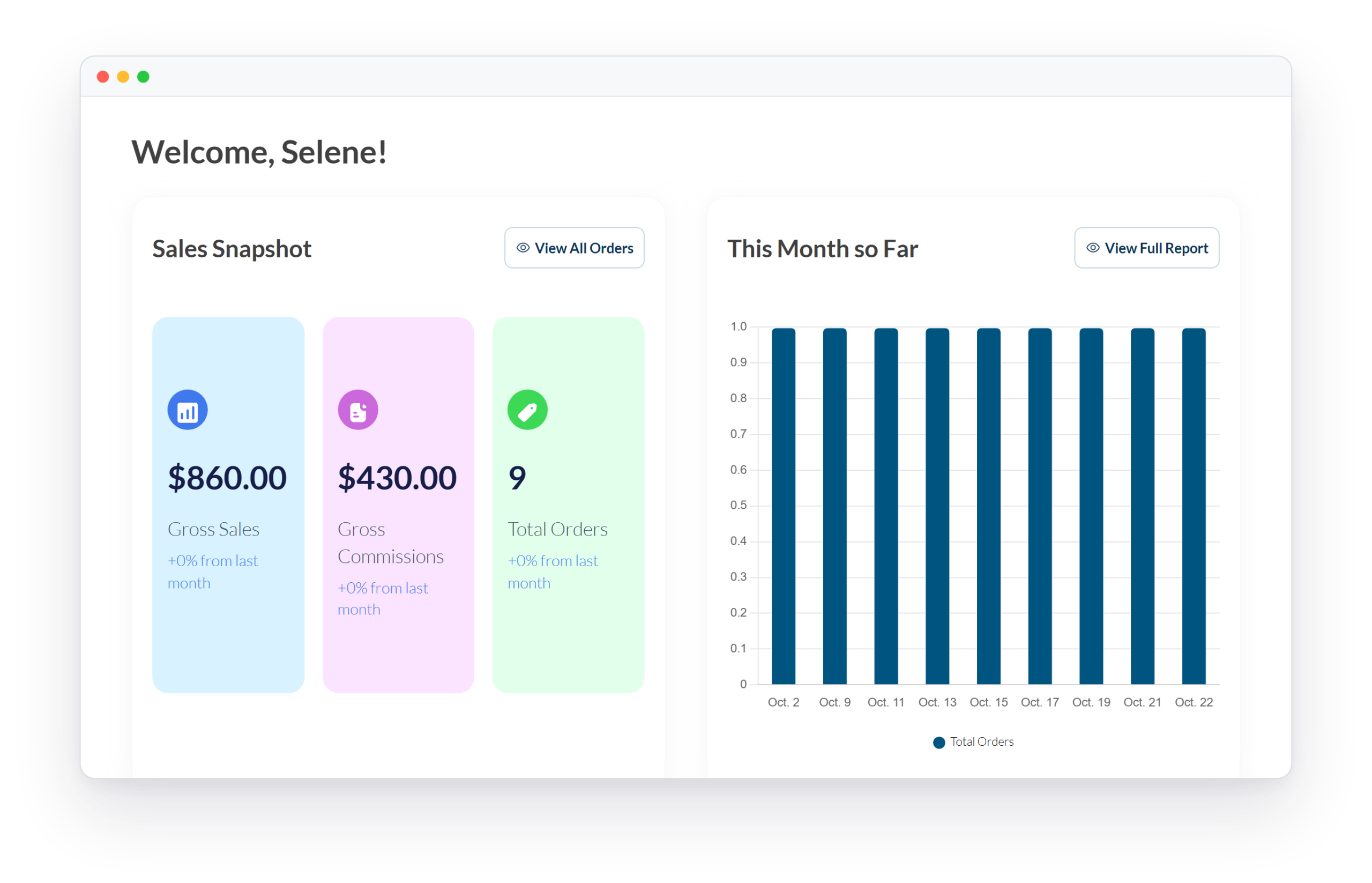
- Member-to-Seller Pathway: Members can move from community participant to marketplace vendor without leaving your BuddyBoss site. Their storefront and sales activity sit alongside the profile and activity feed they already use.
- Commission Control at Scale: Percentage, fixed, and tiered commission options let you set rules once and apply them across an unlimited number of vendors, no manual invoicing required as the marketplace grows.
- One Dashboard for Vendors: Vendors list products, manage orders, and update shipping from the front end, so members never need wp-admin access.
- Trust Built In: Ratings and reviews let buyers judge a vendor before they buy, and sellers build a reputation inside your community.
- Per-Vendor Shipping and Tax: Vendors set their own shipping and tax rules, which keeps store setup off your team’s plate.
- Sell Almost Anything: Physical goods, digital downloads, variable products, and bundles work across every vendor’s store.
Trusted by Thousands of Community Builders
Start Building Your Community Today
See WC Vendors Pro pricing and turn your BuddyBoss community into a thriving multivendor marketplace.