














The BuddyMessageUX is a FREE plugin that allows users to send messages without leaving their profile page.
The plugin uses the ‘Thickbox’ code built into WordPress for the styling of the message pop-up.
The integration works and requires the BuddyBoss Platform installed and activated on your website.
BuddyBoss Platform is a fork and forge of the BuddyPress plugin and bbPress plugin. Any plugin developed for the BuddyPress and bbPress plugin is supported by the BuddyBoss Platform.
You do NOT need to install the BuddyPress plugin or the bbPress plugin separately. BuddyBoss Platform acts as a replacement for both the plugins.
Installing the plugin
To install the plugin:
- Download the FREE BuddyMessageUX plugin from your PhiloPress Account page:
https://www.philopress.com/products/buddymessageux-free/ OR
Buy and download the Pro version – https://www.philopress.com/products/buddymessageux/ - Extract the downloaded bp-profile-message-ux-free.zip file to the WordPress plugins folder yourhostname/wordpress/wp-content/plugins
OR
Go to your WordPress Dashboard > Plugins > Add New. Click the Upload Plugin button. Browse to the download file location, select the bp-profile-message-ux-free.zip & install the plugin. - Click the Activate Plugin button to activate the BuddyMessageUX plugin on your website. OR
To activate the plugin on your website site go to WordPress Dashboard > Plugins and then click the Activate button for BuddyMessageUX.
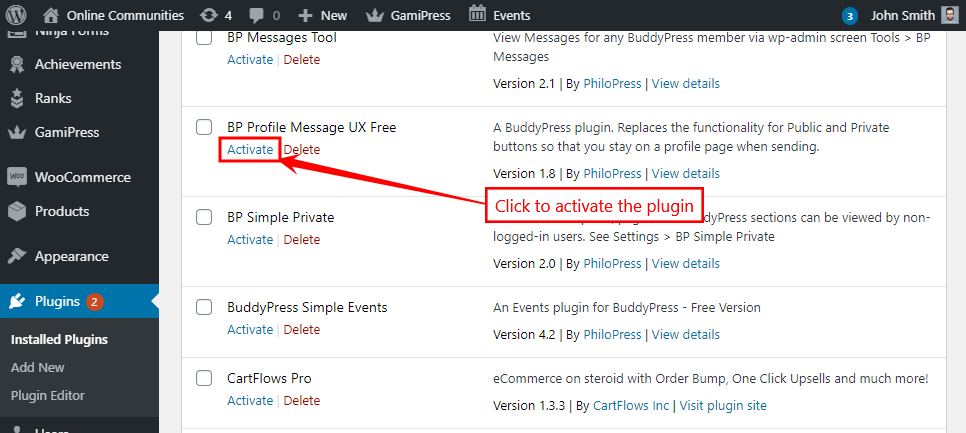
You must have the BuddyBoss Platform installed and activated on your site for the BuddyMessageUX plugin to work.
Sending a private message to a user
To send a private message to a user directly from a pop-up:
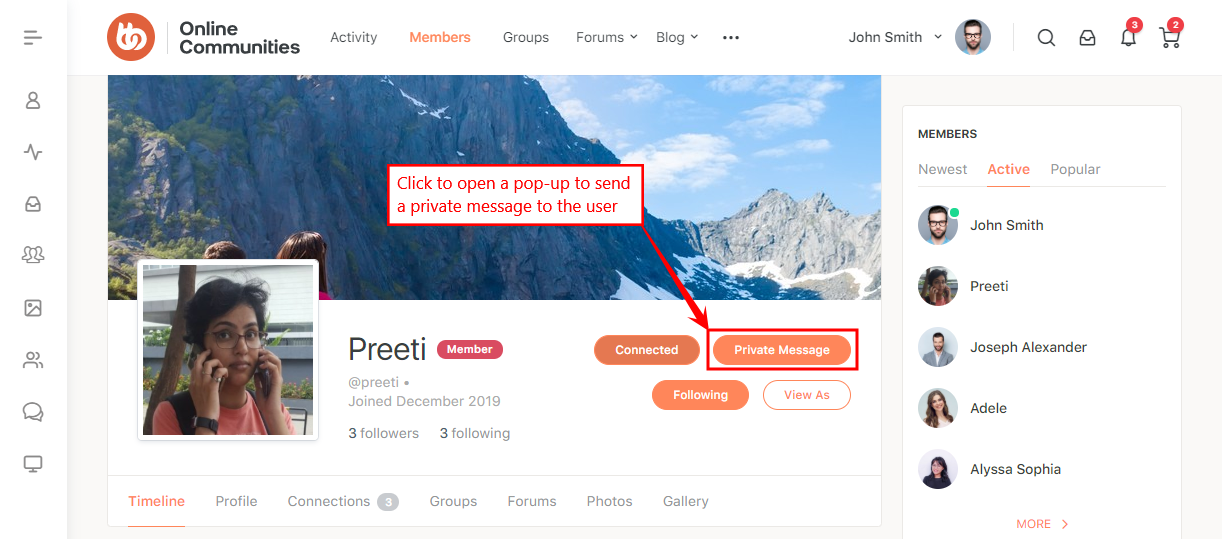
- Go to a user’s profile page and then click the Private Message button to open the compose pop-up.
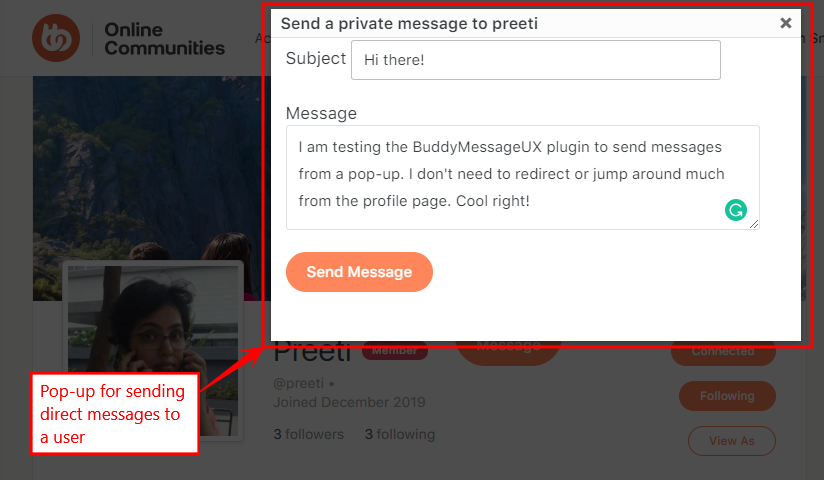
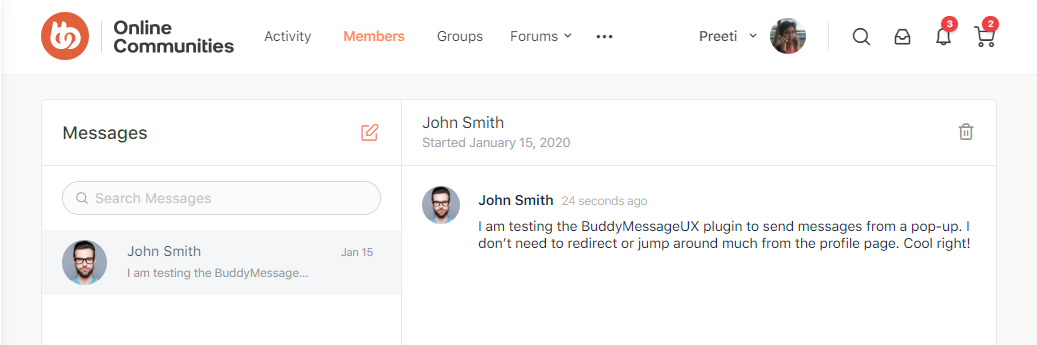
- Enter the subject and message and then click the Send Message button to send the private message to the user.
The Pro version provides AJAX and mobile optimization, access to styles and JavaScript.