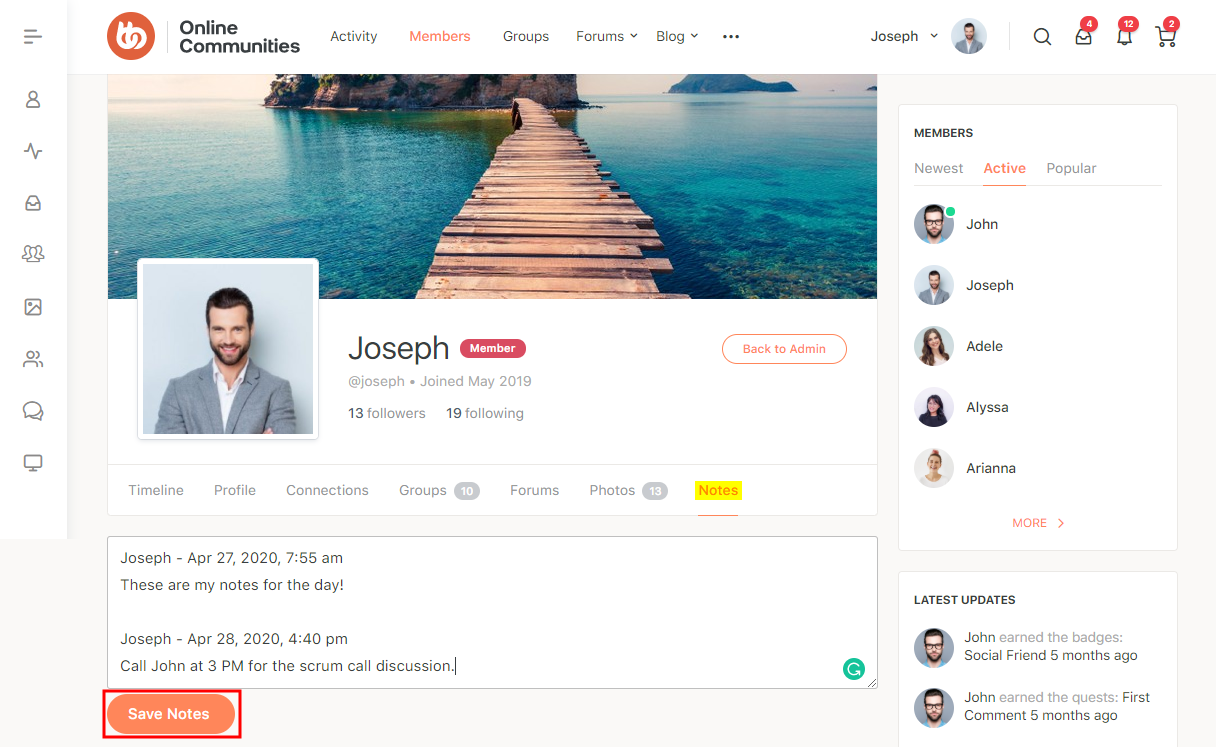
The BuddyNotes plugin lets your BuddyPress members create and manage personal notes from their Profile page on the front-end. The plugin adds a Notes tab on each user’s profile page . Each note starts with the creator’s name and a timestamp.
The site administrator can:
- Specify the roles that can access BuddyNotes
- Show member stats in the Notes tab
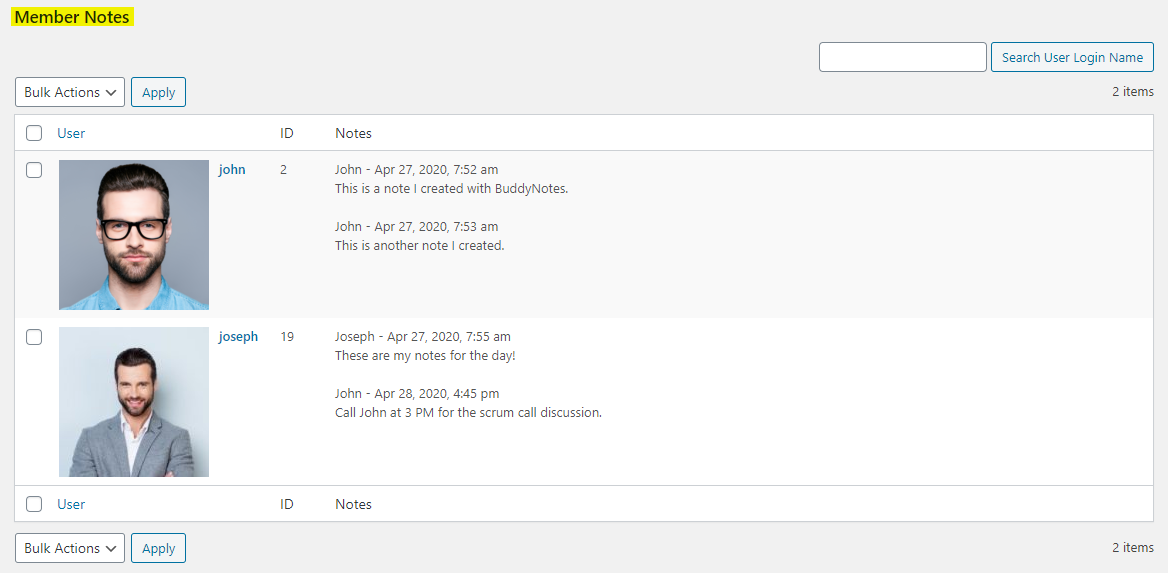
- View a sortable and searchable list of all notes in the Admin Dashboard
The integration works and requires the BuddyBoss Platform installed and activated on your website.
BuddyBoss Platform is a fork and forge of the BuddyPress plugin and bbPress plugin. Any plugin developed for the BuddyPress and bbPress plugin is supported by the BuddyBoss Platform.
You do NOT need to install the BuddyPress plugin or the bbPress plugin separately. BuddyBoss Platform acts as a replacement for both the plugins.
Installing the plugin
To install the plugin:
- Buy and download the BuddyNotes plugin from your PhiloPress Account page:
https://www.philopress.com/products/buddynotes/ - Extract the downloaded bp-member-notes.zip file to the WordPress plugins folder yourhostname/wordpress/wp-content/plugins
OR
Go to your WordPress Dashboard > Plugins > Add New. Click the Upload Plugin button. Browse to the download file location, select the bp-member-notes.zip & install the plugin. - Click the Activate Plugin button to activate the BuddyNotes plugin on your website. OR
To activate the plugin on your website site go to WordPress Dashboard > Plugins and then click the Activate button for BuddyNotes.
You must have the BuddyBoss Platform installed and activated on your site for the BuddyNotes plugin to work.
Setting up the plugin
To set up the plugin:
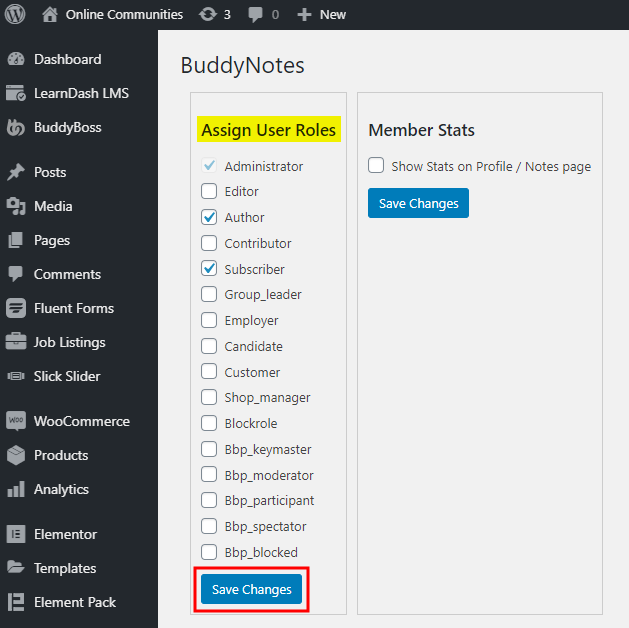
- Go to WordPress Dashboard > Settings > BuddyNotes.
- Select the WordPress Roles to grant access for BudyNotes.
- Click the Save Changes button.
After successful activation, a Notes tab is added to the Profile page of your BuddyPress members for the selected roles. Users can click the Save Notes button in the Notes tab to save the notes.
Managing the notes
As a site administrator, to manage notes by all BuddyPress users:
- Go to WordPress Dashboard > Settings > BuddyNotes > Member Notes.