
REQUIRES: PRO PLAN OR HIGHER • Last updated: Mar 12, 2026 • ~4 min read
The Forum Features settings allow you to enable or disable discussion tools that affect how members interact inside forums. Available features include revision tracking, favorites, subscriptions, discussion tags, search, post formatting, link previews, and anonymous posting. This manual walks you through each option.
Tutorial Video
Accessing Forum Features Settings
To access these settings, navigate to your WordPress Dashboard, go to BuddyBoss > Settings > Forum Discussions, then click Forum Features from the left menu.
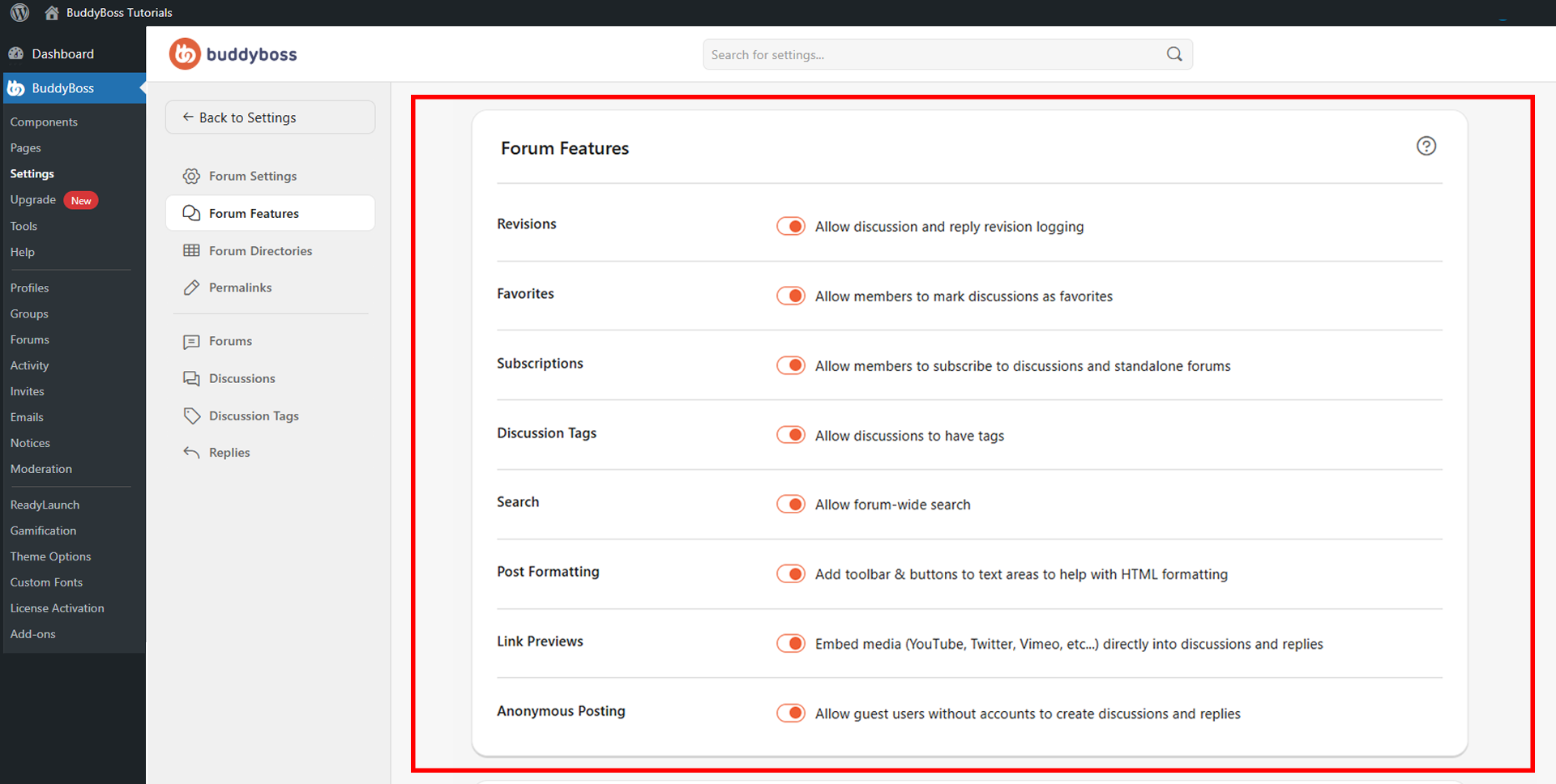
Available Forum Features
Toggle each feature on or off according to your community’s needs. Click Save Settings when done to apply changes across all forums.
- Revisions: Keeps a history of edits made to discussions and replies, allowing moderators to track and review content changes.
- Favorites: Lets members mark discussions as favorites for quick access later.
- Subscriptions: Allows members to subscribe to discussions and standalone forums to receive updates when new activity occurs.
- Discussion Tags: Enables topic labels on discussions, improving discoverability and making it easier to filter content.
- Search: Adds a forum-wide search bar so members can find discussions and replies across all forums.
- Post Formatting: Adds a formatting toolbar to text areas, giving members HTML formatting tools when writing discussions and replies.
- Link Previews: Embeds media from supported services (such as YouTube, Twitter, and Vimeo) directly into discussions and replies.
- Anonymous Posting: Allows guest users without accounts to create discussions and replies. Use with caution, as enabling this may increase moderation requirements.
© 2026 BuddyBoss LLC. All Rights Reserved. | buddyboss.com