
REQUIRES: PRO PLAN OR HIGHER • Last updated: Mar 12, 2026 • ~3 min read
The Forum Permalinks settings let you customize the URL slugs used for each type of forum content – including forums, discussions, tags, views, replies, and search. Proper permalink configuration keeps URLs clean, organized, and easier to share. This manual walks you through each field.
Tutorial Video
Accessing Forum Permalink Settings
To access these settings, navigate to your WordPress Dashboard, go to BuddyBoss > Settings > Forum Discussions, then click Permalinks from the left menu.
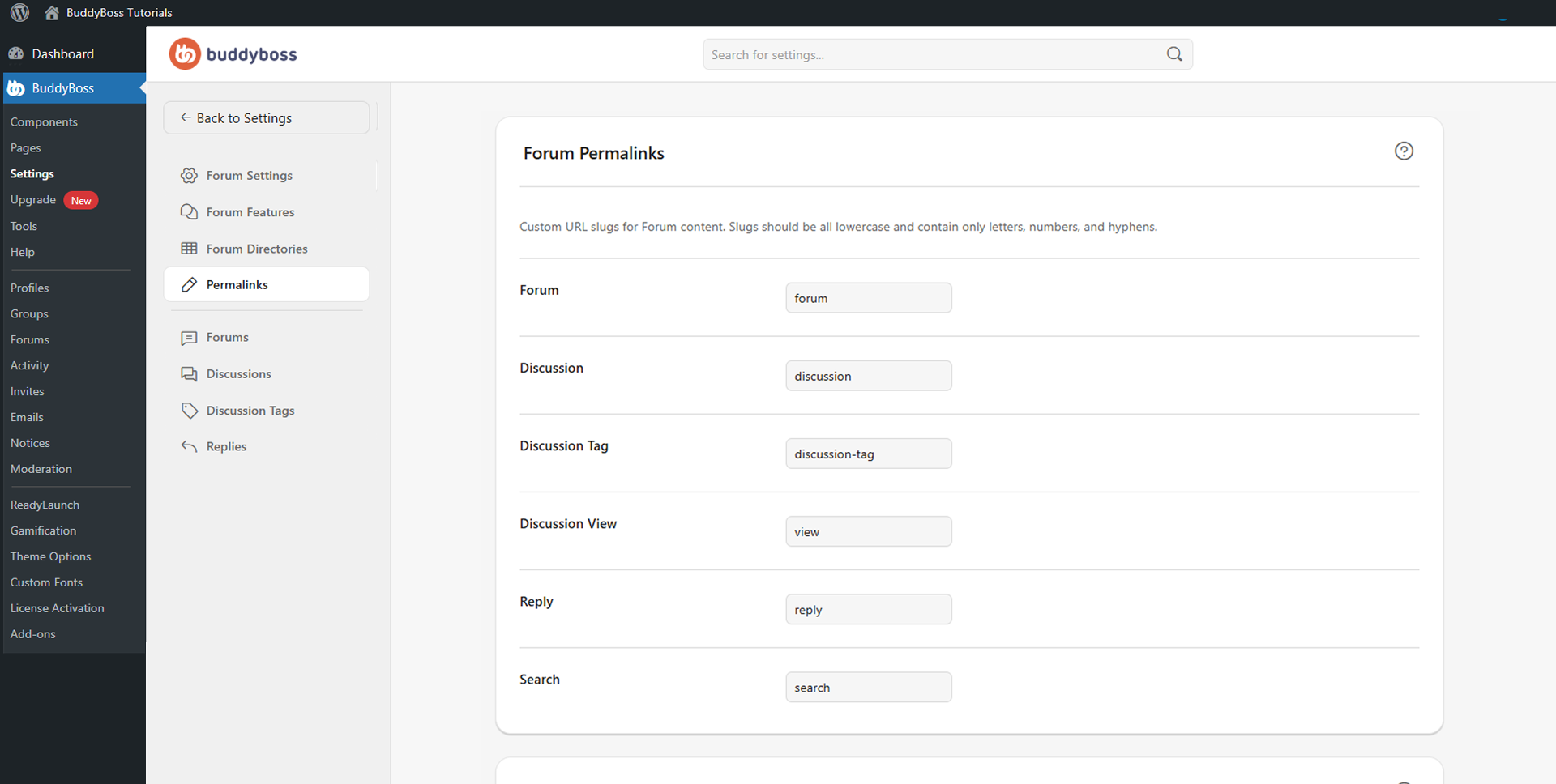
Forum Permalink Slugs
Enter a slug value in each field to set the URL segment for that content type. Use only lowercase letters, numbers, and hyphens – avoid spaces, uppercase letters, and special characters. You may also need to refresh WordPress permalinks by visiting Settings > Permalinks in WordPress.
- Forum: Controls the URL slug for forum category and parent forum pages (e.g., forum).
- Discussion: Controls the URL slug for individual discussion topic pages (e.g., discussion).
- Discussion Tag: Controls the URL slug for discussion tag archive pages (e.g., discussion-tag).
- Discussion View: Controls the URL slug for filtered discussion views and special topic displays (e.g., view).
- Reply: Controls the URL slug for individual reply pages (e.g., reply).
- Search: Controls the URL slug for forum search result pages (e.g., search).
© 2026 BuddyBoss LLC. All Rights Reserved. | buddyboss.com