
REQUIRES: PRO PLAN OR HIGHER • Last updated: Mar 12, 2026 • ~2 min read
The Forum Profile Permalinks settings let you customize the URL slugs used for forum-related tabs inside member profiles – covering replies, favorite discussions, and subscriptions. This manual walks you through each field.
Tutorial Video
Forum Profile Permalink Slugs
Navigate to your WordPress Dashboard, go to BuddyBoss > Settings > Forum Discussions > Click Permalinks, then scroll to the Forum Profile Permalinks section.
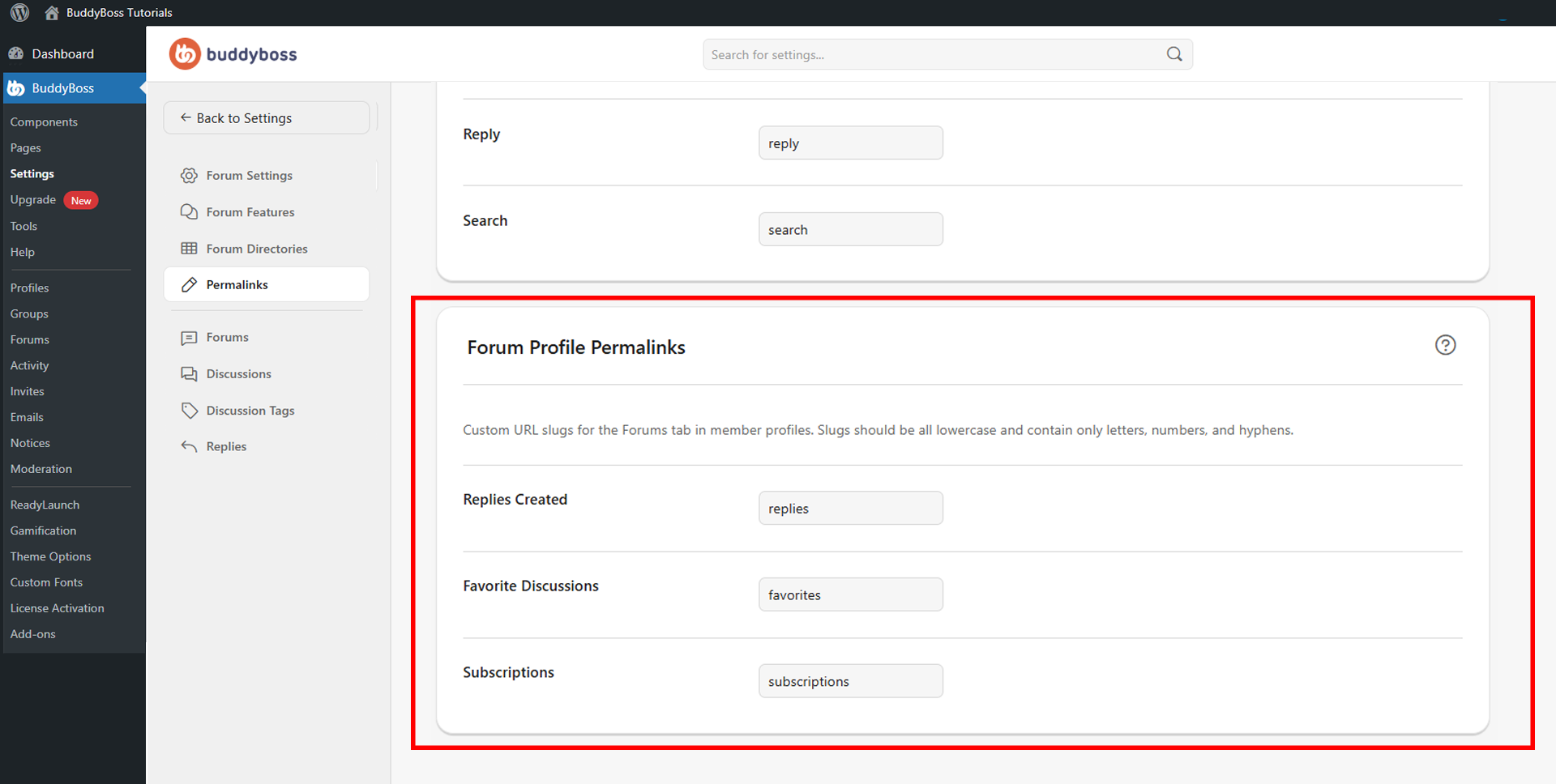
Enter a slug in each field using only lowercase letters, numbers, and hyphens. The three available fields are:
- Replies Created: Controls the URL slug for the tab showing replies a member has created in forums (e.g., replies).
- Favorite Discussions: Controls the URL slug for the tab showing discussions a member has marked as favorites (e.g., favorites).
- Subscriptions: Controls the URL slug for the tab showing a member’s forum and discussion subscriptions (e.g., subscriptions).
© 2026 BuddyBoss LLC. All Rights Reserved. | buddyboss.com