
Last updated: Mar 12, 2026 • ~3 min read
The Member Access Controls feature allows you to restrict who can create activity posts based on specific user criteria such as roles, profile types, memberships, or other conditions. If no restriction is configured, all members can create activity posts by default. This manual walks you through the configuration.
Tutorial Video
Accessing Member Access Controls
To access these settings, navigate to your WordPress Dashboard, go to BuddyBoss > Settings > Activity Feed, then click Access Controls from the left menu.
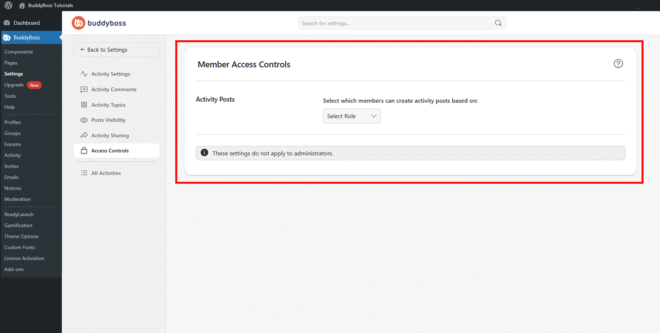
Activity Post Permissions
In the Activity Posts section, use the Select Role dropdown to choose the condition that determines who can create activity posts. After selecting a condition, configure the specific values associated with it – for example, which roles or membership levels should be permitted. Click Save Changes to apply. The available condition types are:
- WordPress Role: Restrict posting based on user roles such as Subscriber, Editor, or Administrator.
- Profile Type: Allow posting only for members with specific profile types, such as Students or Teachers.
- GamiPress: Control posting access based on achievements or points. Requires GamiPress integration.
- Membership: Restrict posting based on membership levels.
- Gender: Limit posting based on gender field values, if a gender field is configured in your profile fields.
Note: These settings do not apply to administrators or to group messages.
© 2026 BuddyBoss LLC. All Rights Reserved. | buddyboss.com