
REQUIRES: PRO PLAN OR HIGHER • Last updated: Mar 12, 2026 • ~4 min read
The MemberPress Group Sync integration connects MemberPress Courses with BuddyBoss Social Groups, enabling course activity to appear in group feeds and allowing administrators to link courses to groups. This manual walks you through each setting area.
Tutorial Video
Accessing MemberPress Settings
Navigate to your WordPress Dashboard, go to BuddyBoss > Settings > MemberPress Courses > MemberPress Settings.
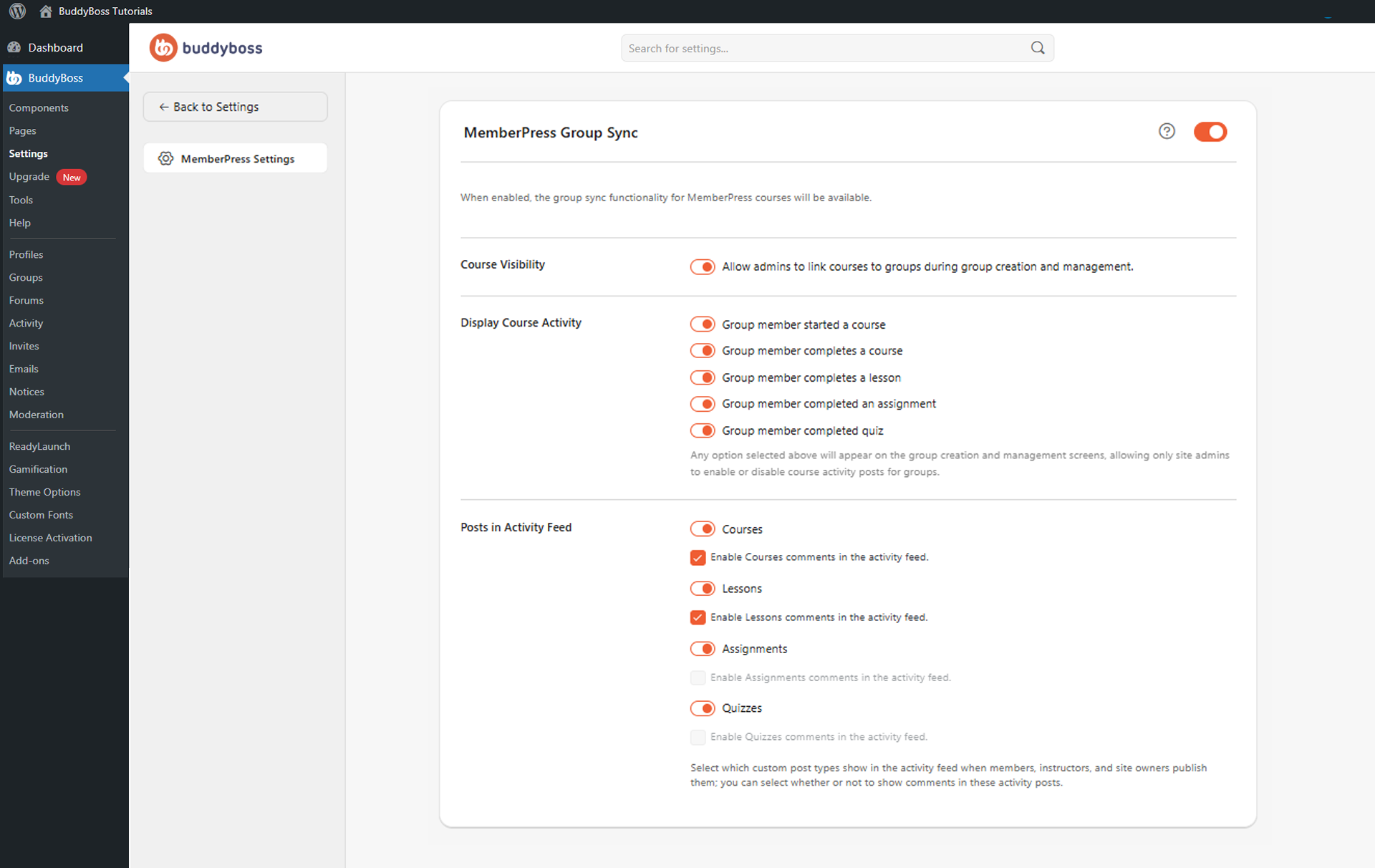
Enable the main MemberPress Group Sync toggle to activate the integration.
Group Sync Settings
- Course Visibility: When enabled, administrators can link MemberPress courses to BuddyBoss Social Groups from the group creation and management screens, creating dedicated learning communities around specific courses.
- Display Course Activity: Controls which MemberPress events appear in group activity feeds. Enable individual events from: started a course, completes a course, completes a lesson, completed an assignment, and completed a quiz. Selected options are then available on group management screens for administrators to control per group.
- Posts in Activity Feed: Enable MemberPress content types to post in activity feeds – Courses, Lessons, Assignments, and Quizzes. Courses and Lessons each support an optional Enable comments in the activity feed toggle. Assignments and Quizzes do not support activity feed comments.
© 2026 BuddyBoss LLC. All Rights Reserved. | buddyboss.com