
REQUIRES: PRO PLAN OR HIGHER • Last updated: Mar 12, 2026 • ~5 min read
The Site SEO settings allow you to optimize how your community appears in search engines and social media platforms. You can set SEO titles and descriptions, configure Open Graph sharing metadata and images, customize dynamic templates for activity posts, groups, and member profiles, and control search engine indexing. This manual walks you through each setting area.
Tutorial Video
Basic SEO Settings
Navigate to your WordPress Dashboard, go to BuddyBoss > Settings Appearance > Site SEO.
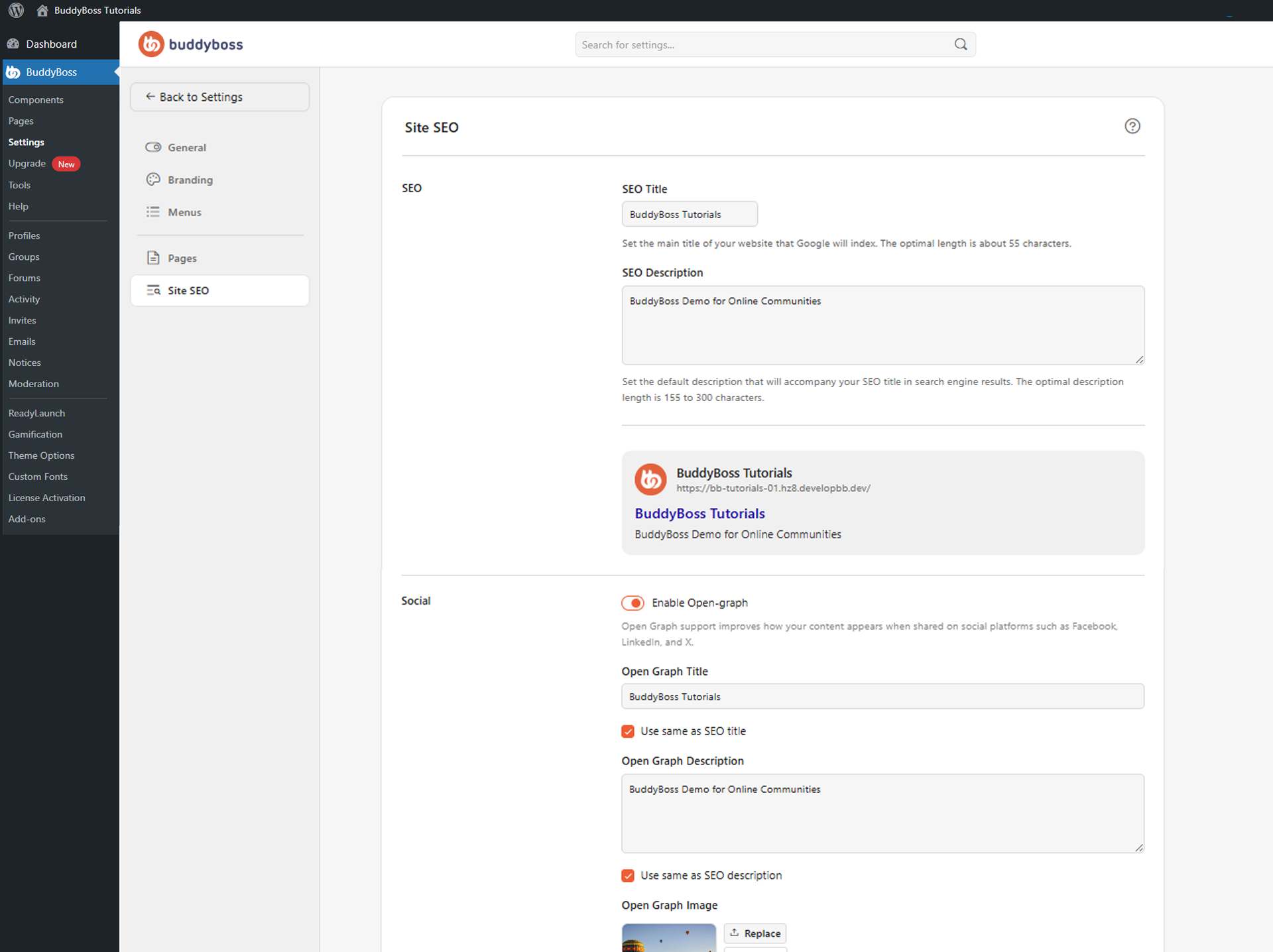
The SEO section controls the default metadata used by search engines. Enter your website title in the SEO Title field (recommended: around 55 characters) and a short description of your community in the SEO Description field (recommended: 155–300 characters). BuddyBoss displays a live search result preview so you can review title length and description readability before saving.
Open Graph Social Sharing
The Social section controls how content appears when shared on Facebook, LinkedIn, X, and other social platforms. Toggle Enable Open-graph on to add social metadata to shared pages. Configure the following fields:
- Open Graph Title: Enter a title for social sharing, or enable Use same as SEO title to sync it automatically.
- Open Graph Description: Enter a description for social sharing, or enable Use same as SEO description to keep them consistent.
- Open Graph Image: Upload an image that appears when your site is shared on social platforms. BuddyBoss recommends a minimum of 1200 × 630px at a 1.91:1 ratio.
BuddyBoss displays a social preview card showing how your content will look when shared publicly, including the Open Graph image, site title, description, and shared URL.
Dynamic Open Graph Templates
Dynamic templates customize how activity posts, groups, and member profiles appear when shared on social media. These settings only apply when your network is public. Each content type has a Title Template and Description Template field where you enter a pattern using dynamic tags that BuddyBoss replaces with real content at share time:
- Activity: Supports tags including {activity_title}, {activity_content}, {author_name}, {site_title}, and others. Default title: {activity_title} | {site_title}.
- Groups: Supports tags including {group_name}, {group_description}, {site_title}, and others. Default title: {group_name} | {site_title}.
Member Profiles: Supports tags including {author_name}, {author_bio}, {site_title}, and others. Default title: {author_name} | {site_title}.
Search Engine Indexing
The Indexing section lets you enable or disable search engine indexing for Posts, Profiles, and Groups independently. Disabling indexing for any content type signals search engines to exclude that content from results – useful for private communities, membership-only networks, or internal learning platforms.
© 2026 BuddyBoss LLC. All Rights Reserved. | buddyboss.com