














Introduction
BuddyBoss lets you manage user-generated activities directly from the WordPress admin. You can permanently delete individual activity items or mark them as spam (and reverse that if needed). This guide explains how to locate activities in the backend, apply single or bulk actions, and clean up your community feed.
Locate User Activities
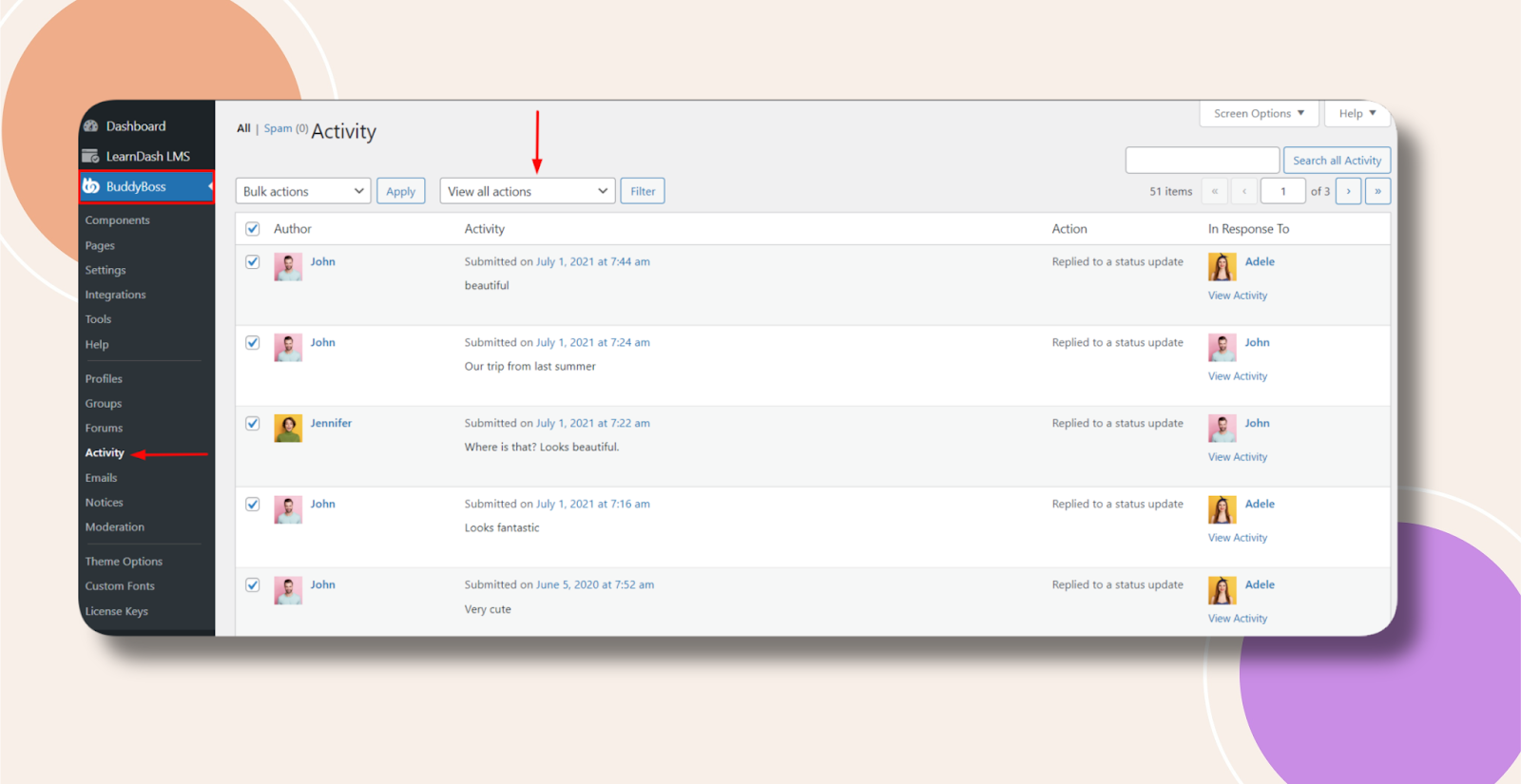
- In WordPress admin, go to BuddyBoss Dashboard > Activity.
- Use the Filter dropdown to select Activities, then click Filter to refresh the list.
Delete or Mark a Single Activity
- Find the activity item you want to manage.
- Hover over its row—action links appear under the Activity column.
- Click Delete Permanently to remove it, or Spam to mark it as spam.
Use Bulk Actions
- Check the boxes next to the activities you wish to process (manually uncheck any you don’t want).
- From the Bulk Actions dropdown, choose Delete Permanently, Spam, or Not Spam.
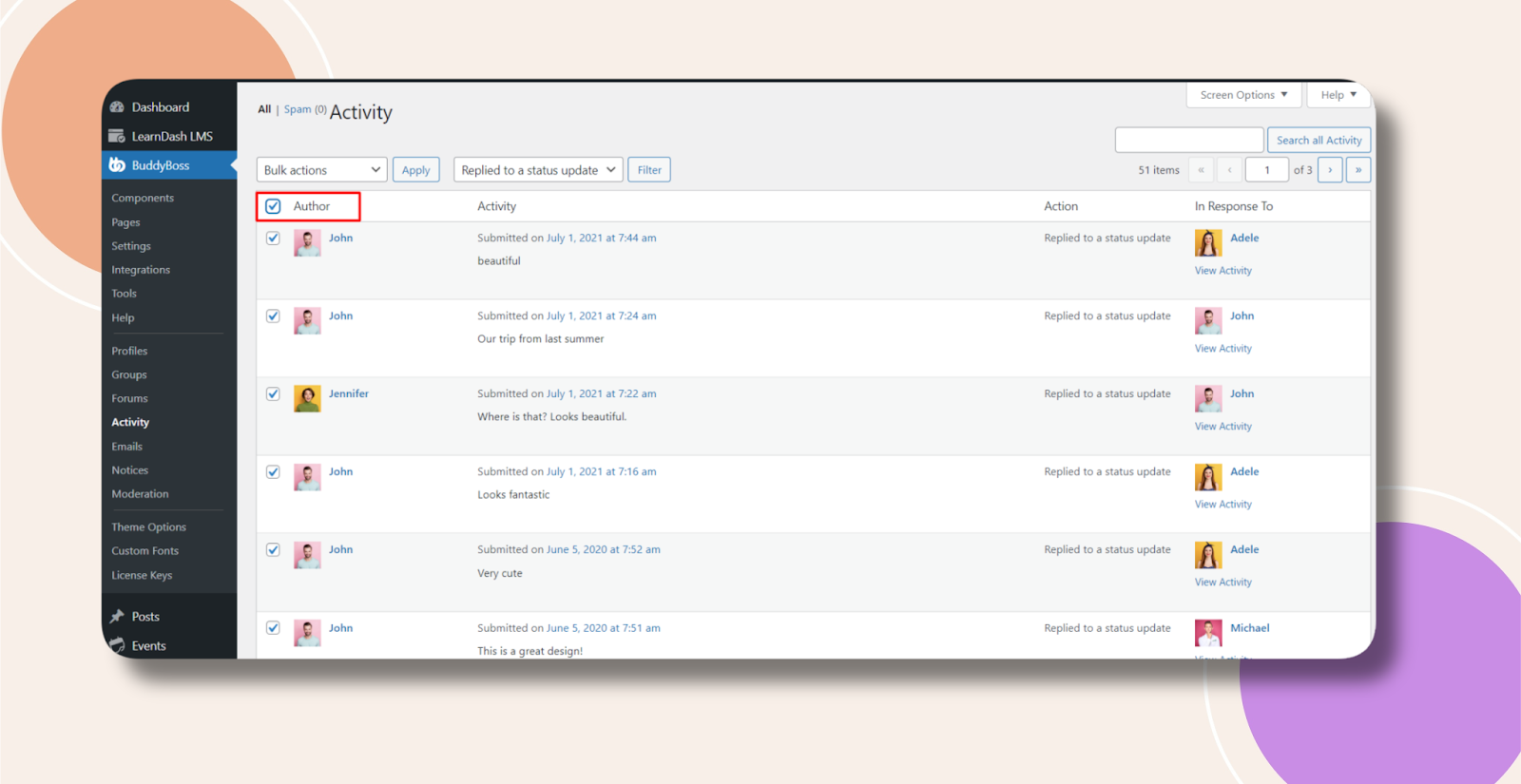
- Click Apply to execute the selected action on all checked items.
Troubleshooting and FAQs
Q: I don’t see the Spam or Not Spam options—what should I do?
A: Ensure the Activity component is active under BuddyBoss Dashboard > Components. Clear any caches and reload the Activity admin page.
Q: Is there an undo for permanent deletes?
A: No. Once you delete an activity permanently, it cannot be recovered. Use the Spam status if you may want to restore it later.