














Adding BuddyBoss as an Owner to your Firebase project allows our team to access and manage the Firebase settings required for your BuddyBoss App. This includes configuring push notifications, analytics, and other Firebase services to support your app’s functionality.
Add BuddyBoss as an Owner
- Log in to the Firebase Console using your Google account.
- Select the Firebase project associated with your BuddyBoss App.
- Click the Settings (gear) icon next to Project Overview.
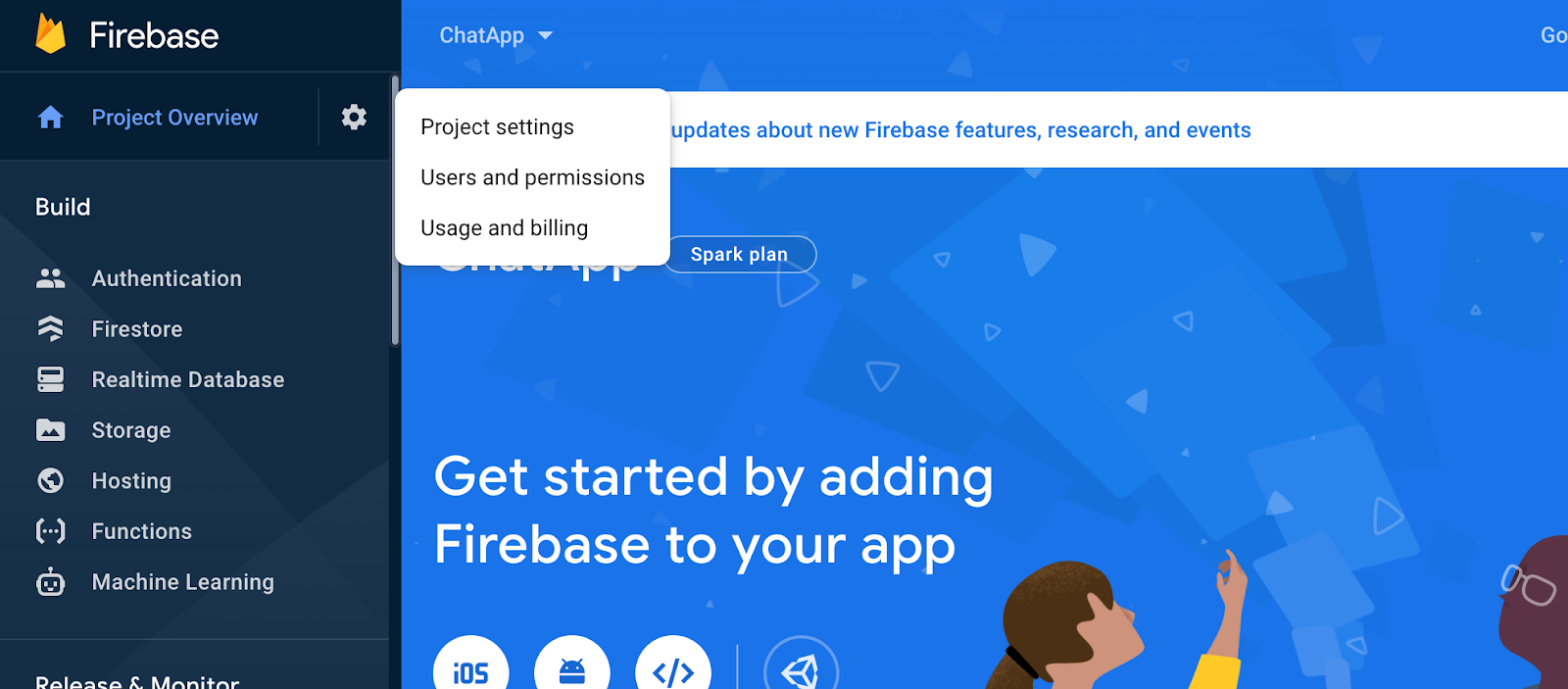
- Select Users and permissions.
- Click Add member.
- In the Email field, enter the email address provided in your BuddyBoss questionnaire.
- Under Role, select Owner.
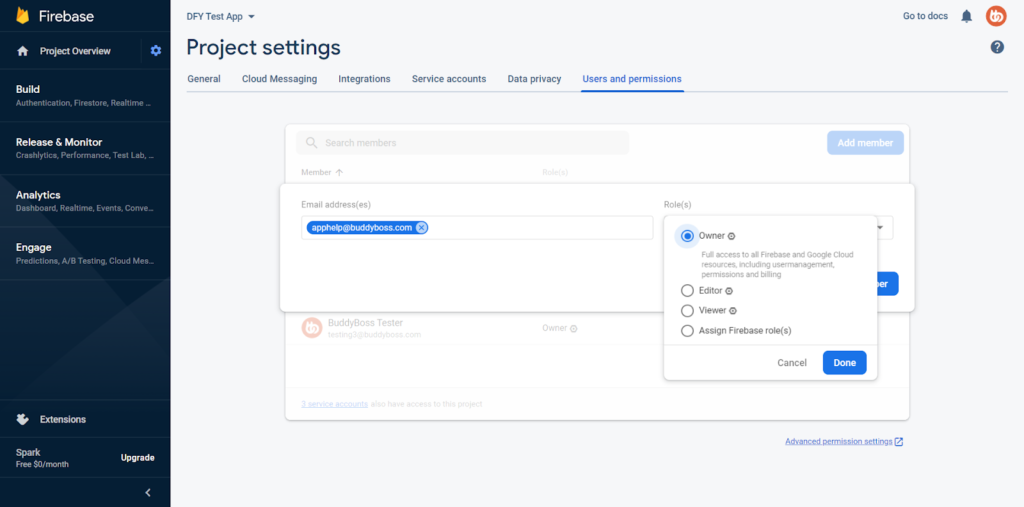
- Click Add member to grant access.
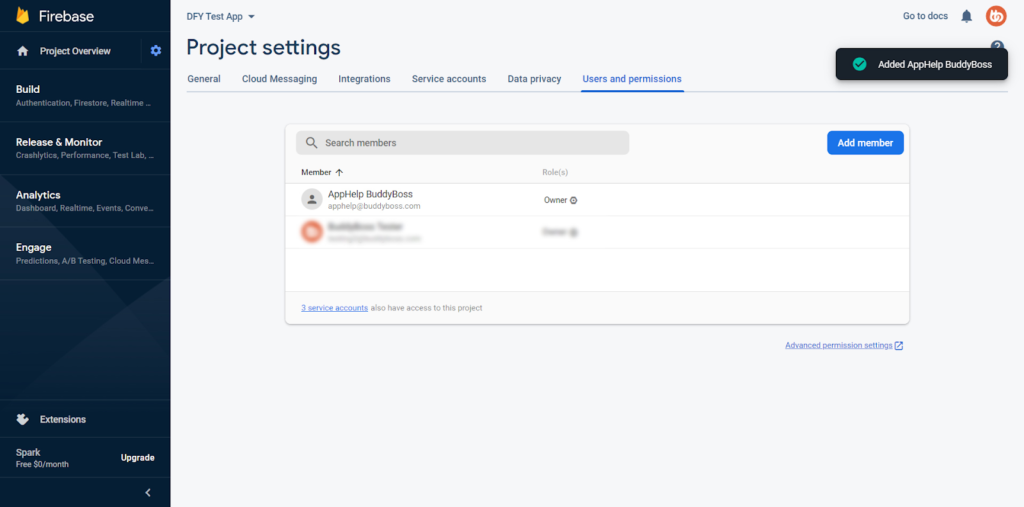
Once BuddyBoss has been added, our team will have Owner access to your Firebase project and can assist with configuring the required Firebase services for your BuddyBoss App.
Note: Make sure you select the correct Firebase project before granting access. The Owner role provides extensive permissions, including the ability to manage project settings and user access. Only grant this role to trusted users.