














Introduction
The BuddyBoss Platform ships with a pre-built “Terms of Service” page you can customize to reflect your own policies. This guide explains how to locate, edit, and publish your site’s Terms of Service content.
Steps to Update Your Terms of Service
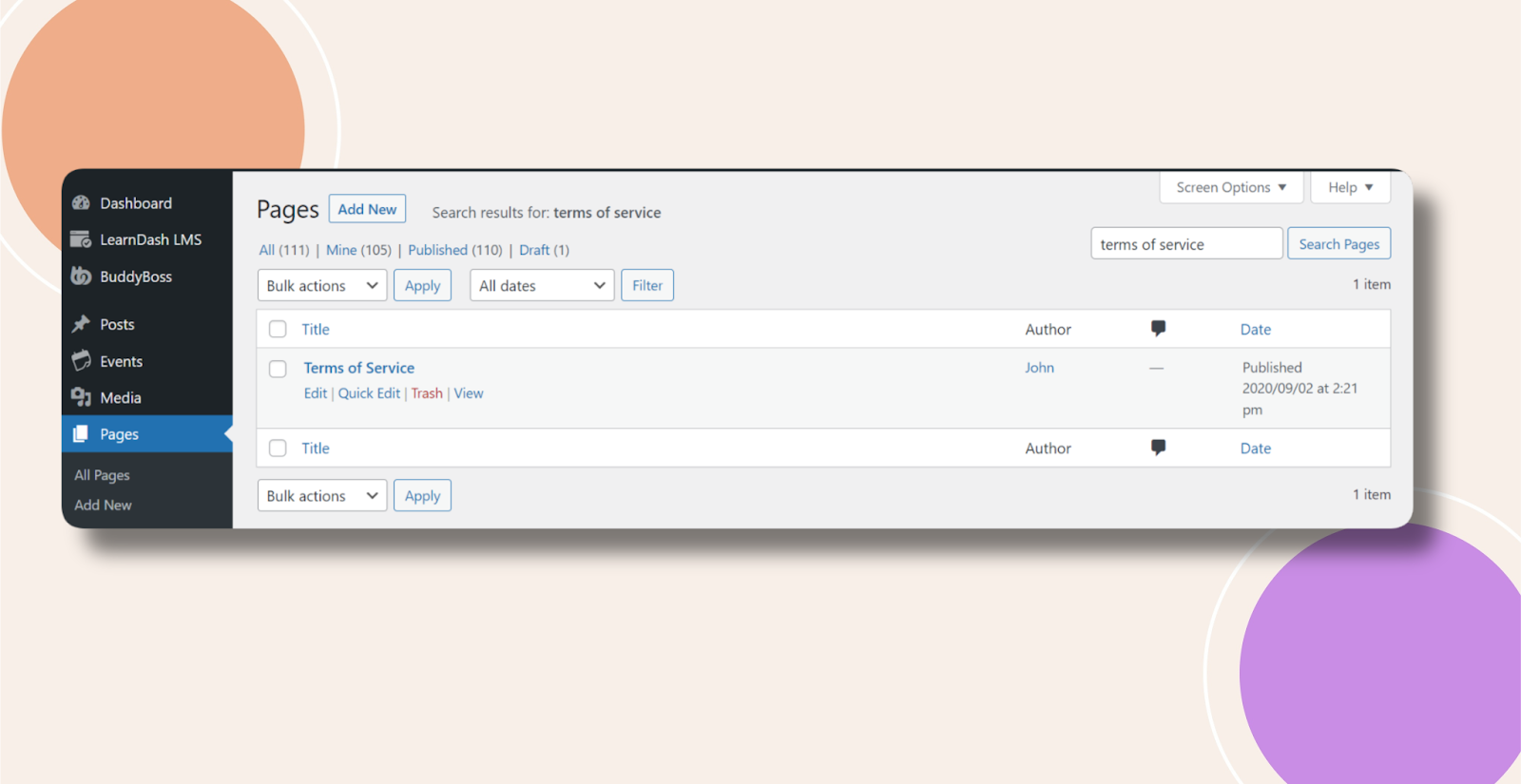
- In your WordPress admin, go to Pages.
- Use the search box to find Terms of Service, then click Edit.
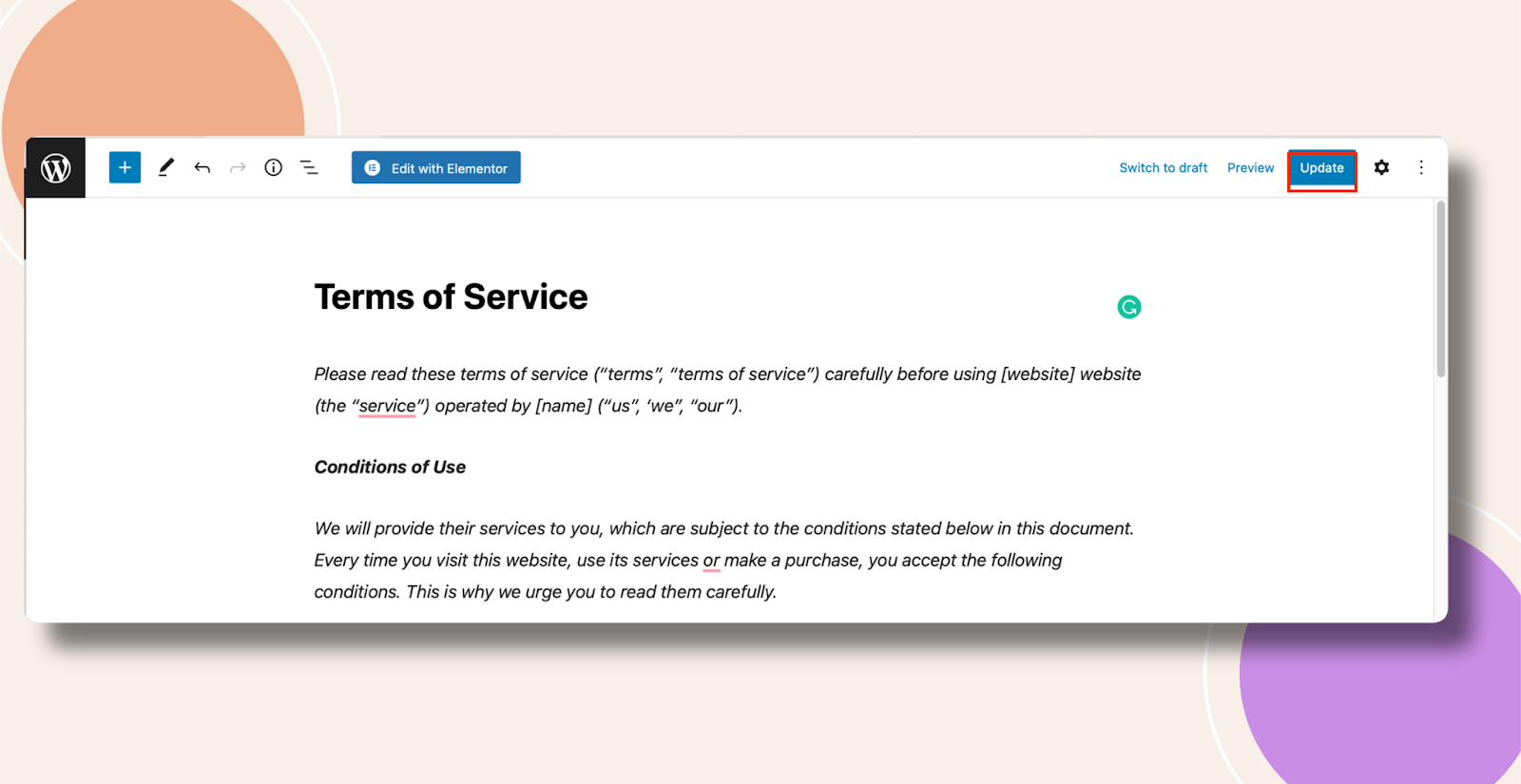
- Modify the page content as needed—add your legal text, links, or formatting.
- Click Update to save and publish your changes.
Troubleshooting and FAQs
Q: I can’t find the Terms of Service page—where did it go?
A: Check the All, Drafts, and Trash tabs under Pages, or use the search with different keywords (e.g., “Terms,” “Policy”).
Q: My updates aren’t showing on the front end—what should I do?
A: Clear any caching plugins (or your browser cache), then reload the page.
Q: Will the BuddyBoss App automatically display my updated Terms?
A: Yes, if you’ve configured the Terms page URL in BuddyBoss App → Configure → General Settings → Terms of Service URL, the app will pull your latest content.